


Although when seeing the description of “putting AI into messaging software”, many people will probably think of the person who was sent to the grave by Google at first. Allo. However, the official way to integrate Gemini into Google Messages, for now, may be biased towards a state where “responsible” related terms may be richer than the functions provided (eh). Continue reading Gemini AI support for Google Messages is officially here. Guess what “generation” help it can give you? Report text.

▲Image source: Artem Russakovskii
Gemini AI support for Google Messages is officially here. Guess what “generation” help it can give you?
Published as Google I/O 2024“100’s” of new featuresOne, further integrating Gemini AI into the Google Messages function of its own messaging service. According to foreign media reports, the global push has been officially launched (except for India, Switzerland, the United Kingdom and the EEA region, but… I haven’t seen the Pixel phone in my hand yet, so it should be without us? QQ).

▲Image source: Artem Russakovskii
Although when seeing the description of “putting AI into the messaging software”, many people will first think of Allo, which was sent to the grave by Google. However, the official way to integrate Gemini into Google Messages, for now, may be biased towards a state where “responsible” related terms may be richer than the functions provided (eh).
From the information shared by foreign media and social netizens about the “Chat with Gemini in Google Messages” experience. Basically, Gemini AI prefers the existence of a contact person who is easy to talk to (just… a chatbot) in the Google Messages service with RCS enabled. Unlike previous Allo services, users can be called out at any time during chats with others or take the initiative. speak out Provide interactive methods for accessing services and information.
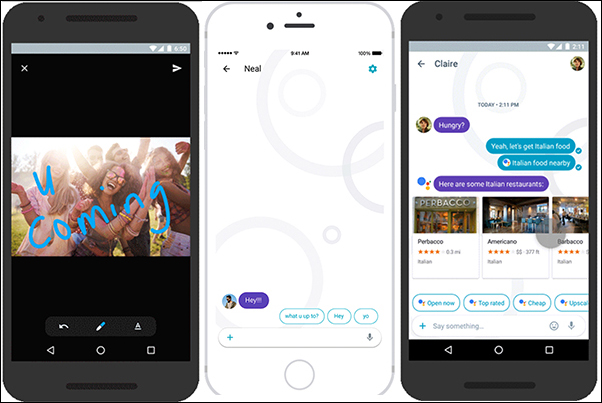
▲Picture: Will everyone miss Allo? (Source: Google)
Basically, when you open a new chat window in the Android version of the Google Messages app, you should be able to see the “Contacts” prompt with Gemini’s classic logo appearing at the top of the contact list. Clicking it will jump to a prompt page reminding you of various functions you can interact with Gemini AI or ask him for help.
After selecting “Continue”, there are a lot of terms and conditions – including that chats with Gemini are “not” end-to-end encrypted and that the data may be manually reviewed by Google (which will remove information related to the account) and used for training.

▲Image source: Artem Russakovskii
To put it bluntly, this experience is really the same as using the general Gemini service (Google is really serious about promoting it…), but it is also a way to quickly access Gemini.
In this chat window, you can also simply call the service through “@GoogleMaps” or “@YouTube” (but it seems that @YouTube Music is not currently supported). During the chat process, you can also give a simple thumbs up or thumbs down rating to the AI’s reply.
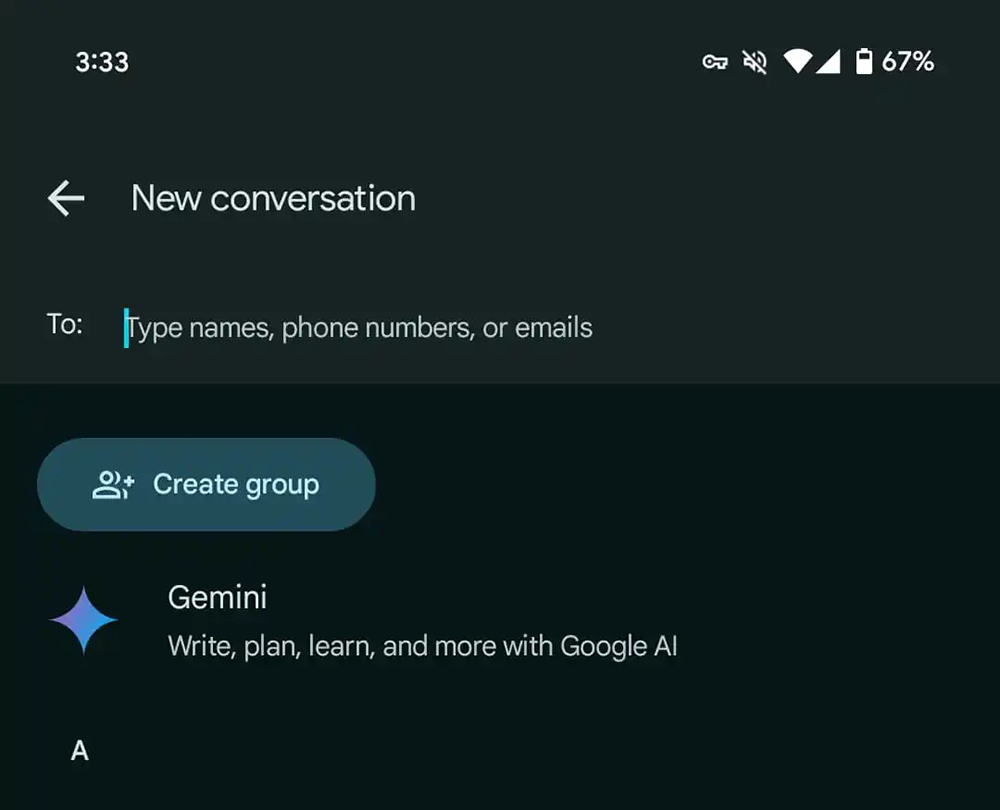
▲Image source: 9to5Google
Finally, based on the testing experience of foreign media, although one would intuitively think that this would be able to “message” with Gemini in the web version including Google Messages and even the Wear OS version. However, the current information does not allow such use.
I wonder if you are satisfied with the way Google puts Gemini in its messaging service? Still, like the editor, I feel a little disappointed – I always feel that the experience should be better than Allo, right? But in terms of AI capabilities, Gemini still surpasses the past by a lot…
Further reading:
Source: KOCPC Chinese