


I wonder if you have noticed recently that a small pencil icon sometimes appears in the LINE chat room list? Curious about what this LINE pencil icon means? In fact, it is a new “Draft” function launched in the recent LINE 13.17.0 version update. Despite this small and inconspicuous function, it may be of great help to many people with busy lives. They no longer have to worry about half-formed messages and forgetting to send them!
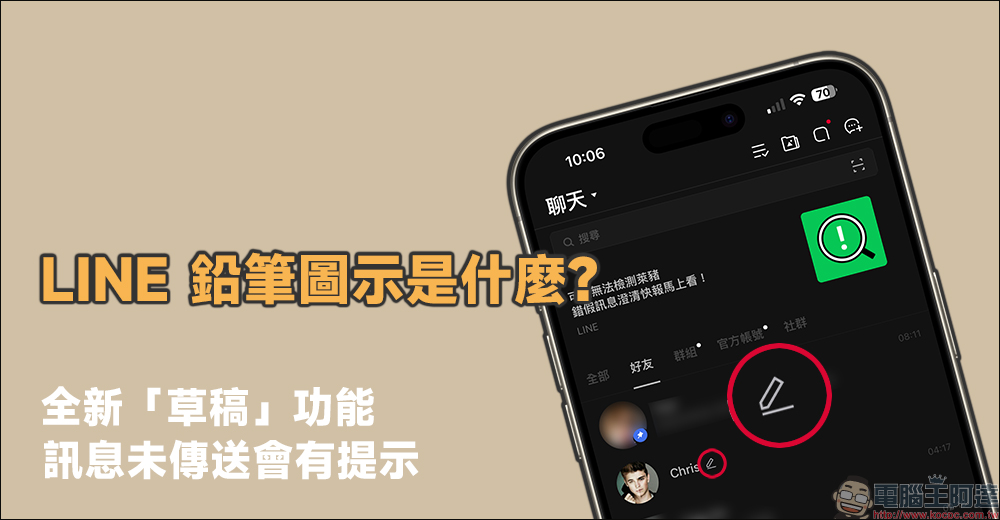
LINE adds a “Draft” function, and there will be a prompt if the message is not sent.
Some time ago, LINE was updated and added the “All Photo Albums” function to the main chat page, which can display all photo albums in the chat room with one click. Recently, LINE users may find a small “pencil” icon next to the nicknames of some of their chat partners in the chat room list. Is this a bug on the phone? Or are there any new features? Don’t worry, let’s answer this new feature added in the recent LINE update – “Draft”.
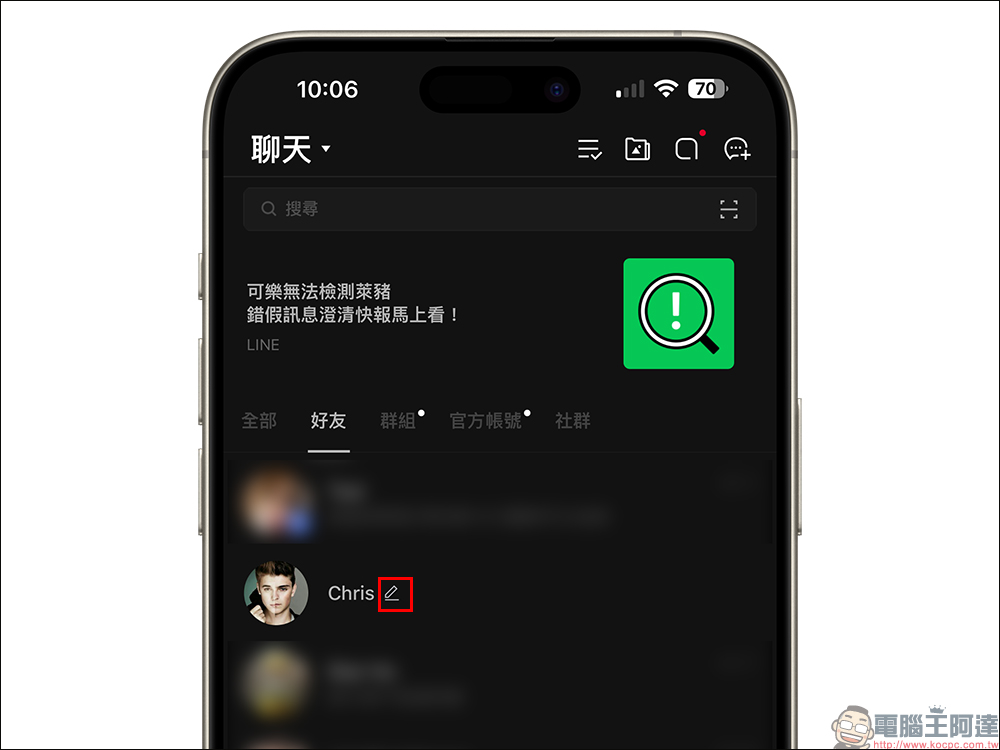
A few days ago, LINE released version 13.17.0 update. According to the description of the update, “Added the function that when there is a draft message in the chat room, a pencil icon will appear next to the chat room name on the chat room list.”

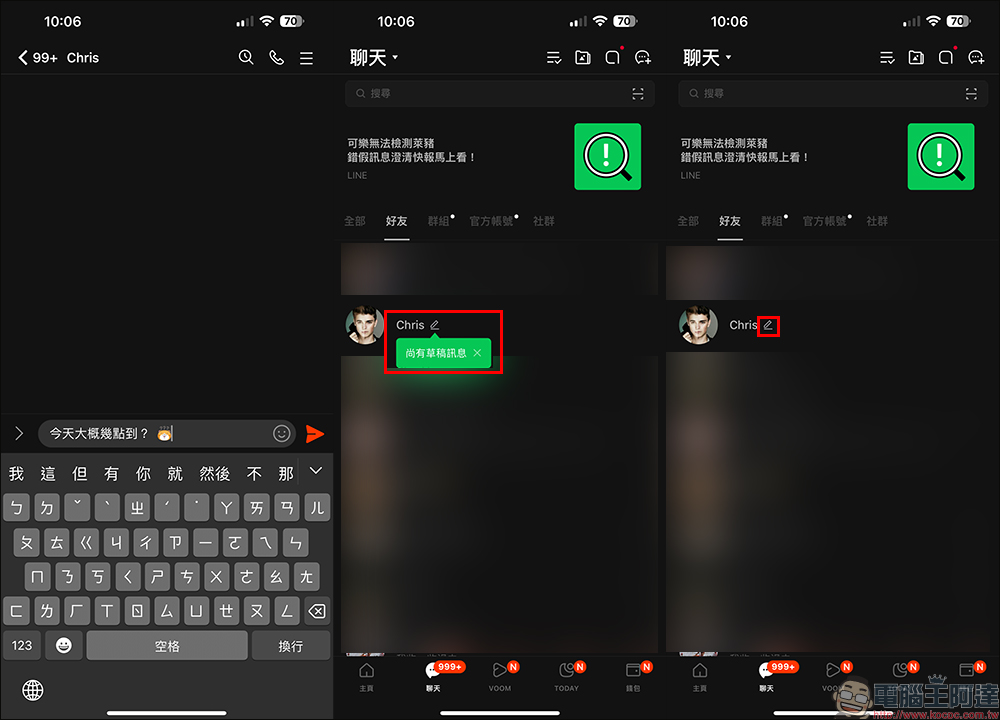
To put it simply, when a user is chatting with friends on LINE and enters a message halfway but does not send it out immediately, when the user leaves the chat room, this mysterious little pencil icon will appear next to the chat room name in the chat room list. To be honest, this function may seem inconspicuous, but it is actually quite useful.
If you are also a heavy user of LINE and often switch between different chat rooms and communicate with people in several chat rooms at the same time, you must have encountered the situation where you have to reply to other more important messages in the middle of a message. In the end, you forget that there is a message that you have not replied to, which may cause some communication misunderstandings. At this time, as long as you see the “pencil” icon in the chat room list, it means that the chat room still has messages that you have not sent out. You might as well take the time to open the chat room to check the content!
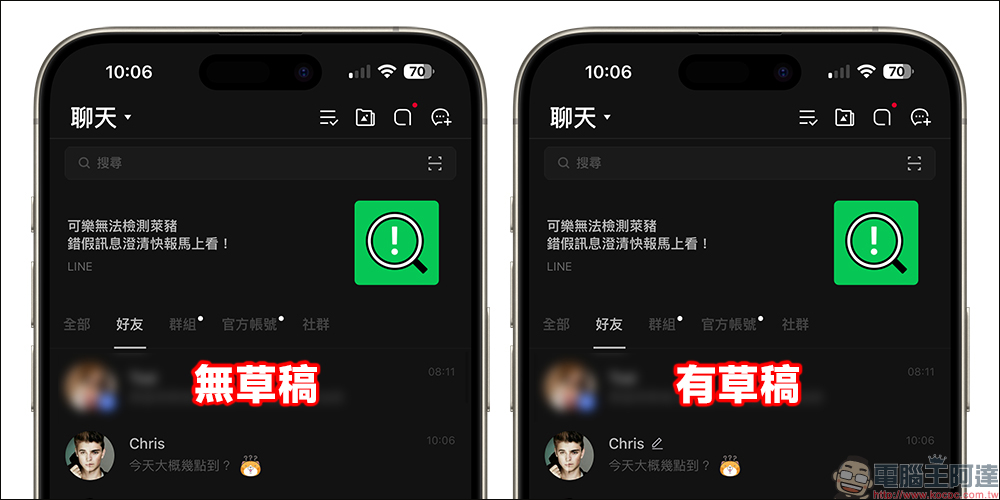
If the chat room does not have any partially edited messages that have not been sent, the chat room will display the chat room name and the content of the most recent message as in the past. If the chat room has “drafts” that have not yet been sent, in addition to displaying the content of the latest message, the chat room name will still have a “pencil” icon, which means that the chat room has messages that have not yet been sent.
This new “Drafts” function launched by LINE is very helpful to many busy people, and they no longer have to worry about forgetting to reply to messages. However, the “Draft” function of the LINE chat room list requires updating the LINE App version to version 13.17.0 (inclusive) or above in order to display this cute and thoughtful “pencil” icon. As of now, LINE iOS version has released version 13.17.0 update. As for Android users, don’t be discouraged. You may wish to pay more attention to the application update information in the Google Play Store in the near future!
LINE App:iOS version|Android version
Further reading:
Xiaomi Xiaomi Wireless Car Charger Pro is officially on sale in Taiwan: supports up to 50W wireless fast charging, smart arm clamp, and smart cooling

Source: KOCPC Chinese