


In early October last year, LINE launched “LINE Invoice Manager” to make it easier for users to match invoices and manage consumption. At that time, we had an article about LINE publishes the butler’s introduction (please click me). Recently, with the announcement of the winning numbers of the latest unified invoice, have you already matched your prize? This time I want to share with you the unified invoice matching tutorial using LINE Invoice Manager. There are 3 methods to help you compare invoices faster!
LINE Invoice Manager: Unified invoice matching tutorial, 3 ways to quickly compare invoices
Recently, the winning numbers for the unified invoice from March to April of 2012 were announced. Are you lucky enough to win? For those of you who often use LINE, of course you can’t miss the useful LINE Invoice Manager tool! LINE Invoice Manager was launched with the original intention of intelligently managing invoices. We hope that everyone can enjoy a wallet that is no longer clogged with paper invoices. As the winning numbers are announced, you can also check the latest and past winning numbers on LINE Invoice Manager.
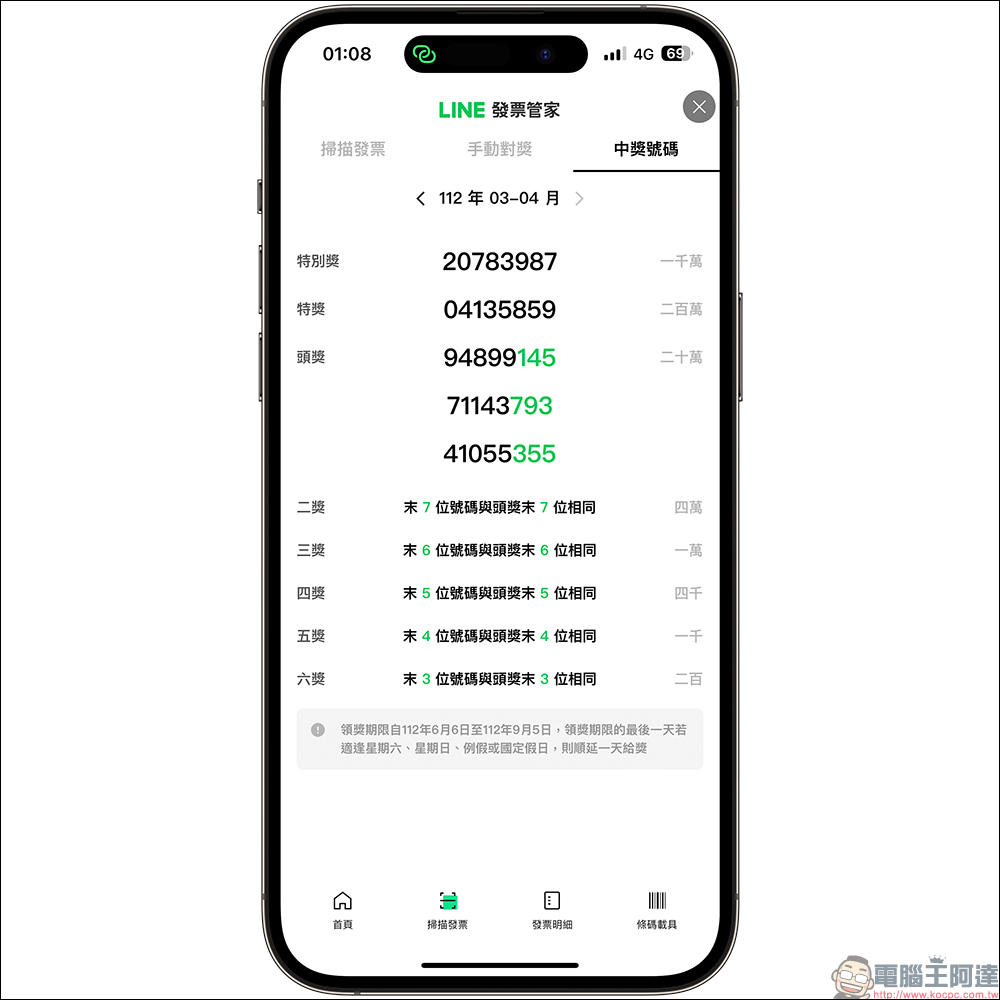
In addition to checking the latest unified invoice redemption number, how to use LINE Invoice Manager to quickly complete the redemption? Here are three officially recommended methods of redeeming rewards from LINE.
Method 1: Provide the store’s vehicle barcode when paying the bill
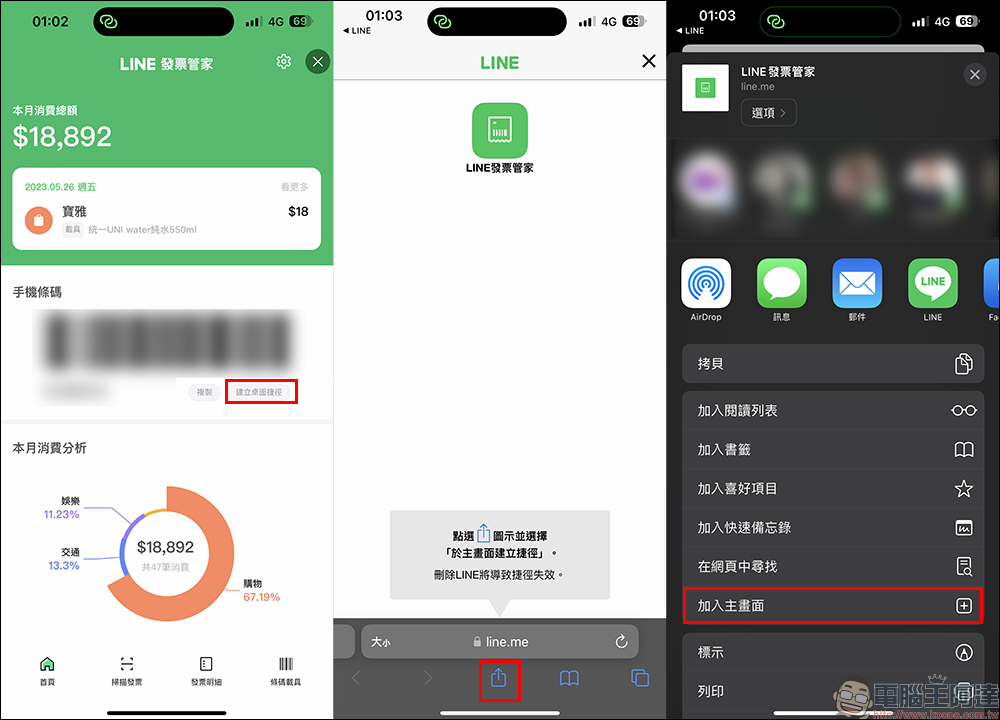
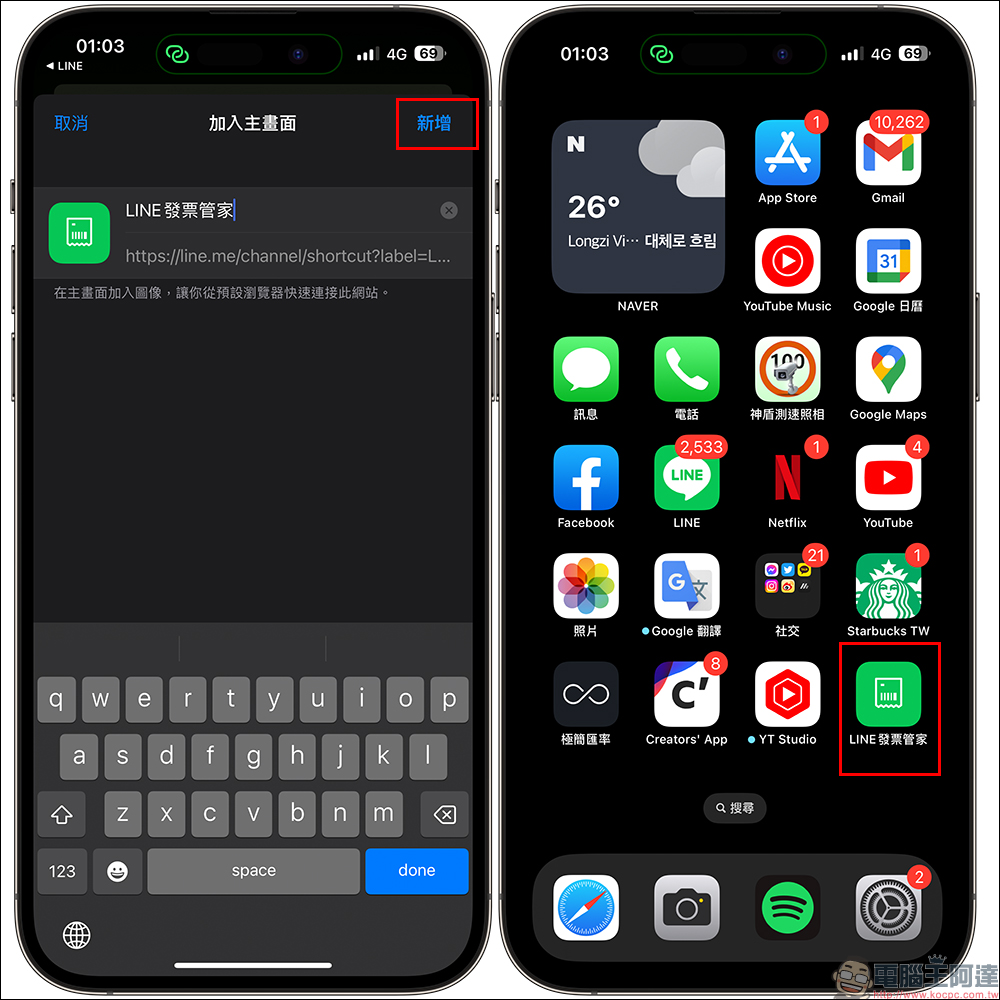
First, bind the mobile barcode carrier to the LINE invoice manager, and then provide the store carrier barcode directly during payment during daily consumption. You can also save shortcuts to LINE Invoice Manager directly on the home screen of your phone.
When the lottery is drawn later, the LINE Invoice Manager chat room will also immediately remind users of the lottery draw! As long as the user clicks “Check Now”, they can go to the invoice details page of LINE Invoice Manager to match the prize. At the same time, the user’s consumption amount and details will be displayed on the consumption analysis page. In addition, the invoice for consumption will also be notified in the chat room.
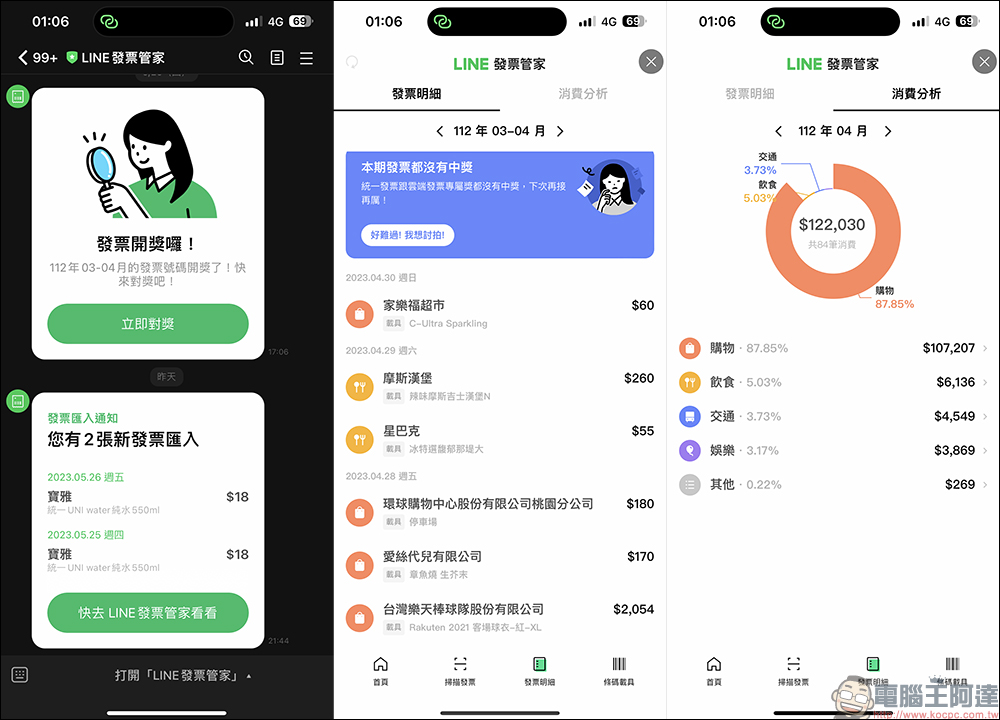
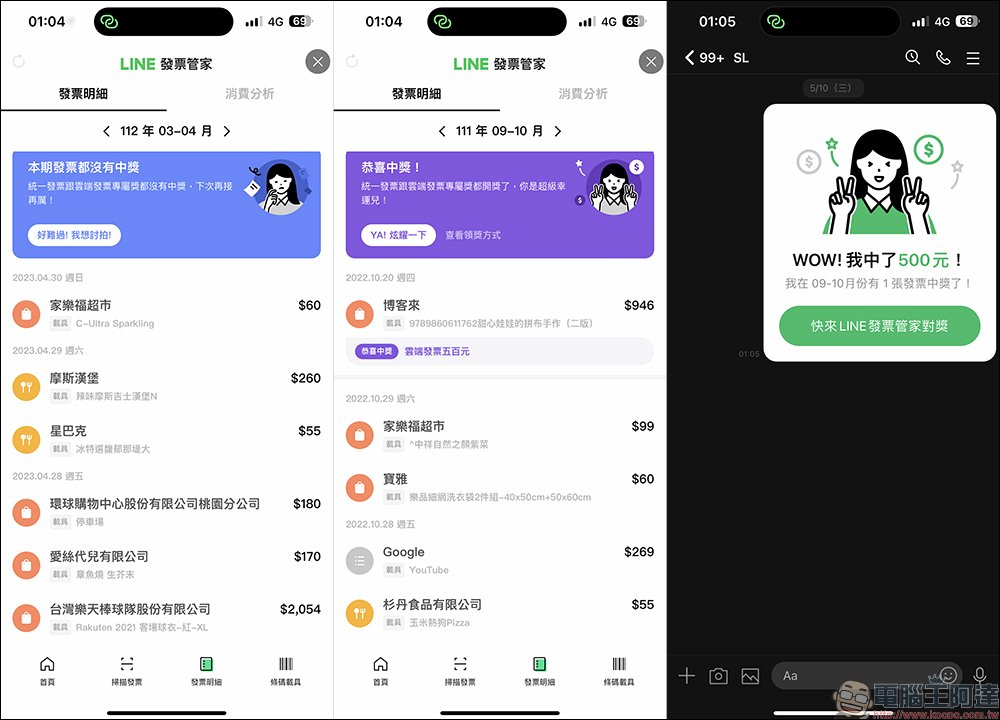
After the lottery is drawn, the top of the invoice details page will show whether there is a winner in the current invoice. Regardless of whether there is a winner, you can share the message to the LINE chat room to show off to your friends or ask for a photo. The winning invoice will also thoughtfully display the store where it was consumed, the amount, and the bonus on the invoice in the invoice details.
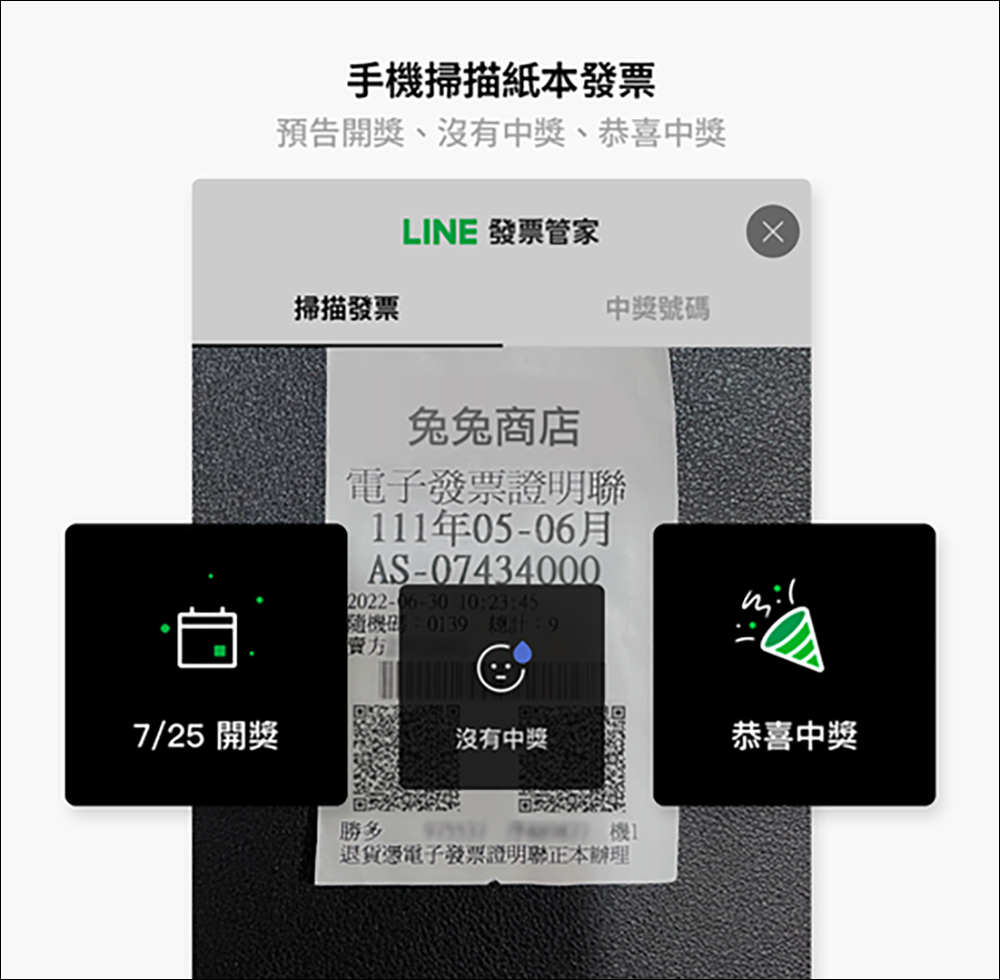
Method 2: Scan the paper invoice
If you do not usually store the invoice on the vehicle, you can also scan the electronic invoice or traditional paper invoice with your mobile phone to redeem the prize. Whether it is an invoice that has not yet been drawn, an invoice that has not won, or an invoice that is lucky enough to win, it will be notified immediately on the mobile phone screen.
Method 3: Manually enter the last three digits of the invoice
If you have a large number of invoices on hand and don’t want to scan them one by one, you can also choose the “manual matching” function by entering the last three digits of the invoice. Manual prize matching will be based on the last two invoices for detection. For example, special prizes and special prizes need to have exactly the same numbers to be considered a winner. Therefore, if the special prize or the last three digits of the special prize are successful, the user still has to compare the previous numbers to be considered a winner.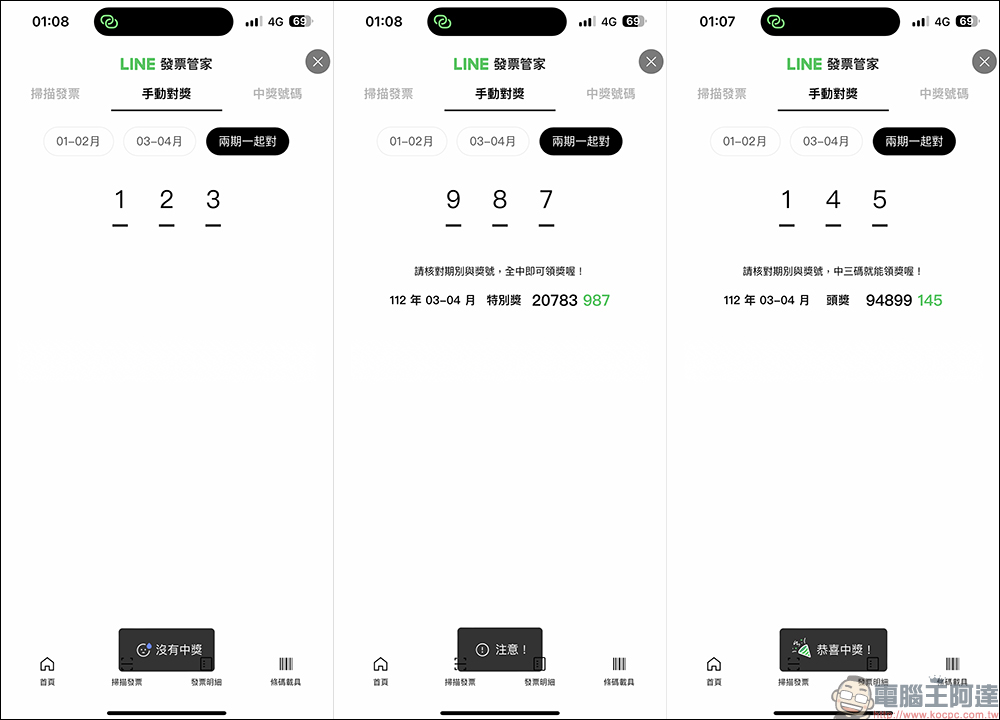
No need to go to the supermarket to get the bonus, just set up your bank account and you can easily deposit it!
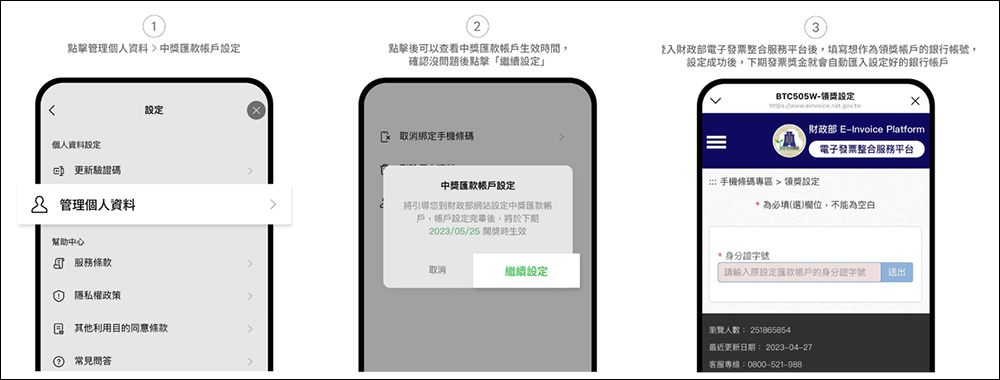
In addition to making it easy to match prizes, receiving prizes can also be automatically credited to your account! As long as the account information is set in advance, the user can automatically claim the prize when the invoice is won. First, click “Manage Personal Information” and then click “Winning Remittance Account Settings”. After clicking, you will be directed to the Ministry of Finance website to set up. After logging into the Ministry of Finance’s electronic invoice integration service platform, fill in the bank account number used to receive the prize. The next invoice bonus can be automatically transferred to the set account.
LINE Invoice Manager (official account):Click me to add friends
Further reading:
Hands-on videos of the full range of iPhone 15 models are here! New rounded frame design, iPhone 15 Pro series uses titanium metal middle frame
Source: KOCPC Chinese