


The first choice for getting the best viewing experience on YouTube has always been to subscribe to the YouTube Premium plan. Over the years, YouTube has also been actively launching unique features and benefits for Premium users to make watching videos more convenient. YouTube launches 5 new features, which were announced earlier this year 1080p Premium Enhanced bit rate and advanced image quality options, this feature was also officially launched earlier. Continue reading this article to find out what new features exclusive to Premium are brought!
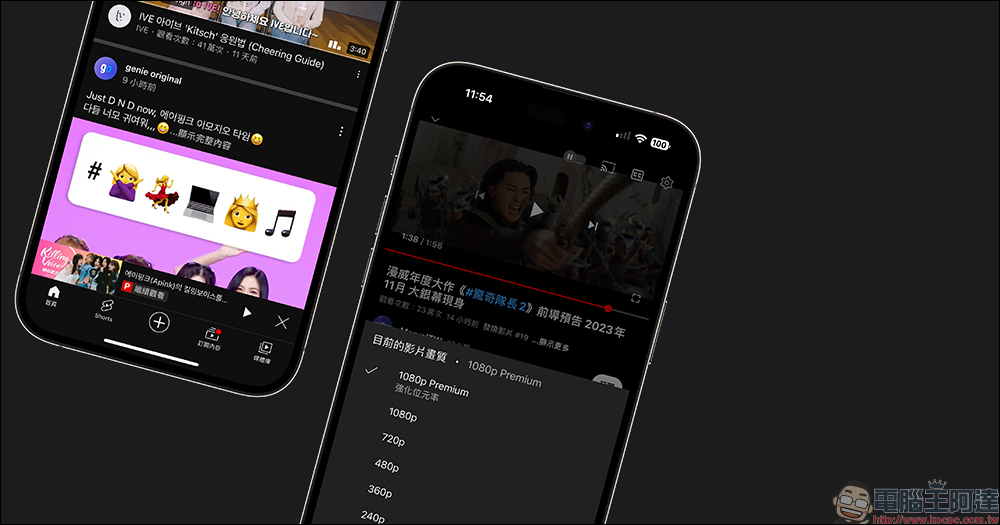
YouTube launches 5 new features, and 1080p Premium with enhanced bit rate is officially launched. Do you want to pay for a subscription?
I wonder if you are also a heavy user who watches YouTube videos every day? In addition to providing picture-in-picture playback, no ads, offline playback, background playback, and an uninterrupted YouTube Music listening experience, YouTube for Premium also provides YouTube Premium members with exclusive features and benefits for a more immersive YouTube experience. YouTube has also continued to launch some useful new features over the years. Recently, YouTube has provided the latest 5 advanced new features for YouTube Premium members!
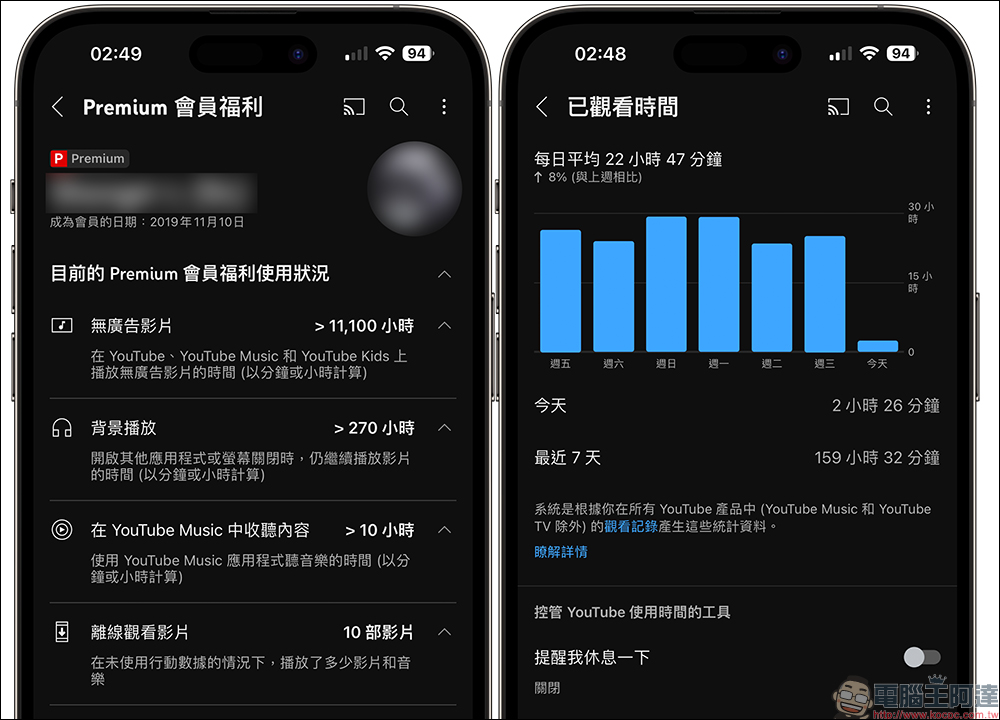
If YouTube Premium members haven’t seen these new features after opening YouTube, they will be rolled out in the coming weeks.
1. 1080p Premium enhanced bit rate
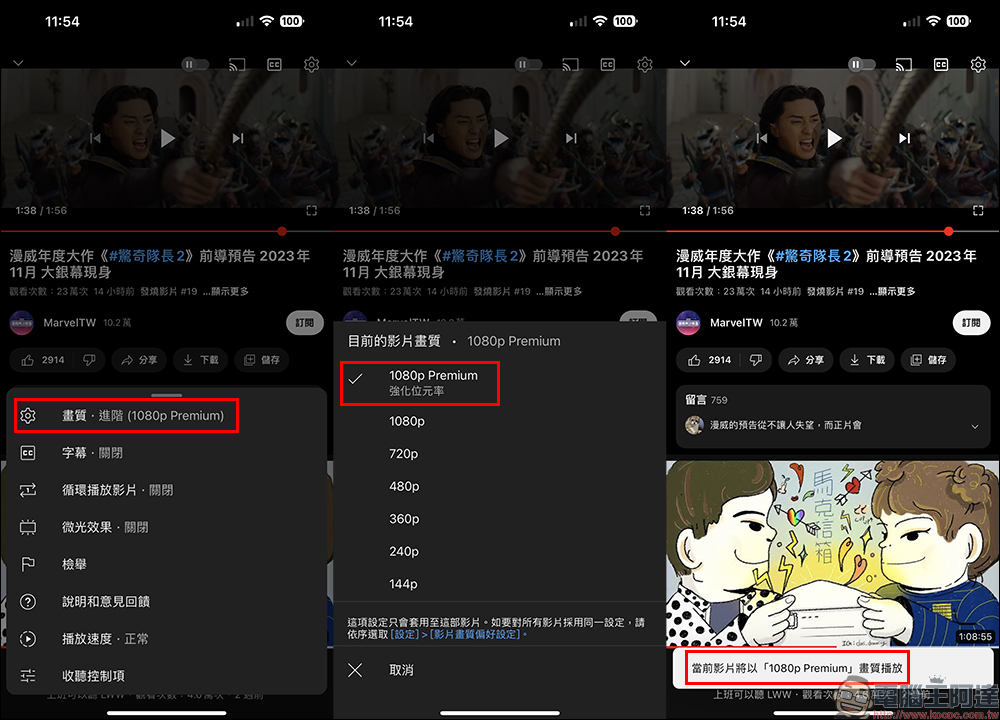
YouTube will launch an enhanced bitrate version of the advanced image quality option “1080p Premium” for YouTube Premium subscribers on iOS in the next few weeks. Simply put, choosing 1080p Premium quality allows you to watch videos with lower compression than 1080p.
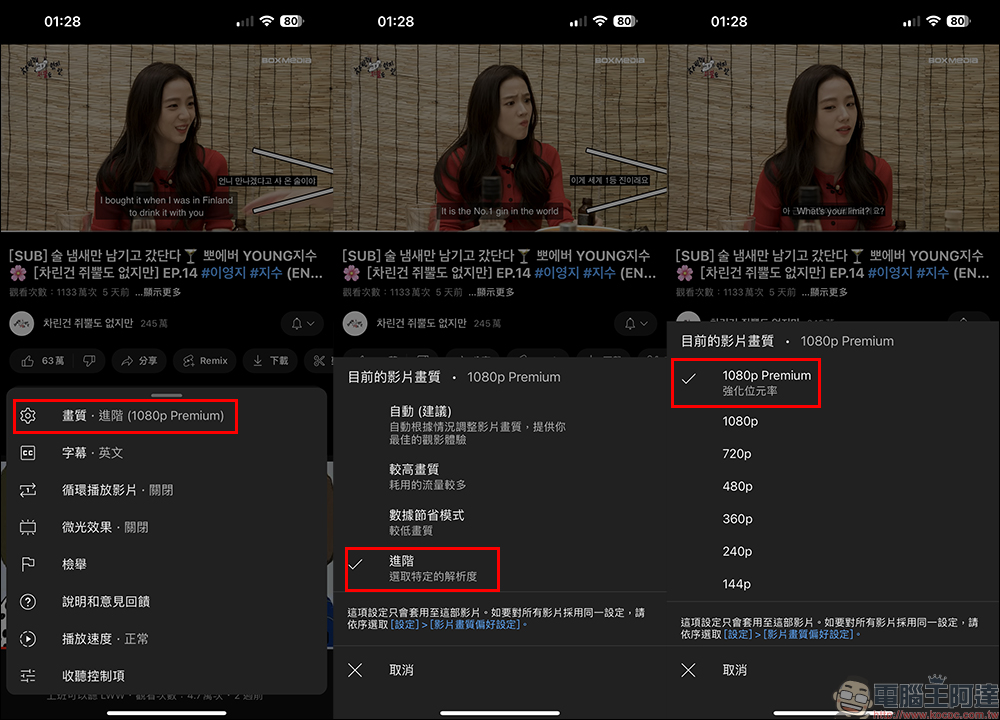
According to YouTube officials, 1080p with enhanced bit rate will look clearer, especially with more details, to enhance the experience of watching videos.
2. Continue watching across devices
Sometimes many things in life prevent users from watching YouTube videos. Maybe they are having fun watching videos on their mobile phone, but they have to turn on the computer for work. At this time, Premium members can handle things on the computer without interruption, and can also open YouTube to continue watching unfinished videos on the phone on the computer.
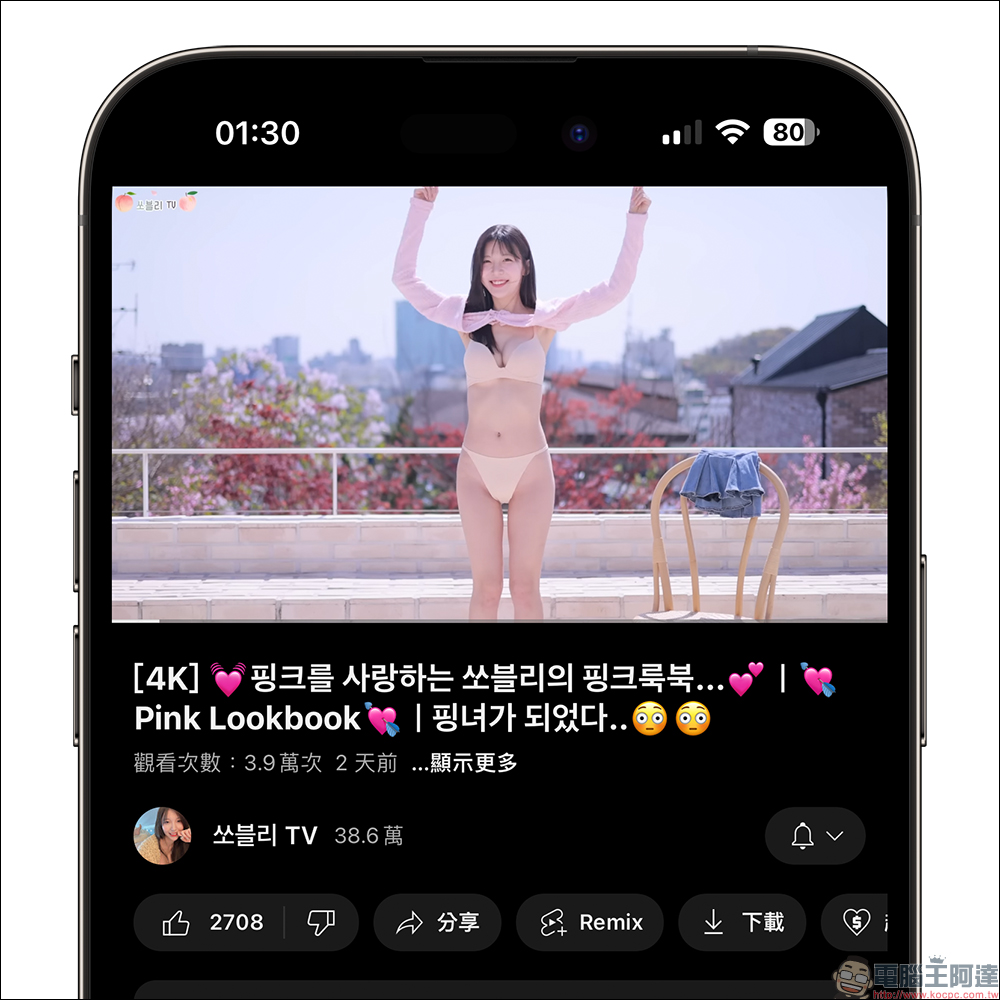
For example, if you are halfway through playing a video on your mobile phone, when you open YouTube, you will find a “Resume Playing” function in the lower right corner of the window. Just click on it to continue playing the video played earlier on your mobile phone on your computer. This also saves you the trouble of manually going to “Watching History” to find the video, so you won’t miss the wonderful moments of the video.
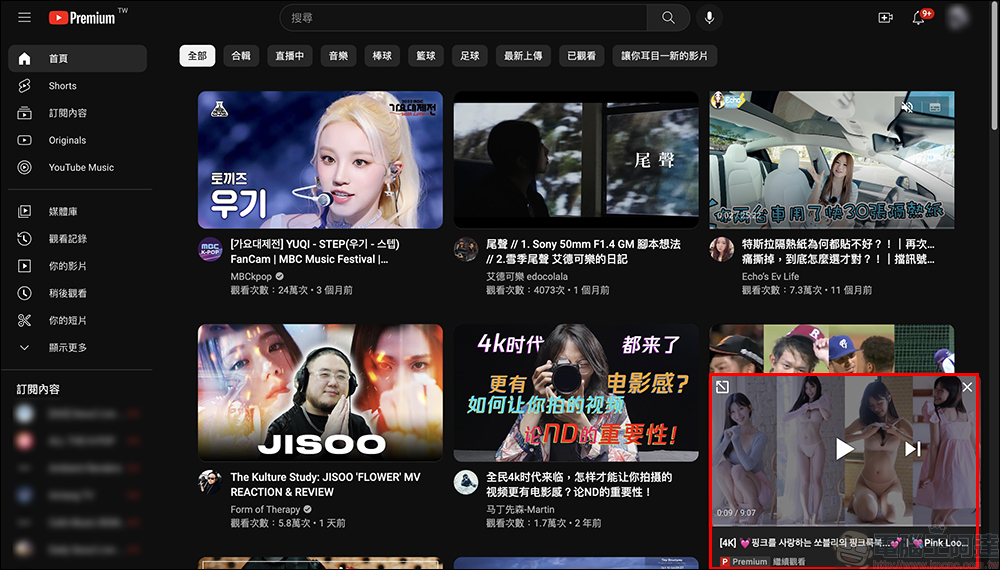
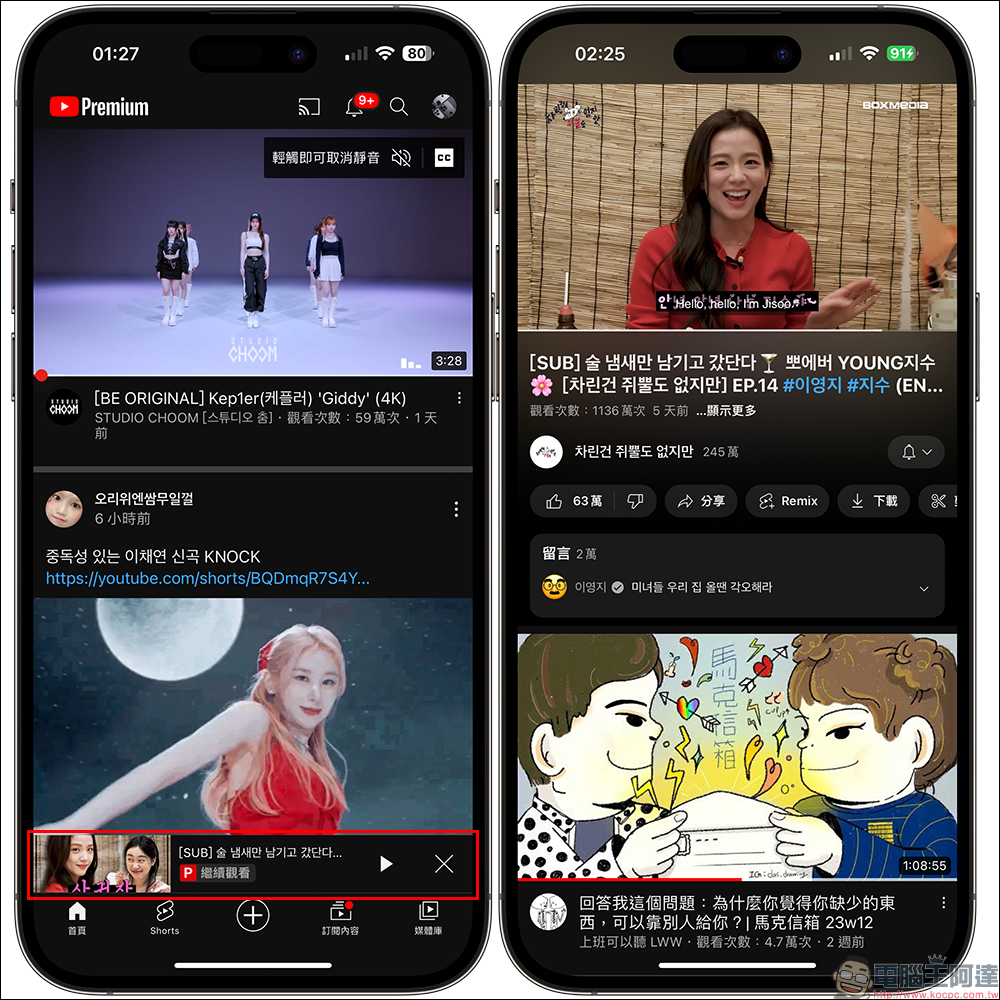
The “Continue Watching” function can not only switch from mobile devices such as mobile phones and tablets to computers, but can also continue playing YouTube videos from mobile devices when the computer is halfway through playing the video. This feature is currently available on iOS, Android and web versions.
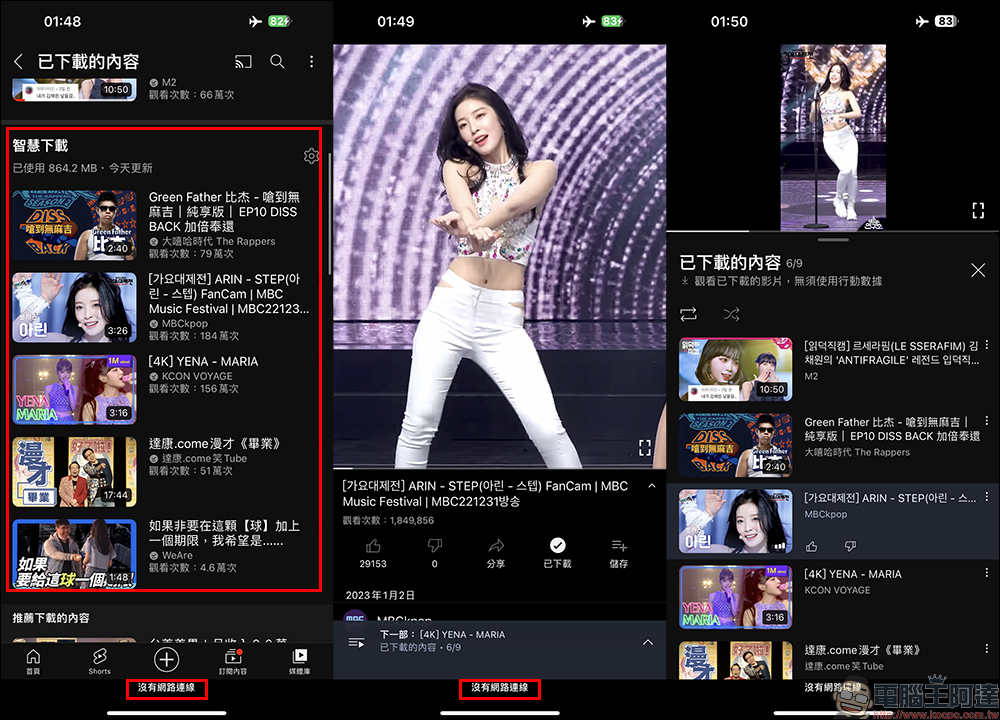
3. Smart download and offline playback
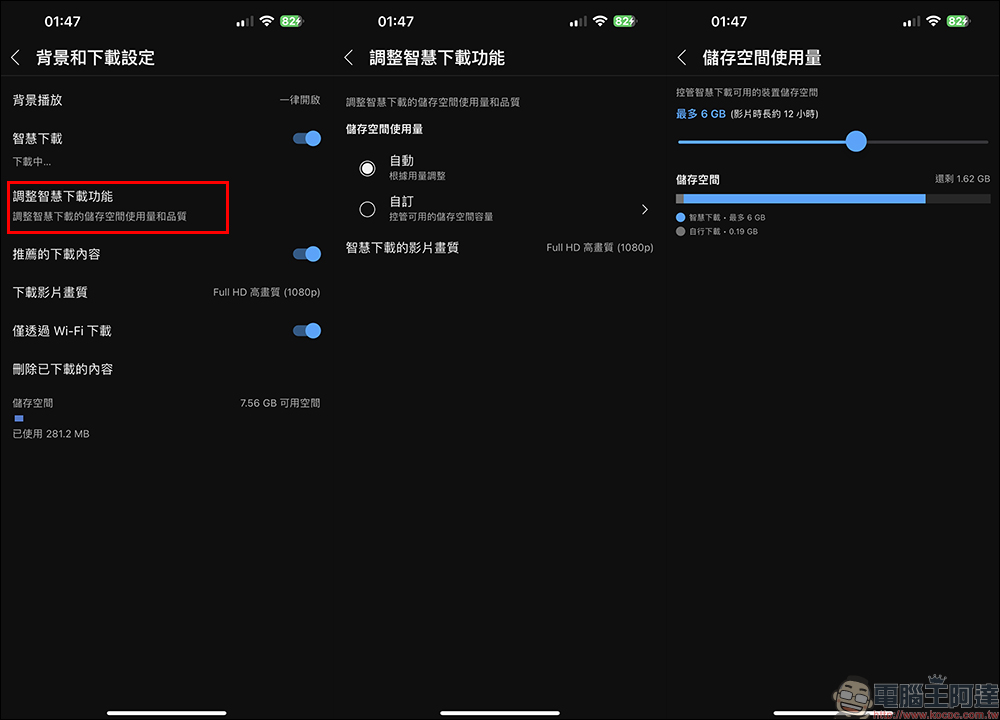
When your mobile phone does not have an all-you-can-eat Internet plan, or you are in an environment with poor Internet speed, or even in an environment where there is no Internet, such as on an airplane, YouTube Premium members can use the “Smart Download” function to automatically add recommended videos directly to “Downloaded Content” when there is usually a Wi-Fi network. This is for users who forget to download their favorite videos on their mobile phones before taking a long-distance flight, so they no longer have to worry about being bored without videos on the plane.
On the settings page, Premium members can also adjust the smart download function according to the space of the device. In addition to selecting “Auto” to adjust based on usage, they can also select “Custom” to control the device storage space available for smart downloads. If the set space is too large, the system will also prompt that the capacity is insufficient to avoid the problem of smart downloaded videos filling up the phone space. In addition, the video quality for smart downloads supports up to Full HD (1080p).
4. Playback sequence control
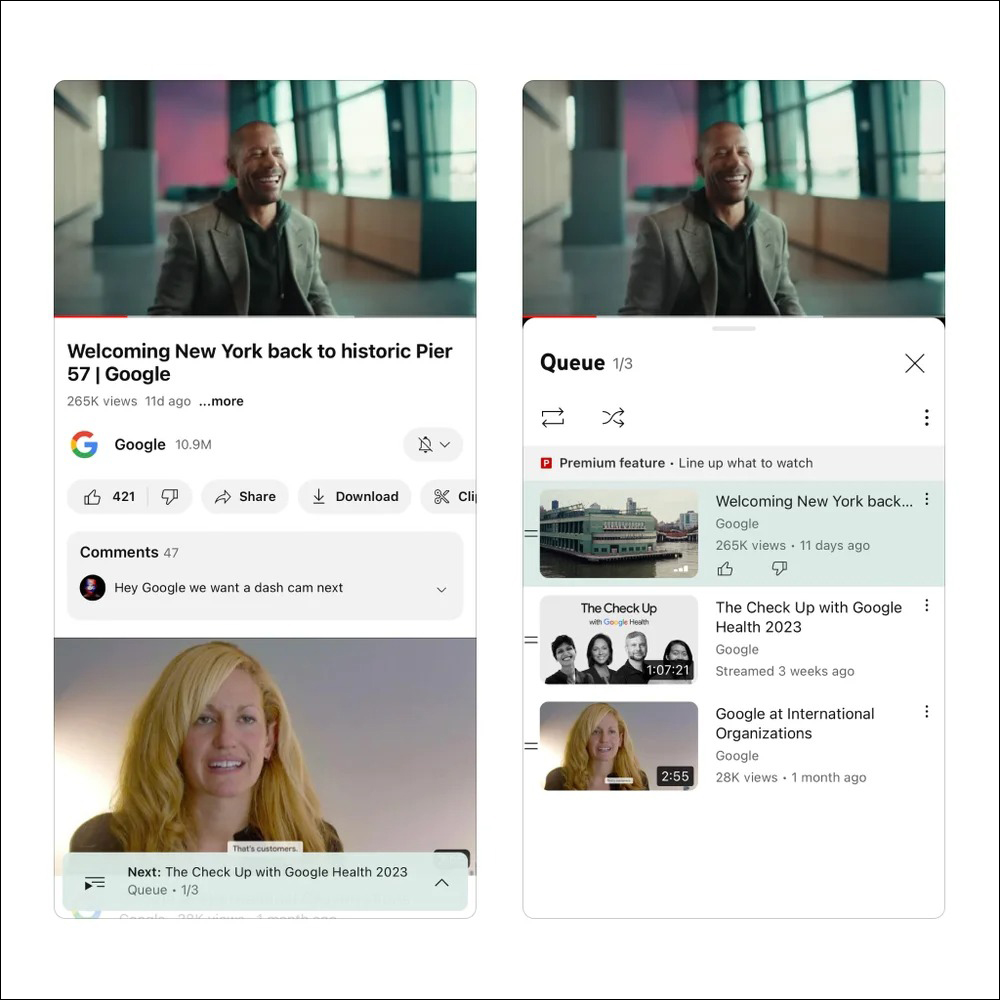
In the past, the “Queue” function, which was only supported by the computer version, will now be able to control the viewing sequence on mobile devices such as mobile phones and tablets in YouTube Premium. Users can also control the videos to be played next.
5. Both iOS and Android will support the SharePlay function and share videos
Last year, Google launched a new feature called “Live Sharing” that allows users to not only share Spotify or YouTube streaming content in multi-person videos, but also allow participants to add music or videos to the playlist together. Android users with a YouTube Premium subscription can watch the same YouTube video with others through Meet Live Sharing.
Recently, YouTube officials also announced that in the next few weeks, users using iOS will also be able to use SharePlay to watch the same YouTube video with others using FaceTime. And, if one of you is a YouTube Premium user, you can already use this feature, regardless of whether the other person is a YouTube Premium user.
Also shown on the show: Listening controls (Premium exclusive)
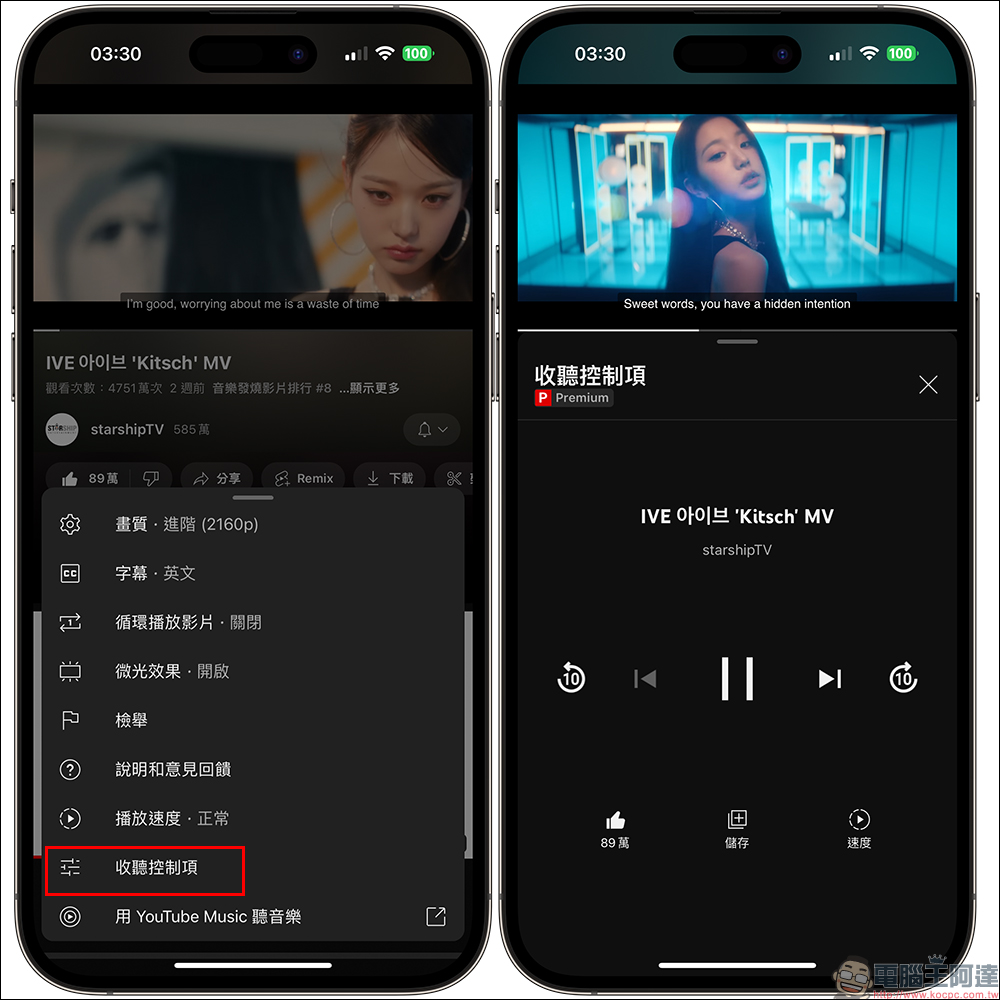
In addition to the above five major functions provided by YouTube for Premium users, the author also adds a very useful “listening control” function on YouTube, and this is also a function only supported by YouTube Premium users.
Sometimes when we watch content such as music performances and MVs on YouTube, if we want to more conveniently control the playback of the video, we can turn on the “Listening Controls” function. After turning on the “Listening Controls” function, the recommended videos below the videos that were originally viewed vertically will be changed to a player interface. Users can easily control video playback, pause, switch, fast forward and other functions. They can also adjust video playback speed, save playlists or click “Like Videos”.
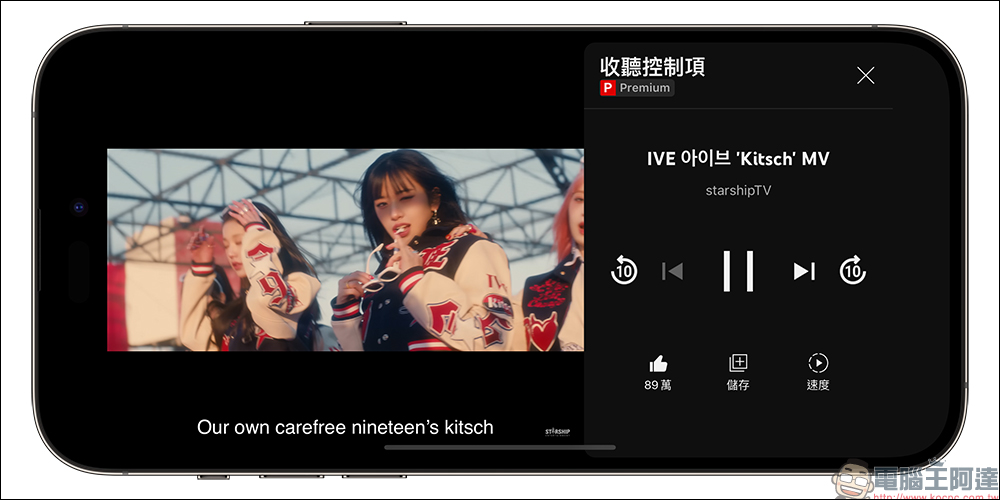
The “Listening Controls” function can also be used when watching videos in landscape orientation. Although the video screen will become smaller and appear on the left side, for users who hold their mobile phones with one hand to watch YouTube videos, this function will make it easier to operate the video playback controls with one hand. And even if you use this function, the original CC subtitles of the video will not be blocked and will be perfectly adjusted to the bottom of the video screen.
Source: KOCPC Chinese