


With the new MacBook having bangs, the original menu bar position in the middle will be blocked, resulting in insufficient space. Some app icons will be blocked and cannot be used. I have often encountered this problem before. Bartender is a tool that can solve this problem. It can not only give you a second menu, but also hide function icons that are not used for a long time, allowing you to easily manage the menu bar.
- Featured articles:Argentina YouTube Premium Subscription Tutorial! Cheaper than India, as low as 10 yuan per month
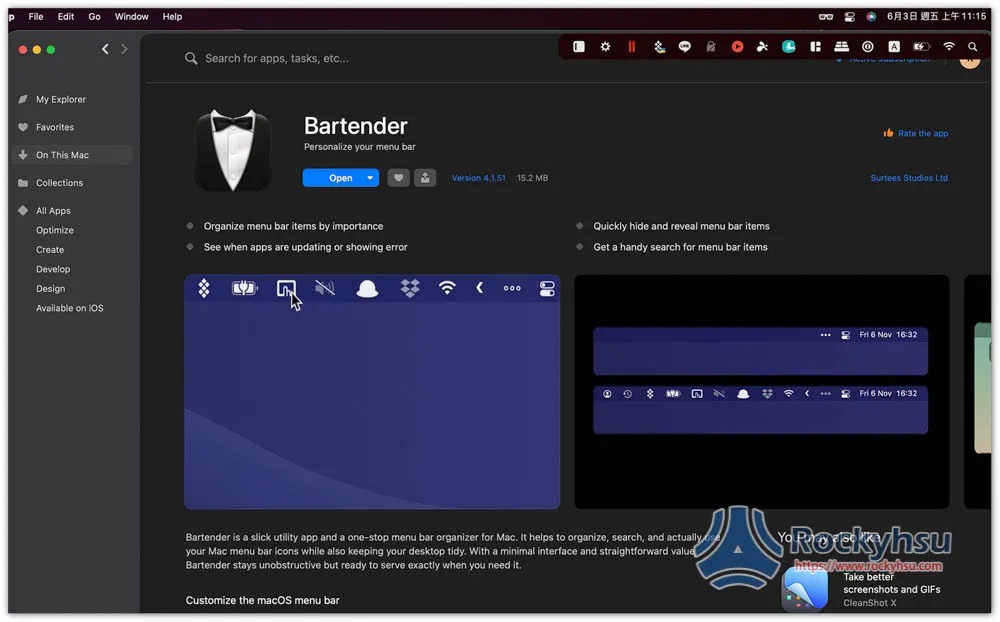
No, Bartender is a paid tool, butOfficial websiteThere is a free 4-week trial period, which is very long, so you can download and install it first, and then decide whether to buy the paid version after you are satisfied.
Also I am from Setapp Installed inside, Setapp is a Mac Apps subscription service. For only $9.99 per month, you can use more than 230 professional paid software, Bartender is one of them, there are also CleanMyMac X that can optimize and clean the system, Be Focused that improves concentration, andPlay Lofi music with just one clicketc.
It is much more cost-effective than purchasing a single paid software, and many Mac software now adopt a subscription system. If you want to subscribe, it is better to choose Setapp. It is worth a reference for Mac users and workers.
- Further reading:Setapp Mac and iOS software recommended subscription service, one account can use more than 230 professional paid software apps
It’s very simple to use. After you install it, your menu bar will be automatically organized into the second menu, which means it will become very clean.
This is my original menu bar. There are several icons on the far left that are actually blocked by the bangs. I can’t see them because I took a screenshot, which makes it very troublesome to use:
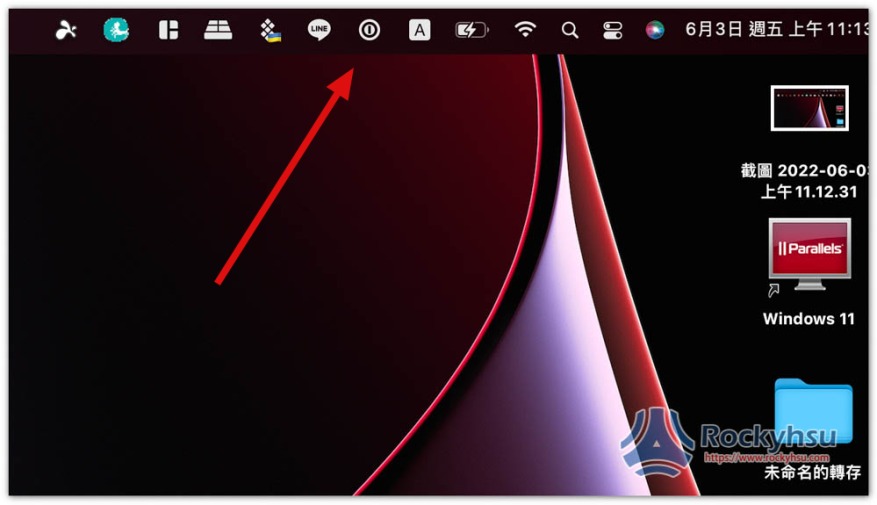
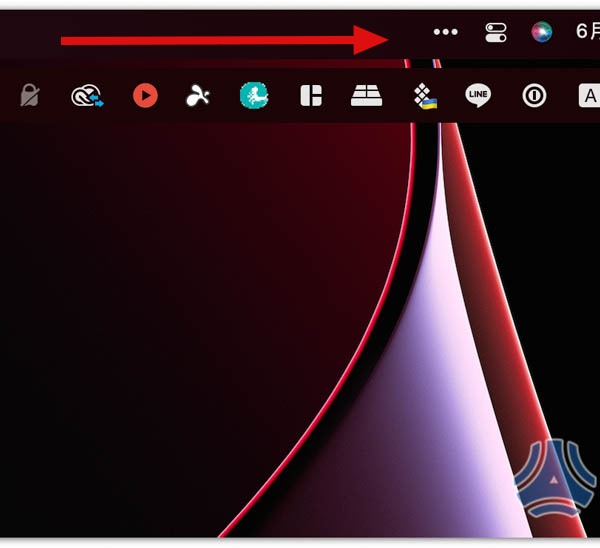
After installation, you will see that the menu bar has become very clean, and the originally dense function icons have disappeared. Bartender will automatically move these to the second layer of menus. Click the… option and you will see:
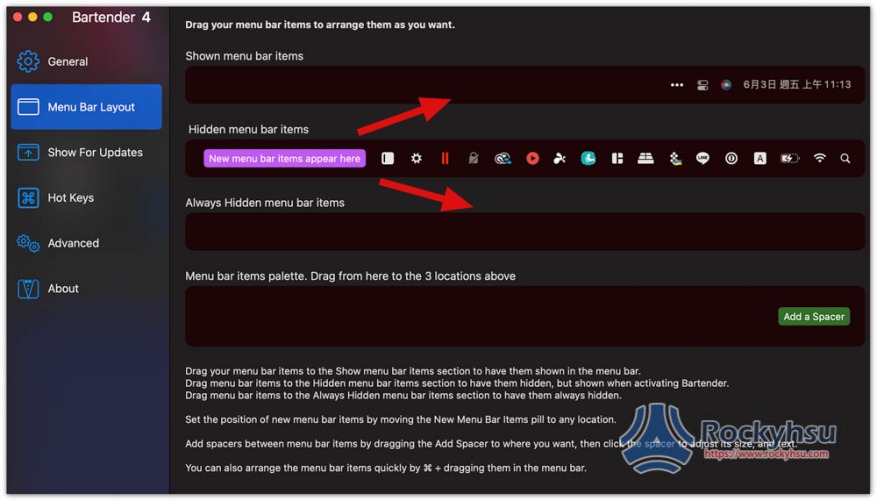
Go to the Menu Bar Layout of the settings and customize which icons you want to display on the first and second layers, and which ones you want to hide forever. You can drag the app function icons by long pressing them.
- Shown menu bar items: Shown in the Mac menu bar.
- Hidden menu bar items: hidden in the second menu.
- Always Hidden menu bar items: App function icons that are always hidden and not used at all can be moved here.
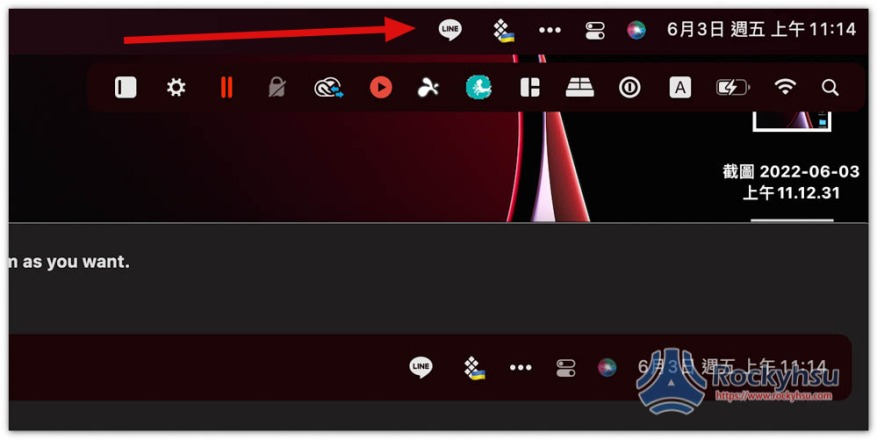
For example, after I move LINE and Setapp to Shown menu bar items, the menu bar will still have these two App function icons, without pressing…:
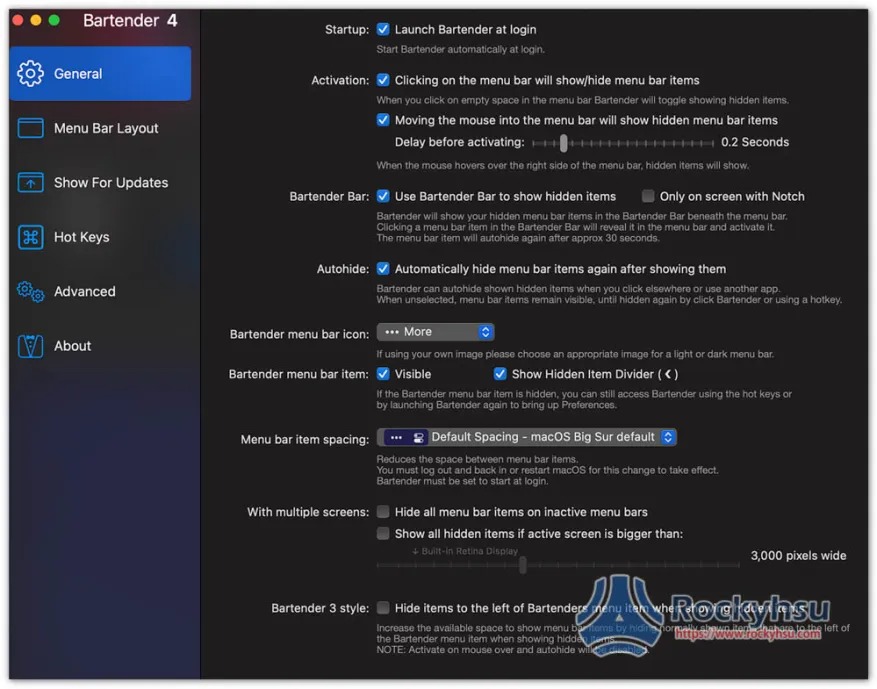
In addition to the menu bar layout, there are many functions in the settings that can be adjusted according to your needs and preferences. There are many in General, including whether to start automatically at boot, the menu bar, the spacing of App function icons, etc.:
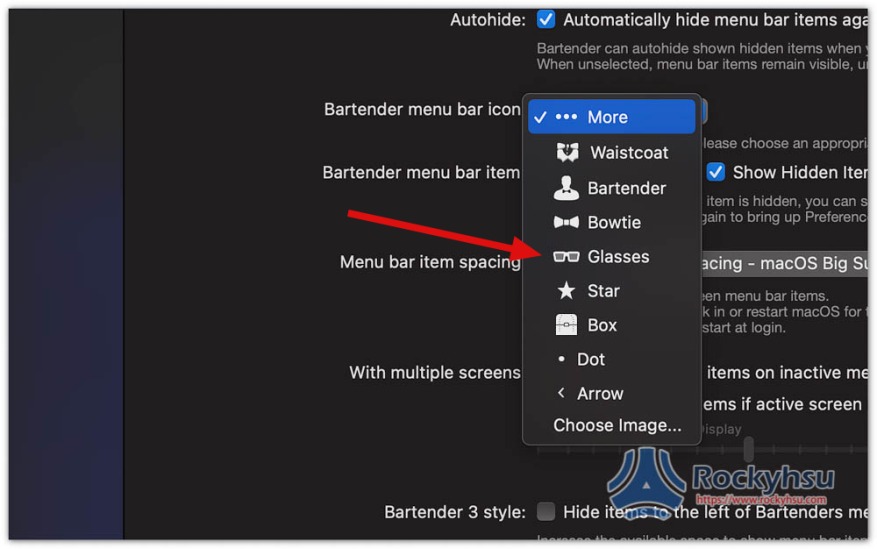
Even the … icon can be changed to something else. For example, I quite like the glasses one:
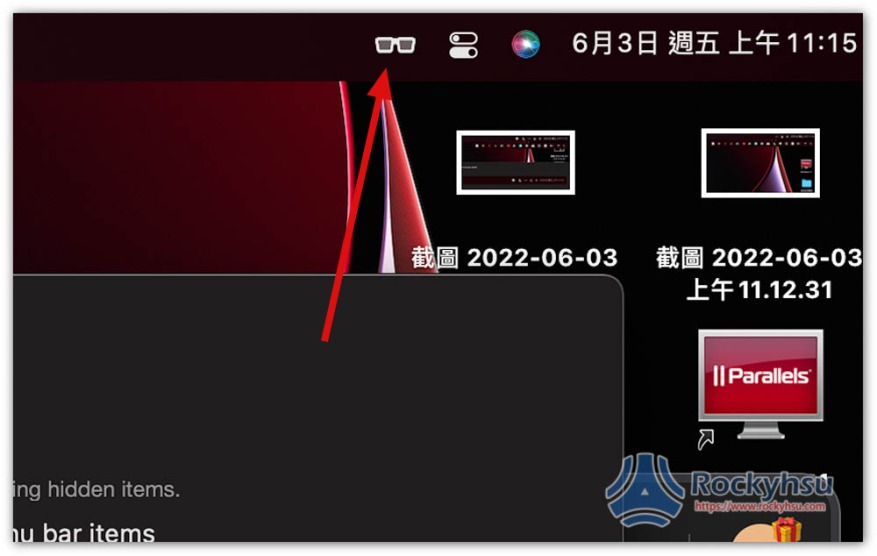
The default… icon is changed to glasses:
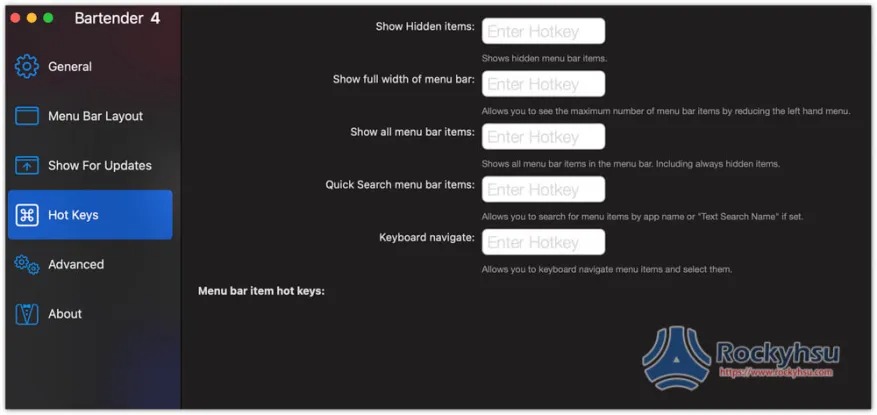
The shortcut key function is also supported, but it is not set by default and needs to be set manually:
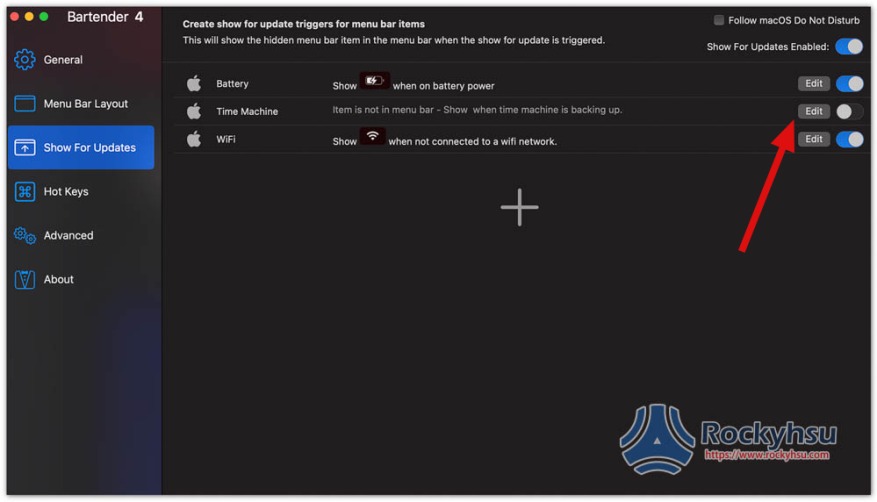
The prompt function icon in the Show For Updates menu is also good. Those who need it can open it:
Source: KOCPC Chinese