


As Google Docs continues to improve, their Smart Canvas-related features are becoming richer and richer. Not only can calculations be automatically corrected, but a Pageless interface has also been added to the layout of Google documents. We have done this before.preliminary reports。
Recently, we have further used the menu function that can be opened with “@” in the document. In addition to the very convenient meeting record template, I personally think there is also a productivity function “Email Draft” that is very suitable for modern people to communicate by email. We will also give you some simple usage introduction after actual trial. Continue reading You can create a Gmail template with Google Docs and easily go to your draft mailbox with one click! (Teaching) Report text.
You can create Gmail templates using Google Docs and easily go to your mailbox draft with one click! (teaching)
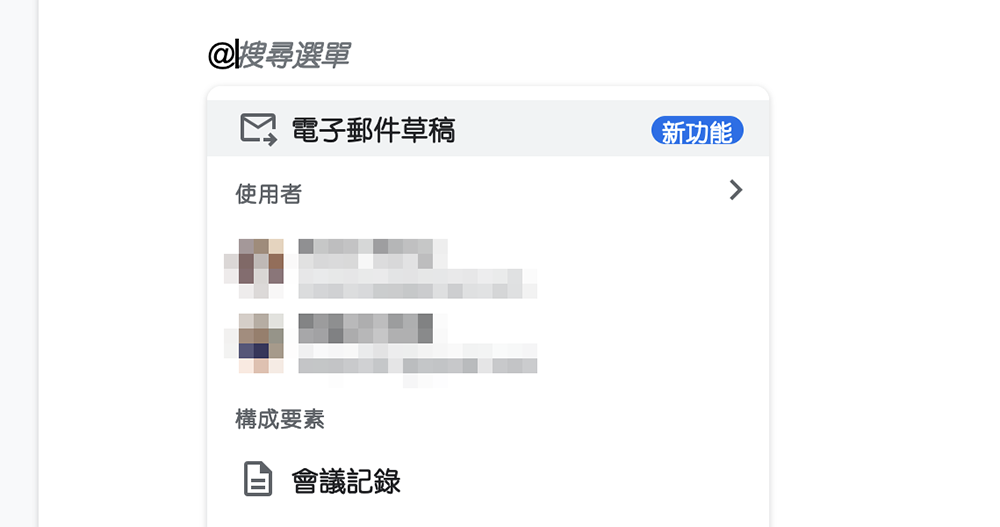
If you are tired of writing letters from scratch all the time, you can really use the writing function of Google Docs to deal with the repetitive steps in this regard, or quickly master the structure of the letter. Using this feature is quite simple. Start by typing “@” in Google Docs and look for “Email Drafts” in the menu:
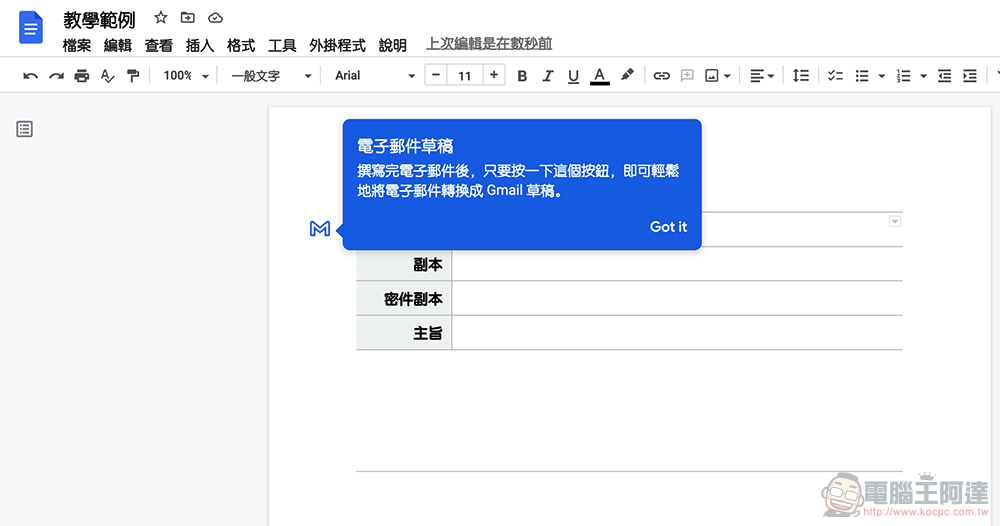
If you are using it for the first time, you will also see this simple instructions like us. Basically, just like the functional description, when you are finished writing, you can click the blue Mail button in Google Docs. Google Docs will save a copy of the document to Gmail Drafts:
When you start writing, you can enter all the information in order like Mail – but seriously, if you really enter everything, it seems that you can just write it directly in Gmail? Therefore, as a template, I personally think that you can mainly fill in the general structure of some periodic letters and the recipients who need to be notified:
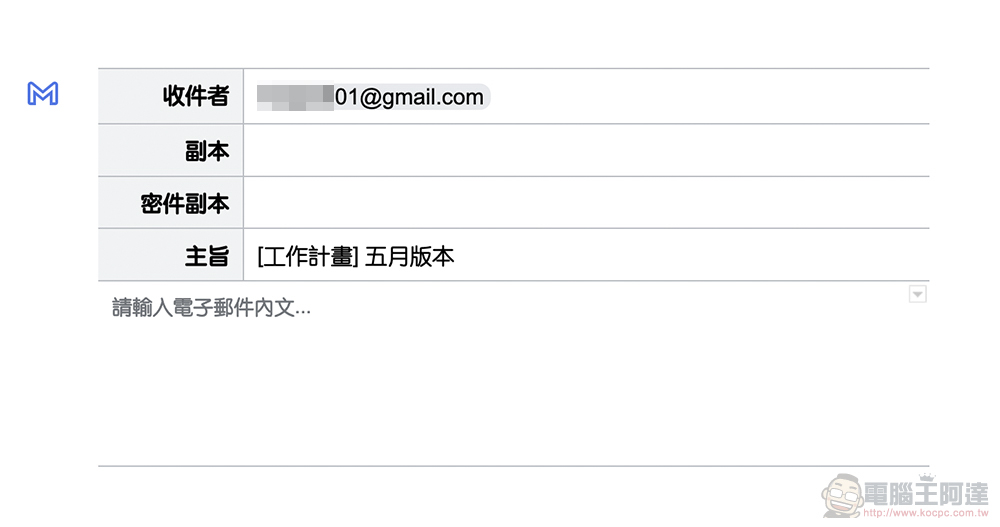
Here we use the work plan as a template to enter:
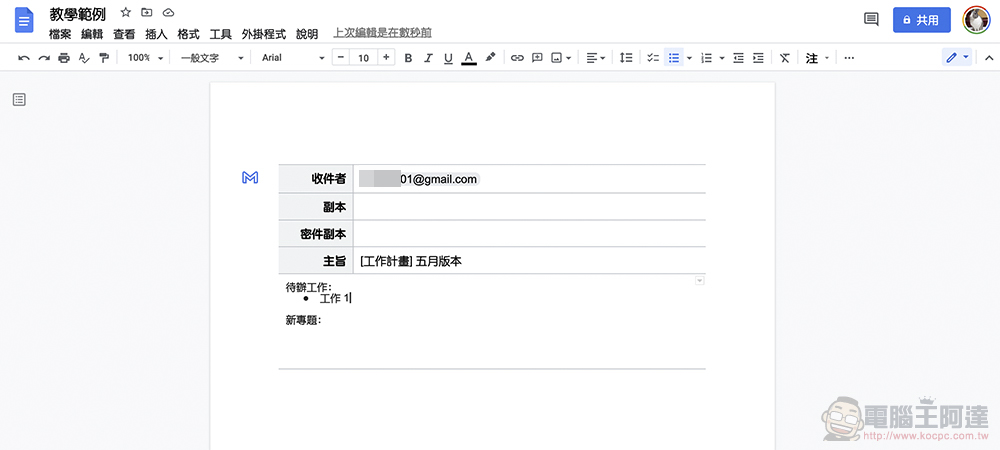
Outline the structure your letter will need. When you encounter periodic letters in the future, you can click “Preview in Gmail” to save this information to Gmail drafts, and then write quickly:
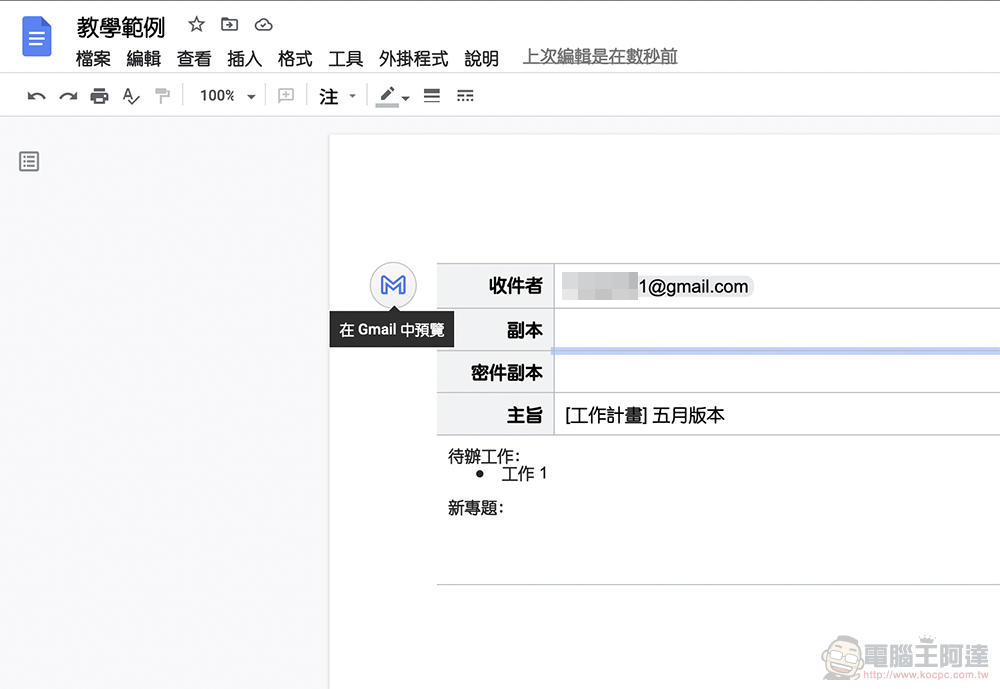
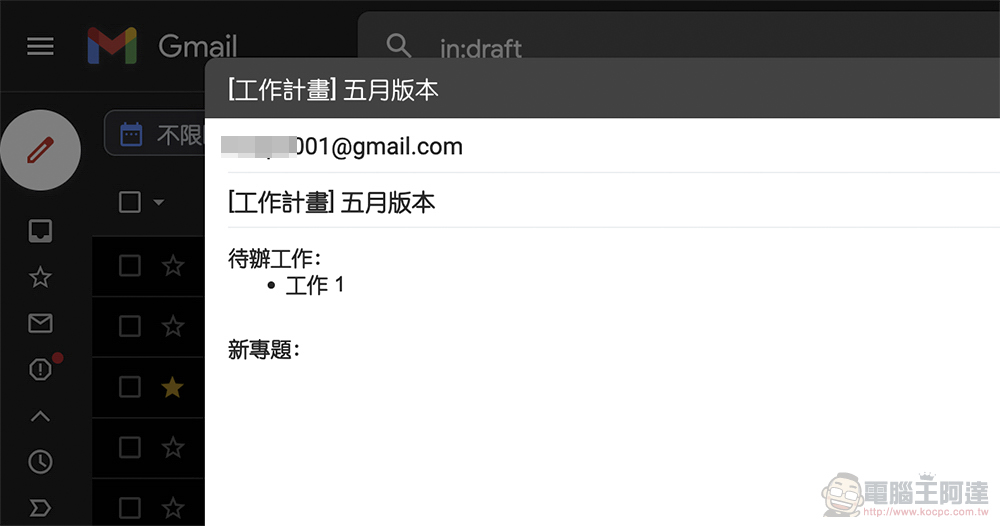
After clicking, you can see the converted letter in your Gmail draft:
summary
For those who frequently need to report or contact periodic matters, this feature will allow you to create multiple templates in the same document.
Simply put, you can organize certain types of letters in the same document; or you can directly insert a letter template into the document that can be easily transferred to Gmail by others – for purposes such as signing up by email, you may be able to insert such a list through Google Docs description, so that users can send information in a unified format. Hmm… although it might be easier through a form.
I wonder if anyone has learned such a simple and easy-to-use function? Is there anything that you think can be extended and applied? Can you share it with everyone?
Further reading:

Source: KOCPC Chinese