


LINE It can be said to be the communication platform used by the most people, and thereforeScamIncidents are reported frequently, and even though the Police Department 165 and the news continue to appeal, people are still being deceived every month. For this reason, LINE has continued to strengthen its anti-fraud capabilities in recent years. It recently launched a new “detect suspicious websites” security feature. Before you click on a website, if it is a problematic website, you will be notified immediately. Unfortunately, this feature is turned off by default and needs to be turned on manually. It is recommended that everyone turn it on.
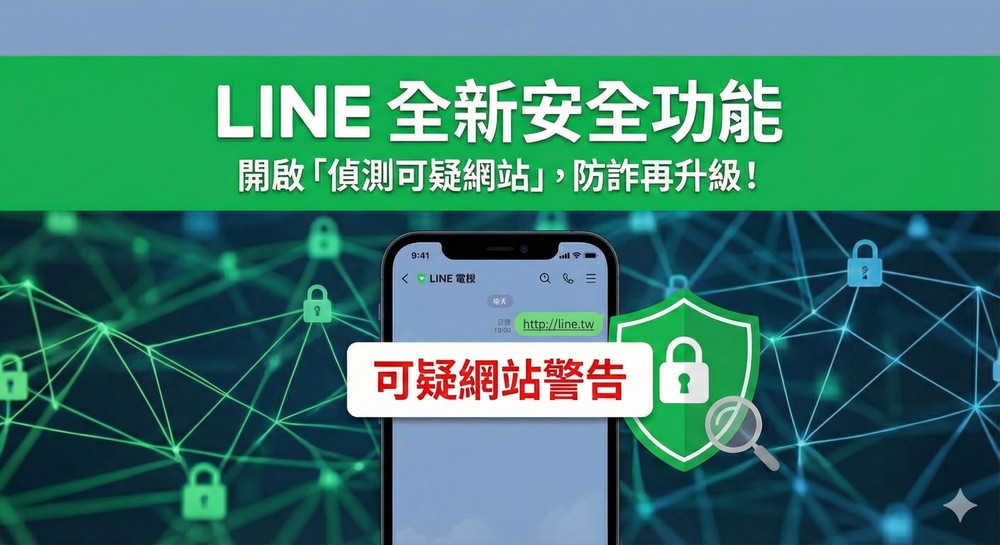
Everyone needs to be turned on! Teach you how to enable LINE’s new security feature of “Detecting Suspicious Websites”
According to LINE’s official introduction, this new security feature, “Detect Suspicious Websites,” is intended to buy users more time to pay attention and be alert, and to confirm more before clicking on links, so that they can enjoy the convenience and fun brought by LINE with greater peace of mind.
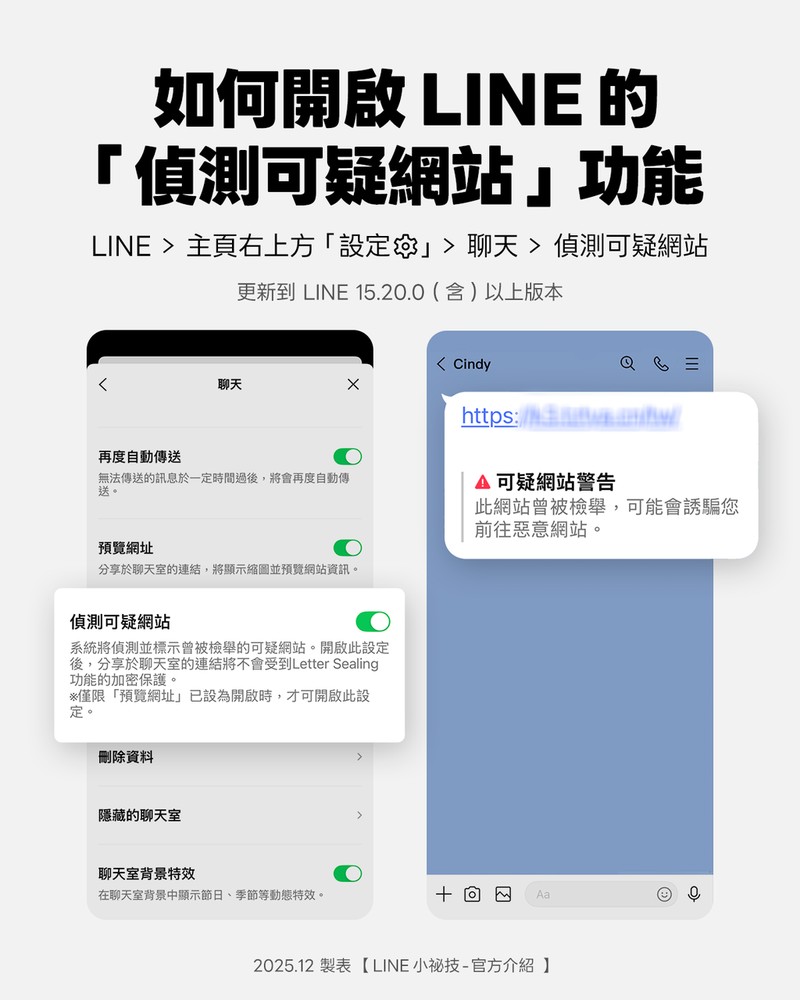
However, this feature has version restrictions. iPhone and Android users must update LINE to version 15.20.0 (inclusive) or above to see the “Detect Suspicious Websites” function in the settings.
If you don’t know your version, the easiest way is to go to the App Store or Google Play Store to check if there is a version update of LINE. If so, just upgrade to the latest version.
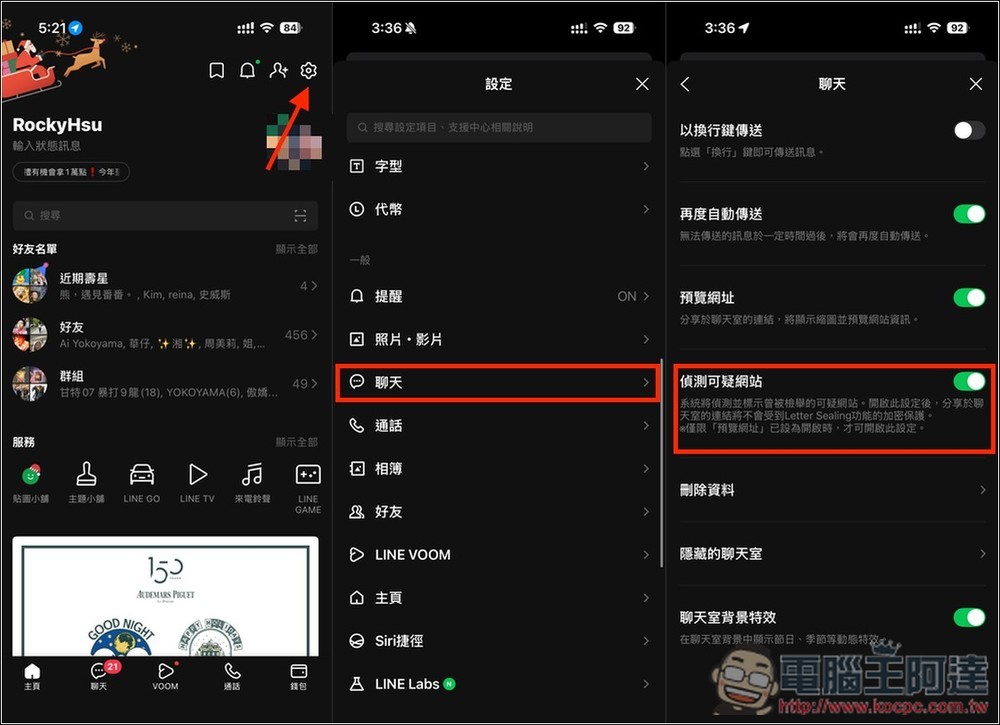
Then go to the settings menu in the upper right corner of your personal homepage, scroll down to enter the “Chat” option, and you will see the “Detect suspicious websites” function. Just enable the switch on the right:
What will be the detection effect?
You can refer to the screenshot shared by the official below. If the link shared by others is suspicious, a “Suspicious Website Warning” prompt will be displayed below, which will immediately remind you to be particularly careful:
Of course, not every suspicious website can be detected by LINE, so this can only be used as a reminder function. The main thing is to be careful on your own to avoid being scammed. If you want more protection, you can also try what we have recommended before AI fraud prevention expert, you can throw the information and links you think you have doubts to AI at any time to determine whether it is a scam.
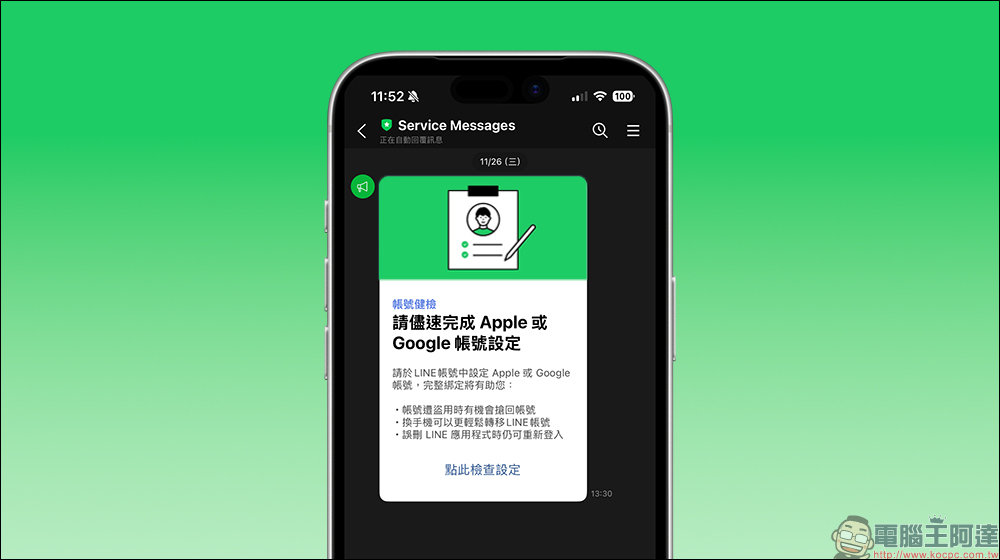
In addition to this function, if you haven’t done it yet, it is highly recommended to do the “Account Health Check” promotion campaign launched by LINE last month. After doing it, if your account is accidentally stolen, accidentally deletes the app, or changes to a new phone, it can greatly improve the success rate of retrieving the account. You can refer to our tutorial article “Is receiving a LINE account health check message a scam? Teach you to quickly identify and improve account security」:
4 LINE Tips to Avoid Being Scammed
1. Do not share LINE login “authentication code” or sensitive personal information
Scammers often use fake friends or fake LINE official messages to induce you to provide the login verification code via SMS. Once provided, your account may be stolen. LINE officials have made it clear that when using LINE, you do not need to actively ask others to provide verification codes. If someone asks you to provide verification codes or passwords, it is 100% a scam.
2. Do not click on links or QR Codes from unknown sources.
Many LINE scams start from “phishing websites”. Scammers will send links to fake events, polls, and discounts to trick you into clicking in and entering your account password. As long as you enter your LINE account information, your account may be stolen or you may receive more fraudulent messages. When you see an unfamiliar link or QR Code, stop, look, and think first.
3. Confirm whether it is an official account or a real friend
Some LINE scam accounts look like “Customer Service”, “Official Notification” or common brands, but do not have official blue check certification. If you encounter information that looks official, you can first use search to check the official announcement, or confirm in LINE whether the account is actually authenticated.
4. Remember to be alert to requests involving money or help receiving text messages.
Pretending to be your friend and sending messages asking to “borrow money”, “help receive text messages”, “help receive goods”, etc. are also common scams in order to trick you into providing personal information or money. When encountering the above situation, be sure to call or confirm privately whether the friend’s account has been compromised.
Source: KOCPC Chinese