


every timeearthquakeAfter it happened, I always saw many people wondering why they were holding iPhone, but did not receive any earthquake warning notification. In fact, in the past, warning systems relied heavily on telecommunications networks and SMS push. When the volume of messages surged or the signal was unstable, delays or even missed calls might indeed occur.
In fact, from iOS 26.2 At first, Apple quietly added “Enhanced safety warnings” function, through multiple communication channels and device push mechanisms, attempts to deliver warning information to users faster as soon as a disaster occurs. What exactly does this new function do? How is it different from past earthquake alerts? How should it be set to be truly effective? I will sort it out for you in one go.
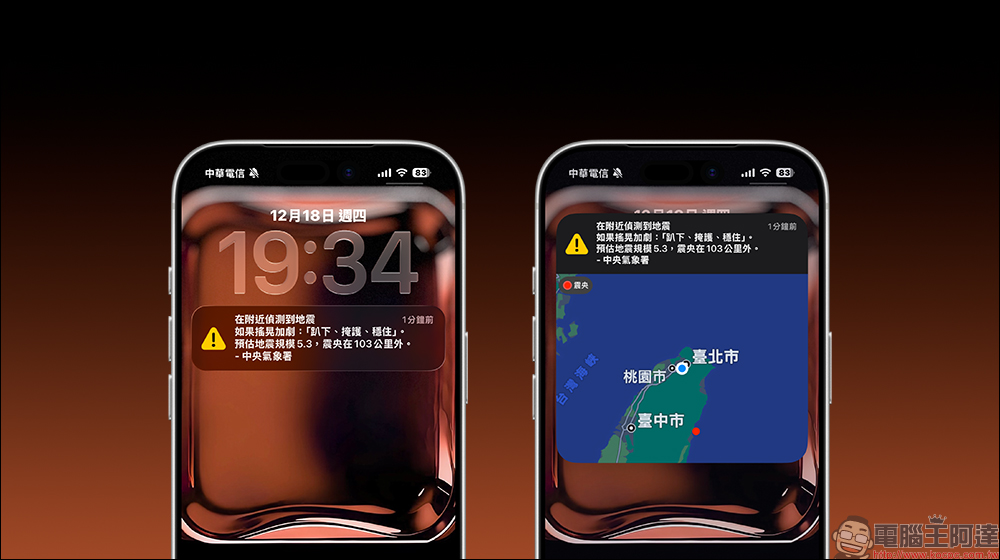
iOS 26.2 adds a new “Enhanced Security Alert” function to understand the second line of defense in addition to national alerts at once
In Taiwan, whenever a large-scale earthquake occurs, the first thing most people look forward to is a “national alert” popping up on their mobile phones. However, the actual situation is that even if you are in the same area, some people may receive it and some may not, or there may even be a delay of tens of seconds before popping up. The most common situation is that the user’s location is not within the alarm range, resulting in an earthquake but no notification is sent to your mobile phone. There are also cases where users have not turned on the “Alarm Notification” and “Emergency Alert” functions. These two functions can be turned on at the bottom of “Notifications” in “Settings”.
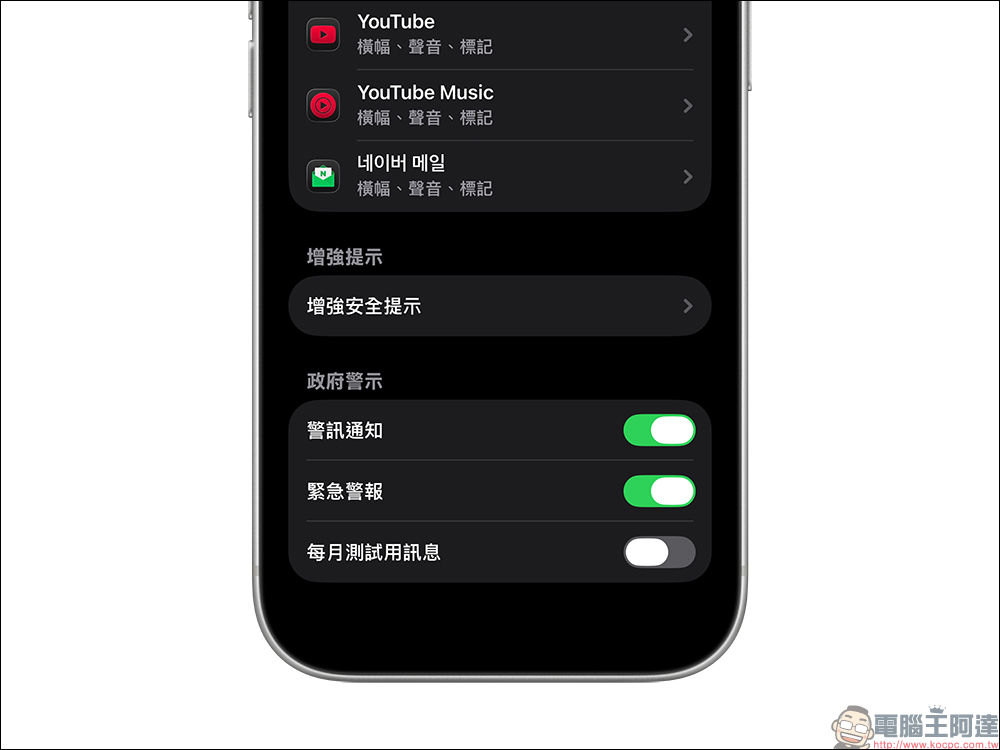
What is the new “Enhanced Security Alert” in iOS 26.2?
“Enhanced Security Alerts” is a new disaster alert delivery mechanism added by Apple in addition to the existing notification system. The main goal is to improve the speed and stability of notification delivery during emergencies such as earthquakes and floods. Unlike the past, which relied solely on telecommunications SMS, this feature will simultaneously transmit messages through Wi Fi, Bluetooth and mobile networks. As long as there is an Apple device nearby, there is an opportunity to create an effect similar to assisted delivery, so that alerts do not have to rely entirely on a single path.
More importantly, Apple emphasizes that this mechanism does not store or record the user’s precise location information. All push notifications are only judged in real time based on the general area where the device is located, ensuring that privacy and security are not sacrificed.
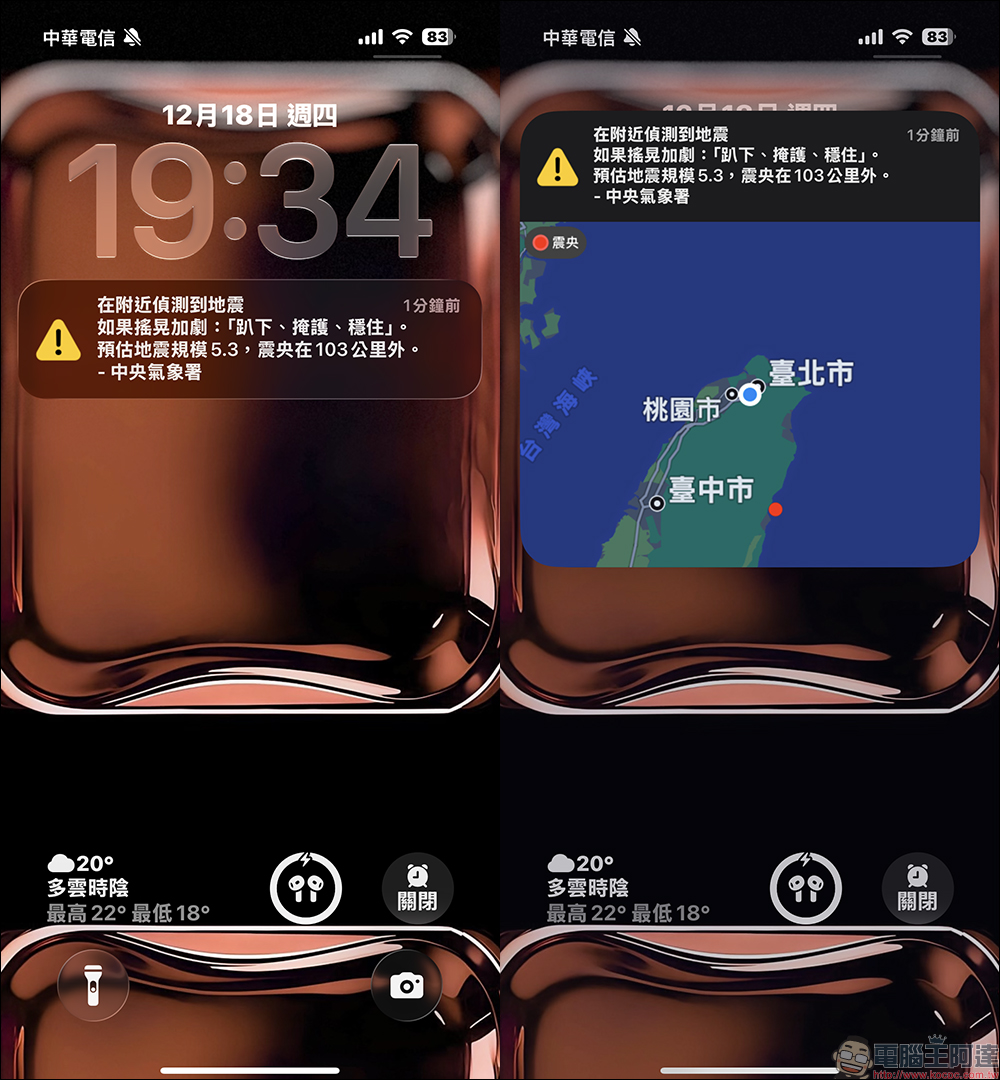
When an earthquake actually occurs, the notification content that pops up on the iPhone screen with “Enhanced Safety Alert” enabled will be clearer than before. In addition to basic earthquake reminders, the notification will also display simple earthquake information, such as the approximate location of the epicenter, allowing users to quickly understand the nature of the event at the first time, instead of just seeing a line of vague warning text.
For users who experience earthquakes at night or are on the move, this visual and focused reminder can also reduce panic and help them respond faster.
Why does “approximate location” help warn speed?
Many people may have doubts when they see the mention of sharing “approximate location” in the settings. But in fact, this is the key to making enhanced safety alerts work more effectively.
Apple uses low-precision location information, which is only used to determine whether the device is in a potentially affected area, rather than accurately tracking personal whereabouts. In this way, the system can prioritize sending alerts to devices that really need them, avoiding delays caused by indiscriminate mass sending.
Especially during the golden time in the early stages of a disaster, reducing the delay by a few seconds can often gain a little more reaction space.
How to turn on iPhone’s Enhanced Security Alert feature?
To use this feature, the first step is to confirm that your iPhone has been updated to iOS 26.2 or above.
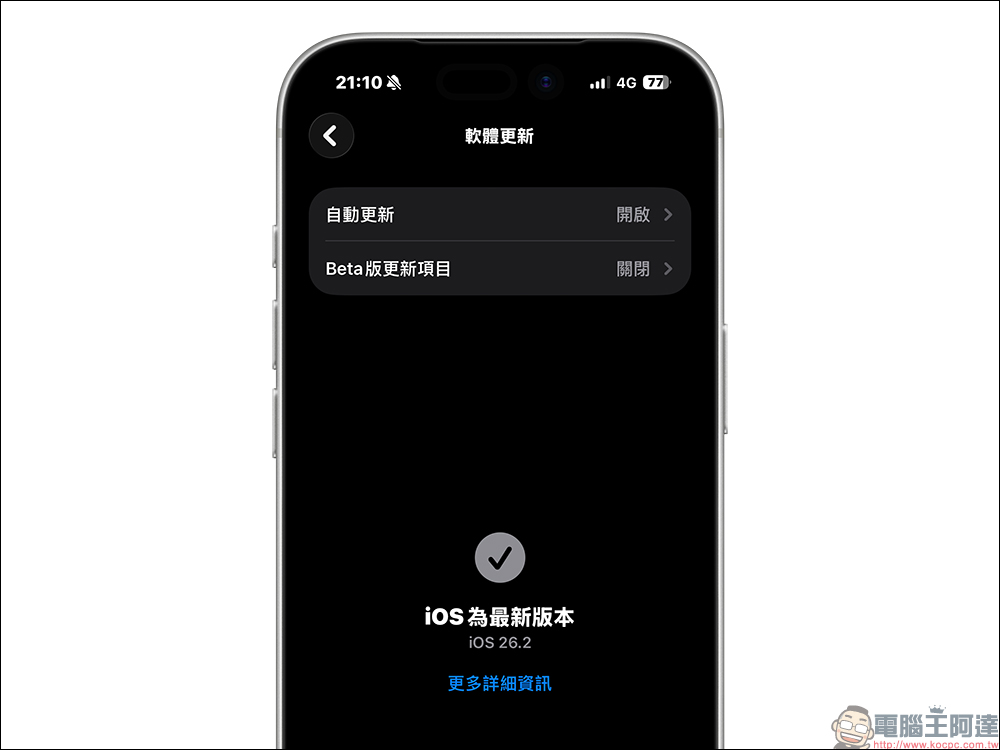
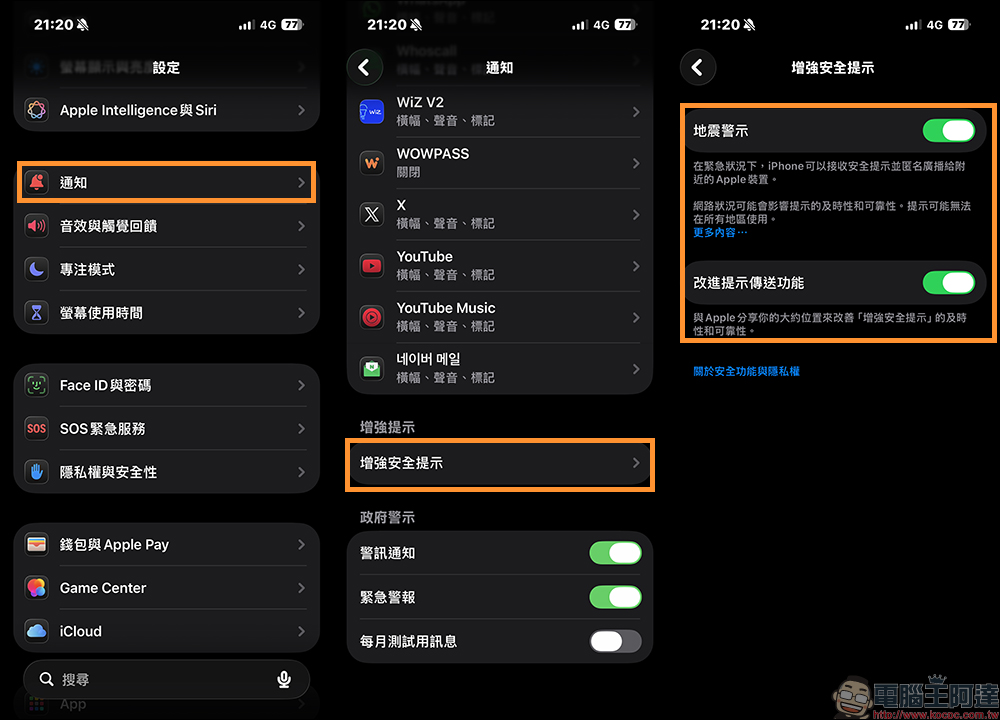
After completing the update, please follow the steps below to set up. First open “Settings” and click “Notifications”. Then slide the screen to the bottom and find the “Enhanced Security Tips” option. After entering, turn on “Earthquake Alert” so that the device can receive anonymous push safety reminders in emergency situations.
If you want to further improve the immediacy, you can also enable “Improved Alert Delivery” and agree to share approximate location information to help Apple enhance the speed and reliability of notifications. The entire setting process is not complicated, but it can add an extra layer of security to daily life.
It is important to emphasize that the “enhanced safety alert” is not used to replace the existing national alert, but to play a complementary role. In most cases, the two will exist at the same time, forming cross-protection for each other. When one of the pipelines experiences a delay or outage, the other still has a chance to function on the fly. For users living in areas with frequent earthquakes, such a dual design can undoubtedly improve overall safety.
Conclusion
With the launch of iOS 26.2, Apple once again demonstrates its thinking of deeply integrating security mechanisms into the operating system. The “enhanced safety warning” may seem low-key, but it just fills in the gaps that were easily left in disaster notifications in the past. It only takes a few minutes to complete the settings, and you will have extra protection at critical moments. For users who rely on iPhone every day, this is definitely a practical feature worth turning on.
Further reading:
Source: KOCPC Chinese