


Many people now iPhone There are many secretsphotoandvideo, you definitely don’t want to be seen by others, although iOS There is a built-in hidden photo album function, but everyone knows this, and the photos stored in it will not be encrypted, so the security is not the highest. If you want these private photos and videos to receive the highest level of protection so that only you can view them, the advanced lifetime version of the limited-free “Private Photo Album – Private Pictures” is now being launched. It is worth grabbing. In addition to opening App Password lock (also supports Face ID), every imported photo and video will also be encrypted by 256-bit military encryption. After obtaining the lifetime version, you can permanently import photos and videos without restrictions.
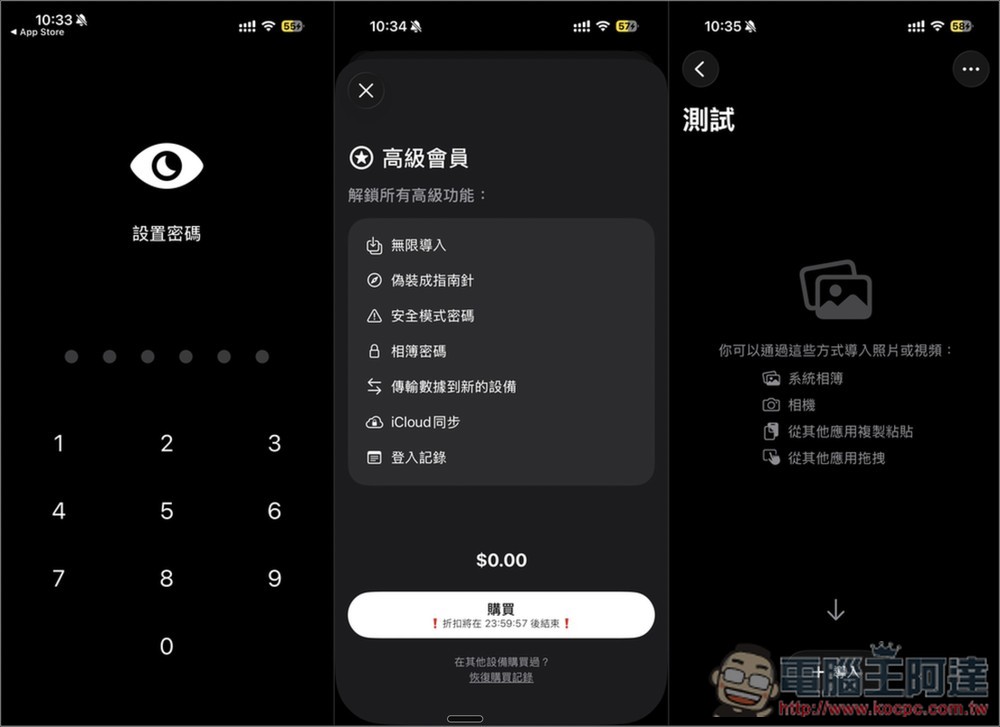
“Private Photo Album – Private Pictures” Advanced Lifetime Edition Free Obtaining Method and App Introduction
“Private Photo Album – Private Pictures” is a secure photo album app specially developed for users who value personal privacy. Developers say that many apps on the market that advertise private photo albums actually only add a password screen before entering the app. The photos themselves are not encrypted, so there is still a risk of being stolen. The biggest difference of this app is that it encrypts all imported photos and videos with 256 bits, which is true local encryption. At the same time, the encryption key is directly bound to your App password, so even developers cannot view the content.
The entire process is handled on the device side. There is no need to register an account or upload any data. Face ID unlocking is also supported. The import methods are also quite diverse. In addition to photo albums, you can also import via websites, Wi-Fi or other apps.
Main features
- 256-bit encryption, data is fully protected locally
- Password, Face ID unlock
- No registration required, no data collected
- Photos and videos can be imported from system albums, websites, Wi-Fi, and other apps
- iCloud secure sync feature
- Independent album password, safe mode password
- No ads, extremely easy to use interface
Obtain “Private Photo Album – Private Pictures”
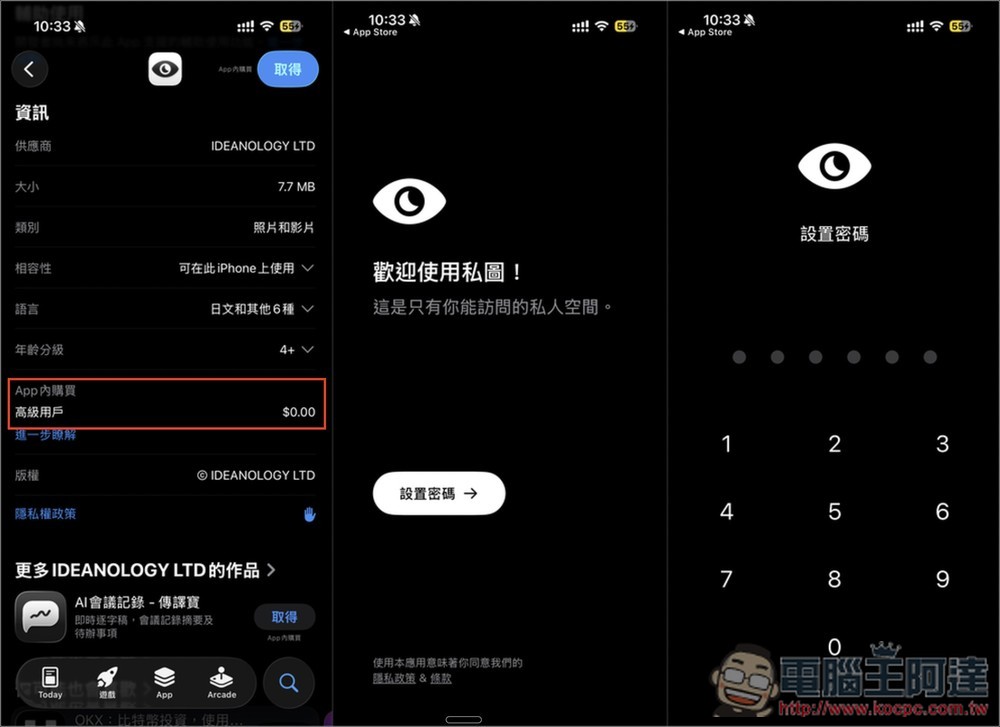
After clicking the link above to enter the “Private Album – Private Pictures” App Store page, it is recommended to check the in-app purchase section first to see if “Advanced Users” still displays 0 yuan. If so, it means that it is still free of charge. When you open it for the first time, you will be asked to set an unlock password:
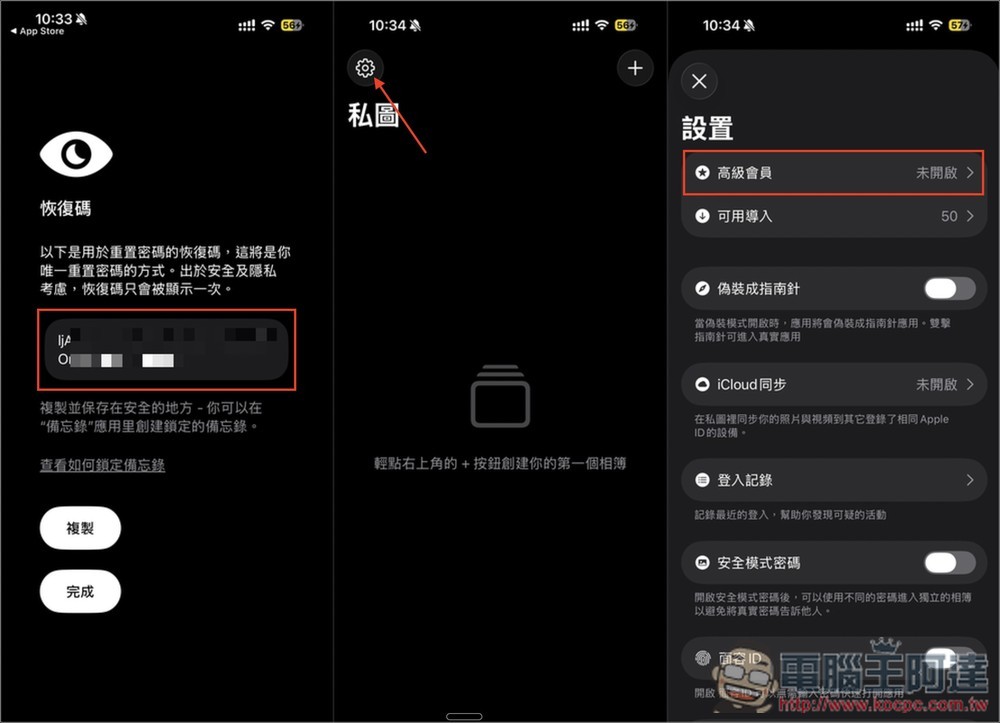
After setting the password, you will get a set of recovery codes (which will only be displayed once), which must be kept. If you accidentally forget to unlock the password in the future, you will need this recovery code to reset the password. When entering the main screen, please click the settings icon in the upper left corner, and then click “Premium Membership” at the top. In addition, you can also notice that if you have not upgraded to the advanced version (premium version), you can only import 50 pieces of data, which is a very small amount:
Then you will see the 0 yuan discount for premium members, and the countdown time is displayed below. After clicking purchase, please confirm before clicking twice to get “No amount shown at all”, only if there is no amount, it means it is 0 yuan. If there is an amount, don’t click Get. The display “Your purchase has been successful” means that you have upgraded to the advanced lifetime version:
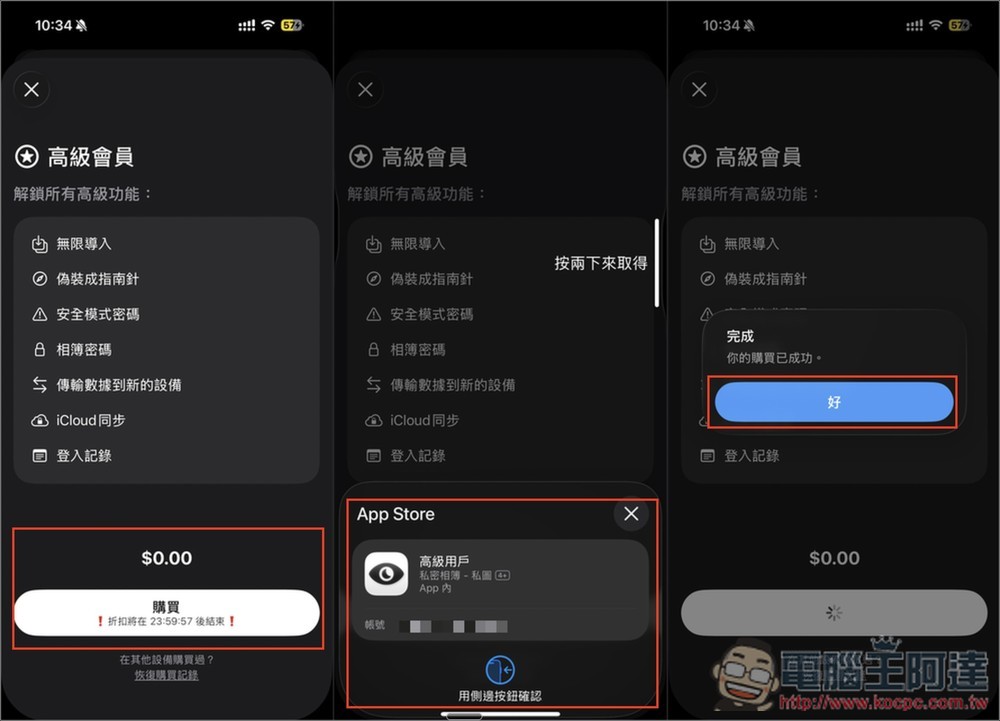
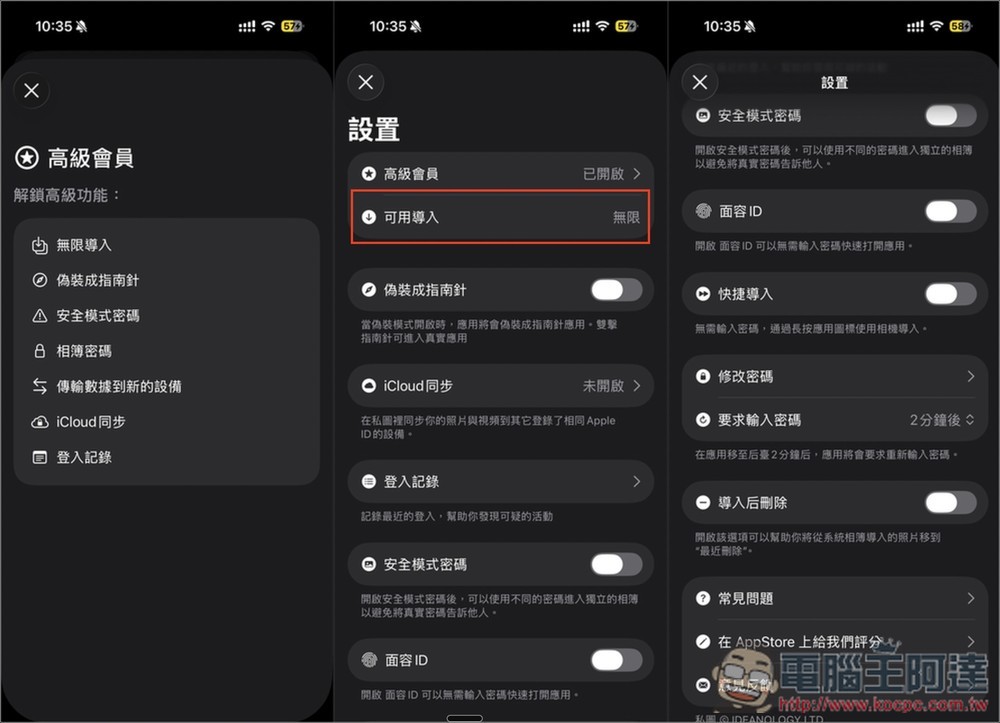
The original purchase words will also disappear. Return to the settings menu, premium members will display “Enabled” and available imports will be “Unlimited”. Those who are too lazy to enter a password every time they open it can turn on Face ID:
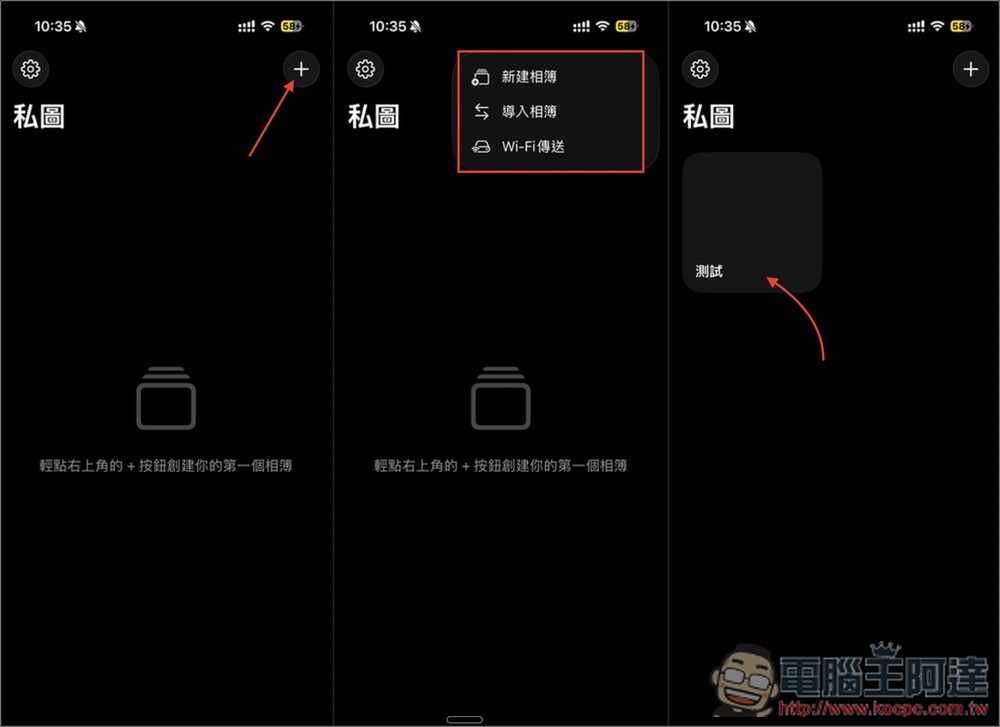
The operation of importing photos and videos is also very simple. First, click + in the upper right corner of the main screen and select whether you want to create a new album, import an album, or transfer via Wi-Fi. I use New Album and enter the album after creating it:
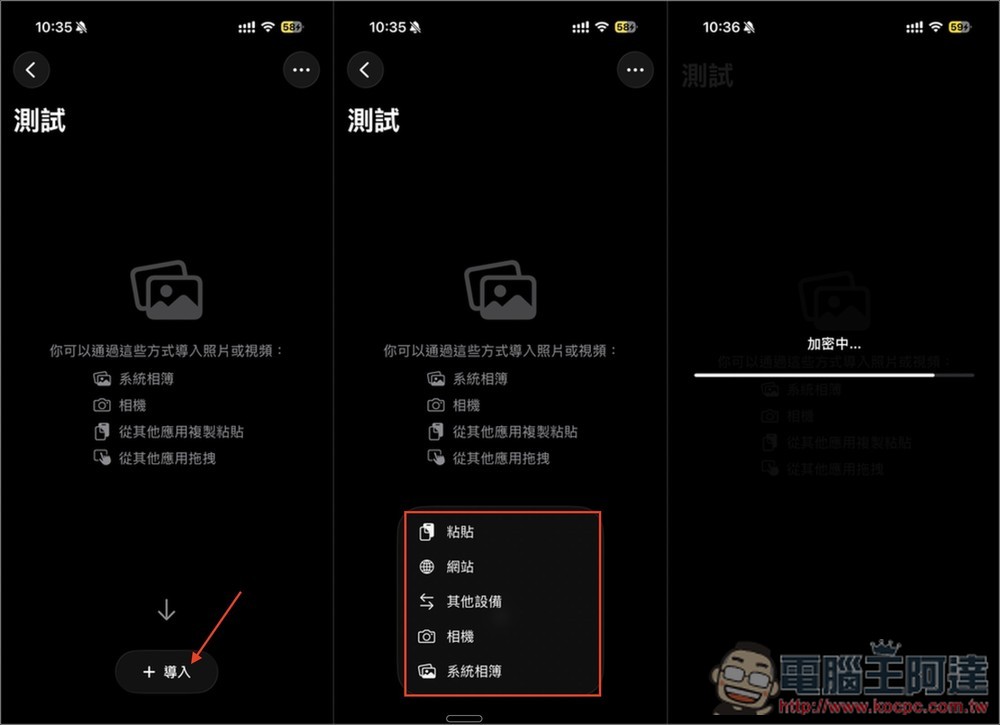
Click Import below to import photos and videos from iPhone photos, other devices, websites, etc., and they will be encrypted directly during import:
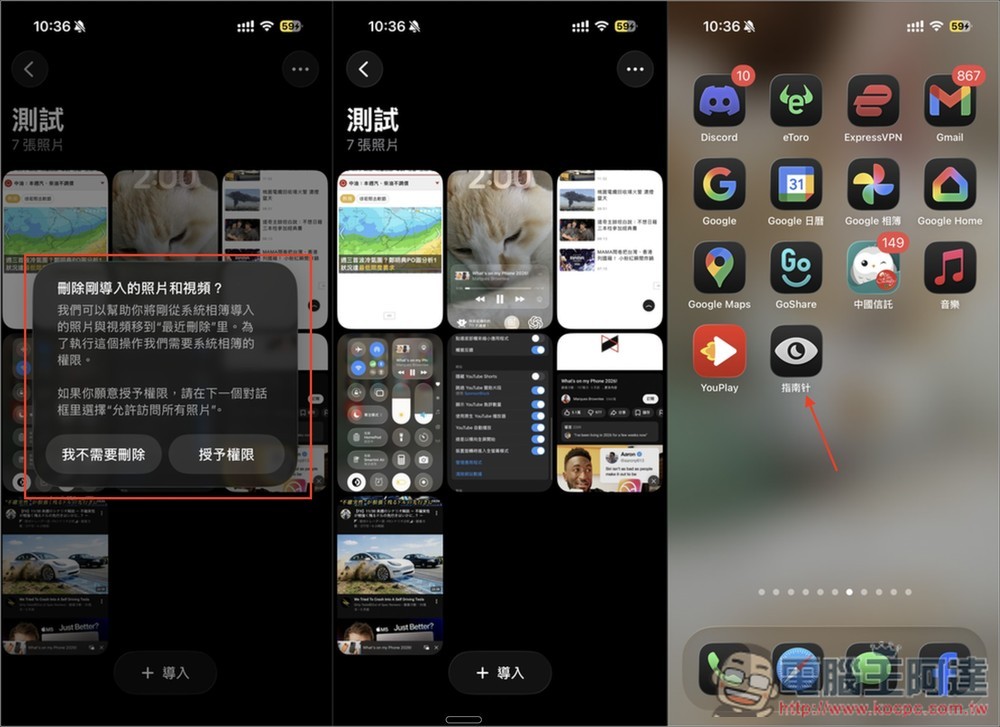
After the import is completed, you will also be asked whether you want to delete the photos and videos imported from the iPhone, which requires permission. If you are sure that “future imported data” will be deleted directly, you can turn on the automatic deletion function in the settings. In addition, the name displayed on the app will be “Compass”:
Source: KOCPC Chinese