


Many people love to travel to Japan, especially theJapanon the groundgourmet food, most people will open Google Maps or Instagram to look for restaurants as soon as possible, but in fact, the food weapon with more reference value in the hearts of Japanese people has always been Tabelog. This is Japan’s largest store with over 890,000 store information.Restaurant reservationThe platform has finally launched an official app that supports Traditional Chinese. It can be downloaded on iOS and Android. Not only is it more convenient to search for restaurants, but it can also make reservations directly online. This article will teach you how to use Tabelog to find restaurants, understand ratings, judge popular dishes, and filter budgets like Japanese people. It also includes complete registration and search skills, so novices can get started in seconds.
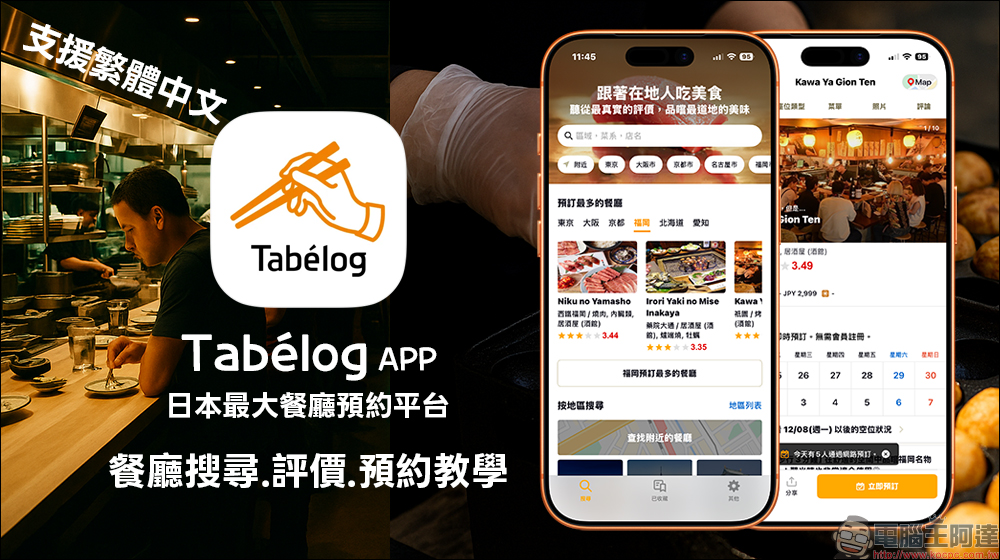
Tabelog App, Japan’s largest restaurant reservation platform, supports Traditional Chinese, restaurant search, and reservation tutorials (iOS/Android)
When traveling to Japan, many people are accustomed to searching for food directly on Google Maps, but local Japanese actually trust Tabelog more. This platform contains more than 800,000 restaurants, ranging from Michelin-starred sushi restaurants and century-old eel shops to alley shops and late-night izakayas. The ratings are relatively strict, so it is also known as the best restaurant guide to avoid being cheated.
In the past, the Tabelog App could only be downloaded through the Japanese App Store, and the interface only supported Japanese and English. Many Taiwanese tourists could only use the web version for inquiries. Now the official app has finally been updated, with greatly optimized functions and simultaneously launched on the Taiwan App Store (iOS) and Google Play Store (Android). It also fully supports Traditional Chinese, so you no longer have to stare at the Japanese interface and guess the menu. The following is the simplest way to help you quickly learn how to use Tabelog to plan your Japanese food itinerary.
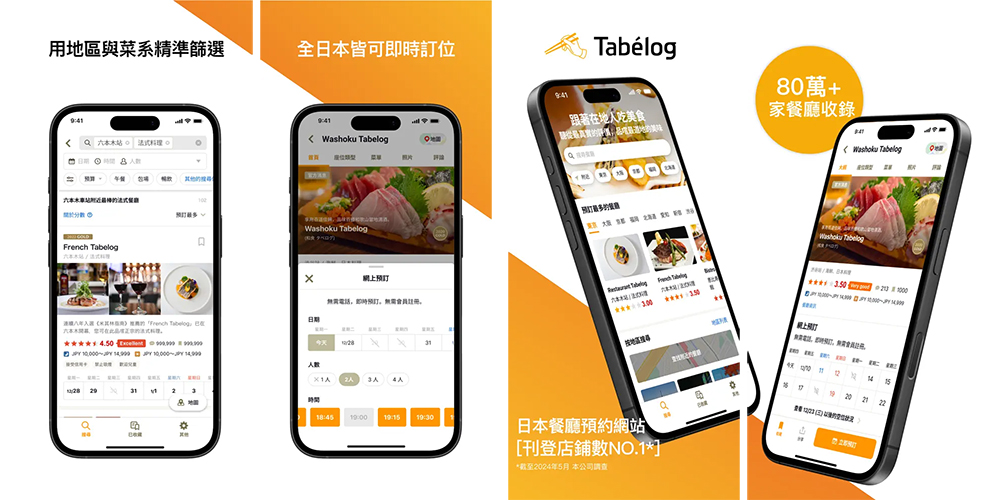
▲Image source: Tabelog
Tabelog App officially supports Traditional Chinese and can be downloaded on iOS and Android
In the past, Tabelog App could only be downloaded by Japanese accounts, and the language interface was quite unfriendly. This new version update is simultaneously available on the Taiwan App Store and Google Play, and you can install it directly whether you are in Taiwan or Japan.
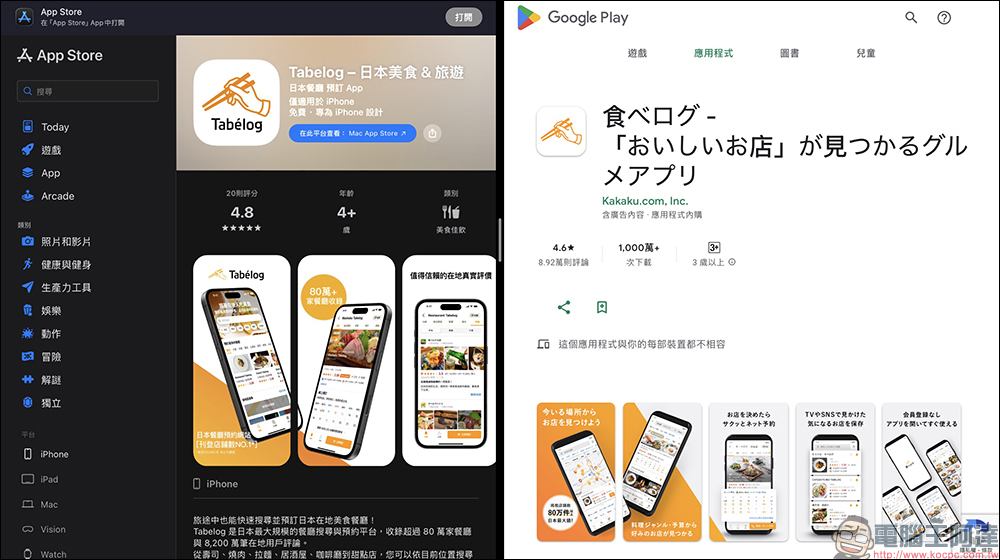
Tabelog APP download:
iOS(App Store)|Android (Google Play Store)
Two major upgrades include:
- App and web version fully support Traditional Chinese interface
- Query functions, filters and reservation processes are all synchronized and there are no more differences
Now, whether you use your mobile phone or computer to search for a restaurant, you can directly switch to Traditional Chinese. Even if you don’t know Japanese at all, you can easily browse the menu, understand the ratings, and confirm the price, which is very helpful for planning your travel itinerary.
Tutorial on how to use Tabelog|Learn query, rating, and store selection skills at once
The complete usage steps are compiled below. Anyone who uses Tabelog for the first time can find a truly delicious restaurant by following these steps.
Step 1. Search for restaurants on the homepage
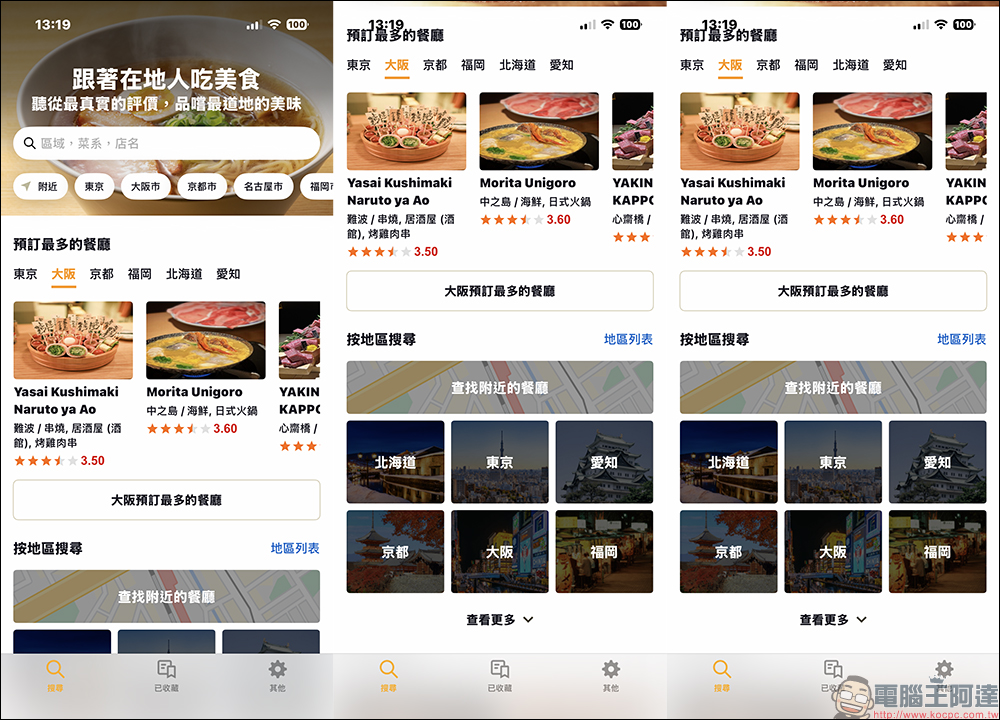
After opening Tabelog, you will see the “Search Bar”, “Popular Areas”, and “Topic Categories”. You can search in several ways:
- Search by area: such as “Osaka”, “Kyoto Shijo”, “Shinjuku-sanchome”
- Search by food: “Ramen”, “Izakaya”, “Yakiniku”, “Curry”
- Search by subway station: “Shinjuku Station”, “Umeda Station”, “Shinsaibashi Station”
- It’s easiest to just click “Find nearby restaurants”
Practical example:
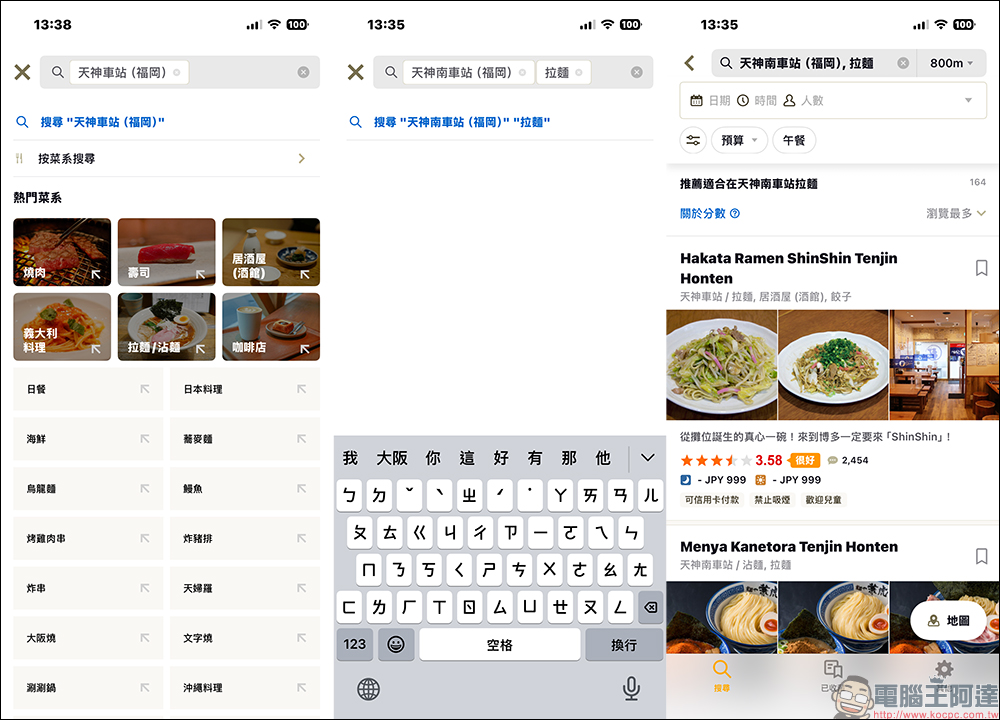
Enter “Tenjin Station” + “Ramen” → Tabelog ratings, average prices and business hours of all nearby ramen shops will appear.
Step 2. View restaurant details
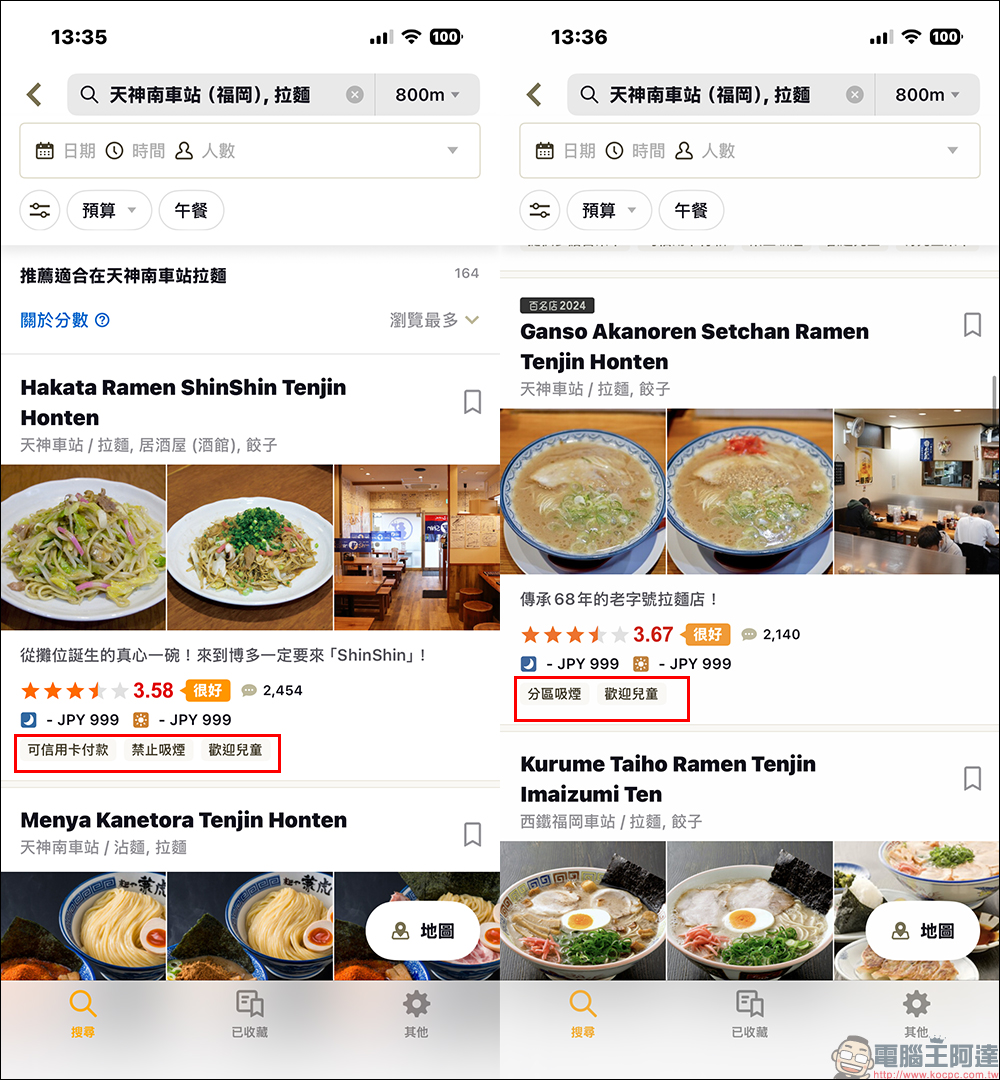
After entering the search results, you can see each store’s “rating”, “price range”, “whether reservations are available”, “whether cash, credit card, electronic payment is accepted”, “business hours” whether it spans lunch and dinner, “whether take-out is available”, and “whether smoking is prohibited”. For example, it is almost impossible to make reservations at ramen shops, and most payment methods are cash. Searching through Tabelog can make travel smoother. If you are traveling as a family or are concerned about the smell of smoke, you can also avoid restaurants that allow smoking.
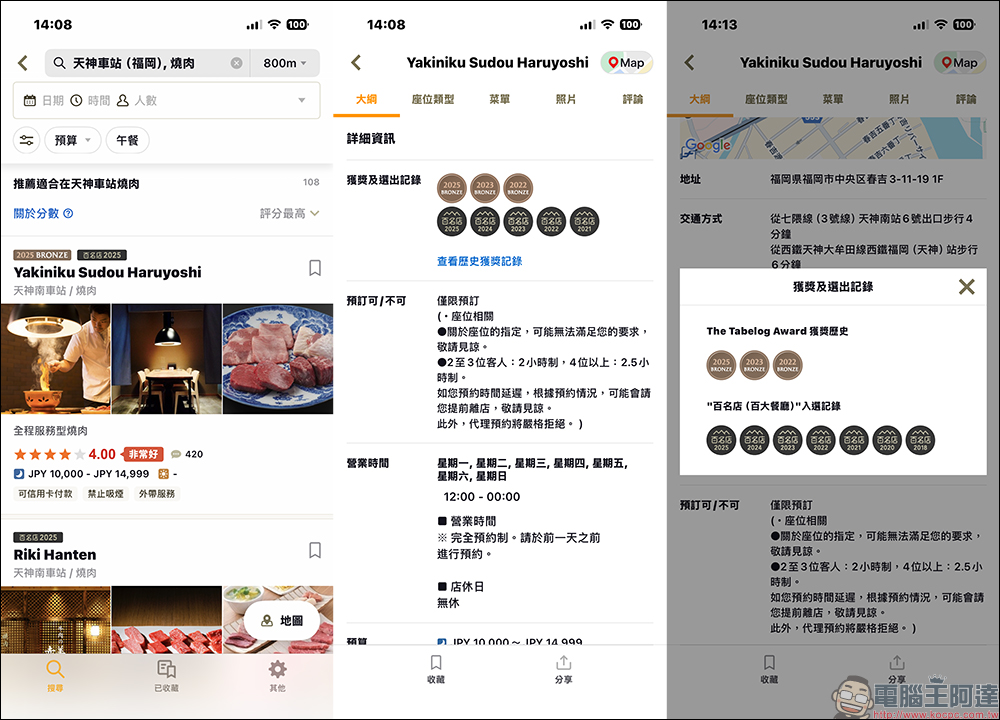
In addition to checking the ratings, restaurants that have won the “Top 100 Restaurants” award will also be directly displayed in the restaurant information, reducing the chance of dining out.
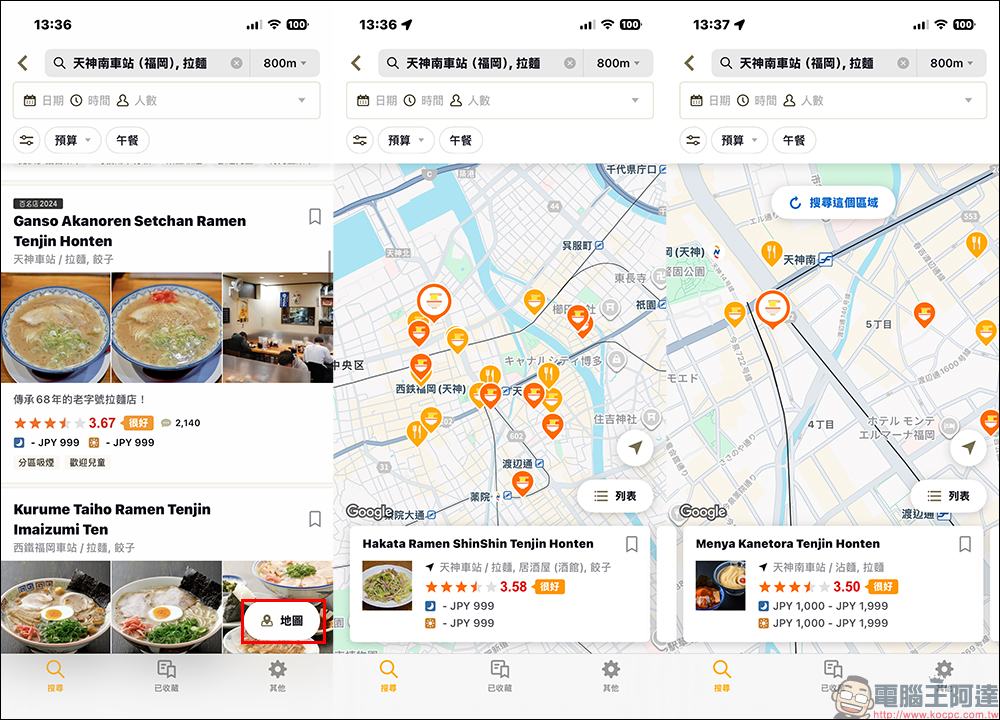
There is also a “map mode” in the lower right corner of the screen, which can be switched to view the distribution and distance of these stores on the map, which is very useful for planning itineraries. Especially if you want to quickly find nearby restaurants during meal time, searching on the map to find the nearest restaurant will be more intuitive than displaying it in a list.
Step 3. Set filters to avoid scams
It is recommended that tourists use filters when visiting Japan, which can greatly reduce the chance of stepping into a tourist store. Like settings:
- Rating order: from high to low
- Price Band: Set a Budget
- Does it support instant booking?
- Is it a restaurant highly rated by locals?
After such screening, you will get a more accurate and quality-guaranteed list of restaurants.
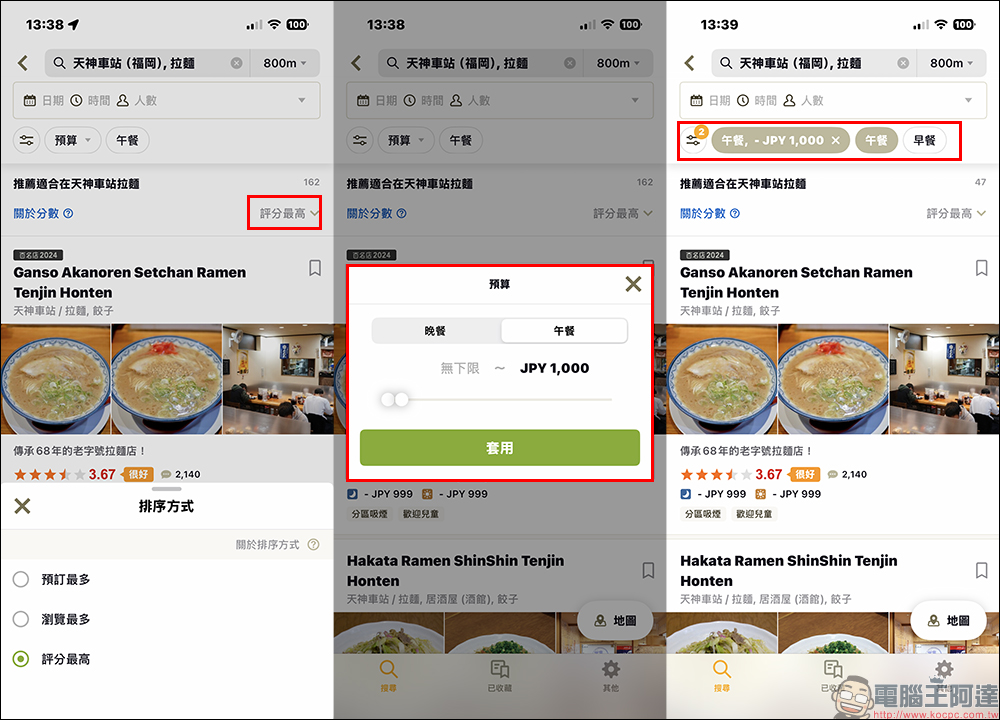
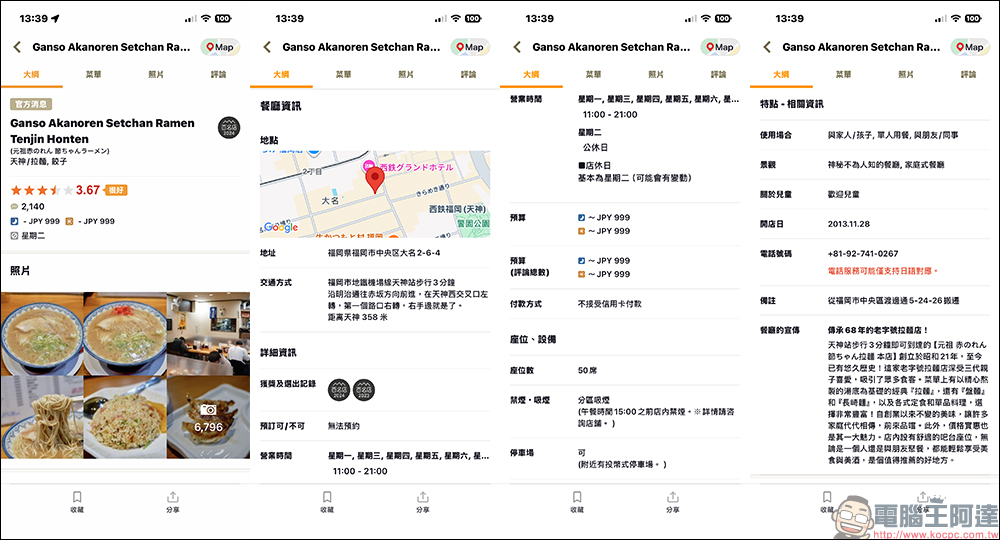
Step 4. Understand the key information on the restaurant page
After clicking into the store page, you might as well look at a few key fields:
- Tabelog overall rating
- Average restaurant price per person
- Business hours, whether on holidays
- Does the restaurant support reservations (very important)
- Payment method: Some places still only accept cash
- Menu and photo area
- In-store environment photos
As long as you scan this information first, you can probably judge whether this restaurant fits your budget and meal schedule.
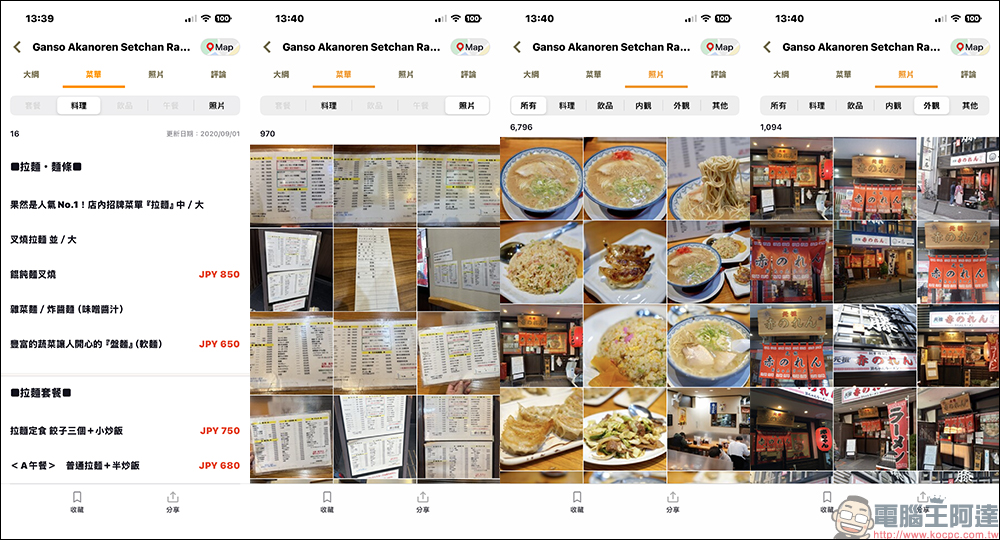
Step 5. View the menu and real photos. The Traditional Chinese translation is super easy to use.
Tabelog currently provides automatic conversion of menu content into Traditional Chinese, such as: package names, single dishes, drinks, and prices. Coupled with a large number of real user photos, including close-ups of meals, external environment, seat spacing, seasoning or plating methods. Compared with Google Maps’ photo classification, Tabelog is clearer and more systematic. Especially for travelers who don’t speak Japanese, it can ensure that you don’t order the wrong dish or don’t know the price.
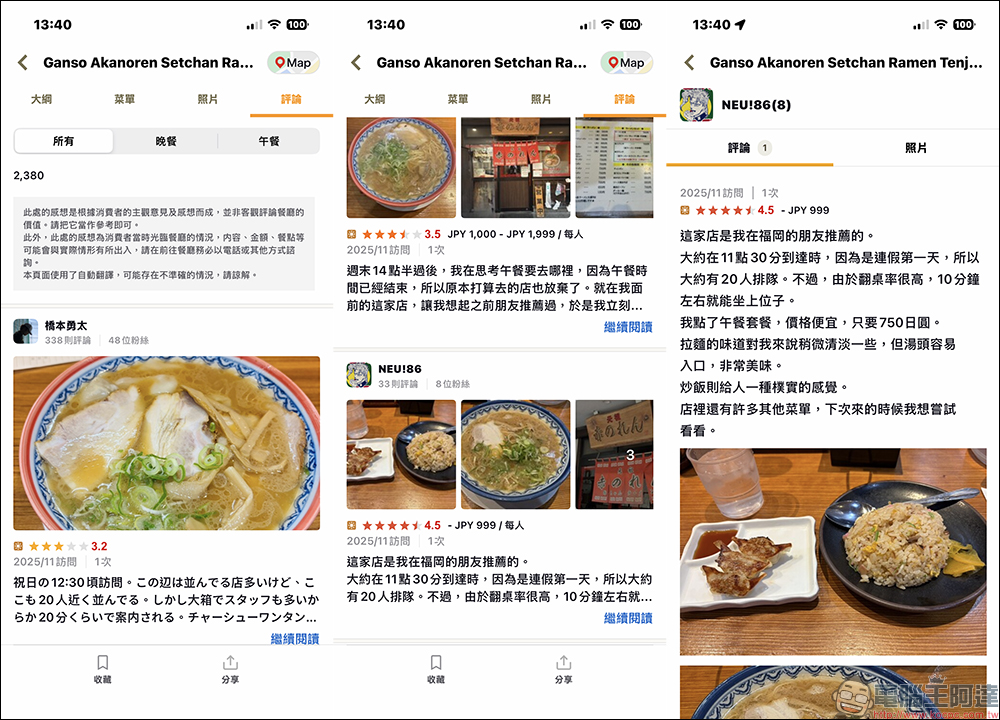
Step 6. Check real reviews from local people
One of the most praised aspects of Tabelog is that it automatically translates comments into Traditional Chinese, so you don’t have to guess at Japanese comments. You can see information such as what other guests ordered, how the meal actually tastes, whether the portion is sufficient, the store’s attitude and service details, whether there is a need to queue, and whether it is consistent with the budget. These are all closer to the real eating standards of Japanese people than reviews on travel websites.
Step 7. Navigate directly to the restaurant
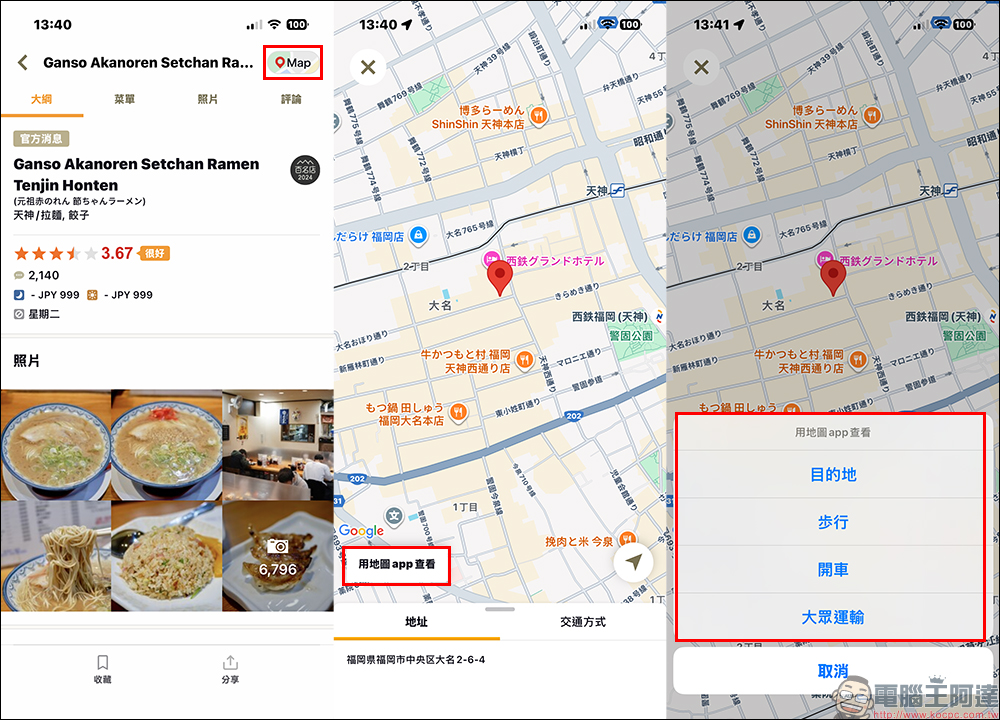
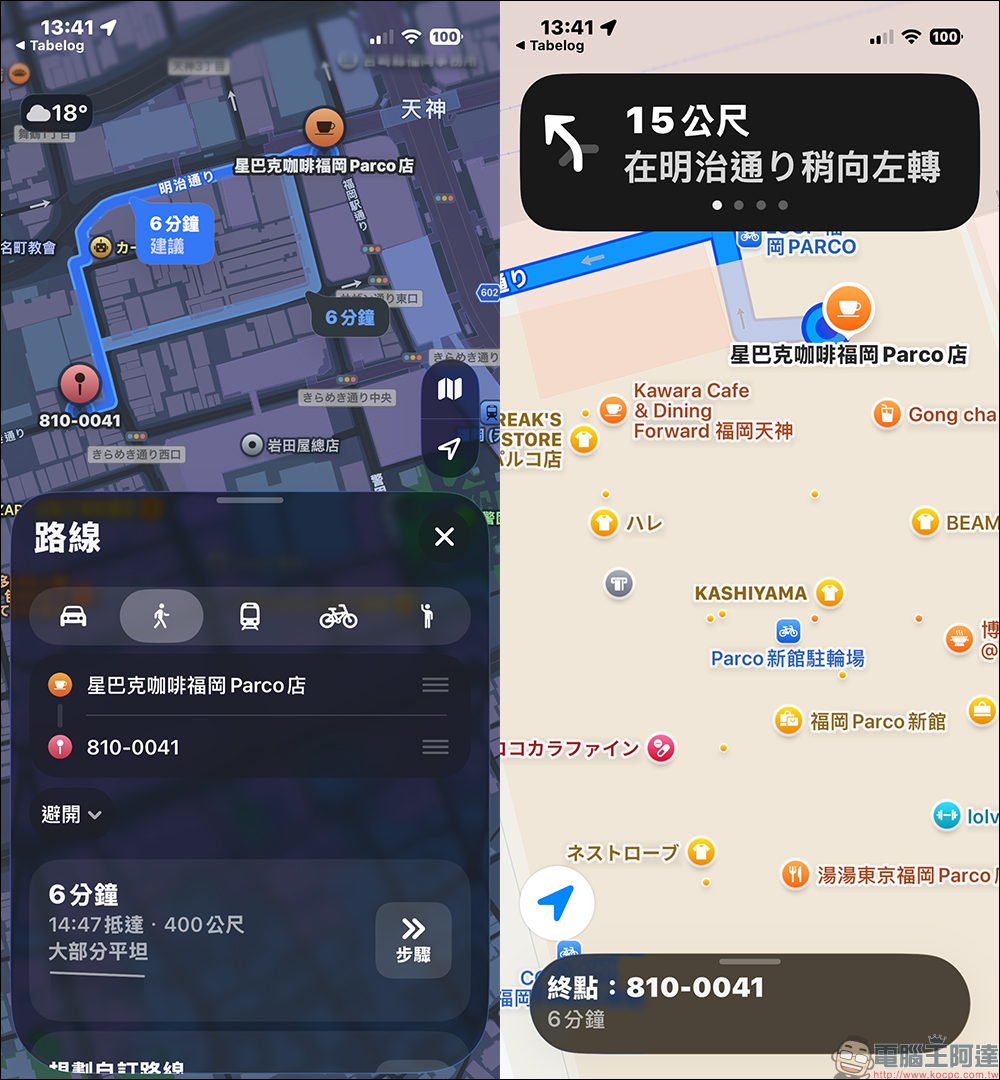
When you finally confirm that you want to go to the restaurant, click “Map” in the upper right corner of the restaurant, and the store location and address will be displayed on the screen. Then click “View with Maps App” to navigate. Whether you are walking, driving or taking public transportation, it meets the user’s transportation methods in various regions of Japan. This is especially useful when traveling in cities with complex subways such as Tokyo and Osaka.
Step 8. Make a restaurant reservation
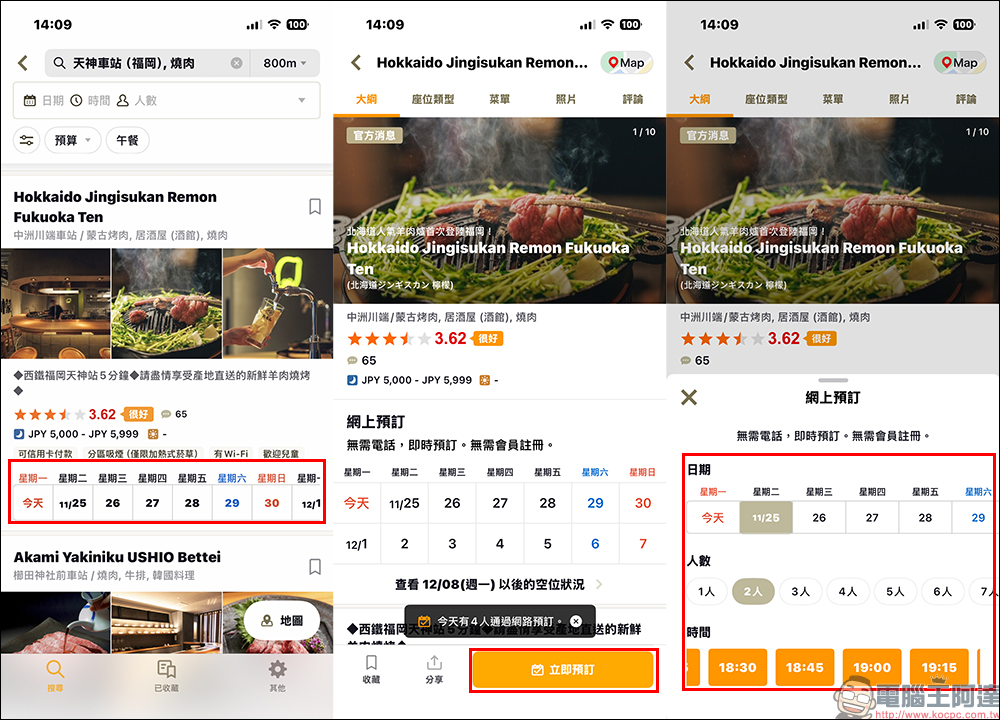
Some must-try restaurants on this trip can also be booked directly online on Tabelog. The process does not require membership registration or a local Japanese phone number to complete the reservation. If it is a restaurant that can be reserved, relevant information will be displayed in the restaurant information. After clicking “Book Now”, select the date and number of people you want to book to make a reservation.
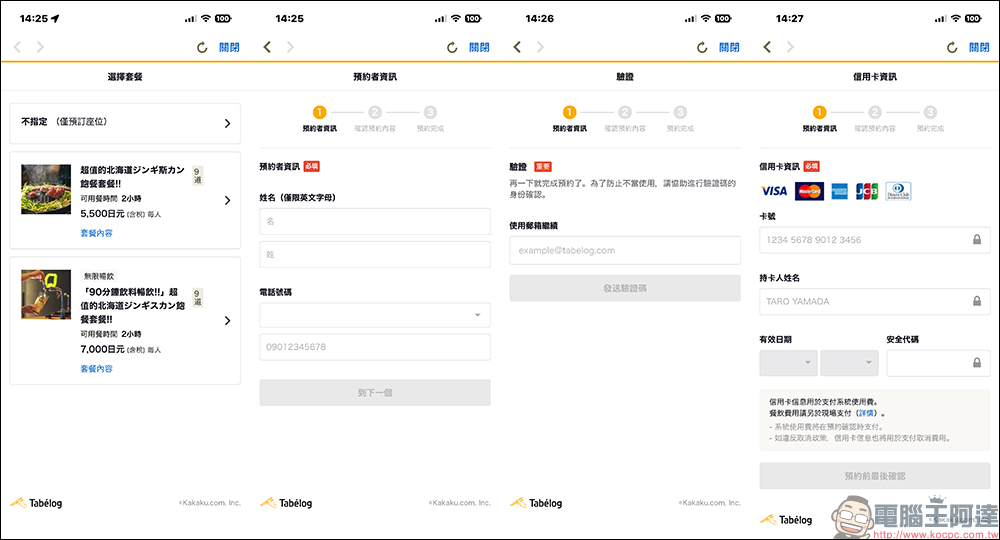
Generally, when making a reservation at a restaurant, the option of “not specifying (only seating provided)” will be provided, and you can order food only when you arrive at the restaurant. Some restaurants will offer a limited number of set meals, which can be booked directly in advance. When making a reservation, you need to fill in your name (English only), phone number (Taiwanese phone number can be filled in), then you need to fill in your email address and enter a verification code, and finally enter your credit card information for pre-authorization. After filling in and sending, the reservation results will be displayed.
Conclusion
Tabelog is called the “Japanese Food Bible” for a reason. Its ratings are more rigorous, its restaurant information is more comprehensive, and local talent truly relies on it to find restaurants. Now that the app finally supports Traditional Chinese, you no longer have to worry about not understanding the Japanese menu, getting your budget wrong, or not knowing how to make a reservation. Planning restaurants for travel to Japan has become easier.
If you are planning a free trip to Japan, Tabelog is definitely a must-install app. Learn to use it, and you will find that Japanese food is not only popular in small restaurants on the Internet, but also more god-level restaurants known to locals waiting for you to discover.
Further reading:
超強 AI 去背軟體 Aiarty Image Matting 限時免費!去背、更換背景、圖片放大超簡單 ,一鍵處理 3,000 張照片
Source: KOCPC Chinese