


After taking photos, many people will want to put on a layer offilter, to give your photos the style you want. If you don’t have a useful filter on hand yet App If so, then the App Store isLimited exemptionThe “Visual LabX: AI Retro Photo Photo” is worth picking up. Supports Chinese interface, not only has a large number of professional filter effects built-in, but also provides AI The analysis function uses AI technology to help you determine which filter will work best for this photo.
Visual LabX: AI Retro Photo Photo Only iOS version, no Android。
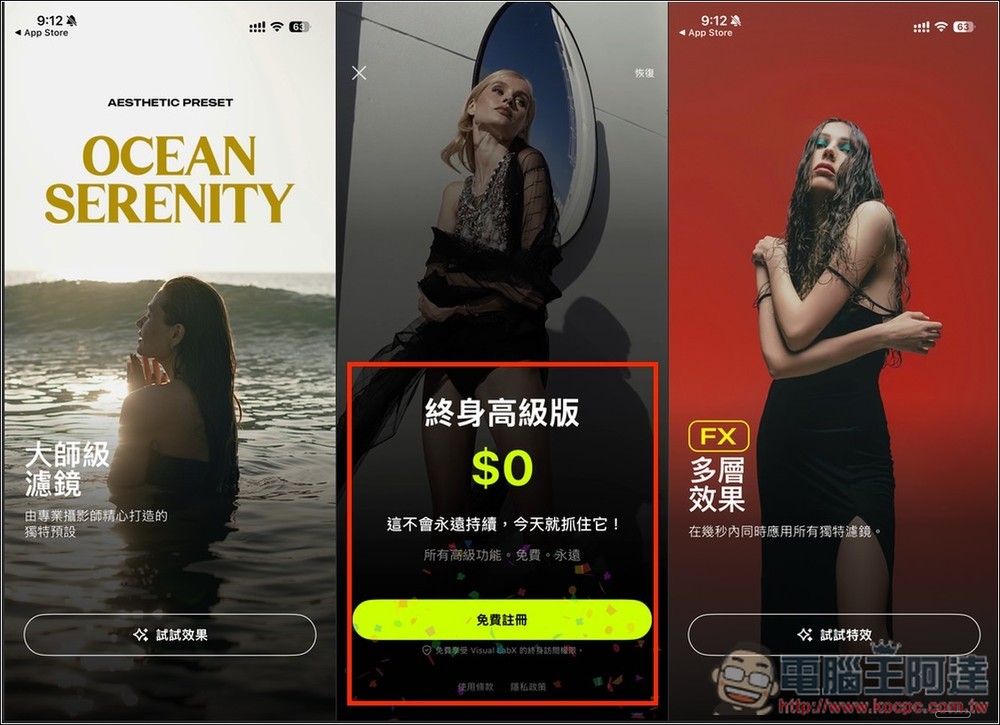
“Visual LabX: AI Retro Photo Photo” Lifetime Edition Free Obtaining Process and Introduction
“Visual LabX: AI Retro Photo” is a photo editing app that focuses on retro aesthetics and AI retouching. It is suitable for users who like negative style, tonal enhancement, and one-click application effects. There are many built-in filter effects, including retro, film tone, film look, and styles for portraits and internet celebrity photography. With just one click, you can add natural skin texture, light and shadow adjustment, film texture, black and white atmosphere, color highlight and other effects to your photos. You can create high-quality photos without professional skills.
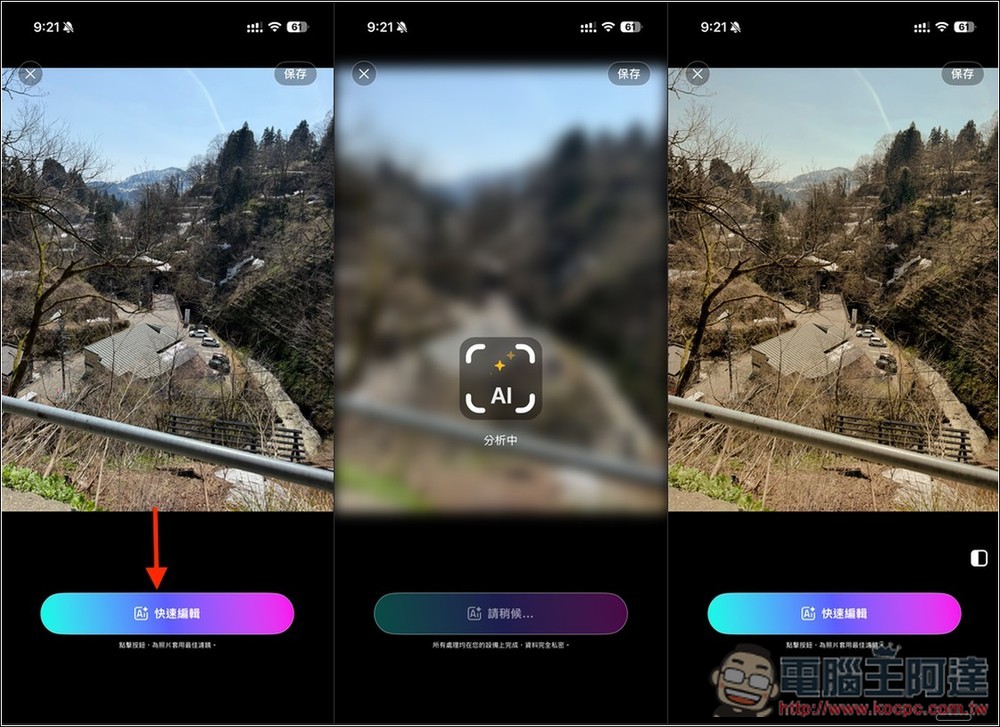
When you don’t have any ideas, the App also provides an AI analysis function, which will automatically determine which filter will work best on the photo, which is quite lazy.
Main features
- A large number of built-in retro/negative filters: analog film, film, CCD, black and white and other classic styles.
- AI analysis: Use powerful AI technology to quickly find filter effects suitable for photos.
- Multiple FX Overlays: Apply multiple effects to the same photo to create a unique look.
- Natural tone optimization: Improve photo brightness, color, and contrast to maintain realism.
- Simple operation interface: Even novices can create high-quality photos in no time.
- Multi-language support: 8 languages including Traditional Chinese.
Get “Visual LabX: AI Retro Photo Photo”
After clicking the link above to enter the “Visual LabX: AI Retro Photo Photo” App Store page, if the in-app purchase below shows Lifetime Free $0.00, it means that it is still free. When you open the app for the first time, there will be a simple function description:
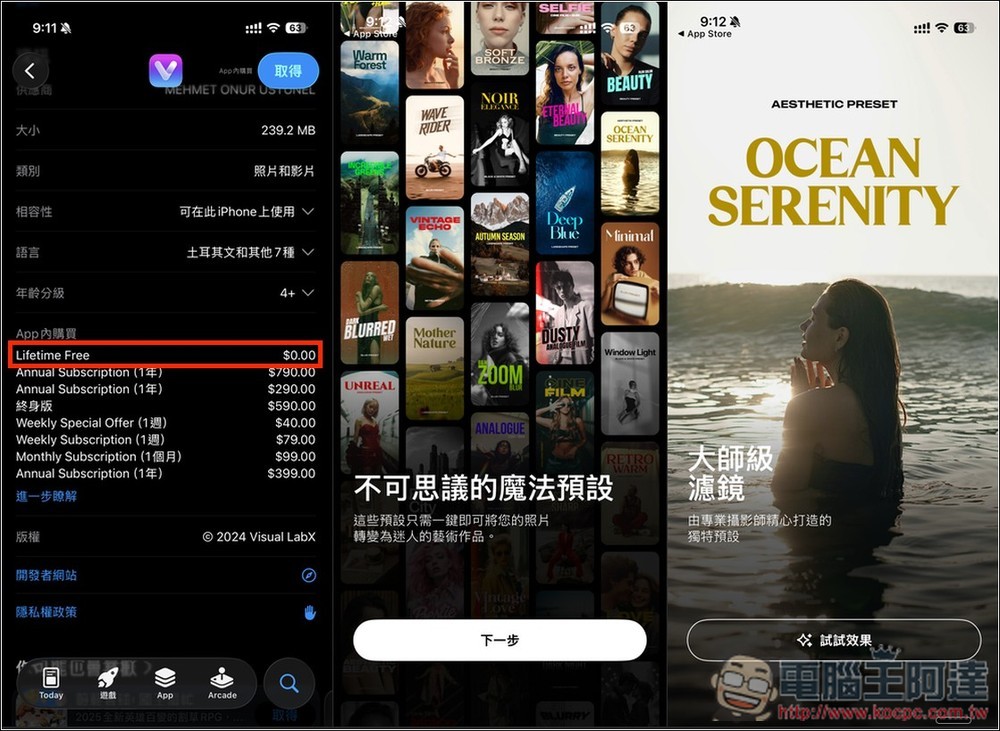
Then go to the next page, and the limited-free offer for the lifetime premium version will pop up. Click “Register for Free” below. Then remember to confirm that the payment information does not have any amount. If there is an amount, do not click twice to obtain it. “Your purchase has been successful” pops up and you’re done:
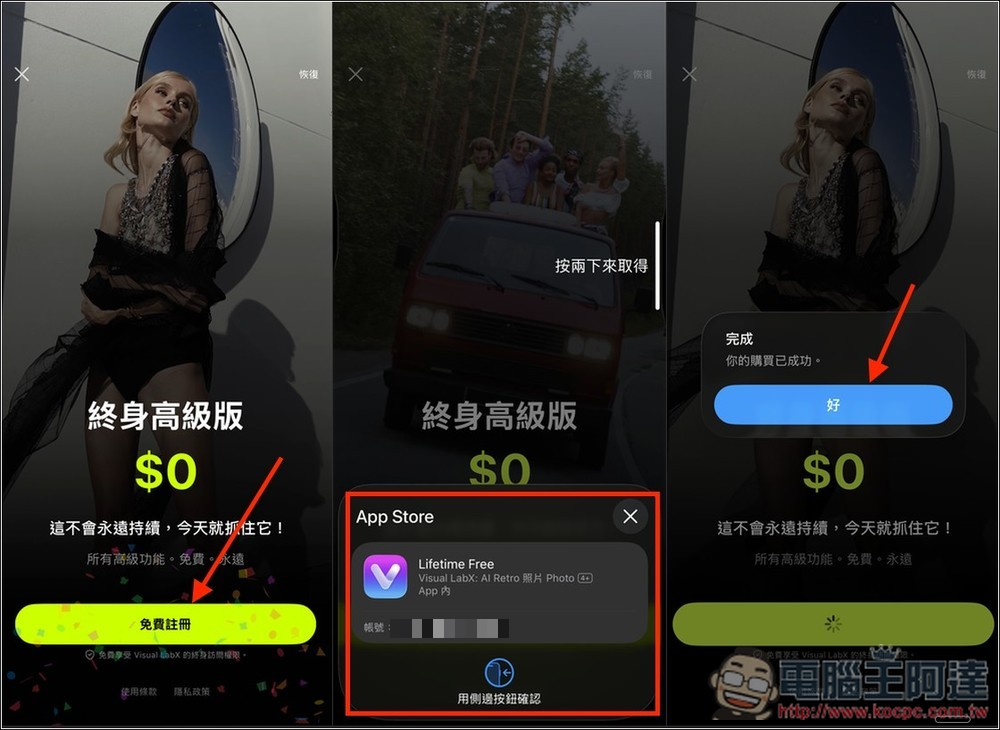
Press Start to get started. Click Quick Edit to import your photos, or browse the homepage to find the filter you want, then go directly to the edit page and apply:
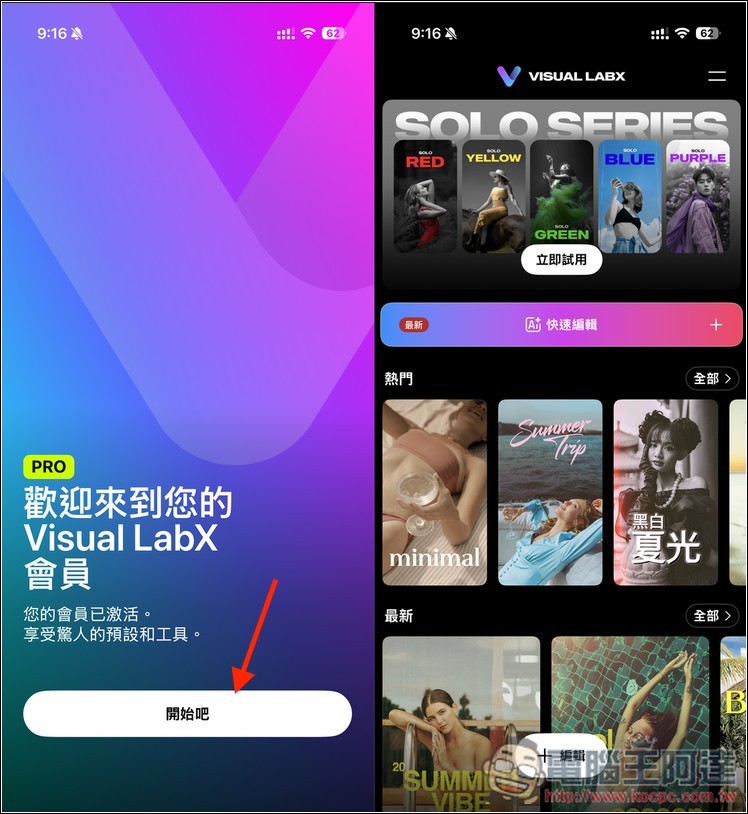
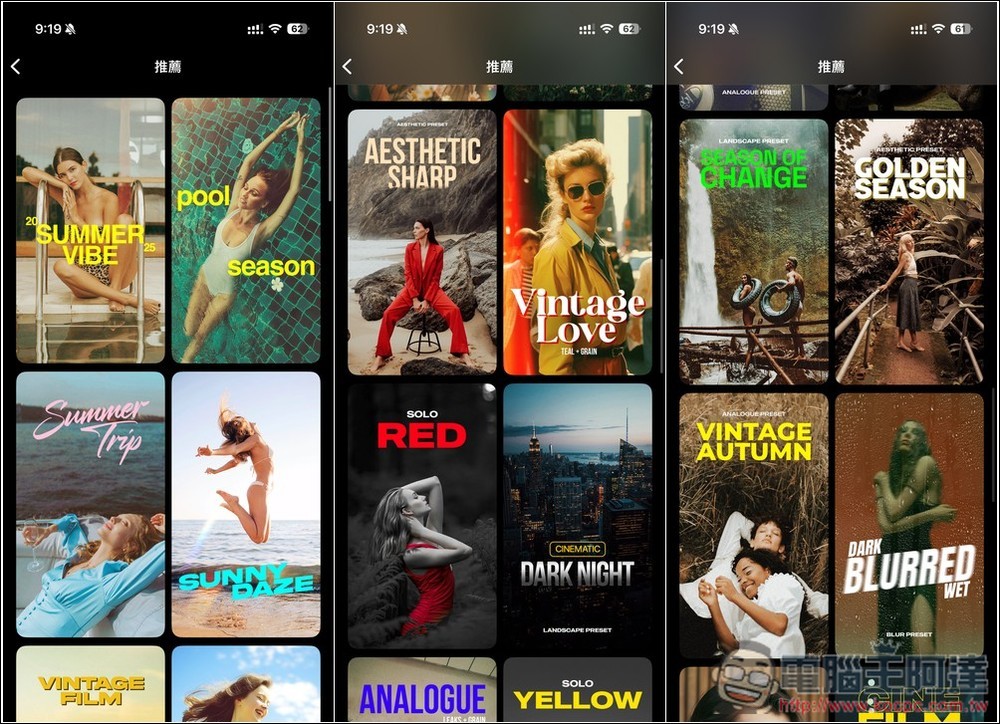
Each filter on the homepage of the app will have its application effect for your reference, but it is just a reference. Whether the actual application is really of such high quality depends on your photo:
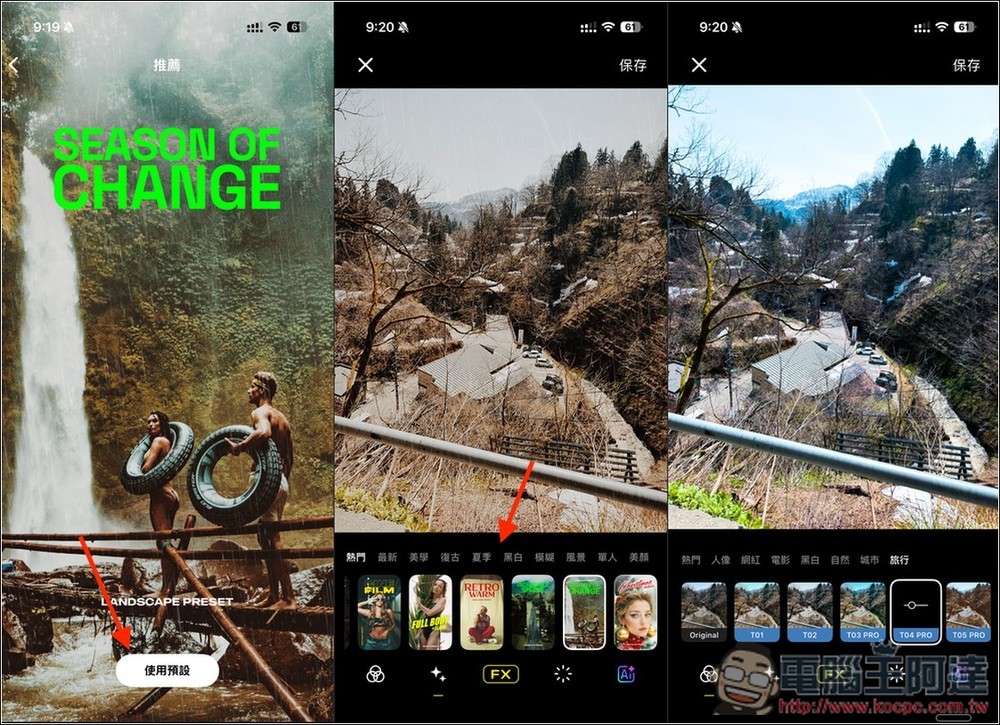
After you find the filter you are interested in, click “Use Default” and select your photo to enter the editing screen. If you are not satisfied with the current filter, you can switch to another one at any time, and each filter will display the applied effect instantly:
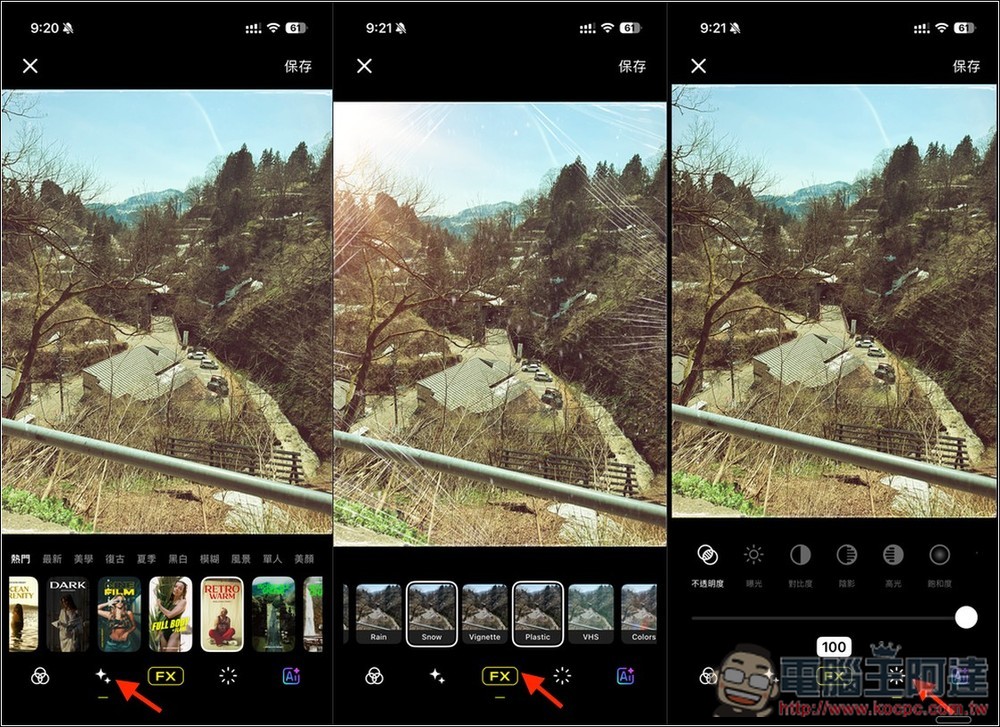
There is also a function menu at the bottom. The second one is recommended filters, and the third FX is special effects. You can add a variety of special effects to your photos, such as sun, snow, etc. The fourth is to adjust contrast, brightness, exposure and other values. The last one is AI analysis:
Although the AI analysis claims to apply the best filters, after actual testing, I found the results to be mediocre:
Source: KOCPC Chinese