


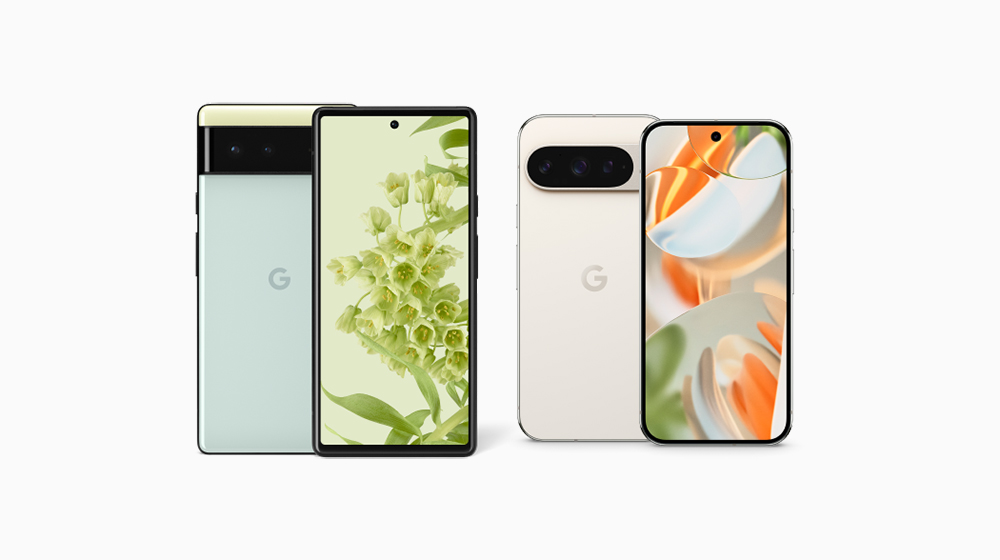
Google The “Phone” App has recently brought a new change that Pixel users are looking forward to:call recordingThe feature is finally officially fully rolled out. This update specifically fills in important gaps for models that do not support AI call notes, allowing more Pixel users to save important call content more conveniently. Not only can you record a call with one click, the system also provides countdown prompts, recording reminders for both parties on the call, red dot recording marks, automatic deletion settings, and even automatic recording for specific numbers. The whole process is simple, intuitive and safe, and the recording content is completely stored on your device, so privacy control can be assured. This feature supports Pixel 6 and above models and can be used as long as it is equipped with Android 14.
▲Image source: Google
Pixel mobile phone call recording is officially launched: more models can be completed at once, and functional details can be understood at once
Google previously announced in September that it would soon expand support for the call recording feature in the Phone app. Now this feature is finally officially “fully launched”, allowing those who did not have AI call notes in the past Pixel model, it can also fulfill your recording needs. You can get a stable and integrated recording experience without downloading additional third-party apps. It is a very practical upgrade for users who need to record meetings, track information, or avoid call disputes.
How to enable Pixel call recording? I’ll show you the setting process one at a time.
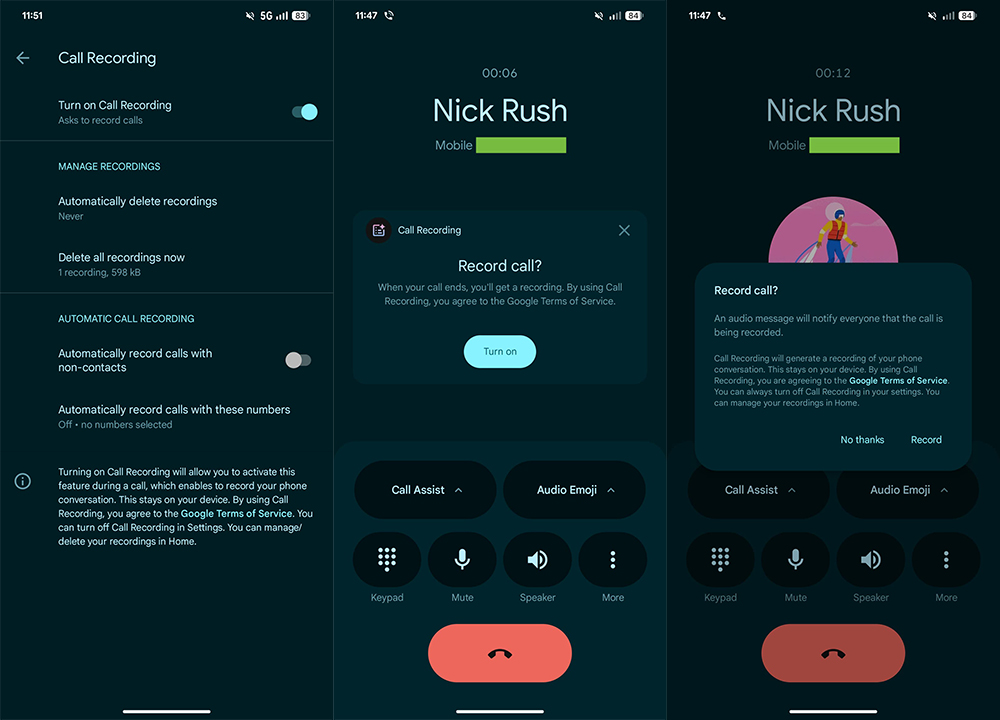
After updating to the latest version (Google Phone App v198 or above), you will:
- Phone App → Settings → Call Assist
- See the new Call Recording option.
▲Image source: 9to5Google
When you use it for the first time, the system will ask you to download the necessary audio files and guide you through the setup during your first call, which is very intuitive and hassle-free.
Google also clearly states on the settings page: “All recording content is stored locally on your phone and will not be synchronized to the cloud.” This is a reassurance for users who care about privacy.
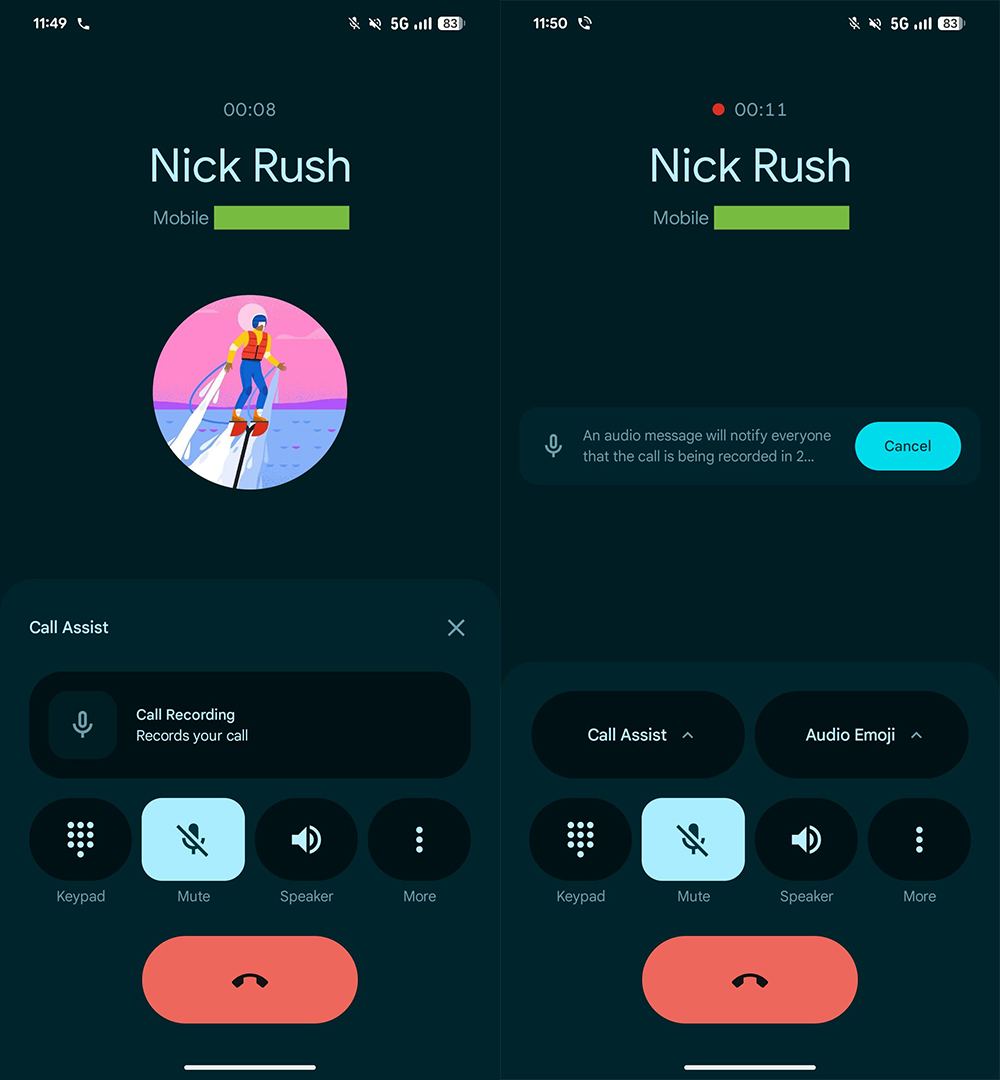
The call interface has been greatly upgraded: the recording button is more eye-catching and the countdown prompt is more reassuring.
When you are on a call, a new “Call Assist” menu will appear on the call screen, located next to “Audio Emoji”.
When starting recording, the following process will occur:
- short countdown
- Play a tone to notify both parties that the call is being recorded.
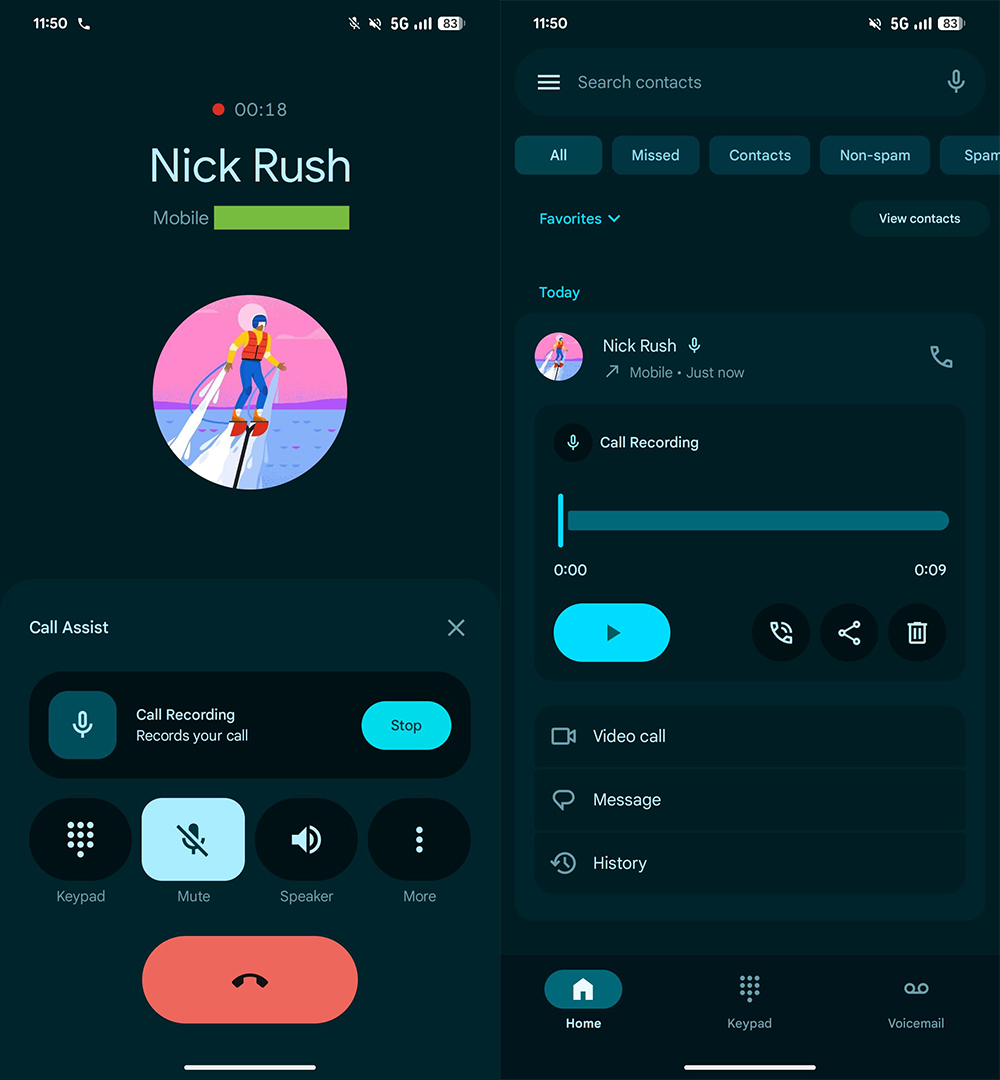
- A clear red dot recording indicator will appear next to the call time at the top of the screen.
- If you want to stop recording while recording, just open the Call Assist section again and click “Stop”.
The overall operation is more natural than many third-party recording apps, and it is fully integrated into the system’s design language, making it easier to use.
▲Image source: 9to5Google
It can be automatically deleted or never deleted: the recording management settings are quite complete.
In the “Management” of settings, you can determine the recording retention time:
- Automatically delete within 7 days
- Automatically delete after 14 days
- Automatically delete after 30 days
- Never delete
If you are a heavy user, you can also choose:
“Delete all recordings now (Delete all recordings immediately)”
The management interface is quite complete, allowing users to save a lot of time on manual organization.
▲Image source: 9to5Google
Automatic recording function: applicable to specific numbers and unknown calls
Google also provides more advanced automation settings, including:
- Automatically record unknown calls
- Automatically record specific numbers (list can be created)
This setting is very useful for business people, those who need to record customer calls, or those who receive a large number of unknown calls. There is no need to manually press record for every call, which reduces the risk of missing important content.
Supported models: Starting from Pixel 6, only Android 14 can be used
Google officially states that the call recording function supports:
- Pixel 6 series or above + Android 14 or above
This also includes the latest Pixel 9 series, which can enjoy full call recording even if these models do not have the AI Call Notes feature. This update is currently being rolled out gradually with the Phone App v198+ version. Compared with Google’s previous cautious opening strategy, the scope of this rollout is quite clear.
Extended functionality: Pixel Feature Drop also updates AI Call Notes
In addition to this feature update, Google also announced that the Pixel Feature Drop will gradually expand AI Call Notes (AI call notes) to more regions in November 2025:
- Australia
- Canada
- India
- Ireland
- Japan
Conclusion
Google has directly added the recording function to the Phone App this time, which can be regarded as making up for one of the most commonly complained shortcomings in the Pixel ecosystem in the past. There is no need to install another APK or research third-party apps. Call recording, playback, and organization can be done in one stop, which is very practical for many Pixel users.
Especially for models without AI Call Notes, this update completes the last piece of the call record puzzle. From privacy protection, recording prompts, to automatic deletion and designated number recording, Google has included almost every detail imaginable, and it is worth updating.
Further reading:
Source: KOCPC Chinese