


Although Google TranslateIt works great, but if you want to try something new App, to see if it can better meet your needs, there is a Voice Translator in the App Store earlier: Transcribe Lifetime version launchedLimited exemptionAs long as you obtain the activity within the time limit, you can use the professional version permanently without any restrictions. Voice Translator: Transcribe featuresVoice translation, but also built-in text, camera and PDF The translation function is quite comprehensive overall, so it is worth trying.(The exemption has ended)
However, I would like to remind you that when I tested, the Chinese speech recognition was not very stable. I am not sure whether it is my own problem, the current recognition function of the App has a bug, or the Chinese recognition of this App needs to be improved. If you are very concerned about this, it is recommended to skip it.
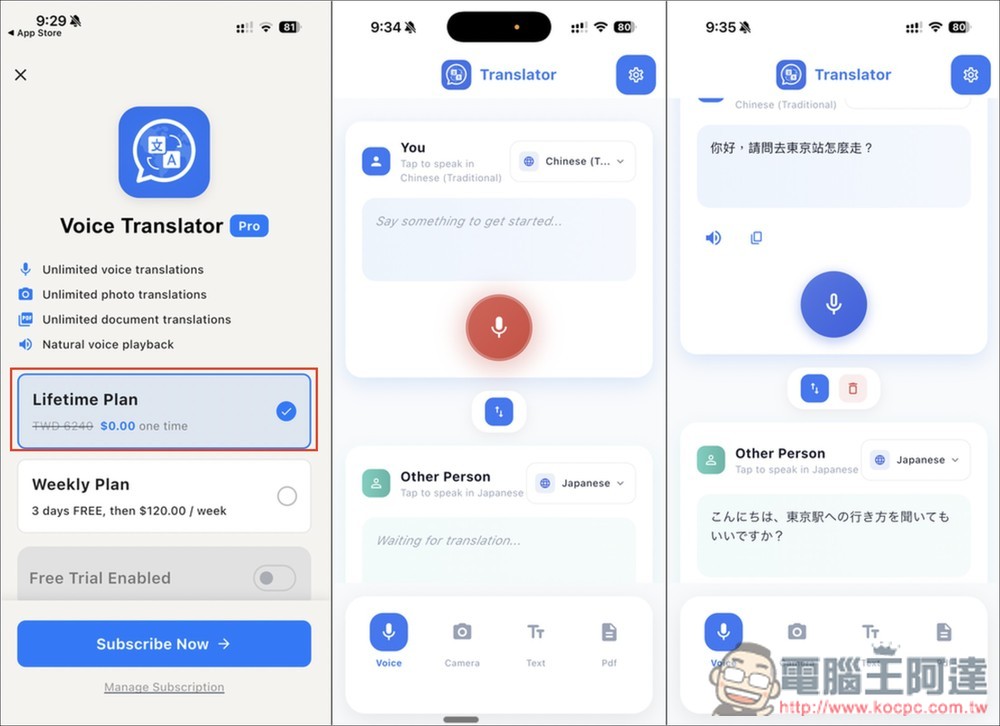
Voice Translator: Transcribe The lifetime version is free for a limited time. Remember to confirm whether there is any amount before obtaining it.
“Voice Translator: Transcribe” is an instant translation app specially designed for cross-language communication. It combines the three major functions of voice, text and image recognition and supports more than 100 languages. It can instantly convert speech into text and simultaneously translate it into the target language. It is very suitable for chatting with foreign friends, traveling abroad, or handling multi-lingual meetings. Although it does not support Chinese, the app interface design is simple, similar to most translation apps, and even first-time users can get started quickly.
In addition, it also has a “pronunciation reading” function, which can be read directly after translation. This is very useful whether it is daily conversation, learning a foreign language, or temporary communication.
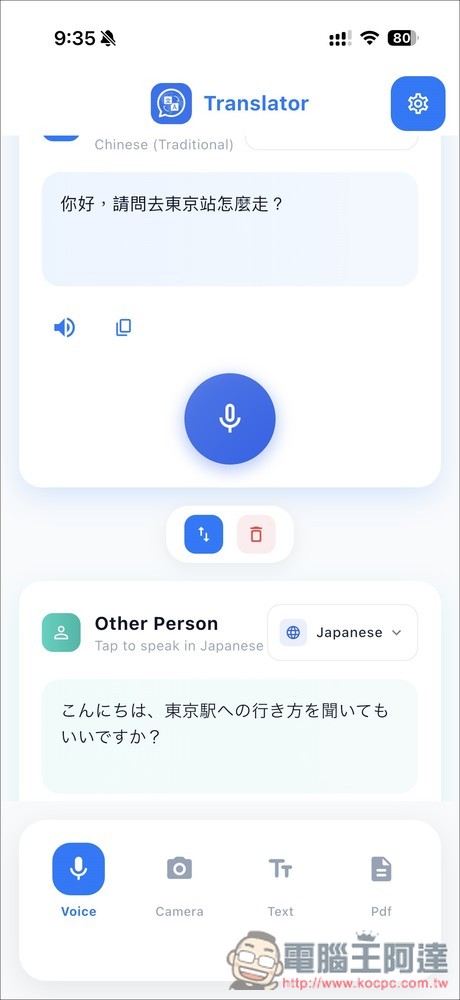
Of course, “Voice Translator: Transcribe” also supports two-way conversation mode, allowing both parties to translate each other in real time, making communication smoother.
Main features
- Supports more than 100 languages: Covering major global languages, translation is accurate and fast.
- Real-time voice translation: You can see real-time text translation while speaking.
- Photo translation: can translate signs, menus, documents, handwritten notes, etc.
- Two-way conversation mode: supports real-time translation.
- Voice reading: Play translated content in a natural accent to help you have conversations and learn correct pronunciation.
- Simple interface: Intuitive operation, even beginners can use it easily.
Get Voice Translator: Transcribe
After clicking the link above to enter the App Store page of “Voice Translator: Transcribe”, when purchasing in-app, you will see Lifetime showing 0 yuan, which means that it is still free for a limited time. If it is not 0 yuan, it is over. After opening the App, the subscription plan page will pop up. The Lifetime Plan above will display 0 yuan and is one-time. After selecting, press Subscribe Now:
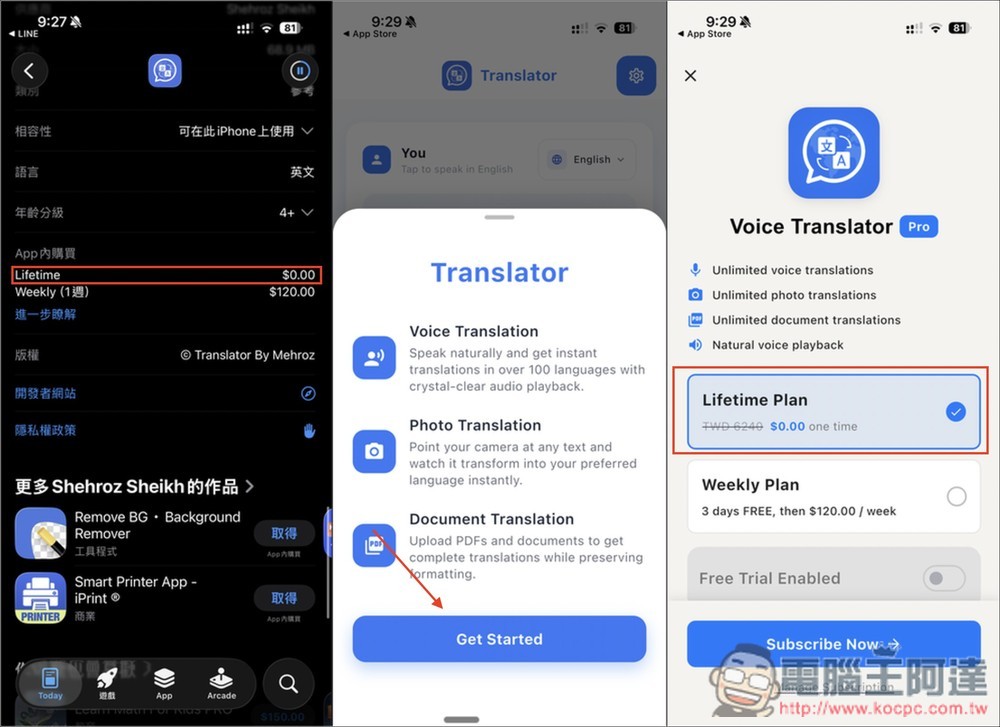
Next, it is very important. Please pay attention to see if there is really no amount. If there is no amount, the exemption is limited. If there is amount, don’t click twice to get it. It shows that your purchase has been successful, which means you have upgraded to the lifelong professional version. Remember to set the source and target language before using:
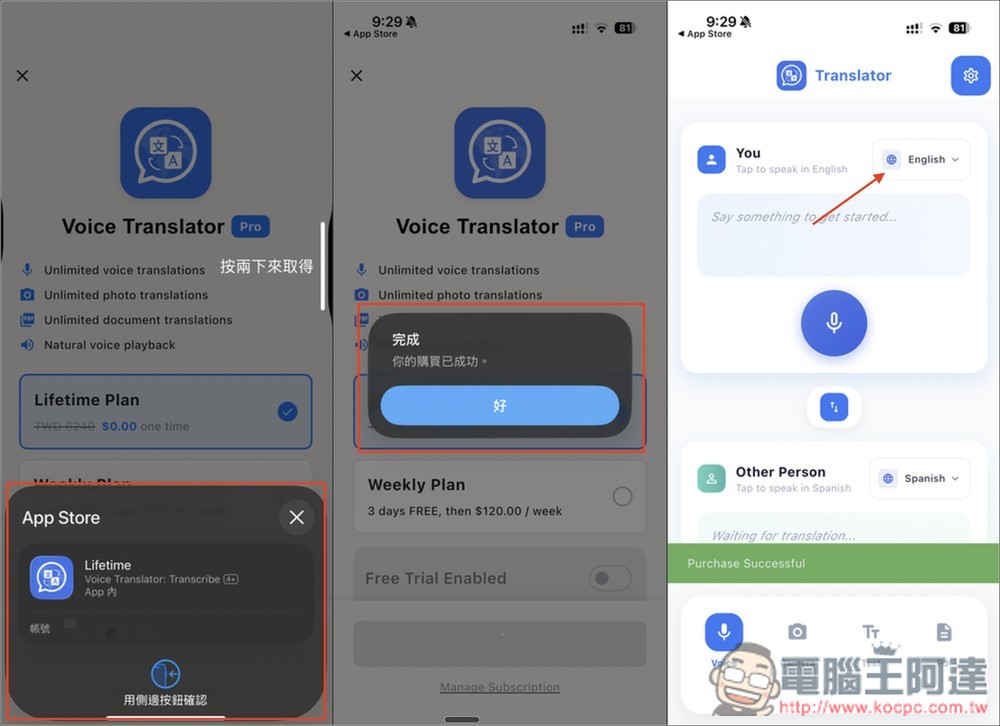
Supports more than 100 languages. After setting, press the microphone icon to speak the content you want to translate:
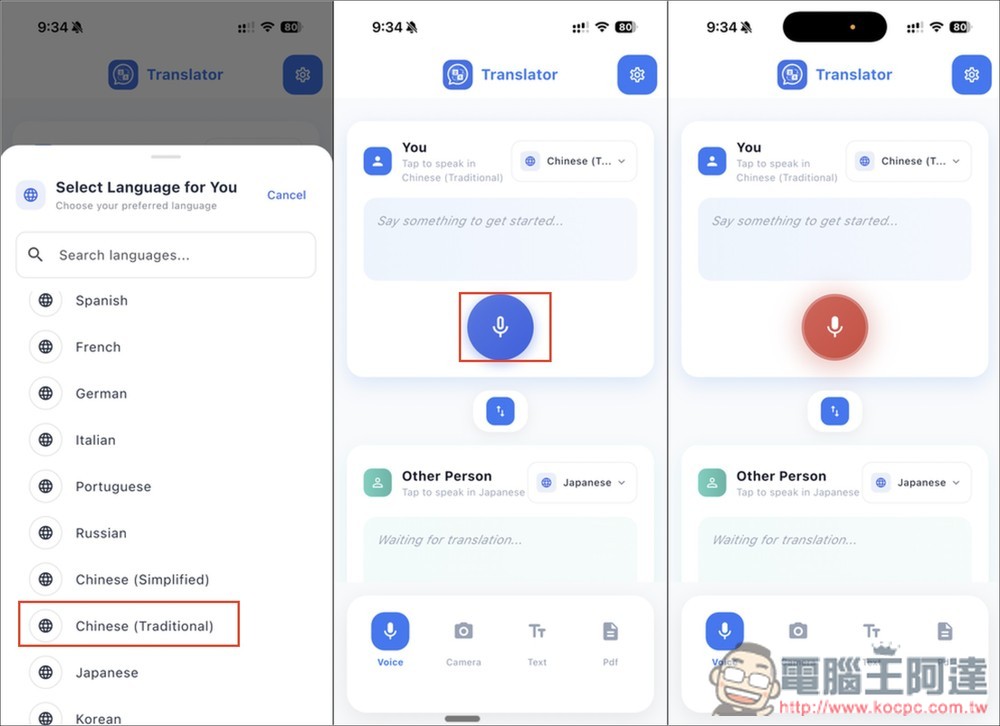
The translation will appear immediately below. As mentioned before, there seems to be a problem with Chinese recognition. I’m not sure if it’s just me:
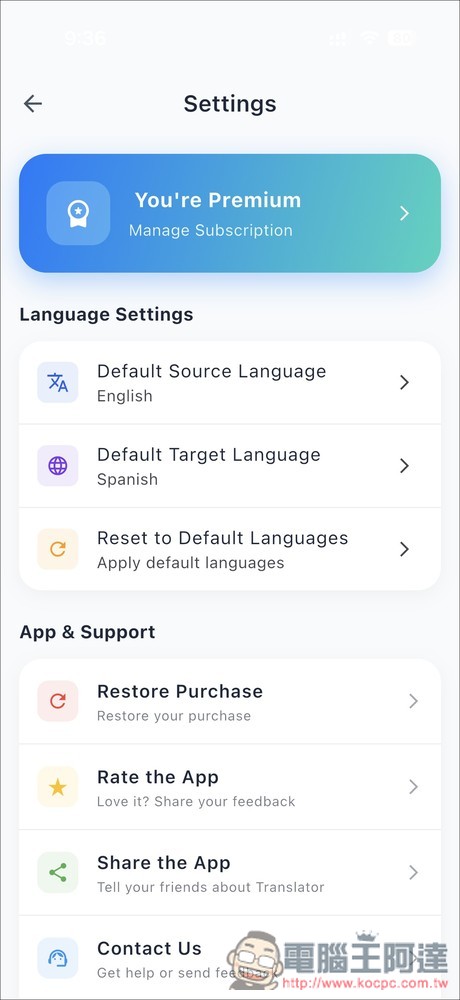
In addition, in the settings in the upper right corner, you can check whether it is in “Premium” status. You can also set the default source and target language below. Once set, you will not need to adjust it in the future:
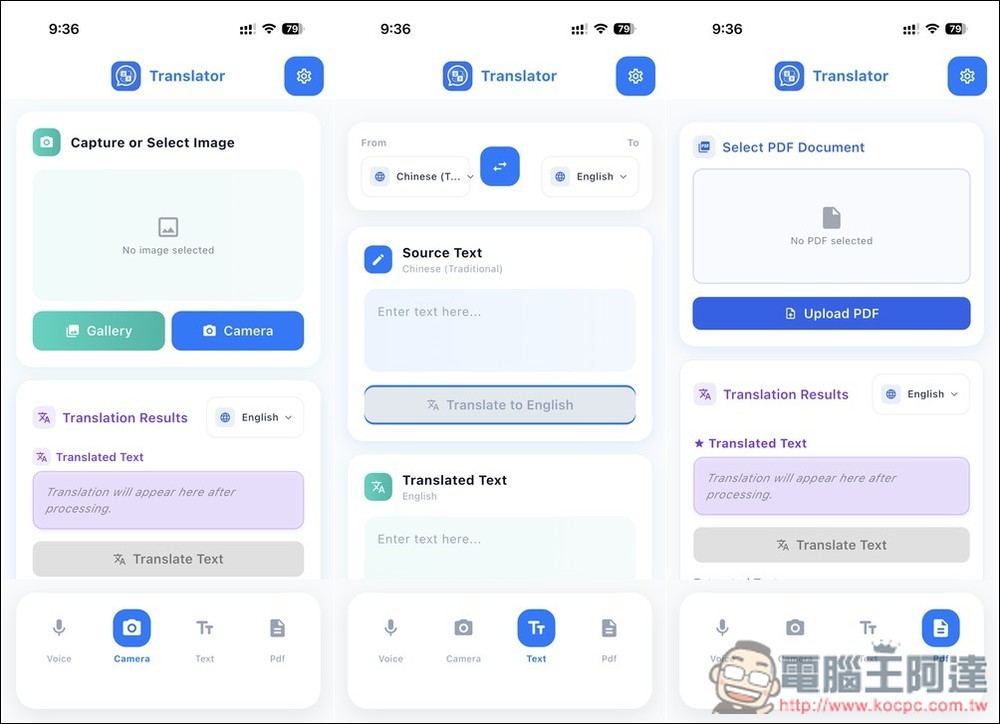
The following pictures are camera translation, text translation and PDF translation respectively. The camera part can take pictures or import from the photo album:
Source: KOCPC Chinese