


Over the years, the Internet has continued to evolve, so have cyber threats, and everyone’s thinking should also continue to evolve. You might imagine that the threats coming from the web are all high-level, but for everyday Windows users, most are still blamed on the same problems that most people know: what you click on, not checking “free” downloads enough, constantly postponing system updates, etc. If you’re wondering if you’re safe, then you should look into ignoring these things as well.
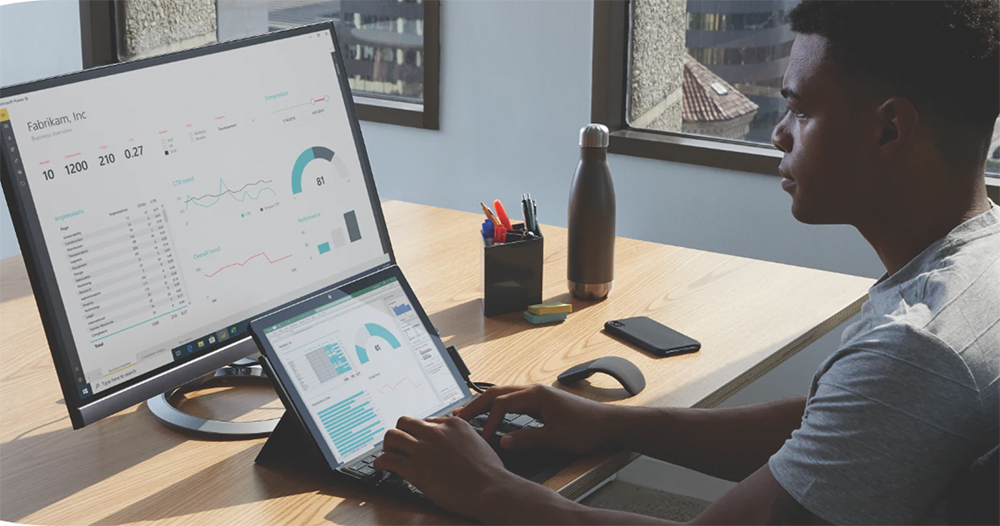
Four common ways Windows computers are hacked, and how to stop them?
In the long run, the cyber threat landscape will not slow down, according toMicrosoft’s latest data, users face 600 million attacks every day. This means your computer is not just a target, but a potential gateway for hackers and bad actors. Setting limits is simple. The better you understand how attackers operate, the easier it is to spot their schemes and stop them before they get too far.
Phishing scams that look fake but still work
网路钓鱼和社会工程算是新瓶装旧酒了,骇客不是以暴力破解的方式侵入电脑,而是诱导你主动交出密码。 Unscrupulous individuals send genuine-looking messages, emails from reputable manufacturers, fake shipping status updates or emergency password reset links, a tech support call claiming your computer is infected, or a pop-up window that looks like Windows Defender needs special attention, all designed to get you to click before you even think about it, not to break through your security, but to open the door for yourself.

The best defense is to know what to look for and remain skeptical. Don’t click on links in unexpected emails, and never trust attachments in unknown emails unless you’re sure who sent them. If something feels too urgent or wrong, open your browser and go directly to the source (such as the official website) instead of clicking on the link. Turn on two-factor authentication everywhere, turn on Windows Defender, and keep your system and browser updated. If you get a call from your bank or credit card company that looks strange, hang up and call back from the official number provided by your card or website. Most phishing attempts fail the moment you stop, think for a moment, and start validating because once you recognize the pattern, it’s easier to foresee what’s coming.
Piracy and free software are not truly free
There are often real risks behind pirated software and free downloads. Cracked apps and unofficial installers bypass not only licensing but also security checks, and they are often packed with unwanted extras, such as spyware, adware, or hidden backdoors that run silently in the background. Many of these fake installers look polished and professional, making it easy for users to trust them. The problem is not only that you might end up with a sluggish computer, but that you might unknowingly be giving your passwords, files, and even remote permissions to someone unknown.
Before installing anything that doesn’t come directly from the developer’s website or a verified store, stop and ask yourself if it’s worth it. File sharing sites and free download centers often have fake buttons, malicious ads, and legitimate-looking Trojan files. Whenever possible, stick to official sources, open source projects with active communities, or the Microsoft Store. Keep Windows Defender active, scan before running new downloads, and if possible, check the installer’s digital signature or hash. A few extra seconds of caution can save you days of frustration and possibly a complete system rebuild.
Outdated software is like saying “Welcome” to unscrupulous people
Running unpatched or unsupported software, no matter how careful you are online, if the programs you rely on every day are not updated, they are easy targets. Attackers don’t need to look for new vulnerabilities when there are millions of systems still running potentially vulnerable versions of Windows or applications. Once software reaches end-of-life, it stops getting background fixes and can no longer keep you and your data safe. While an outdated media player or backup tool may appear harmless, it can still provide vulnerabilities for drive-by downloads, ransomware, or remote programs that exploit old code.
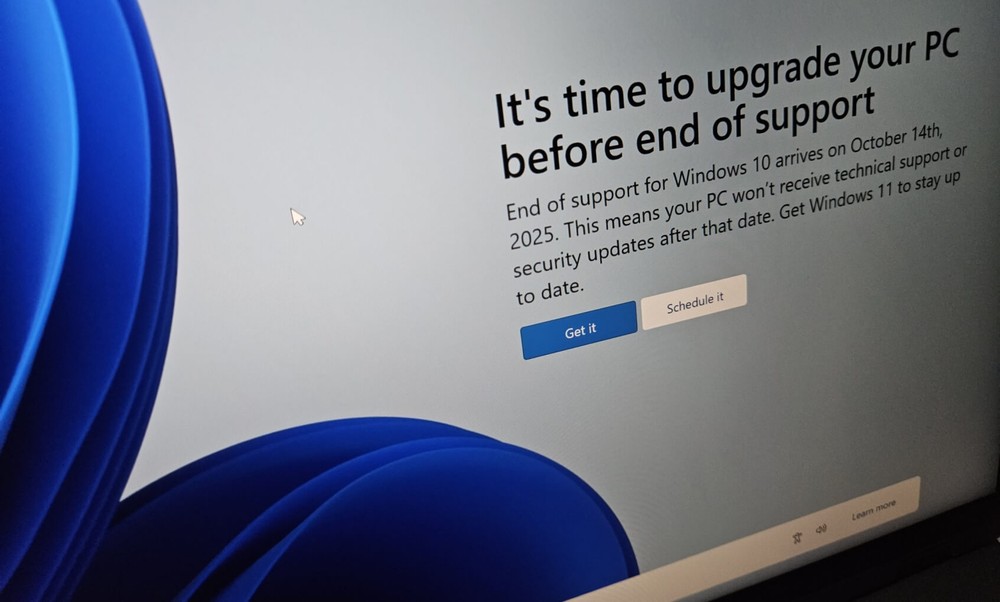
We’ve seen this issue surface as Windows 10 nears its end of life. Millions of computers are still running it, and many of those systems don’t meet the hardware requirements for Windows 11. It’s completely understandable that users want to retain reliable settings, but once Microsoft stops rolling out security updates, every new vulnerability becomes a permanent hole in the armor. The solution is less paranoia and more habit-forming: keep automatic updates enabled, uninstall content you don’t use, and regularly audit your installed software, just like you would for browser extensions. Treat updates as part of normal system maintenance rather than an inconvenience. Keeping your software up to date is one of the easiest and most effective ways to keep your Windows computer secure in the long run.
You don’t have to download anything to infect malvertising
Malvertising hides itself in legitimate-looking ads on sketchy streaming or downloading sites, quietly redirecting your browser to pages that install malware, adware, or collect data in the background. Attackers buy ad space, disguise their payload as normal activity, and then wait for your click. The fix is simple: Use an ad blocker or your browser’s built-in tracking protection, avoid visiting streaming sites that feature pirated content or free movies, and keep your browser and extensions patched.
Securing your Windows computer isn’t about cyber security skills, it’s about thoughtfulness. Most of us don’t think twice about the software we install, the websites we visit, or the alerts we ignore, but these quiet decisions can have serious consequences. As technology continues to advance, so will the cyber threats we must face, but a little more awareness can go a long way. Keep your tools up to date, be skeptical if something doesn’t feel right, and don’t let convenience be a reason to let down your guard.
Source: KOCPC Chinese