


Halloween is coming, not only are the streets filled with the laughter of pumpkin lanterns and costume parties, but also LINE Chat rooms also quietly cast their spell. This year, LINE has specially launched limited-time “Halloween Chat Room Special Effects” and “Home Page Special Effects”, allowing LINE FRIENDS such as Xiong Da, Tutu, Sally and others to appear together to accompany you in the carnival on your mobile phone. Just enter a few keywords and the screen will immediately transform into a fantasy party scene full of Halloween atmosphere. Want to know how to summon them? Keep reading to find out!

LINE Halloween magic is here! Enter keywords to summon Bear to join in the spooky carnival.
LINE launches Halloween special effects that are appropriate to the occasion almost every year. From pumpkin rain and flying bats in the past to Bear turning into a magician and Bunny turning into a cute little devil this year, these animation details make people smile. The best thing is that whether it is a single conversation or a group chat, it can be triggered by entering a keyword, instantly turning the chat room into a Halloween party scene. For many old LINE users, this is not just a festive event, but also an “annual ritual.” Seeing special effects debut every year is like officially announcing that “Halloween is here!”
It’s actually very easy to turn your LINE chat room into a Halloween party scene instantly! Just enter any of the following keywords into the chat room:
- “Halloween”
- 「Halloween」
- “Trick-or-treat” (not case-sensitive)
Immediately you can see familiar faces such as Xiong Da, Tutu, Sally, etc. wearing cute and funny outfits and having a party together in the chat room. The entire special effects scene is full of Halloween atmosphere, especially when played at night or against a dark background, it has a fantasy and healing feeling that makes people want to watch it several times more!
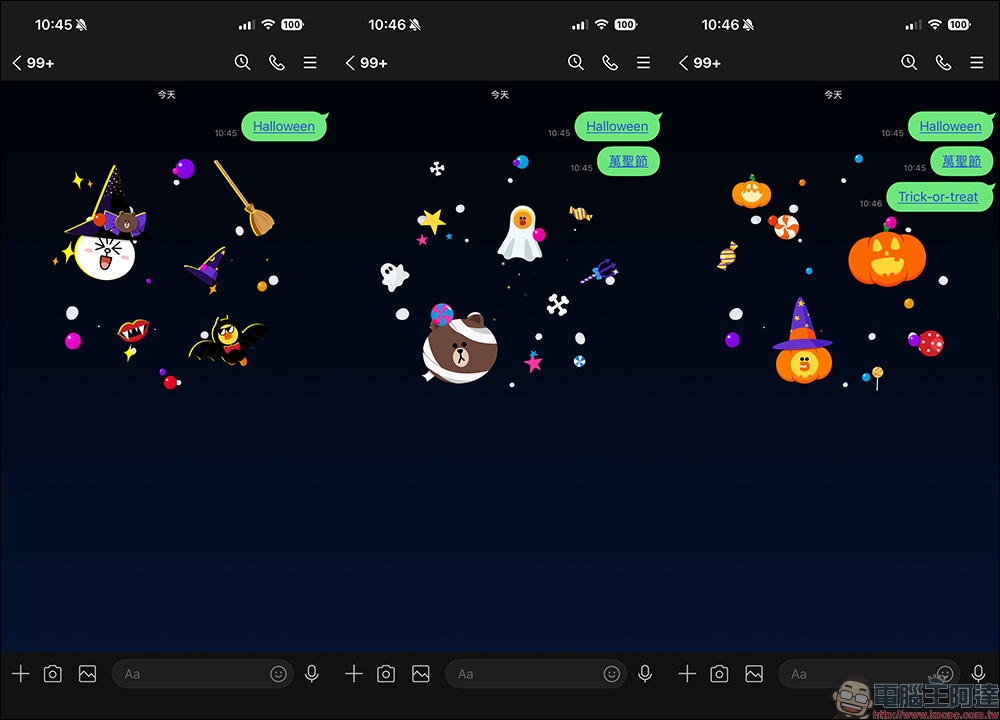
This Halloween chat room special effects event will start from 10:00 on October 29, 2025 (Wednesday) to 10:00 on November 3 (Monday), Taiwan time. To successfully trigger special effects, please confirm that your version of LINE meets the following conditions:
- iOS: version 9.15.0 (inclusive) or above
- Android: 10.2.0 (inclusive) or above (and the Android system needs to be 7.1 or above)
- LINE PC version: 6.7.3 or above
As long as you meet these version requirements, you can safely enjoy the festive surprises brought by Xiong Da and his friends.
Tip: Want to replay the special effects? One click to get it done!
If your LINE has been updated to version 12.0.0 (inclusive) or above, when special effects appear after entering a keyword, the keyword will become a clickable “link form”. In other words, if you want to replay the Halloween special effects later, you only need to click on the keyword link to play the animation again! You don’t have to wash the chat room all the time, and you don’t have to enter keywords repeatedly. It’s very considerate and practical. But if you still want to relive the pleasure of “casting a spell”, of course you can also manually enter the keyword again to summon special effects.
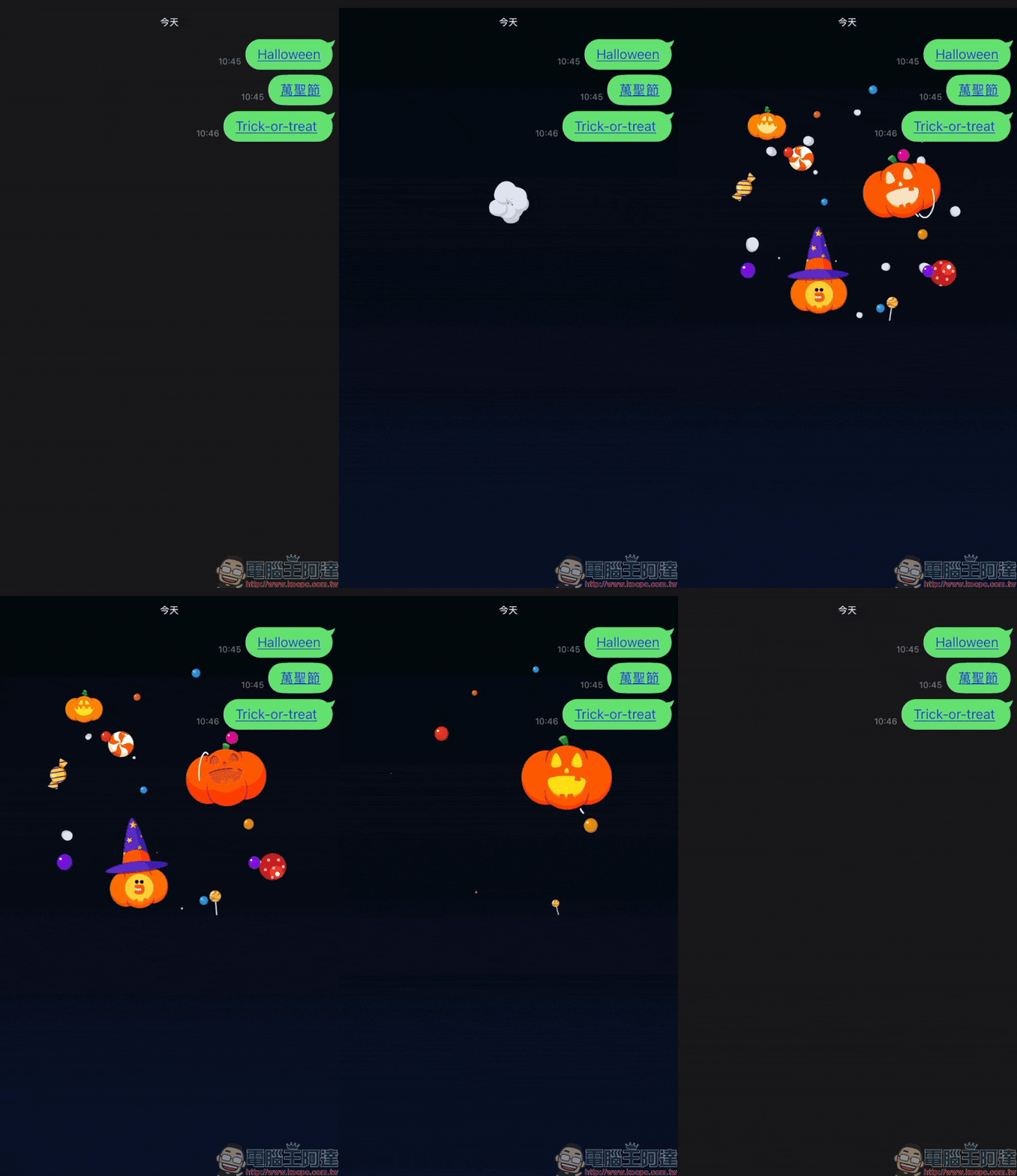
What if you didn’t see the special effects? Try these tips!
If you confirm that the version is consistent but still don’t see the Halloween special effects, don’t worry! Maybe there are just some small things to adjust in the settings:
- Restart LINE — Sometimes restarting the app can resolve material loading delays.
- Check whether the “chat room background effects” function is turned on in the settings
- Path: LINE → Settings → Chat room background effects
This feature is turned on by default, but if you turned it off to save power or reduce animation interference, you need to turn it on again. Confirm the network conditions. Special effects require real-time downloading of materials. If the network is unstable, it may cause abnormal playback. If it still doesn’t work, you can also update to the latest version, which usually solves most problems.
Home page special effects are available simultaneously! The little troublemaker appears on LINE homepage
In addition to chat room special effects, LINE has also prepared homepage-limited Halloween special effects to make your LINE homepage full of festive atmosphere on October 31st! When you open the homepage, you can see Xiong Da and Sally playing and waving jack-o’-lanterns in the background, which immediately fills the atmosphere.
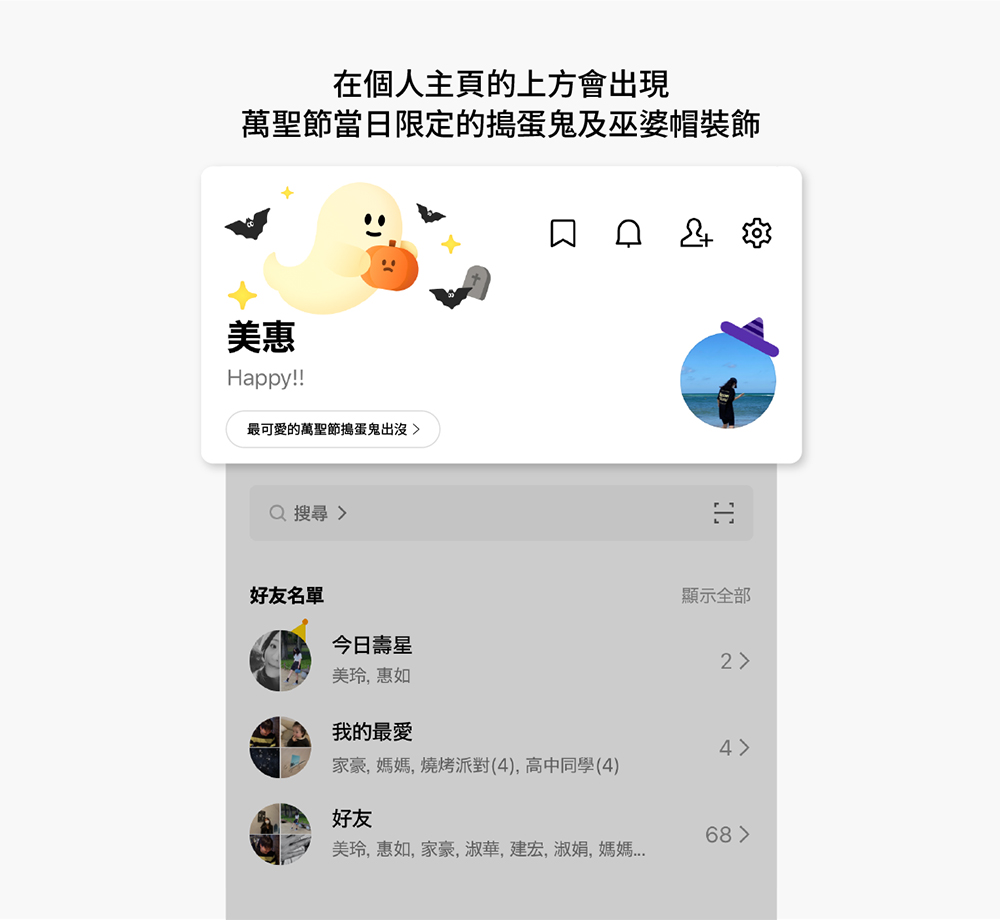
- Event time: October 31, 2025 (Friday) 00:00 to 23:59
- Applicable versions:
- iOS: LINE 12.17.0 (inclusive) and above
- Android: LINE 12.17.0 (inclusive) or above, the system needs to be Android 7.1 or above
Can’t see the homepage effects? Don’t panic, it may be due to the following reasons
If you don’t see the special effects on the homepage on the day of the event, you can check the following points:
- Birthday special effects are displayed first
If your birthday happens to be October 31st, the system will automatically give priority to playing the “birthday special effects” instead of the Halloween version. - Confirm whether the “Playback Effects” function is turned on
Path: LINE Homepage → Settings → Homepage → Playback Effects (the path is the same for iOS/Android) - Check whether the “reduce animation” setting is turned on in the mobile phone system
- iOS: Settings → Accessibility → Motion effects → Reduce motion effects (please turn off)
- Android: Settings → Accessibility → Remove animation (please turn off)
- Materials were not downloaded in time after reinstallation or first installation.
If you have recently reinstalled LINE, you may not have had time to download the special effects materials. In this case, just wait or restart.
Conclusion
This Halloween, don’t just dress up in real life, why not put on magical filters in your LINE chat room too! Just enter the keyword, and Xiong Da and his friends will appear to accompany you during the holiday. Whether you want to joke with friends, send blessings, or just want to feel the festive atmosphere, this wave of LINE Halloween special effects will definitely make you smile.
Further reading:
Source: KOCPC Chinese