


Sometimes it’s hard to find the show you want to watch, but you just open Netflix or YouTube, only to be interrupted by LINE, IG, and email within five minutes? If you find this too annoying, there is actually a very useful setting hidden in the iPhone. Just turn on the app trigger function of “Focus Mode”. Today I will share with you how to use simple settings to make your phone automatically switch to “Drama Mode” when you start a video. All notifications are instantly muted, allowing you to truly immerse yourself in the plot and no longer be interrupted by the outside world.
Watching YouTube and don’t want to be interrupted? The iPhone automatically activates the “Drama Focus Mode” and can be set like this
The iPhone’s “Focus Mode” first debuted in iOS 15, with the purpose of helping users reduce being disturbed by notifications. It is not as rigid as “Do Not Disturb”, but can be customized according to life scenarios, such as “work”, “sleep”, “exercise” and even “personal time”, allowing you to set apps or contacts that allow notifications for different situations.
What’s even more amazing is that it later added a super practical function—it can automatically trigger focus mode based on the app. This means that when you open a designated app (such as YouTube, Netflix, Disney+), the iPhone will automatically switch to the focus mode you set, turn off notifications and mute reminders, and will not return to normal until you leave the app.
Simply create your own “drama-watching focus mode”
Next, I’ll teach you how to set it up step by step. In just a few minutes, your iPhone will automatically switch to “watching drama time” for you.
Step 1: Open Settings → Focus Mode
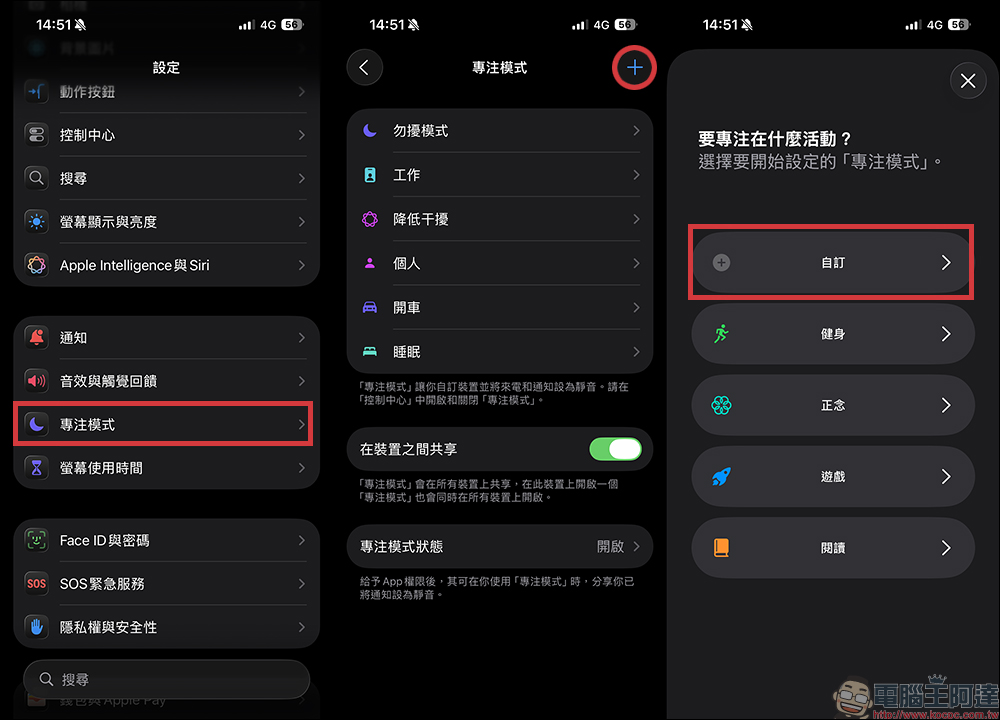
Open iPhone “Settings” → click “Focus Mode”. Here you can choose an existing mode or create a new one, such as the “drama chasing mode” we want to set.
Step 2: Create a new schema
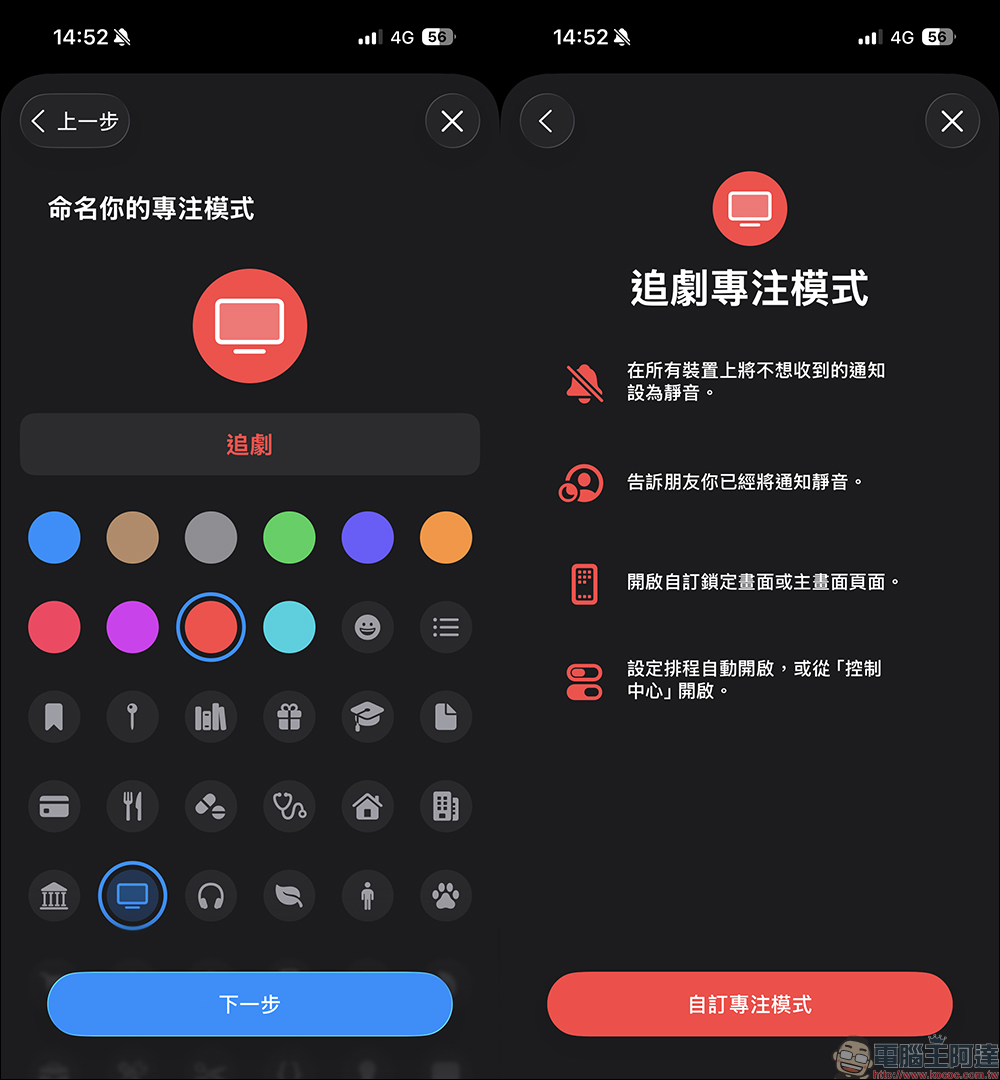
Click the “+” in the upper right corner and select “Customize”. You can name it “Watching TV Shows” or “Spare Time”, and choose a representative icon, such as a TV or popcorn pattern, to increase recognition.
Step 3: Set trigger conditions
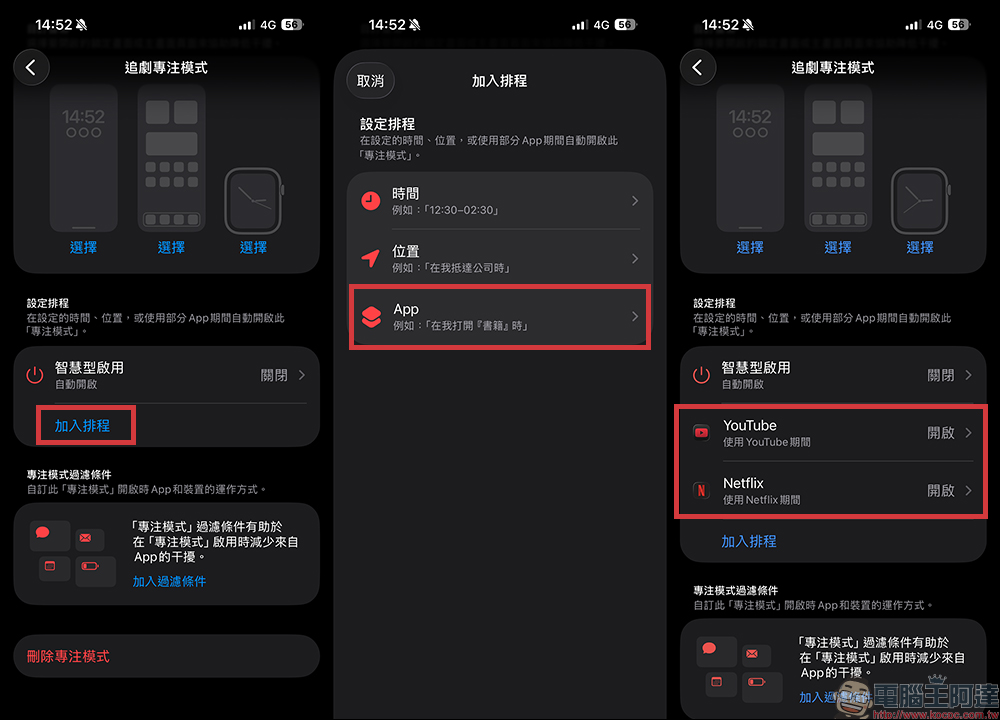
Scroll down on the newly created “Drama Watching Mode” page and find “Set Schedule or Automation”. First click “Add to Schedule”, then select “App”, then select the app you want it to launch automatically, such as YouTube, Netflix, Disney+ or Apple TV App. In this way, as soon as you open these apps, your iPhone will immediately switch to “drama-watching mode.”
Step 4: Set allowed notifications and calls
Return to the main page, in the “Allow Notifications” section, you can select which apps or contacts can continue to disturb you (such as emergency contacts, family members). Others such as LINE groups, IG notifications, e-commerce promotions, etc. will all be muted.
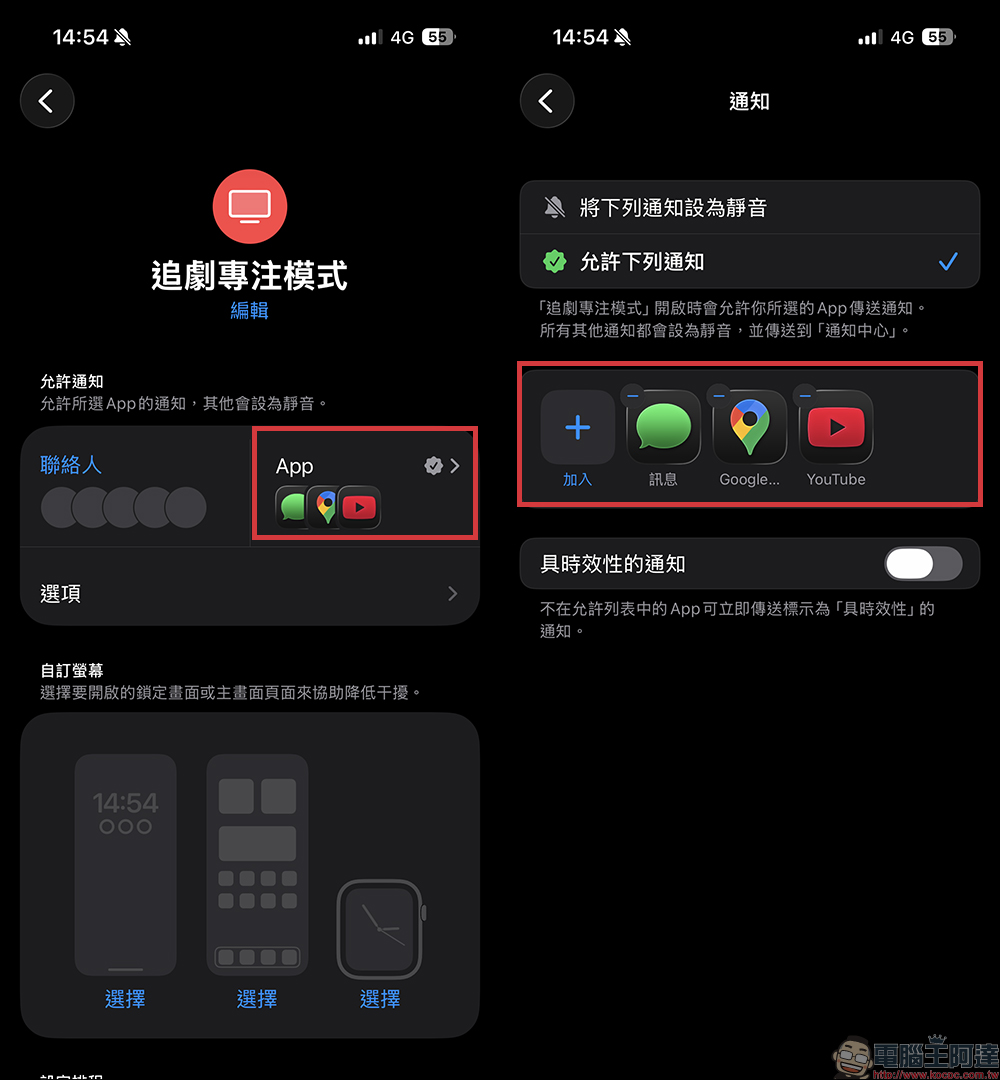
Step 5: Complete the settings
After setting up, when you open YouTube or Netflix, your iPhone will automatically enter the “watching mode”; when you leave the app, the system will automatically end the mode and return to the original state. The entire process requires no manual switching at all.
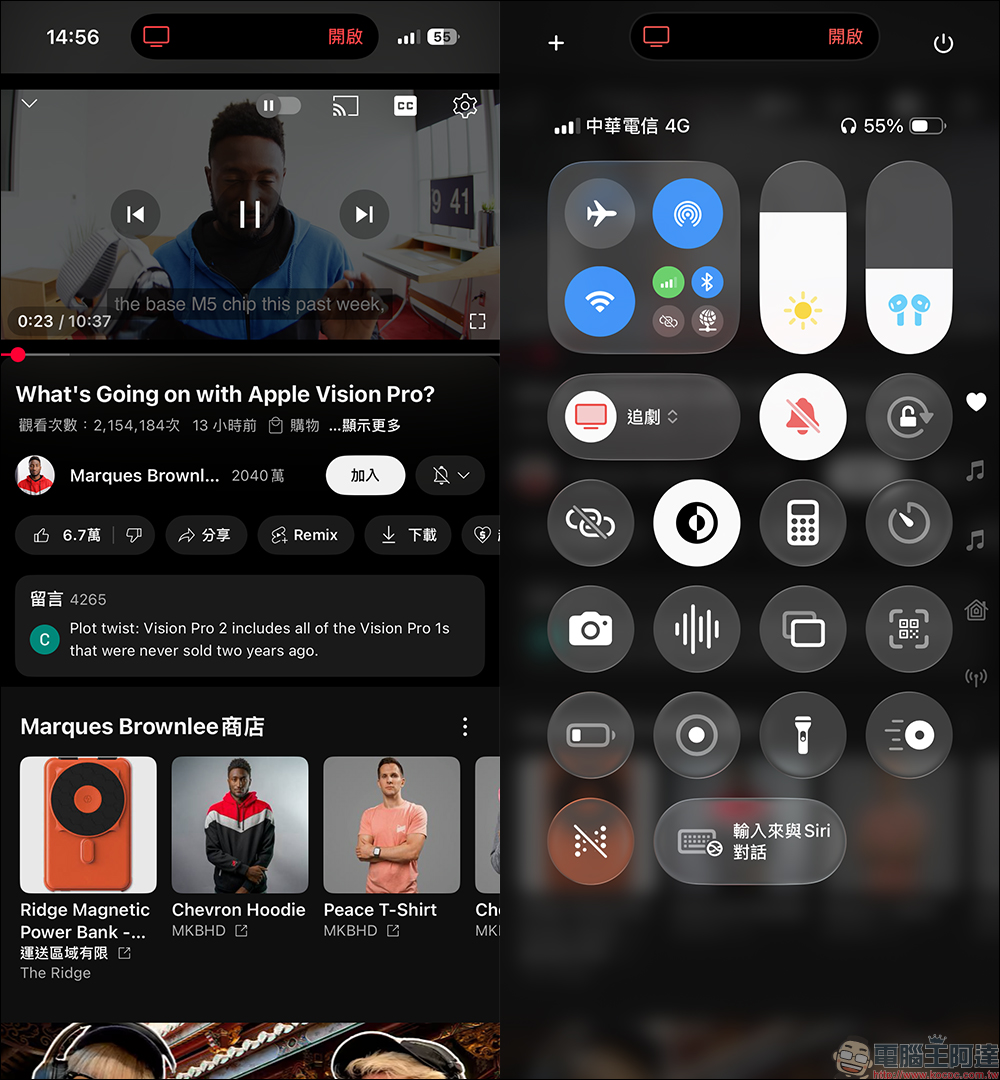
Conclusion
In the past, within a few minutes of watching a video, notifications from LINE, IG, and email would take turns, and my hands would unconsciously pick up the messages, completely interrupting the plot. Now that the “drama chasing mode” is set, the entire movie-watching experience becomes super clean. Apart from the bright screen, the phone has no other prompts at all. There is no vibration, no red dot, and it will not be woken up by phone calls. What’s even better is that if you use it with AirPods Pro, HomePod mini and other devices, the focus mode will also act on these devices simultaneously, truly achieving full ecological immersion.
In an era of information explosion, our attention is more easily distracted than ever. Although the iPhone’s “Focus Mode” is a simple function, as long as it is properly set up, you can create your own “immersive space”.
Whether you are watching TV shows, playing games, or just want to take a break, after learning this skill, your phone will no longer be a source of interference, but a little helper that can actively filter out noise for you. Sometimes the best way to relax is not to socialize more, but to calm down and concentrate on enjoying a good drama.
Further reading:
Source: KOCPC Chinese