


OpenAI recently launched a new batch of GPT-Realtime-Translate speech models in the Realtime API. Among them, the most suitable one for ordinary users to immediately feel the difference may not be the voice assistant, but the real-time speech translation. Japanese creator Motoki | ZentoAI shared on Judging from the current public information, this set of tools is no longer a concept demonstration, but an example for developers that can be set up and tested locally using Node.js.
What is GPT-Realtime-Translate?
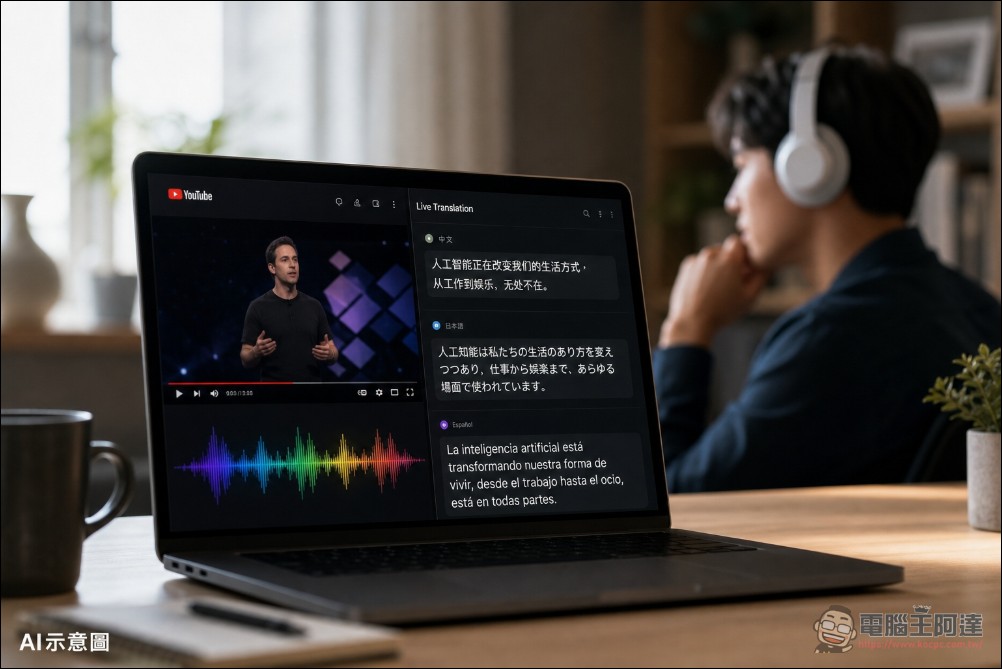
GPT-Realtime-Translate is a new real-time speech translation model launched by OpenAI. It is not positioned as a general voice assistant, but specifically for speech-to-speech live translation, which means that the input speech is instantly translated into another language’s speech, and at the same time it can output text verbatim. OpenAI’s official statement is that this model supports more than 70 input languages and can be translated into 13 output languages. The target scenarios include online meetings, live broadcasts, courses, multinational customer service, events, media content and creator platforms. The biggest difference between it and general speech models is that the model is designed to “translate” rather than “answer”. Therefore, there is no need to use prompt to ask the model to act as a translator, and it is less likely to treat the content spoken by the user as an instruction to execute.
新しいリアルタイム翻訳モデルを発表できることをうれしく思います。ぜひ本日よりAPIでお試しください。 pic.twitter.com/pi3uIhm2xA
— jason liu (@jxnlco) May 7, 2026
The description of OpenAI Cookbook points out that GPT-Realtime-Translate adopts the mode of continuous audio input and continuous translation output, and does not need to wait for a round of words to be finished before generating a response like traditional voice dialogue. The model processes the input audio and streams the translated speech and subtitles. This is especially important for languages with large differences in word order, because the translation system must wait for enough context without letting the delay become too obvious.
Can it be set up locally?
According to our actual measurements, ordinary people can easily set up this real-time translation on their own local side. However, this does not mean downloading the model to the local machine for offline computing. Instead, the local side sets up the front end and Node.js server, and the actual speech translation is still connected to the OpenAI Realtime Translation API. Netizens on X can also translate instantly using Bluetooth headsets.
GPT-Realtime-Translate のアプリを作ってリアルタイム翻訳を試してみた!!!🥳🥳🥳
アプリの作り方、使用感レビュー、活用方法など話しています🎉
Codexに渡した資料はこちら
→ https://t.co/tNayqtuAMlhttps://t.co/xYLGa5IrsE https://t.co/6YwFvnoN3G pic.twitter.com/rp883OPbof— Motoki | ZentoAI (@zento_ai) May 7, 2026
The official Cookbook currently provides three demos: Browser tab translation, Twilio phone translation, and LiveKit video translation. If you just want to test it on your own computer, the easiest thing to set up is browser-translation-demo. official README The only display requirements are OpenAI API key, Node.js, and browser-side paging information authorization.
The basic process is as follows, the official Github website hasDetailed description(If you can’t understand it, you can drop the URL and ask OpenClaw or Hermes to help you set it up. It’s not difficult):
git clone https://github.com/openai/openai-cookbook.git
cd openai-cookbook/examples/voice_solutions/realtime_translation_guide/browser-translation-demo
npm install
cp .env.example .env
npm run dev
.env At least you need to fill in:
OPENAI_API_KEY=your-openai-api-key
OPENAI_TRANSLATION_MODEL=gpt-realtime-translate
OPENAI_INPUT_TRANSCRIPTION_MODEL=gpt-realtime-whisper
PORT=5173
After opening the local URL, the user can select a browser tab with sound and specify the output language. The App will send the audio to the OpenAI Realtime Translation API through WebRTC, and then play the translated voice and subtitles back to the local page.
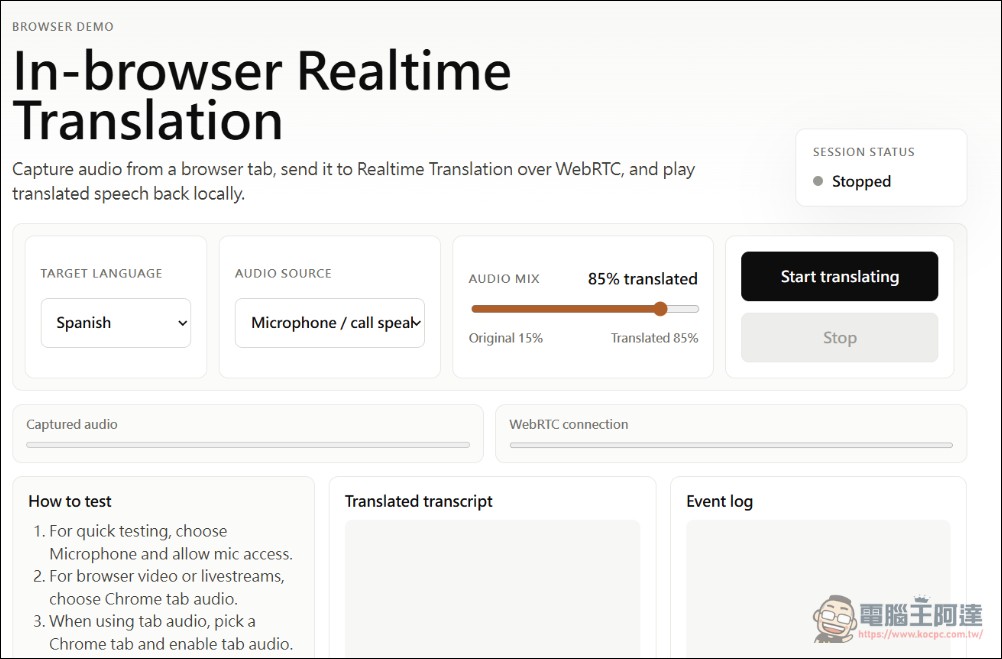
However, there is an easy pitfall here: the official browser-translation-demo only captures “Chrome tab audio” by default and will not actively ask for microphone permission. If you use it to test phone calls, FaceTime, LINE calls, Zoom desktop App, or any sound that is not played by Chrome tabs, the browser may not pass in the audio track and the screen will appear No tab audio was shared. Pick a Chrome tab and enable tab audio.. This is not a failure of the OpenAI API, but that the front end simply does not get a translatable source of information.
If you just want to test phone calls or external sounds, the method should be changed to microphone input: let the web page call navigator.mediaDevices.getUserMedia({ audio: true }), ask the user to authorize the microphone, and then send the microphone audio to the same WebRTC Realtime Translation process. In this way, when testing the phone, you can turn on the amplification of the phone and let the computer microphone pick up the sound; if you want to make a formal product, you need to further connect Twilio, SIP, LiveKit or system audio routing.
We actually tested our own Mac mini to complete the local installation of browser-translation-demo. The test results are as follows. There is still a little delay but the performance is amazing:
What needs more attention is the browser. Official demo use getDisplayMedia() Capture pagination information, which is generally more stable in Chrome and Edge browsers than Safari. If you want to test real-time translation of YouTube, live broadcasts or web videos, it is recommended to use Chrome to open the demo and check Share paginated audio in the sharing window. If you want to test phone or desktop app sound, you should switch to Microphone / call speaker, allow the microphone and then test again.
How to calculate the cost?
OpenAI’s public price shows that GPT-Realtime-Translate is priced on a per-minute basis, priced at US$0.034 per minute; GPT-Realtime-Whisper is priced at US$0.017 per minute. It is estimated that in early May 2026, 1 US dollar was exchanged at NT$31.4, GPT-Realtime-Translate was approximately NT$1.07 per minute, and approximately NT$64 per hour. If a real-time verbatim model is also used, the cost will increase further. This price is not high for personal testing, but if it is used for long-term live broadcasts, customer service centers or multi-person meetings, the cost will accumulate with the number of minutes and connections. The Twilio and LiveKit versions will also add communication fees or cloud service fees for their respective platforms.
Practicality and Limitations
The most valuable thing about this technology is that it turns “real-time interpretation” from a large platform function into an API that developers can quickly embed. In the past, the common processes for live translation were speech-to-text, text translation, and text-to-speech. The three-stage architecture not only had high delays, but also easily accumulated errors in each link. GPT-Realtime-Translate turns real-time translation into a single speech model process, which has obvious advantages for the user experience.
But there are currently several limitations. First, the output language is not unlimited. The supported output languages listed in the official demo code include es、pt、fr、ja、ru、zh、de、ko、hi、id、vi、it、en. Second, it currently does not support custom prompts or specified sounds. The model will perform dynamic voice adaptation based on the tone, pitch, and style of the source speaker. Third, this is a cloud API service and is not suitable to be misunderstood as a completely offline local translation tool.
This wave of OpenAI updates is not only for translation, but also includes GPT-Realtime-2 and GPT-Realtime-Whisper, which means that OpenAI is moving the speech API from a simple conversation function to a development platform that can instantly understand, translate, transcribe, and perform tasks.
summary
The focus of GPT-Realtime-Translate is not “another translation app”, but OpenAI’s ability to turn real-time speech translation into a basic capability that can be quickly integrated by general developers. For general users, it can be used to translate YouTube, live broadcasts, online courses or remote meetings; for developers, it is more like a real-time interpretation module that can be embedded in customer service, telephone, video conferencing and live broadcast systems. What really needs to be noted is that it is not an offline model, costs are accumulated by the minute, and information privacy and service stability also need to be addressed.
Source: KOCPC Chinese