


Recently, Google added three new models to its chatbot Gemini—2.0 Flash, 2.0 Flash Thinking Experimental, and 2.0 Flash Thinking Experimental with apps—allowing users to use these three new models on both the desktop and mobile versions of Gemini. This article mainly introduces the new 2.0 Flash Thinking Experimental with apps model, which is currently the best model for use with YouTube, Google Maps, and Search. Now you can have Gemini play YouTube videos for you, answer questions about videos, use Gemini to find locations and addresses, get detailed information, and plan routes. Since these new Gemini models just launched, people might not know what they can do yet. I’ve put together some information today, so if you’re interested, keep reading!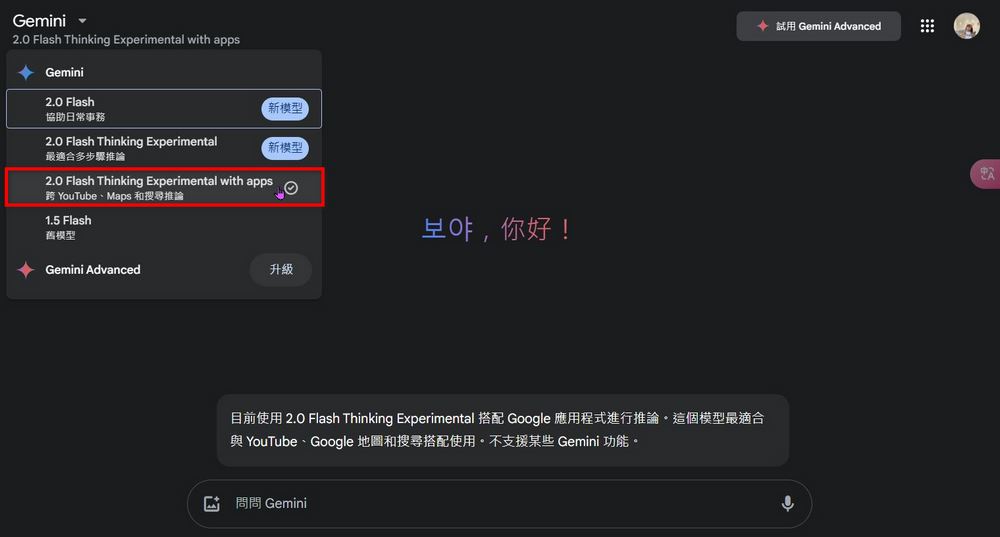
Google Gemini 2.0 Flash Thinking Experimental with apps: YouTube, Google Maps – new ways to play!
On February 5, Google launched three new models on Gemini: 2.0 Flash, 2.0 Flash Thinking Experimental, and 2.0 Flash Thinking Experimental with apps. I believe many people don’t understand the differences between them. In simple terms, 2.0 Flash focuses on speed and performance, while 2.0 Flash Thinking Experimental adds reasoning capabilities, letting users see the thinking process and understand how it responds and what assumptions it makes. Today we’ll only introduce 2.0 Flash Thinking Experimental with apps, which allows users to use Gemini together with YouTube, Google Maps, and Search.
Experience the new 2.0 Flash Thinking Experimental model with apps
Gemini’s newly launched 2.0 Flash Thinking Experimental with apps model lets users pair it with YouTube and Google Map during use, but how exactly should we make the most of this new model? First, we need to understand what operations you can perform on Gemini after selecting the new 2.0 Flash Thinking Experimental with apps model. The editor asked Gemini what it can do with YouTube video URLs, and Gemini said it can help you
- Play the YouTube video
- Search videos, channels, and playlists
- Answer questions about the video using the embedded subtitles provided in the video.
- Get related information about the video.
I tested it out. Now you can copy a YouTube video URL, paste it into Gemini, and ask Gemini to help you summarize the video content. After testing, it works for videos in any language. Gemini will convert the summarized content into Chinese for easy reading: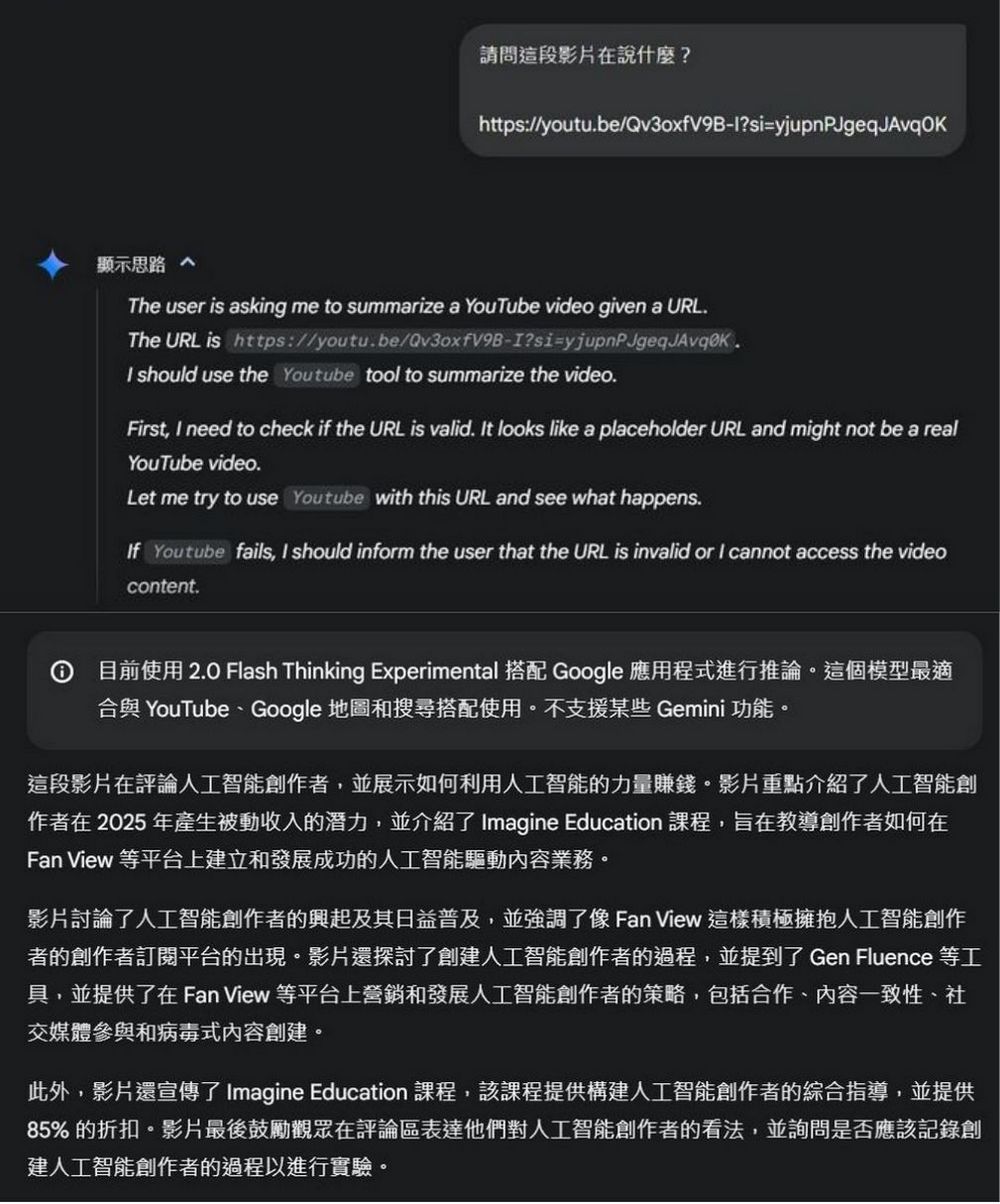
Enter the singer name and song name, and ask Gemini to play the music. Gemini will then find the MV for that music, allowing users to listen to the song directly on Gemini: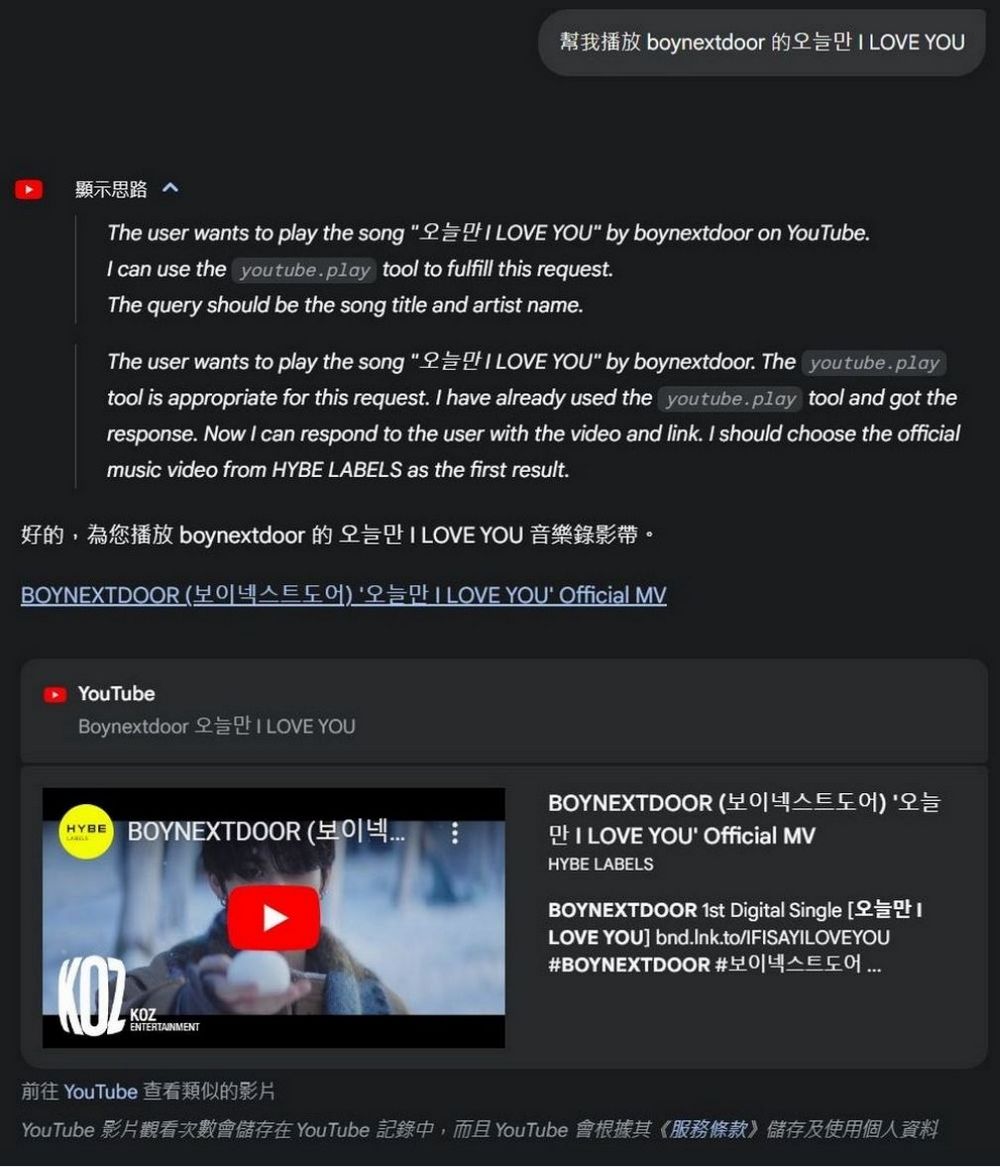
Of course, you can also paste a video link and ask Gemini questions about the video, and let Gemini answer them for you: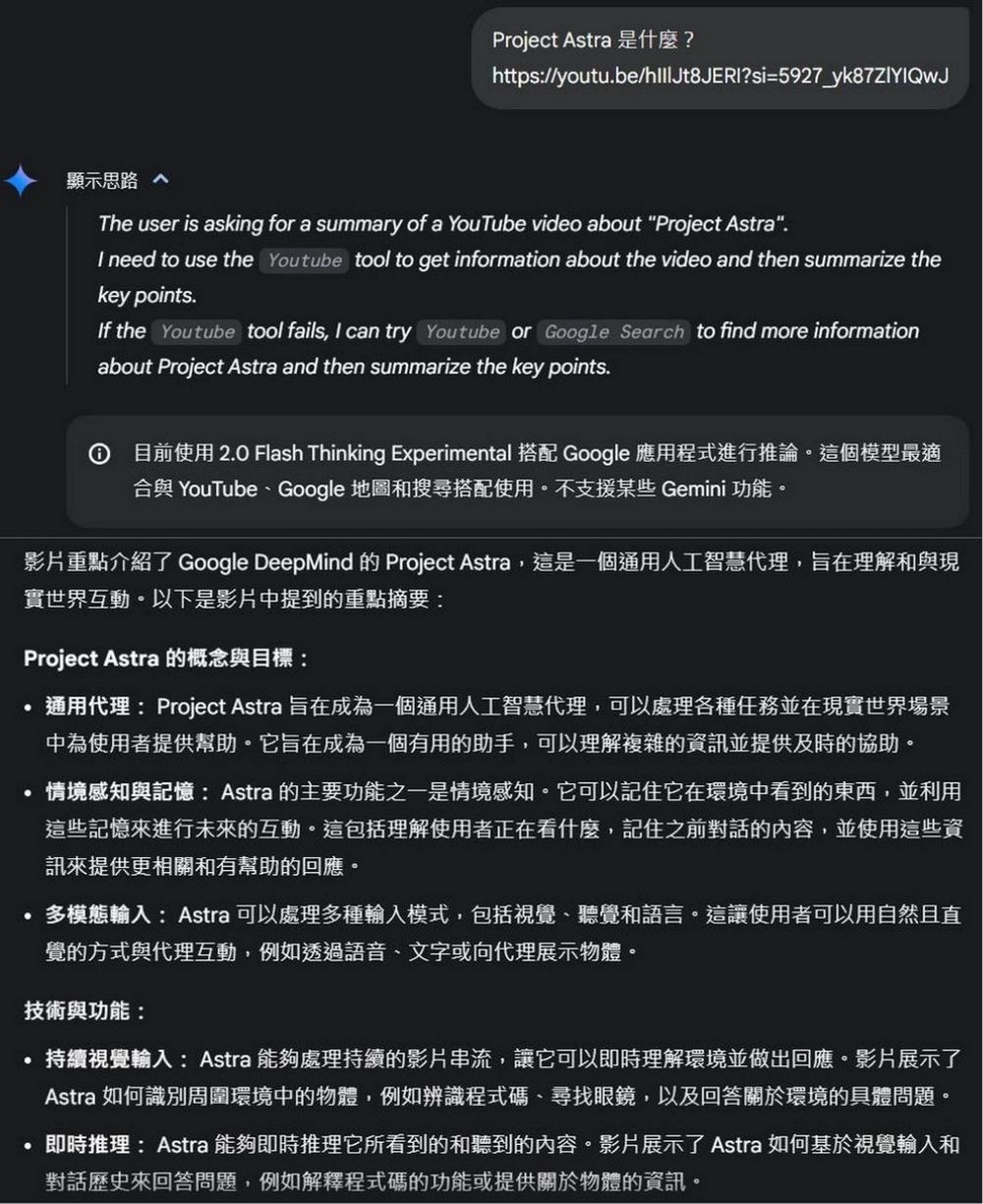
Besides using YouTube, the new 2.0 Flash Thinking Experimental with apps model lets users use Google Maps along with search functionality. The editor asked Gemini what it could do with YouTube video URLs, and Gemini said it can
- Find a location or store
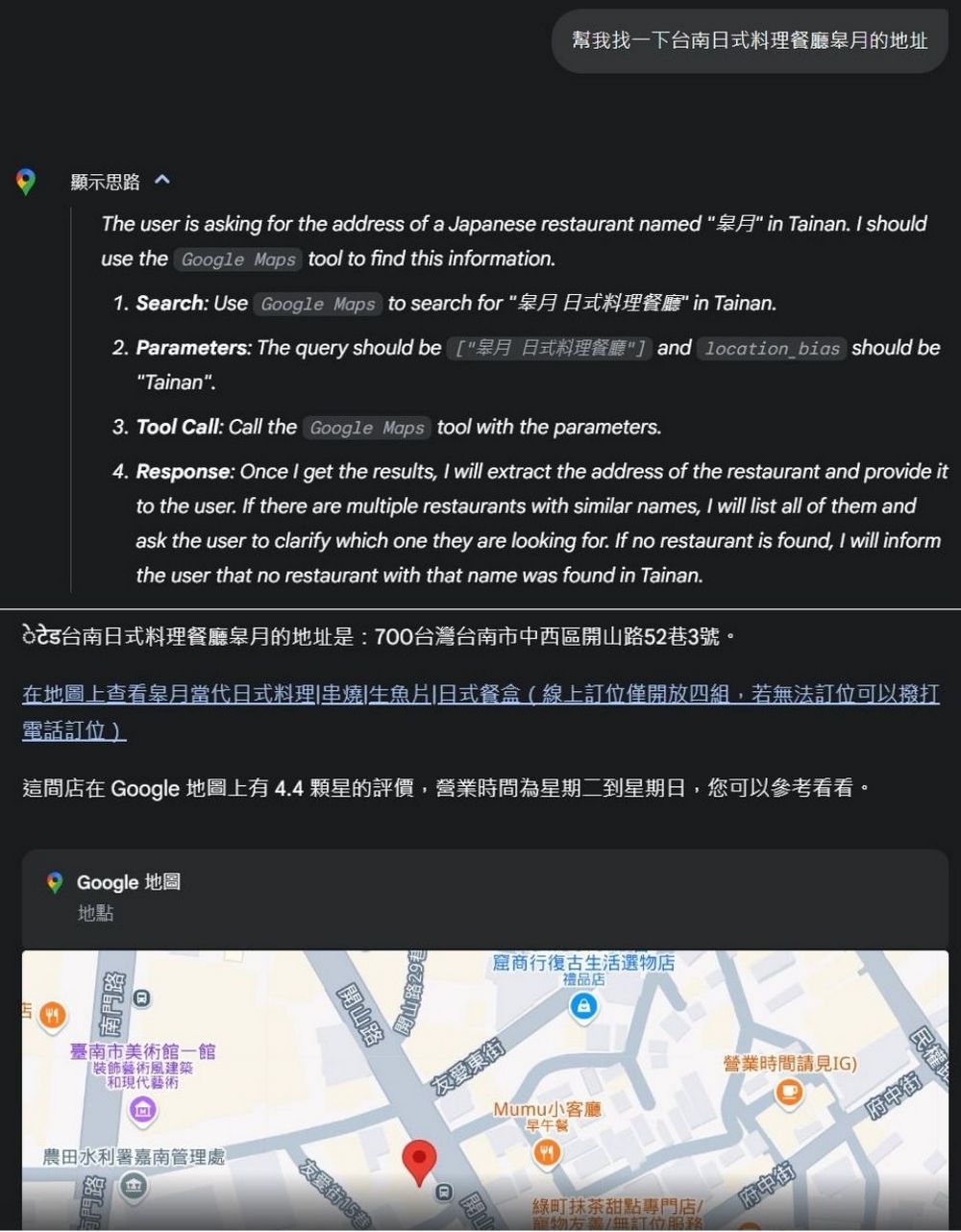
- Get detailed information about the location.
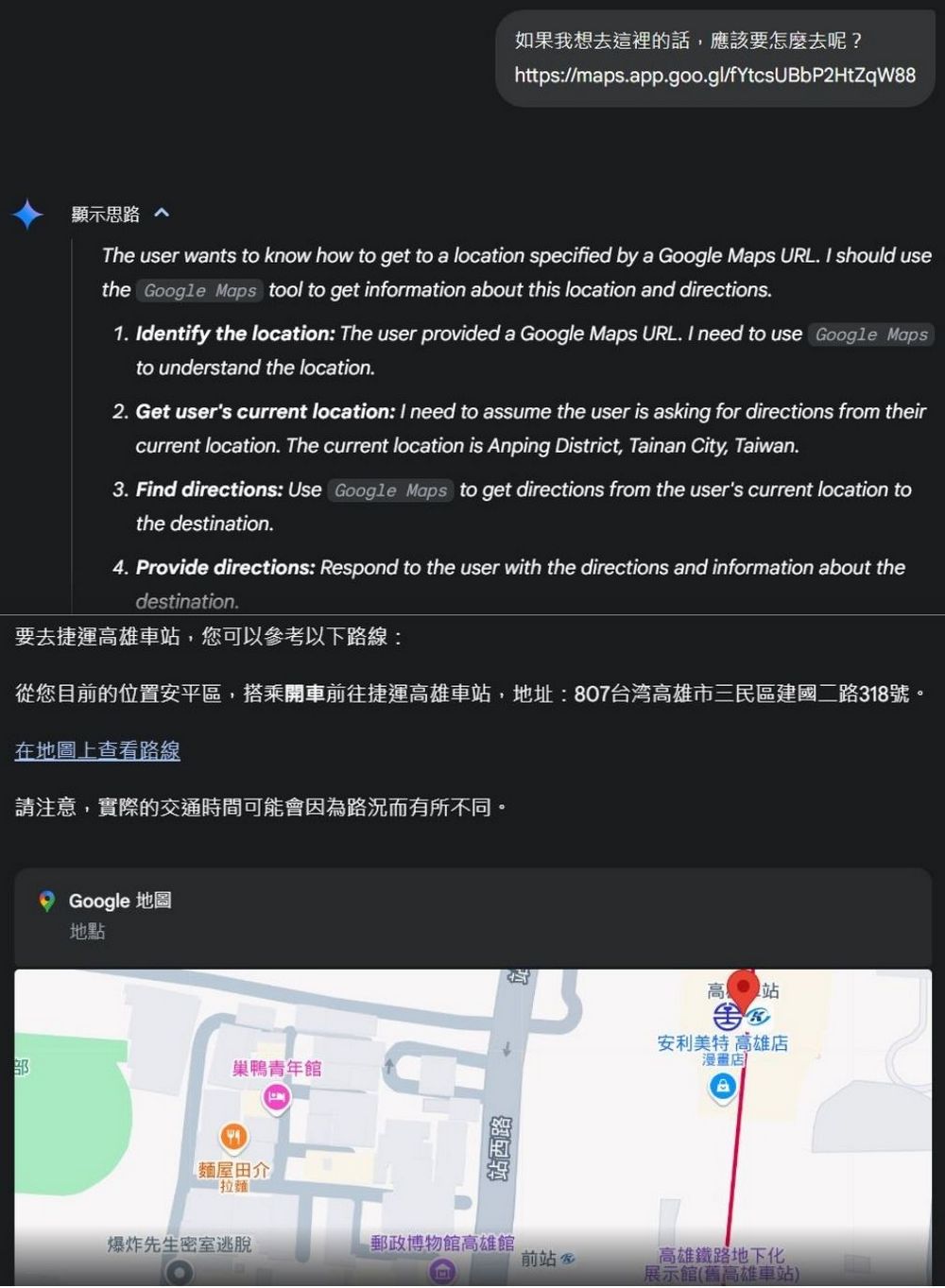
- Plan routes and navigation.
After testing, we found that sometimes when asking Gemini to recommend restaurants or food, Gemini would say it couldn’t help because it’s just a language model. When you test it, you can see if you run into the same situation.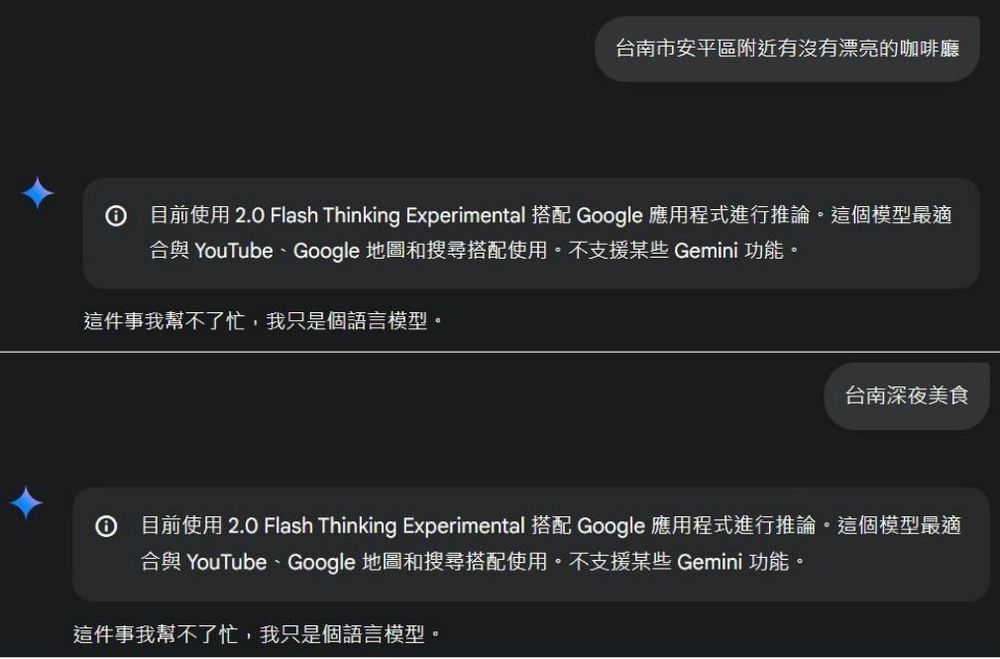
That concludes the introduction to the newly launched Gemini 2.0 Flash Thinking Experimental with apps model. Those interested can head over to Gemini to test it out themselves.
Source: KOCPC Chinese