


A few days ago, I shared with you iOS 26 How to use the Smart Lyrics App to use dynamic lyrics on Apple CarPlay. However, if a setting is missing, every time you get in the car and start the iPhone, CarPlay You have to manually open the app. To be honest, this is too “rigorous”! This time, I’ll share more about how to have the dynamic lyrics ready when CarPlay is connected to help you prepare to display dynamic lyrics on the CarPlay screen!
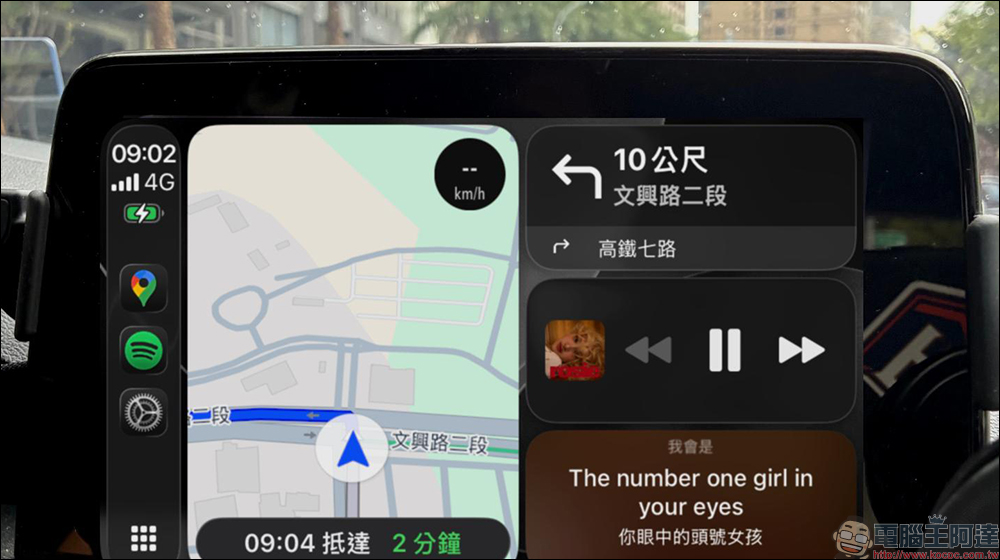
iOS 26 CarPlay dynamic lyrics automate teaching! When you get in the car, the lyrics can be displayed directly without having to turn them on manually.
Regarding how to use smart lyrics in iOS 26 to have dynamic lyrics in CarPlay, we have previously discussedanother articleAlready covered in detail. Today I’m going to share how to make CarPlay automatically turn on the dynamic lyrics function. This method is actually very simple. Perhaps those who are familiar with Shortcut App should have guessed that it is “automated operation”.
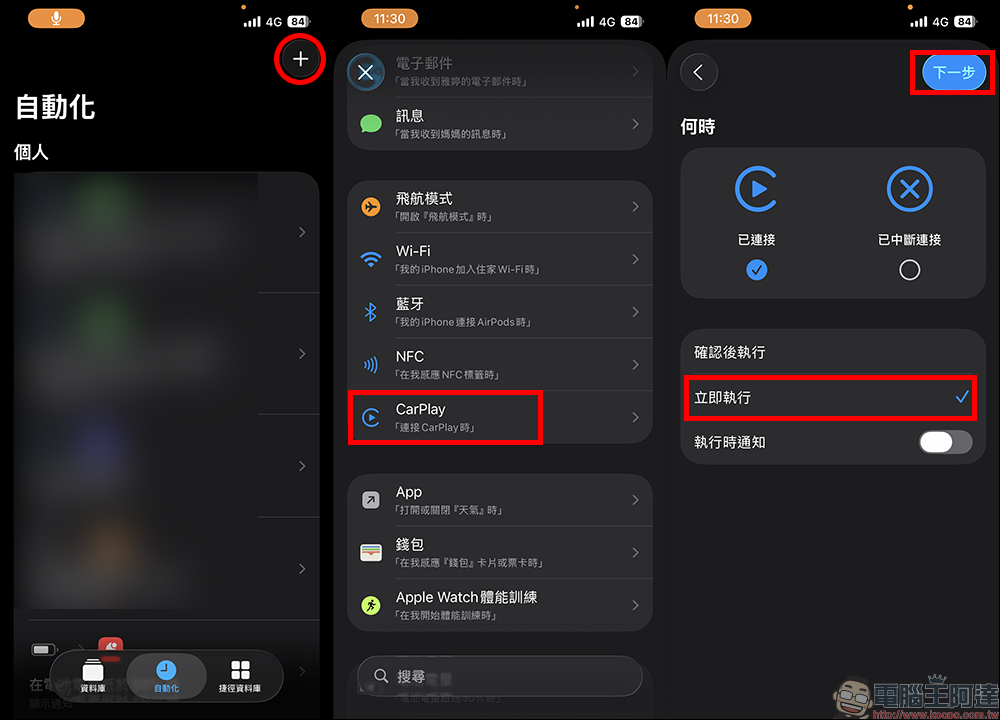
First, after confirming that the iPhone has the “Shortcuts” app, open it and switch to the “Automation” tab. Then click the “+” in the upper right corner of the screen to add an automated operation. Here, select “CarPlay” first. Next, select “Connected” when to automatically start this automated operation. At the bottom, be sure to select “Execute now”, and be notified that this function needs to be turned on when executing. If everything is OK, click “Next”.
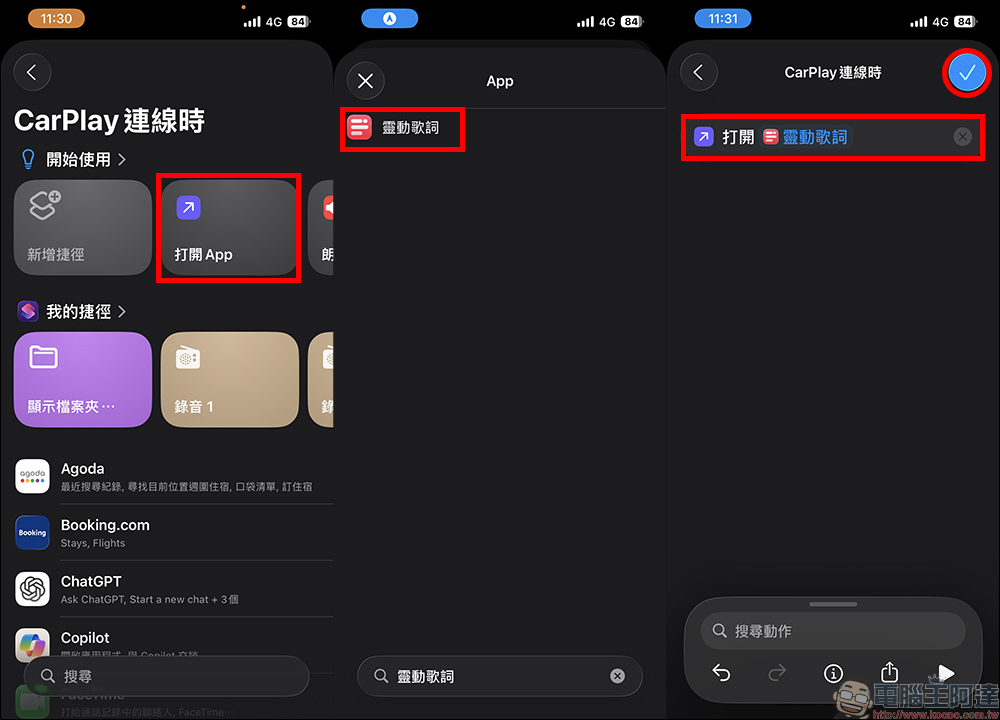
Since we want to open the “Smart Lyrics” App when CarPlay is connected, the automated operation function selected here is “Open App”. After selecting, search for “Smart Lyrics” in the Settings App and confirm that the automated operation content is “Open Smart Lyrics”. If there is no problem, click the “tick” in the upper right corner of the screen.
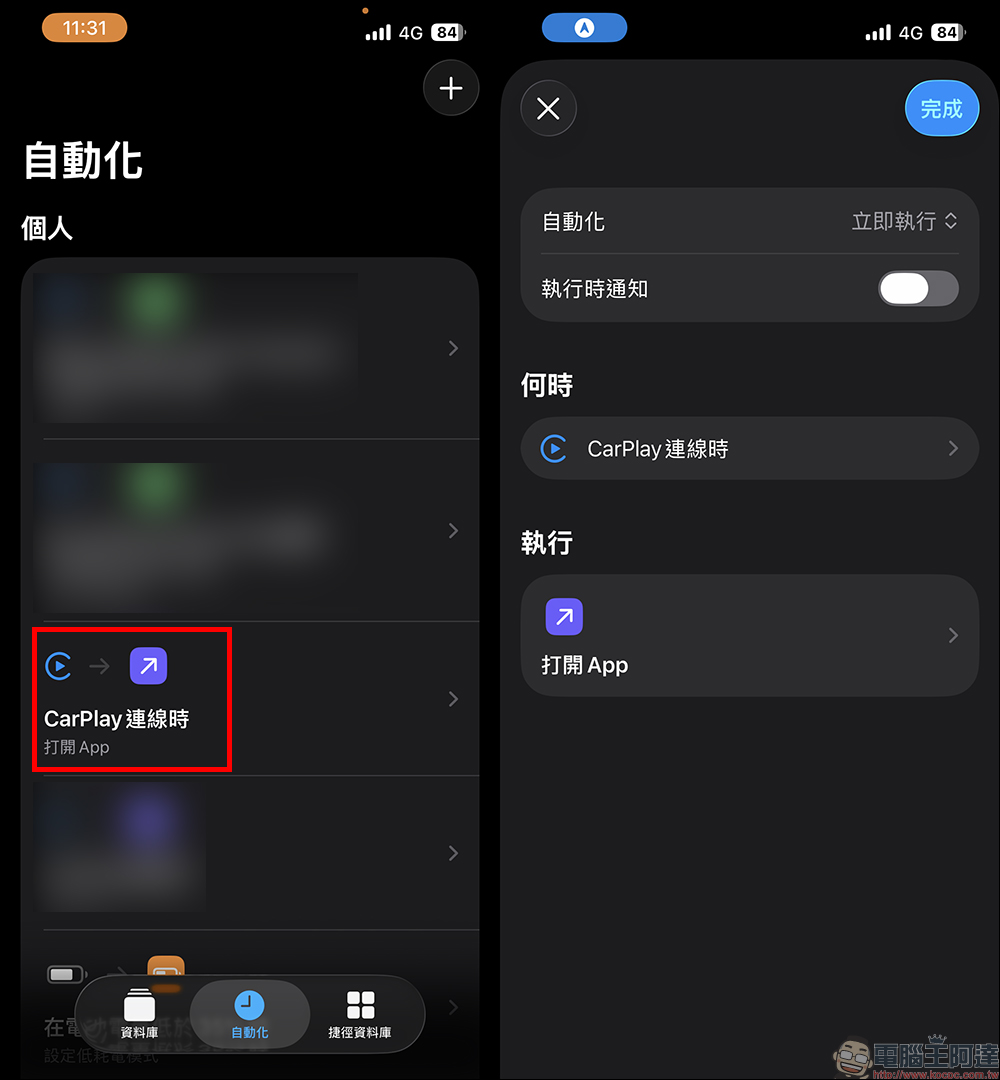
Taking this automated operation as an example, every time you drive after the setting is completed, CarPlay will automatically open the set content when it is connected. What we set here is to let it open the “Smart Lyrics” app. This method can also be used to open apps such as “Aegis Speed Camera” or other apps that you often use in CarPlay while driving.
Some people may wonder: “Since everything can be set, can it allow CarPlay to automatically open several commonly used apps once it is connected?” The answer is yes. In fact, the automation function of Shortcut allows multiple apps to be opened at one time in the same automation, such as opening “Smart Lyrics” and “Aegis Speed Camera” at the same time, and even adding maps or podcasts.
But here’s a little reminder: If you add too many apps at once, multiple App interfaces may pop up in succession within a short period of time after getting in the car, which not only interferes with the user experience, but may also make CarPlay operations appear cluttered. Especially for more “value-added” functions like Smart Lyrics, most people don’t need it every time. It would be a bit redundant to turn it on together with navigation and speed measurement apps.
Therefore, my personal suggestion is: it is best to set up a separate automation for dynamic lyrics, so that it will appear by itself when needed, but it will not cause trouble by being mixed with other apps.
If it turns on automatically, can it also turn off automatically?
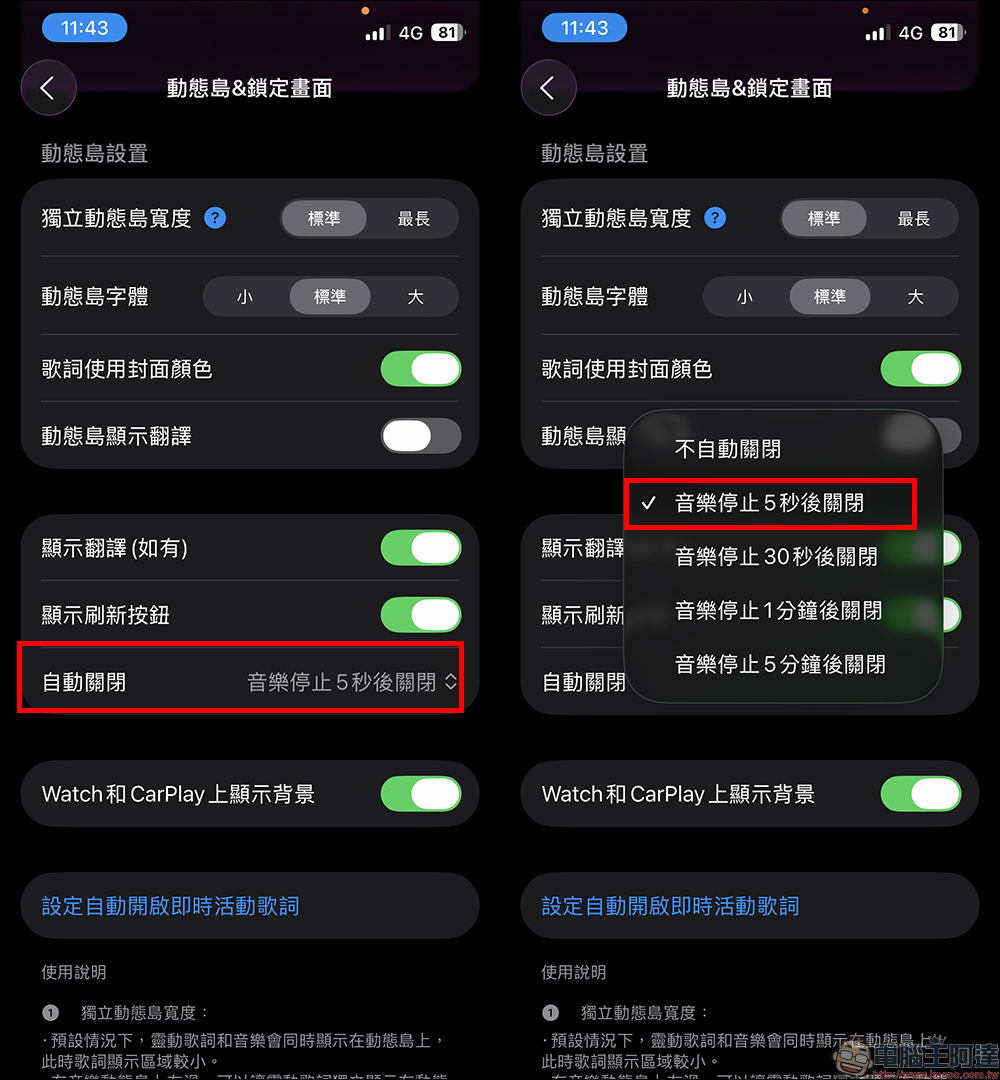
We can open the “Smart Lyrics” App through the “Automated Operation” of the iOS Shortcut App, thereby automatically opening CarPlay dynamic lyrics. However, we will also have stone monkeys that turn off the engine and get out of the car. At this time, it will be very troublesome to turn it off manually. Therefore, we here recommend using the setting function in the Smart Lyrics App to automatically turn it off.
Here we first open the Smart Lyrics App, then click on “Dynamic Island & Lock Screen” and enter the settings screen, find “Auto Off” and set the time to “Start 5 seconds after the music stops”! This setting usually defaults to “Do not automatically close”, but in this case the user has to manually close the Smart Lyrics App, so it is recommended that everyone remember to set this function!
Further reading:
Source: KOCPC Chinese