


After upgrading to iOS 26, one of the most anticipated features of many Apple fans is CarPlay various new features. Among them, the most popular one among the community recently is “dynamic lyrics” function, many people still don’t know how to turn it on. Today I will teach you how to set it up in this article! Not only can you see the dynamic lyrics directly in the car, but the iPhone’s dynamic island and lock screen can also be displayed simultaneously. However, many people discovered after upgrading: The lyrics switch is turned on but not displayed? Found out of sync halfway through the song? These are actually limitations and minor bugs of the iOS system. This article will teach you step by step, from the CarPlay homepage to the complete settings of the gadget display of lyrics, and will also share solutions and hidden tips, so that you can sing and drive without lagging!
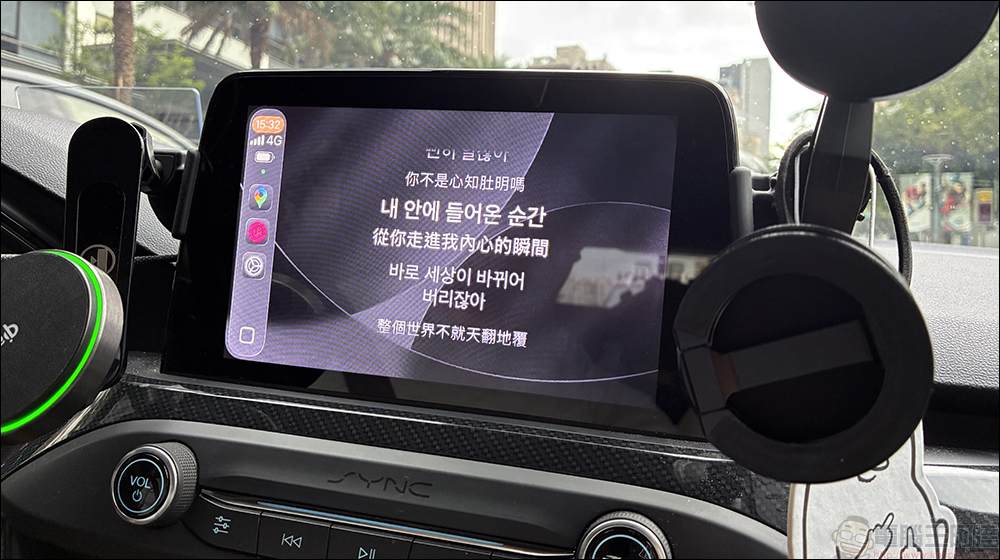
iOS 26 CarPlay dynamic lyrics are awesome! An article that teaches you how to set up and use it
After upgrading to iOS 26, Apple’s gadgets for CarPlay have been liked by many people, but more people have been playing with “dynamic lyrics” recently. In fact, this function uses a software called “Smart lyrics” App, with gadgets and built-in functions, you can enable dynamic lyrics effects in CarPlay after iOS 26. In the past, you could only read the lyrics by staring at the iPhone screen, but now you can listen and sing them directly in the car, which instantly improves your driving mood.
However, this function seems simple, but in fact many people still encounter problems, such as the switch is turned on but not displayed, the lyrics are out of sync, and even the dynamic island and lock screen cannot be displayed. Next, I will take you step by step to understand how to set it up and how to solve it, so that you can easily use this super popular new feature.
Lyrics display on CarPlay: two ways
On CarPlay on iOS 26, there are two places where lyrics can appear:
- CarPlay homepage lyrics: You can see them directly on the main interface. When playing a song, the lyrics will scroll along with the melody.
- CarPlay widget lyrics: If you place a music widget on the homepage, lyrics can also be displayed.
In fact, there is not much difference between the two. The only difference lies in which position you are used to looking at. The widgets are simpler, and the homepage is more intuitive.
Smart Lyrics App and CarPlay Settings Tutorial
To use the CarPlay dynamic lyrics introduced today, in addition to updating your iPhone to iOS 26, you must also go to the App Store to download the “Smart Lyrics” app. The app is free to download, but some professional features require paid subscriptions. Next, we will introduce the free and paid methods respectively, and how each can achieve the dynamic lyrics function.
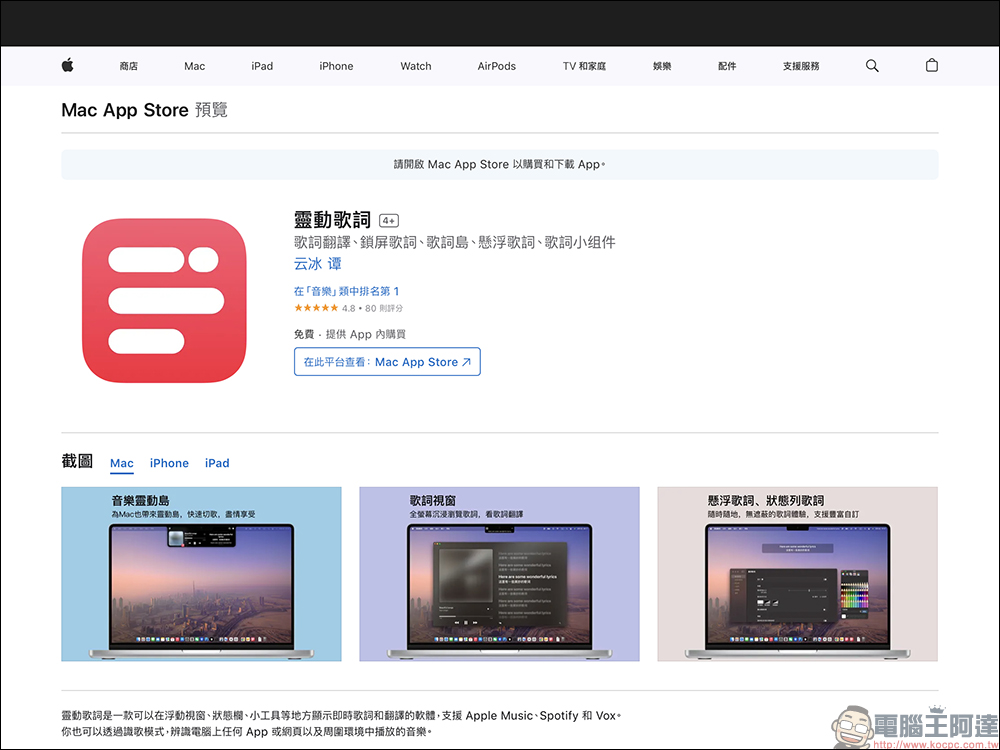
Smart Lyrics—Song Recognition Mode (Free Trial)
If you want to experience dynamic lyrics for free, but do not pursue very precise lyrics presentation, you can use the “song recognition mode” of smart lyrics with the CarPlay gadget. First, click CarPlay from the iPhone’s settings, find the vehicle device and click “Gadgets”:
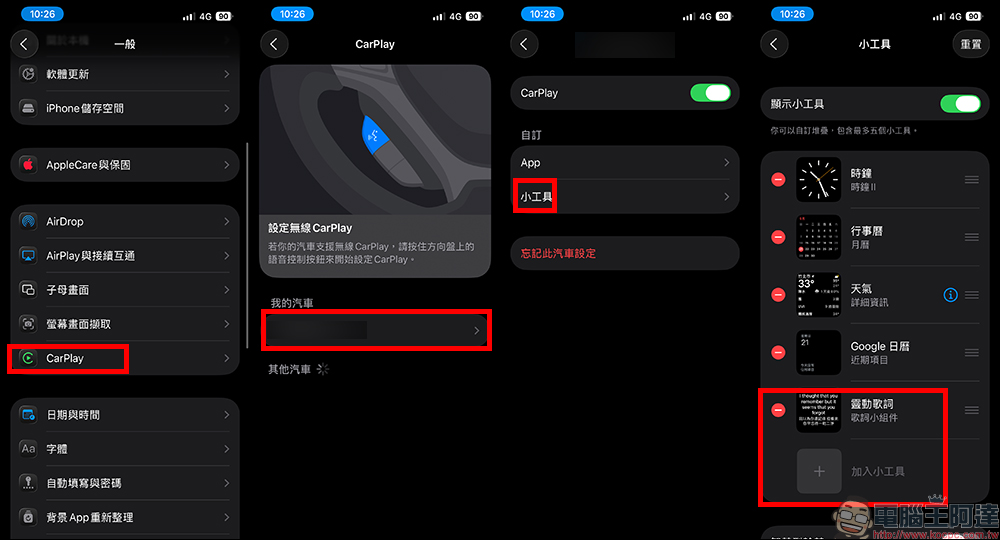
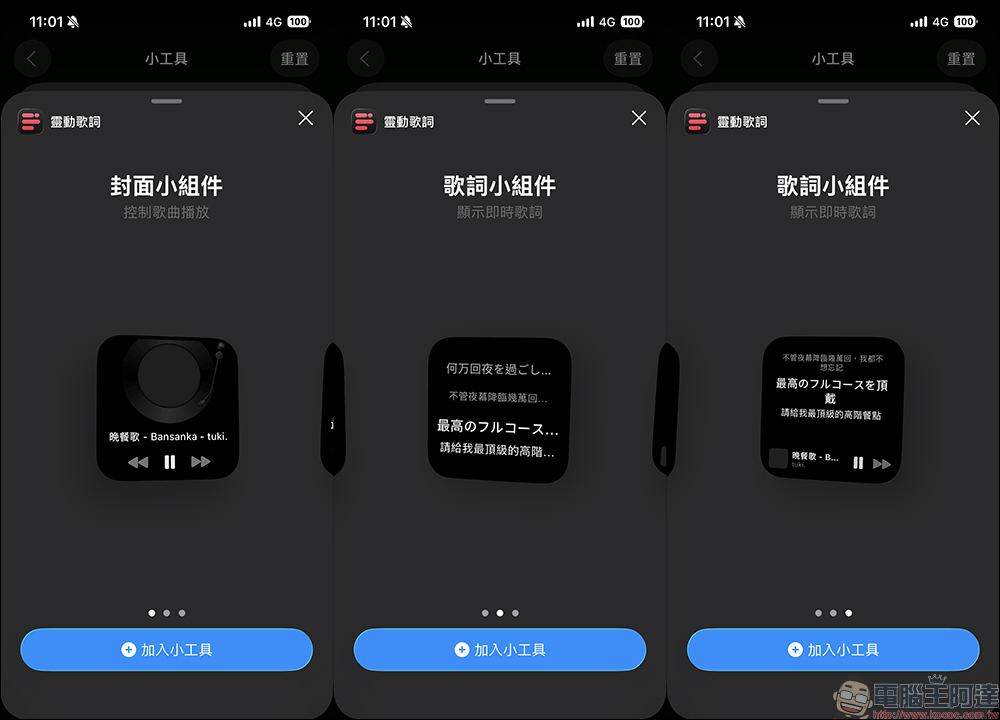
Select the style of gadget you want to add to “Smart Lyrics” and click “Add Gadget”:
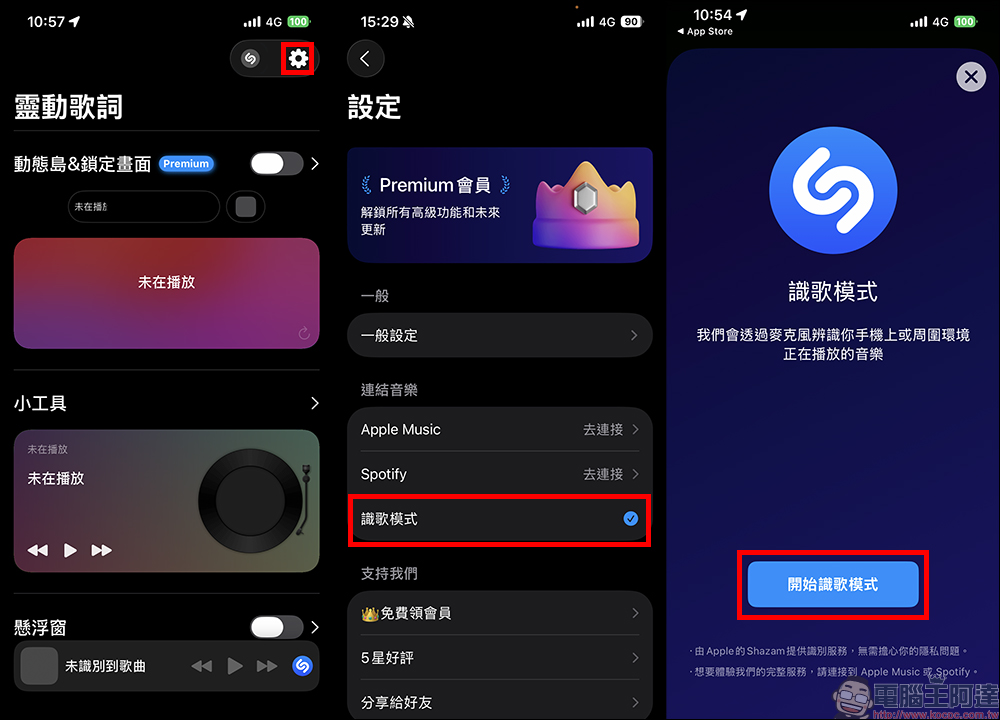
Then open “Smart Lyrics” and go to “Settings”, click “Song Recognition Mode” in the Linked Music section and confirm that it is turned on. Since the “song recognition mode” uses Shazam to identify the music being played in the surrounding environment, the lyrics will be somewhat delayed, and each song needs to be re-recognized, making the experience slightly less good.
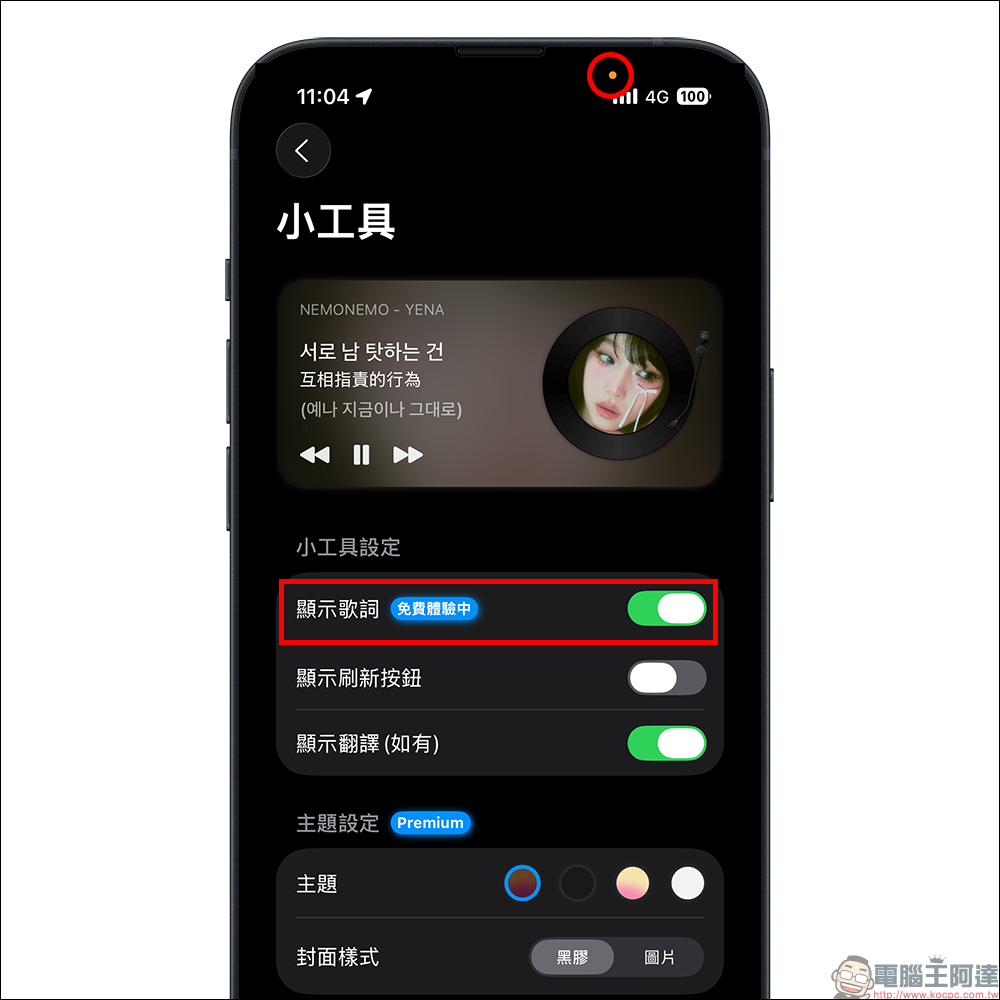
When the song recognition mode is turned on, you will find that the microphone on the top of the iPhone is operating in the background when playing a song.
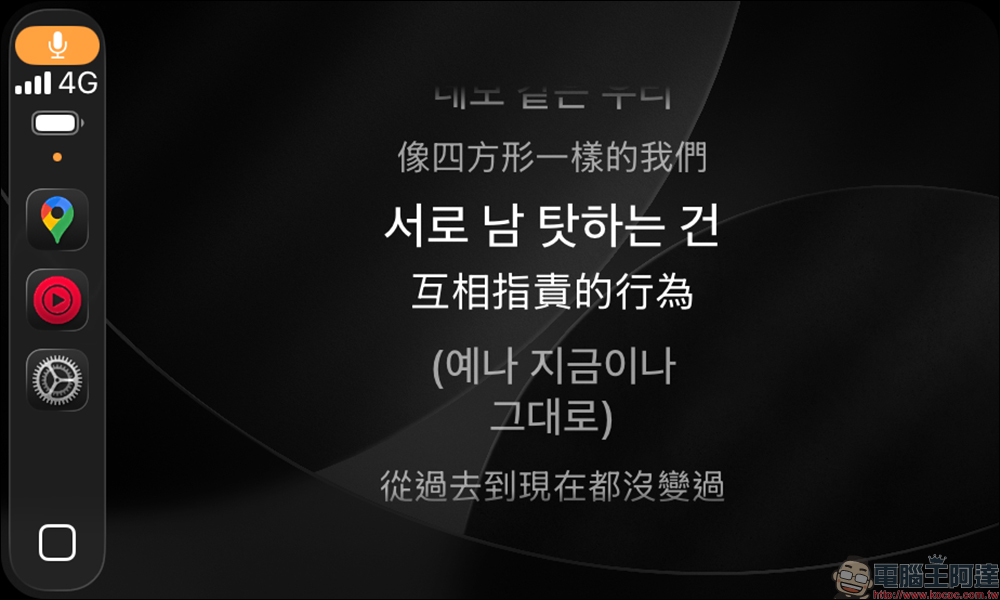
A microphone icon will also be displayed on the CaPlay side. After successful recognition, you can browse dynamic lyrics in the CarPlay gadget. However, after a period of testing, this method of executing dynamic lyrics often has problems with synchronizing lyrics, and it also requires manual updating of the recognized lyrics, which is not so convenient to use.
If you want to implement better dynamic lyrics effects, it is recommended to use the built-in connectable Apple Music or Spotify for song recognition to get a better dynamic lyrics experience. In the settings of “Smart Lyrics”, select Apple Music or Spotify for linked music. Here is a demonstration using the free version of Spotify that can also be used by free users.
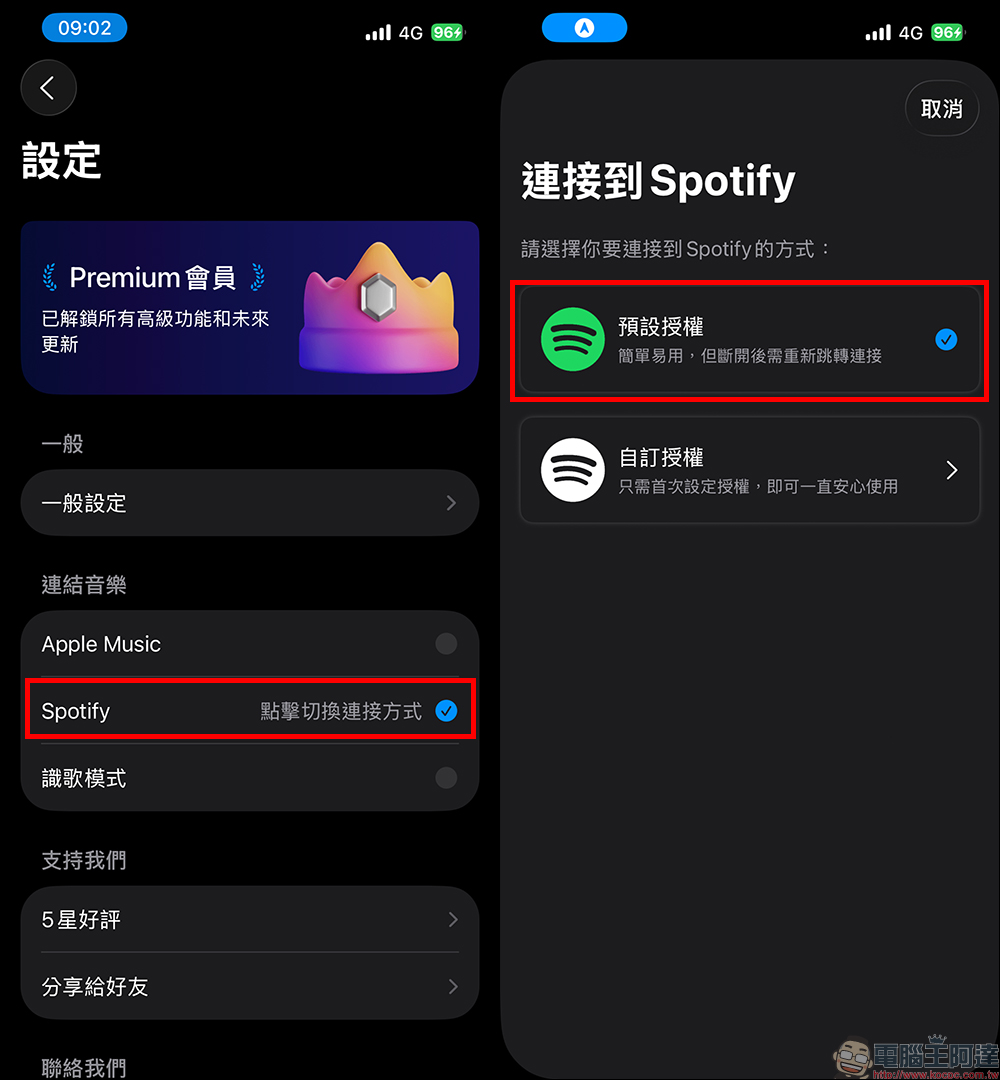
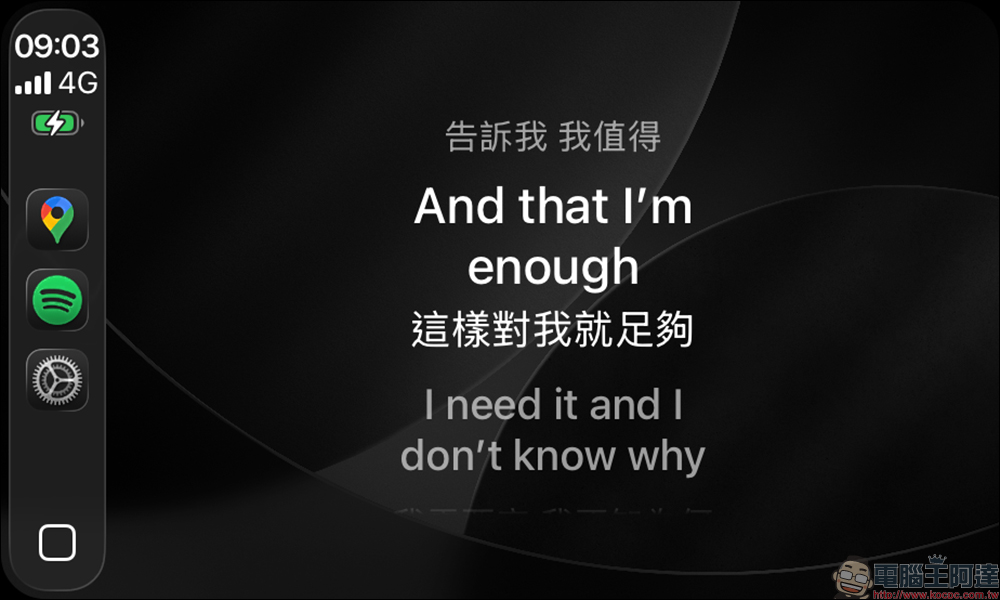
If you use Spotify or Apple Music to connect to music instead of song recognition mode, then the CarPlay gadget does not have to be rearranged every ten points after each song is played, and the lyrics will be displayed in a more synchronized manner.
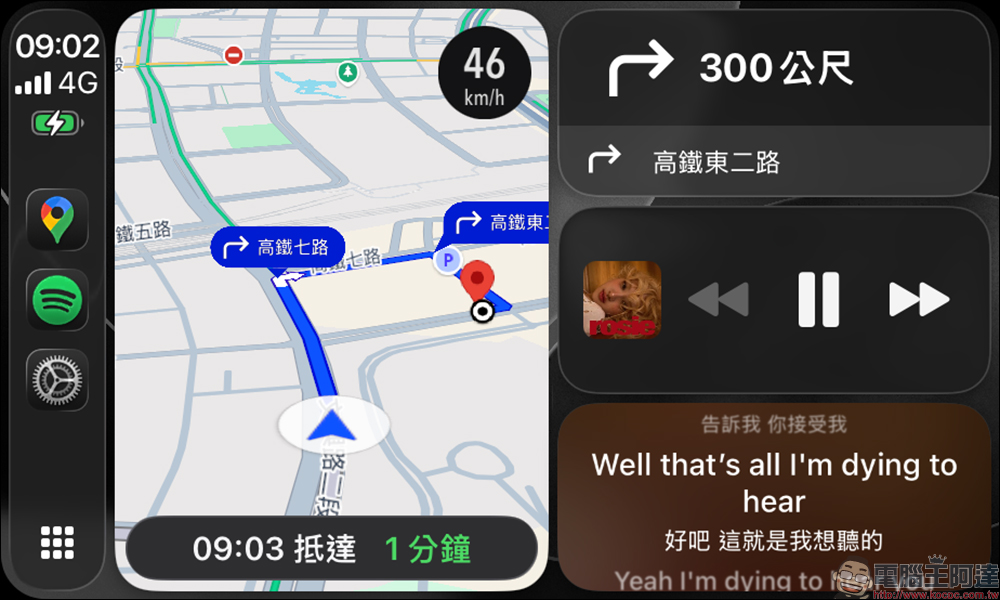
The CarPlay home screen can also dynamically display lyrics (payment required, free trial for 7 days)
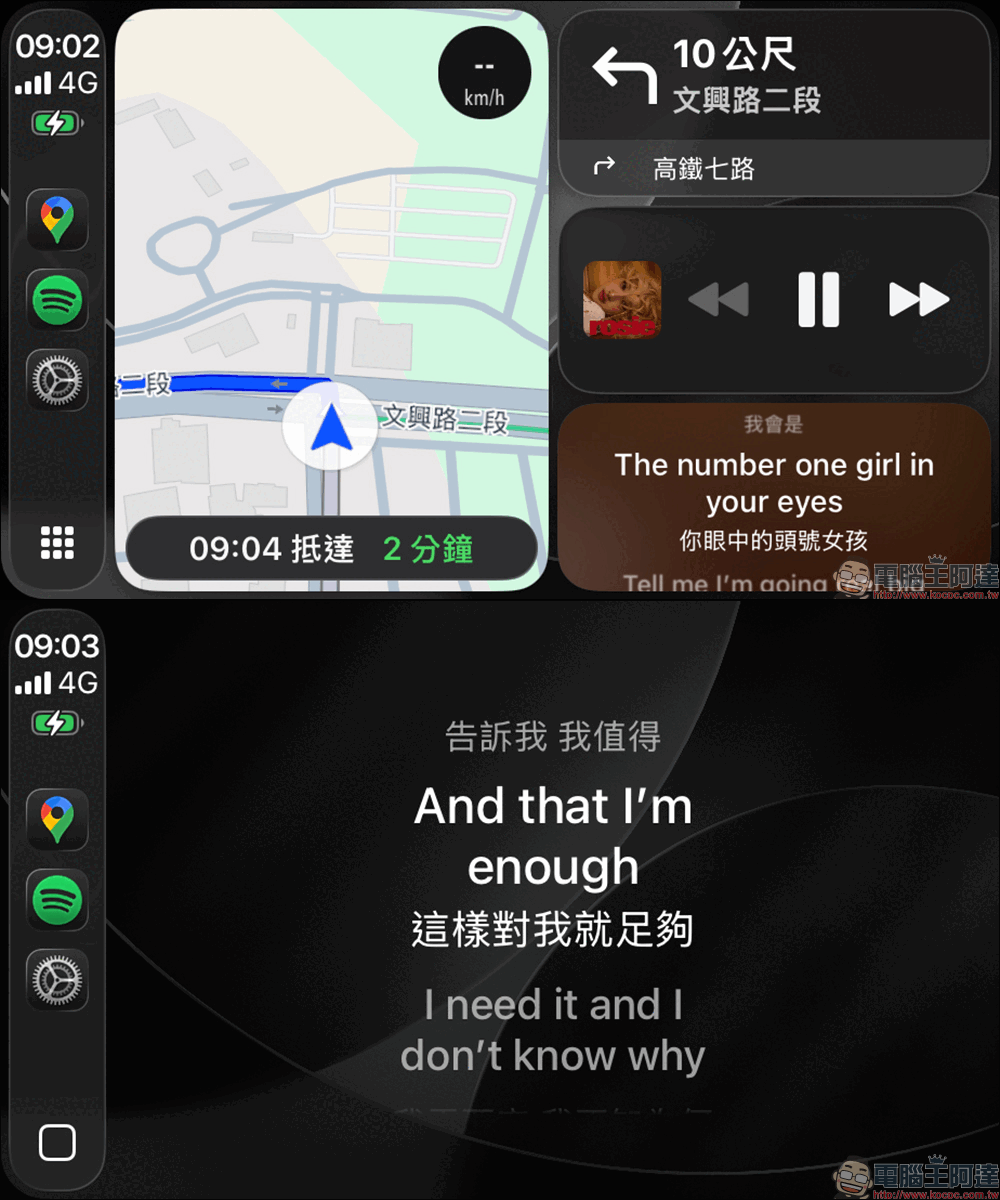
In addition to dynamically displaying lyrics as a widget, Smart Lyrics also supports the display of dynamic lyrics on the CarPlay home screen. This method can display map navigation, music player, and dynamic lyrics at the same time, making it more convenient and safer while driving. However, this feature requires a paid upgrade to the Premium version of Smart Lyrics (you can try it for free for 7 days). Next, I will teach you how to set it up.
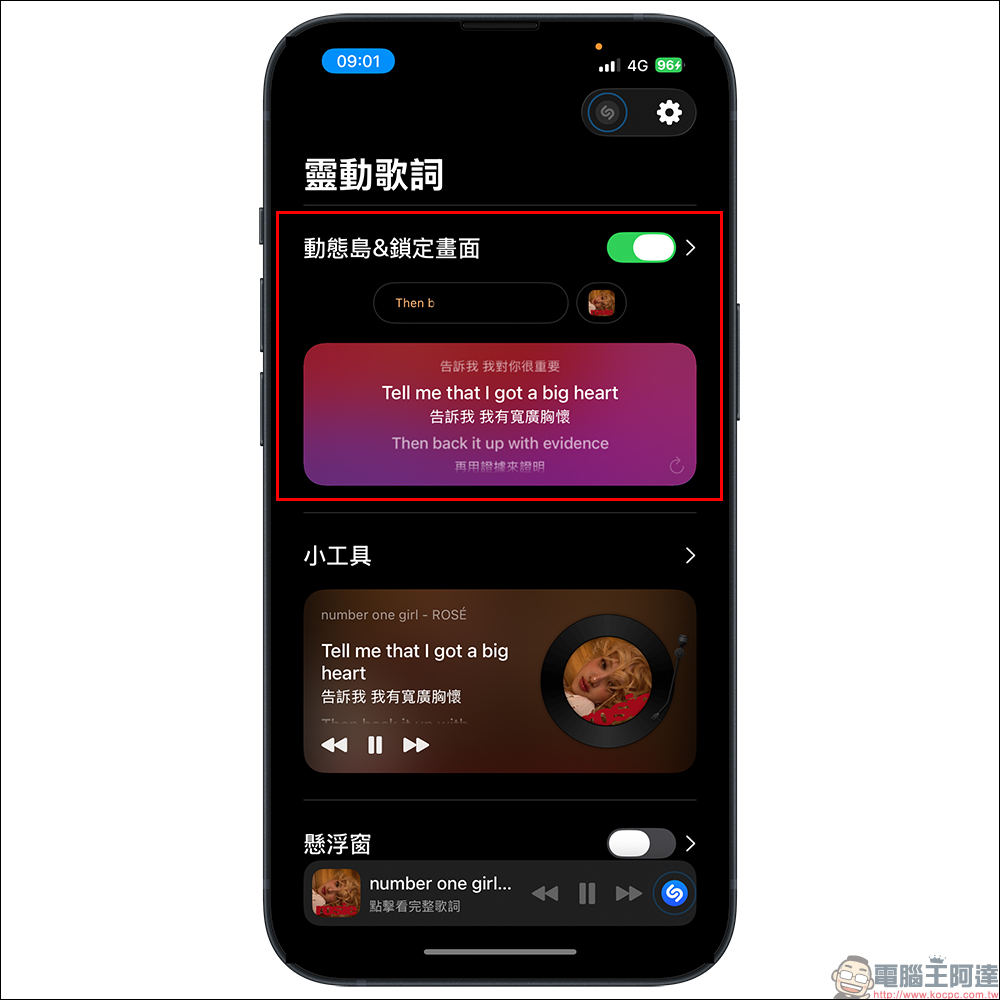
Turn on the “Dynamic Island & Lock Screen” function on the home screen of the “Smart Lyrics” App. This feature requires Premium members to unlock and use it. After unlocking, CarPlay can display the dynamic lyrics on the home screen and also supports real-time lyrics on the iPhone Dynamic Island. In terms of fees, there are currently three subscription plans of NT$30 (monthly), NT$120 (yearly), and a one-time buyout of NT$150. If you are not sure whether it is useful or not, it is recommended to use the 7-day free trial to try it out first.
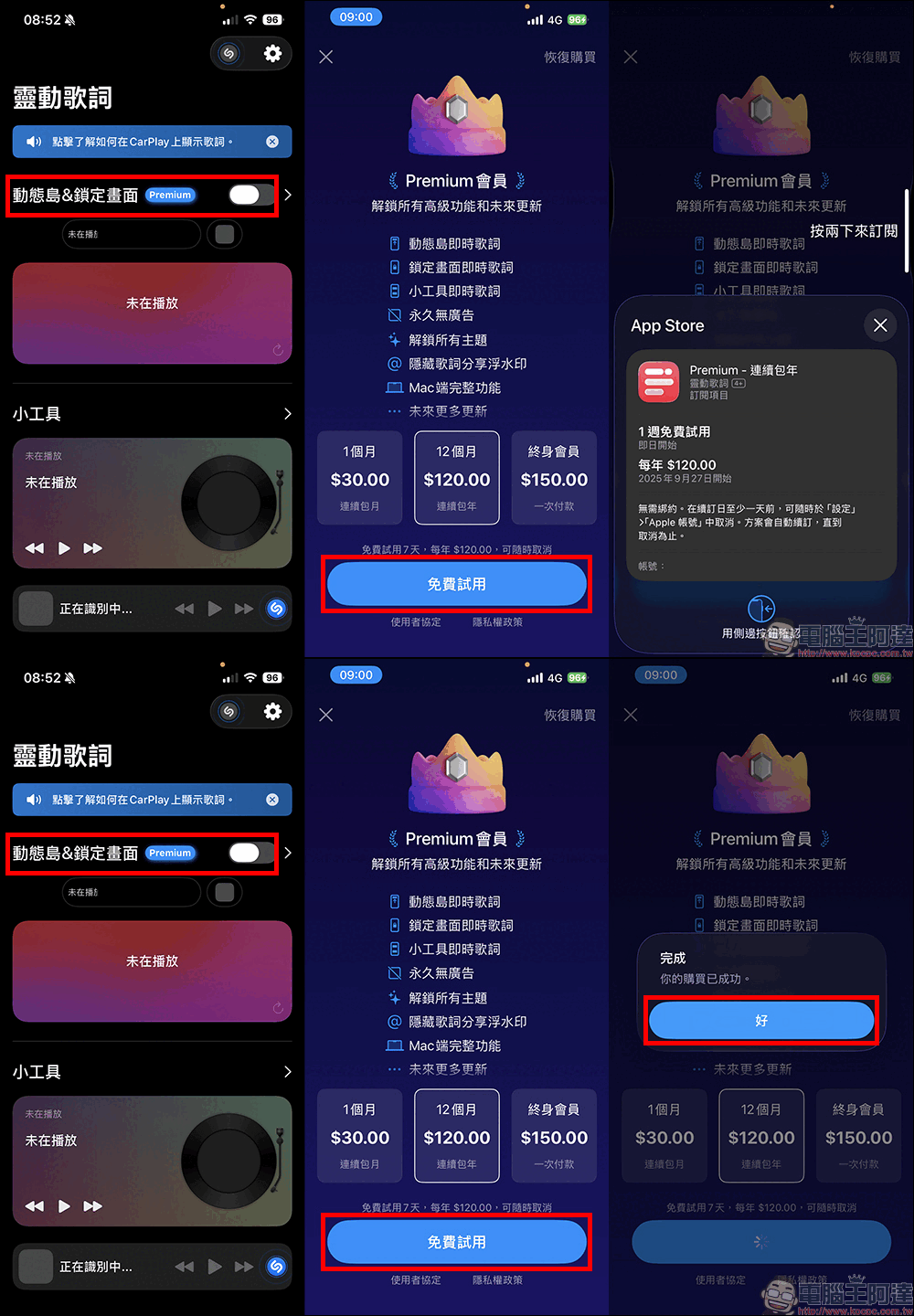
After upgrading to Premium membership, you can turn on the “Dynamic Island & Lock Screen” function, in which dynamic lyrics on the lock screen will also be displayed on the CarPlay side.
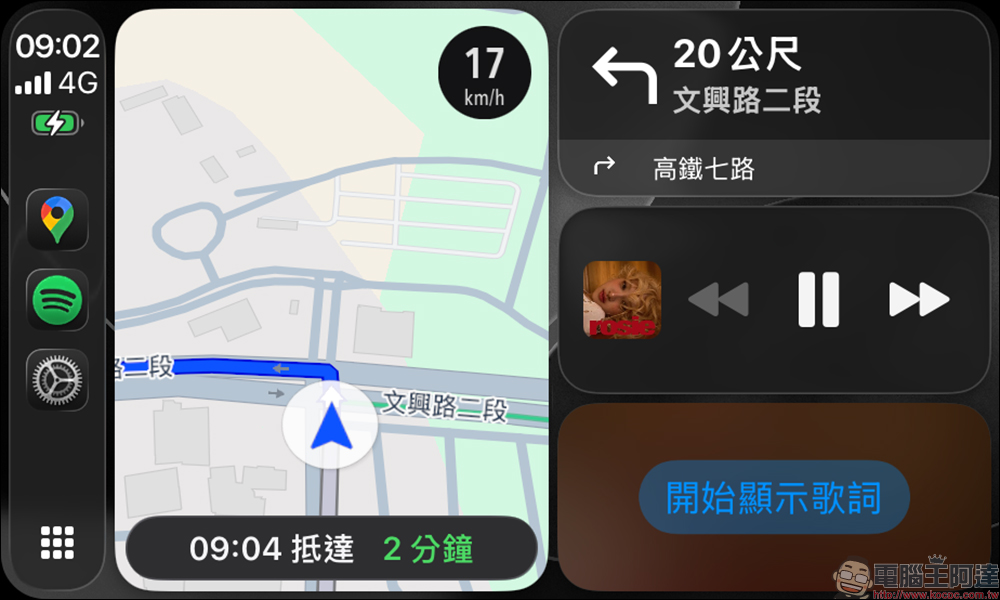
On the CarPlay side, you need to select “Start showing lyrics” when using it for the first time:
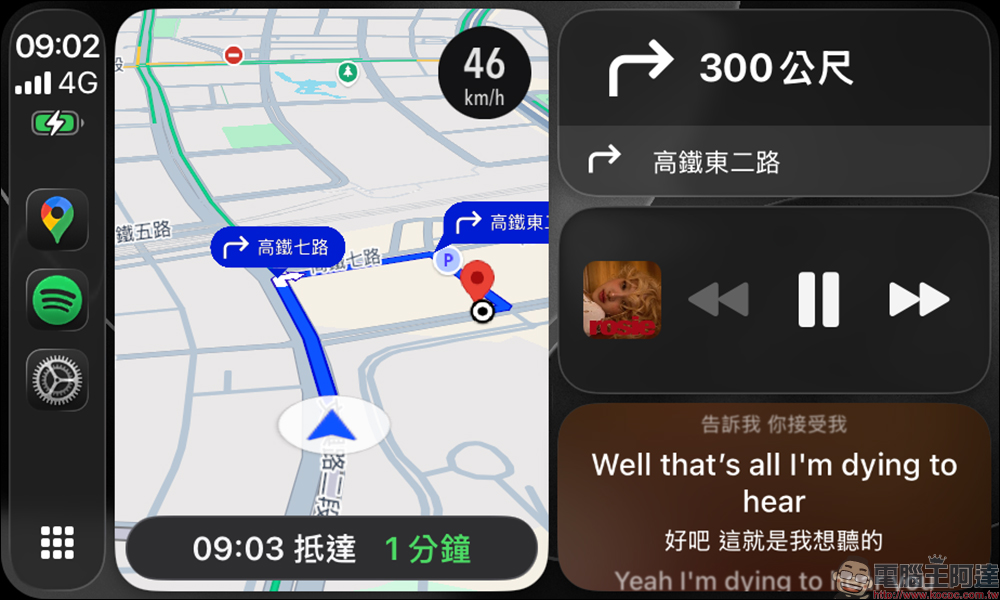
Once turned on, the main screen will dynamically display lyrics!
What should I do if the dynamic lyrics are out of sync or delayed?
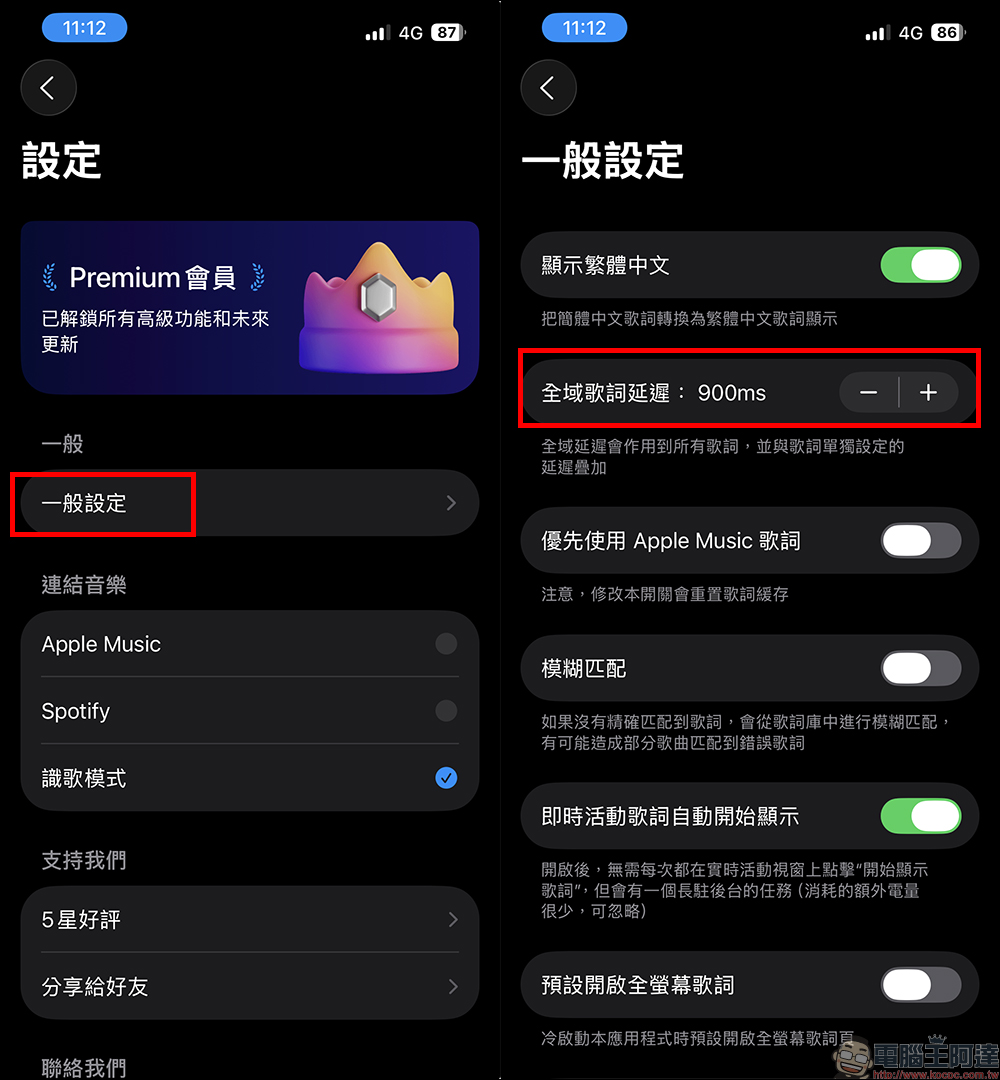
In addition to the lower latency of wired CarPlay, wireless CarPlay will experience more or less delays, and the latency varies slightly depending on the connected car model. If you find that there is some delay in CarPlay dynamic display, causing the lyrics to be out of sync, you can adjust it in the settings of the “Smart Lyrics” App. Click “General Settings” in Settings and you will see the setting “Global Lyrics Delay”. You can slowly adjust it to a synchronized state.
Start the 7-day free trial of Premium membership, are you afraid that you will be charged if you forget to cancel?
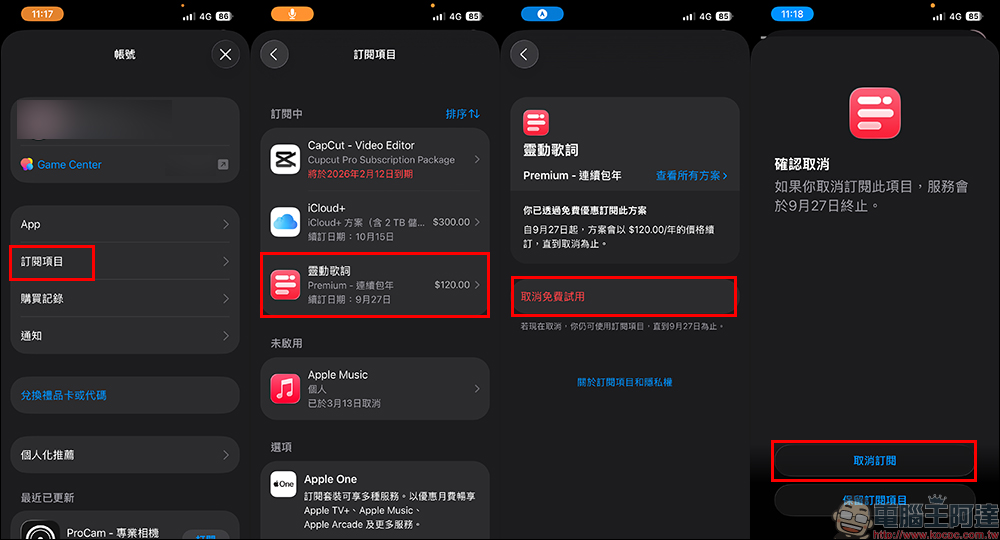
The Premium membership mentioned earlier has a 7-day free trial. If you just want to experience CarPlay dynamic lyrics, you must cancel it yourself first if you are worried about being charged a subscription fee later. Click “Subscription Items” in the “Account” of the App Store, and then you will see the renewal date for Smart Lyrics Premium membership. If you do not cancel before this date, you will automatically be charged the subscription fee. Click to enter and you will see “Cancel Free Trial”, click on it and press “Cancel Subscription”. Even if canceled in advance, users can continue the free trial until the free period expires.
User experience and tips
This function is really convenient for people who like to listen and sing at the same time, especially when driving long distances. Being able to hum along with the lyrics makes you feel much better. However, I still have to remind you:
- Safety first: Don’t drive distracted by staring at lyrics.
- Bugs still exist: it is a new version after all, so there are bound to be minor problems.
After actual testing, the stability of lyrics display on CarPlay is better than that on the iPhone itself. If it does encounter out of sync or display failure, it can basically be solved by restarting or refreshing.
Summarize
The “Smart Lyrics” brought by iOS 26 make the music listening experience on CarPlay and iPhone more complete. Although there are still some small bugs and limitations, it is already quite practical overall. If you are a music lover, you must try this feature after upgrading. Whether it’s in the car, on the locked screen, or on the dynamic island, as long as the settings are correct, you can sing along with the melody at any time.
It would be even better if Apple could further open up detailed settings in the future, such as controlling the lock screen and dynamic island separately, or improving the stability of real-time activities. For current users, mastering a few tips can make “Smart Lyrics” more convenient to use.
Smart Lyrics App download (App Store)
Further reading:
Source: KOCPC Chinese