


PDF is a very popular file format for sharing, and its widespread use among individuals and organizations means you’ll often find yourself needing to use a PDF converter or editor. Whether compressing PDFs to meet website upload limits or converting Word to PDFs for sharing, PDF tools are a key part of the circulation process, which has given rise to a large number of online PDF converters and editors. With just a few clicks in online tools, they can do most of the work you need. But should you rely on and trust these services? No, it’s best to stay away from them if you use them frequently.

Why shouldn’t you rely too much on free online PDF conversion tools?
Your PDF files are at the mercy of PDF converters
When you upload files to an online PDF tool, you grant the website permission to access those files. Although most websites that offer PDF tools claim to be able to delete uploaded files within a few hours, you have no assurance that this will actually happen. Once your files are uploaded, they are at the mercy of the company running the website or the website administrator. Even if the PDF converter deletes your uploaded files within a specified time frame, there is still a risk in this time gap, and it depends on whether the service handles storage correctly.
according to Report by Cybernews, in July 2024, two online PDF companies were found to have leaked thousands of user-uploaded files, including sensitive documents such as passports, driver’s licenses, contracts, and certificates. Such sensitive files are a goldmine for identity thieves, all because operators of web applications were careless in handling the files entrusted to them, allowing those looking for vulnerabilities to access the files to find the cloud servers.
Your data and device security are at risk
In addition to file privacy, using random online PDF converters also poses significant security risks. Like other file formats, PDFs can come with malicious code, so when you download a converted or edited file from an online converter, you don’t know what else might be inside.
FBI Denver Field Officeissued an alert on this issue in March 2025, claiming that some online file converters inserted malware into converted and edited files, including PDFs. The malware steals personal information, banking information, passwords, encrypted wallet details, and more. The FBI isn’t the only one noticing this cybercrime trend, April 2025Cybersecurity company CloudSEK published a research report, details how fake PDF converters deliver malware and steal information from unsuspecting users. What’s even more worrying is that these are sophisticated cybercriminals, and one of them imitated the popular PDF converter “PDF Candy” and created a fake PDF converter with a fairly authentic URL and web page design.
This means that when you use an online PDF converter, you not only risk your files, but you also put your device and your entire digital life at risk.
There are many excellent offline PDF tools available
If you don’t have a good offline PDF tool, it might make sense to use a web app, but the truth is you have a lot of options. There are a range of excellent offline PDF converters and editors that do all the processing on the device, and some of them are even open source, allowing the community to review the code and ensure there’s nothing else hidden. Therefore, there is no reason for anyone to rely too much on online tools, except for the services provided by some big and trustworthy companies, such as Adobe.
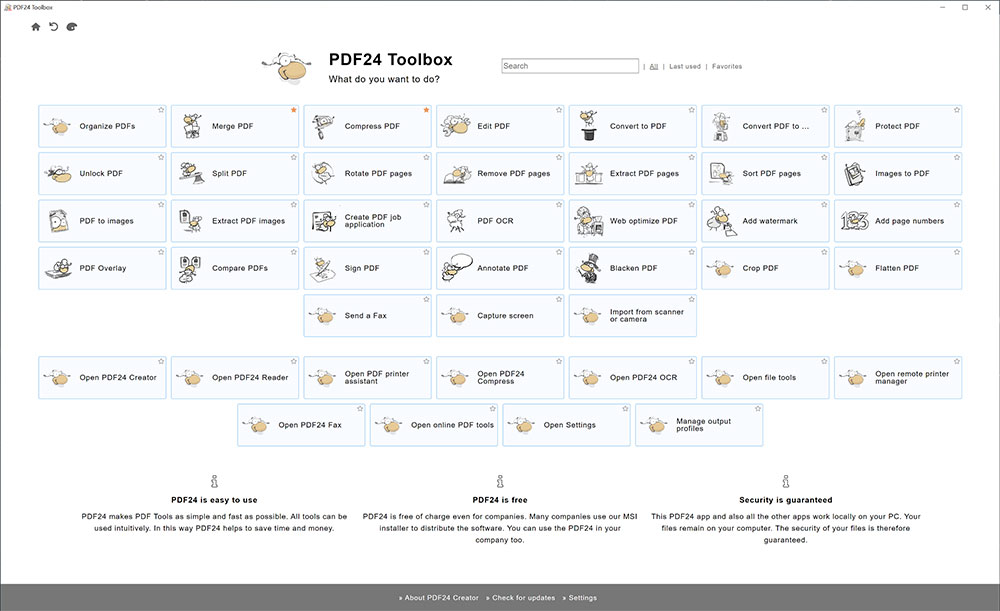
If you are looking for a reliable PDF manipulation tool,PDF24 Creator is a good choice, is available for Windows, and includes a range of features including converting, merging, compressing, and signing. It can complete all operations locally and can be accessed through Microsoft Store and the company’s official website. If you want to avoid stumbling onto a fake website, it’s reassuring to find it in the Microsoft Store.
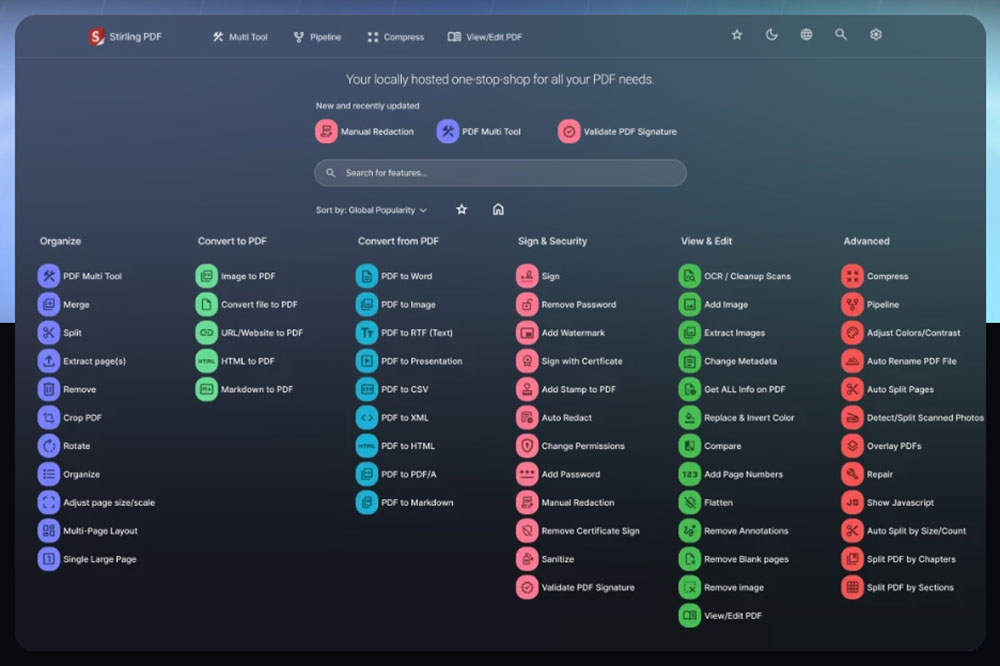
For open source enthusiasts and those using macOS or Linux,Stirling PDF is a good choice. While many people with technical skills prefer to host it on their own servers, it has clients for three major platforms that essentially package a web application and a native server into a neat native application for easy installation.
If you don’t need so many functions, the usual operations on PDF are relatively simple. In addition, PDFsam Basic and PDF Arranger It’s also a tool worth considering.
Unfortunately, cybercriminals are lurking everywhere, hoping to see users making mistakes. Therefore, what you can do is avoid using random online tools, including file conversion, and don’t be greedy for convenience and stick to reputable tools. If you are willing to use offline options instead, it will be safer. In addition, for a safer digital life, it is a good thing to develop good Internet usage habits.
Source: KOCPC Chinese