


As high as the road is, so high is the devil. No matter how well technology companies and you take precautions, malicious people will always find ways to exploit loopholes, which is really hard to guard against. Malicious actors are using Unicode characters to make phishing links look like legitimate Booking.com links. After gaining your trust, they let your guard down and click on the link, trapping you in the trap.

Booking.com phishing campaign is using the Japanese word “ん” to get by
This attack exploits the Japanese hiragana character “ん” (Unicode U+3093) and was first used bySecurity Researcher JAMESWT It was found that when certain fonts are displayed, it may look very similar to the Latin letter “/n” or “/~”. This visual deception allows scammers to create links that look like the genuine Booking.com domain, making phishing links look real to people and directing users to malicious websites.
Below is a screenshot of the phishing email shared by a security researcher:
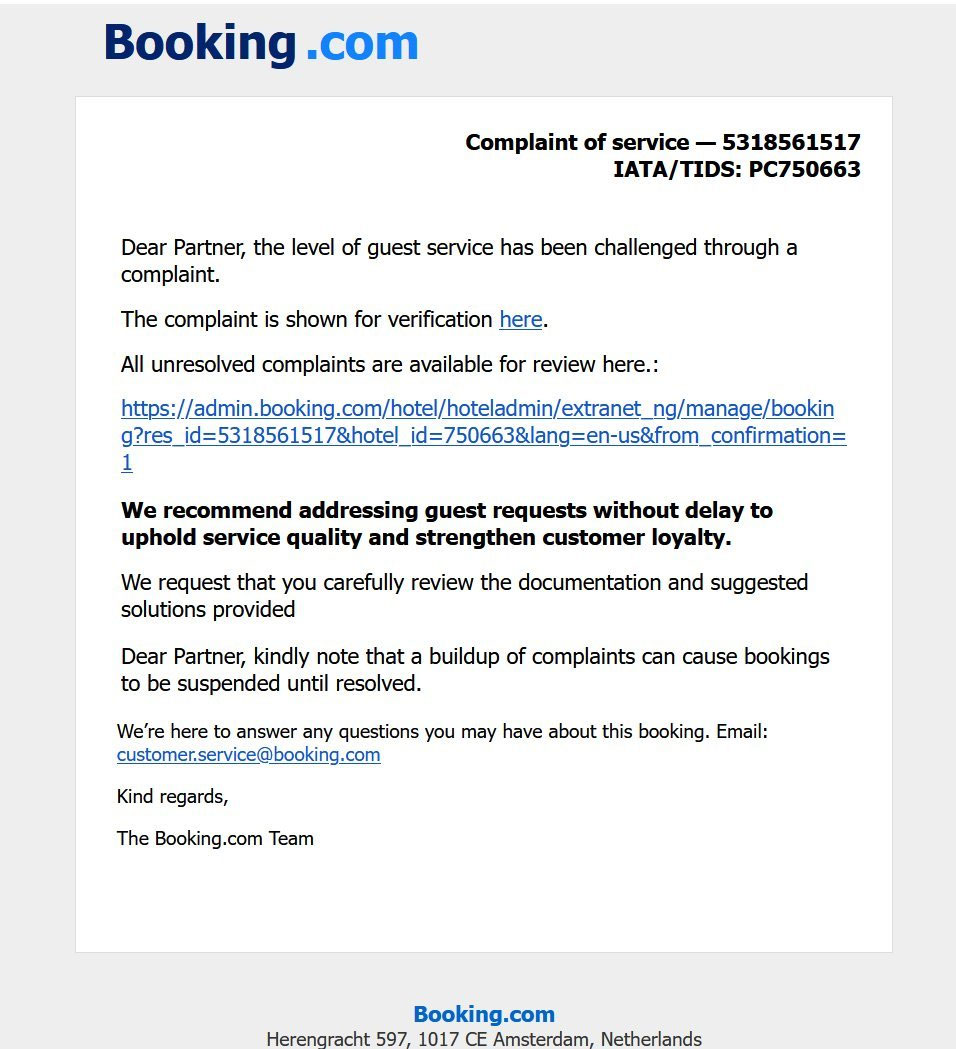
The text in the email, https://admin.booking.com/hotel/hoteladmin/… is itself deceptive. Although it looks like a Booking.com address, the hyperlink points to “https://account.booking.comんdetailんrestrict-access.www-account-booking.com/en/”. When rendered in a web browser’s address bar, the “ん” character can trick a user into thinking they are browsing the booking.com subdomain.
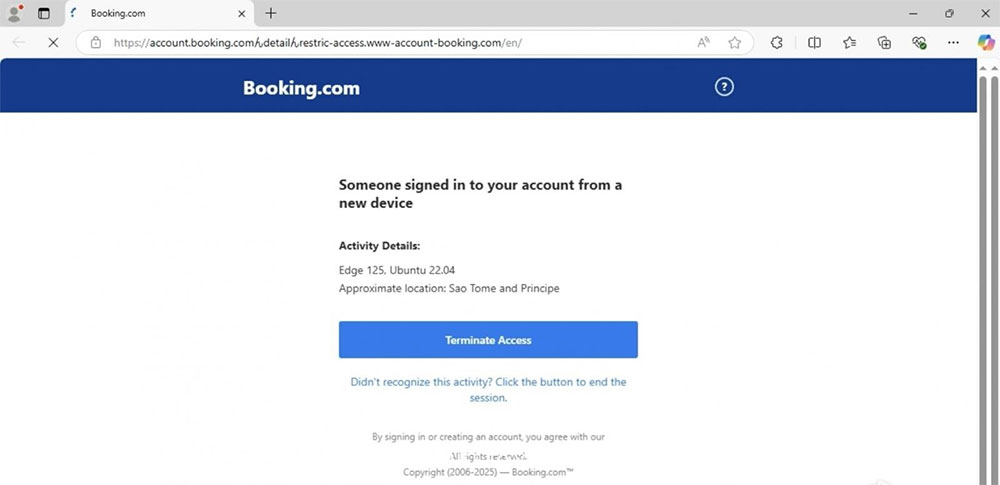
This phishing tactic utilizes homographs. A homograph is a character that looks similar to another character but belongs to a different character set or alphabet. These visually similar characters may be used in phishing attacks or to create misleading content. For example, the Cyrillic letter “О” (U+041E) may look the same to the human eye as the Latin letter “O” (U+004F), but they are completely different words. Threat actors leverage homographs time and time again in homograph attacks and phishing emails due to their visual similarities. Over the past few years, defenders and software developers have also introduced security measures that allow users to easily distinguish between different homographs.
In addition, foreign media Bleeping Computer A further Intuit phishing campaign was discovered, using a similar domain name, replacing the letter I used in Intuit with the letter L. You should always start with the first / before the actual domain, which is the actual registered domain name. Granted, using visually deceptive Unicode characters like “ん” creates additional hurdles, and visual URL inspection alone isn’t foolproof.
Source: KOCPC Chinese