


Want to compress pictures but are afraid of privacy leakage? ZipPic Free OnlineImage compressionTools are your best answer! Although this tool is called an “online service”, it actually operates entirely locally on the user’s computer. All images will not be uploaded to the cloud, so privacy is safe. In addition to single image compression, it also supports batch compression, can process multiple images at one time, supports JPG, PNG, WebP, GIF, AVIF and other formats, and even provides conversion functions. ZipPic uses a smart compression algorithm that can significantly reduce file size while retaining high image quality that is indistinguishable to the naked eye, allowing you to easily balance quality and efficiency.
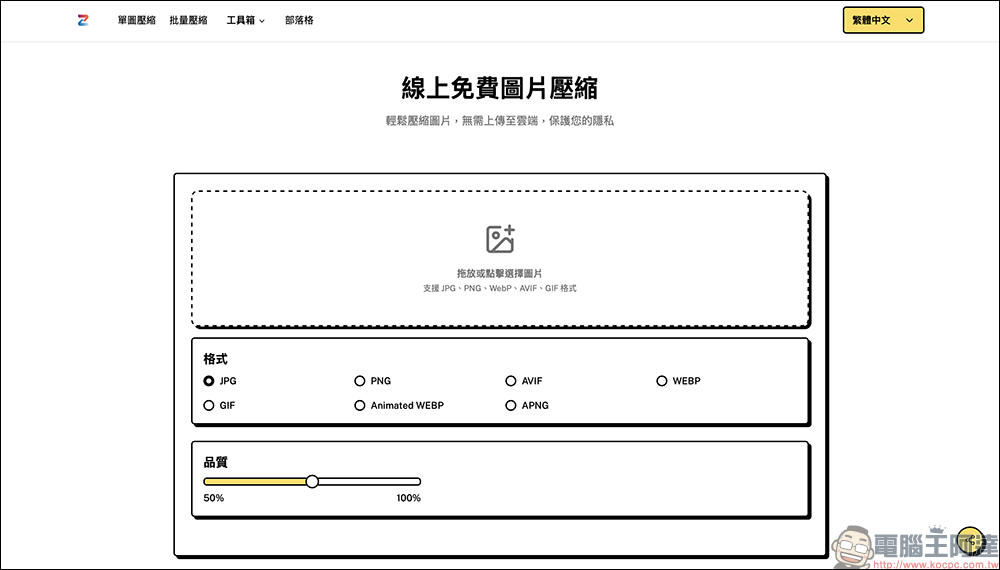
ZipPic is a free online image compression tool! It can be compressed without uploading to the cloud and supports multiple formats.
In modern digital life, whether it is work presentations, online product photos, or sharing on social media, image file capacity is often a big problem. Excessive capacity will not only slow uploading, but may also fill up the storage space of your phone or computer. Although there are many on the marketcompressionTools, but most of them need to be uploaded to a cloud server. Not only is the compression speed affected by the network, but there are also privacy risks. At this time, the emergence of ZipPic is particularly useful.
ZipPic’s biggest selling points:
- Fully local operation
Images do not go through a cloud server, all compression is done on your computer. This is a more secure choice for designers, corporate documents, and even personal and private photos. - Smart compression algorithm
It will find the best balance between file size and image quality. In other words, the compressed photos are still clear and usable, and the difference between before and after is almost impossible to tell with the naked eye. - Supports multiple formats and conversion functions
In addition to compression, it can also convert PNG to JPG, GIF to WebP, and even supports the emerging AVIF format, giving you more flexibility under different platforms and needs.
Supported formats and functions:
The input formats supported by ZipPic include: JPG, PNG, WebP, GIF, and AVIF. The output is wider and can be converted to JPG, PNG, AVIF, WebP, GIF, Animated WebP, and APNG. This means that whether you want to process static images or dynamic images, you can do it easily.
In addition, it can not only compress single images, but also provide batch compression function. This is definitely a time- and effort-saving tool for photographers, content creators, and even e-commerce sellers who often need to upload a large number of images.
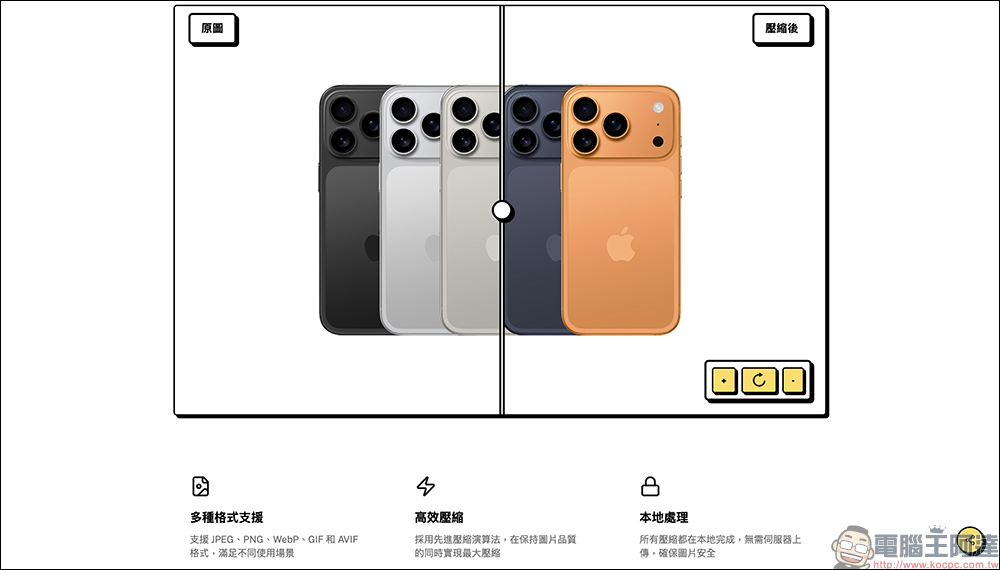
How to compress pictures using ZipPic?
ZipPic is super simple to use, so I’ll share it with you quickly!
Turn on and set language
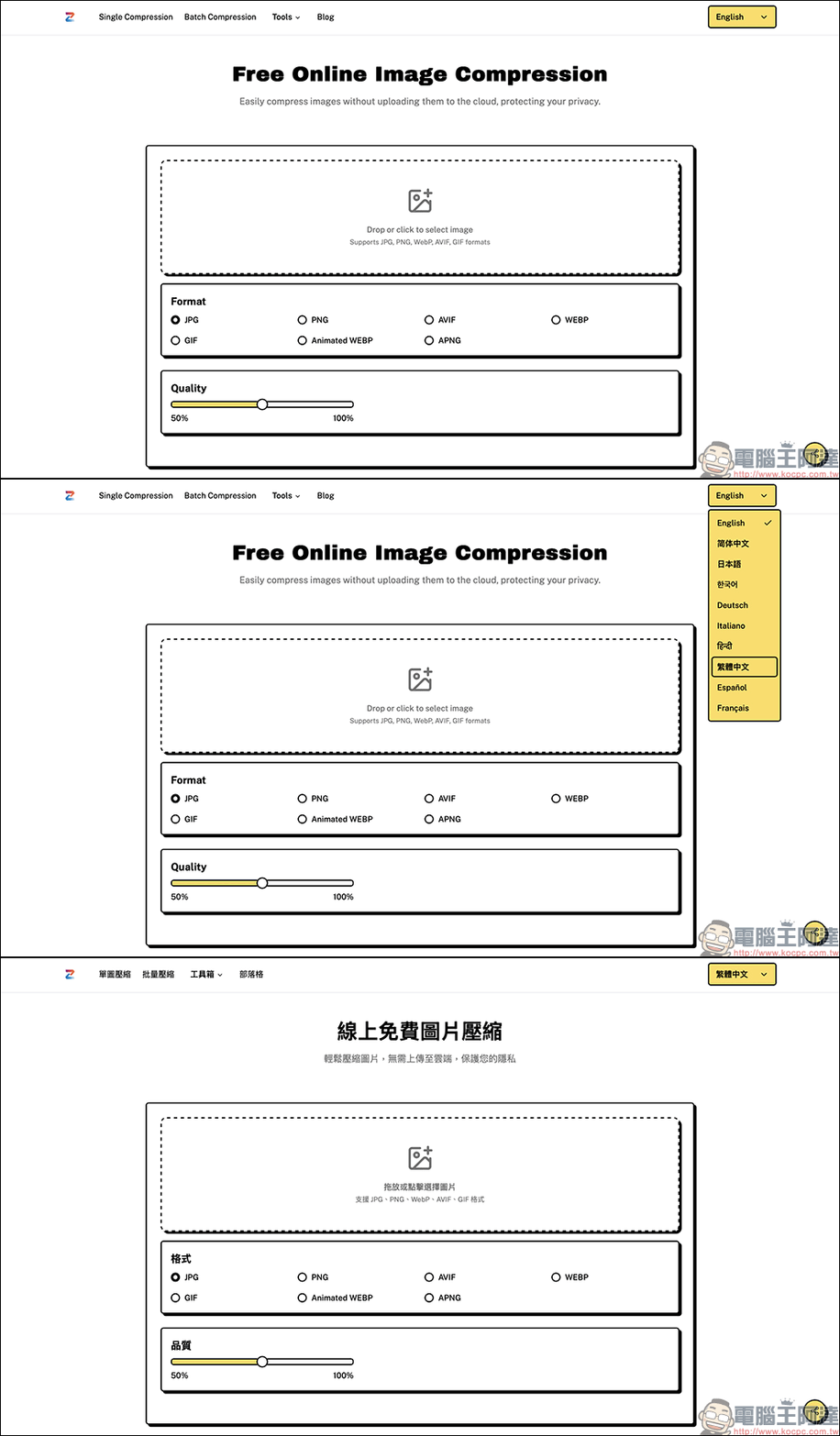
Enter ZipPic websiteFinally, the default may be English. It is recommended to switch the language option in the upper right corner to “Traditional Chinese” first, so that the operation will be more intuitive. ZipPic also supports multiple languages, and users who want to use other languages can also find familiar language settings.
Single image compression
The default in ZipPic is single image compression mode, which can only process one image at a time. The operation method is very simple. First click on the upload box in the center, or drag the image directly into it. Below you can select the conversion format and manually adjust the compression quality.
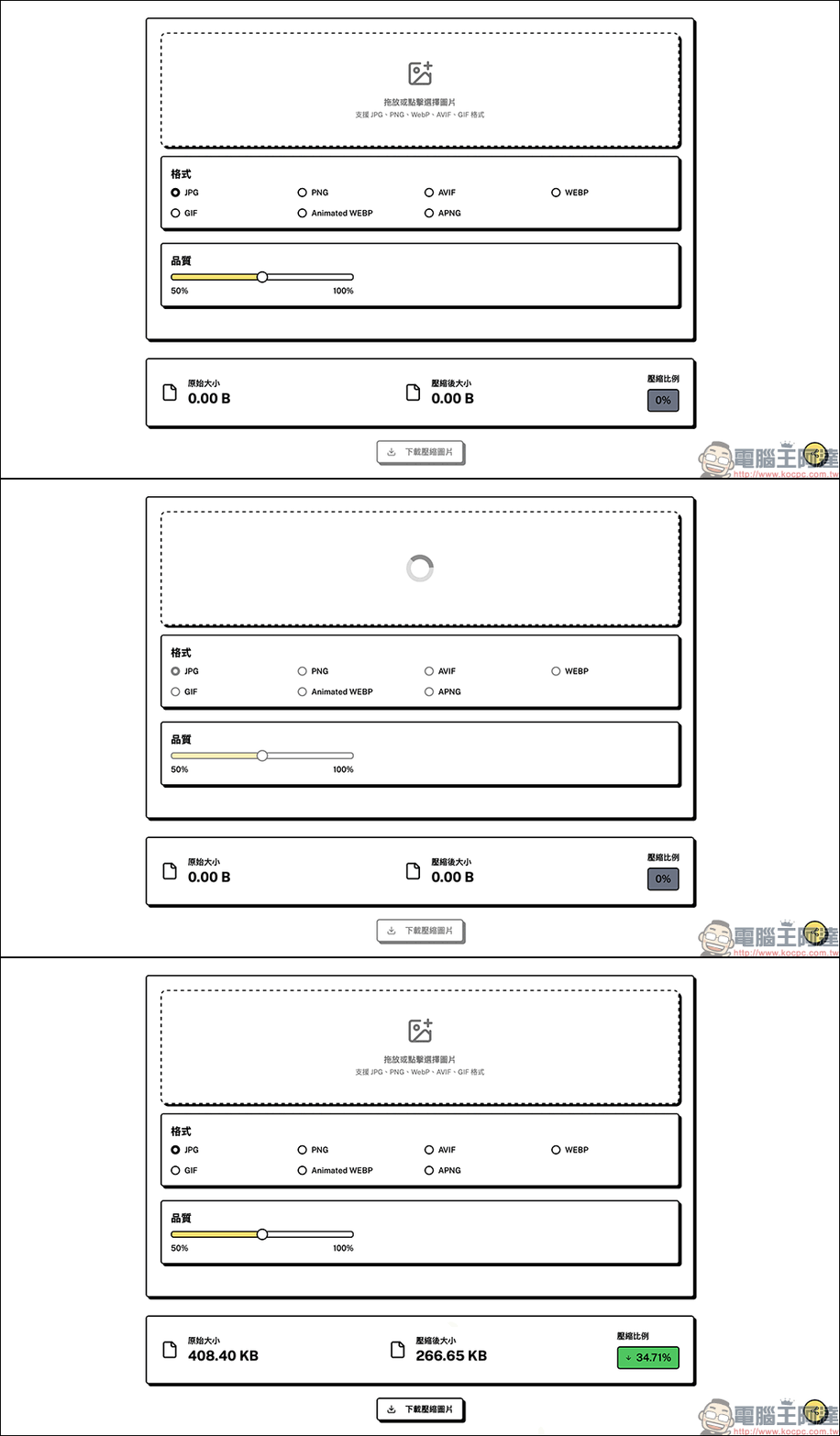
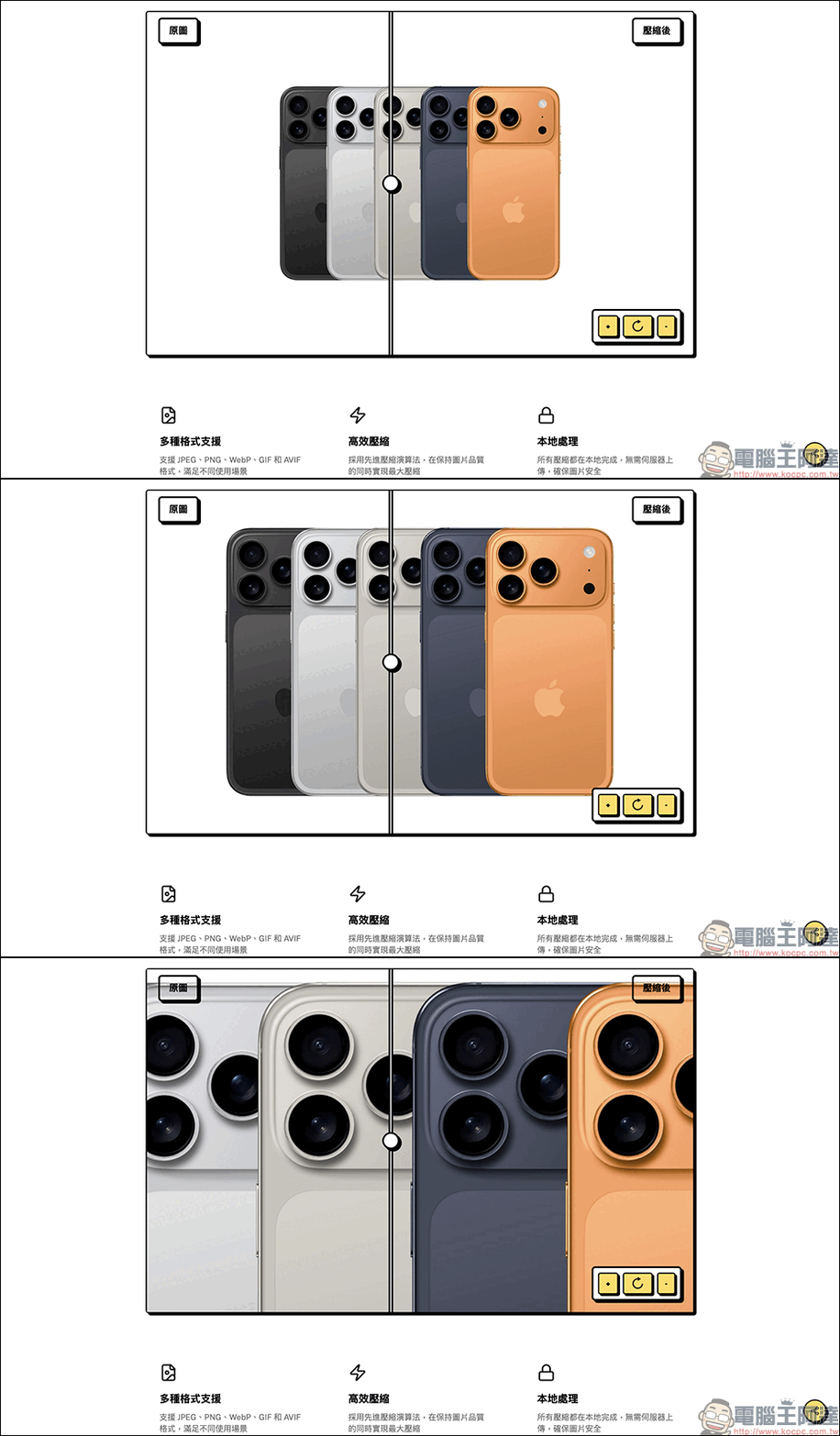
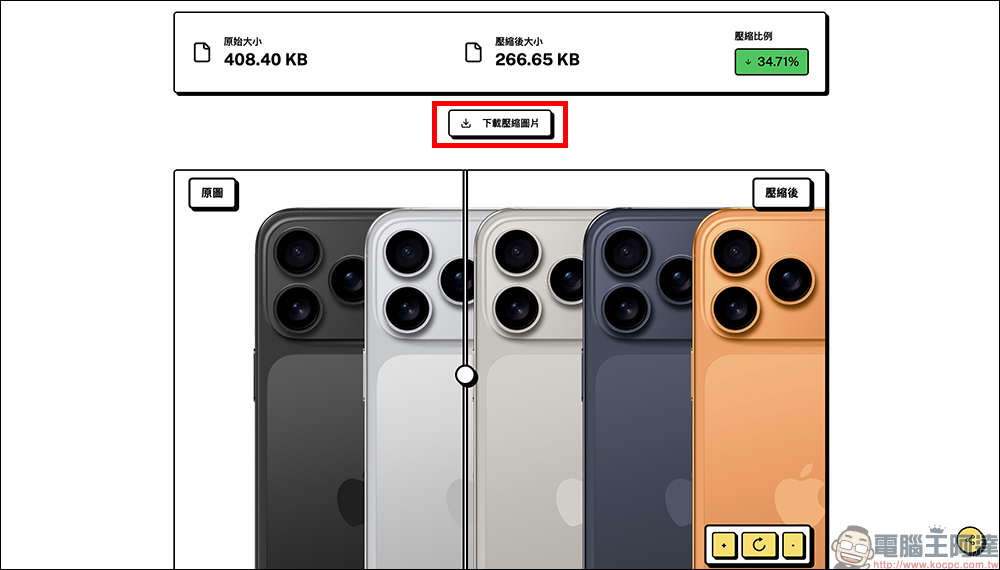
After the compression is completed, the system will display the original size, compressed size, and compression ratio. Users can compare whether they are satisfied with the image quality before and after compression, and can even zoom in to check details, which is a very considerate feature.
Once you are satisfied with the compressed image, you can click the “Download Compressed Image” button to save the compressed image!
Batch compression function
If you want to process multiple images at once, you can switch to “Batch Compression” mode.
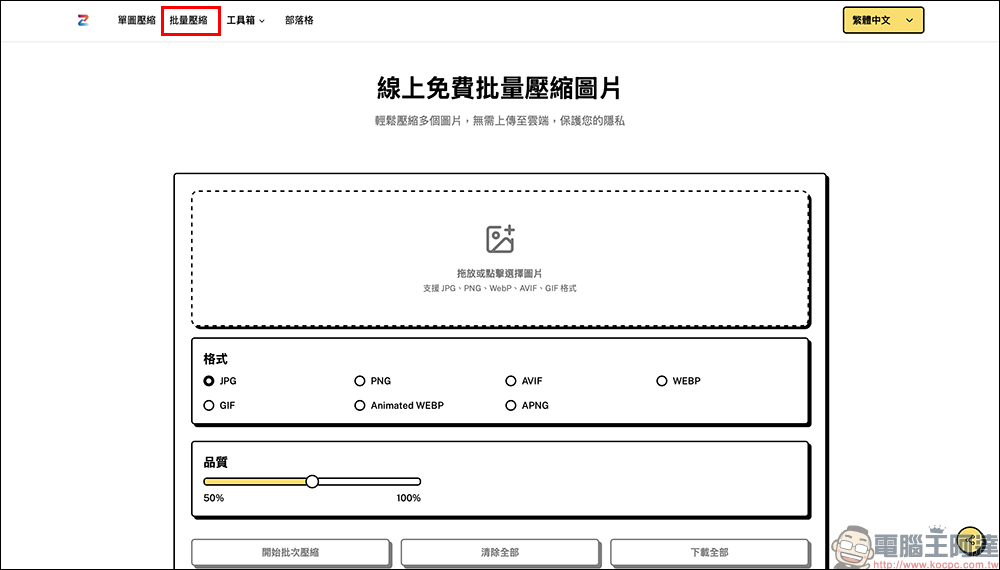
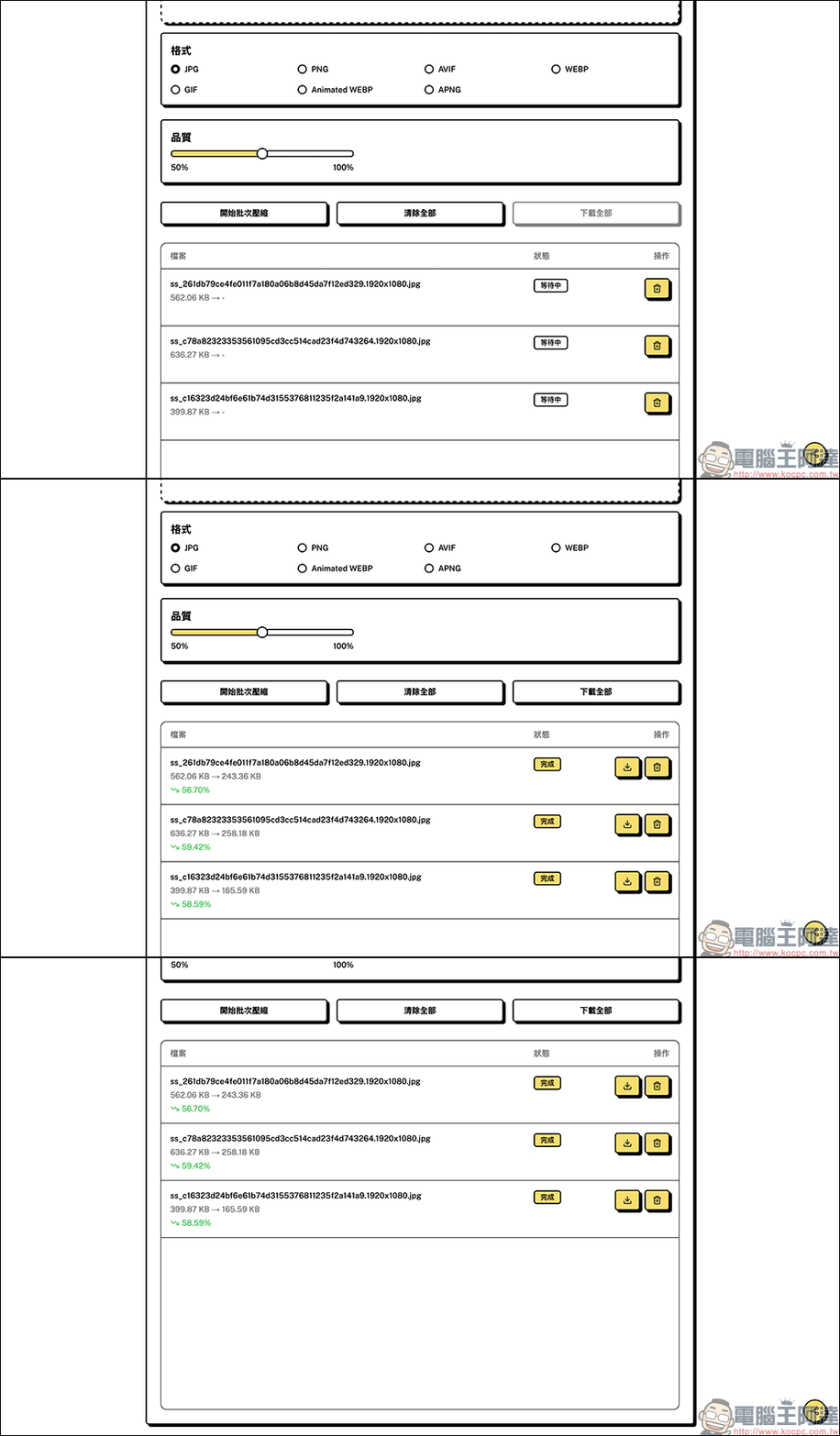
The operation method is the same as single image compression, except that it supports multi-level dragging, and the processing status of each image is displayed below. After the compression is completed, the user can choose to download a single image file, or click “Download All” for one-click download, which is convenient and fast.
Conclusion
If you are looking for a free, easy-to-use and safe image compression tool, ZipPic is definitely worth a try. It not only helps you reduce image size, but also maintains clear image quality. It even supports multi-format conversion and batch compression, which can come in handy for both personal daily use and professional work needs. Best of all, it’s handled entirely locally, so you don’t have to worry about privacy issues. Next time you want to compress pictures, instead of worrying about finding software or worrying about privacy, just open ZipPic and let it do it for you easily!
ZipPic Free Online Image Compression Tool
Further reading:
Source: KOCPC Chinese