


Now many Chinese Bilibili The channel will upload the video simultaneously (or later) to YouTube, so for people who usually follow videos from Station B, they may watch them on YouTube instead. However, YouTube does not have a “barrage” function. Some people may like to watch videos while reading other people’s comments. This article will introduce a very interesting “B2Y” Chrome extension, which can simultaneously display Bilibili’s barrages on YouTube videos. It can be installed on any browser developed with Chromium core and is completely free.

B2Y allows YouTube videos to simultaneously display Bilibili barrage free extensions
B2Y is a free extension that automatically synchronizes Bilibili barrages to YouTube. I have tested that in addition to Chrome, browsers developed with Chromium core such as Microsoft Edge and Dia can also be installed and run normally.
It supports the automatic search function and loads the corresponding barrage. To put it simply, it will automatically detect the video you are currently watching to see if Bilibili has the same one. If so, it will load the Bilibili barrage and display it. The barrage section also provides various settings, such as timeline, font size, transparency, display area, filtering, etc.
The method of use is also very simple. After obtaining B2Y, open a YouTube video and it will start matching. There is no need to set anything. Of course, if B2Y doesn’t find a video but you know it does, you can also enter the matching URL manually.
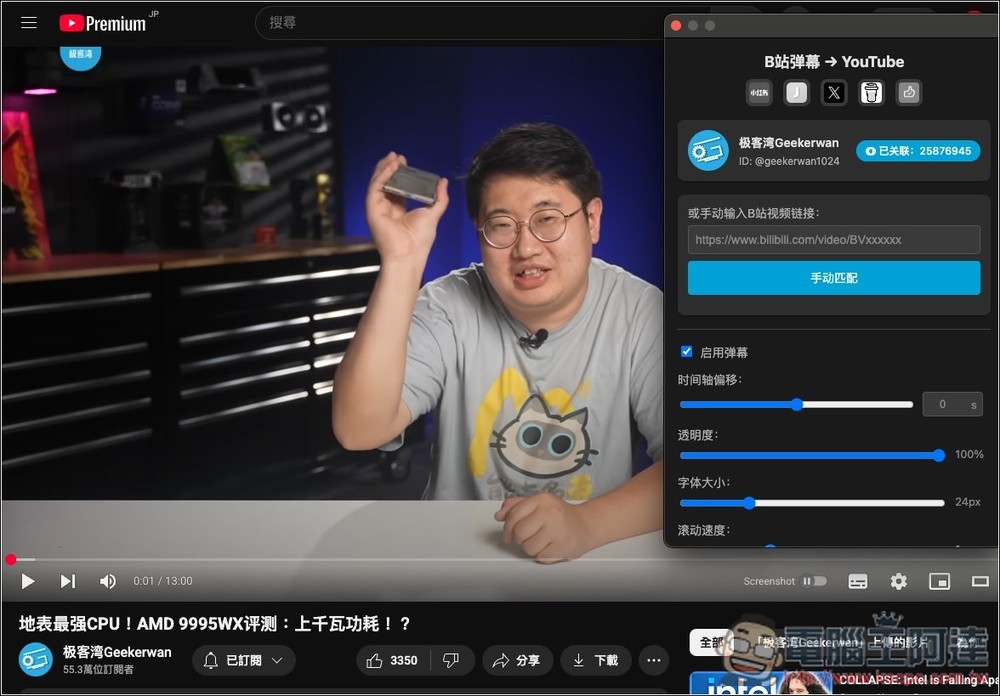
The picture below is the interface of the B2Y extension function. When I opened Geekerwan’s YouTube video, it detected Bilibili’s channel, but it did not automatically match the same video:
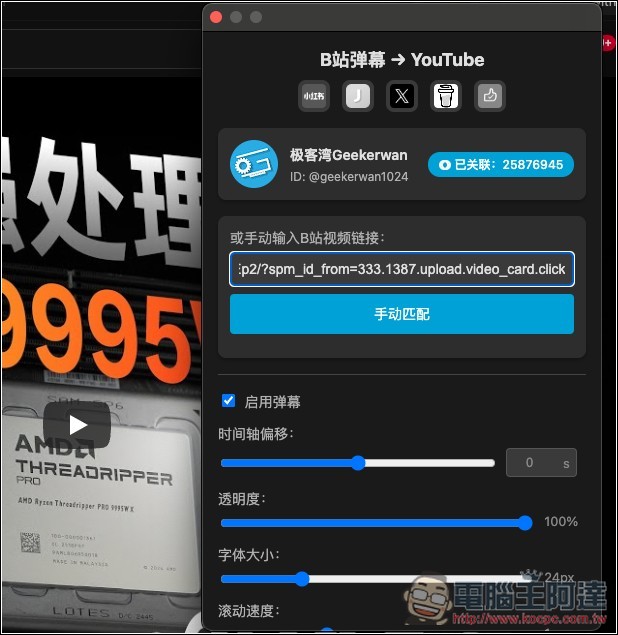
So I manually entered the URL of the same video in Bilibili and clicked Manual Match below, and the matching was completed:
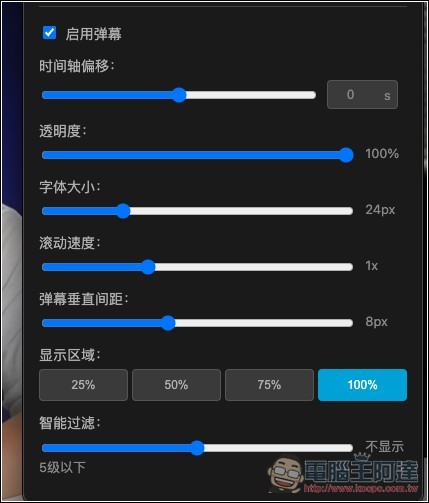
Below are the barrage settings. The default is enabled. You can modify the timeline offset, transparency, font size, scrolling speed, barrage vertical spacing, display area, smart filtering, etc. at any time according to your habits and needs:
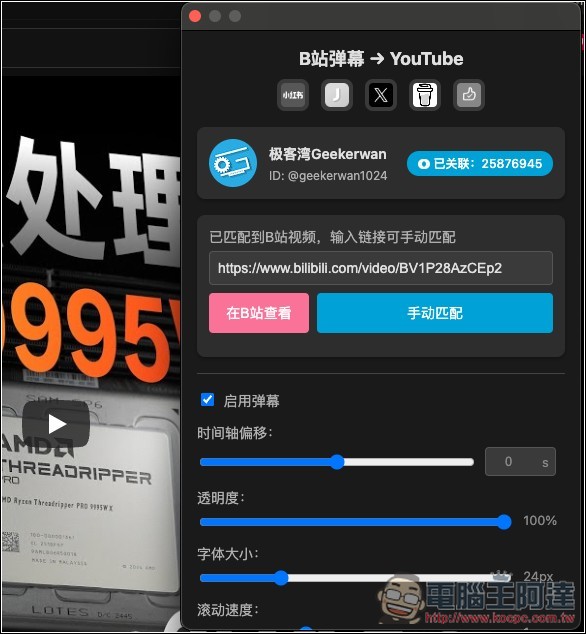
After successful matching, the message “Matched to Site B video” will appear, and you can start watching the video:
Then, just like watching Bilibili, a barrage of comments from other netizens will appear at the time of the video. If you don’t want to be affected by barrage, just open the extension and cancel “Enable barrage”:

B2Y is also an open source tool, available in GitHub Share the source code and encourage users to help contribute matching information for the Bilibili channel. This tool has just been launched, so there may be some problems when using it. Anyone who encounters it can report it at any time. Judging from the change log, developers often fix problems and add new features.
The feature animations on the Anime Made By Bilibili channel will also automatically obtain barrages, and no manual configuration is required:

Source: KOCPC Chinese