


When you want to temporarily transfer several large files to friends, colleagues or clients, are you often annoyed by capacity restrictions, login accounts, or even complicated encryption processes? Now there’s an easier solution! Today I would like to introduce Transfer.it, a new generation file transfer tool launched by MEGA. It features a login-free, capacity-limited, fast and secure file sharing method, making file transfers no longer stuck. This article will take you through Transfer.it free spaceFeatures and usage, as well as detailed operating instructions to help you solve problems you often encountered in the pastfree of chargePain points of file transfer.
MEGA launches Transfer.it free space: a new file transfer tool that is fast, secure and has no capacity limit
Friends who are familiar with cloud services must be familiar with MEGA, which has always been famous for its high-security end-to-end encryption. However, sometimes we don’t need such complicated encrypted transmission and just want to quickly share files with each other. Transfer.it is a new tool born for this purpose, integrating MEGA’s technical advantages and a design that simplifies the process, making file transfer faster and more intuitive.
Different from traditional cloud drives, Transfer.it is like an upgraded version of free space, specially designed for the needs of “you want to directly upload files and share them”. Whether you’re sharing work files, video clips, or compressed design assets, it provides a smoother experience.
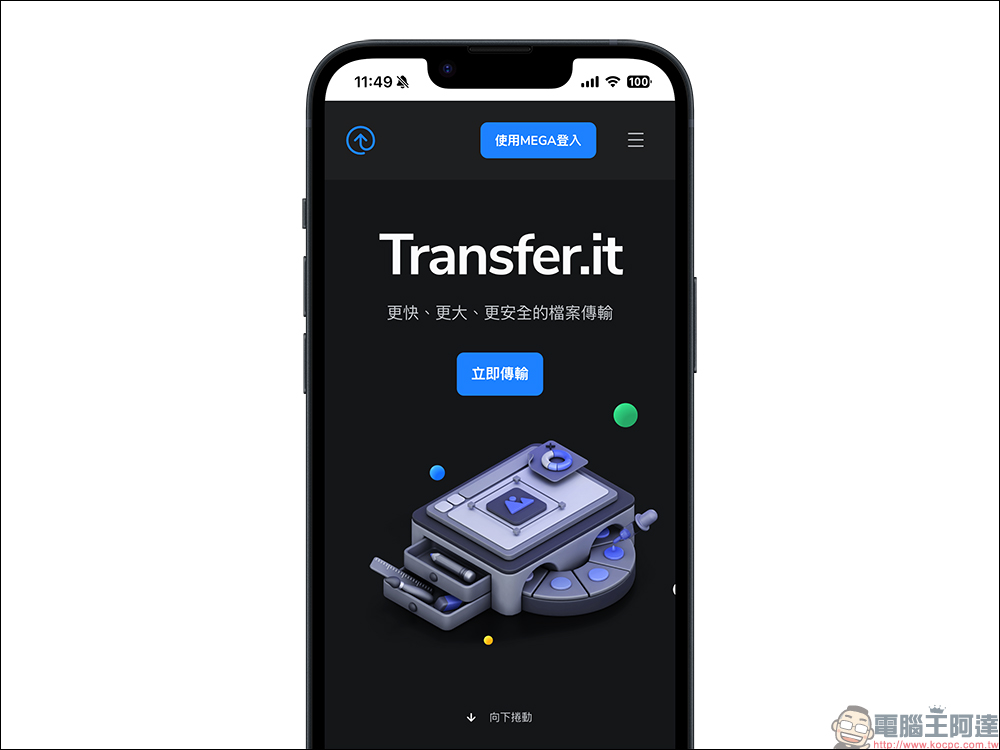
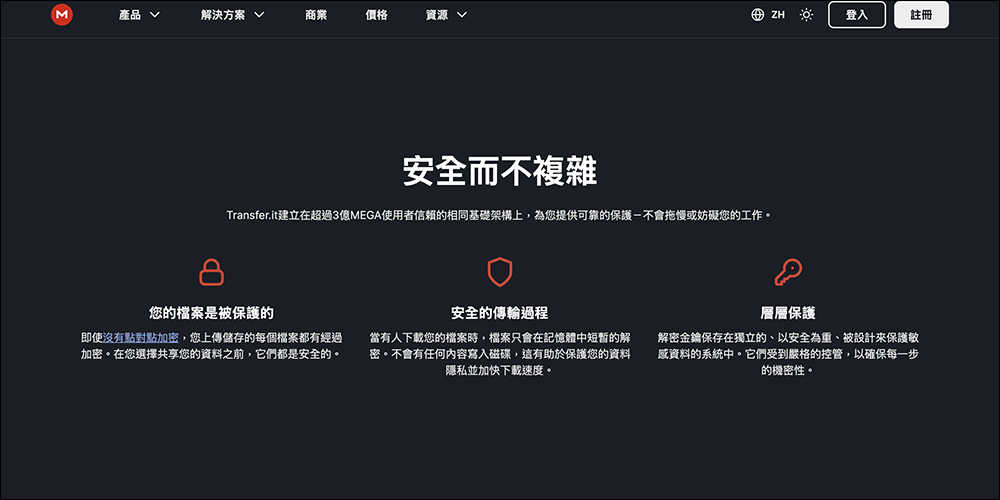
The biggest highlight of Transfer.it is that “there is no file capacity limit”. You can upload files exceeding several GB or even larger at one time without worrying about transmission being blocked. There is no need to register an account to use it, you can just open the webpage and use it, which is very convenient for people who need to transfer files temporarily. Although it doesn’t offer end-to-end decryption like MEGA Drive, files will still remain encrypted on the server. When someone downloads a file, the system will temporarily decrypt it in memory through a trusted server to ensure that the user’s file is still protected.
In addition to security, Transfer.it also places special emphasis on compatibility and performance. Since it does not require decryption through the browser, the user experience on different devices and different browsers is quite stable and smooth. The overall interface design is simple and intuitive. Even if you use it for the first time, you can get started in a short time. It is also very friendly to users who are not familiar with cloud tools.
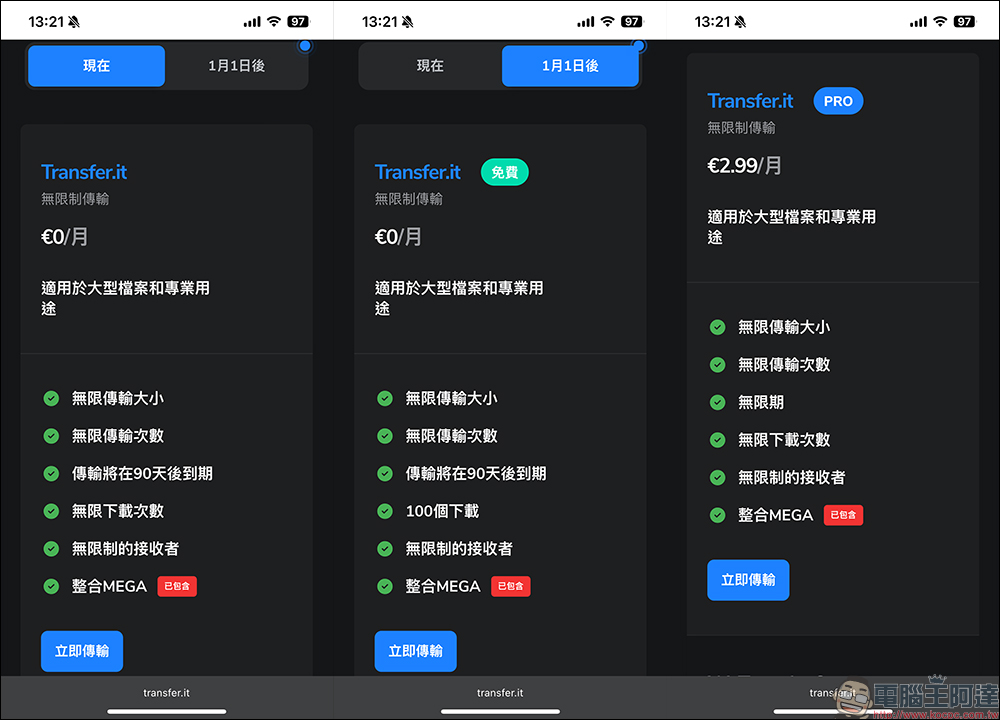
From now until January 1, 2026, Transfer.it will open all functions to all users for free. In other words, you can now tap into Pro features without paying. If you have subscribed to the MEGA Pro plan, you will automatically enjoy Pro benefits after logging in to Transfer.it.
As of January 1, 2026, free services are still available, but there is also a paid Pro plan with a monthly price of €2.99 (approximately NT$103). Pro users can enjoy more flexibility. For example, file links can be set to “permanent” and will not expire due to expiration dates. This is very useful for professional users who need to retain file sharing for a long time. Starting next year, users using the free plan will be limited to 100 downloads, which is still enough for most people.
Transfer.it tutorial
The operation interface of Transfer.it is very simple. The following will show you how to use it step by step.
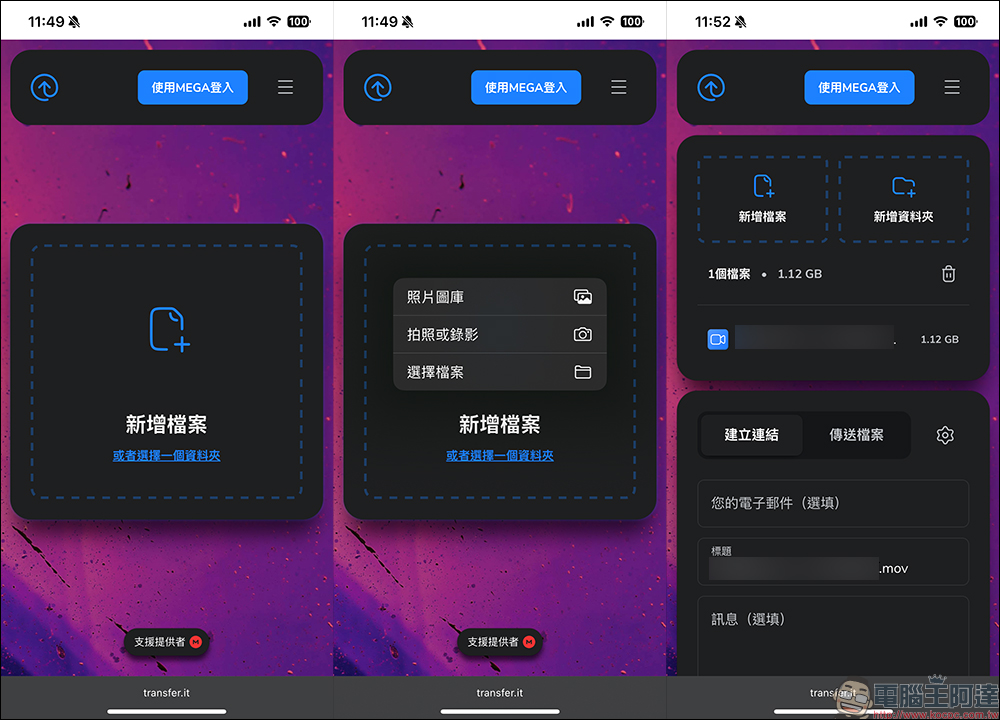
Step 1. Upload files or folders
Open Transfer.it website, the system will automatically display the Traditional Chinese interface. Then click “Add File” or drag the file directly onto the page. There is no file size limit here, whether multiple files or an entire folder can be uploaded smoothly at one time.
Step 2. Set up the file page and notifications
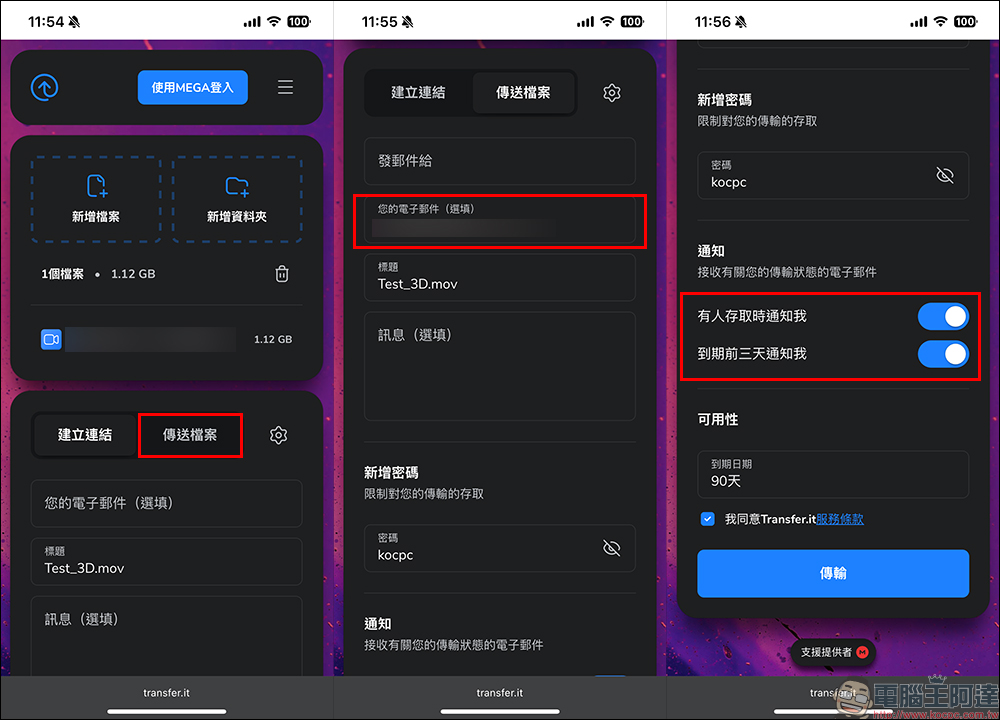
Before uploading, you can set a title and simple message for the sharing page. These messages will be displayed on the other party’s download page for additional explanation. You can also enter your email at this time to turn on the notification function (for example, to remind you when someone downloads a file). The current file list will be displayed on the right, and you can delete or add files at any time.
Step 3. Set expiration date
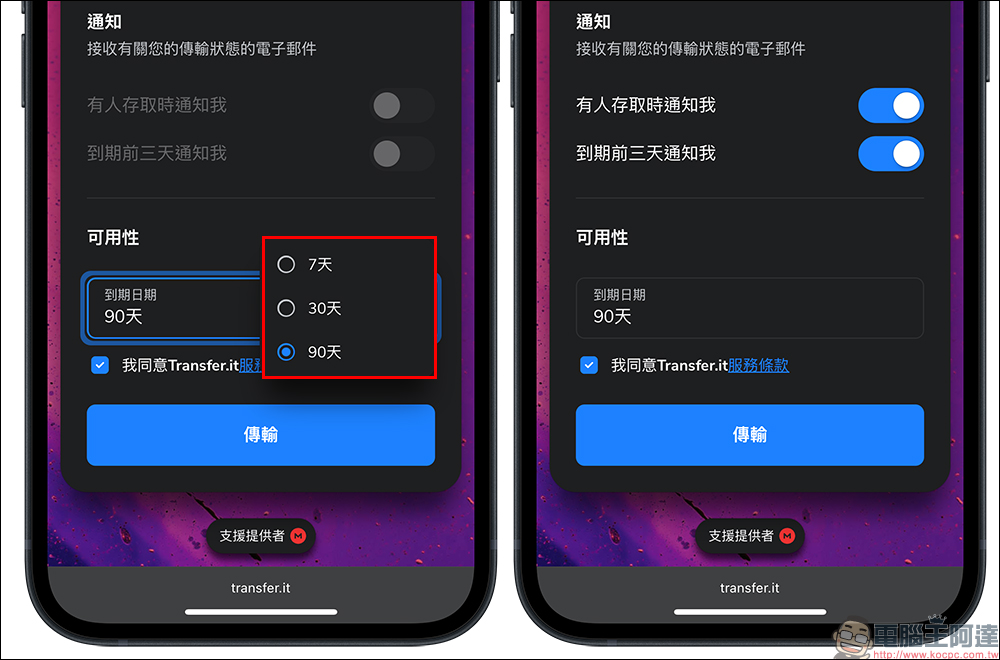
Click the “Settings” button in the upper right corner to select the file storage time. The minimum time can be set to 7 days, and the maximum time can be 90 days. If you upgrade to Pro, users can also set files to be “saved permanently”, which is very convenient for long-term sharing of public links or work projects.
Transfer.it can also automatically send notifications to uploaders under certain circumstances, such as when a file is accessed, or three days before expiration to remind the uploader that the file is about to expire. If you find that the option cannot be turned on, it means that you have not set an email address. Remember to fill it in first.
Step 4. Add password protection
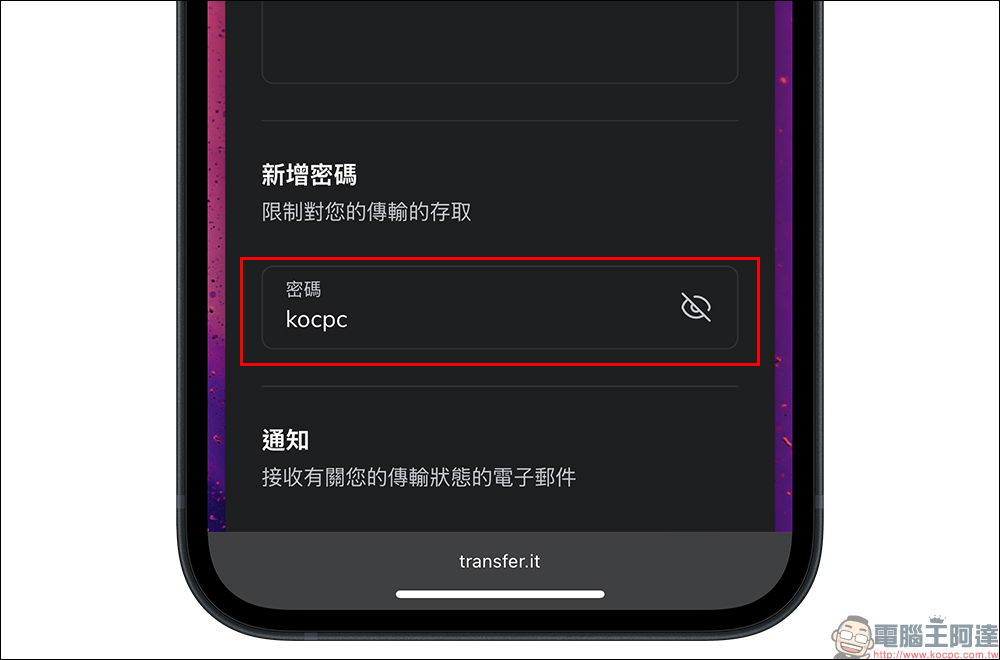
If you are worried that the shared link can be accessed by strangers at will, you can turn on the “Add Password” function. The downloader must enter the correct password to obtain the file, which improves privacy security.
Step 6. Upload and download
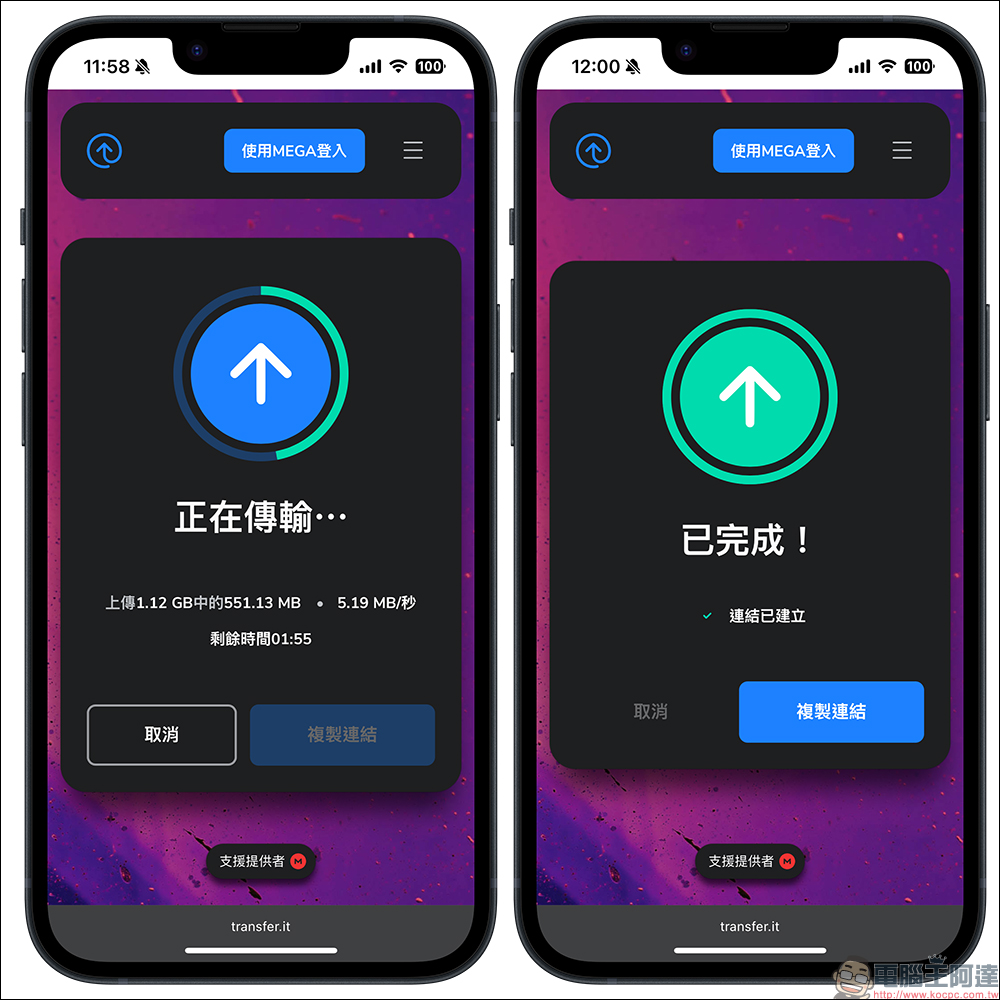
After the upload starts, the screen will display the current transfer progress, speed and remaining time. Once completed, just click “Copy Link” to share it immediately with the people you need.
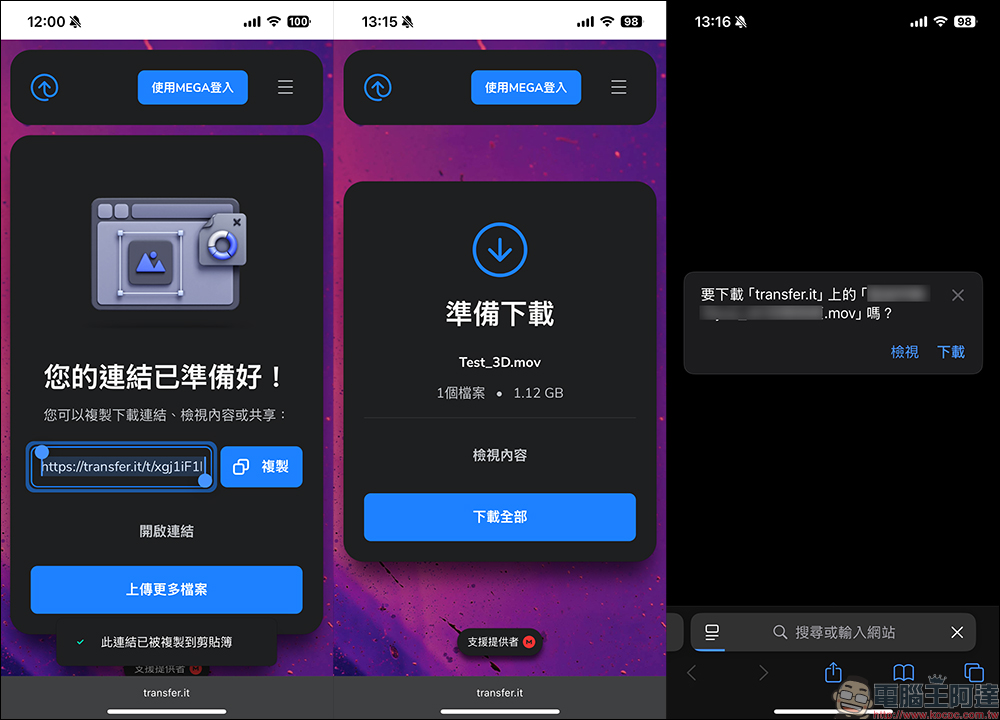
After the other party opens the link, they will see the file name, size and uploader’s message. Click “Download All” to download with one click. If a password is set, you need to enter the correct password to access the file.
Conclusion
In this era of increasingly large files, it is very important to find a file transfer tool that is easy to use and does not get stuck. Transfer.it not only requires no registration and no capacity limit, but also combines MEGA’s encryption technology and stable performance to make file sharing faster and more secure. For students, office workers, designers, engineers, or even users who just want to transfer videos to friends, Transfer.it is a new option worth trying.
Now that the Transfer.it function is fully free and open, you might as well try it out for yourself. You may feel that it is easier to transfer files than WeTransfer and Dropbox, and it will directly become your new file transfer tool!
Transfer.it free space:https://transfer.it/
Further reading:
Source: KOCPC Chinese