


Photograph App There are hundreds of models, but there are not many tools that can create your own style and have a strong film feel. VSCO Capture is such a product specially designed for image beauty control.photography The app allows you to apply classic filters, film halos and soft focus effects right when you take a photo. It also supports manual adjustments and RAW shooting. No matter you are a photography veteran or a novice in beauty, you can find your own style language through it. Want to take photos with a sense of story using your mobile phone? This app is worth trying!
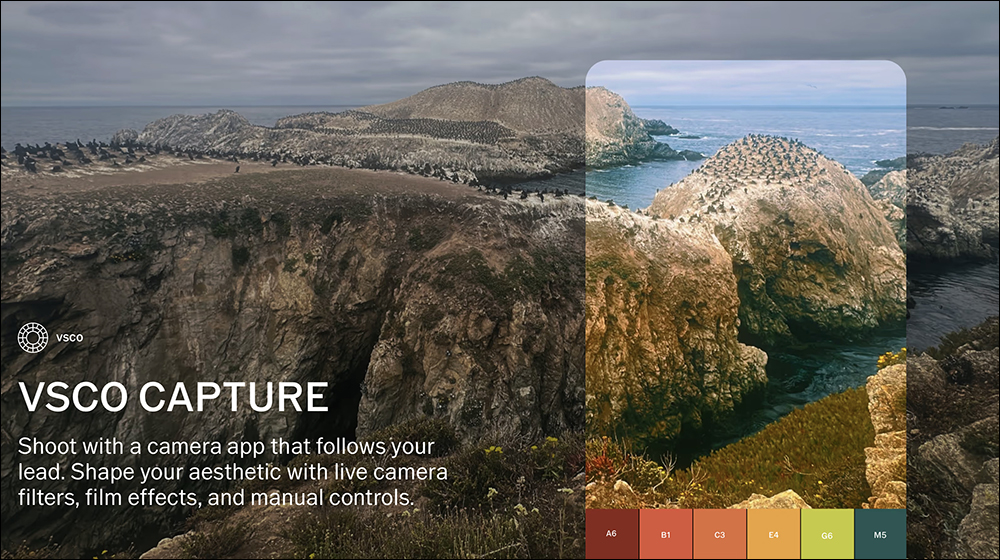
VSCO Capture App|Built-in 50 classic filters, film halo and soft focus effects, shooting film-like film images with one click is not a dream
In recent years, the craze of body-worn cameras has quietly returned. Whether on the streets, in cafes, or at tourist attractions, you can always see many people holding lightweight cameras such as GR, Fujifilm, and Leica to take street photos. The goal is to shoot pictures with a unique style, a film-like or movie-like feel. This style is not only retro and nostalgic, but also an emotional expression, giving photos or videos an extra layer of storytelling and atmospheric beauty.
But to be honest, the price of this type of popular body-worn camera is not cheap, starting at at least 30,000 to 50,000 yuan. In addition, you have to learn different lenses, aperture shutters, focus modes and other operating logic. For novices, the threshold is quite high. If you just want to simply record your life, but also want to take high-quality images, it is not cost-effective to spend money on equipment. If you buy the camera, it will become dusty within three months.

At this time, in fact, what you have at hand iPhone With a mobile phone, you can achieve similar style effects by pairing it with a powerful photography app. For example, the VSCO Capture introduced today by the VSCO team is a photography app designed specifically for users who “want to take cinematic photos but don’t want to invest in too many equipment.” It not only provides real-time filter preview and film-like light effects processing (Bloom, Halation), but also supports RAW shooting and manual adjustment, allowing you to play with high-quality images using your mobile phone and easily create your own photography style, saving money and stress-free.
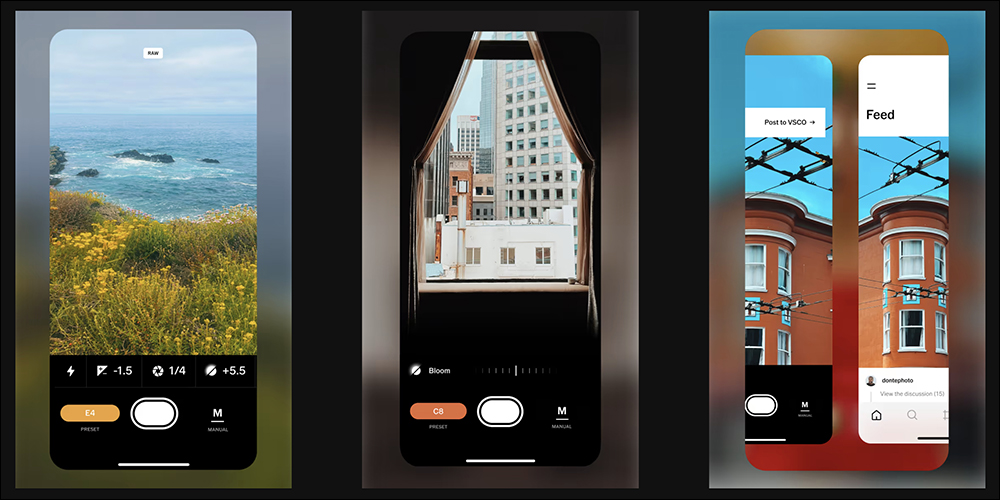
If you have dabbled in mobile photography, then the name “VSCO” must be familiar to you. This starts withfilterThe app with its distinctive style has long been the first choice for many creators and photography enthusiasts around the world. Now, VSCO has launched a new photography tool app “VSCO Capture”, which not only continues the classic filter aesthetic, but also adds real-time filter preview, customizable film lighting effects (Bloom/Halation), manual shooting settings and RAW support, making photography no longer just about pressing the shutter, but a creative process about style and atmosphere.
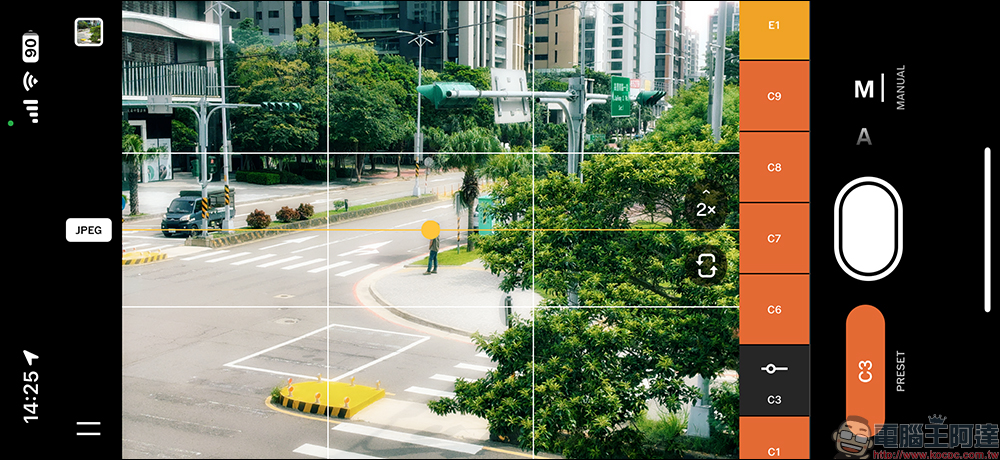
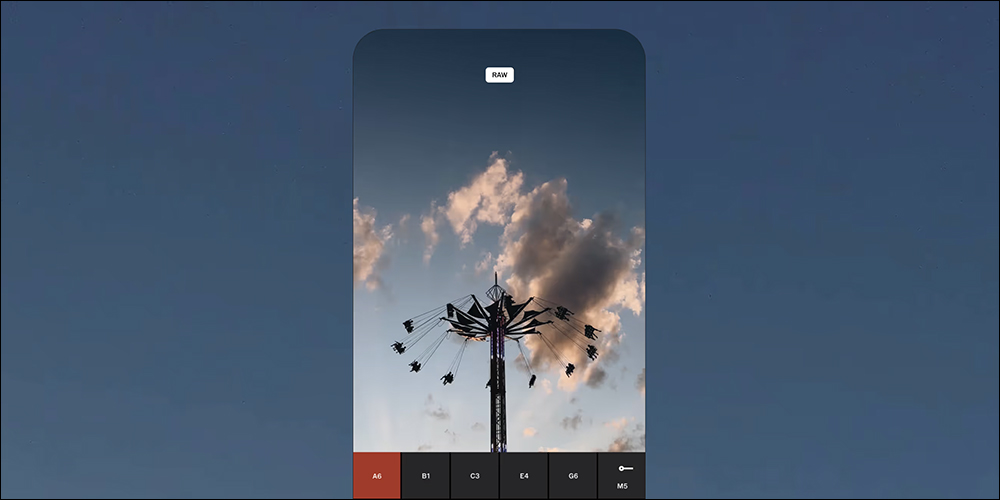
The biggest charm of VSCO Capture is that you can directly see how the photo will look like when you take the photo. The app has more than 50 built-in style preset filters (Live Camera Filters), ranging from retro film style, modern minimalist style, to special tones inspired by the creator. Each one can be previewed in real time, allowing you to confirm the overall atmosphere while taking the shot, without having to adjust it slowly after taking the shot.
This is super practical for creators who pay attention to the overall tonality of photos. For example, when taking portraits, you can directly apply warm color filters, and when taking street scenes, switch to high-contrast black and white, which saves a lot of post-production time and ensures that “the shots will look right.”
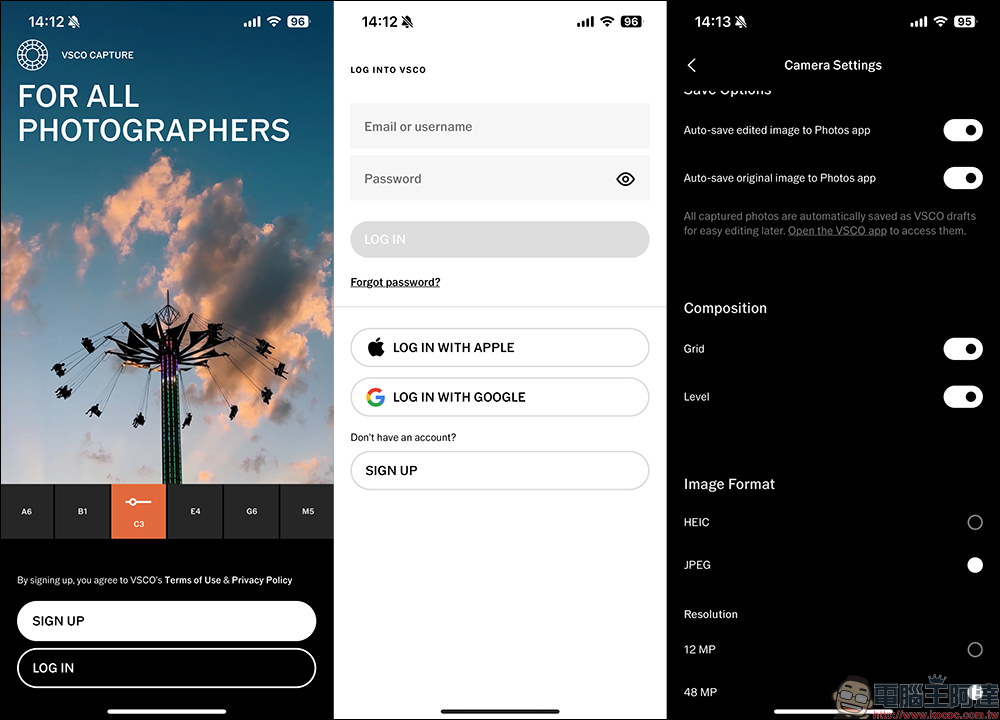
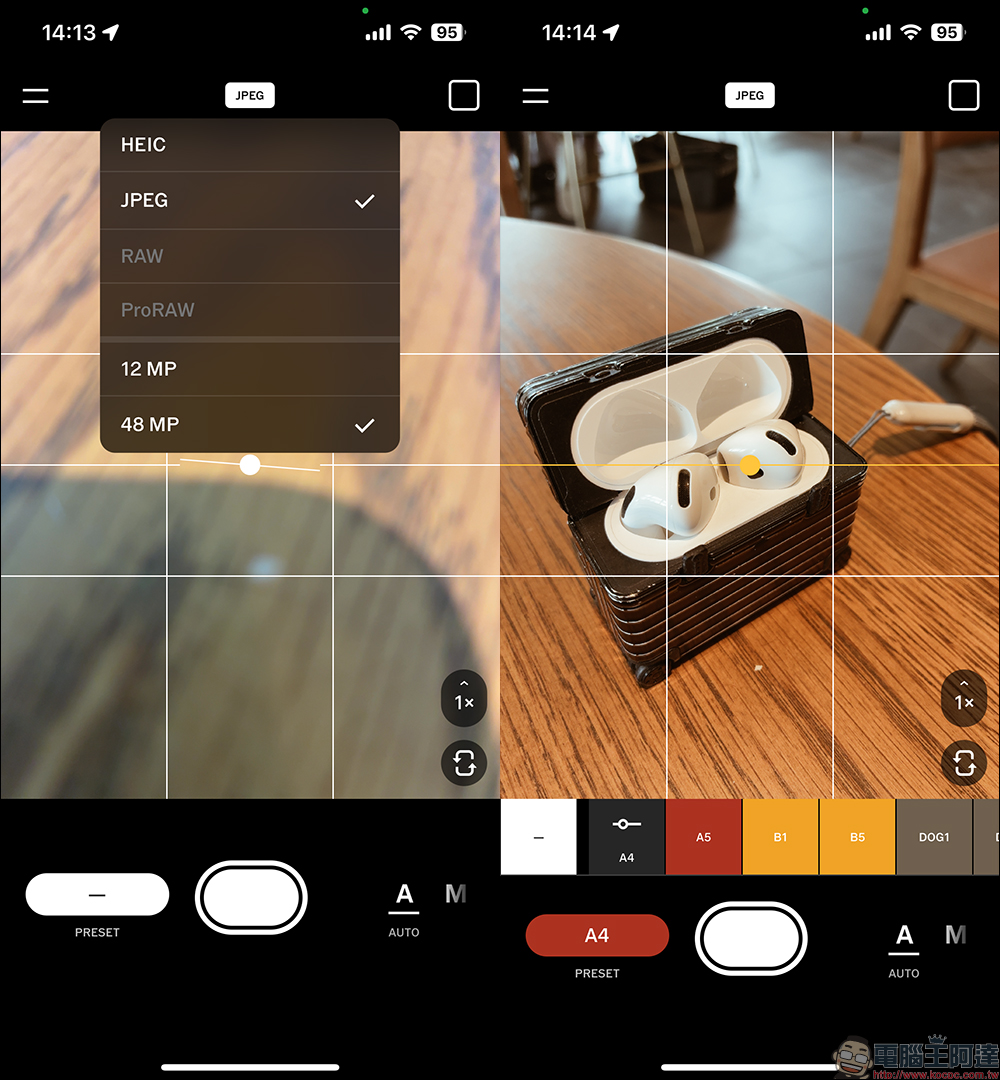
When you open VSCO Capture for the first time, you must log in to your account first. You can use Apple or Google to quickly log in. If you are a VSCO member, you can also log in directly. On the Camera Settings page, users can set up automatic storage of edited photos, automatic storage of original photos, and can also set the Grid and Level. The image format can be saved as JPG or HEIC by default, or RAW format can be selected when shooting.
In addition, the pixels of the photos can also be set to 12MP or 48MP, but this still depends on the mobile phone device used by the user.
Take a photo and create! Instant filters let you set your style while taking photos
The biggest charm of VSCO Capture is that you can directly see how the photo will look like when you take the photo. The app has more than 50 built-in style preset filters (Live Camera Filters), ranging from retro film style, modern minimalist style, to special tones inspired by the creator. Each one can be previewed in real time, allowing you to confirm the overall atmosphere while taking the shot, without having to adjust it slowly after taking the shot.
Of course, the intensity and various values of different filters in VSCO Capture can be fine-tuned according to the feeling you want to present. This is super practical for creators who pay attention to the overall tonality of photos. For example, when taking portraits, you can directly apply warm color filters, and when taking street scenes, switch to high-contrast black and white, which saves a lot of post-production time and ensures that “the shots will look right.”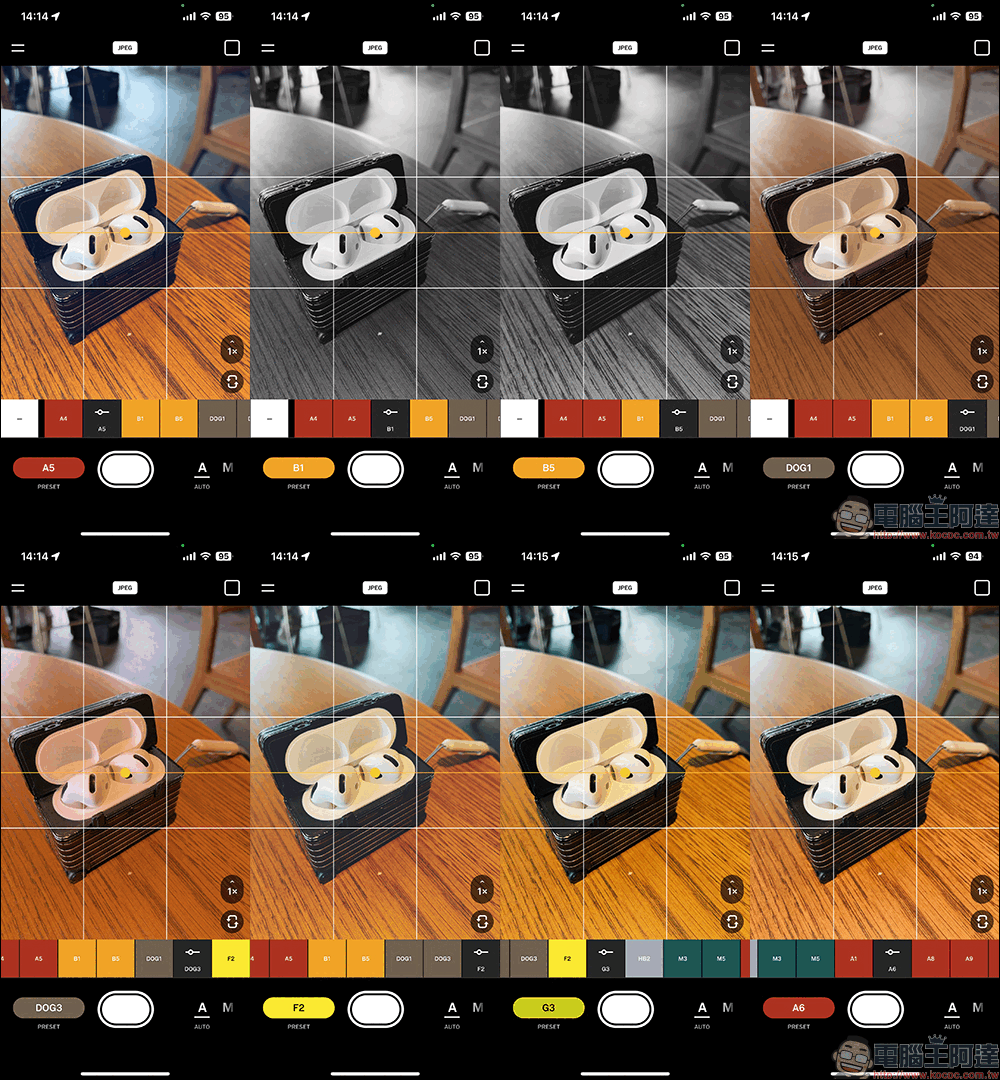
Manual control × RAW shooting, giving you professional-level freedom
In addition to having enough and beautiful filters, VSCO Capture not only supports A mode (Auto, automatic mode) but also supports a complete M mode (Manual, manual mode). In manual photography control mode, users can set shutter speed, ISO, white balance, etc. by themselves. Whether you want to shoot night scenes with light trails or create motion blur, manual mode can do it all. It can also turn on the RAW shooting mode to completely retain the image information, giving you more room for adjustment in subsequent photo retouching.
This also means that it is not just a filter toy, but a shooting tool that can truly meet the needs of professional photography. You can even combine different filters and exposure techniques to take experimental and artistic photos.
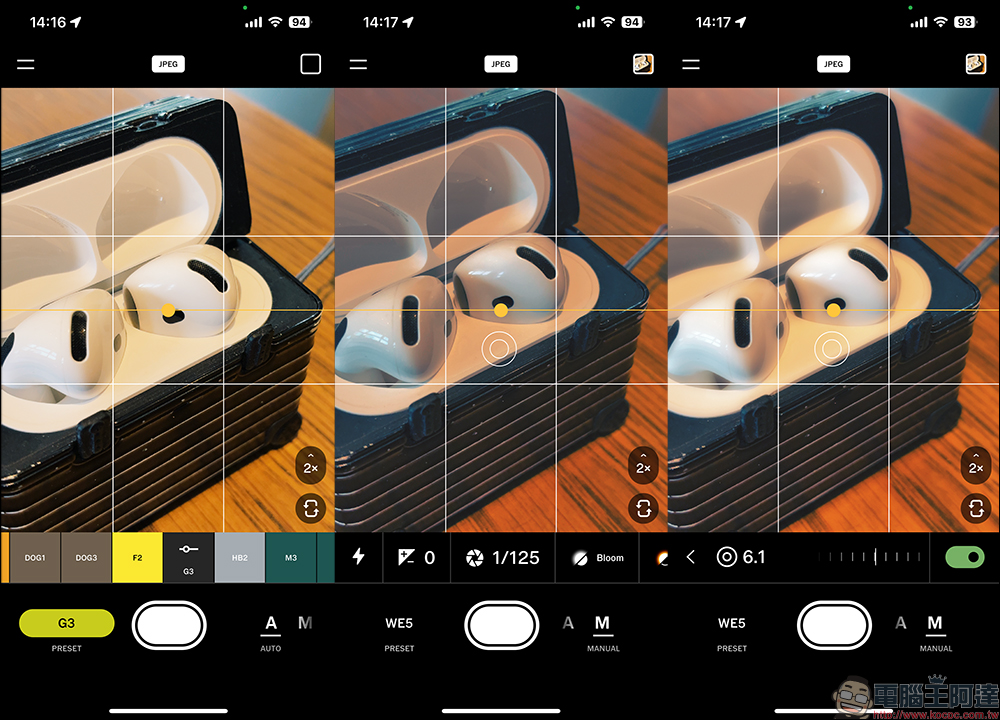
Bloom and Halation: Light and shadow magic that creates a film-like feel
If you are someone who likes retro film style, then the Bloom and Halation effects of VSCO Capture will definitely make your eyes brighten. Both tools have detailed control options, such as intensity, range, size, etc., which can be fine-tuned. At the same time, they can be matched with different filters and can create many combinations, giving you a high degree of creative freedom.
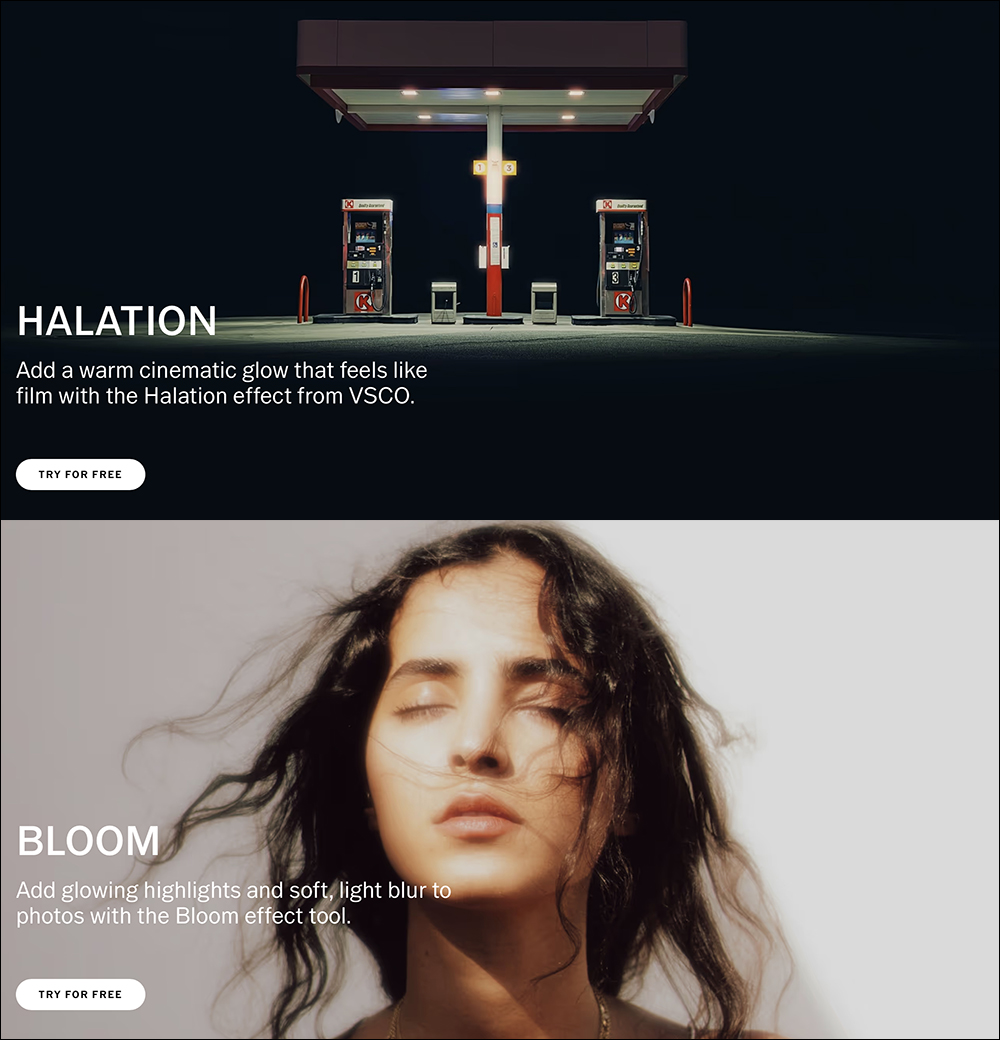
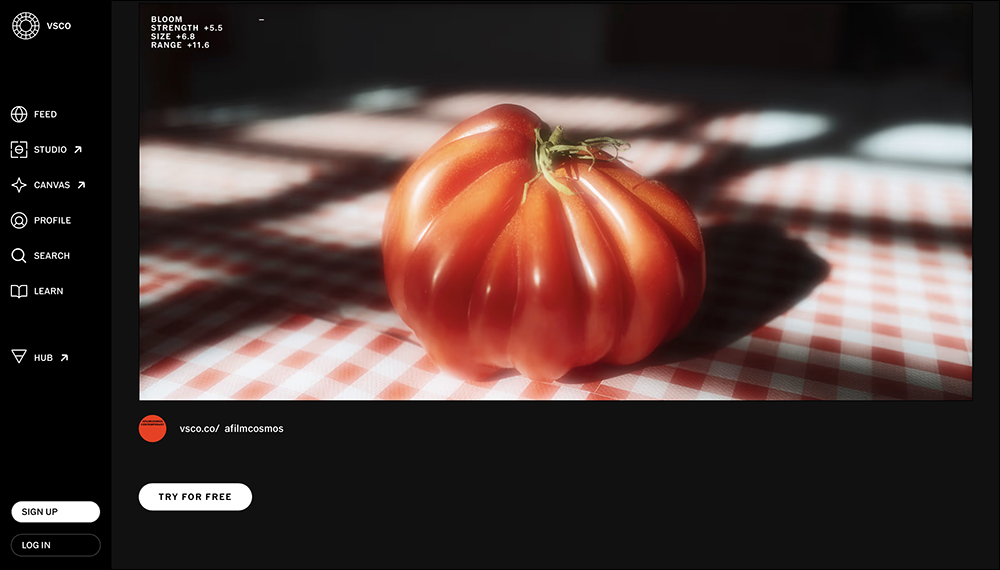
Bloom soft light effect:
It will give a dreamy soft haze to the bright parts of the picture, just like the hazy light of sunlight shining into the room through the curtains. This function is particularly suitable for shooting scenes such as window backlighting, dusk portraits, night street lights, etc., creating a dream-like atmosphere with one click.
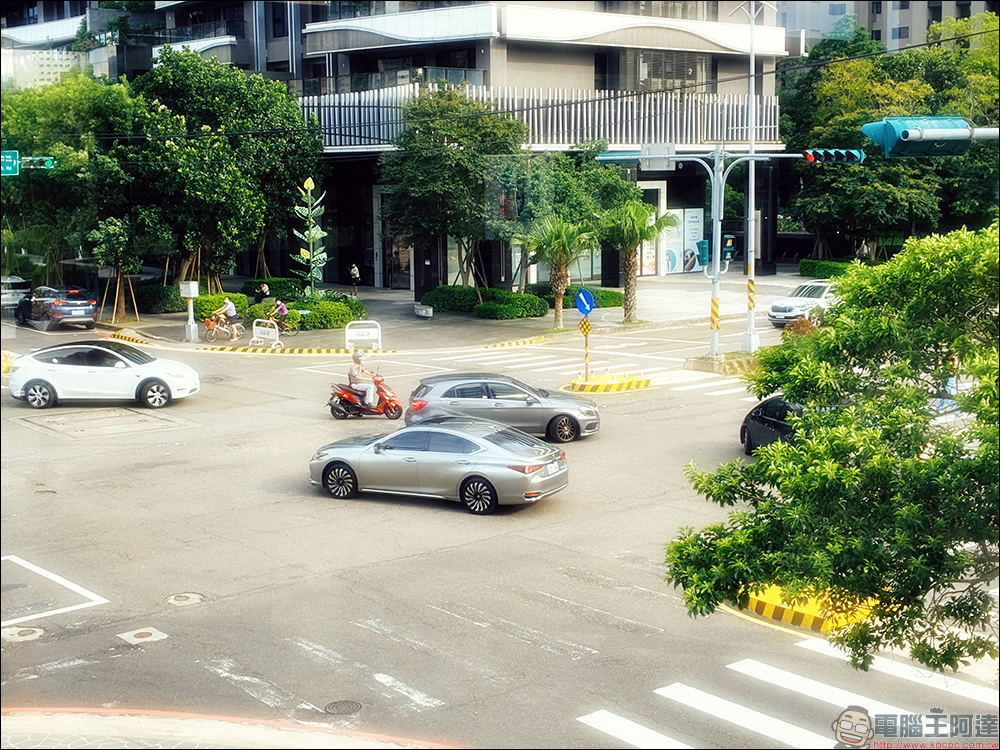
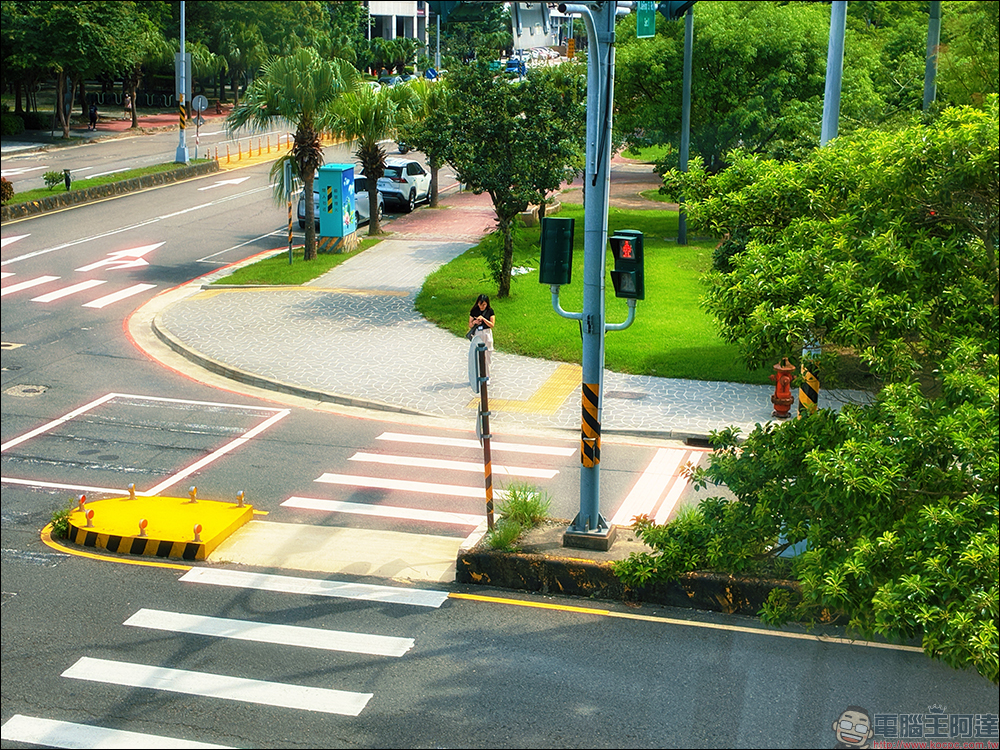
Real shot example:

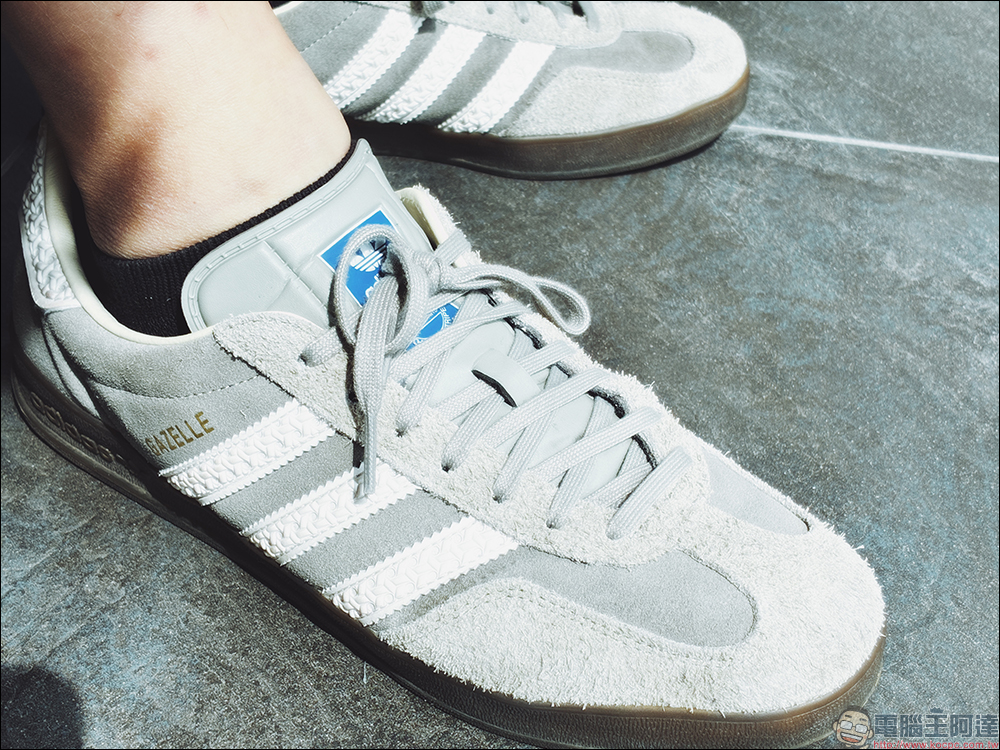
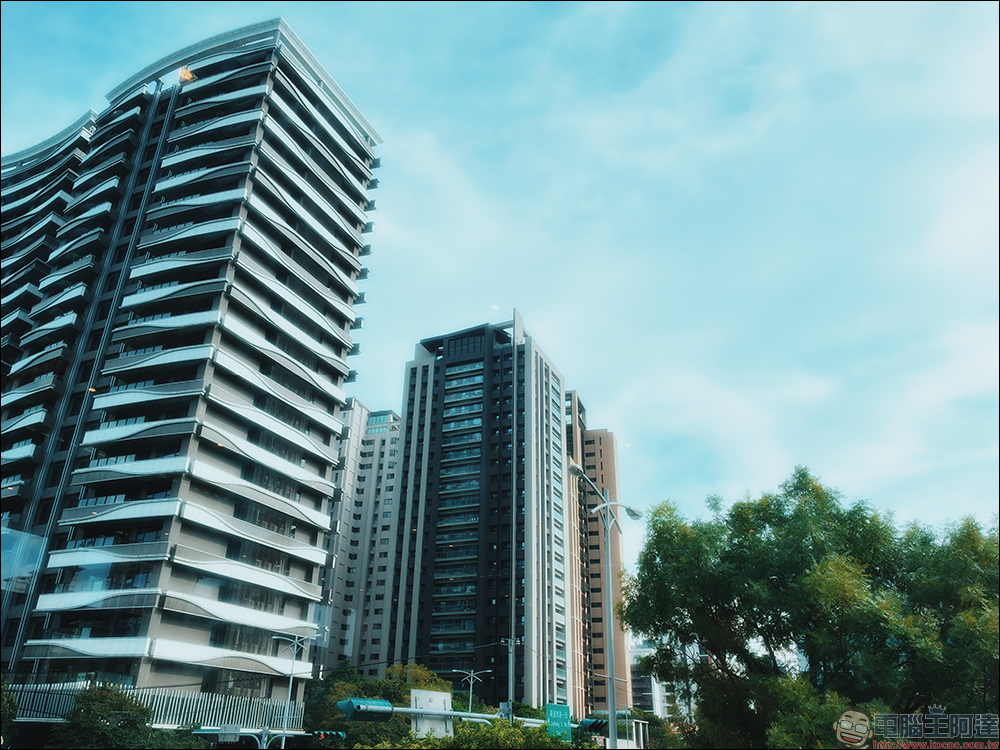
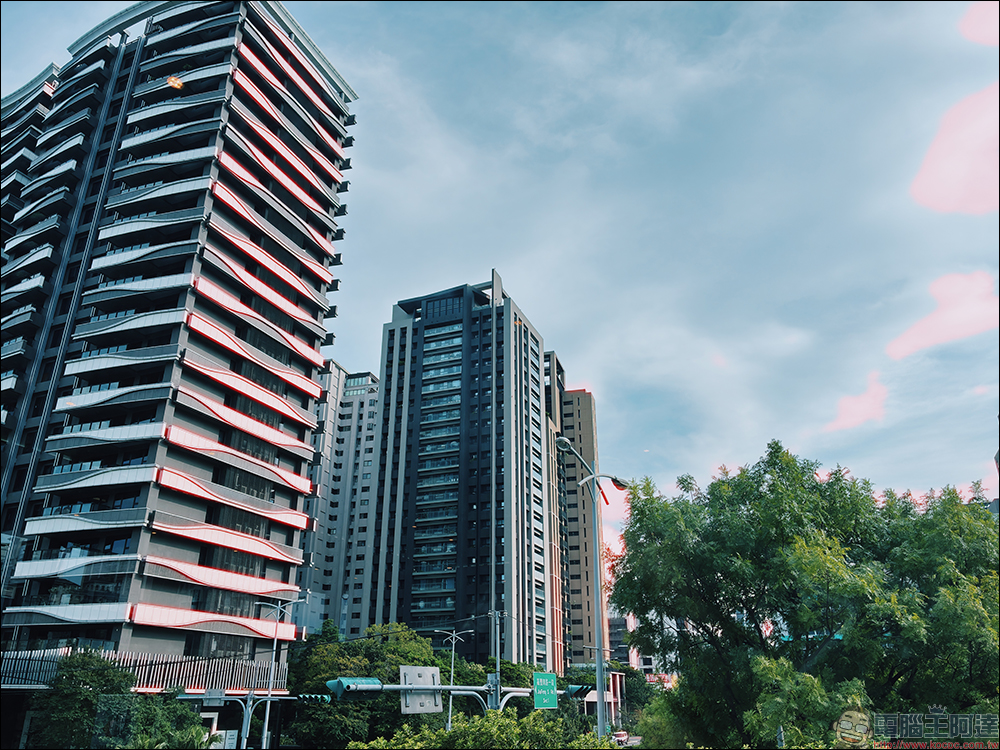
Halation halo filter:
It simulates the red-orange halo effect common in negative film, especially in the highlight area, which naturally emits a circle of warm tones. This effect not only makes the photo more emotional, but also instantly adds a nostalgic quality.
Real shot example:
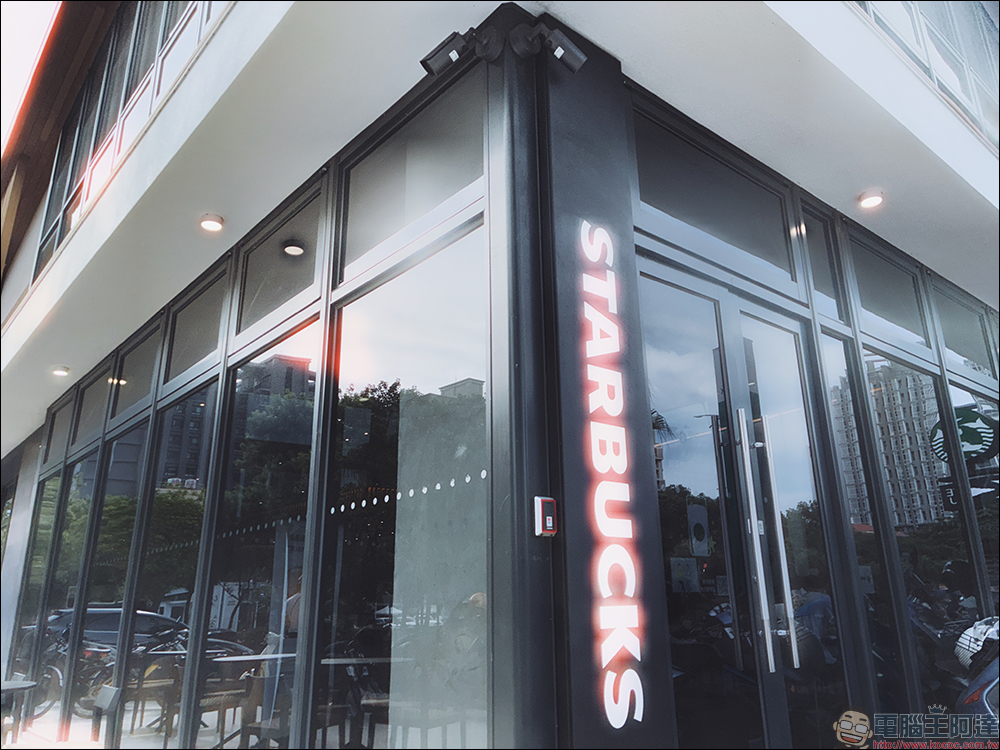

After shooting, directly synchronize VSCO editing and publish your photography diary with one click.
Another great thing about VSCO Capture is that it integrates perfectly with the main VSCO app. The photos you take can be automatically synced into the VSCO editing interface, seamlessly switching to advanced color correction, applying more filters or local adjustments. After completion, you can also publish it to your VSCO personal page with one click, just like running a photography diary and accumulating your own creative records. This process is very friendly to creators. There is no need to transfer and share files back and forth between multiple apps, which saves time and makes creation more intuitive.
Where to download VSCO Capture?
Currently, VSCO Capture App is only available in iOS version, and it has been officially launched on the App Store a few days ago. VSCO Capture App is a free app. Once downloaded, you can use all the built-in filters, light and shadow effects, and other functions.
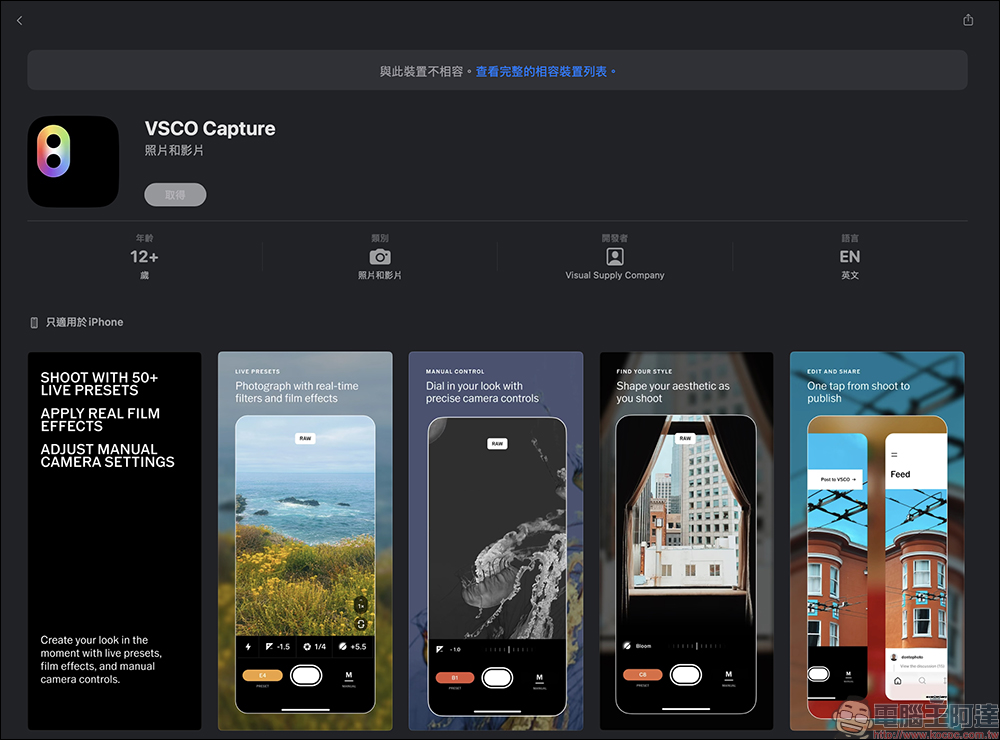
VSCO Capture App download:
App Store(iOS)
Conclusion
If you often take photos with your mobile phone and want to explore your photography style more deeply, VSCO Capture is definitely worth trying. It is not just a “good-looking” filter tool, but a good partner that can accompany you in creation and help you express your visual language. From real-time filter preview, manual settings, RAW support, to dreamy Bloom and Halation effects, whether you are taking casual daily photos or carefully composed creations, you can take eye-catching photos.
Further reading:
Source: KOCPC Chinese