


Although iPhone photography is not bad, for some professional users, they will definitely hope to be able to customize the shooting values like a camera. And now there is a powerful Linx: Camera Effects App in the App Store We are launching a lifetime limited edition free event(The exemption has ended), you can unlock all functions after obtaining it. Not only can you adjust the exposure and apply filters when taking pictures, but you can also perform post-production modifications on each photo, including exposure, contrast, grain, sharpness, vignetting, color temperature, saturation, etc.
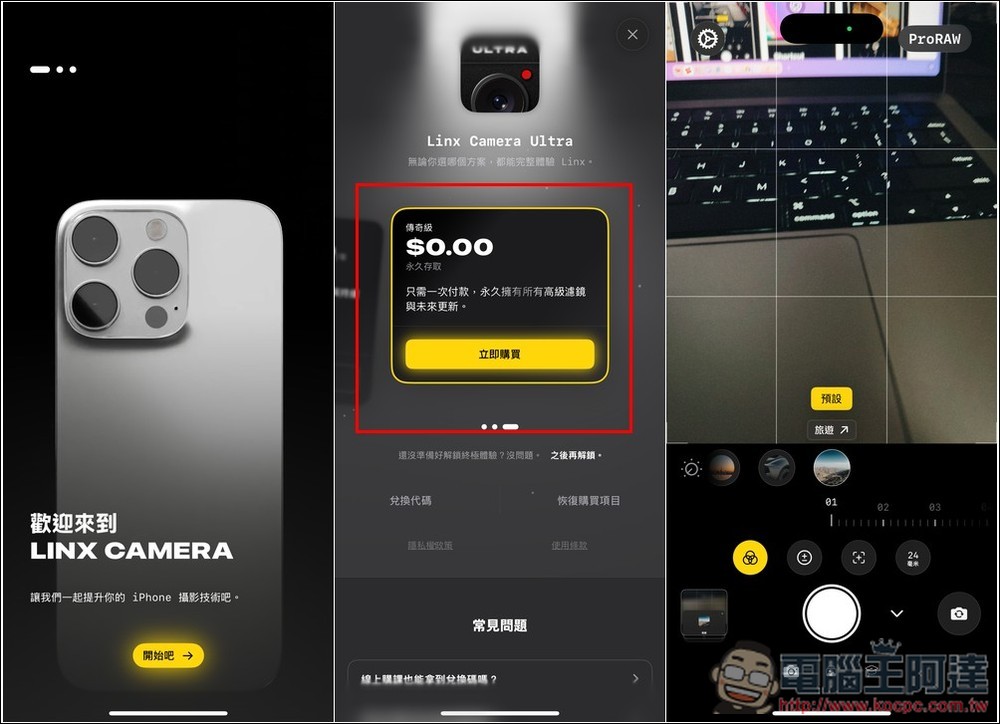
Linx: Camera lifetime version is free! Make iPhone camera changes powerful, not only can you adjust exposure, shutter and other values, but also have a large number of built-in filters
Linx Camera is an app built for the pursuit of high-quality photography and editing experience. Whether it is shooting, editing or detail adjustment, Linx Camera provides related functions, such as real-time filters, precise exposure control, automatic and manual focus, advanced editing tools, etc. It also supports Pro RAW shooting, allowing for greater dynamic range and image detail control.
In addition, Linx Camera’s photos will not only be automatically synchronized with Apple’s built-in photos, but also have version synchronization, so you don’t have to worry about losing the original photos.
The developer has not said when this limited exemption event will end, so those who need it are advised to get it as soon as possible. When making any payment, remember to check whether there is an amount. If there is no amount, it means that the limited exemption is still available. If there is an amount, do not pay.
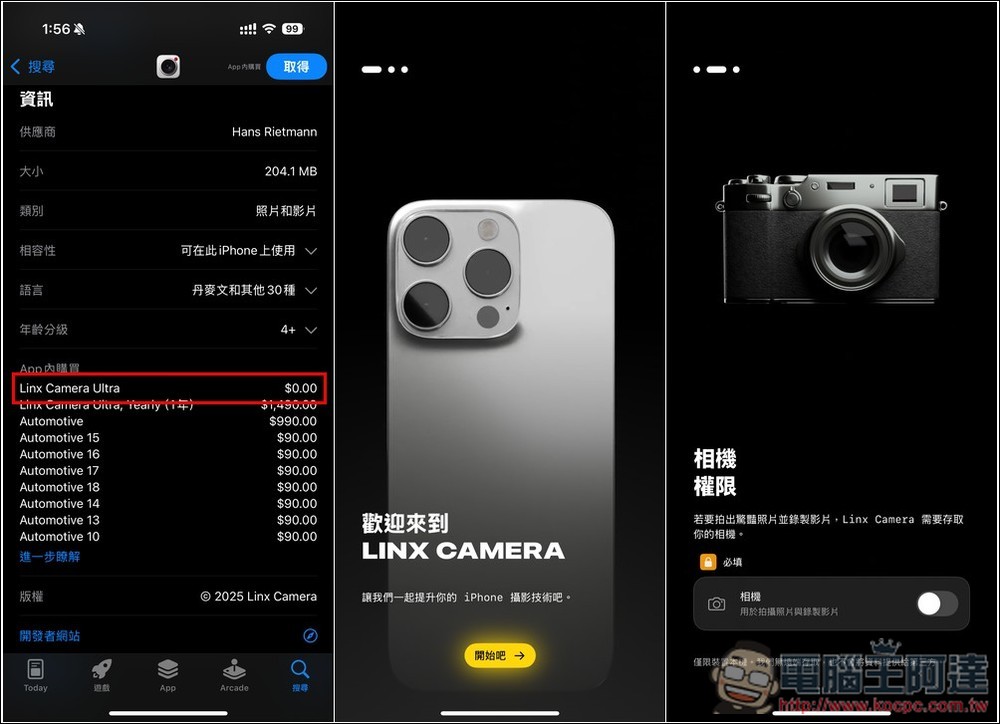
Now go to the App Store page of Linx Camera, scroll down to the in-app purchase section, and you will see the option of Linx Camera Ultra $0.00. If you still have it when you download it, it means it is still free. When you open it for the first time, you will be asked to obtain camera permissions. Remember to allow:
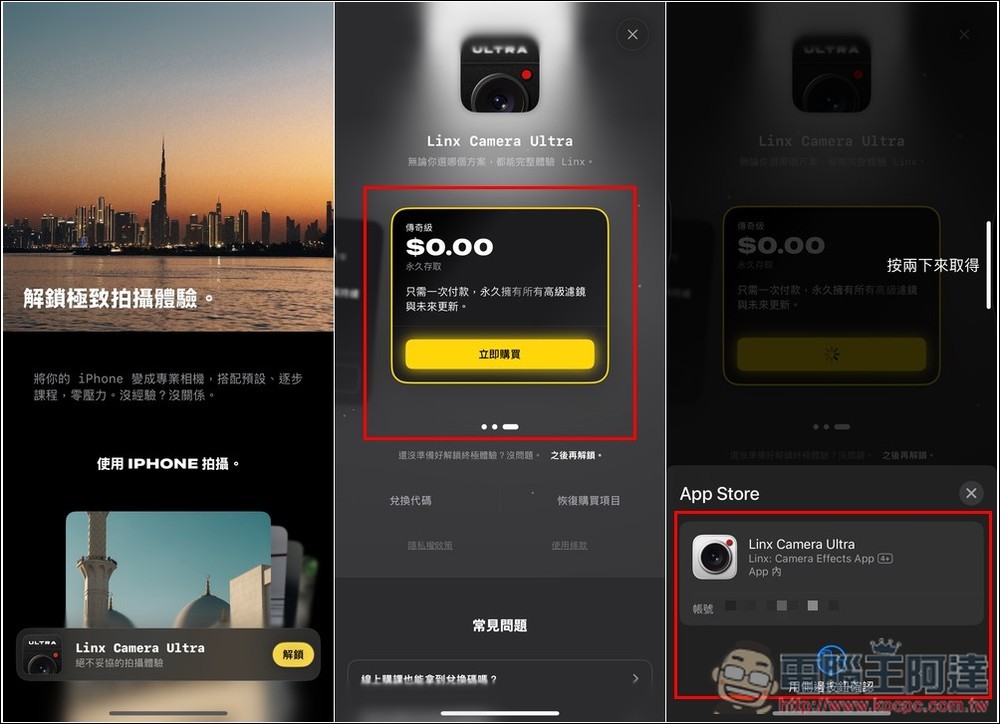
Then when you enter the unlocking page, find the subscription plan, then swipe left, you will see the legendary $0.00, which is the lifetime version. There is also a description below, “You only need to pay once, and you will have all advanced filters and future updates forever.” After pressing Buy Now, confirm whether there is no amount. If so, you can press twice to get it:
If “Your purchase has been successful” is displayed, it means that you have upgraded to the lifetime version, and then you will enter the main screen of the App:
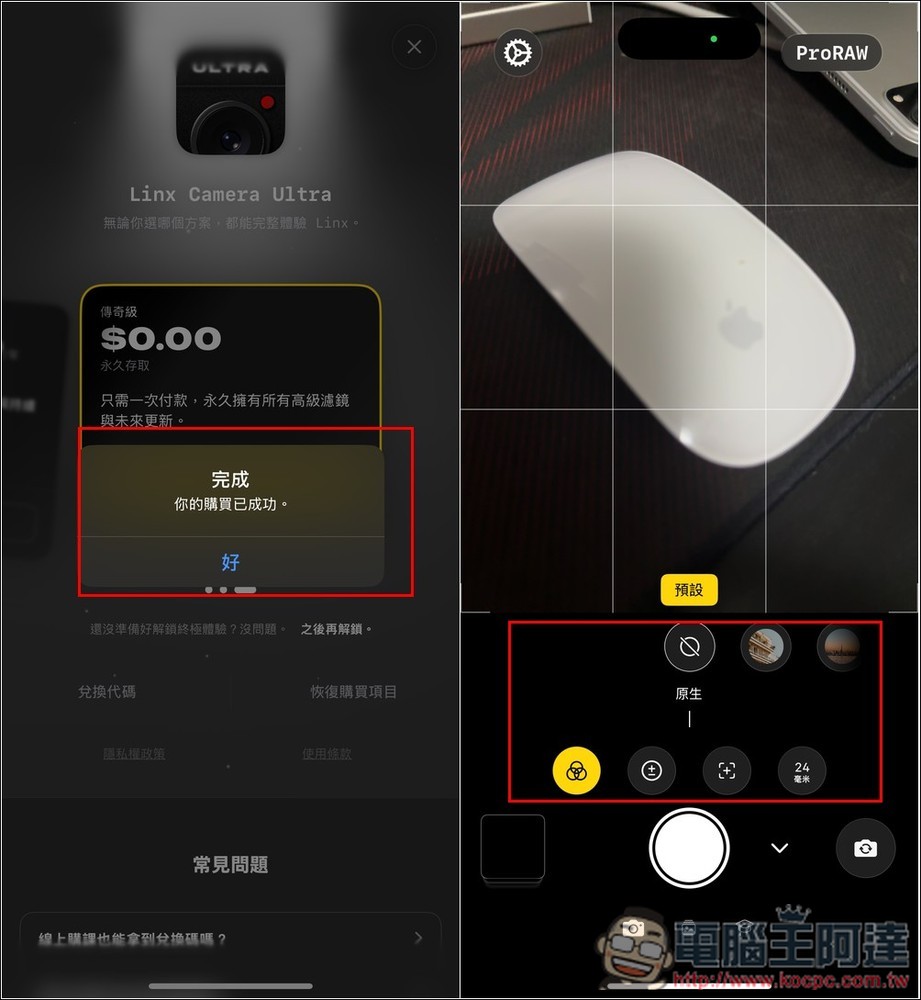
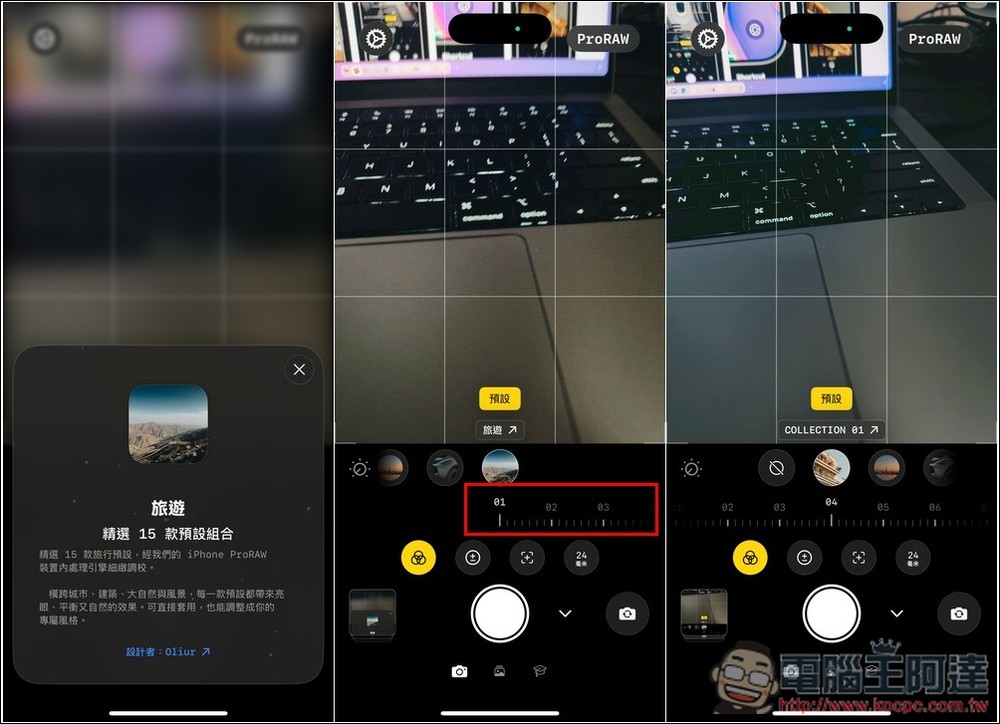
When taking a photo, there are four options to set. The first is filters. Swipe left or right to preview the effect of each filter in real time. Each category basically has more than 10 filters:
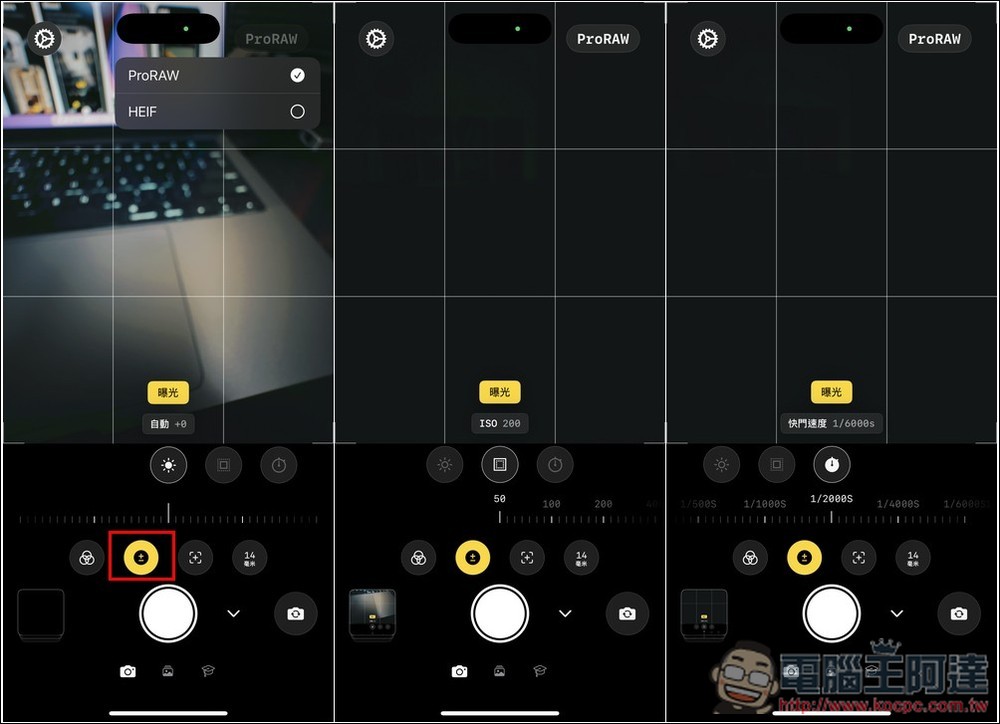
The default will be to shoot in ProRAW, if you want to switch back to HEIF, you can change it in the upper right corner. The exposure section allows you to adjust brightness, ISO and shutter speed:
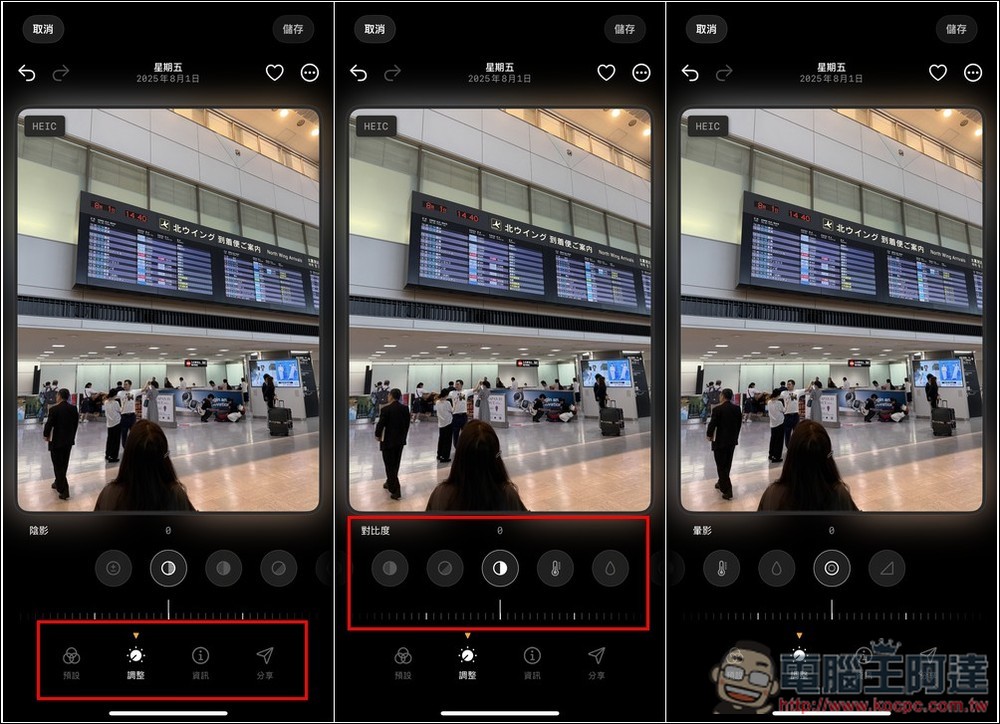
The picture below is the interface for editing photos, which also provides many adjustment functions, including: exposure, shadows, noise/grain, contrast, color temperature, saturation, vignette, and sharpness:
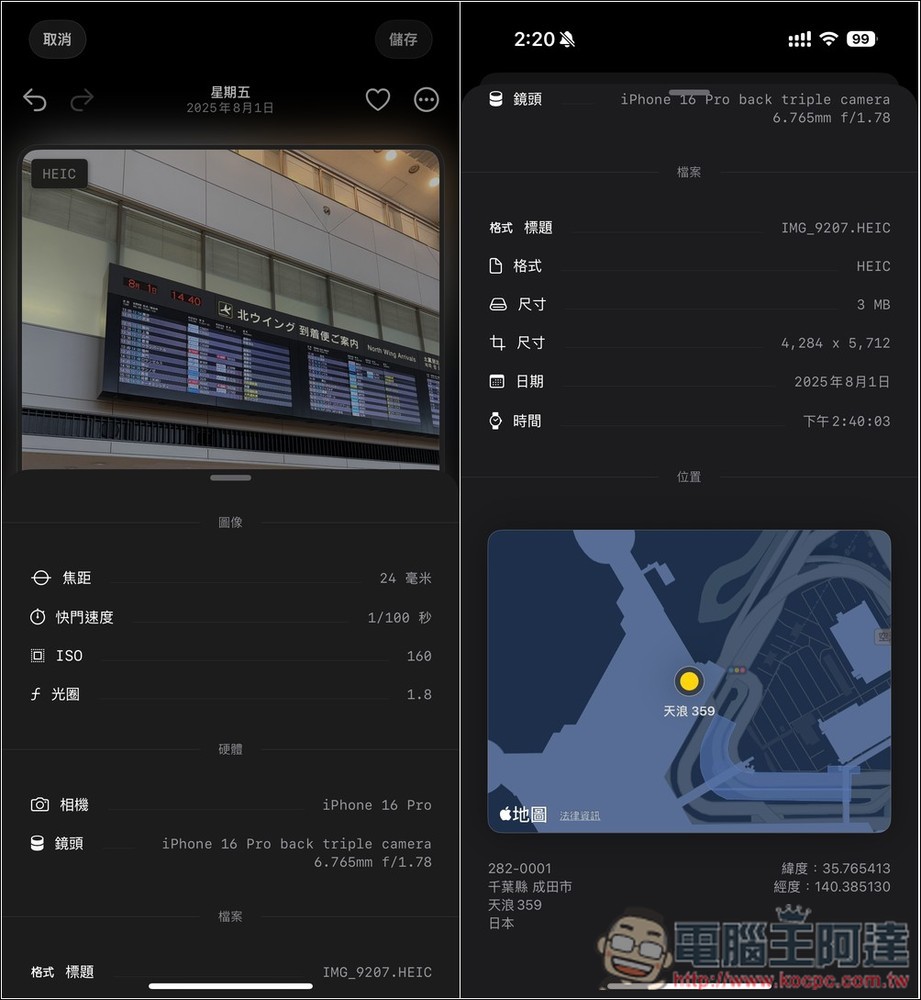
Click “Information” to view the details and GPS location of this photo:
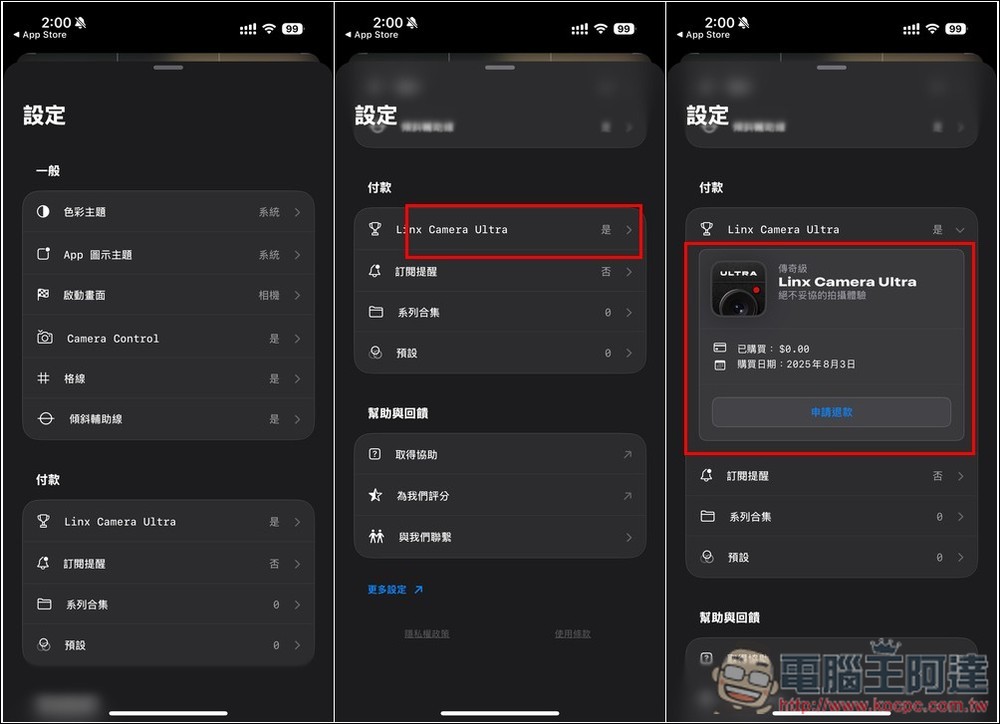
There are also some options that can be adjusted in the settings. If you are worried that you have not gotten the lifetime version, click the “Linx Camera Ultra” option to check whether you have successfully purchased the legendary version:
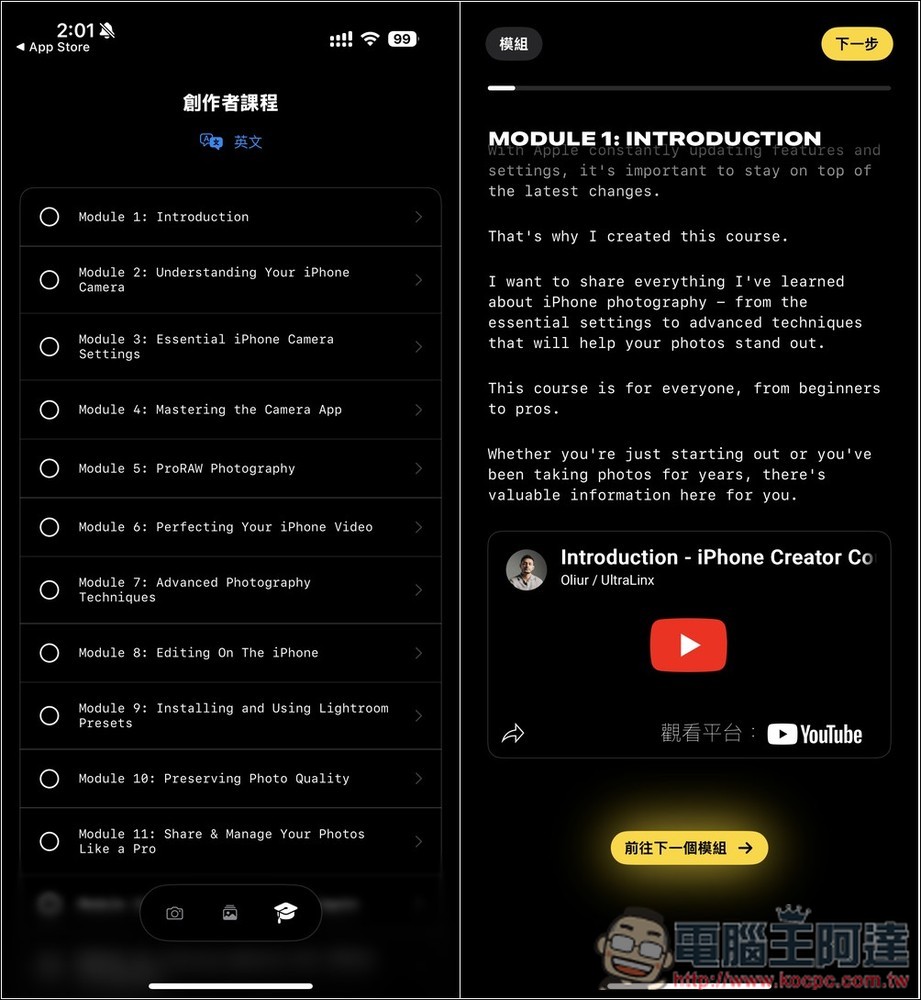
There are also many creator courses available, but the default is English. You can click the translation icon above to translate the content into Chinese through the built-in translation function:
Source: KOCPC Chinese