


Many services now adopt a subscription system, so everyone should subscribe to a bunch of things, such as the common ones like Netflix, Disney,ChatGPT、KKTV、AdGuard、YouTube Premium Wait, you must have a useful subscription management tool at hand at this time, so that you can quickly know how much you spend here every month, when to renew, and control your spending more efficiently. if you are iPhone, iPad, and Mac users, “Subscription Pass” is a very good choice. It not only supports common subscription services, but also includes Taiwan telecom operators’ phone bills, fitness centers, games, VPNs, etc. It can also set currency and renew reminder functions. It is very easy to use and recommended to everyone.
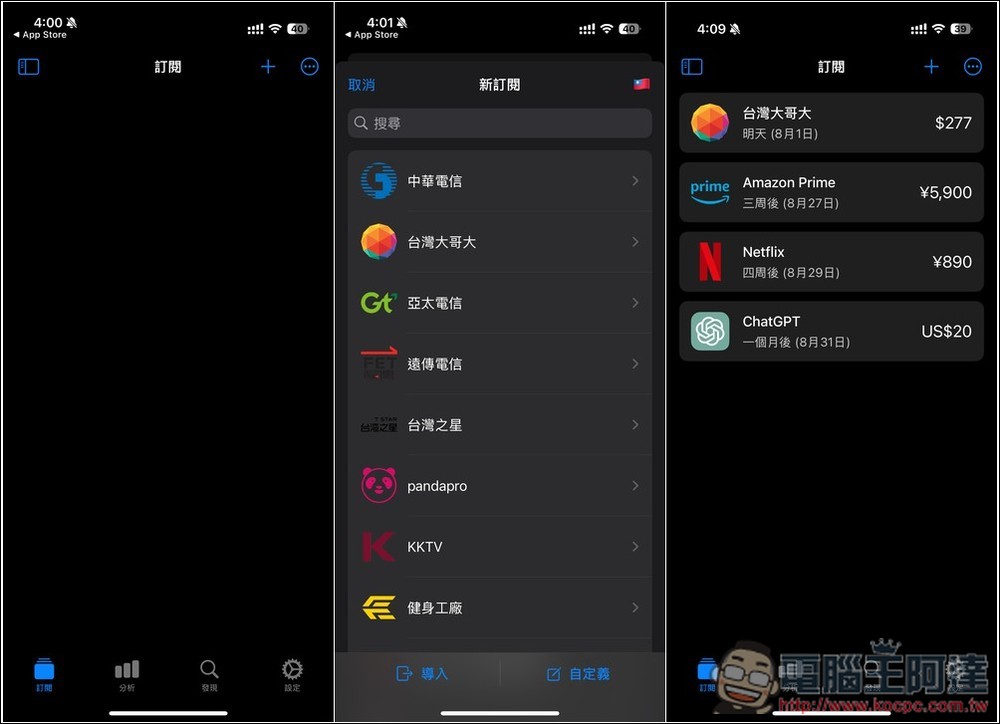
“Subscription Pass” easily manages your various subscription expenses, supports various currencies, multiple services, and reminder functions (iOS/Mac)
Subscription Pass is a native SwiftUI application that can simultaneously manage hundreds of mainstream subscription services on all Apple devices, including local services in Taiwan. It also has functions such as category, expiration date, label, and payment account, and supports 160 currencies. This is very useful for people who subscribe to services in multiple countries.
This app has a free version and a paid version. The free version allows you to use most of the features, and it also offers an ad-free experience. Therefore, if you don’t need advanced features, the free version is enough.
The operation interface of Subscription Pass is very simple. The main menu is at the bottom, including subscription, analysis, discovery and settings. Press the + in the upper right corner of the subscription to add subscription services:

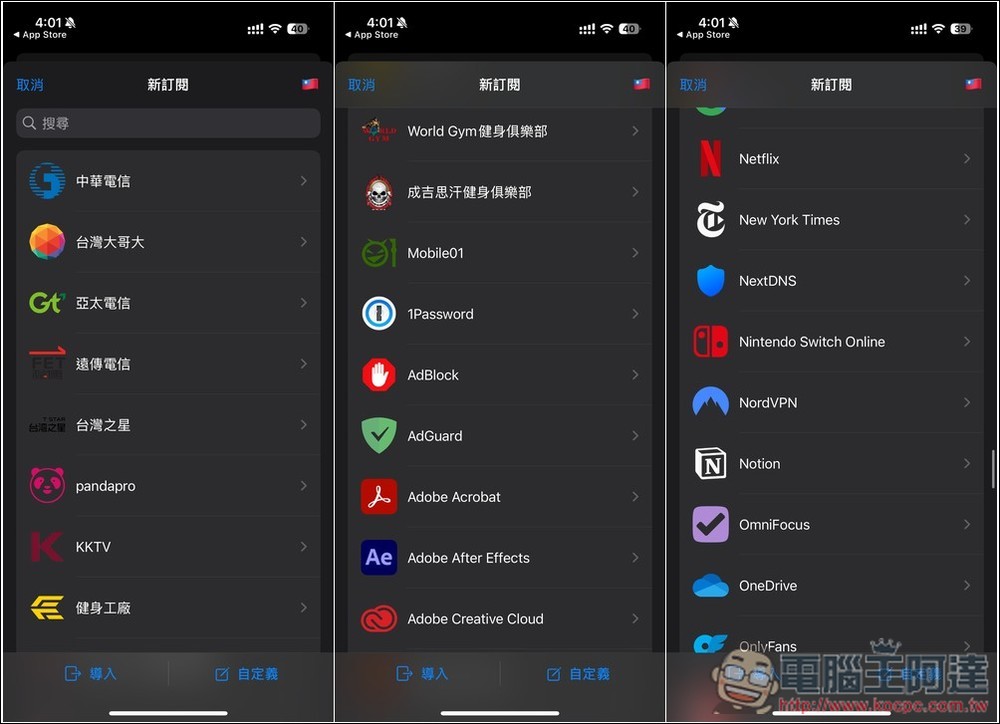
By visual inspection, there should be more than 50 subscription services provided by Taiwanese telecom operators, such as Chunghwa Telecom, Taiwan Mobile, Asia Pacific Telecom, Far EasTone Telecommunications, and even World Gym, Genghis Khan Fitness Club, and Fitness Factory. As long as they are not too popular, you should be able to find them here:
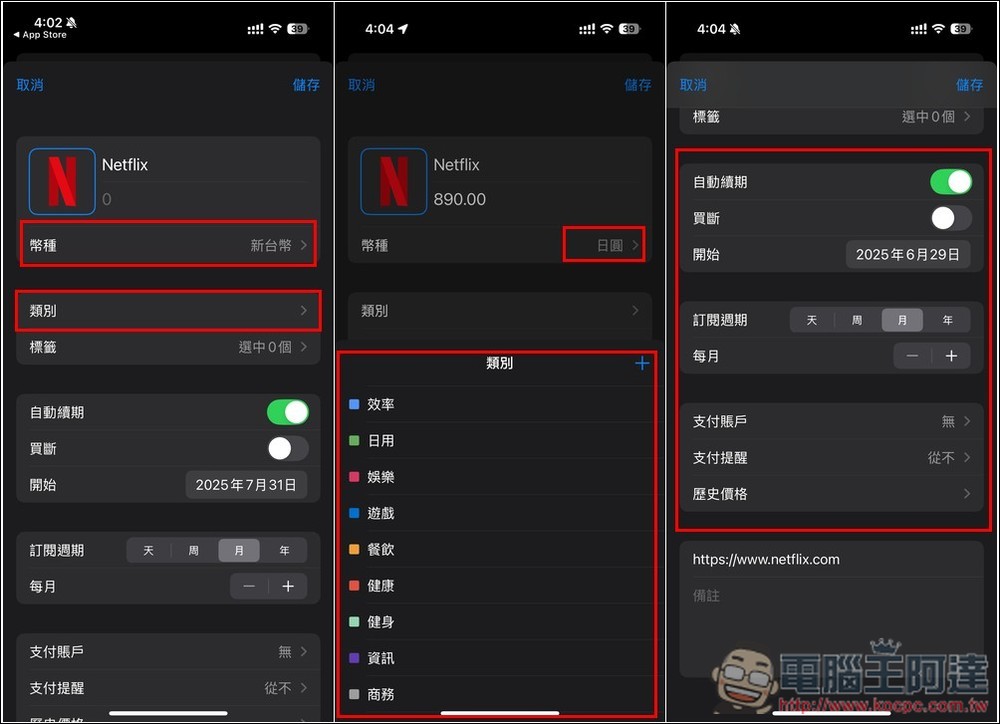
The Netflix I subscribe to is Japanese, so being able to change the currency is great for me, so I changed it to Japanese yen and entered 890 yen. Many commonly used ones have been preset in the category section. If the category you want is not available, you can press + to add it. You can also set automatic renewal, buyout, start date, subscription period, payment account and payment reminder below:
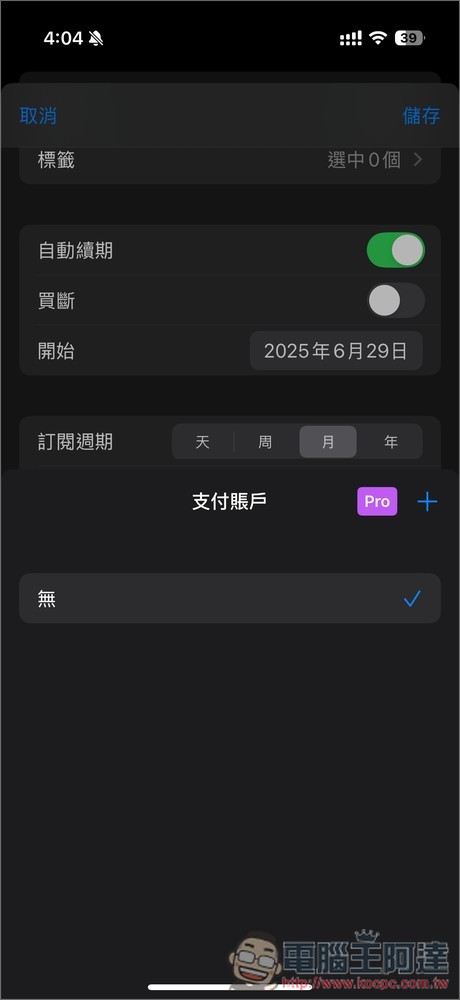
Payment account is a Pro-limited feature. If you want to use it, you can consider upgrading. The price is not expensive:
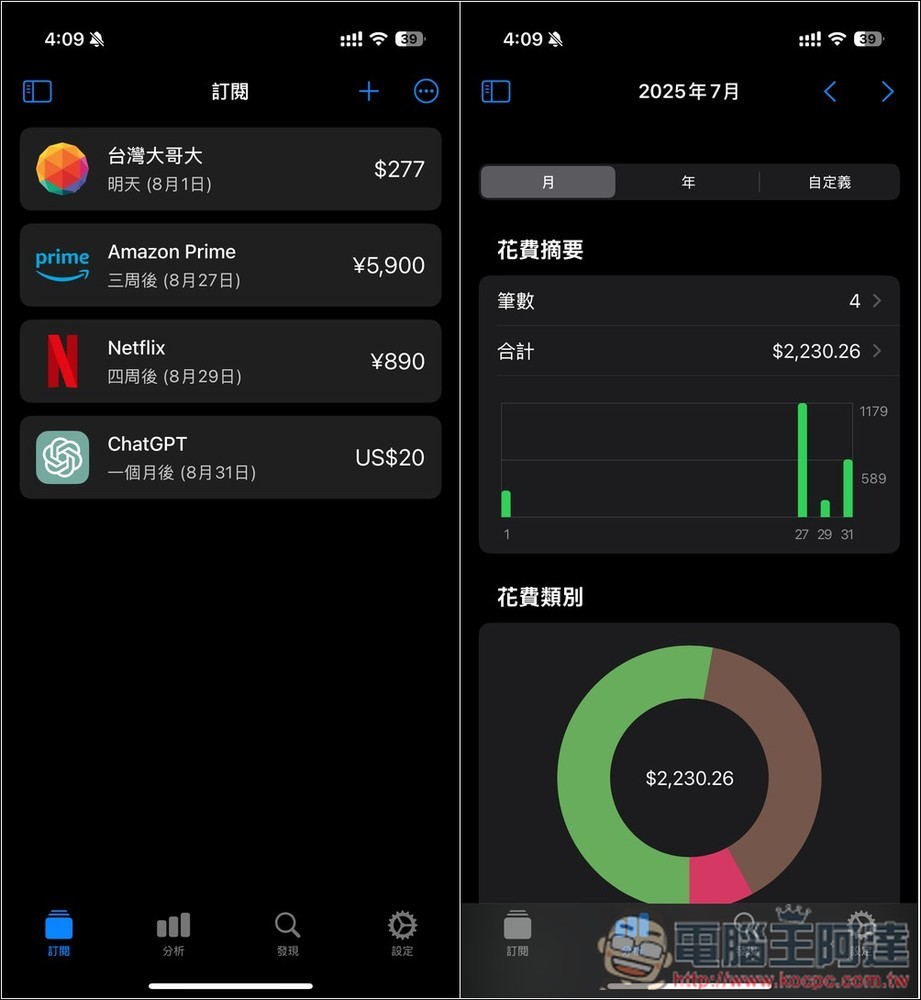
After adding the services you subscribe to one by one, you can view the prices of all subscription services and when to renew them in the subscription list. In the analysis menu, you can also browse the total monthly and annual costs, and which categories cost the most, allowing you to easily grasp all the information:
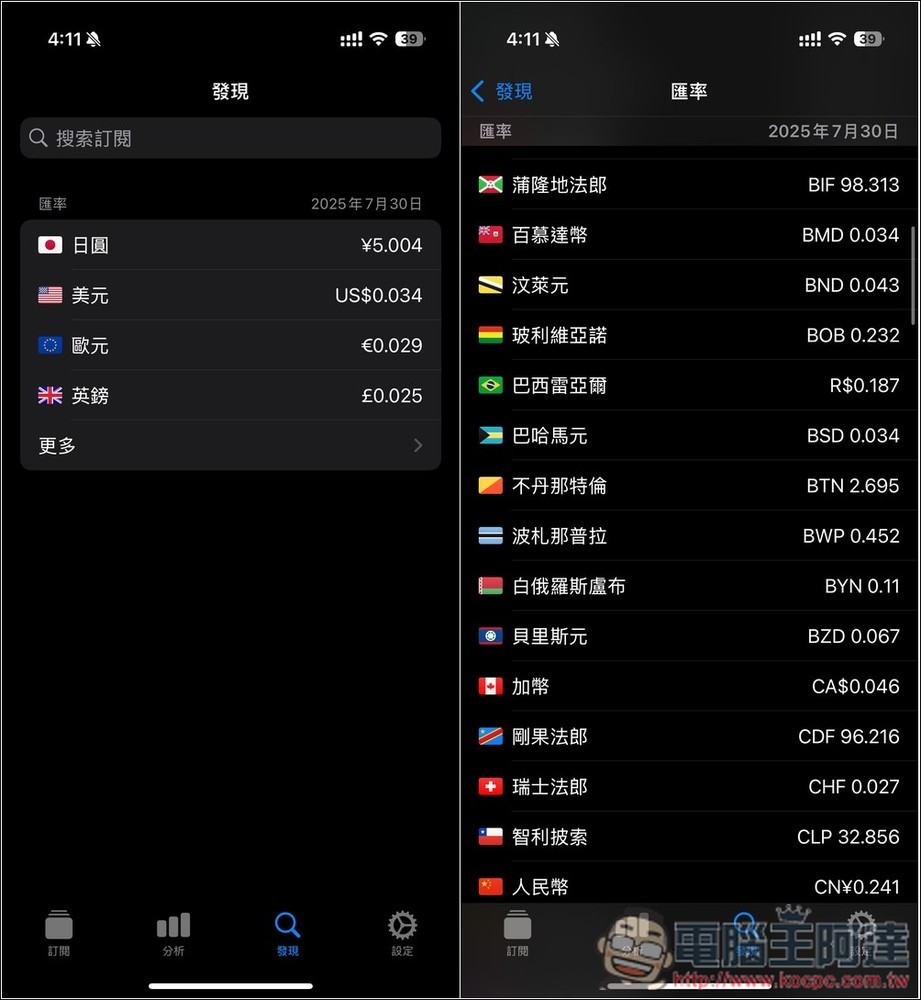
I found that the menu is quite special. The daily exchange rate is displayed here (the daily update seems to be exclusive to Pro, you can confirm this part yourself). According to the local currency you set, I set the Taiwan dollar, so the exchange rate of the Taiwan dollar against other currencies is displayed:
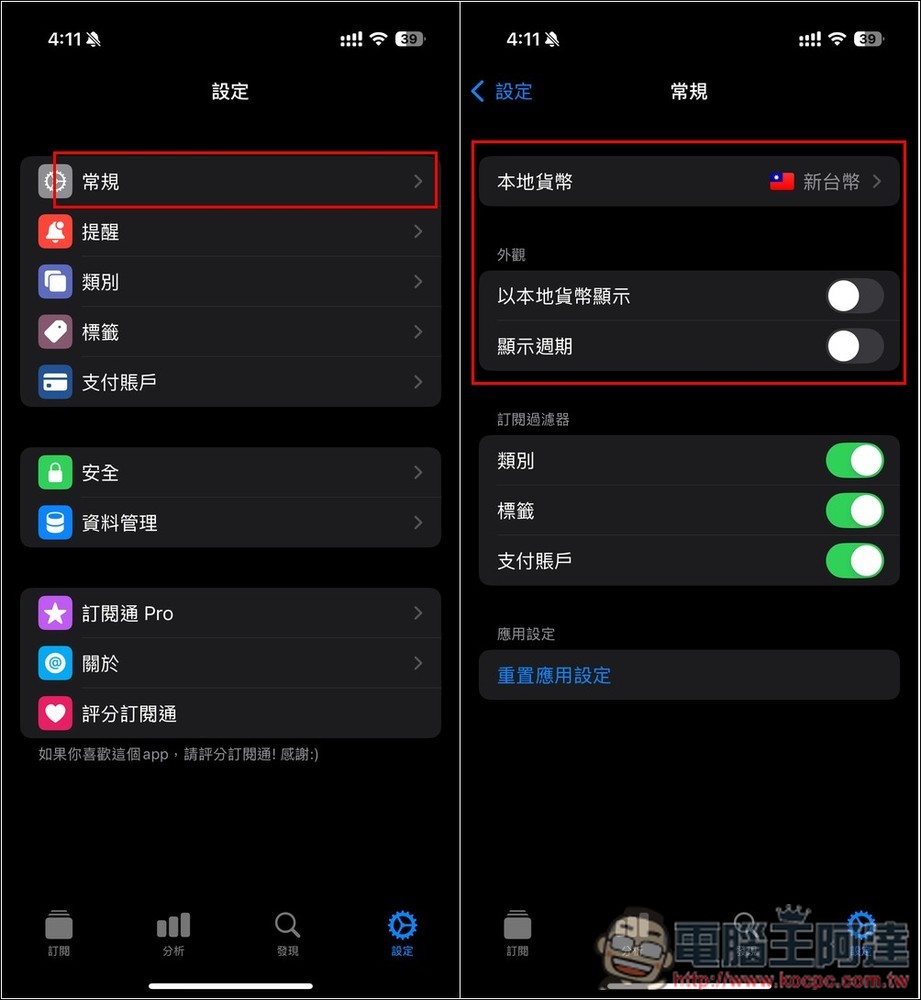
In the general settings, you can set the local currency:
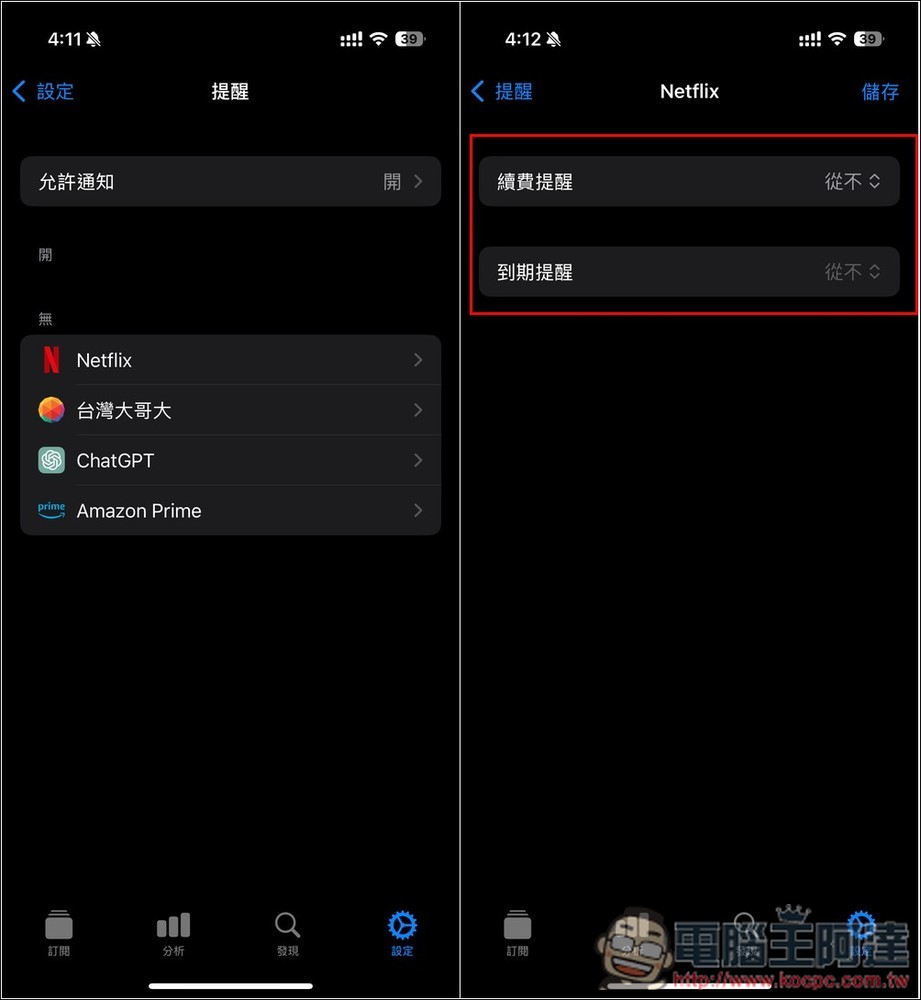
The reminder menu can set reminder settings for each subscription service, such as reminders about whether you want to renew or expiration reminders:
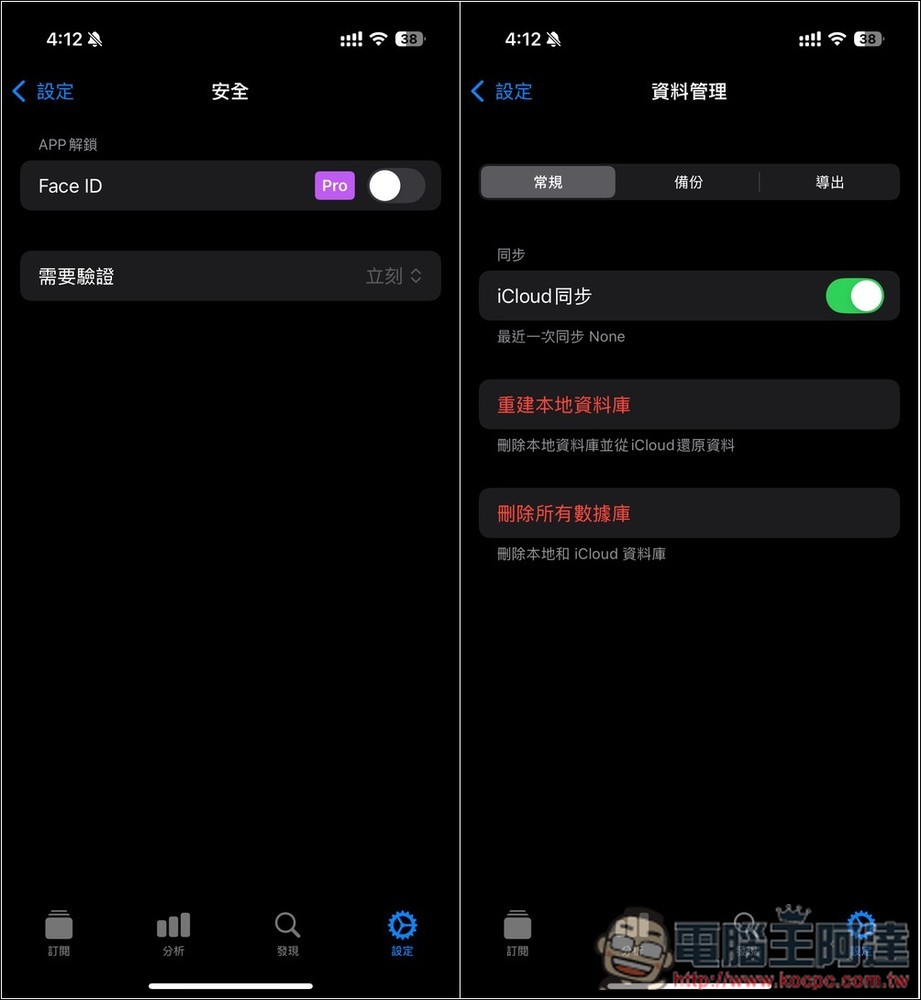
It also supports the Face ID unlocking function (only for Pro). The data will be synced to iCloud. You can also export the data manually:
Source: KOCPC Chinese