


Although many people would like to play with AI agents such as OpenClaw and Hermes Agent, they currently require a computer and not everyone has one at home. Now, finally, a relatively mature mobile AI agent has been born, which is this “Open Minis”.
Strictly speaking, Open Minis has been launched for a while, but it was not open source before and the installation was a little troublesome. After several months of testing, it has become very simple to use. For iOS, you can download it from the App Store. For Android, you can download the APK file and install it yourself. After simple settings, you can start using it with almost no difficulty. More importantly, it is now officially open source on GitHub and can be more tested in terms of security.
Open Minis introduction and operation demonstration
Open Minis is a powerful and completely open source mobile AI agent application. Different from traditional AI assistants that can only conduct pure text conversations, the core of OpenMinis is to give AI a “real computer environment”. It runs a sandboxed Alpine Linux terminal environment on the mobile phone. This means that the AI agent can install packages directly on your device, execute scripts, process real files, and even automate web browser operations, instantly upgrading AI from a simple conversation to an actionable productivity tool.
It also has extremely deep device integration capabilities, allowing you to directly access and operate health data, calendars, reminders, contacts, smart home appliances, Bluetooth, scrapbooks, media, alarm clocks, etc. on your phone through the tool interface. This also allows it to really help you “get the job done.” For example, you can take a photo of a meal and have it recognize the dish and automatically write the calories and nutrition data into the health app; or you can automatically generate a to-do list from the discussion content in the messaging software group and save it in the reminder list.
In terms of privacy and architectural design, the “Bring your own model” mechanism is adopted. Users need to enter their own API key or drive through OAuth to switch to the world’s top AI models including Anthropic Claude, OpenAI GPT, Google Gemini and even DeepSeek at any time. In addition, Open Minis also has a “persistent memory” function that can remember your preferences and work context across conversations.
The technical architecture is also very modern, with the iOS version using Swift and the Android version using Kotlin. To implement local sandboxing, it uses iSH (iOS) and PRoot (Android) technologies for underlying simulation.
Main features
- Built-in model: Supports connection with major mainstream models such as Claude, GPT, and Gemini.
- Real Linux terminal: The device has a built-in sandboxed Alpine Linux environment that can run scripts and installation packages.
- Deep system integration: direct access and modification of calendars, health data, reminders, contacts and system tools.
- Web browser automation: AI can browse and operate web pages in the background on behalf of users.
- Custom Skills and Memory: Supports the installation of powerful extension scripts and has cross-session persistent memory.
- Workspace isolation: Provide a dedicated environment to isolate and manage different project tasks.
- MCP protocol integration: Supports the Model Context Protocol, making it easy to integrate external services into the workflow.
Here I am using the iOS version as an operational demonstration, and the Android version should be about the same.
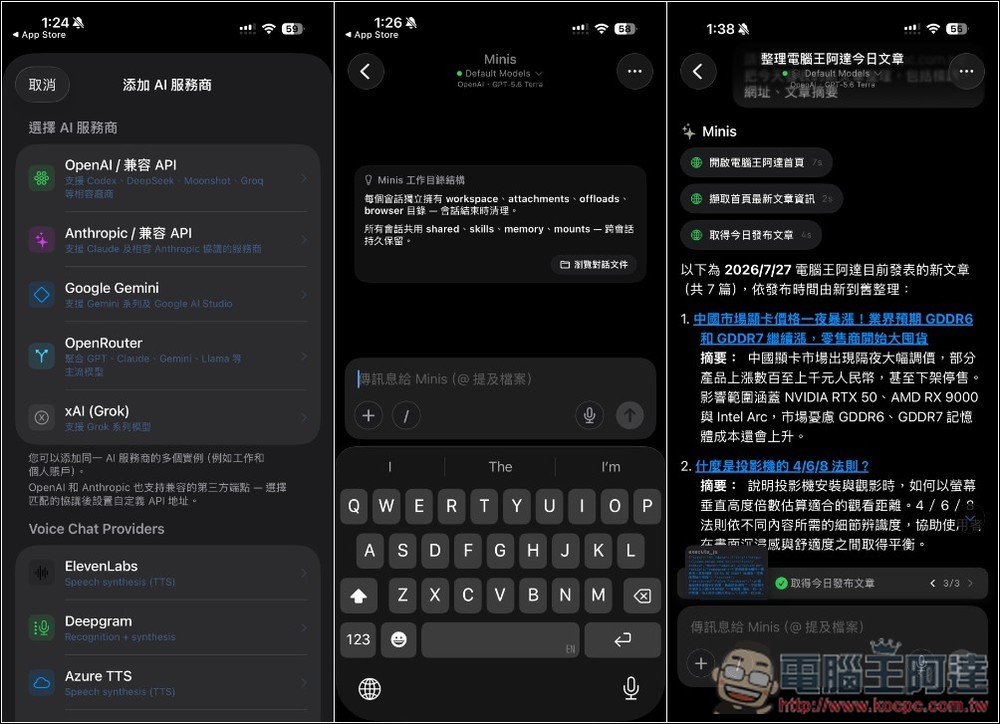
When opening Open Minis for the first time, you need to set the AI model and provider. Currently, it supports OpenAI/compatible API, Anthropic/compatible API, Google Gemini, OpenRouter and xAI. It also has voice chat function. You can set the provider below:
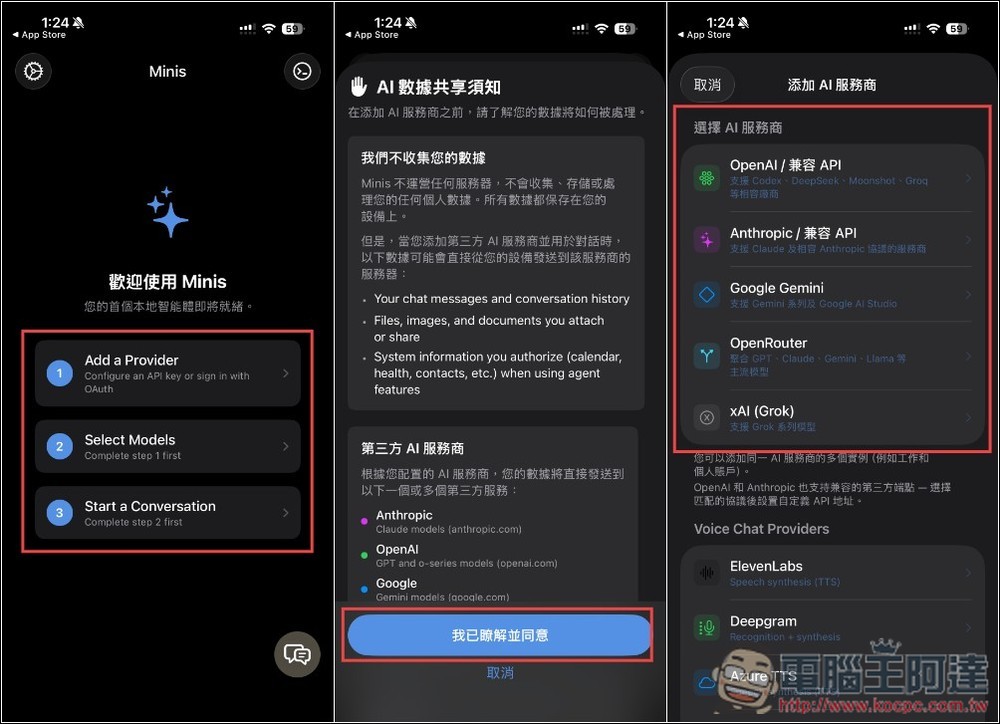
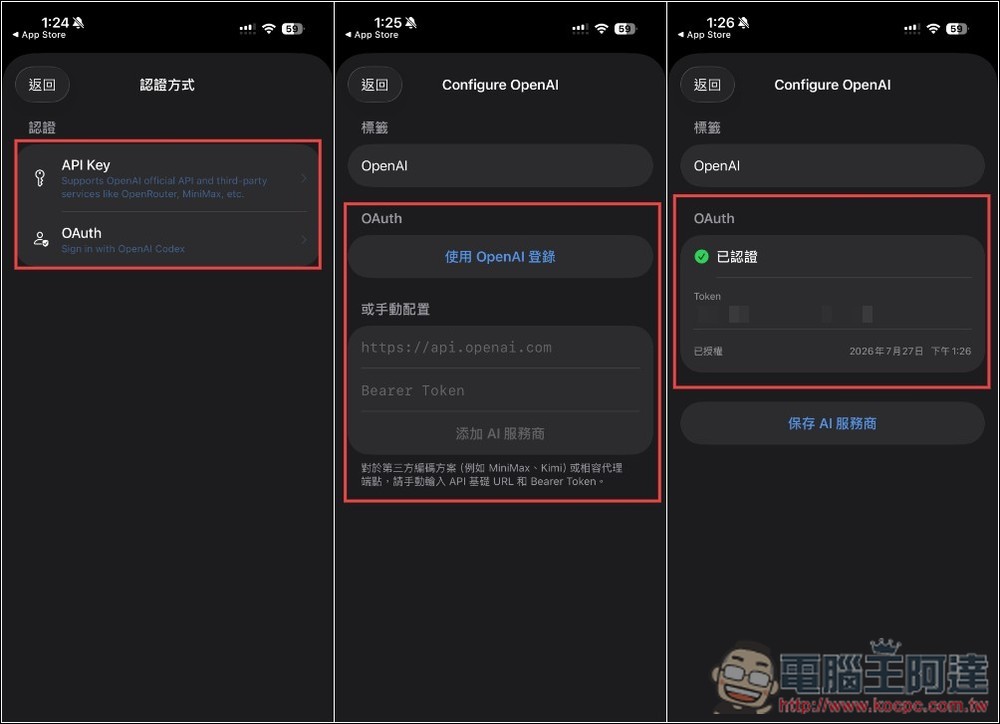
There are two authentication methods: API Key or OAuth. I use OpenAI’s OAuth. Clicking “Log in with OpenAI” will open the browser. After logging in to the OpenAI account, if “Authenticated” is displayed below, it means success. Click to save the AI service provider:
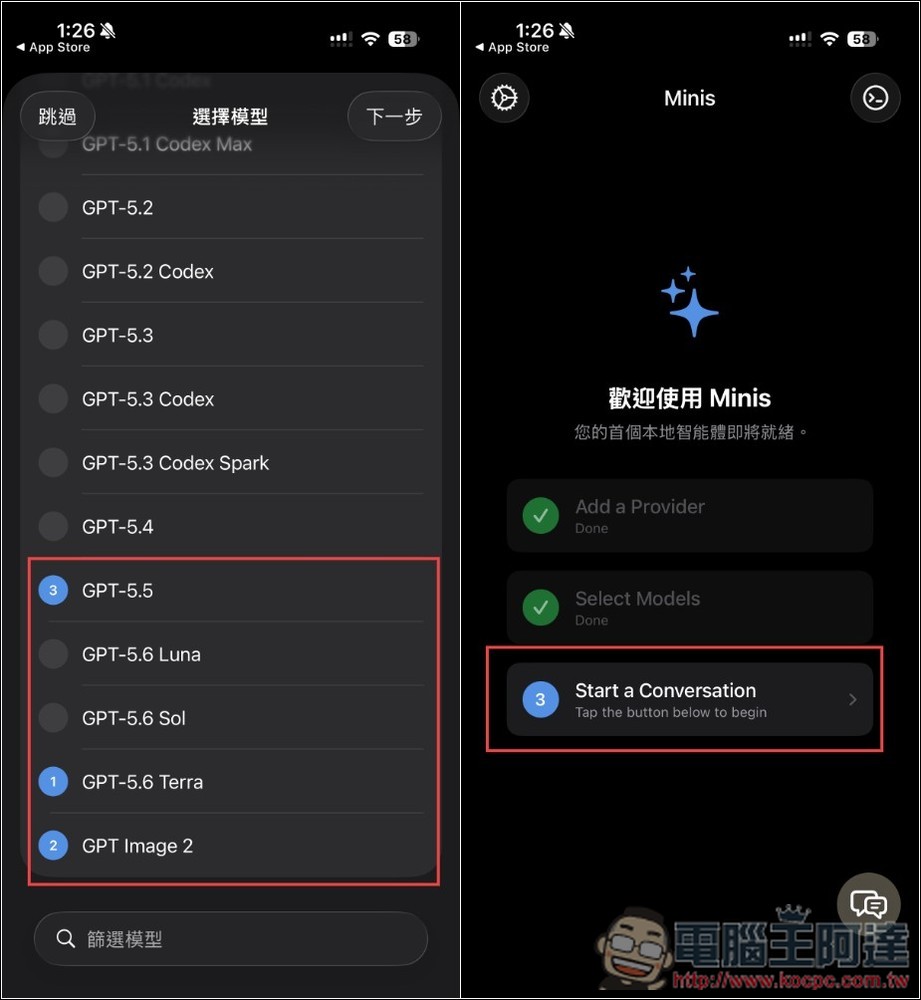
The next step is to select the model. The models provided by OpenAI will be listed in the list:
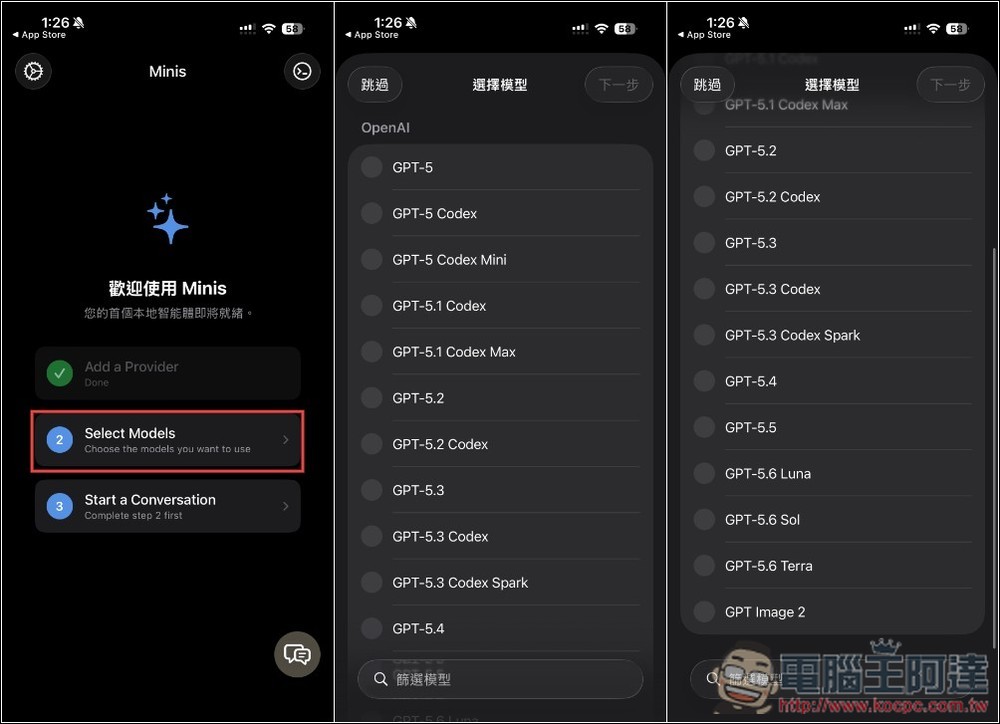
You can select multiple models you want to use, and you can start chatting after completion:
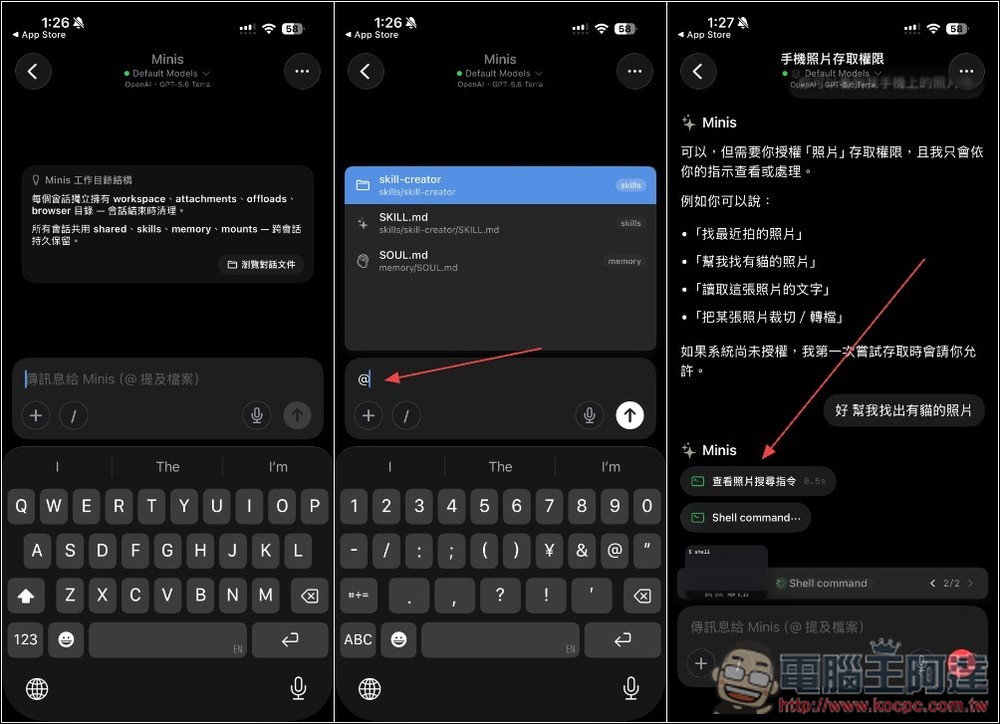
The usage is similar to other AI services. There are many preset skills, and you can also create your own through the skill-creator function. First, I tested asking it to find cat photos from my photo app. Every iOS app will ask for permission when accessing it for the first time:
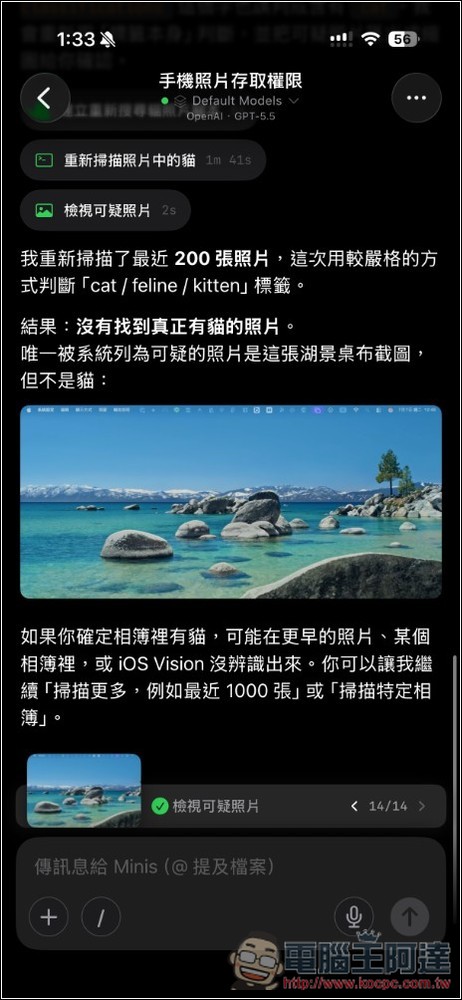
Successfully completed the task, scanned my last 200 photos, and there were no cat-related photos:
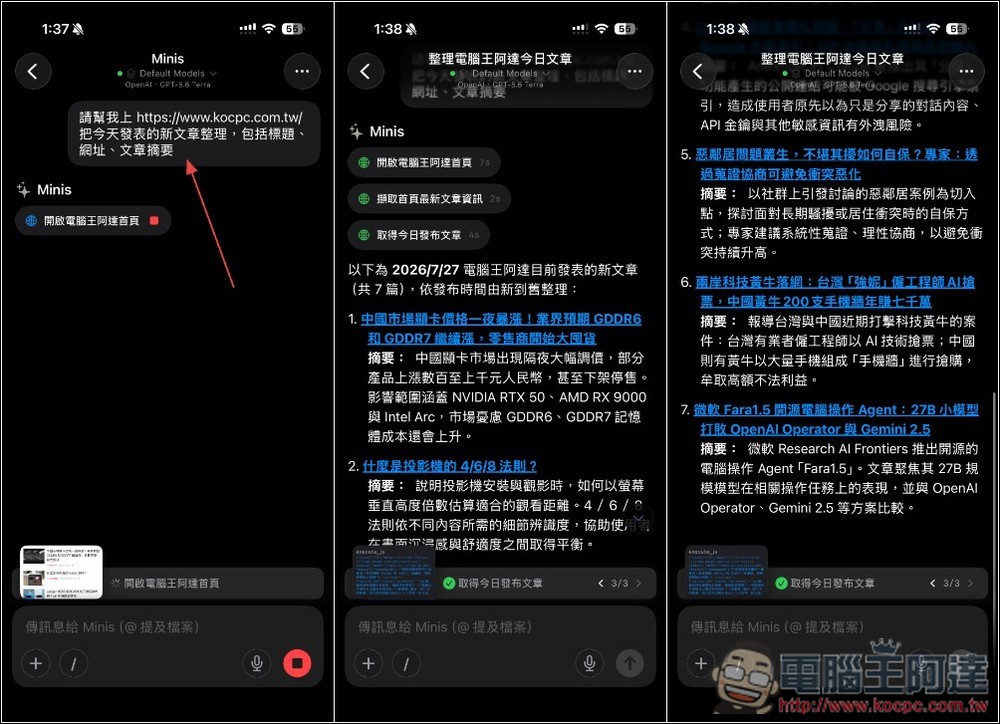
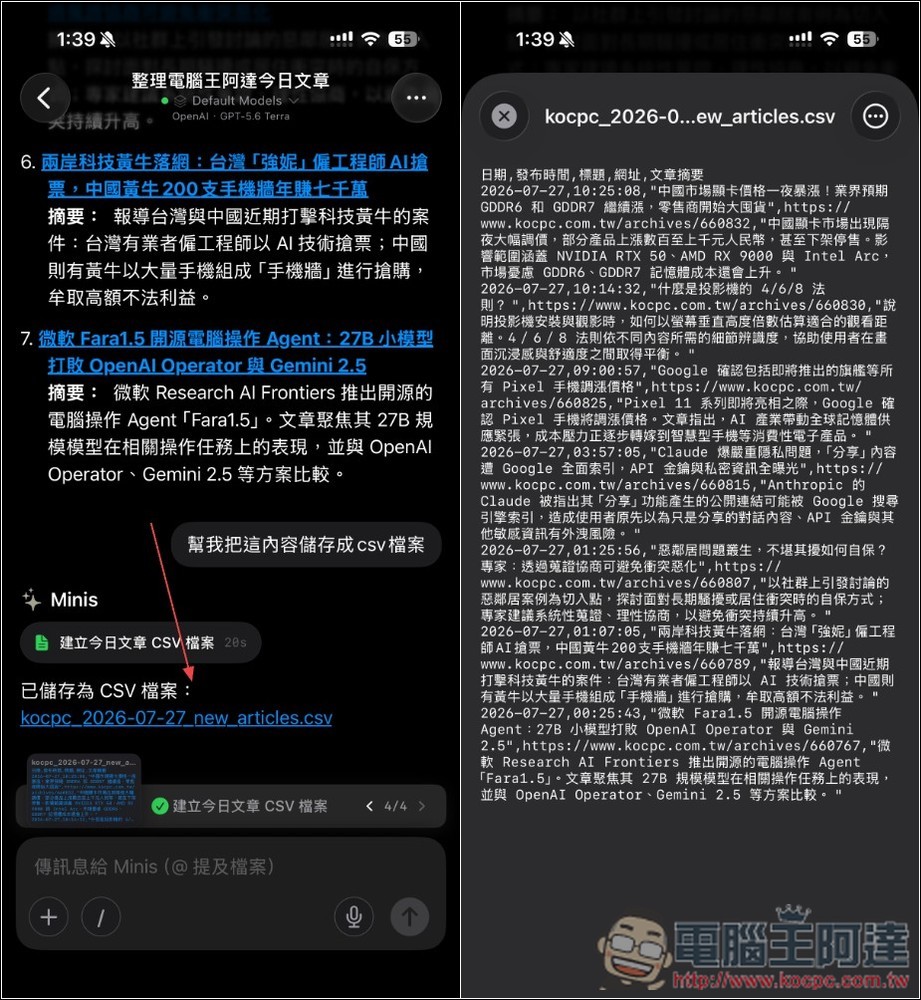
Open Minis also has browsing capabilities. Next, I asked it to go to the Computer King Ada website to sort out the new articles published today, including titles, URLs, and article abstracts. This task was also successfully completed:
You can even ask it to generate a CSV file:
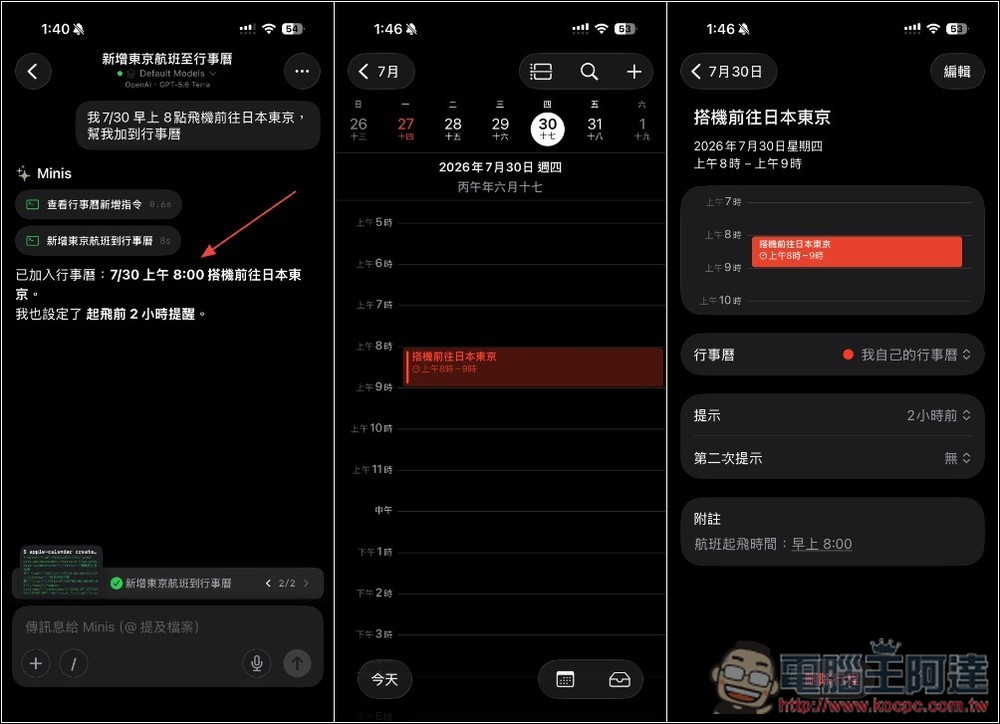
If you want to add any itinerary to your calendar in the future, you can also tell it directly and it will automatically add it to the iOS calendar, and even set a reminder for me 2 hours ago:
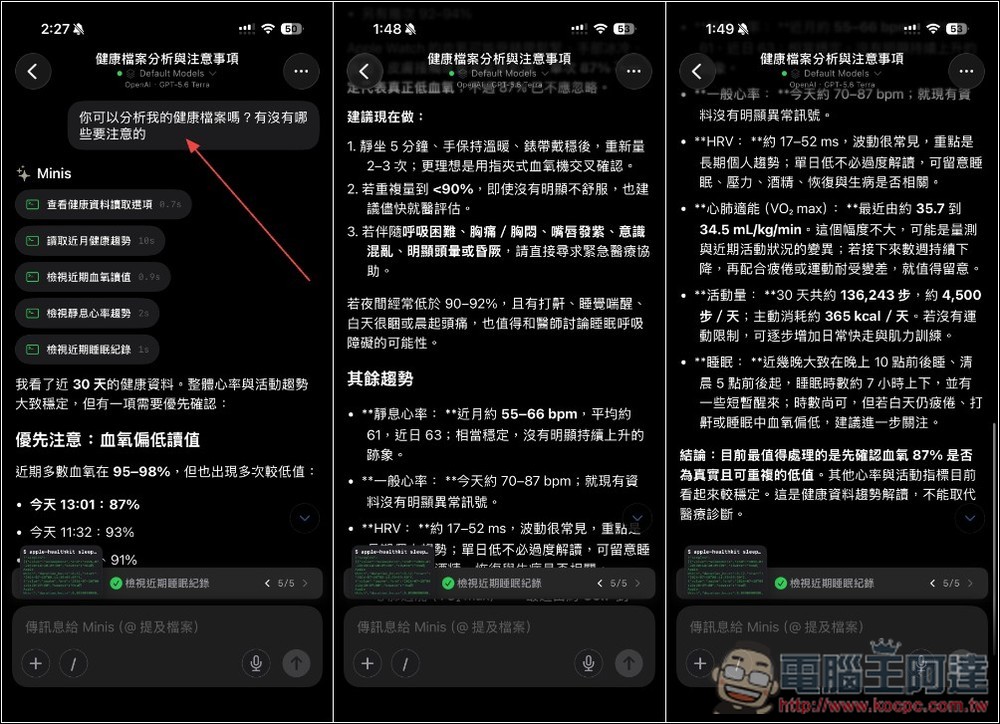
People who use health apps can also ask it to analyze your health records and tell you what needs more attention:
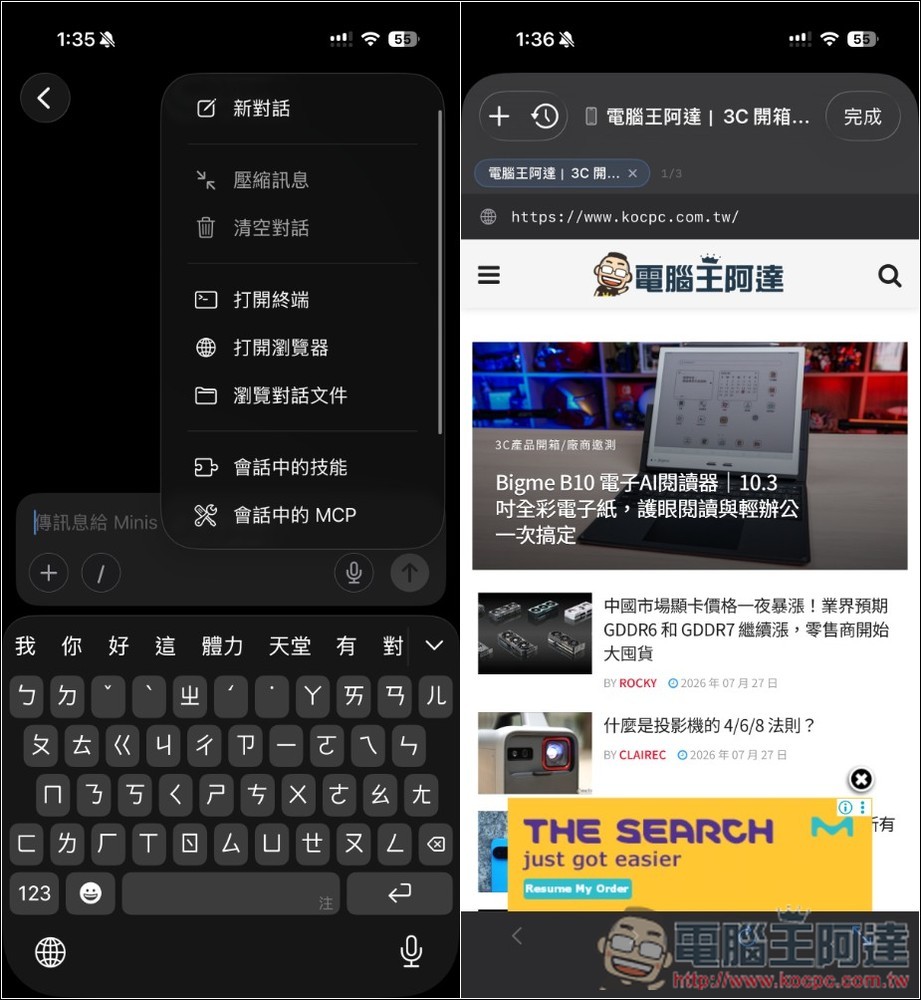
In the menu in the upper right corner of the chat window, you can find the terminal, browser, conversation files, skills in the session, and MCP functions:
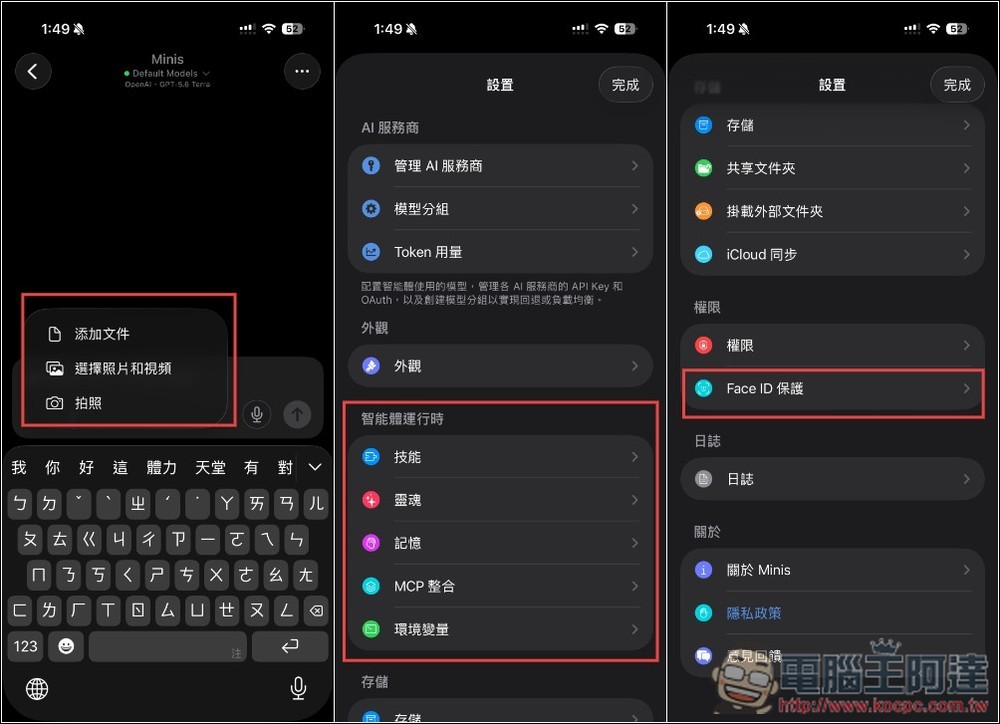
You can also add files, photos and videos while chatting. In addition, in the settings, you can find settings such as skills, souls, memories, and Face ID protection functions. Open Minis has many functions, and the rest is left to the readers to play with:
Source: KOCPC Chinese