


Need to make Logo, but not confident in the aesthetics of your design? Or don’t know how to use design software? If you are using iPhone、iPad, an earlier Logo Maker App that ranked 8th in the Taiwan App Store’s image and design rankings and has many built-in templates: Logos Monogram.The lifetime version is being launched for free for a limited time. As long as you get it during the event time, you can use it for free for life.There are no restrictions. Whether you need it now or not, it is highly recommended to get it in case of emergency. (The exemption has ended)
Logo Maker App: Logos Monogram Lifetime Edition is free for a limited time, making high-quality logos no longer difficult
Logo Maker App: Logos Monogram is a Logo App that boasts that you can easily create outstanding logos without any design experience. You just need to choose a template you like, edit the content and text, add other favorite patterns, and you’re done.
The main features are as follows: more than 1,000 customizable logo templates, background removal tools, a large number of icons and fonts, multiple canvas sizes, layer functions, and the ability to export high-resolution logos.
Before starting the explanation, I would like to remind you that Logo Maker App: Logos Monogram does not specify how long the lifetime version will be free. Basically, it will not be long. Therefore, when making any payment to obtain the action, remember to confirm whether there is an amount. If there is no amount, do not get it. If there is an amount, do not pay.
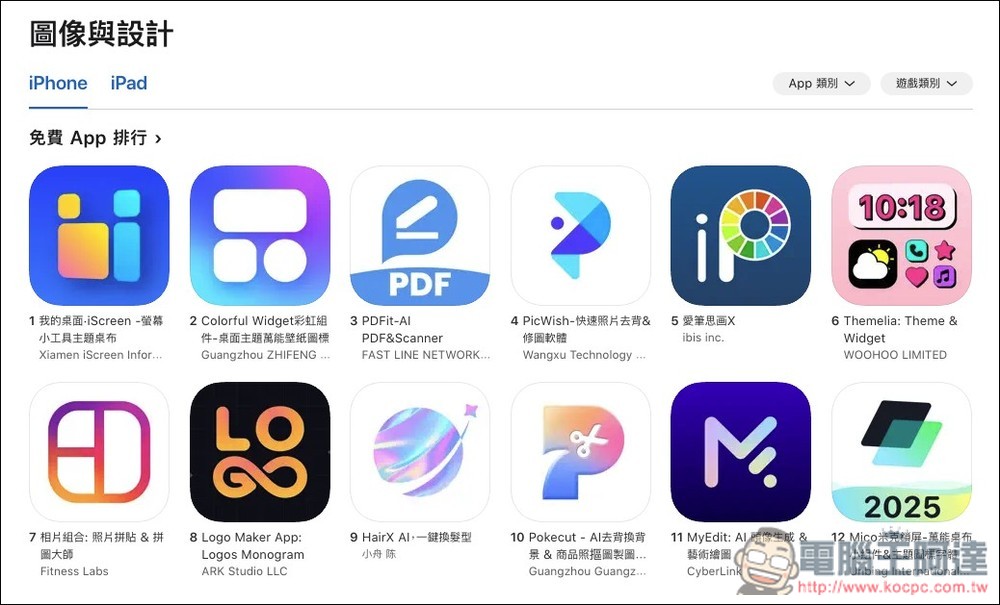
Currently Logo Maker App: Logos Monogram ranks eighth in App Store Graphics and Design:
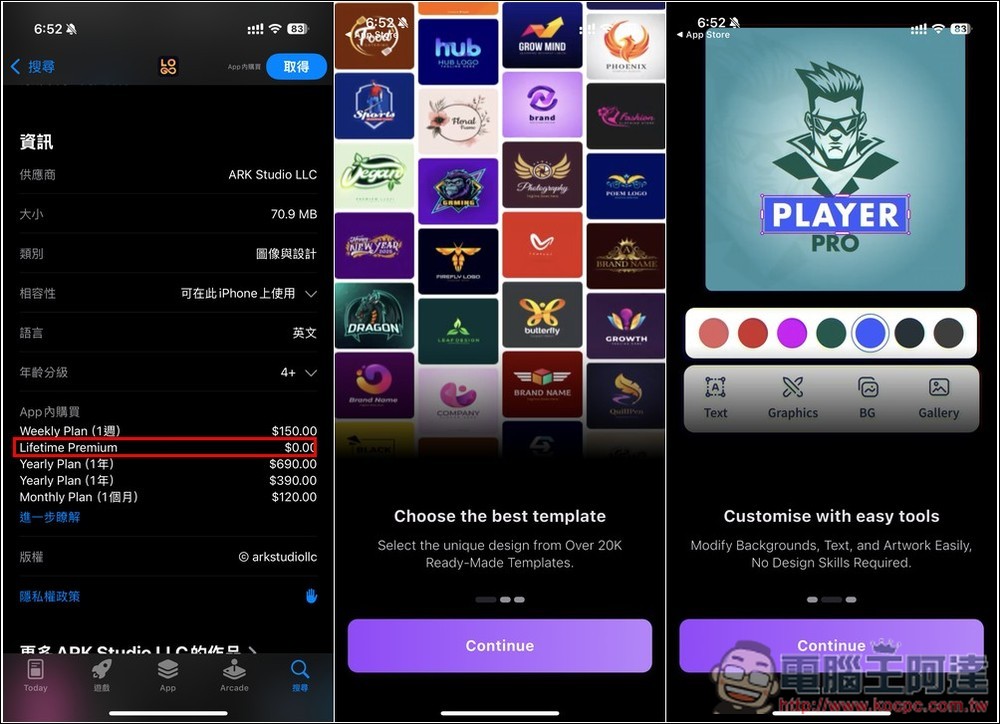
After entering the App Store store page, you can see the message that the lifetime version is free among the in-app purchases. There will be a brief introduction when you open it for the first time after obtaining it. You can take a look at:
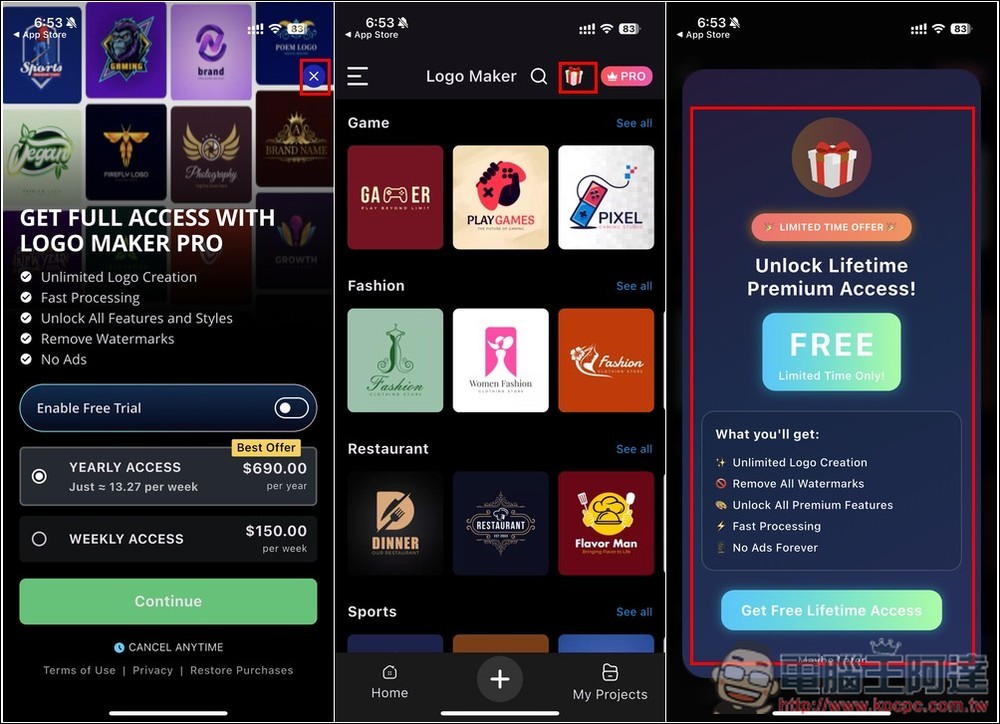
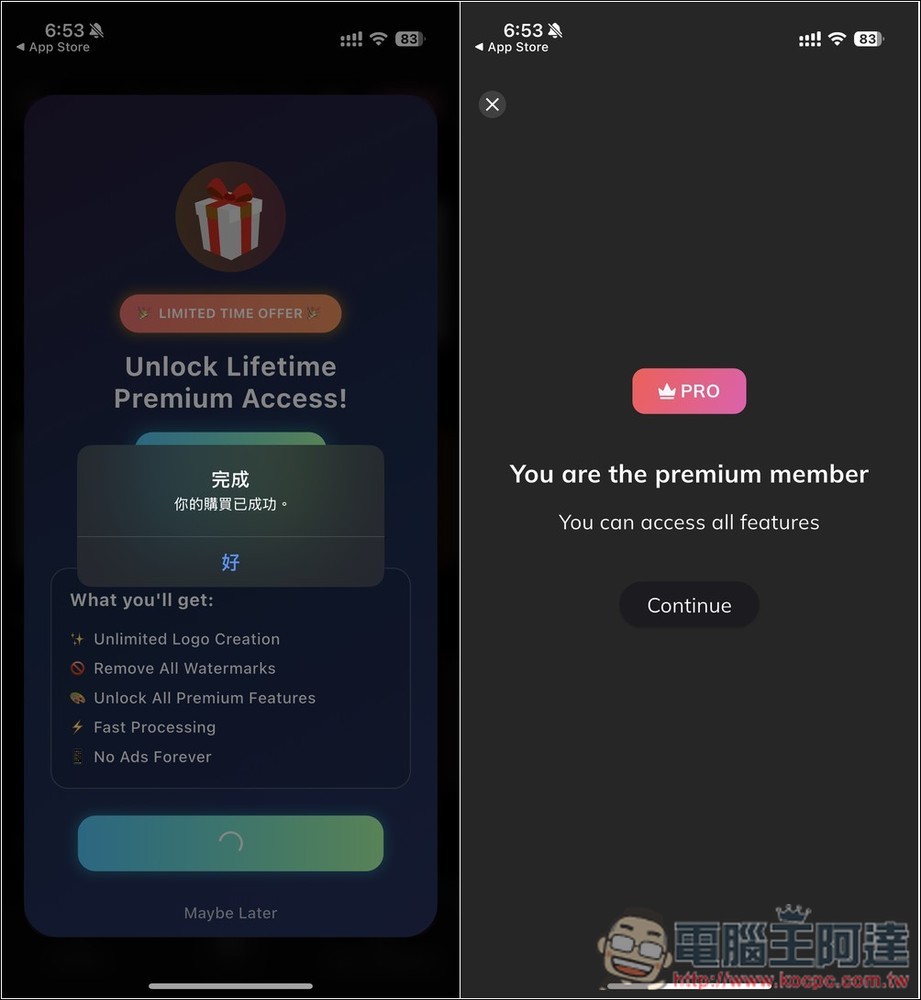
Next is a very important step. The paid plan that pops up first does not include the lifetime version. Please press the X in the upper right corner to close. After entering the main screen, the gift icon at the top is the lifetime version. After opening it, you can see the limited free activity, click Get Free Lifetime Access below. If the screen you see is different and there is an amount, it means the exemption has ended:
Before getting it, confirm whether there is any amount (I forgot to take a screenshot). If not, press the side button twice and it will display “Your purchase has been successful”, which means it is completed! The screen will also prompt you that you are already a PRO member and can use all functions without restrictions:
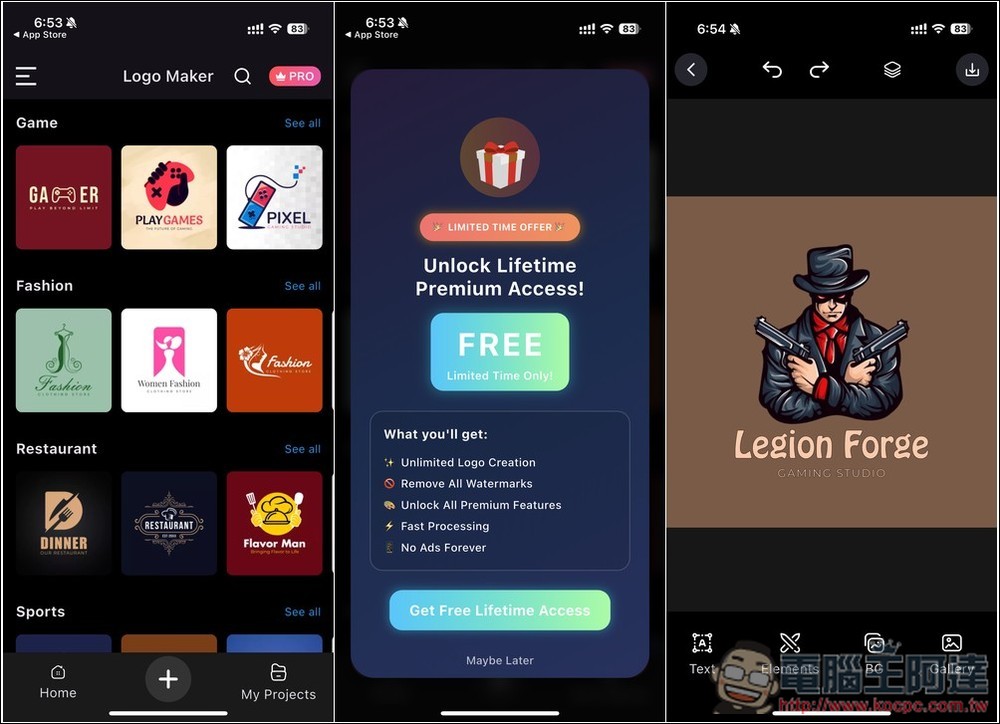
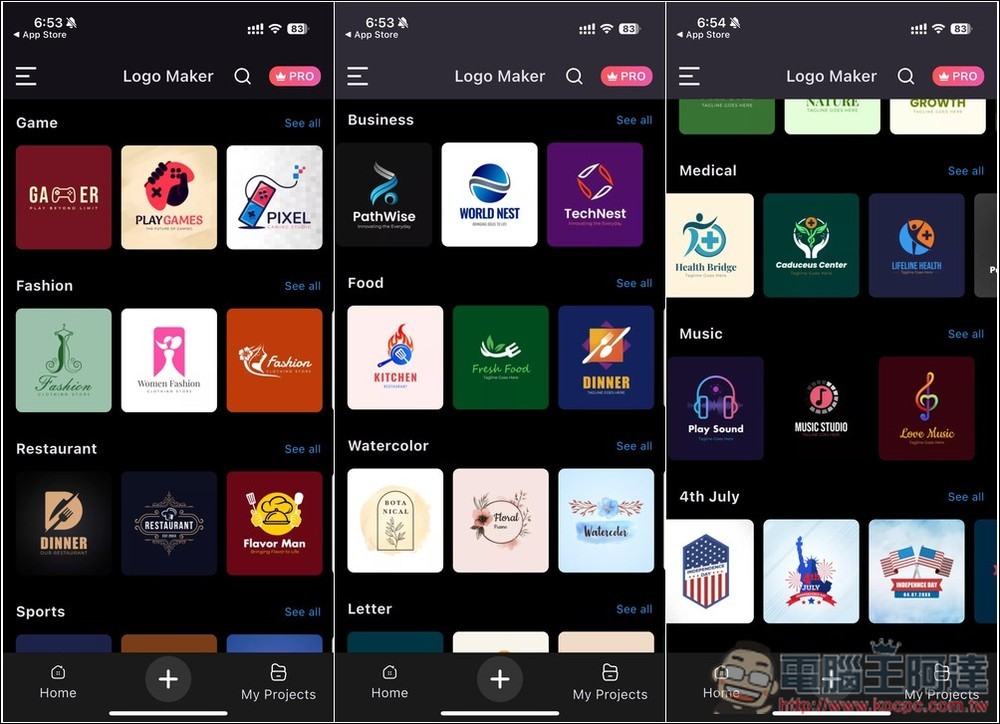
The main screen will list Logo templates in each category, including games, fashion, restaurants, sports, business, food, information, medical, music, etc. Click See all on the right side of each button to browse all Logo templates in that category:
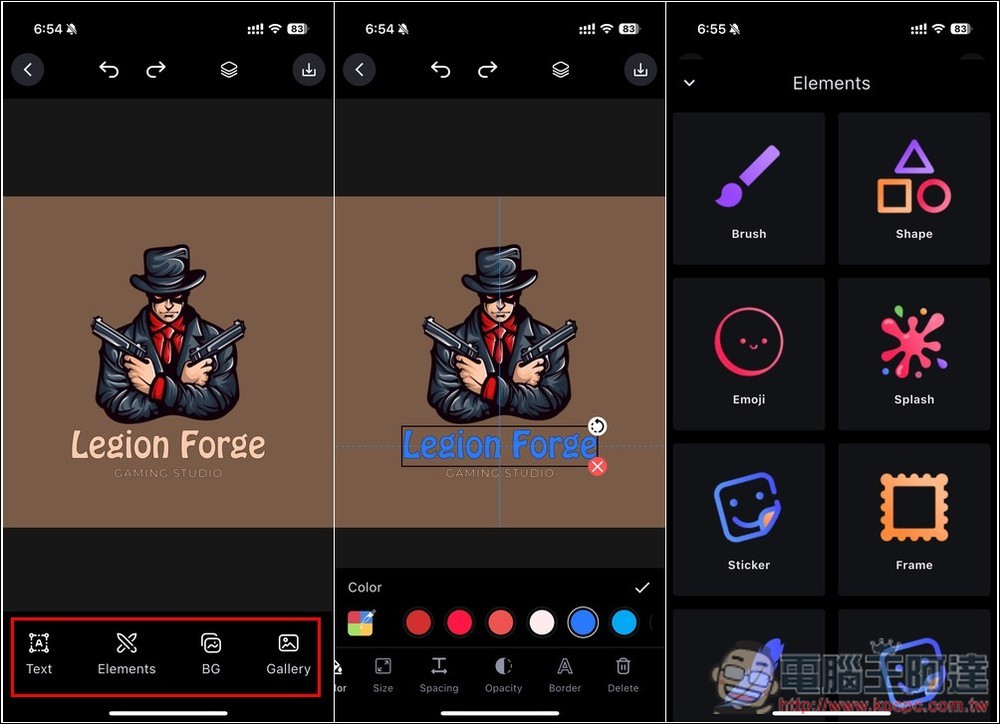
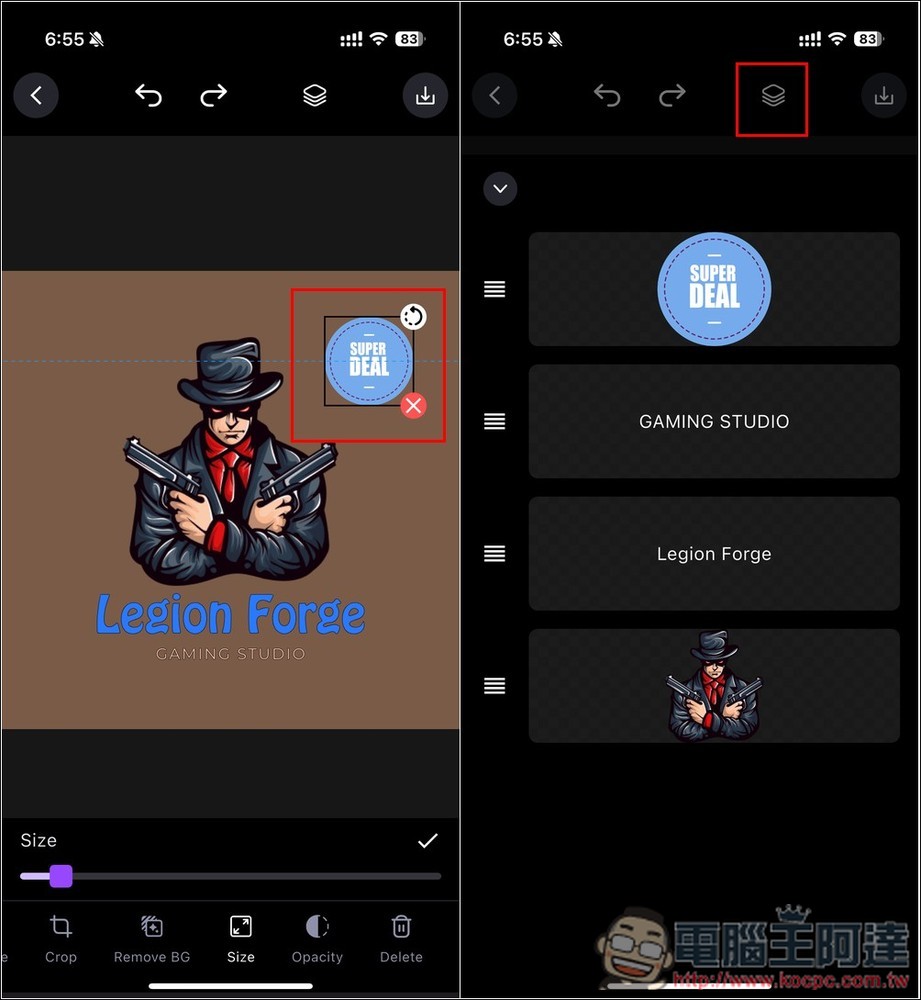
After you find the logo you like, click it to enter the editing page. The toolbar is at the bottom. All objects can be edited, and other patterns can also be added:
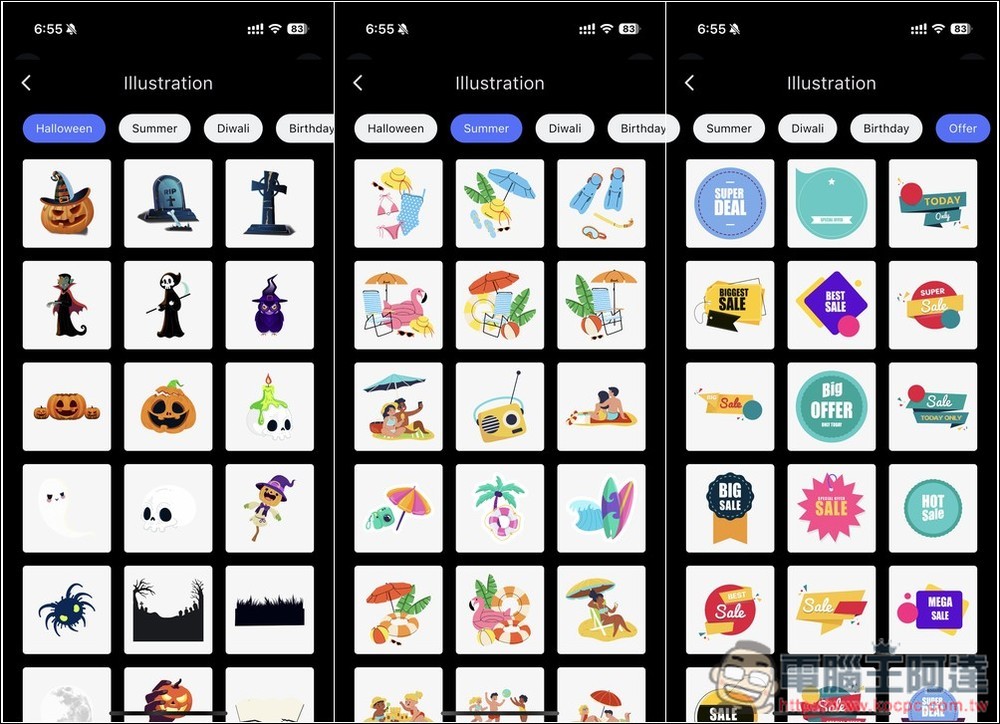
There are really many built-in material libraries:
This App also has a layer function, which can be opened by pressing the icon above:
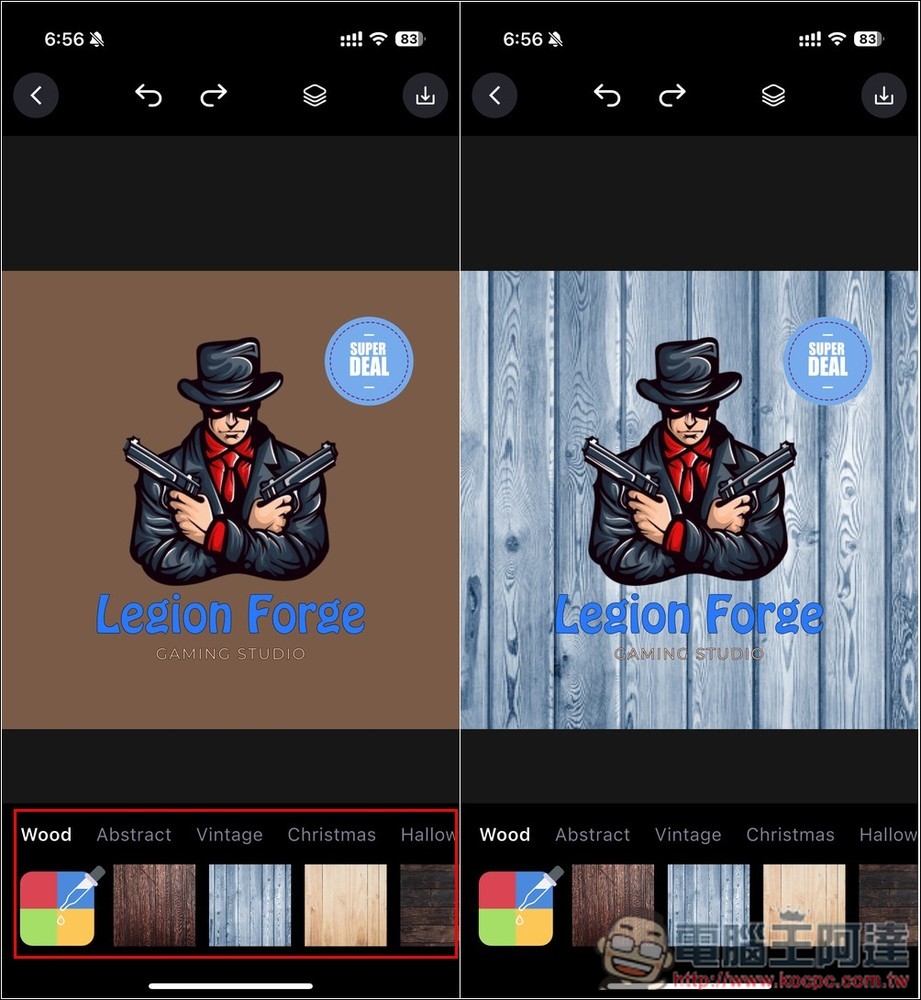
The background can also be replaced with other ones you like with one click:
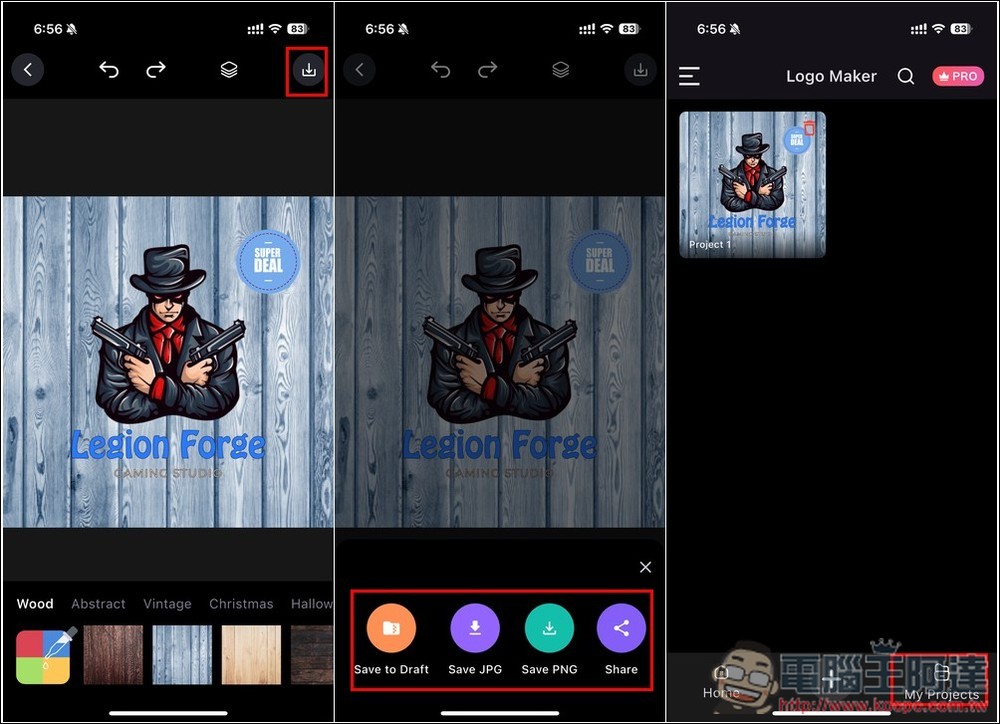
After making it, click the download icon in the upper right corner to save the logo image to the photo in JPG or PNG format. Logo images created in the past will also be recorded in My Projects:
Source: KOCPC Chinese