


Android The Edge Extended functionsIt has been launched for a while, and now it is finally my turn iOS Well, according to the findings of the foreign media Windows Latest, as long as you update to the latest version of the Edge iOS App, you can use the natively supported extended functions. However, it is still in the testing stage, so the default is hidden and needs to be opened on the experimental settings page. Let me teach you how to operate it.
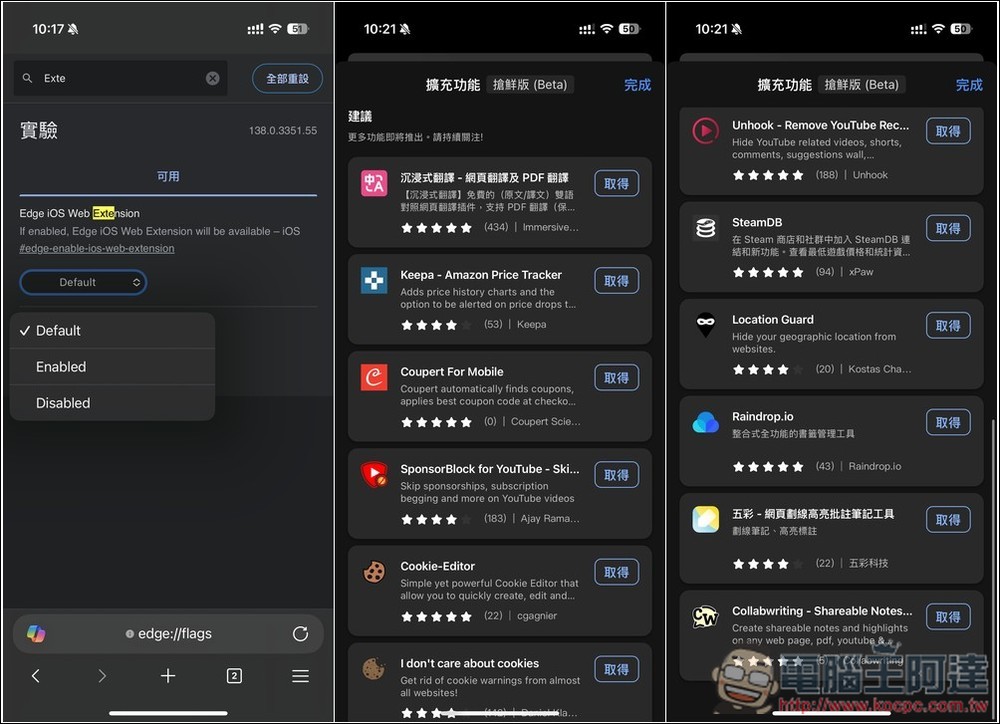
The iOS version of the Edge browser finally provides natively supported extensions. Here’s how to enable them.
If you want to be the first to experience the extended functions of Edge iOS, first remember to update to the latest version in the App Store. If there is no update, the extended functions will not be found on the experimental settings page.
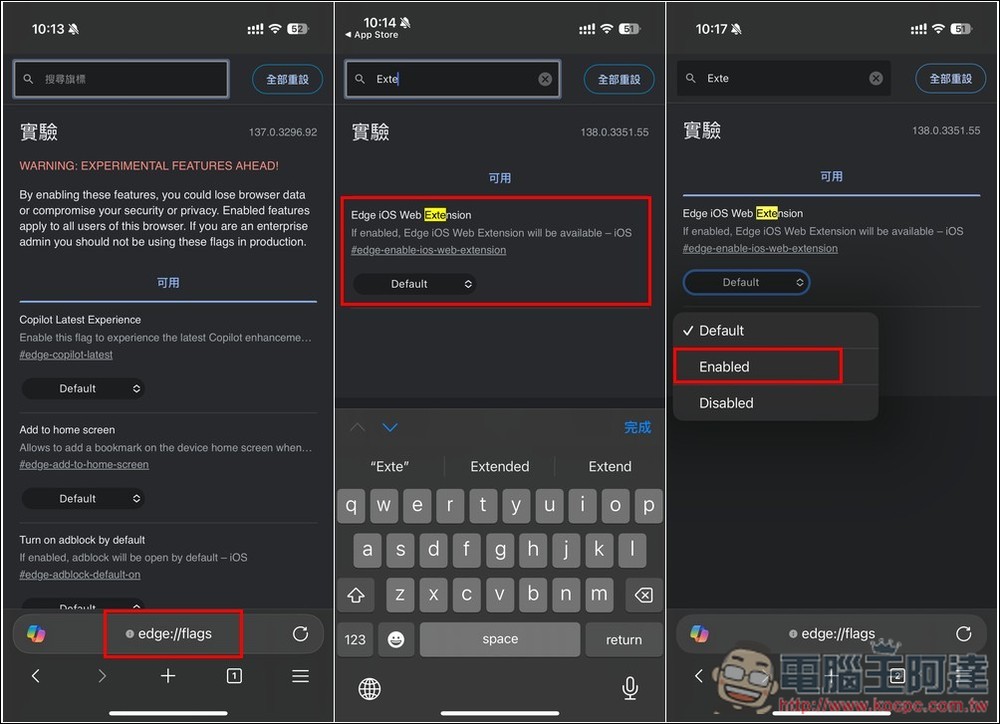
Once you’ve verified that Edge is the latest version, enter Edge://flags/ Enter the experimental settings page, then search for the Extension keyword, you will find the Edge iOS Web Extension option, change the original Default to Enabled, and then reopen the Edge App:
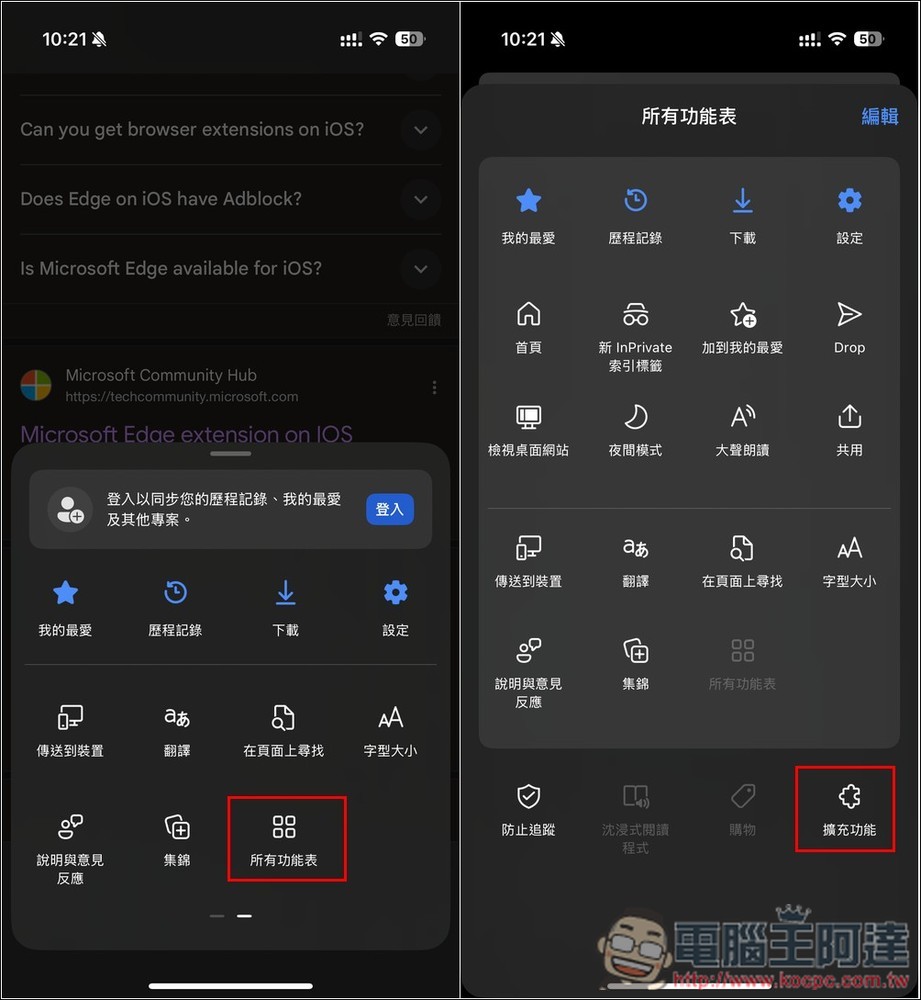
Then open the function menu in the lower right corner of Edge and find “All Menus”. After entering, you will see “Extended Functions” below:
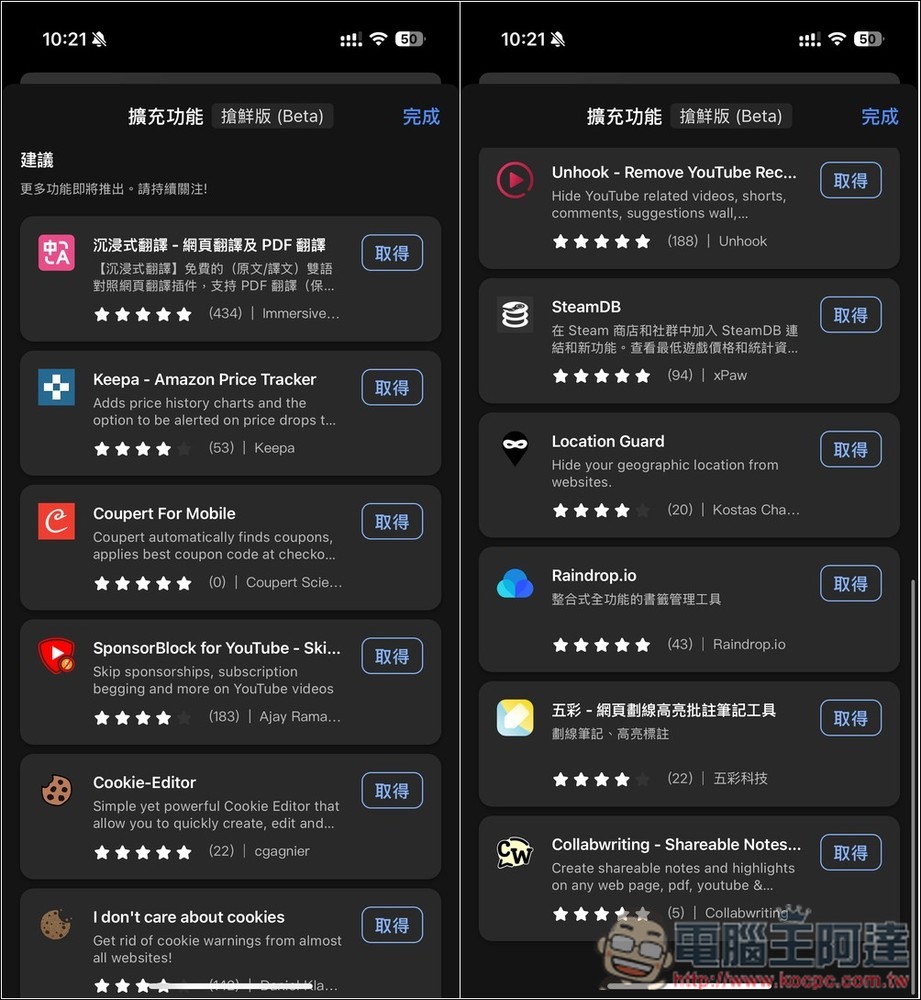
Then you can browse all the available extensions. There are still not many in number at present, but there are a few well-known ones, such as “Immersive Translation”, “Keepa”, “SteamDB”, etc. Each one has a high score, many of which are five stars. The installation method is the same as the computer version. Once you find the one you like, click on the right to get it. If you no longer want to use it in the future, just go to this extended function menu and remove it:
Having said that, the development speed of mobile phone extensions is really slow. Even the Android version of Edge, which has been launched for a long time, currently only has about 30 models. I just hope it can be faster, especially some extensions that can add external subtitles.
The following is the current list of extensions that can be installed in Edge for iOS:
- Immersive Translation – Web Translation and PDF Translation
- Keepa – Amazon Price Tracker
- Coupert For Mobile
- SponsorBlock for YouTube – Skip Sponsorships
- Cookie-Editor
- I don’t care about cookies
- Unhook – Remove YouTube Recommended & Shorts
- SteamDB
- Location Guard
- Raindrop.io
- Wucai – Web page underlining, highlighting, annotation and note-taking tool
- Collabwriting – Shareable Notes on Web Pages
One thing to note when using it is that it is still in the testing stage, so you may encounter instability or the function may suddenly not work.
As for when will the extended features be launched on the official version of Edge iOS? We don’t know the actual time, but foreign media Windows Latest speculates that it will take some time for testing.
Source: KOCPC Chinese