


Everyone should have noticed that when chatting in LINE, as long as you enter date or time-related content, it will now become a hyperlink. Click on it to add it to the LINE calendar. Although this function is mainly to allow users to record important dates more quickly, not everyone will use it, and sometimes they will click on it accidentally, which is a bit annoying. The good news is that now you can manually turn off this feature as long as you update to the latest version of LINE. Here’s how to do it.

Teach you the annoying new feature of turning blue hyperlinks when entering date and time when closing LINE chat
LINE announced a few days ago that after updating to LINE 26.6 or above or the latest version, users can manually turn on or off the chat room hyperlink function of LINE calendar at any time. Before starting the operation, remember to check it in the store. I will use the iPhone version as an operation guide below.
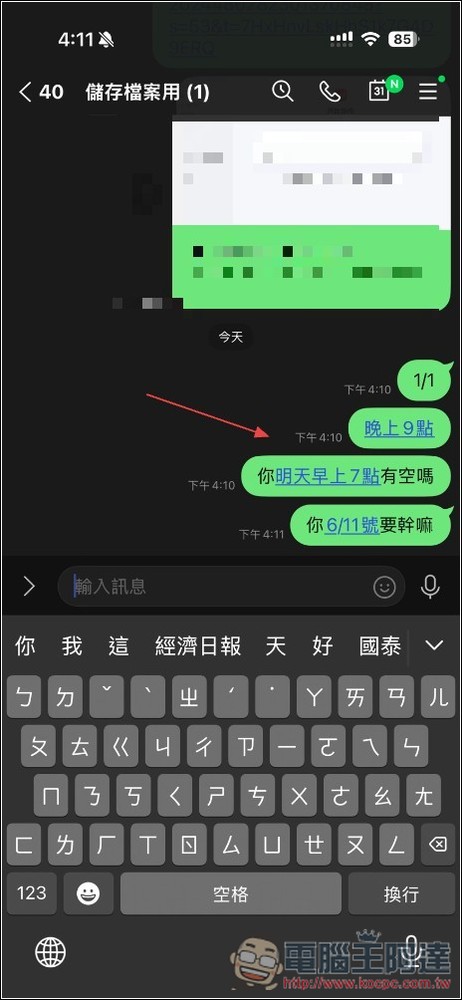
Before it is closed, if you enter a date or time such as “9 pm”, “tomorrow 7 am” or “6/11”, this kind of hyperlink will appear. It is not that pleasing to read, and it is easy to miss the click:
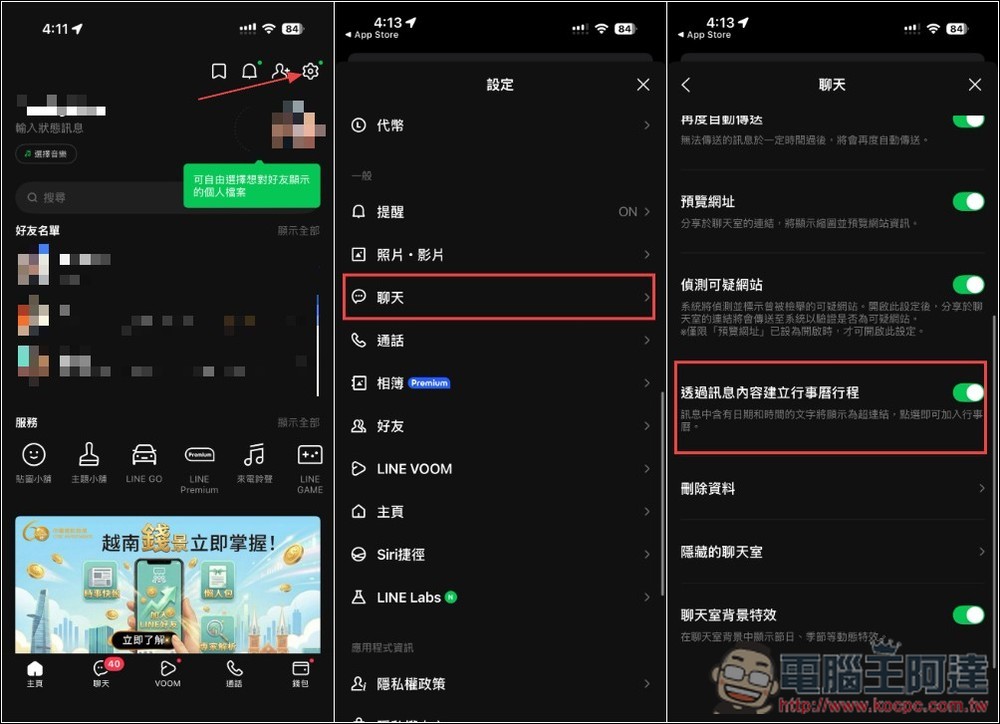
After entering your personal homepage, open the chat option in the settings menu. Scroll down and you will see the new function of “Create calendar itinerary through message content”. Just turn off the switch. If you don’t see this new feature option, please confirm whether LINE has been updated to the latest version. The old version cannot be found:
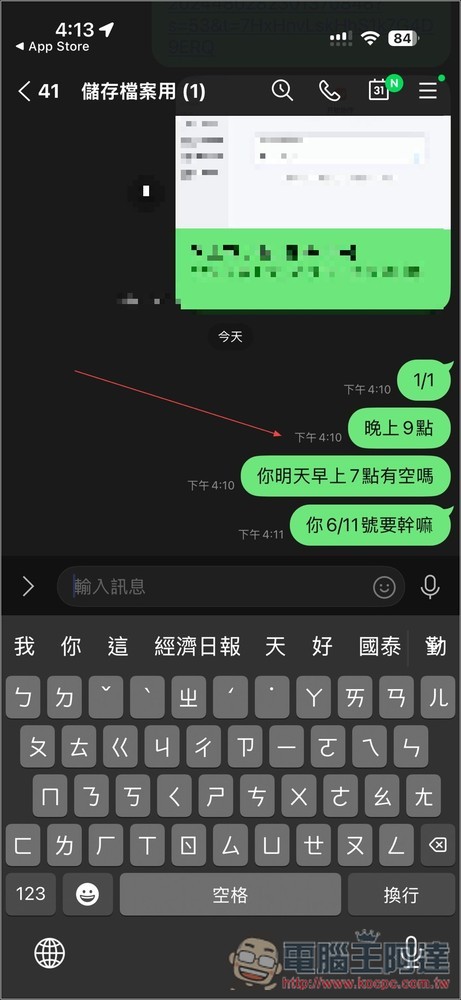
After returning to the chat room, the hyperlink disappeared and returned to its previous appearance:
What is the LINE calendar function used for?
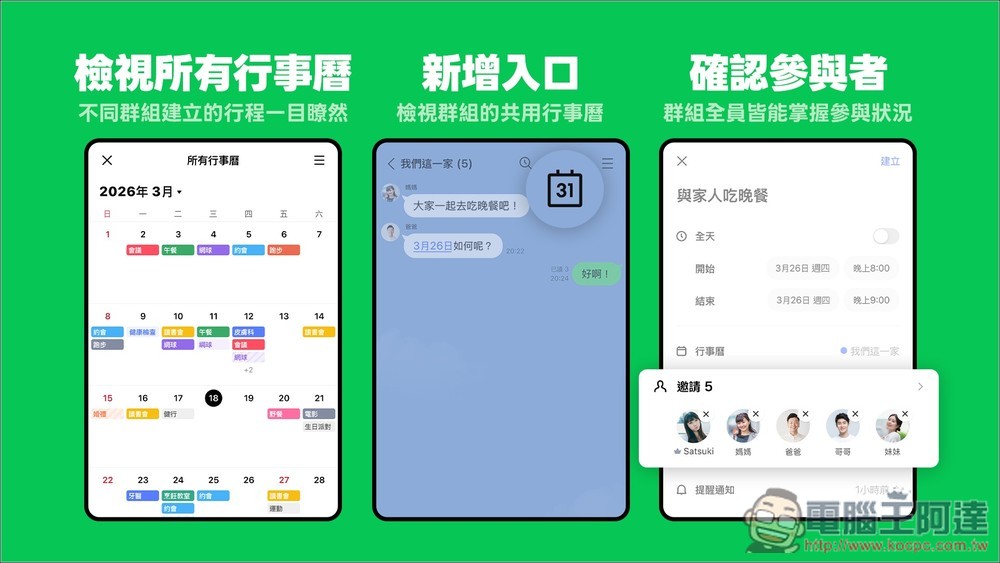
LINE Calendar is a new feature that helps users schedule activities, record important dates, and coordinate time with friends, family, and colleagues. The biggest feature is that it can be directly integrated with the chat room.
When you discuss dinner, travel, meetings or gatherings with friends, you don’t need to open Google Calendar or other apps. Just create an event in the chat room and you can quickly record the date, time, and location, and chat room members will also receive notifications simultaneously. This function is very useful for group gatherings with friends, family activities, and small company collaborations.
In addition, LINE calendar also supports the “voting date” function. If everyone has different schedules, you can directly create candidate dates and let group members vote for the most suitable time, such as a friend’s dinner, singing, company party, or family trip. Through this function, you don’t have to keep asking “When are you free?”
In addition to sharing activities, LINE calendar can also be used as a personal reminder tool. Users can add their own private itinerary, for example:
- Hospital return visit
- Payment date
- working meeting
- birthday reminder
- Time to go abroad
- Online shopping sale date
After the settings are completed, LINE will automatically send reminder notifications to help you not forget important things. Many people open LINE every day, so the reminder effect is actually more obvious than some independent calendar apps.
LINE Calendar also has a feature that many people like: it can automatically display friends’ birthdays. If the other party has public birthday information, you can see it in your calendar without having to record it separately. Very convenient for people who often forget their friends’ birthdays.
The interface is divided into calendar view and activity list view, making it easy for even people who are not familiar with technology products to get started. Events can also add locations, notes, photos and URLs to make the information more complete.
Overall, LINE Calendar is not positioned as a professional work management tool, but rather as a “shared calendar for daily life.” The biggest advantage is the integration with the LINE ecosystem, which allows you to quickly create events, invite friends, and synchronize notifications and reminders without installing other apps.
Source: KOCPC Chinese