


Although there are many now AI All tools can perform image translation functions, such as:ChatGPT, but most of them just extract the text on the picture and then translate it into Chinese. The Image Translator AI introduced in this article is very different. In addition to AI translation, it will also replace the foreign text on the original picture after translation, allowing you to save the picture for repeated viewing in the future.What’s even better is that a lifetime version was launched earlier for free. Once you get it, you can use it for free forever in the future. You don’t have to worry about any restrictions or payment.. (Limited exemption has ended)
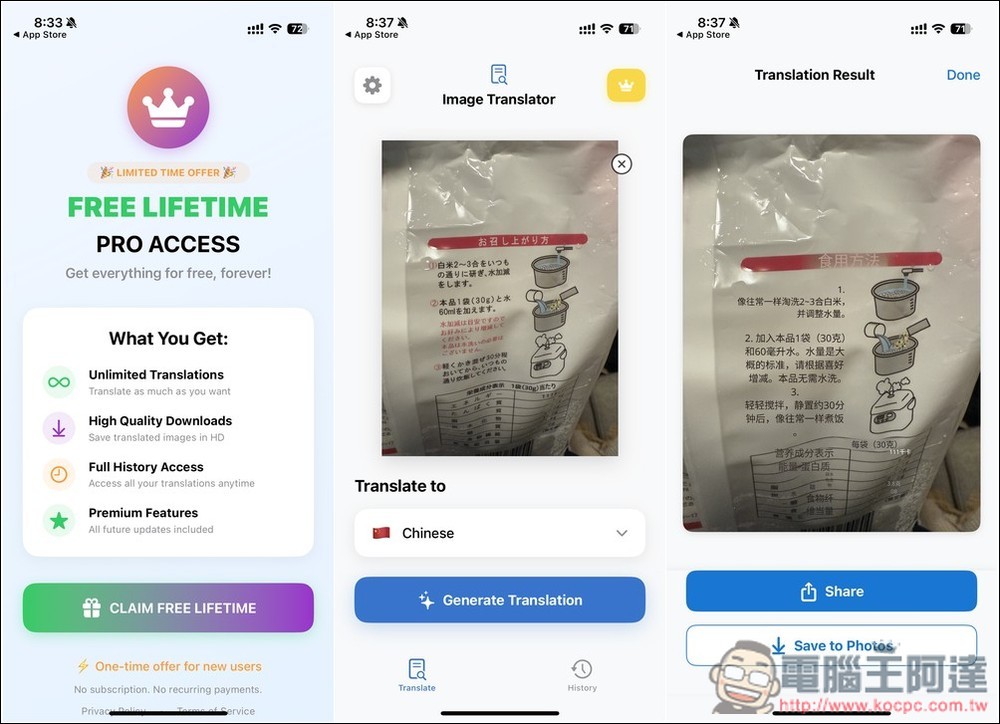
Image Translator AI uses AI to translate the text on the picture, replacing the original foreign text.
Image Translator AI is a professional app that focuses on AI image translation. Whether it is street signs, restaurant menus, chat screenshots and documents, you only need to take a photo and upload it to get accurate translation in a few seconds. The developer did not specify what AI technology is used behind it, but the translation quality I tested is still very good. There is only one shortcoming. Currently, the Chinese part only supports Simplified Chinese, and the total supported languages are more than 100.
This Image Translator AI limited free event is not sure when it will end. Those who have seen it suggest grabbing it as soon as possible.
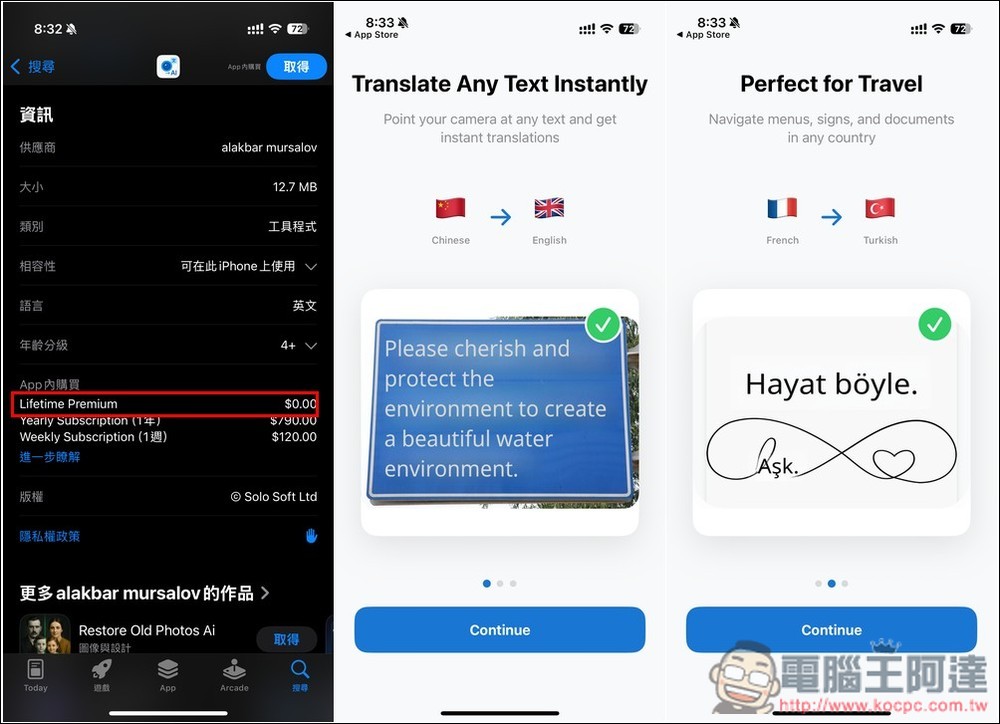
If Lifetime Premium $0 is still displayed in the in-app purchase option on the Image Translator AI App Store page, it should still be free. There will be some feature introductions when you open it for the first time, you can take a look at it:
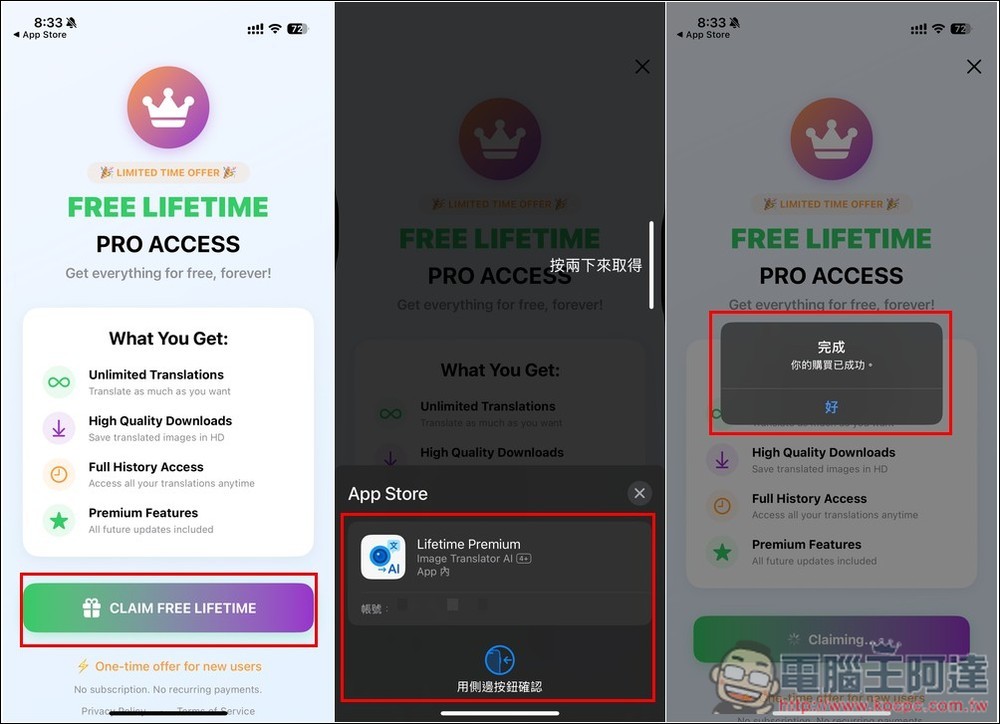
Then the Lifetime Edition limited free activity will pop up. Press CLAIM FREE LIFETIME and confirm whether there is no amount. If there is no problem, press Get. It will show that your purchase has been successful, indicating that you have upgraded to the Lifetime Edition:
Enter the main screen of the app and press the crown icon above to check whether it is a lifelong professional version. If it says You’re a Pro!, you are right. Remember to adjust the language to Chinese before translating (currently only Simplified Chinese):
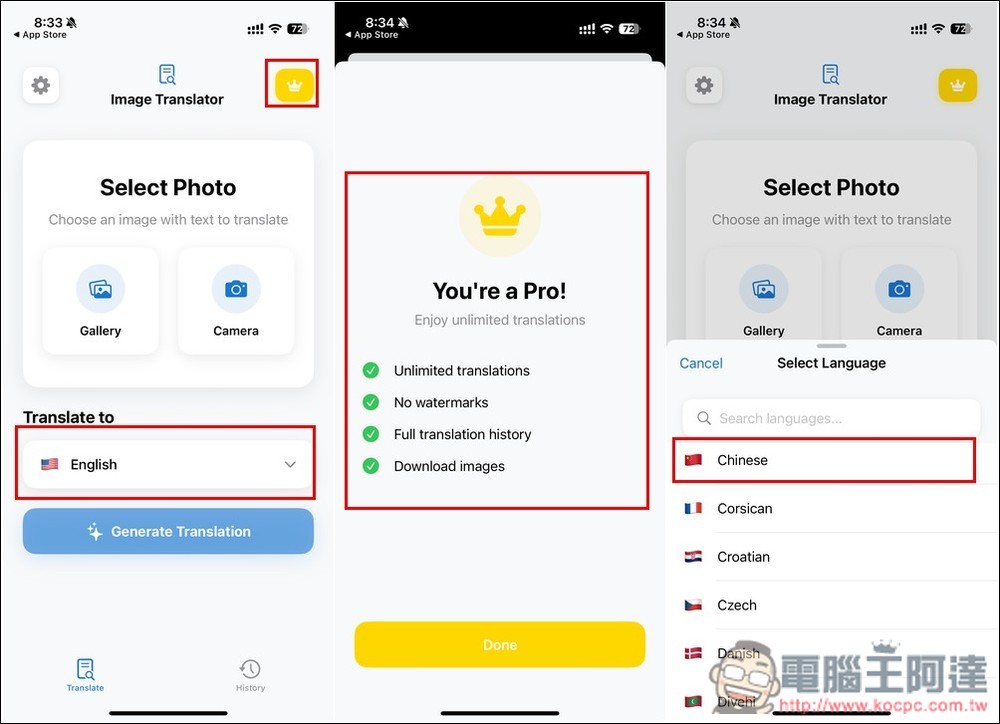
Choose how you want to upload the image, either from a photo or by taking a photo with your camera, then click Generate Translation:
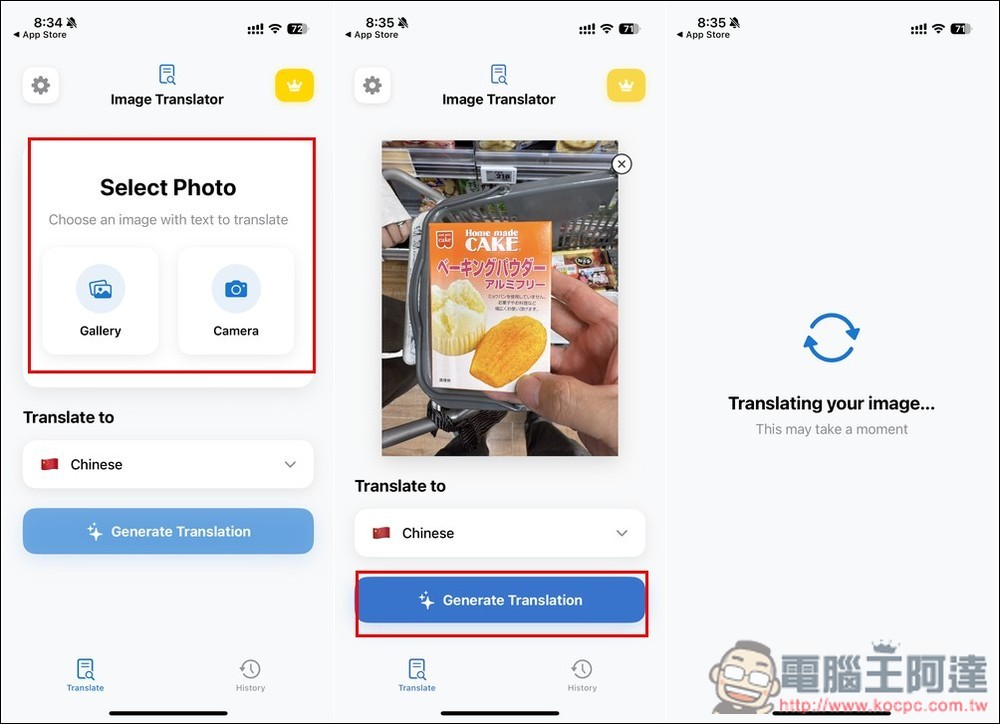
The translation is completed in about 1 to 5 seconds, which is very fast. Then you will see that the foreign text in the original picture has been changed to Chinese. Click Share below to share it with others, and Save to Photo will save it to the photo:
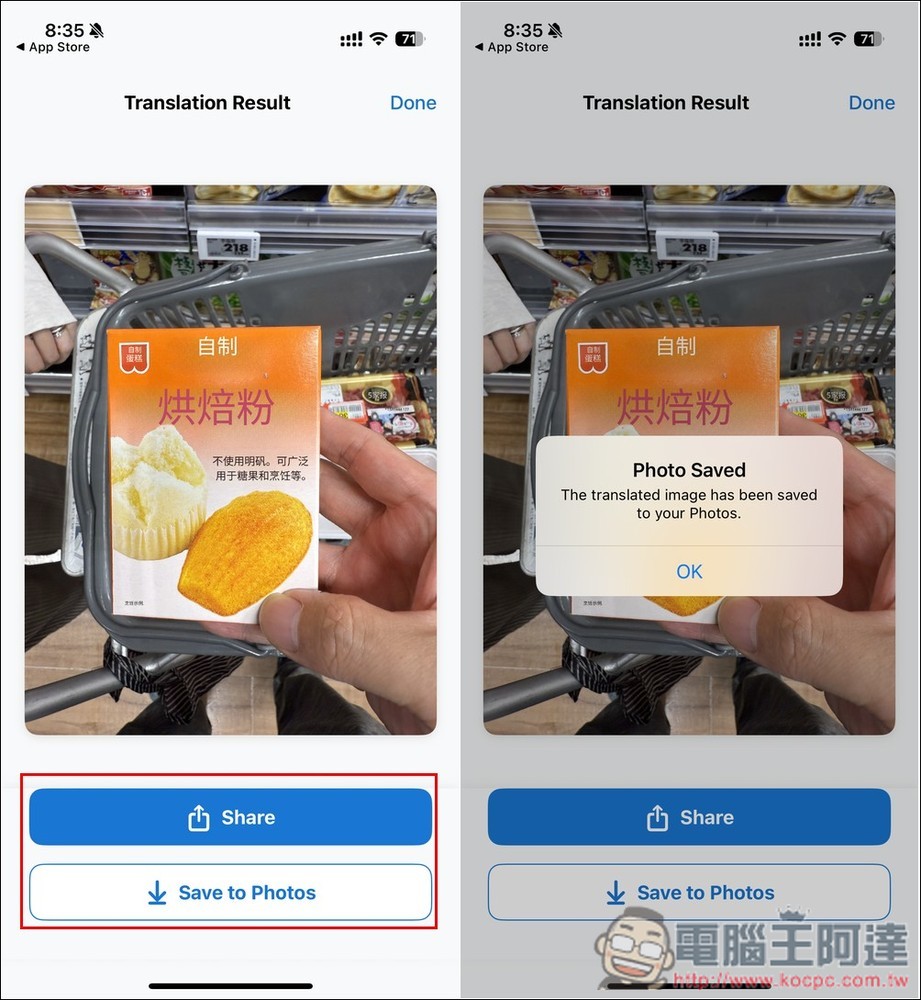
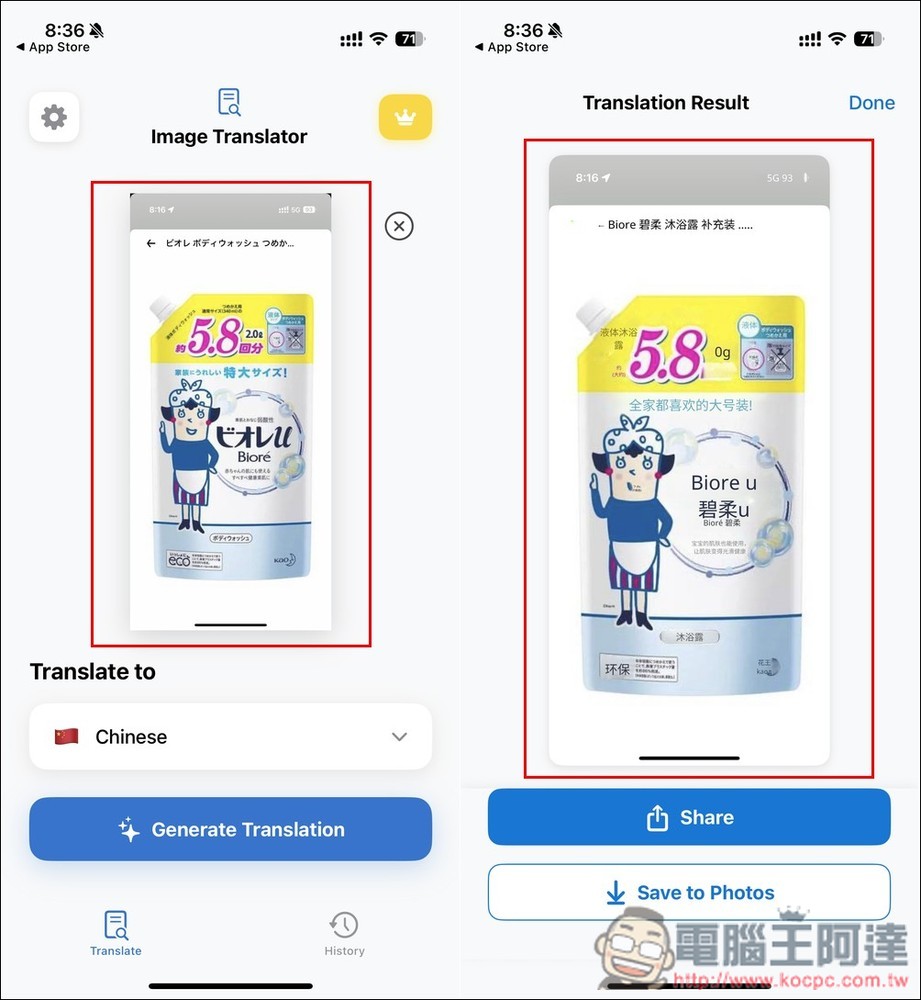
The quality of AI recognition text translation is quite good. Even if the words on the picture are very small and cannot even be seen clearly, AI can translate them:
As for whether Traditional Chinese will be added in the future? I don’t know about this. People who really want it can write to the developer or knock down the app rating.
All translated pictures can be found in the History record. According to the privacy statement, uploaded images and their AI-generated results will be temporarily stored for up to 24 hours. After 24 hours, all images will be automatically and permanently deleted.
However, for very important content, it is still not recommended to use this online service.
Source: KOCPC Chinese