


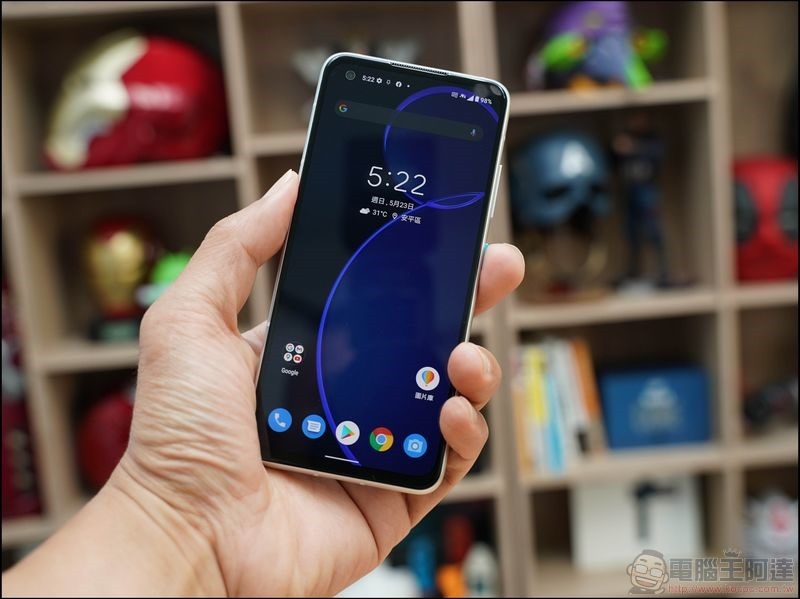
Modern people spend much more time in front of screens every day than in the past. Not only do they stare at computer screens when working and TV screens during breaks, but they also stare at mobile phone screens from time to time during commuting or other times. In addition to developing correct usage habits, there are some built-in functions in Android that can help reduce eye fatigue with simple settings adjustments. In this article, we use the Pixel 9 Pro XL mobile phone as an example. Other brands of mobile phones should have similar functions waiting for you to explore.
Reduce eye fatigue, these Android settings must be tried
Adjust text size and contrast
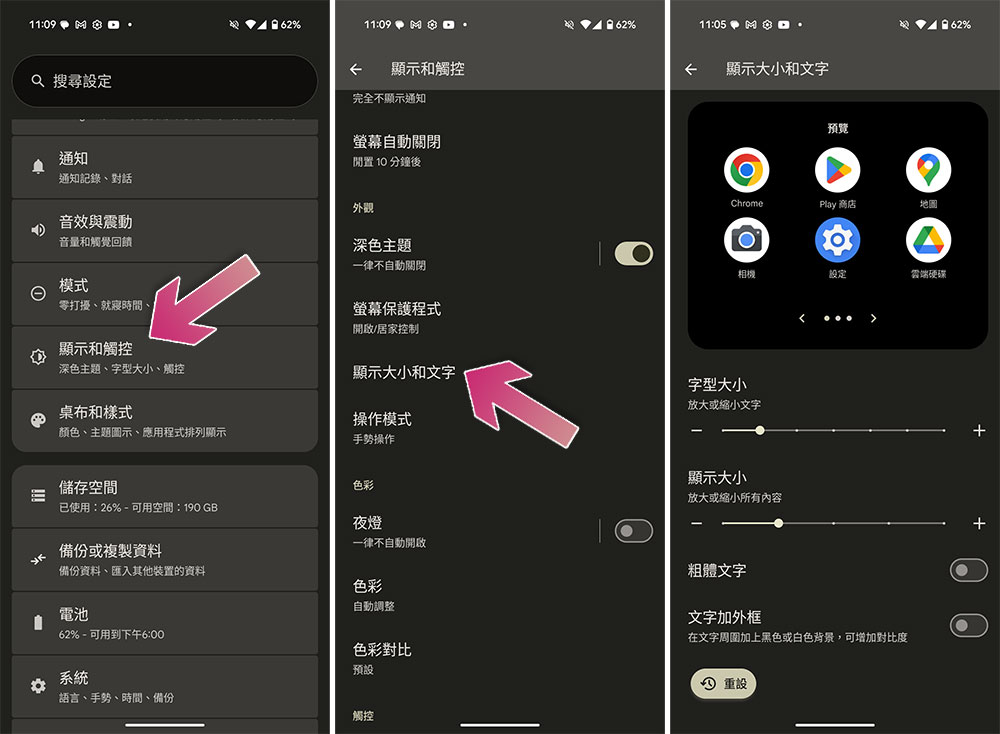
When you realize that your eyes are straining when reading text on your phone screen, it’s time to adjust the display font size. On Android phones, you can adjust the font size, display size, and even bold the font or add a frame around the text to increase contrast, making it easier for you to read.
Unfortunately, not every application is optimized for larger and bold fonts, so some applications may not have a satisfactory UI when using them.
- Open the Settings app and click “Display & Touch”.
- Select “Show size and text”.
Reduce screen brightness
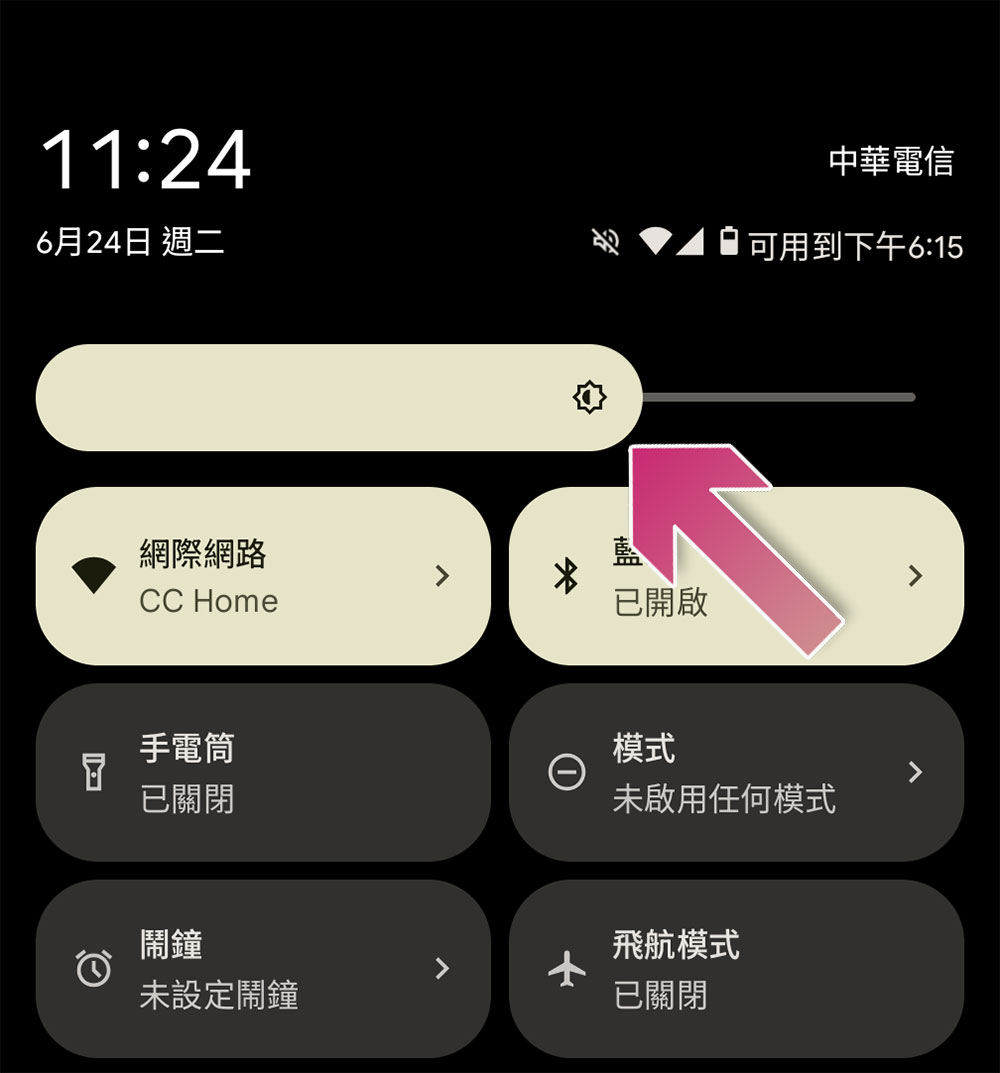
A screen that is too bright is not friendly to the eyes, especially when used in a darker environment. The high-contrast brightness contrast is even more dazzling. You can reduce the screen brightness to reduce eye fatigue. Newer Android phones can adjust brightness based on ambient light conditions and your preferences. If you still find it too dazzling, you can manually lower the screen brightness a little more. This can be helpful, especially if you have a habit of reading before bed.
Set strict screen time limits
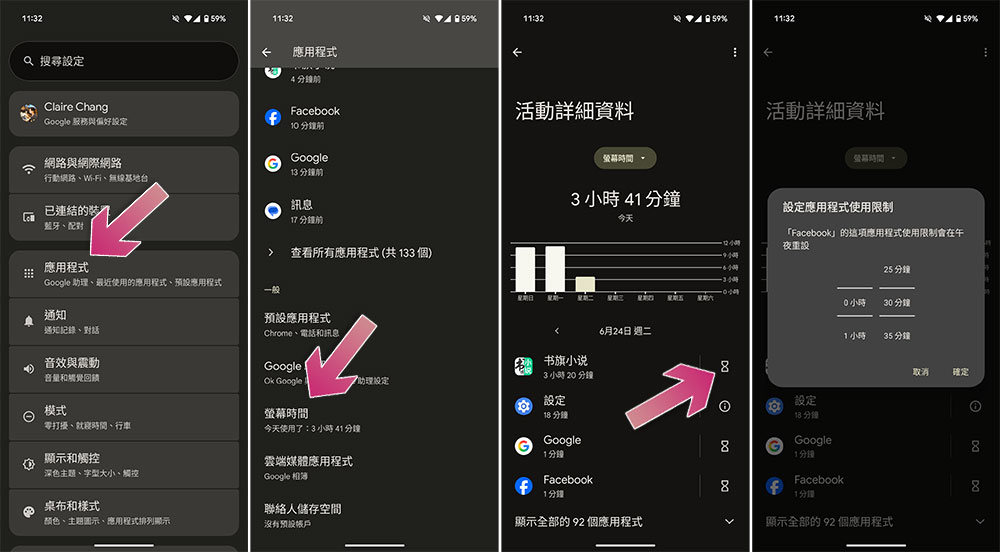
Reducing the time you spend staring at the screen should be the most effective way to reduce eye fatigue. You can set strict time limits for the non-essential apps you use most, such as Instagram, TikTok, Facebook, YouTube, and some games, and set a break every 30 minutes.
This doesn’t work the way you want it to, but it’s helpful when putting down your phone. Forcing yourself to stop staring at the phone screen and put down the phone at the right time to give your eyes a rest. In addition to reducing fatigue, it can also help you focus more on your work.
- Enter the settings application and click to enter “Applications”.
- Scroll down and select Screen Time.
- You can click the hourglass icon behind the specified application to set time limits one by one.
Developing healthy usage habits is the most practical
Aside from tweaking your phone settings as much as possible, there are no life hacks, shortcuts, or techniques that will magically reduce eye strain, and nothing will do the trick more than taking your eyes away from the screen. Eyes feel tired in front of the monitor, not because of blue light exposure, but because looking at the screen for a long time reduces the frequency of blinking, and staring for too long leads to dryness and irritation. Try adjusting some of your habits, such as not using your phone in bed in the morning or evening, try the 20-20-20 rule (take a 20-second break for every 20 minutes of use and look at something 20 feet away), and reduce the time you spend on games and social media.
Source: KOCPC Chinese