


even now AI The translation is very powerful and can even be done on the fly, but knowing another foreign language is still a huge advantage. If you are also planning to improve your foreign language and are wondering if there is any way to improve your vocabulary memory, “Lingopic” is a good choice (called Word of the Day Flashcards in the Taiwan App Store). It provides 37 common foreign language vocabulary learning. For each word, a suitable image will be generated through AI, using the image to enhance your memory.The lifetime version is now offering a limited free offer, so don’t miss it if you need it.(Limited exemption has ended)
“Lingopic” uses AI images to make it easier for you to remember words
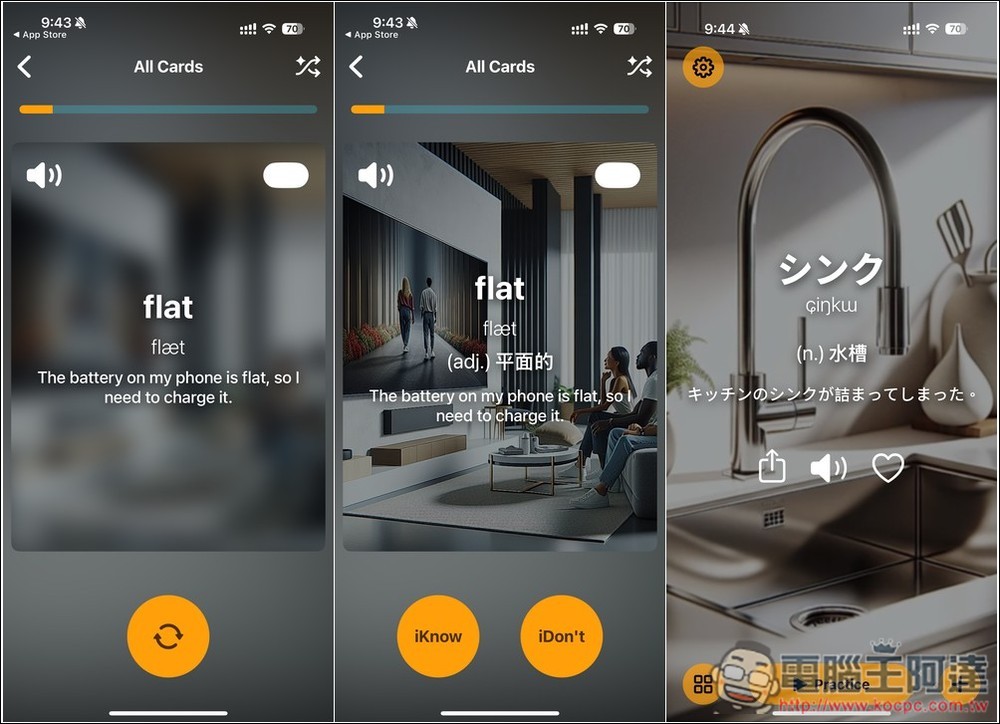
The biggest difference between “Lingopic” and other word learning apps is that it has a built-in image generator driven by AI, which will generate a suitable picture for each word. This means that every word has a picture for your reference to deepen your impression of it.
The interactive practice mode also uses an intuitive “yes” or “no” approach to make language learning easier. Of course, a review plan will also be arranged to prioritize unfamiliar words to help you remember the information for a longer period of time.
I would also like to remind you here that the lifetime version discount of “Lingopic” is not sure when it will end. When making any payment and obtaining actions, you must pay attention to the screen. If there is no amount, it means that it is still free of charge. If there is an amount, it means the original price will be restored.
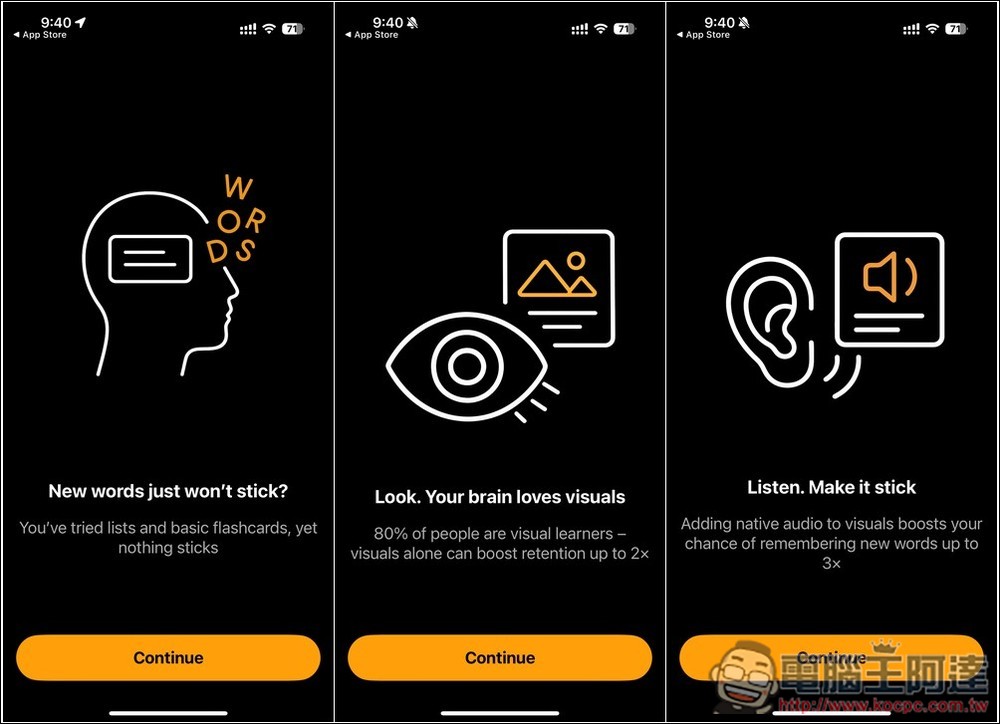
When you open the “Lingopic” App for the first time, there will be a simple introduction:
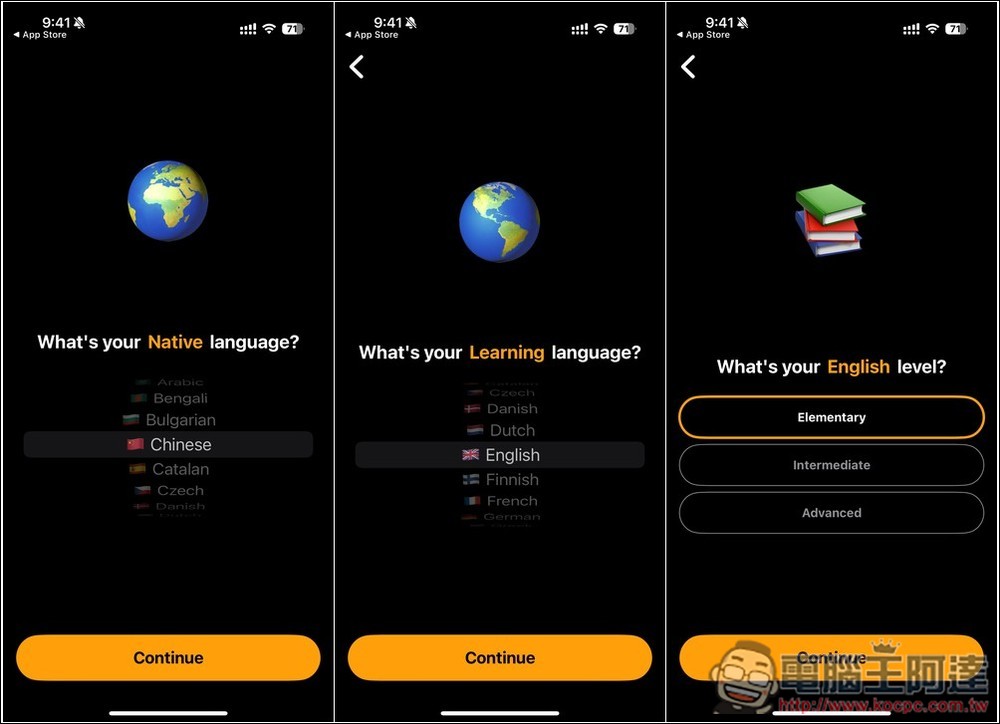
Next, you will be asked to set the language and level you want to learn. I chose English. The levels are beginner, intermediate and advanced:
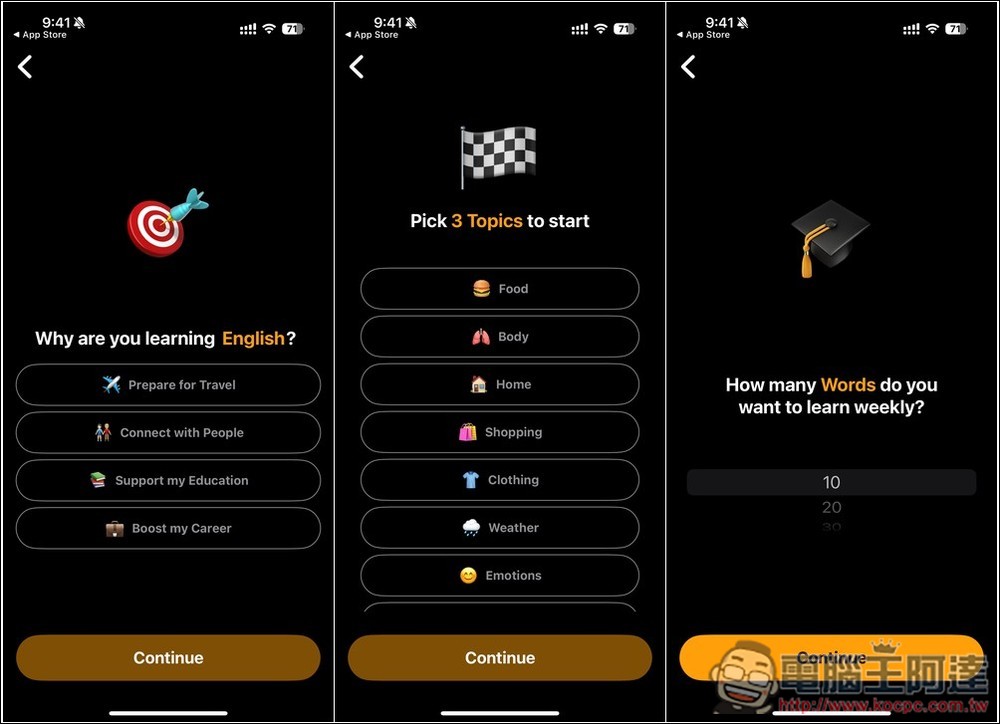
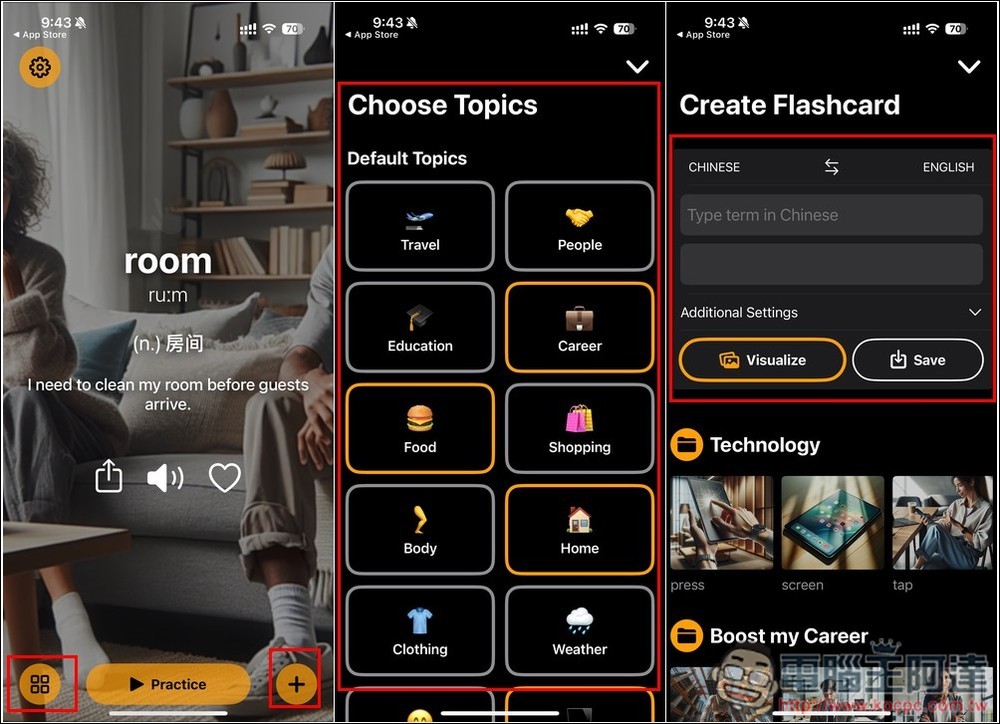
The next step is to choose why you want to study, your favorite topics, and how many words you want to learn every week. These can be modified later, so just choose whatever you want:
Once everything is set up, learning content tailored to you will begin to be generated:
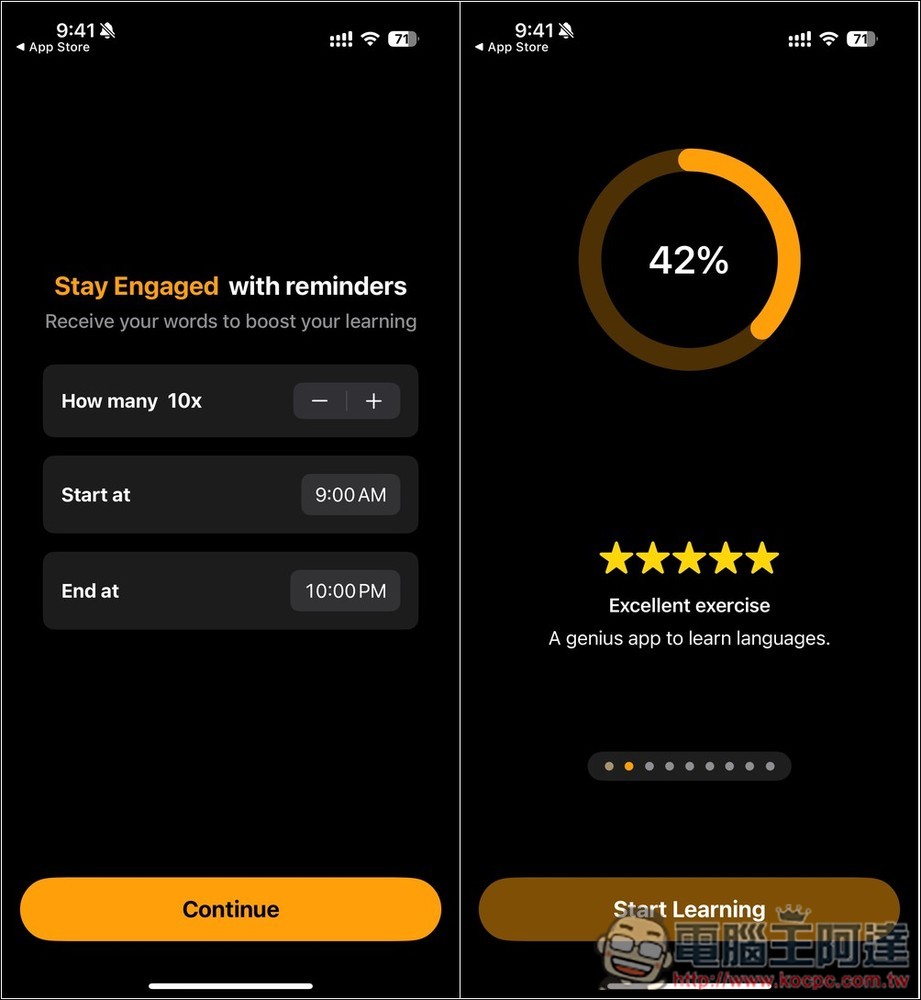
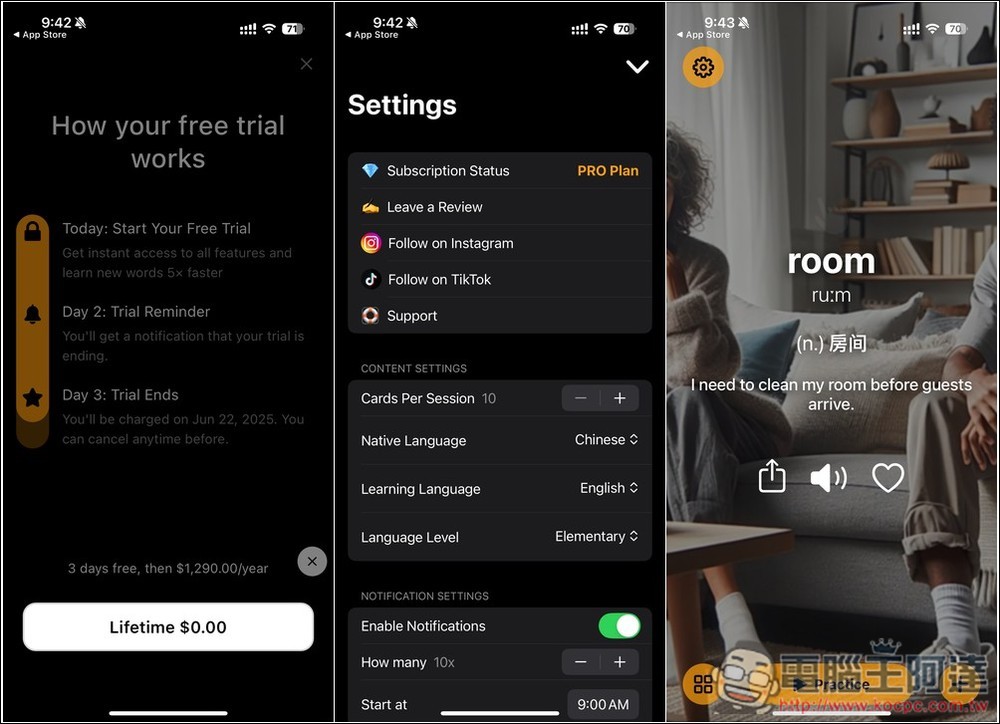
Next is the most important step. The free trial of the paid version will be displayed at the beginning. Please click See Other Options below, and the Lifetime version option will appear. If $0.00 is displayed, it means it is still free.But be careful here, when I pressed Lifetime for the first time, the amount was displayed. Then I turned off this screen, and then opened the upgrade screen again. When I pressed the Lifetime option again, there was no amount. If you are the same, you can do it like this. If you don’t have the amount, you can get it with confidence. If you have the amount, don’t pay:
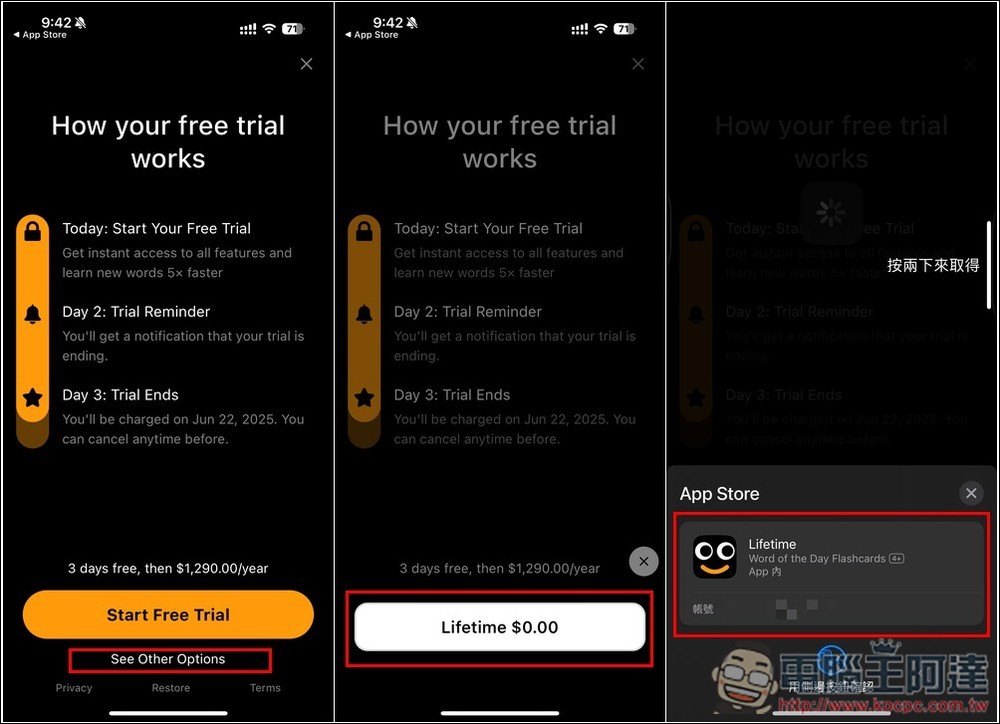
When “Your purchase has been successful” is displayed, it is completed. When you enter the Subscription Status in the settings, PRO Plan will be displayed:
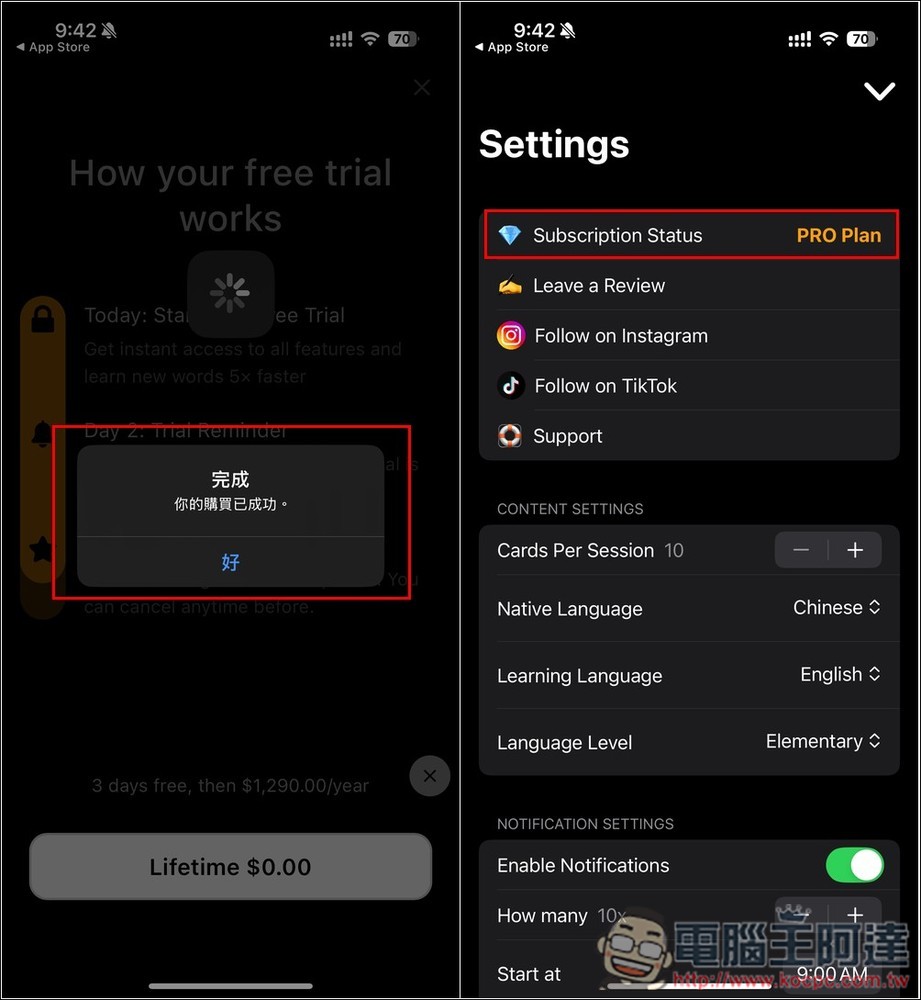
The learning interface of “Lingopic” is quite simple. The words will be displayed on the homepage. Each word has options such as part of speech, sentence, play pronunciation, and add to favorites. Swipe down to learn new words. The function in the lower left corner is to change the theme of word learning, and the lower right corner is to create word cards:
There is only one practice mode: word cards, which are only in English at the beginning. Click to display the Chinese explanation. If you already know the word, press I Know. If you don’t know, select I Don’t. I also tried changing the language I wanted to learn. After I changed it to Japanese, the learning content turned into Japanese words:
Source: KOCPC Chinese