


present dayphotoThey all pursue clarity and rich colors, but sometimes you may want to have that nostalgic film grain feel in certain photos. There is such a professional app “GrainLab Film Grain Editor” on the App Store, which is specially designed to add film grain and is very well received.More importantly, the lifetime version, originally priced at $99.99, is now being offeredLimited exemptionAs long as you get the discount before the end of the event, you can use the professional version without any functional restrictions for free forever. Those in need should not miss it.(The lifetime free version has ended)
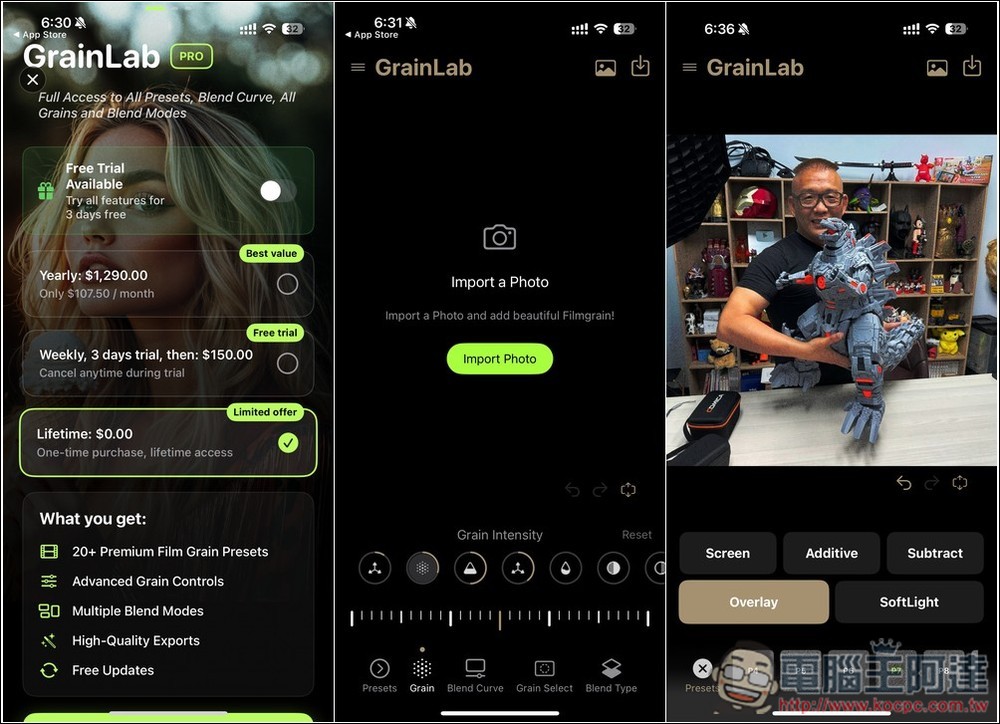
GrainLab Film Grain Editor adds professional film grain to your photos with one click
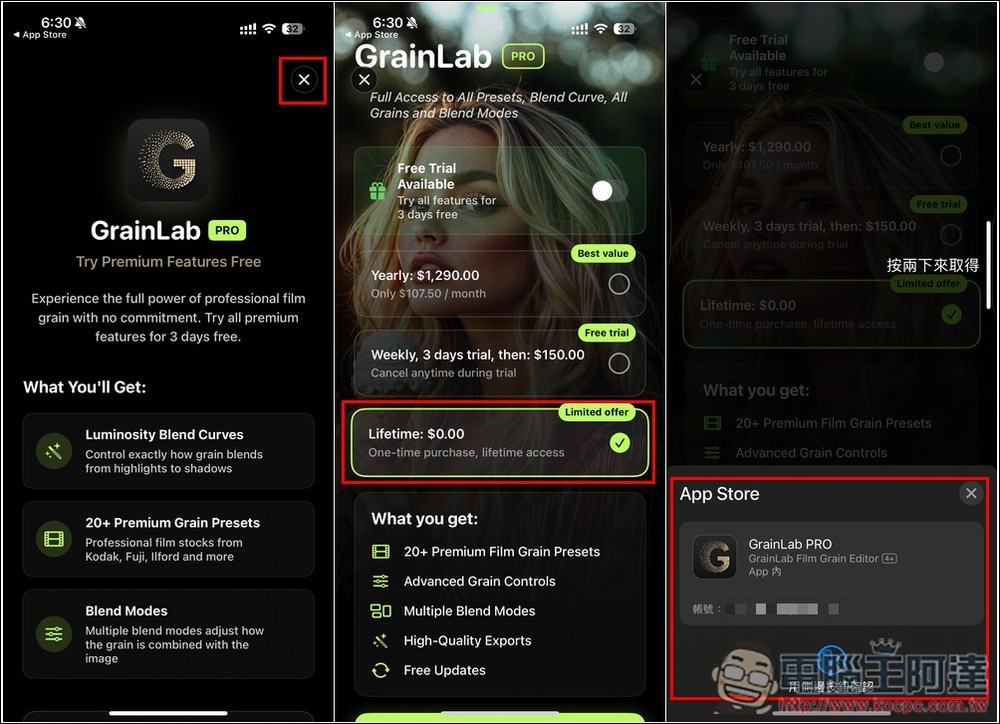
This time GrainLab Film Grain Editor has launched a limited-time free lifetime version. There is no announced time, so it is recommended to get it as soon as possible to be safer. In addition, I would like to remind you that before making any payment confirmation, pay attention to whether there is an amount. If there is no amount, it means it is free. If there is an amount, it means the original price has been restored.
GrainLab Film Grain Editor is a software that allows you to create realistic film grains from scratch or directly apply the textures of major well-known film brands. Compared with ordinary photos, the addition of film grain can completely change the atmosphere of the image, adding a nostalgic warmth and sense of story.
The developers also mentioned that GrainLab can perfectly simulate the natural grain changes caused by the reaction of “silver salt” crystals to light during the traditional film development process.
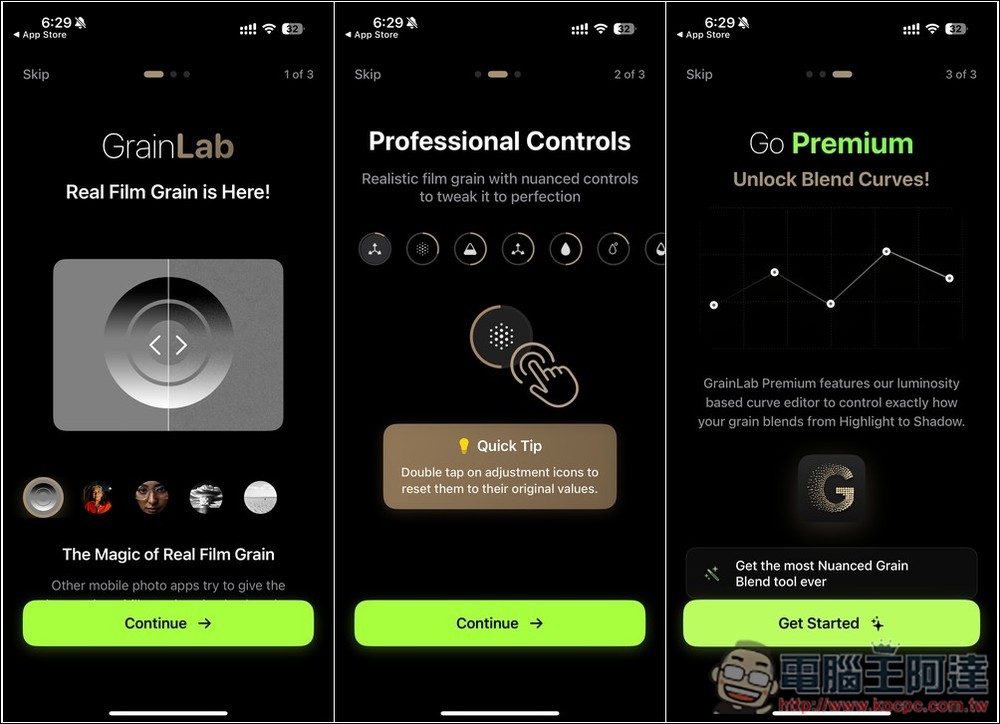
When you open GrainLab for the first time, there is a simple introduction to its functions and features. The Premium version has a brightness-based curve editor, which can accurately control the transition effect between bright and dark parts of particles:
Next, let’s get to the point. First, a screen for trying the Premium paid version will pop up. Here, you have to press the After selecting, press the button below to confirm. When you enter the payment acquisition screen, check the App Store page that pops up below to see if the amount is not displayed. If it is, it means it is free, so you can get it with confidence. “Don’t get it if you have the amount”:
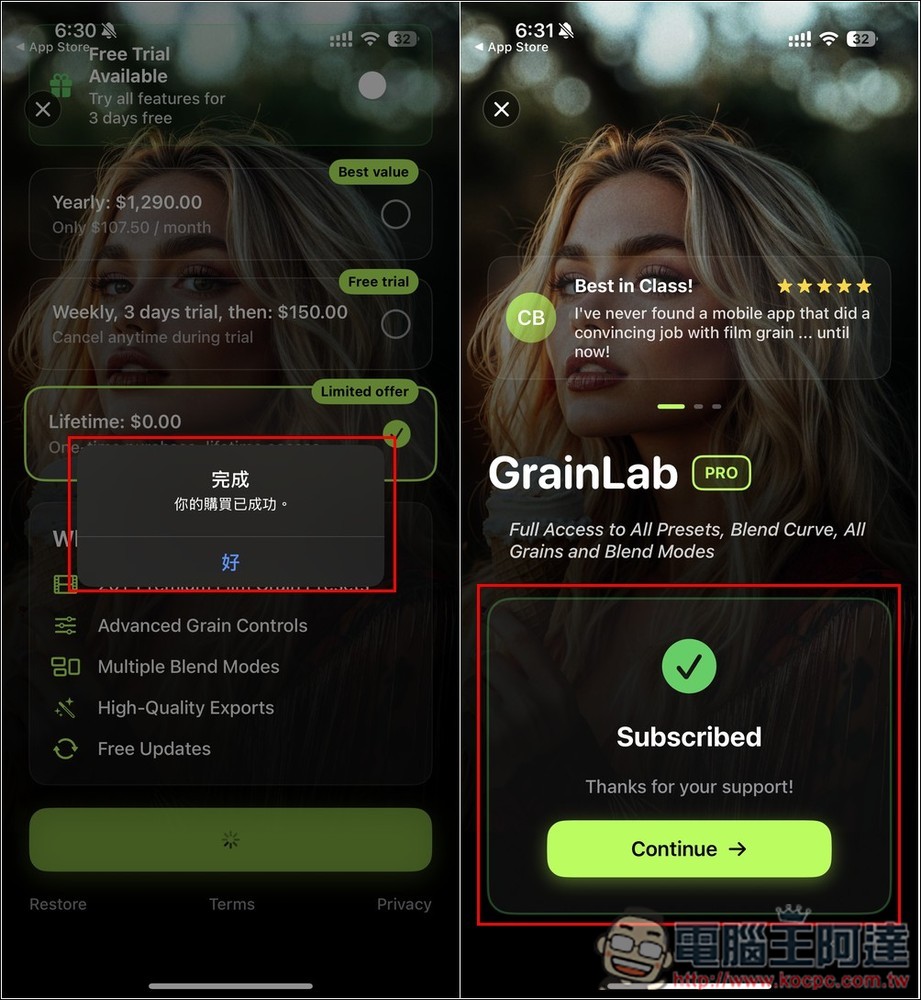
If it shows that the purchase is successful, it means that you have obtained the lifetime version. Click to continue:
If you want to confirm whether you really got it, open the menu in the upper left corner, go to the Subscription option, and it will say You’re a Pro User! That’s right, it’s the professional version:
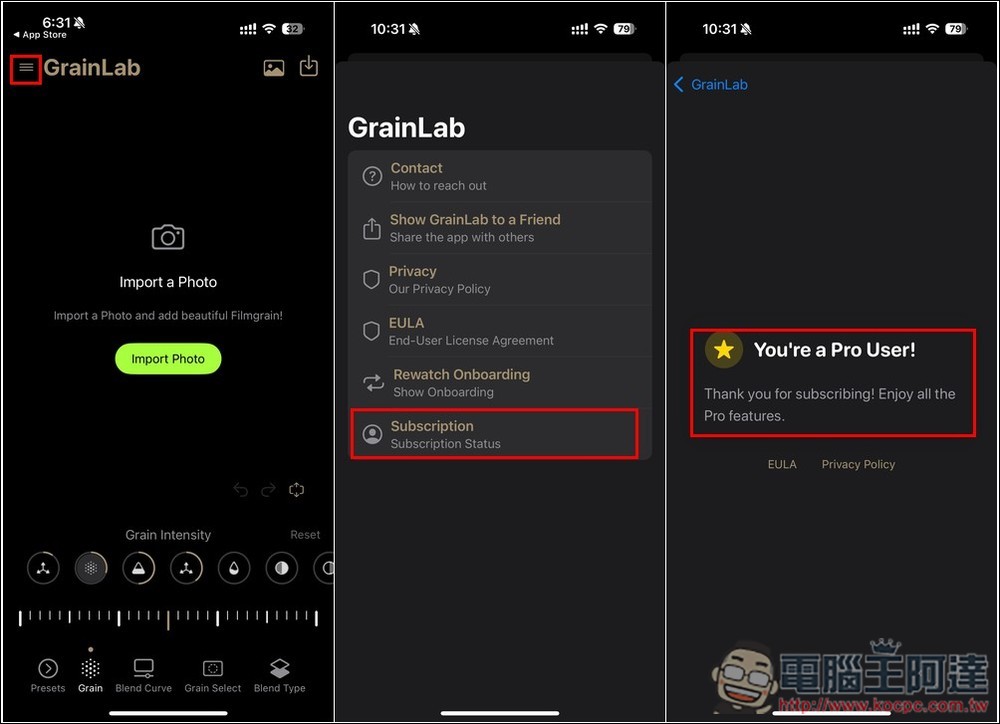
Then you can start playing around with adding graininess to your photos. If you don’t want to manually adjust it yourself, you can select Presets on the lower left. Here you can find textures preset by major brands, including FUJICOLOR, KodakPro, lomography, KODAK, etc.:
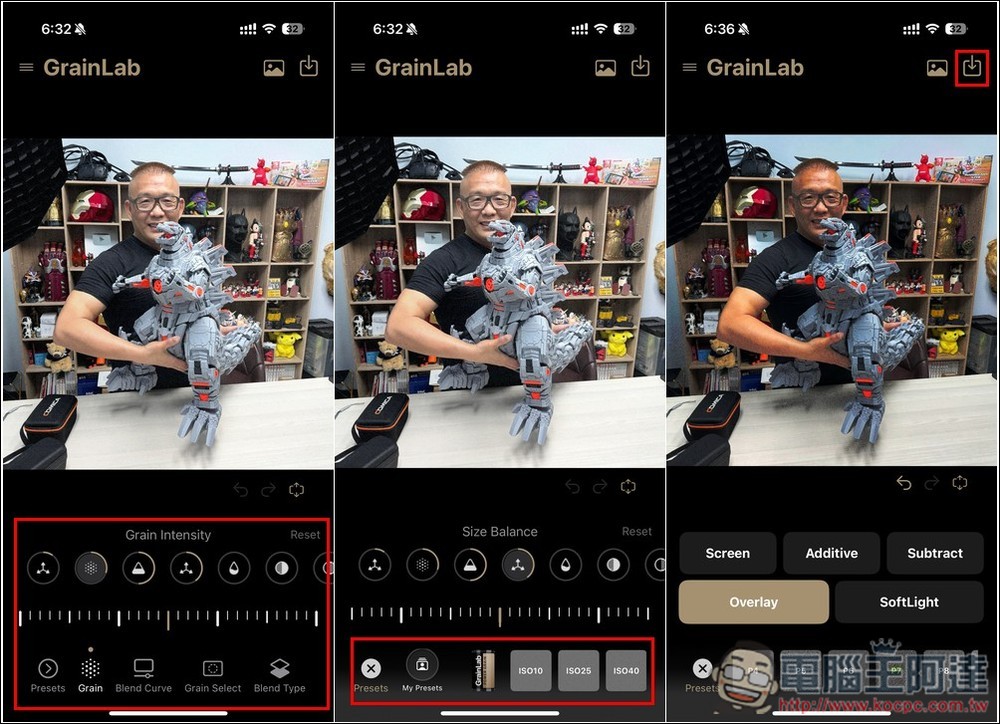
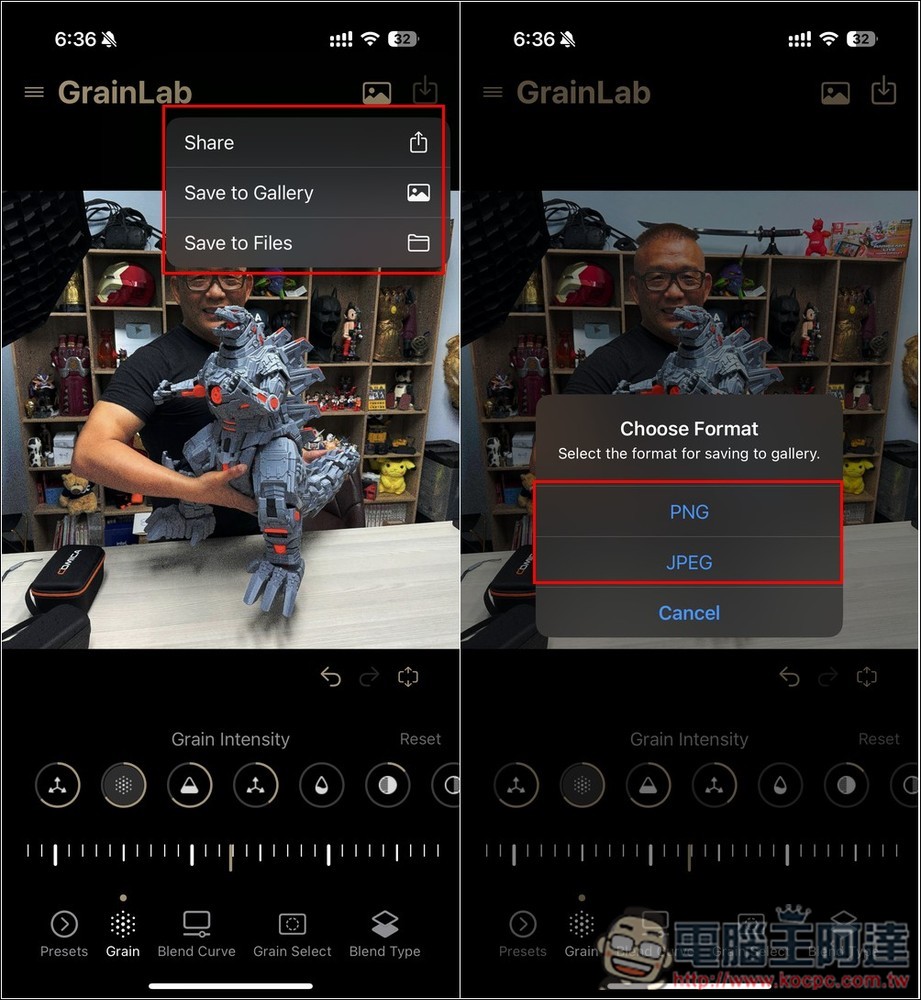
Once you are satisfied, open the icon menu in the upper right corner and you will find download or share options, available in JPG and PNG formats:
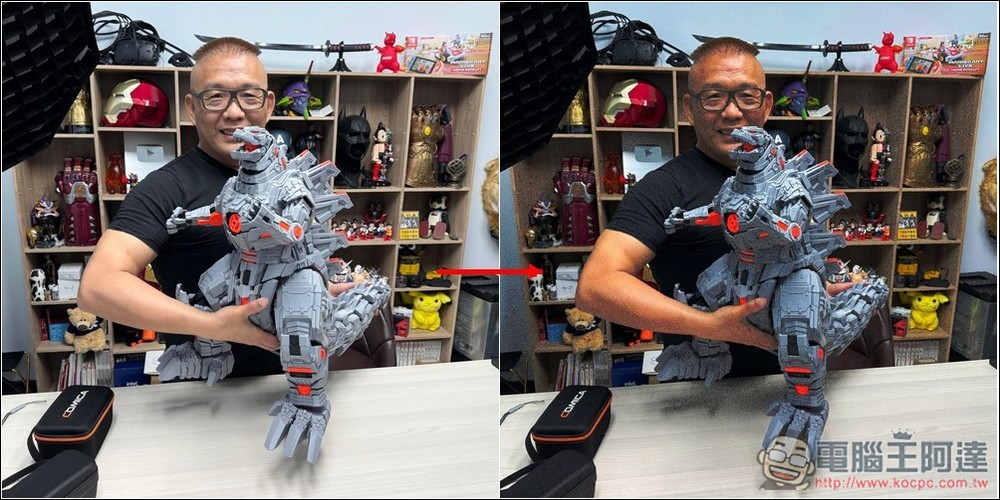
The picture below shows the difference before and after adding:
Finally, let me remind you that the GrainLab Film Grain Editor limited free promotion will end at any time.(has ended)
Source: KOCPC Chinese