


A long time ago, everyone would change their mobile phones once a year, but now according to Statistics from Statista, the average replacement cycle of people’s smartphones falls on 2.5 years.laptopThe replacement cycle is longer,Statistics from Statista, the average replacement cycle is 4.6 years or more. When people buy a new laptop, they almost never replace it as long as it is still usable. In my case, I have a laptop that has been used for more than 10 years and is still in good condition and can still be used. So, how to make your laptop last long and healthy?

These tips can maintain your laptop, extend its life, and expand its performance
This time, I’ll focus on ways to extend the life of your Windows and Mac devices, taking into account both hardware components and software. The goal is not only to make your laptop last as long as possible, but also to help you ensure that your laptop remains fully functional, fast, and powerful even as system and resource demands increase.
Pay attention to how you charge your laptop
When will your computer feel old? The main feeling is that the battery life has become shorter. Laptops, like smartphones and tablets, use lithium-ion batteries. The biggest problem is that people often leave the charging cable plugged in for a long time to maintain 100% power. Doing so exposes lithium-ion batteries to excessive voltages over time and creates constant heat through trickle charging, both of which can slowly and permanently degrade the battery. To make your laptop battery last as long as possible, it should ideally maintain a charge between 20% and 80%, so turn on battery optimization or charge limiting.
The reason a MacBook Pro typically lasts so long is because of built-in battery optimization, your MacBook learns from your usage behavior to determine when it should be charged past 80%, such as when you habitually unplug the charger. For Windows, optimization and charge limit settings will depend on the manufacturer’s software or BIOS, in both cases, avoid letting your laptop drop below 20%.

Keep vents clean
The vents are a place that people tend to overlook. Since laptops need them for heat dissipation management, they are a part that you shouldn’t ignore. If your computer’s air vents are clogged, you may see reduced system performance, serious system errors, and gradual, permanent damage to the internal battery and delicate components.
Firstly, always make sure the vents are clear, it is not recommended to use your laptop in bed as blankets, pillows or soft sheets may cover the vents, especially if placed at the bottom. However, if you like to use your laptop in bed, at least pay attention to the vents to ensure smooth airflow. If you plan to use the laptop in lid mode at your desk, it is recommended to point the vents upward as heat will rise with use.
It’s equally important to keep your vents clean. Depending on the environment in which the laptop is used, dust accumulates at different speeds. Please clean the vents regularly every week to ensure that they are not blocked or covered.

Use less wipes to clean screen and keyboard
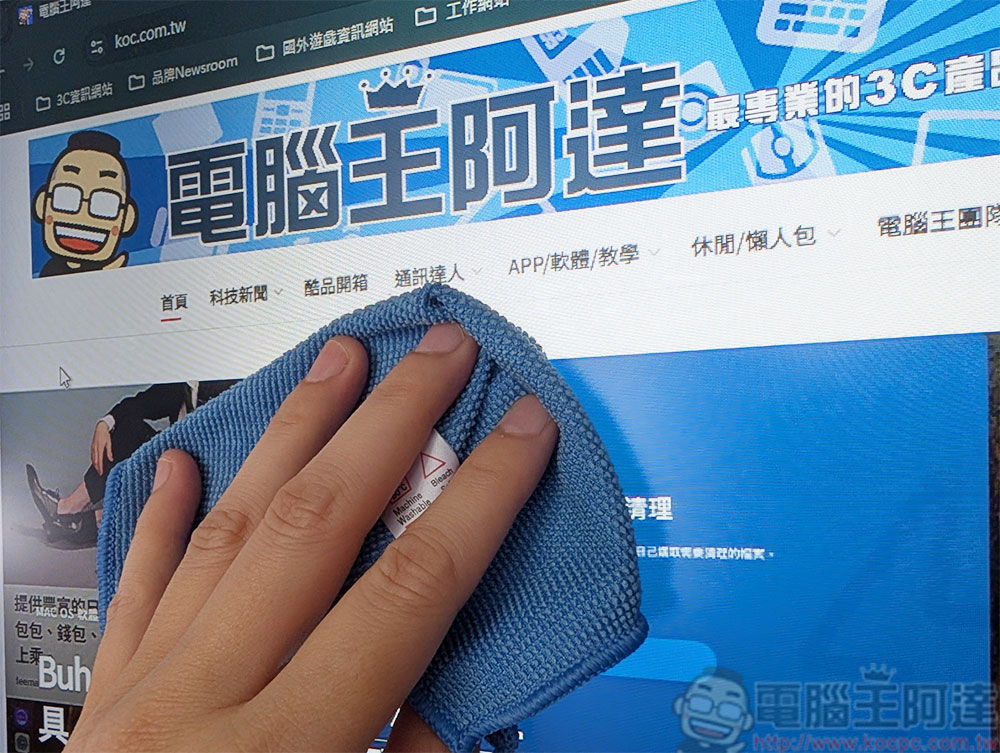
Disposable cleaning wipes are a great tool for keeping your electronics clean and disinfected, but you might be using them wrong. Disposable wipes designed for general cleaning often contain harsh chemicals (bleach, ammonia, and acetone) that can slowly wear down your electronic devices, especially delicate laptop screens. Over time, these chemicals wear away the protective coating, potentially affecting the screen’s appearance and making it more susceptible to cracking.
Similar advice applies to keyboard cleaning, as wet wipes will wear down the keys more quickly, and excess liquid may drip through the keyboard and into the computer without your knowledge. You can use a microfiber cloth to clean your screen and keyboard, or use special electronics cleaning wipes instead of all-purpose cleaning wipes.
Be careful with screen protectors and keyboard protectors
To protect your phone’s screen and make it last longer, you’ll install a screen protector, but this advice doesn’t necessarily apply to laptops. The problem mainly occurs with the MacBook, which is known for having an ultra-thin display. You may have seen users online complaining about its flimsiness, which seems to be more reason to install a protector, but in fact you should avoid it. Ultra-thin Windows laptops are also included, so don’t leave it to chance.
The first reason is that the screen protector may be too thick. Apple recommends not placing anything, including lens covers, between the screen and keyboard. Because when you close the laptop, the gap between them is too limited. For the same reason, it is recommended to use keyboard membranes, keyboard stickers, etc. with caution.
Secondly, when you want to remove the screen protector (perhaps because you want to replace it or it is damaged), the removal process may cause permanent damage to the screen. Either the delicate coating and protective film will fall off along with the protector, or the screen will crack.

Frequently update operating system, software and BIOS
Hackers often target devices that are not updated. Many people have a prejudice that updating devices and applications will slow down their computers, but this is not the case. Updates can fix bugs, performance issues, and cleanup bugs. The solution is also very simple, that is, please do not ignore the update notification that pops up on your computer.
By default, most devices automatically install operating system and software updates. If your device doesn’t, change it. If you are using a Windows computer, you may also consider upgrading the BIOS firmware. BIOS firmware updates are rare, but they can solve problems and improve performance, although the installation process is a little more complicated. You first download the BIOS firmware to a flash drive, then boot the BIOS and follow the steps to install it.
Make it a habit to reboot regularly (especially Windows users)
Most people are used to closing the screen of their laptop to put it into sleep mode when not in use. This is convenient because you can turn it on and go, but from a performance perspective, you should get into the habit of shutting down and restarting more frequently. according to Reader’s Digest According to , shutting down your computer can help it run better, fix errors and problems, extend the life of the fragile components inside your computer, save energy, and even make it safer from hackers, especially if you’re in a public place.
Even experts debate whether it’s better to leave your computer in hibernation mode or shut it down every night. Some say that frequent startup wears out components faster and consumes more energy than sleep mode. Others believe that constant use will wear out the components more and prevent cooling. What’s our advice? Whenever you feel sluggish or encounter an issue that other troubleshooting doesn’t resolve, restart or shut down your computer.
Source: KOCPC Chinese