


Every major Android system update usually introduces new options you’ve never seen before, and updates may return hidden or ignored features on Android to their default values. Of course, these will not be notified separately, and sometimes they will change the behavior of the device and affect the Android experience you are accustomed to, so after updating, please take a moment to check out the several settings we have compiled this time.
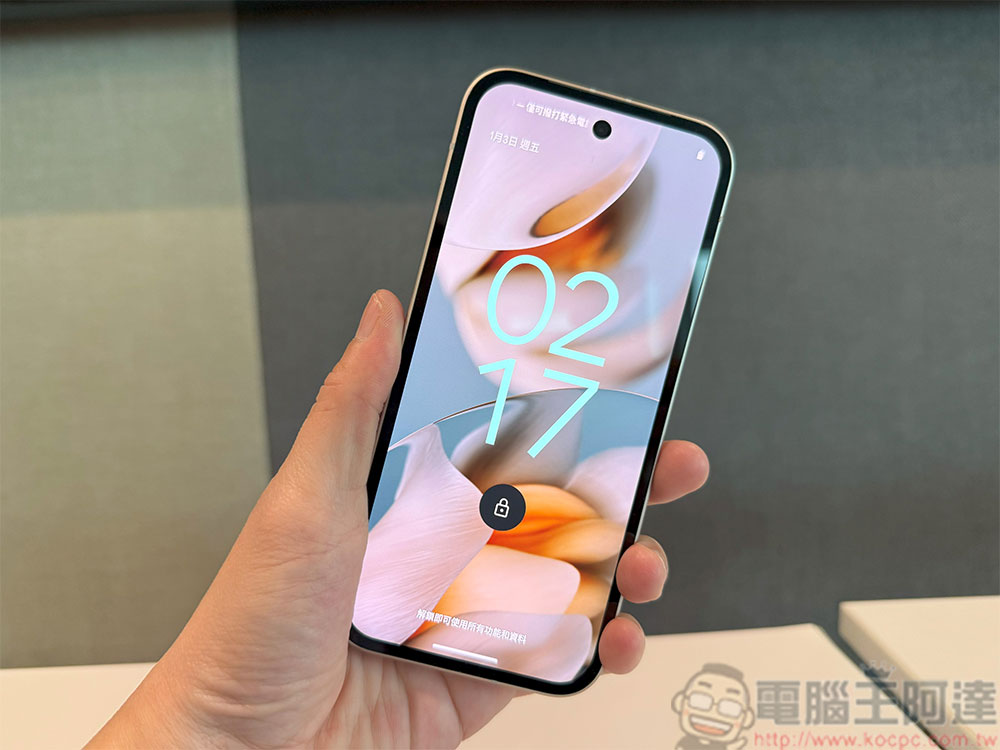
Several settings you must check after installing a major update on your Android phone
View licensing
Android updates may import new authorization settings or revoke certain authorizations to gain more control. For example, Android 13 introduces a photo picker that only grants the application permission for selected media files rather than the entire gallery; Android 11 adds one-time authorization for microphone, lens, and location information.
Make sure each app’s permissions match your preferences in Security & Privacy >> Privacy Controls. Again, please verify your location settings after updating. For example, in Android 12, approximate location permissions were introduced, allowing applications to access location information within an area instead of precise coordinates.
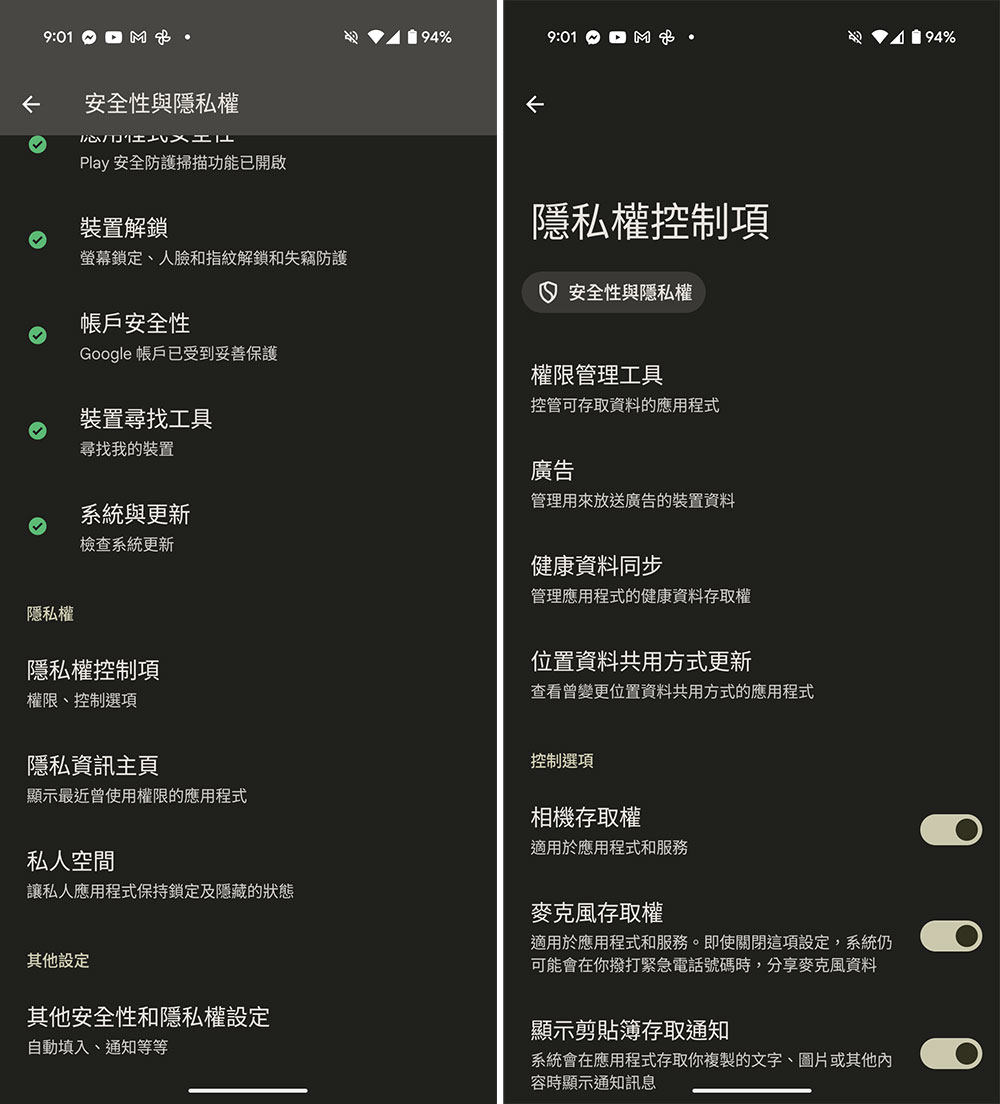
View new security and privacy options
Given Google’s ongoing efforts on security, Android updates may introduce new security features worth checking out. Android 15 brings a variety of security features, such as Private Space. Another example is Enhanced PIN Privacy, which hides the numbers you click on your screen for better protection. You may also find improved encryption settings, which provide greater data protection.
Check default applications
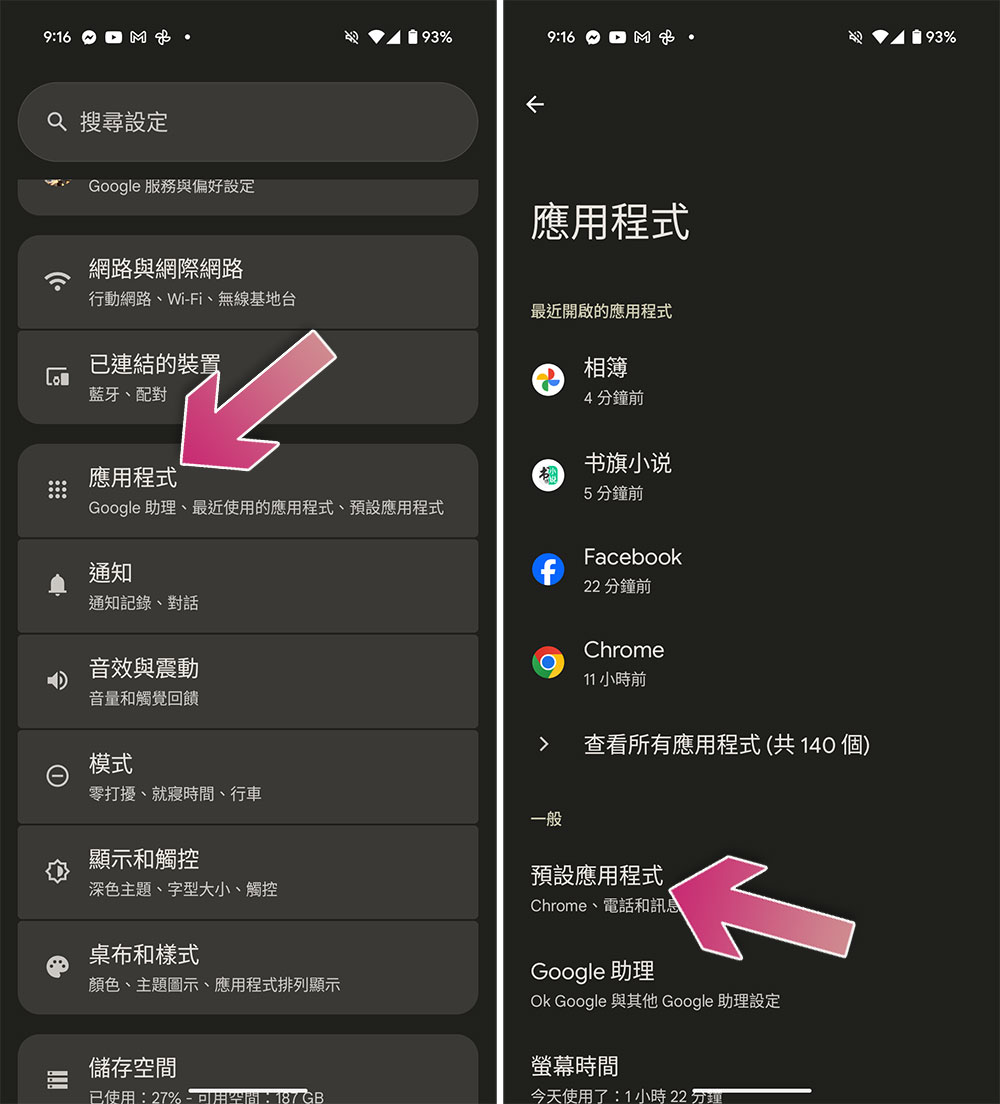
System updates may reset the default applications you set. Please check the following channels:
- Open the Settings app and click to enter “Applications”.
- Click “Default Application”.
- Check the browser, phone, SMS, home screen and digital assistant settings one by one for any changes. If you set a third-party app as the default, please make sure it remains the default. If it has changed, please re-select it manually.
Pay attention to newly added redundant applications after updating
Some phones will install new apps from the brand or mobile carrier during system updates, and you may find them after you complete the update. At this time, please check the application list and uninstall anything you have no memory of or no longer need. This will also free up storage space and reduce background running, thereby improving the overall performance of the phone.
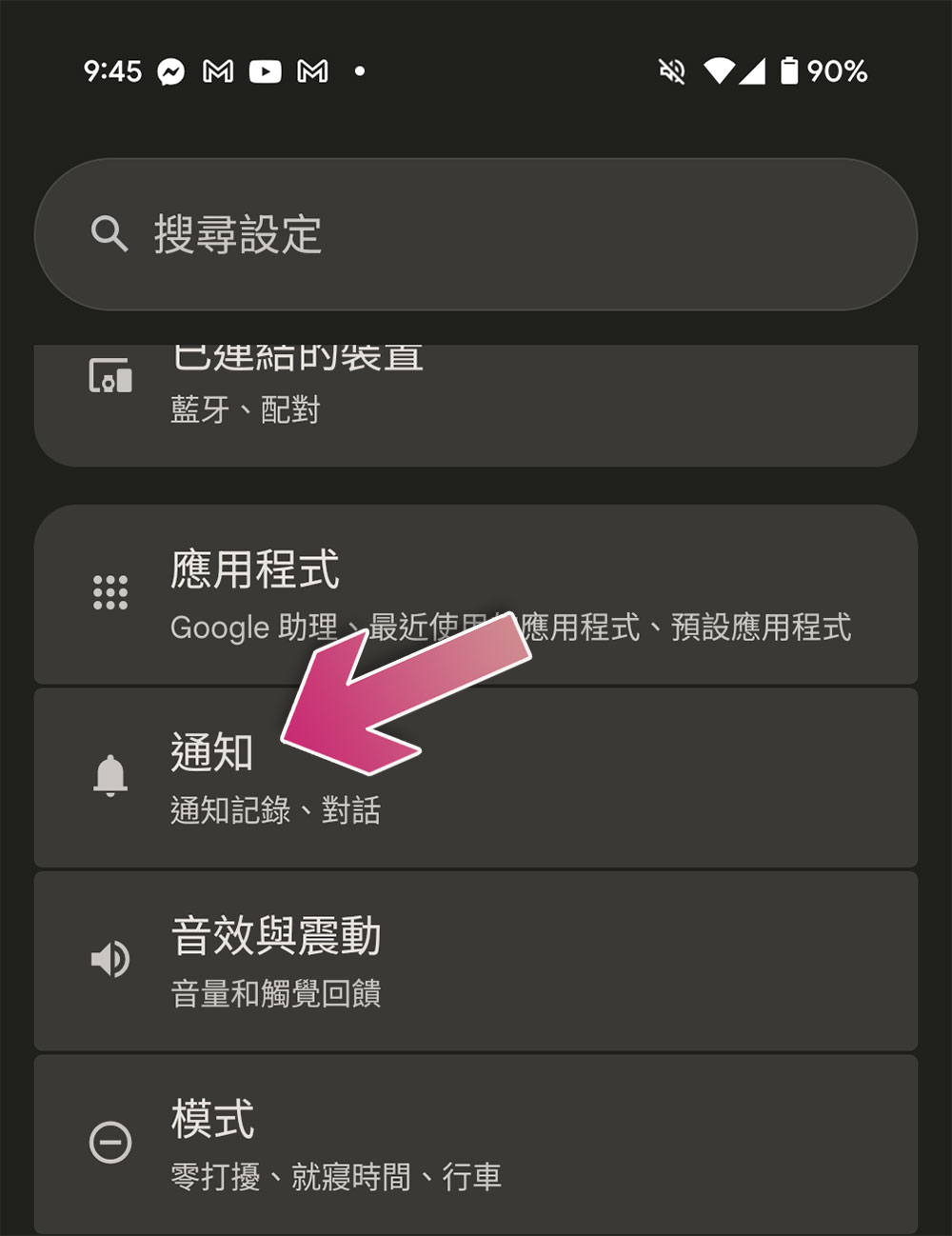
Check if there are any new changes to notification settings
It’s common for Android updates to make minor tweaks to notifications. For example, Android 12 introduced a feature that hides silent notifications from the status bar to keep things visually clean, and Android 11 imported notifications for specific conversations, allowing you to mark chats as priority, keep them at the top of the notification bar, and bypass Do Not Disturb mode.
Most of these settings are automatically enabled, but please remember to check whether there is room for customization in these settings. Most of them are located in “Settings >> Notifications”, and it is worth your time to check after each update.
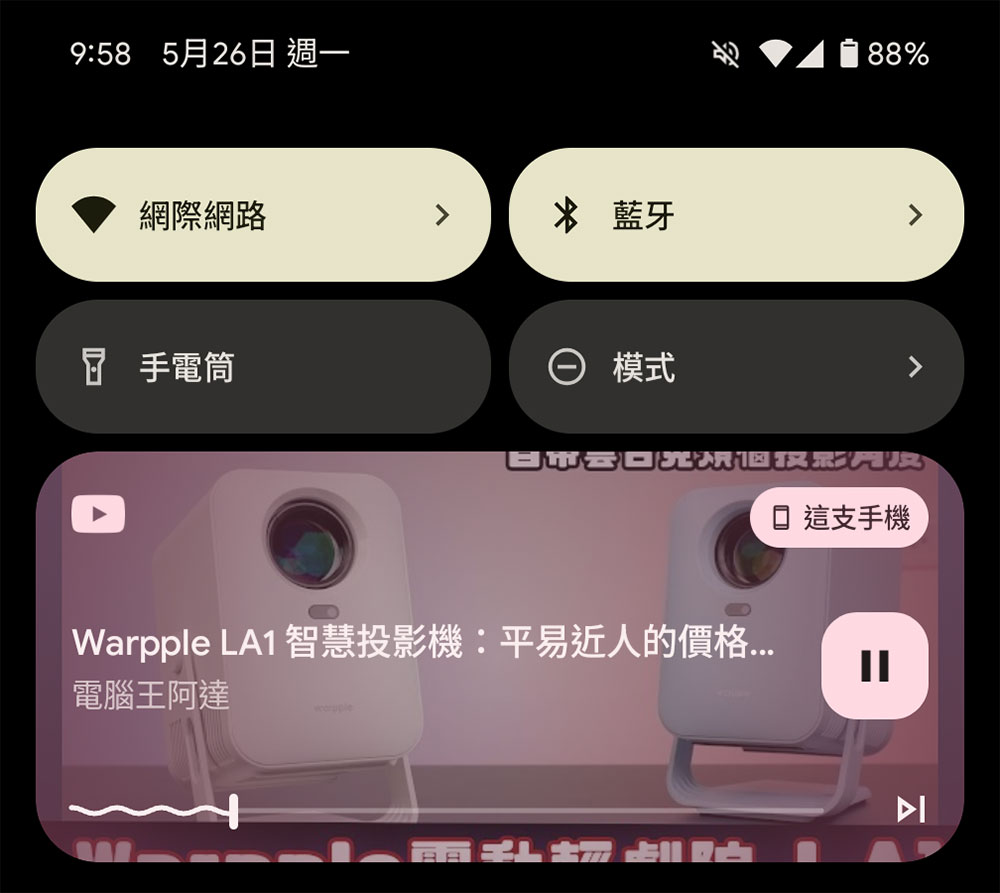
System updates often change the user interface and layout
Major Android updates often introduce significant UI layout changes that affect how you interact with your device. For example, Android 13 introduces a redesigned media player in the notification bar and lock screen, with larger album art, a wavy progress bar, and an option to switch between a slim and large clock on the lock screen.
Android 16 is expected to bring further changes, with a redesigned Quick Settings panel that supports tile resizing and a bolder Material 3 look. These visual updates may not be for everyone, and brands sometimes allow you to revert or adjust these changes, so it’s worth checking your settings after updating.
Check out new navigation, gestures, and shortcuts
After a major Android update, it’s a must to check the navigation system. Recall that Android 10 replaces the classic three-button navigation with gesture control, which brings a lot of shock to users, because such changes are usually accompanied by a new learning and adaptation process. Go to “Settings >> System >> Gestures” to confirm the availability and whether new options have been added. In some updates, Google sometimes adds a pop-up window to guide you through the changes.
Android’s gesture system is constantly evolving, so it’s worth exploring. For example, Android 12 introduced one-handed mode (swipe down near the bottom of the screen), which is getting even more improved in Android 13.
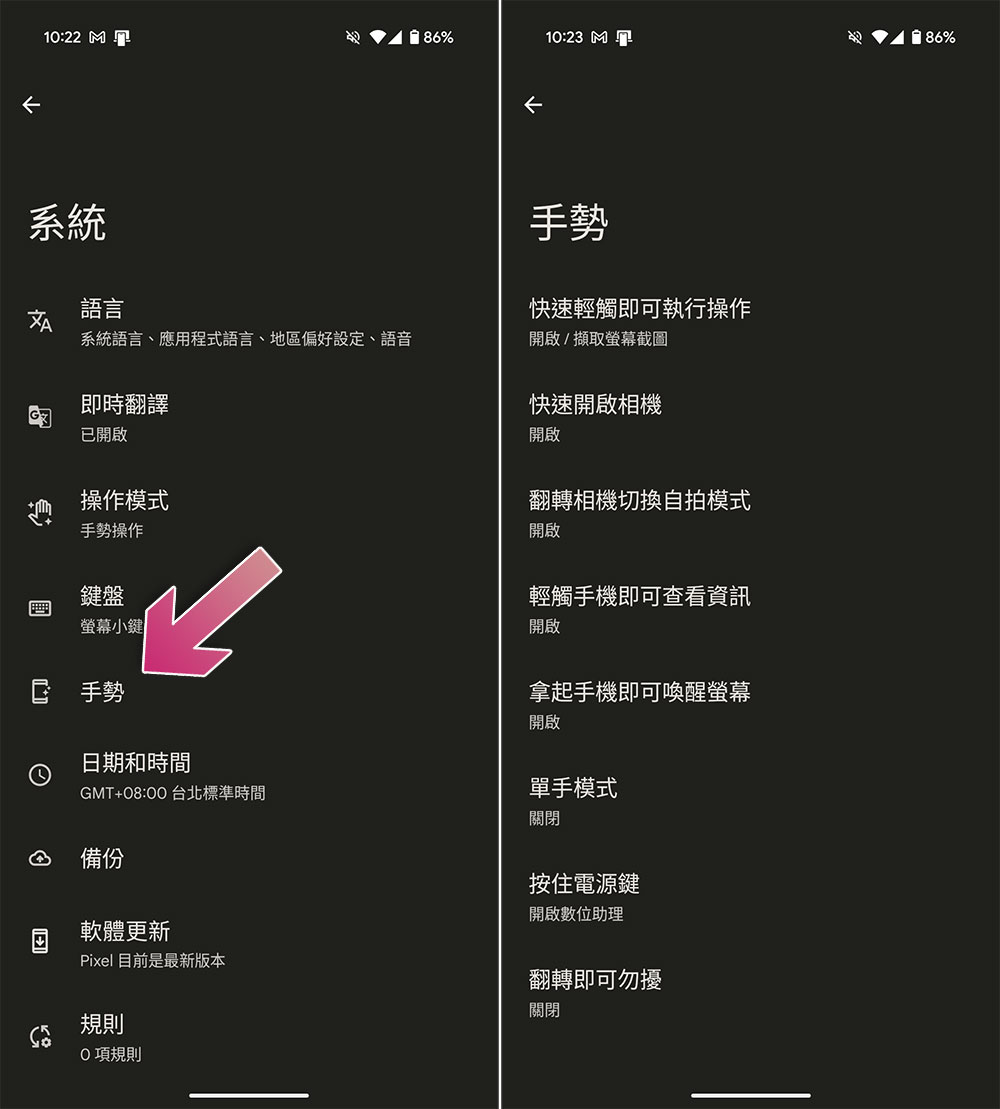
In addition to checking whether there are any new shortcut operations, you should also check whether the functions that were originally set to be enabled have been turned off. You can think about what kind of settings suit your workflow. Appropriate enabling can speed up efficiency.
Check your favorite apps for new options
After a major system update, please also check whether your applications need to be updated. App developers usually release updated versions after system updates to ensure synchronization and compatibility with the latest version of the Android operating system. Outdated apps may run inefficiently or behave erratically, causing new systems to crash or drain battery.
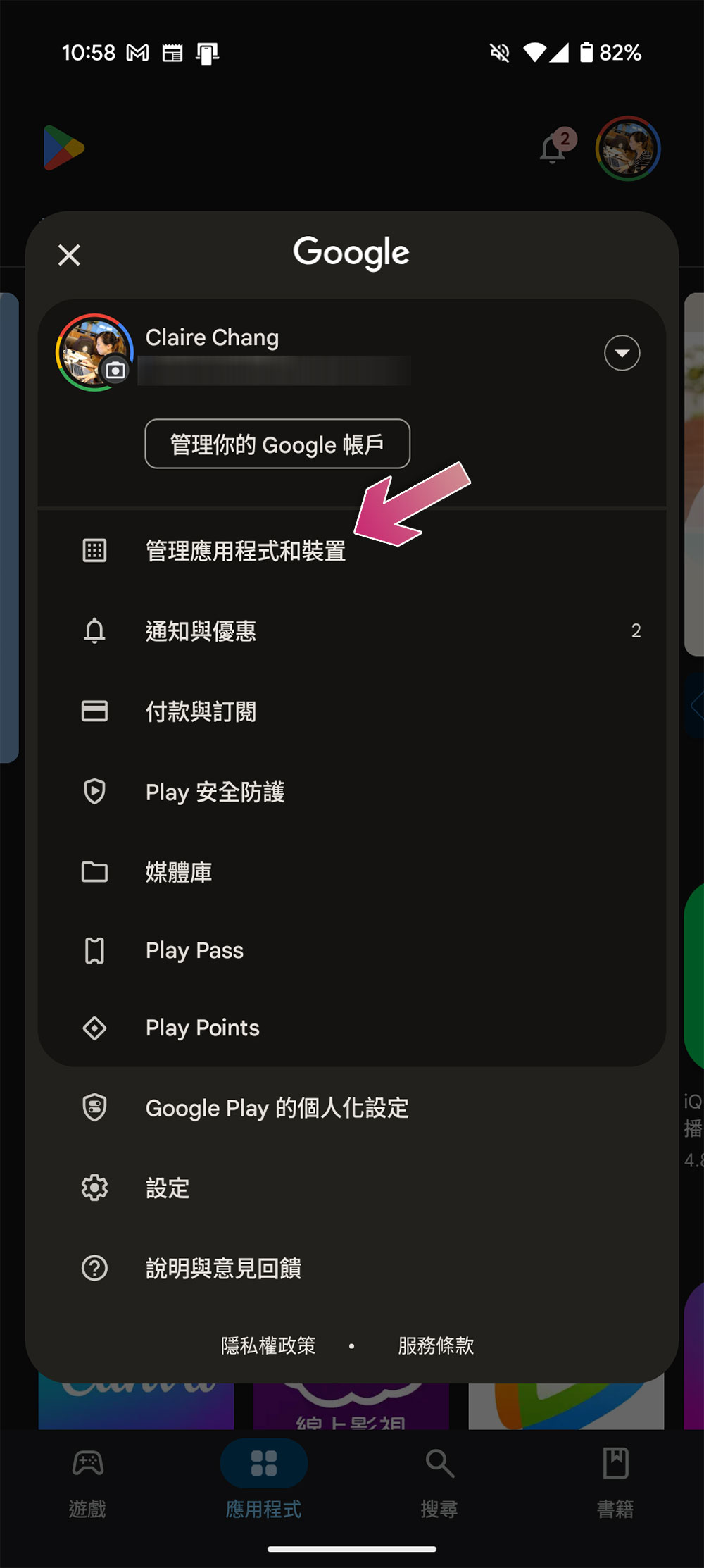
Please open the Google Play Store, click your profile picture in the upper right corner, select “Manage Apps and Devices”, and then click “Update All”. Next you can open your most used apps and see if the update has changed anything. If something doesn’t feel right, take a moment to adjust the settings.
It is normal to feel warm or the battery drains faster after updating. After a system update, Android runs in the background to update apps, rebuild caches, and optimize the system, which may temporarily consume more battery. The extra battery drain will usually resolve within a day, give Android some time to adjust.
Source: KOCPC Chinese