


Starting with iOS 18.4,iPhone and iPad finally support changing the default translation app, allowing users to directly convert more powerful Google Translate is set as the default option, replacing the original Apple Translator tool. Whether you often use translation to process foreign language messages, or you need real-time language support when traveling abroad, this new feature is extremely useful. This article will teach you step by step how to set up in iOS 18.4 system Google Translate becomes the default translation app, which is simple and fast to operate. No jailbreak or additional settings are required. want to iPhone The translation function is more convenient, so you must not miss this tutorial!
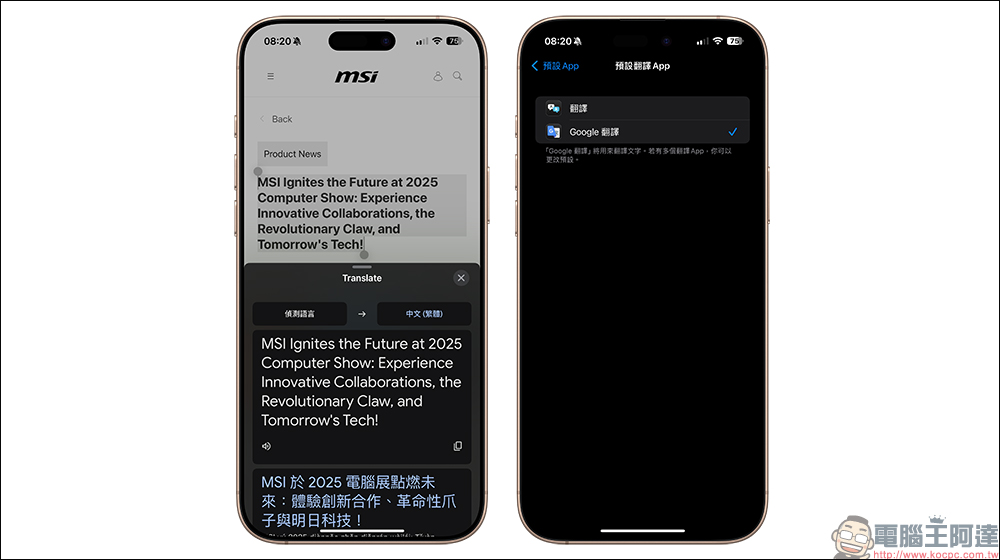
iPhone / iPad can use Google Translate as the default! Teach you how to quickly replace the built-in Apple Translate App
For many iPhone and iPad users, although Apple’s built-in translation app is basic enough, when it comes to convenience, real-time support, and multi-language support, Google Translate is actually better. And now comes the good news! Starting from iOS 18.4, Apple finally allows users to set their own default “Translation App”, which means you can directly use Google Translate to replace the original built-in translation tool.
This article will teach you step by step how to set Google Translate as the default translation app on your iPhone or iPad. In fact, the operation is very simple and can be done in just a few steps! If you have long wanted to replace the limited-function Apple Translate, you might as well set it up now!
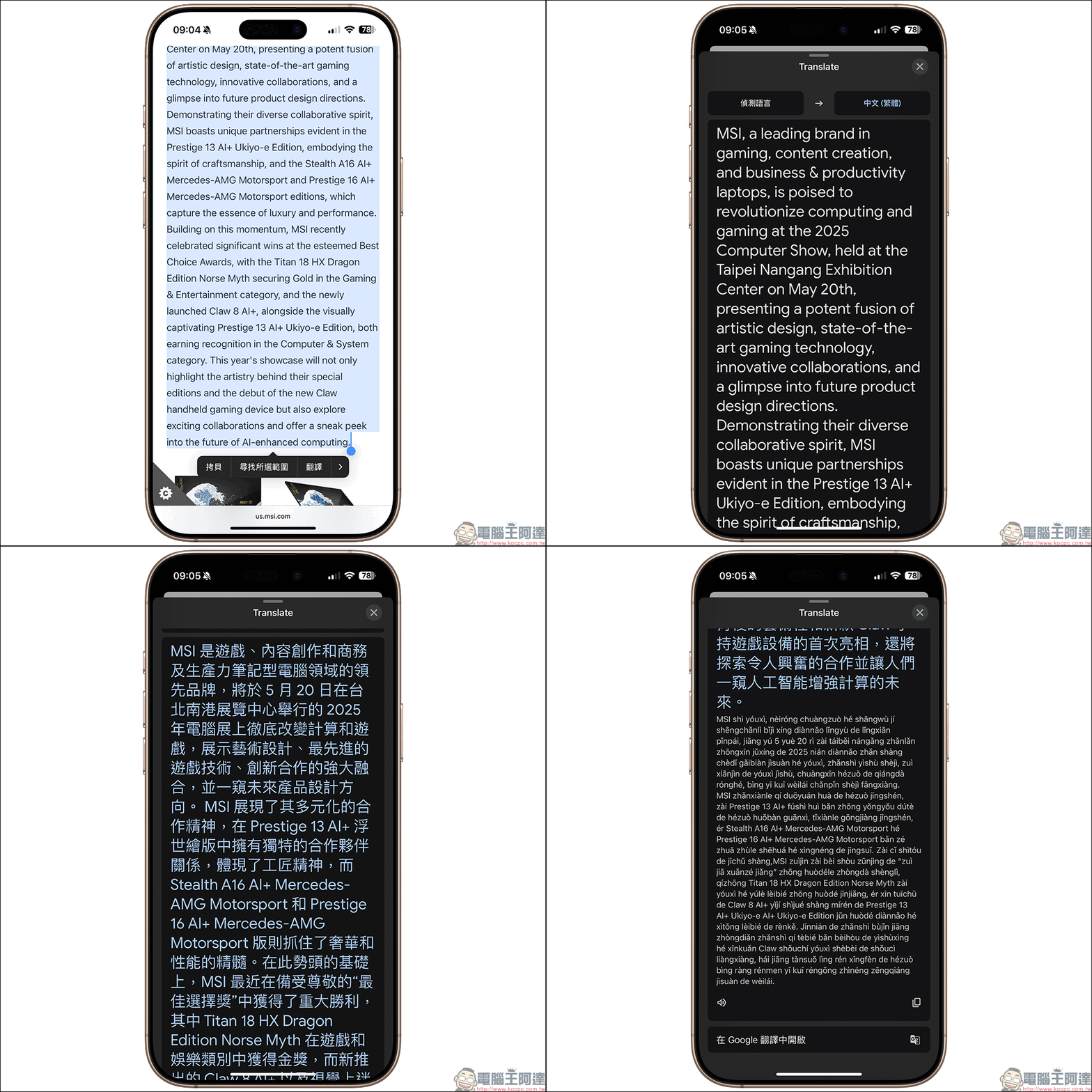
Setting tutorial: How to change the default translation app for iPhone/iPad to Google Translate?
To successfully set Google Translate as the default app, the most basic prerequisite is that your device must be updated to iOS 18.4 or iPadOS 18.4 or above. This is because Apple only officially supports the function of changing the default translation app starting from this version.
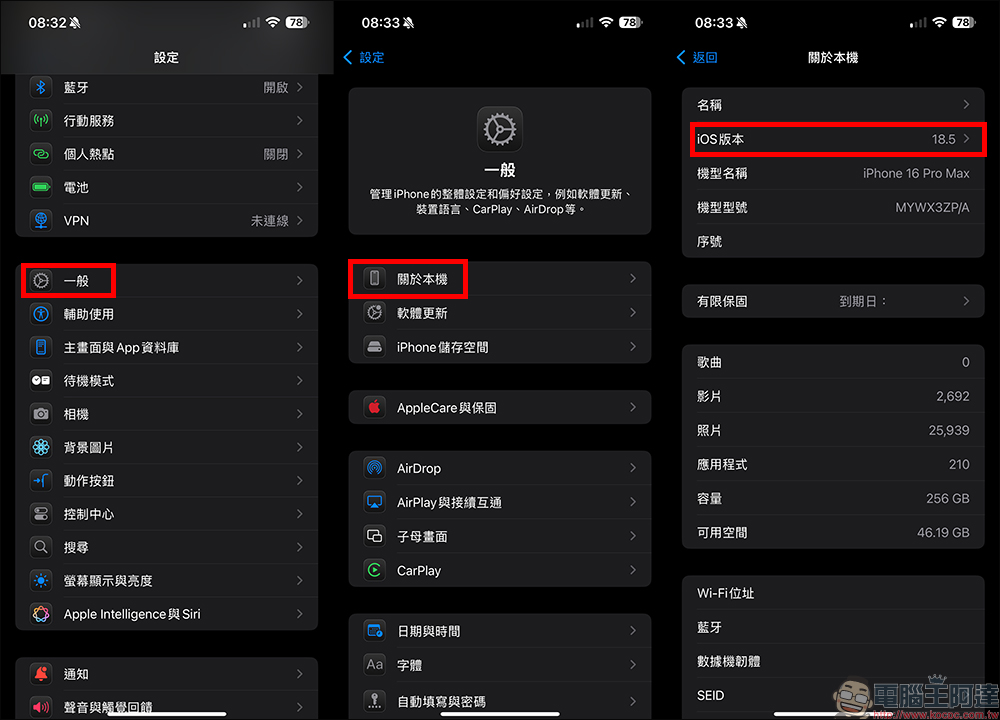
Step 1: Confirm iOS / iPadOS system version
Since the most important key to supporting this feature is iOS 18.4 (inclusive) or above, be sure to first confirm whether you have updated to iOS 18.4 or a later iOS version. Taking the iPhone as an example, first open “Settings” and click “General”, then select “About This Mac” to check the iOS version and confirm that your version is iOS 18.4 or higher. If it has not been updated yet, it is recommended to go to “General” and select “Software Update” to upgrade. (*Note: iPad requires iPadOS 18.4 or above)
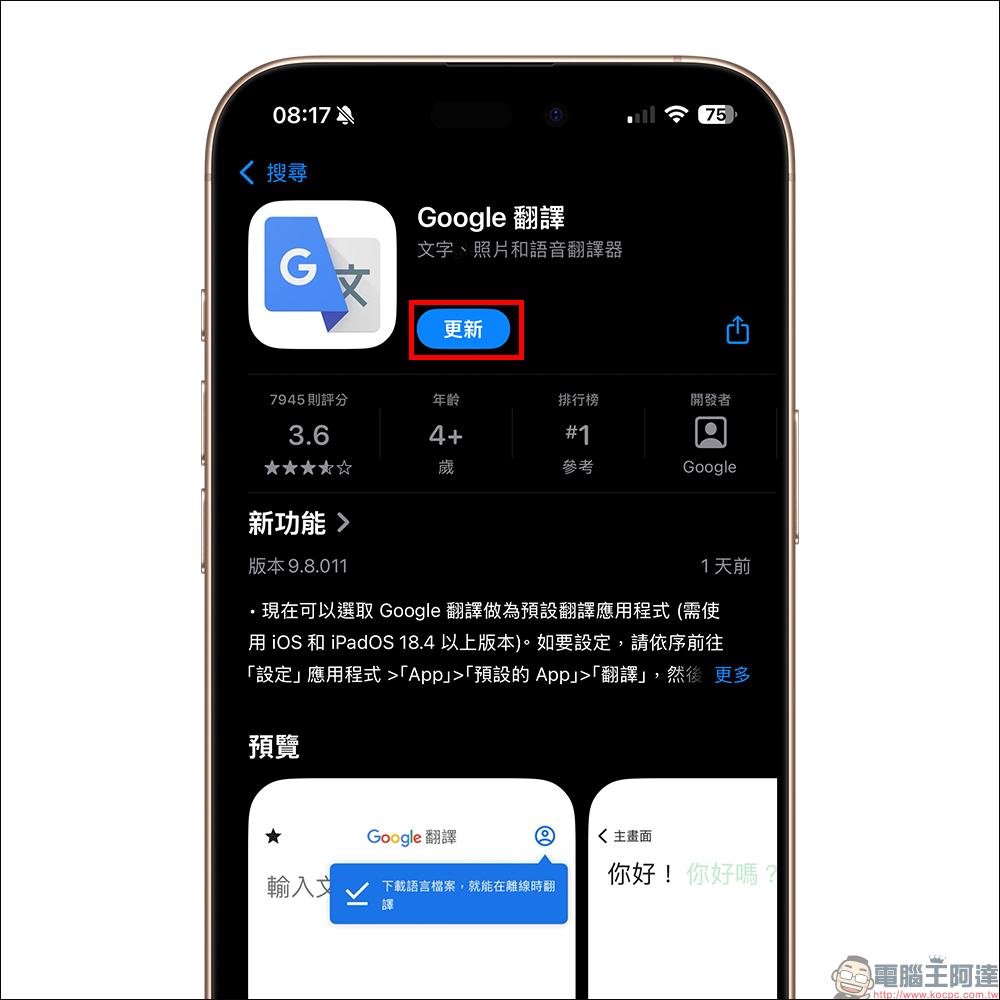
Step 2. Update Google Translate to the latest version
Go to the App Store, search for “Google Translate”, and install or update to the latest version. If you haven’t downloaded it before, just click “Get” to install it.
Step 3: Set Google Translate as the default translation app
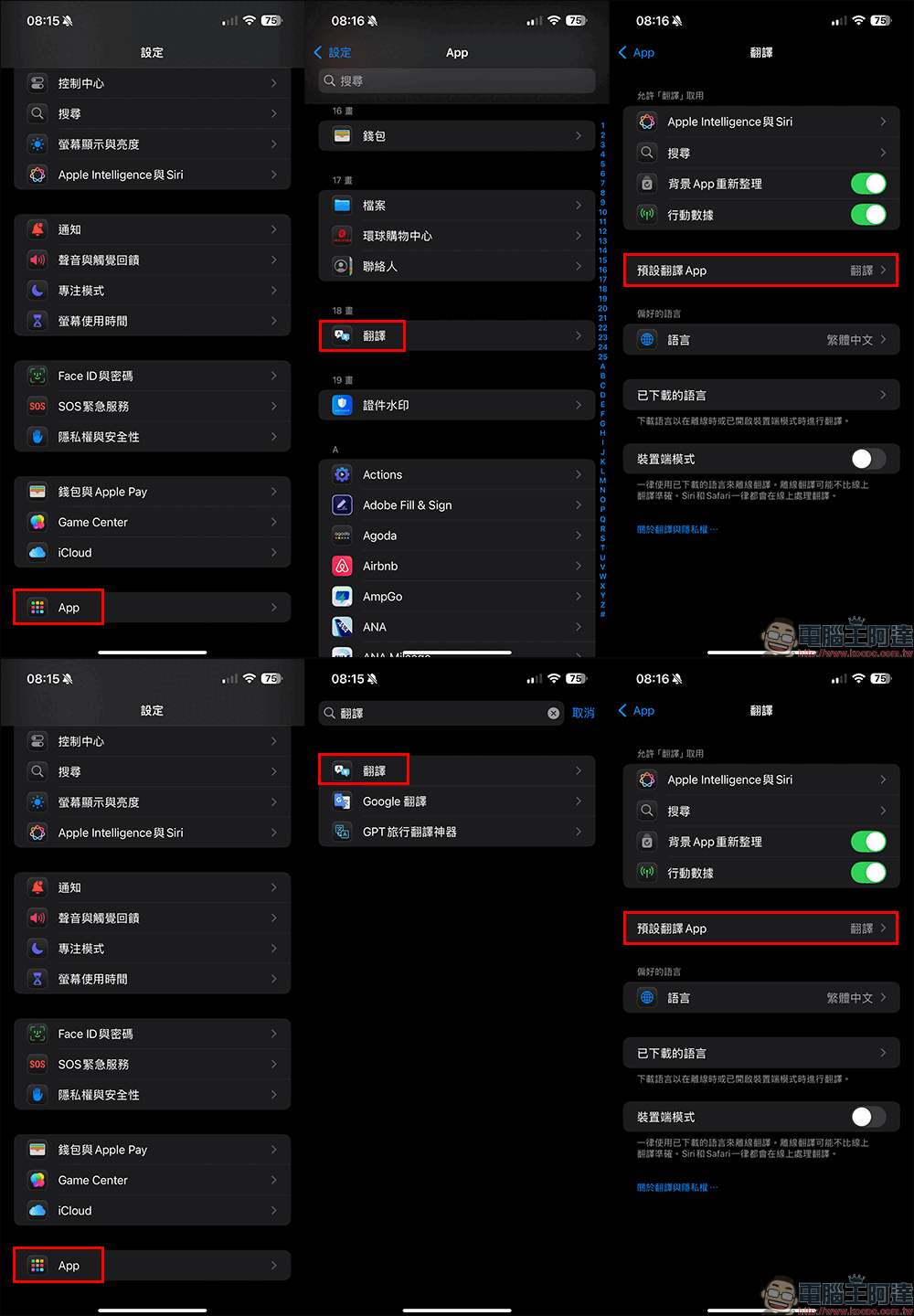
The last step is to open “Settings” again, click “App” to find the “Translation” App. If you can’t find it, you can directly enter “Translation” in the search field above to find it directly. Click “Translate” to enter the next screen, and you will see the “Default Translation App” option. Usually the default that has not been changed is “Translate”, which is Apple’s built-in translation app. Here you need to change the “Default Translation App” to “Google Translate”.
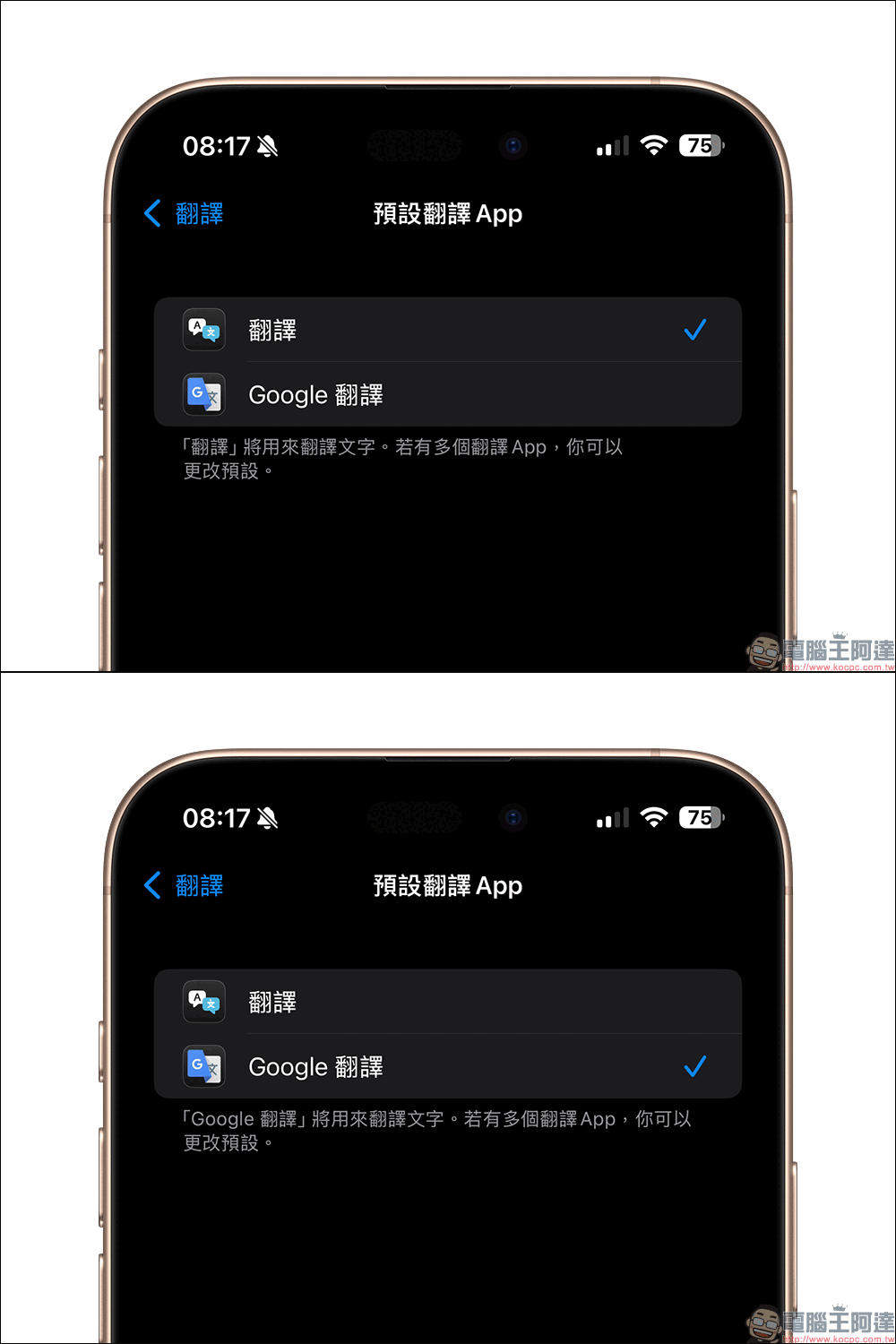
Click “Google Translate” and confirm, then change the check mark from “Translate” to “Google Translate” and you’re done.
How much difference would it make to switch to Google Translate?
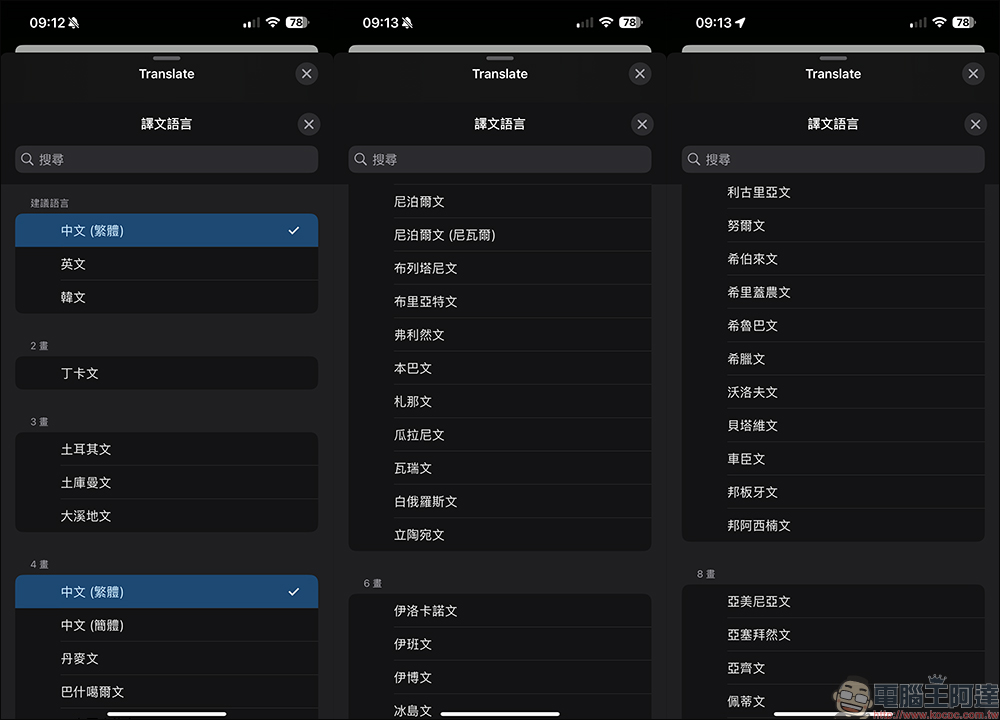
Google Translate has many advantages, such as: “supports more than 100 languages.” This is especially true for users who often travel abroad or need to process data in multiple languages. Using Google Translate will be much better than Apple’s own translation tool.
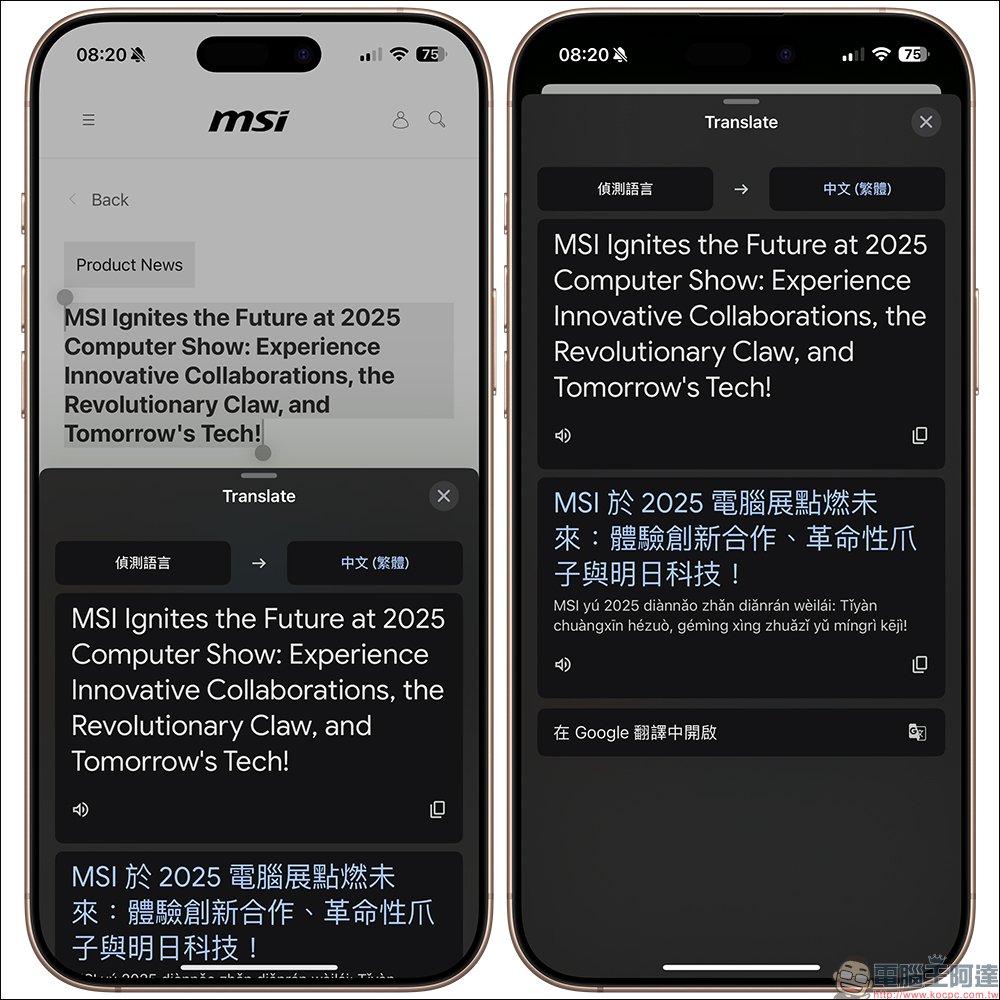
Although the content that most often needs to be read is in English, sometimes more content in other languages is read. Then changing to Google Translate will make it relatively easier to understand foreign news or other foreign content.
Besides translation, what other default apps can I change?
In fact, starting from iOS 14, Apple has slowly allowed everyone to change the default browser (Safari can be changed to Chrome), the default email app (can be changed to Gmail), the default communication app, etc. This time iOS 18.4 adds more options to change:
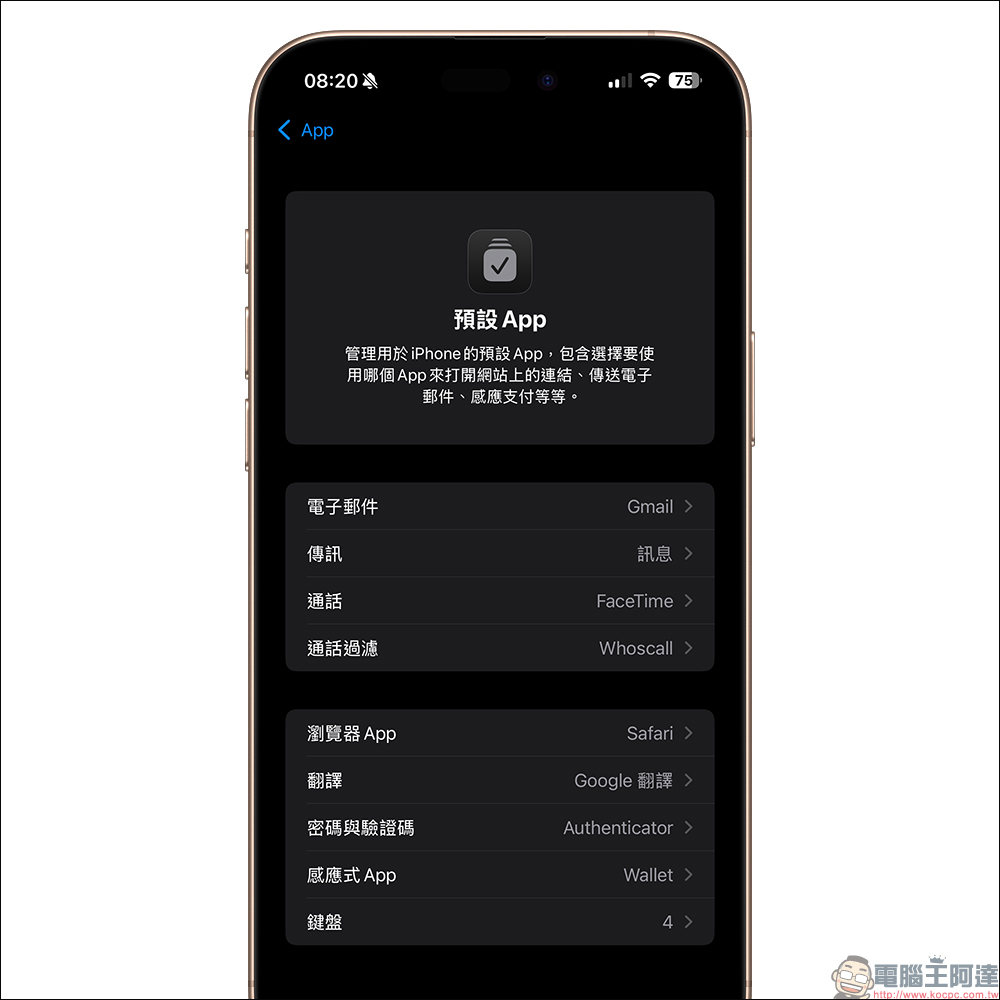
- Email:Email (can be changed to “Gmail”)
- Subpoena:Message (can be changed to “WhatsApp”)
- call:Phone call (can be changed to FaceTime or WhatsApp)
- Browser App:Safari (can be changed to Chrome)
- Password and verification code:Password (can be changed to Authenticator)
- translate:Translate (can be changed to Google Translate)
In the European Union, you can additionally change the navigation app, such as switching to Google Maps or Waze, giving users greater freedom of choice.
Conclusion
Although this is only a small change in iOS 18.4, it is a very practical upgrade for many users. After all, the freedom to choose preset apps and this kind of flexibility in use are the basic features that mobile devices should have nowadays. Quickly check your mobile phone version and try to set Google Translate as the default translation app, making it more convenient and time-saving when dealing with multi-lingual translations!
Further reading:
Source: KOCPC Chinese