


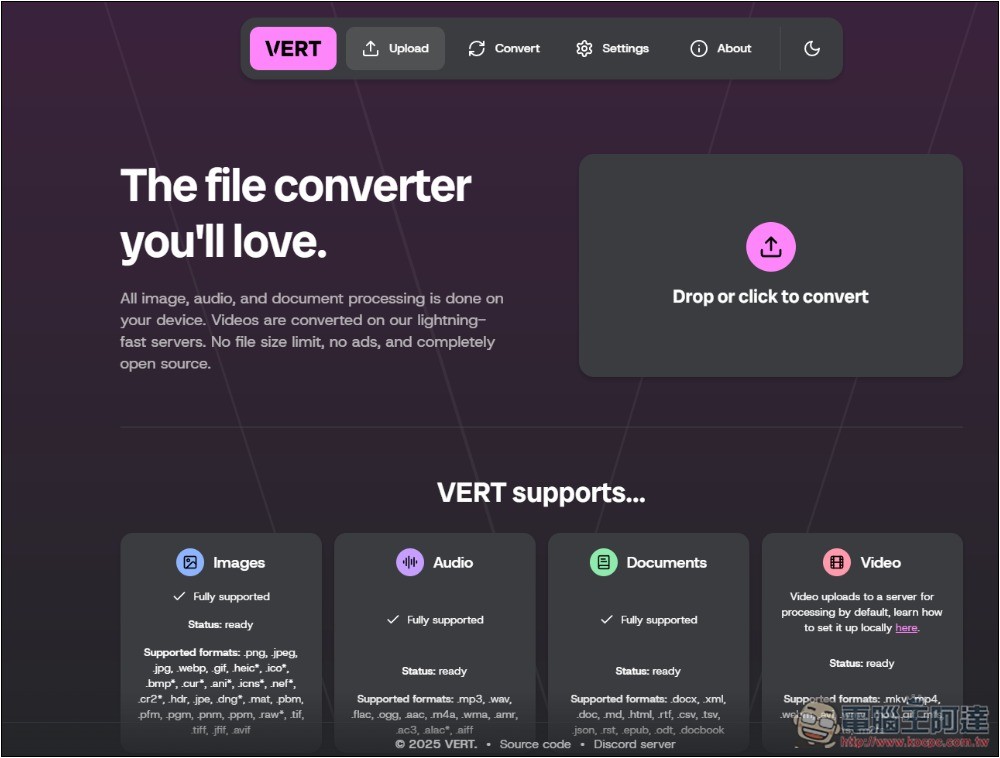
In life, you will more or less encounter the need to convert files. Although there are many free conversion tools on the Internet, they all need to be uploaded to the server. If the file is too large, it is not suitable, and it is not recommended to be used for important files. This article will recommend a very easy-to-use VERT free open source tool that can be used to convert files using a browser. It not only has an online version, but can also be set up locally. More importantly, pictures, audios, documents, videos and other formats are all supported, which can almost meet most needs.
VERT super powerful open source conversion tool introduction and operation tutorial
The developers stated that they created this open source tool because they felt that today’s file converters were disappointing, with many ads and slow speeds, so they decided to completely solve this problem. All non-video files are fully converted on the device, which means there is no need to wait for file transfer. The entire conversion process is completed on the device, making security very high.
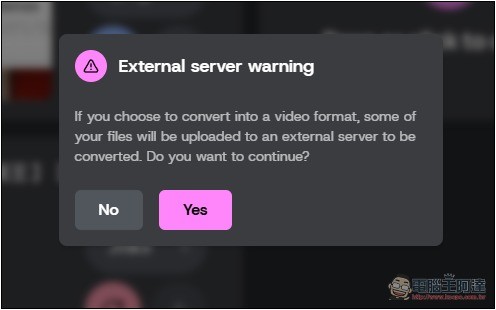
The video files are uploaded to their ultra-fast RTX 4000 Ada servers for processing and stored for up to one hour, or until the video is converted (input file) or downloaded (output file), whichever happens first.
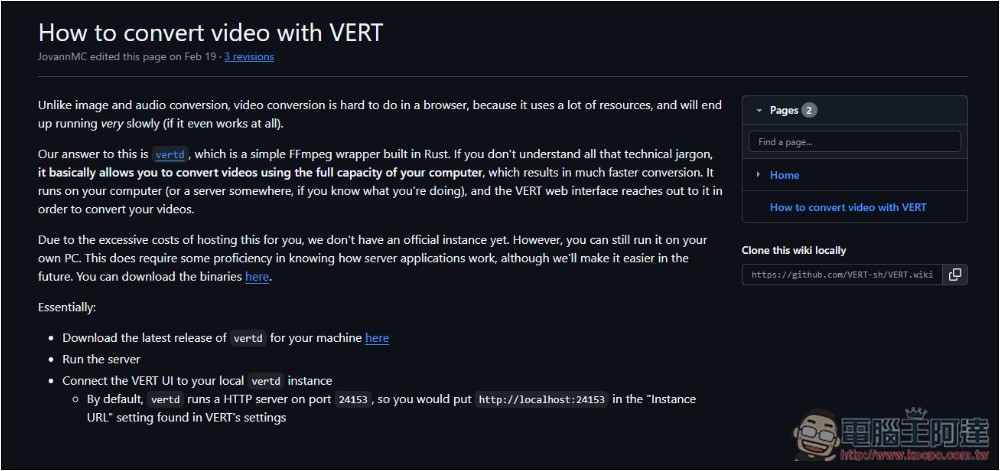
However, if you don’t want to upload videos, you can also set it to transfer locally, but you need to install another VERT tools:
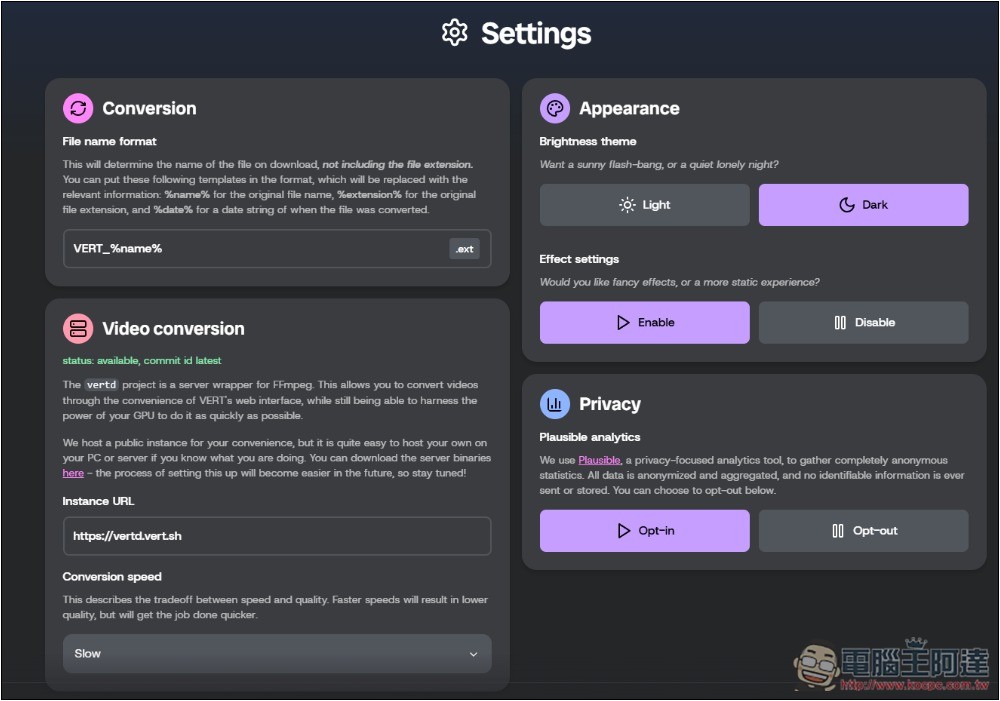
After clicking the link above to enter VERT, it is recommended to check the Settings before starting the conversion. There are some settings here that can be adjusted according to your needs. Such as how to name the converted video, video conversion speed (the slower, the better the quality), appearance, and privacy:
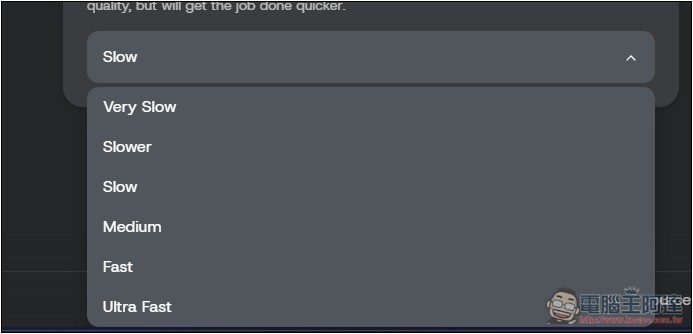
There are six speed options: Very Slow, Slower, Slow, Medium, Fast, and Ultra Fast. You can try Slow first. If you are satisfied with the quality, you can slowly increase it:
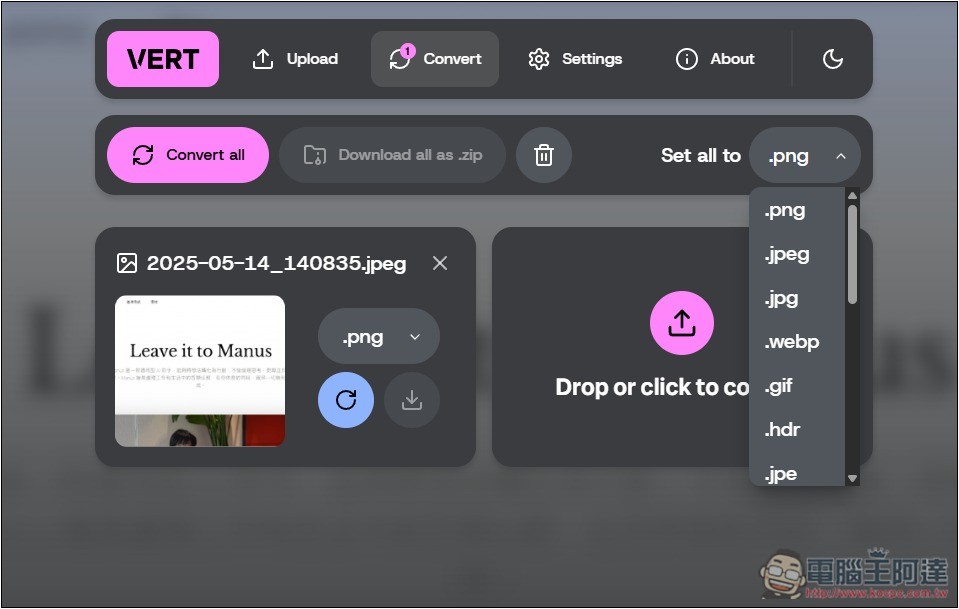
Drop in the file you want to convert and you will enter the format selection screen, which supports batch processing of multiple files. For images, it can convert many formats, including png, jpeg, jpg, webp, gif, heic, ico, bmp, cur, ani, icns, nef, cr2, hdr, jpe, dng, mat, pbm, pfm, pgm, pnm, ppm, raw, tif, tiff, jfif, avi. You can convert files individually, or you can convert specified formats at once and package them into ZIP files:
If you are uploading a video, you will be reminded that part of it will be uploaded to an external server:
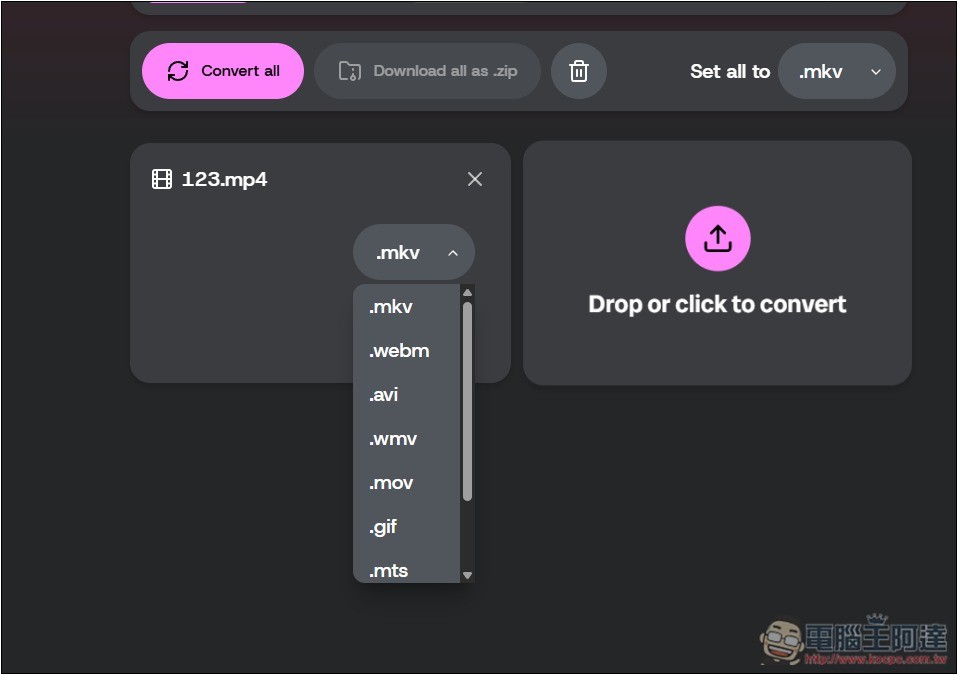
Currently supported video formats are as follows: mkv, mp4, webm, avi, wmv, mov, gif, mts, ts, m2ts:
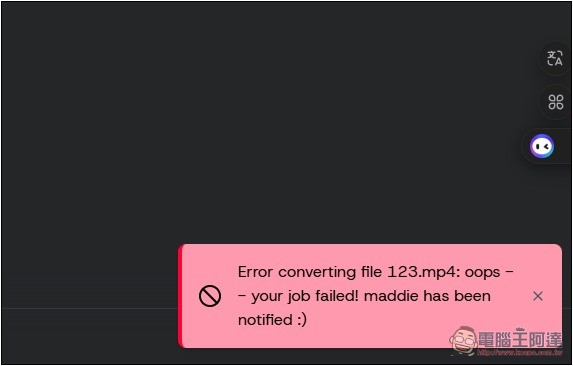
But I don’t know if the server just hung up when I was testing it. An error would pop up halfway through the process, and there was no way to convert:
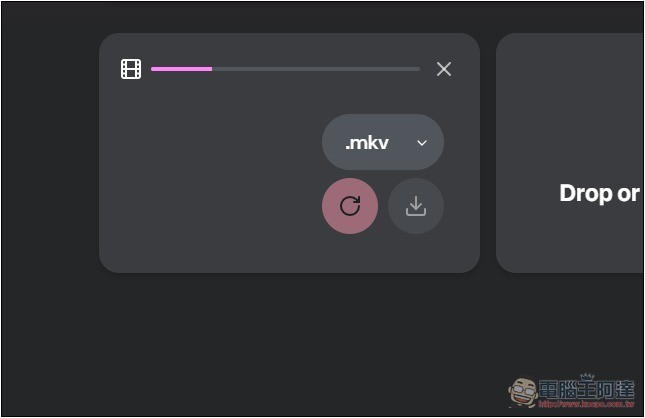
This notification will be displayed, so it is recommended to set the local version. The online version may not be very stable:
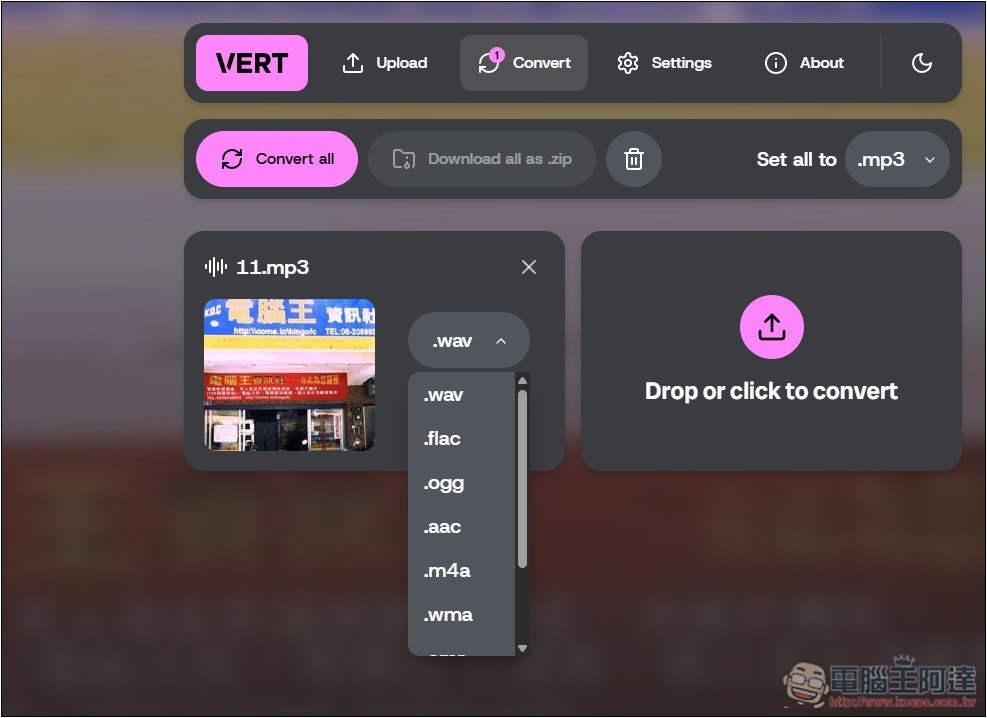
The sound part also supports many formats, including mp3, wav, flac, ogg, aac, m4a, wma, amr, ac3, alac, aiff:
Of course, common file formats can be converted, such as docx, xml, doc, md, html, rtf, csv, tsv, json, rst, epub, odt, docbook.
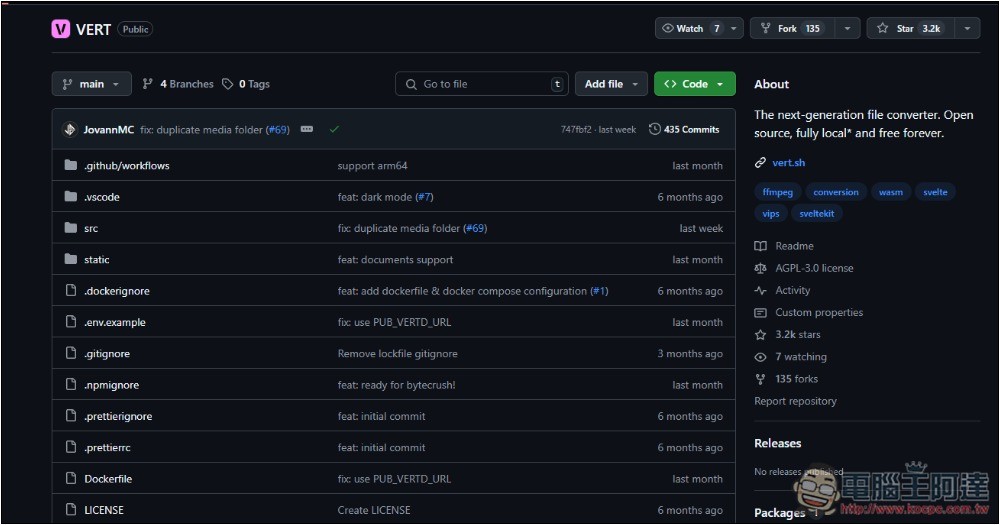
For those who use it frequently, it is highly recommended to set it up locally. GitHub has a complete tutorial, but there is no installation file yet:
Source: KOCPC Chinese