


With the prevalence of AI, viruses and fraud have become more and more powerful. According to statistics, the number of viruses, fraud cases and amounts intercepted in recent years have been several times higher than in the past, and there is no slowdown. This also shows that even if you are very careful, you may be fooled if you are not careful.
After recently coming into contact with the “AI Anti-Fraud Detective Team” launched by Trend Micro, it can be said that it is a software combination that modern people should have. It not only provides comprehensive anti-virus, but also uses the latest AI technology to detect, block and filter various scams at any time. Even video scams can be detected, which is amazing.
If you have any questions, there is also a built-in AI fraud verification robot to help answer questions at any time, which is really recommended. Not only for your own use, but also for the elders in your family, you will definitely feel more at ease.
Obtain PC-cillin AI Fraud Prevention Special Investigation Team

Fraud cases are increasing year by year, and billions of dollars are lost every month.
With the launch of the “Anti-Fraud Dashboard” website by the Ministry of Home Affairs last year, we can easily know how many fraud cases there are every month and every day. For those who have not followed relevant news before, this number may be beyond your imagination.
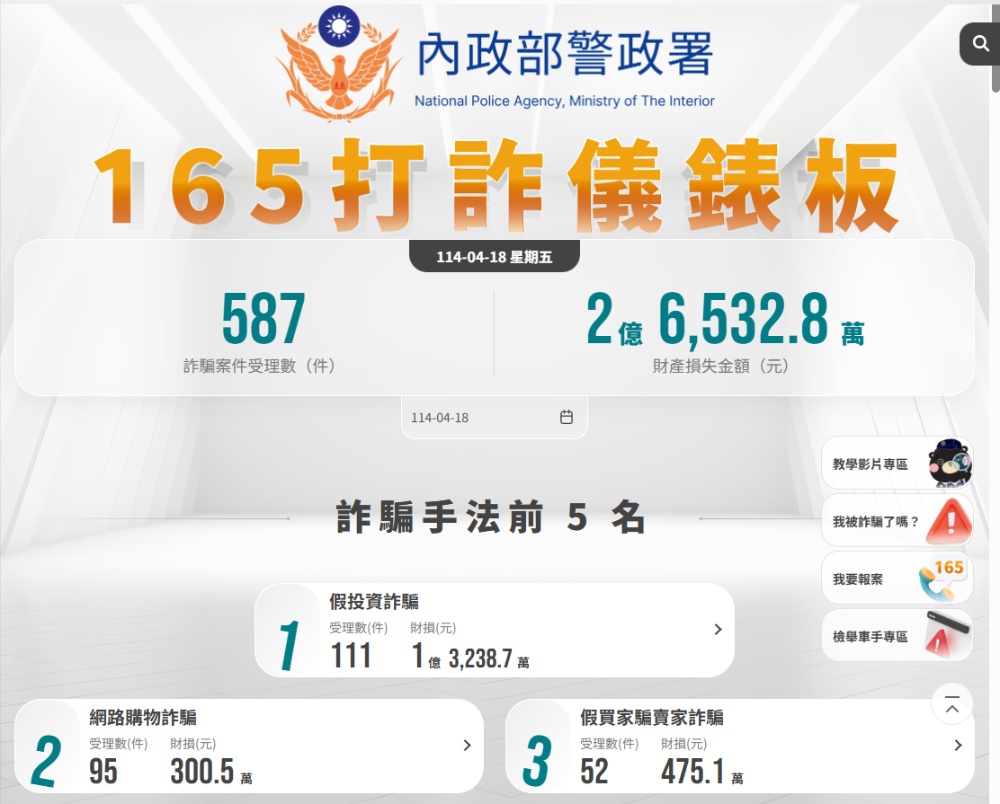
The number of fraud cases from August to December 2024 alone has exceeded 93,000, and five months has exceeded the entire year of 2023. The amount of financial losses is even more frightening, reaching 62.924242 billion yuan.
There has been no decrease this year either. In the first three months, 40,000 fraud cases have been uncovered, with financial losses exceeding 20 billion. I didn’t expect that Taiwan would see 10,000 fraud cases and at least 5 billion in financial losses every month.
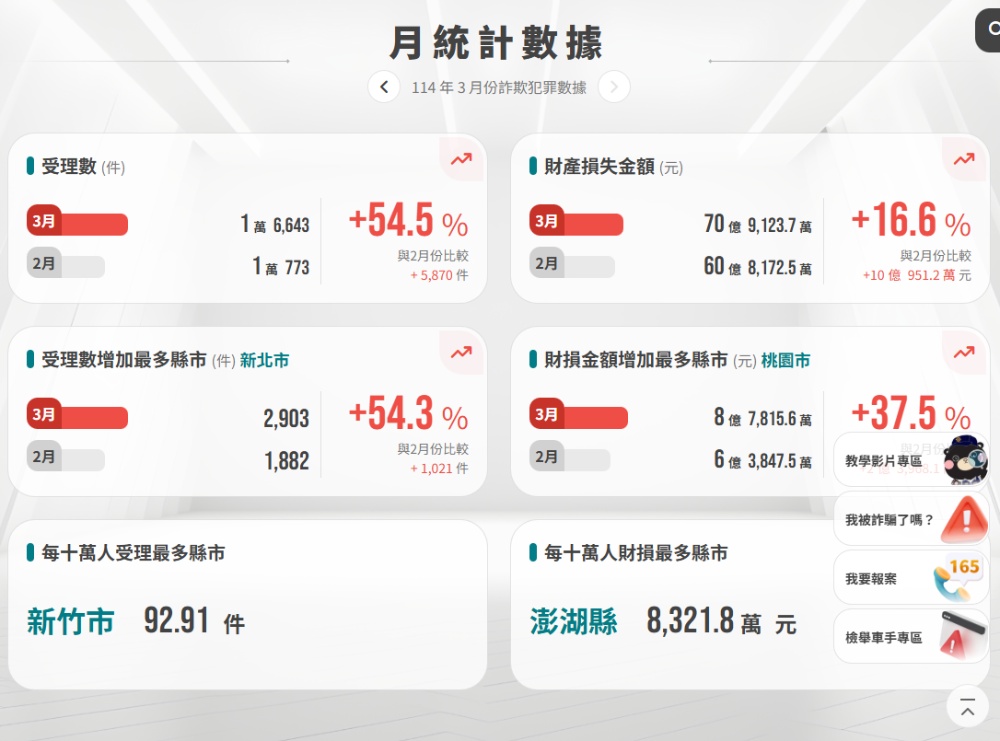
From this alone, you should be able to clearly feel how rampant the scams are, and many of them are old scams. People are still being deceived. You can find many videos on YouTube that share how you were deceived.
So don’t be too confident in yourself, especially when faced with a very urgent situation or related to your own money. Your brain may suddenly stop thinking and just want to solve the problem quickly.
With Trend Micro AI Fraud Prevention Expert, you not only get an extra layer of protection, but the built-in AI fraud verification robot can also help you analyze it in a timely manner.
Trend Micro AI fraud prevention expert: 5 major protections to help you check
Trend Micro AI Fraud Prevention Expert has 5 major functions: fraud verification, AI face-changing fraud detection, text message filtering, call blocking, and web page protection:
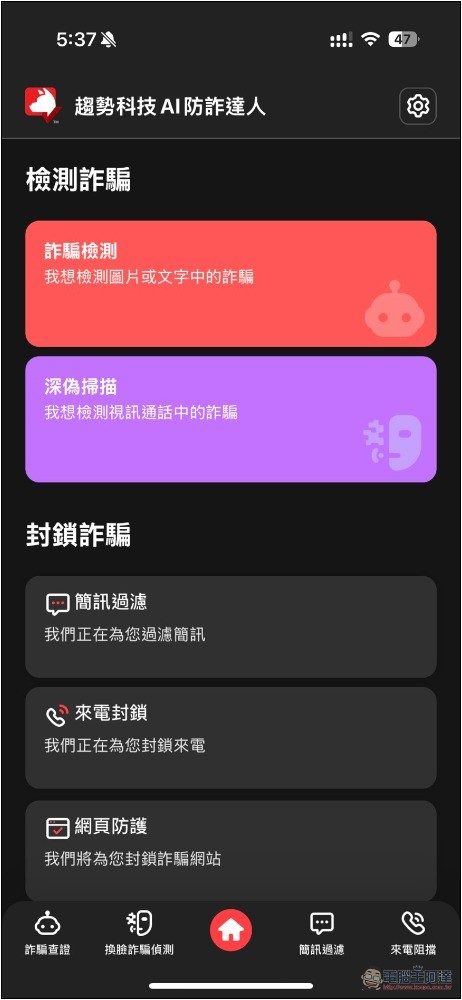
1. An AI anti-fraud analysis robot that allows you to check at any time, and also supports Siri
This should be the most practical function. Think of it as an AI chatbot specifically designed to analyze scams. You can ask it about any text content or pictures that you have doubts about, and it will start analyzing and tell you whether it is a scam:
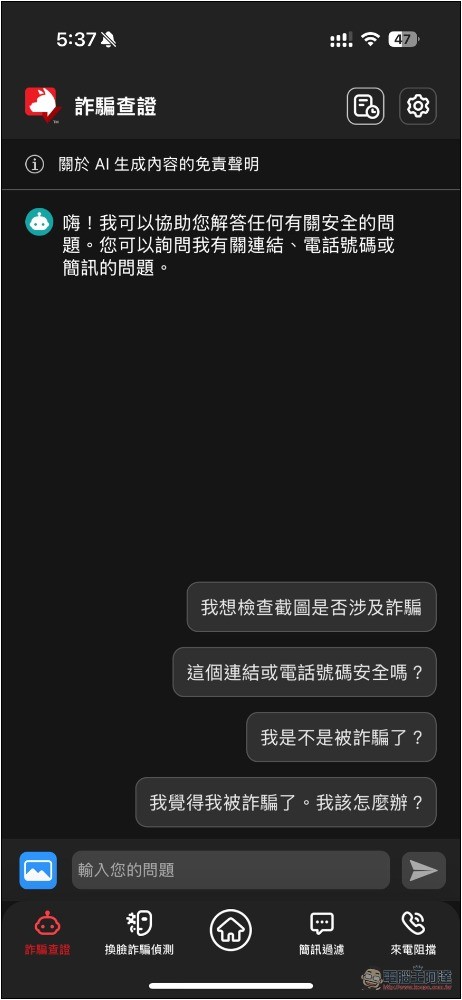
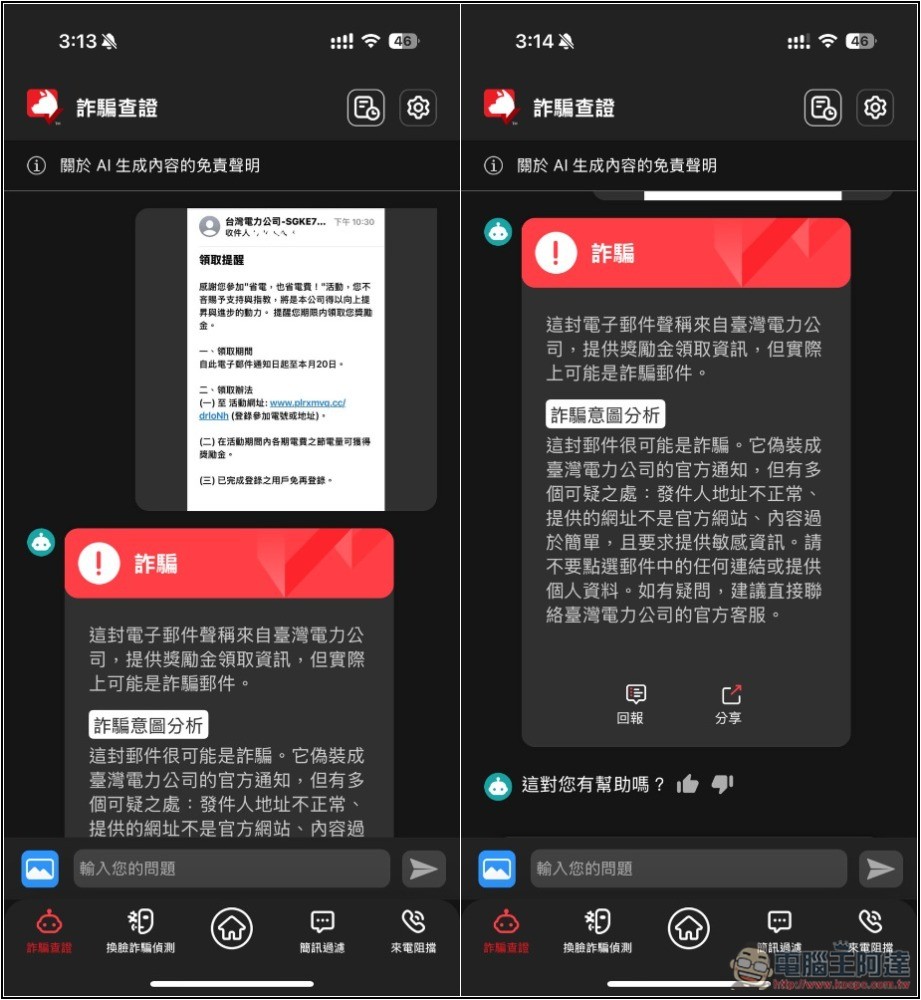
For example, I sent a screenshot of the “Taiwan Electric Power Company Bonus Receipt Notification Email” that was widely circulated a while ago to AI. After analyzing it, AI responded that it was a scam and provided a method of judgment, such as the sender’s address is abnormal, the URL is not an official website, the content is too simple, and it requires sensitive information, etc.:
LINE accounts are being stolen frequently. Criminals will send fraudulent messages to friends of the account through stolen accounts. People who are on guard may not be so easily fooled, but this is not necessarily the case for elders in the family. If it is sent by a friend, they may click on it and eventually encounter a scam.
Not only that, sometimes even if the message is sent by the friend himself, the other party may not know whether it is true or not, so he will send it first if he thinks it is important, which is also quite dangerous.
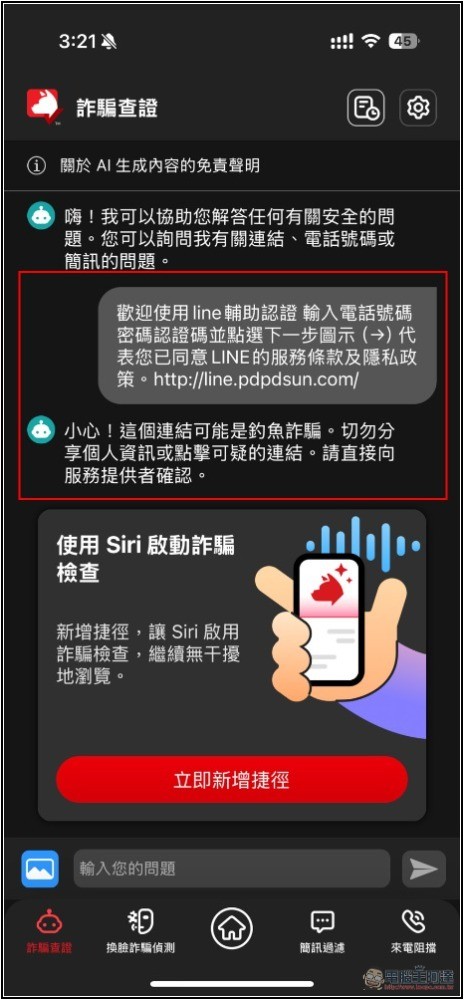
With fraud verification, you can copy the entire LINE message (you can also use a screenshot) before performing any action, and then send it to AI for analysis and let it help check it. I threw in the LINE auxiliary authentication message I had received before, and sure enough, the response was a suspected phishing scam:
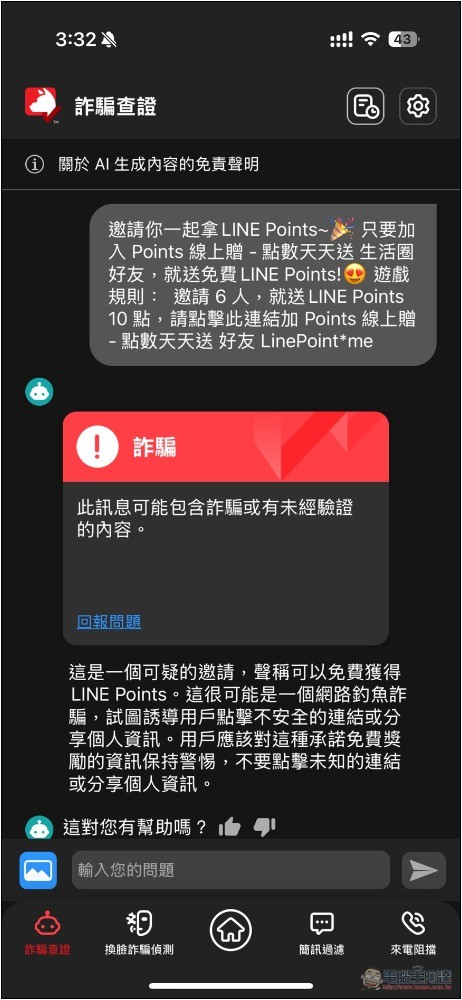
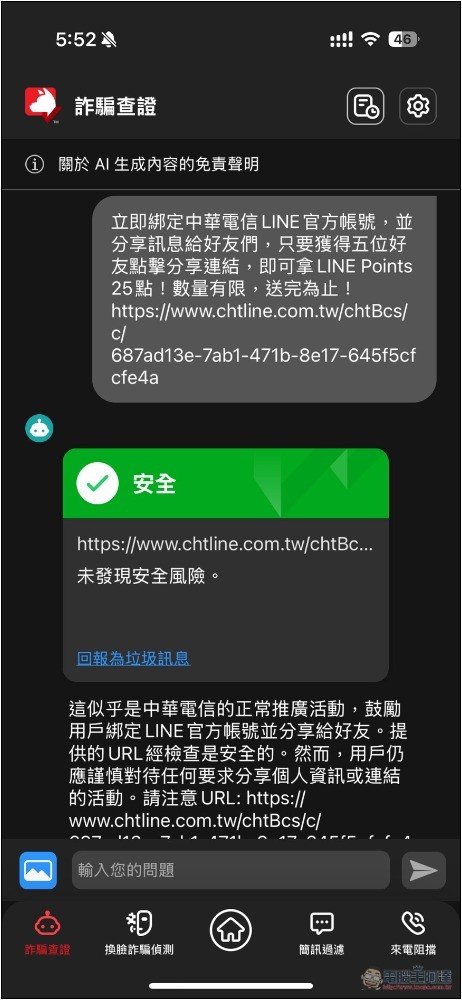
Very common LINE Points scam messages, AI fraud verification also successfully identified them as scams:
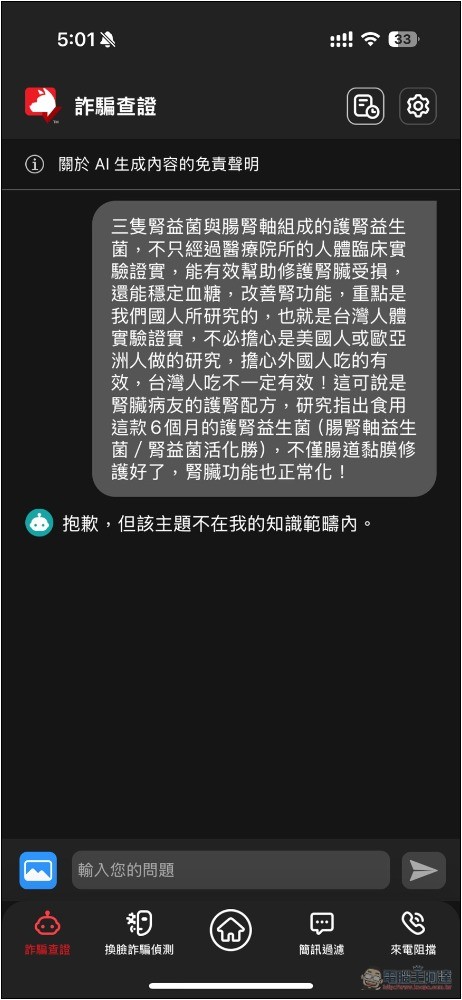
Another great thing is that if it is an issue that it does not understand, it will directly indicate that it is no longer within the scope of its knowledge. It will not answer seriously like other AIs as if they really know it. This also shows its reliability:
For some messages that are more difficult to determine whether they are scams, even if it does not detect a scam, it will not reply saying that it is not a scam, but will instead use a reminder to let us be alert:
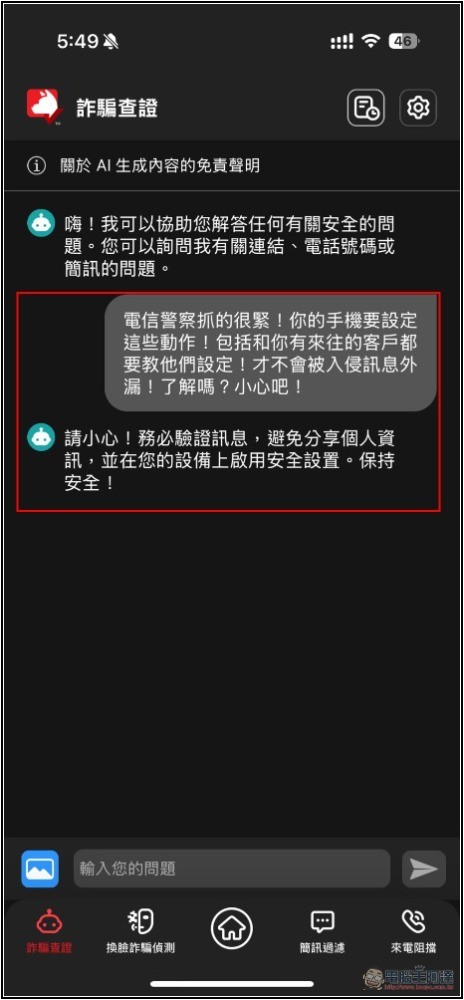
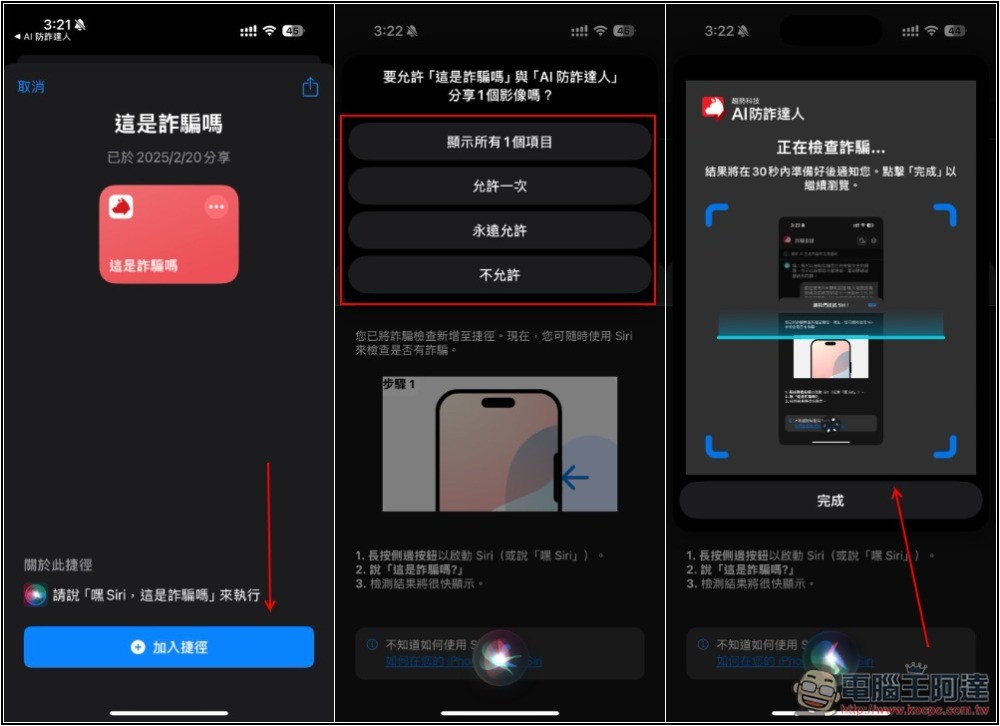
If you are an iPhone user, AI fraud verification also supports Siri shortcuts, which can be added to your iPhone with one click. When you see any content you want to verify in the future, you only need to wake up Siri and say “Is this a scam?”, and the shortcut will be activated and automatically take screenshots and ask the AI. Wait a few seconds and then open the app to get the answer. You don’t have to ask yourself. This is very convenient:
And the message is safe, and the AI will really reply safely:
2. Any fraudulent text messages and spam emails will be automatically filtered
Nowadays, not only are there more and more text message scams, but the techniques are becoming more and more sophisticated, and they will even be based on popular current events. The most famous one recently is the Taipower scam text message, which uses reminder notifications of unpaid electricity bills to lure people into entering personal information and credit card information.
AI anti-fraud experts have a built-in text message filtering function. Once enabled, new text messages received in the future will be filtered and classified first. If they are spam or fraud, they will be thrown directly into spam:
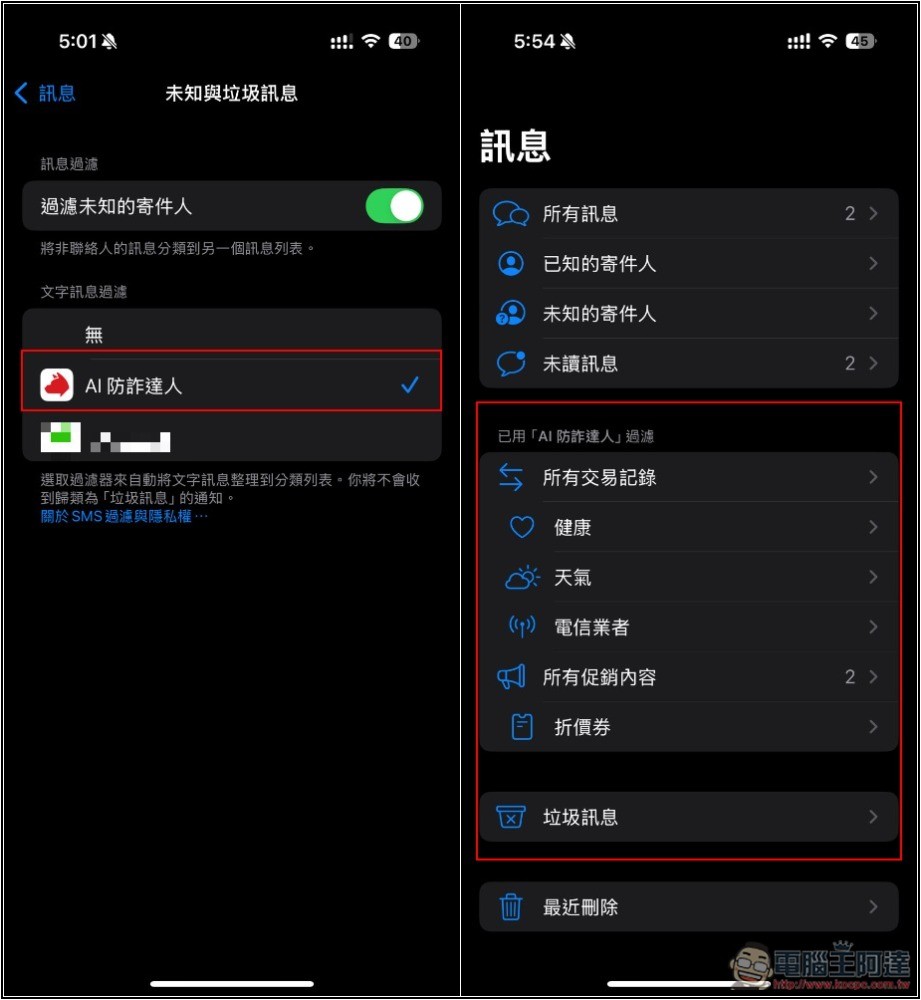
In this way, before opening, you will be warned “There is something wrong with this text message, please be especially careful”. This function is very good, especially suitable for elders or children in the family who like to be messy, and can be more effective in prevention.
If you feel that the default security is not high enough, you can also enable smart filtering options to enhance filtering for unknown senders, messages containing links, emails to text messages, and short phone numbers:
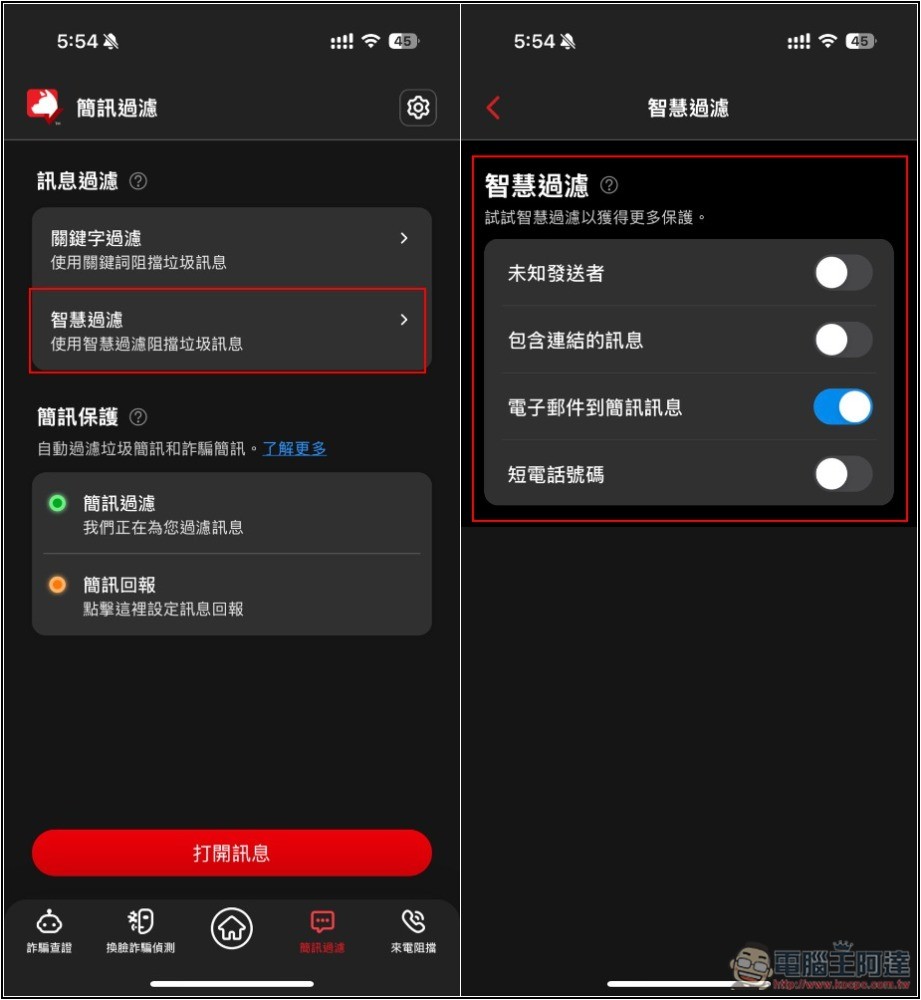
You can also customize filter keywords to block some keywords that are already known to be dangerous, so as to more comprehensively prevent the receipt of spam and fraudulent text messages:
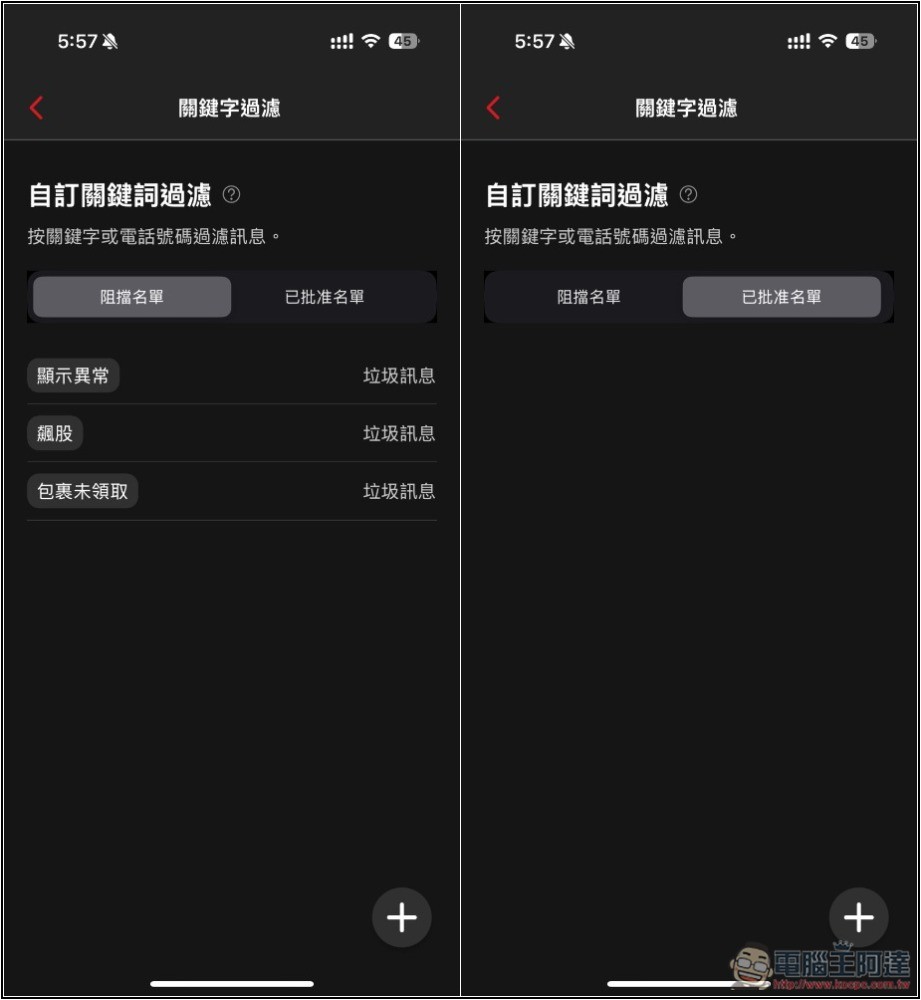
3. When a fraudulent call comes in, it will automatically identify and prompt suspicious
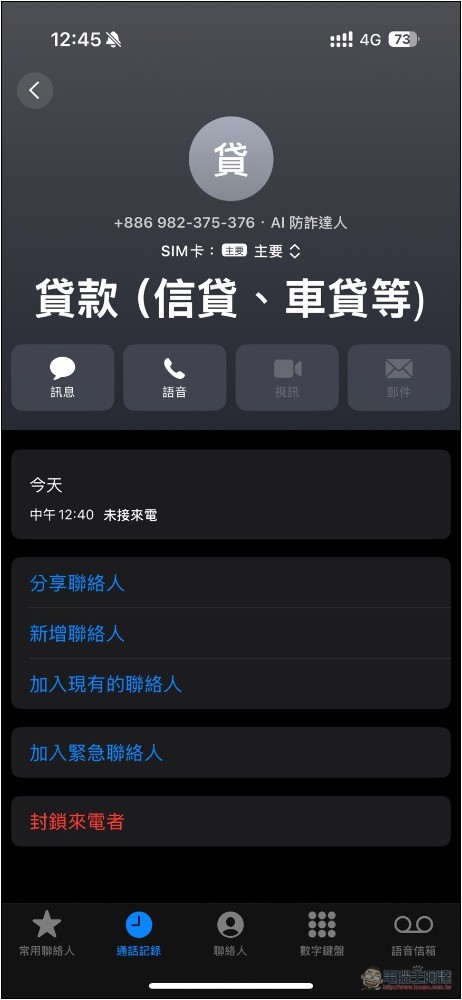
In addition to text messages, of course, it also has the function of identifying phone calls. If a suspicious high-risk call is detected, it will be specially marked as a “high-risk dangerous call”, so that before we answer it, we will know that we need to be extra careful about this call because it may be a scam:
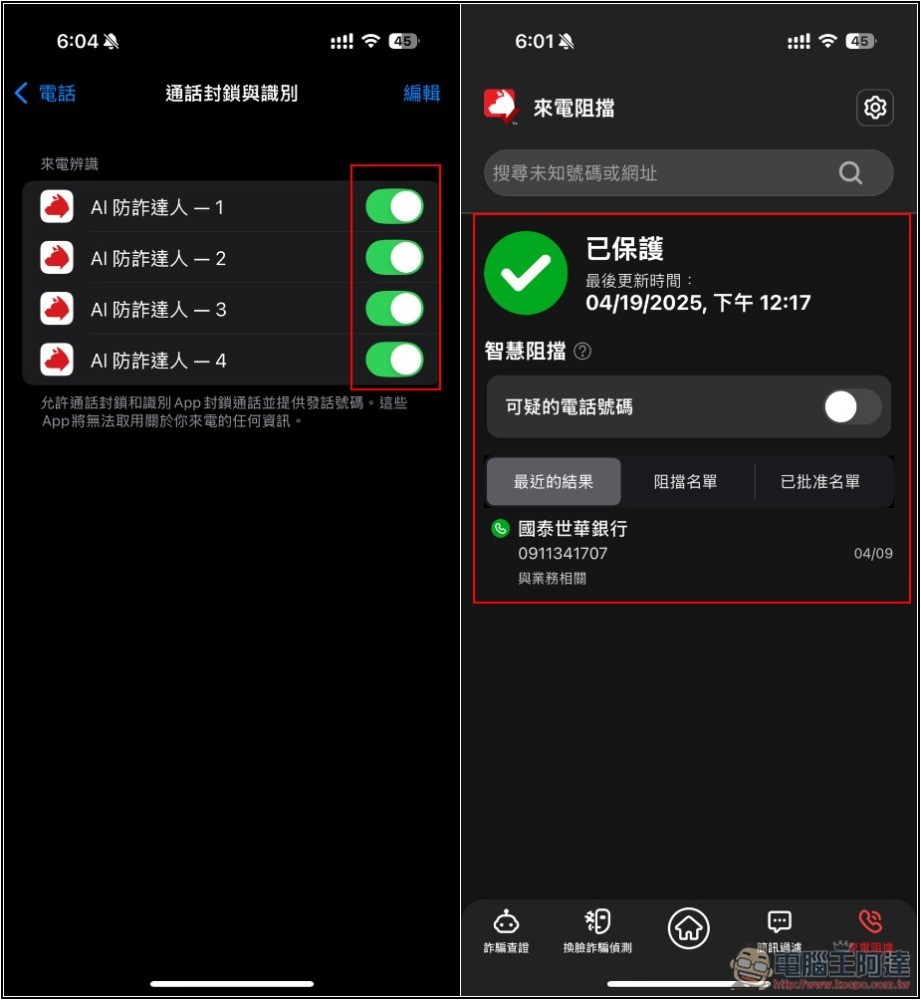
Even if it is not a high risk, when a call comes in, the purpose of the phone number will be displayed, allowing you to easily avoid calls you don’t want to answer:
If you don’t want to receive them at all, you can also enter the AI anti-fraud app and block “suspicious phone numbers”. The representative said that in the future, any calls of this type will be directly blocked and you will no longer receive calls:
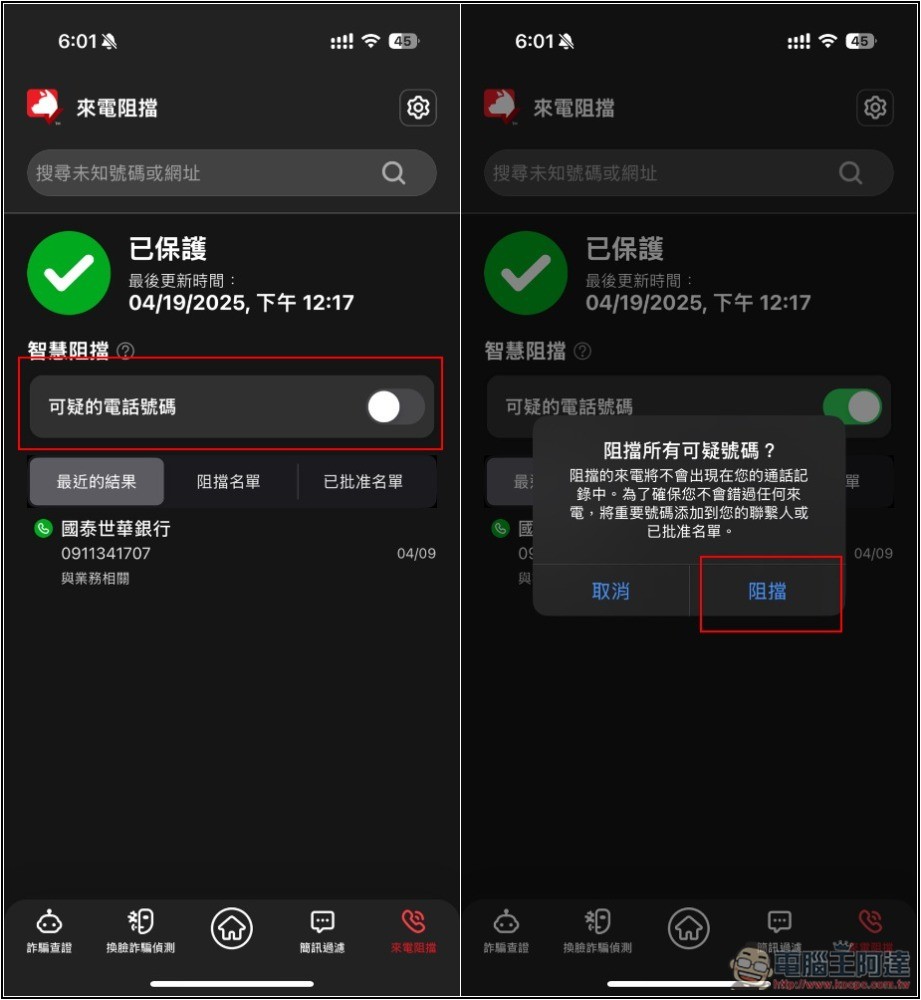
Of course, you can also manually set the blocking and approval lists:
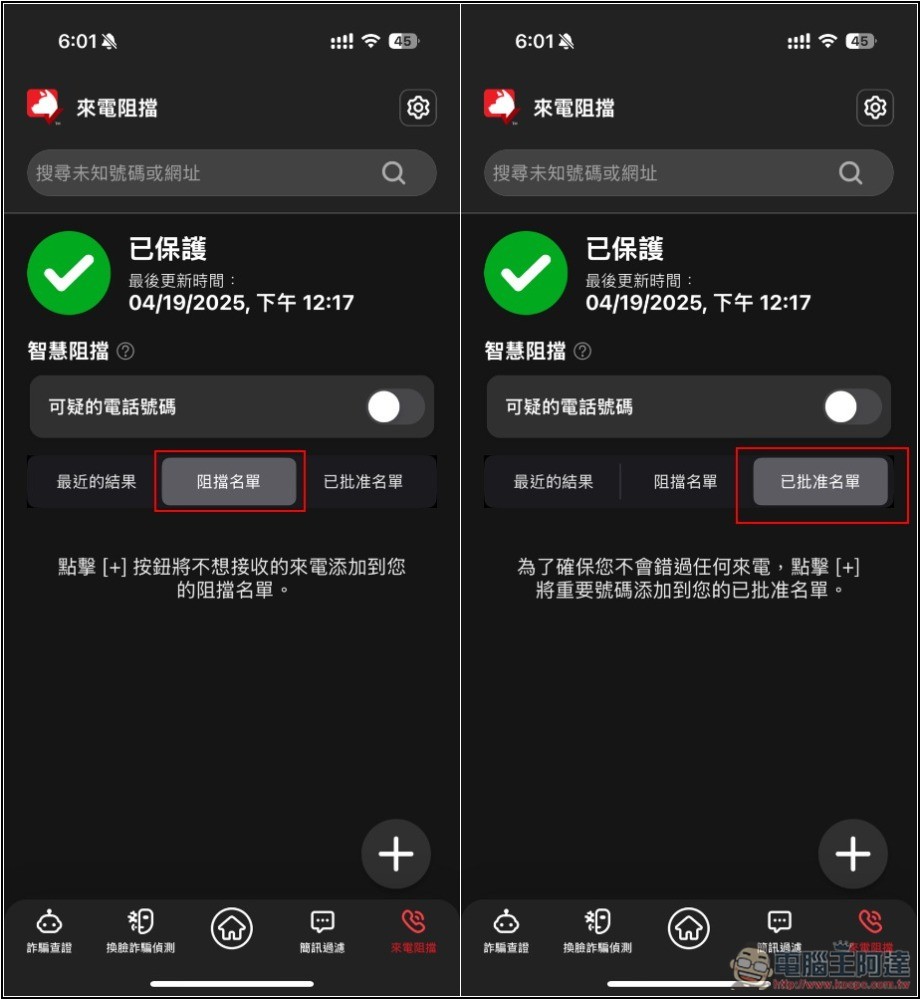
4 Automatically block fraudulent websites to prevent you from being deceived
Although search engines such as Google regularly block scam websites and fake websites, they cannot keep up with the speed at which new scam websites appear. The LINE fake website is a classic case. They block one and another and then appear. Many scam websites even directly buy advertisements and appear at the first place in the search results. This also makes many people who are unaware or not paying attention click on it.
In addition, more and more people are now using AI search. Although it is very convenient and will be directly integrated, the websites referenced by AI at this stage have yet to be tested. For example, Google once provided AI suggestions that included fraudulent websites and malicious websites.
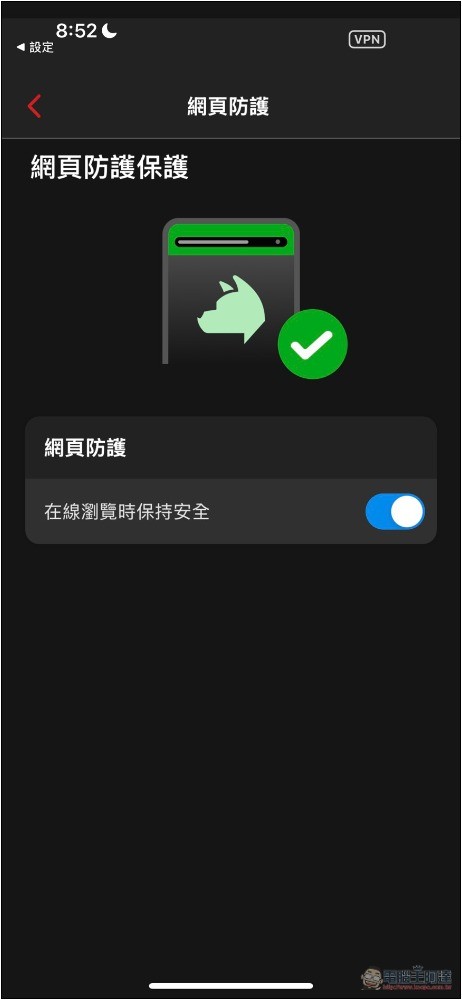
After turning on the “Block Fraud Websites” function of AI anti-fraud, whenever a fraud or malicious website is detected in the future, a warning will pop up, or the website will not be opened directly, to ensure that the websites we visit are genuine official websites:
I tested opening the fake LINE website, but it showed that Safari cannot be opened and cannot be browsed. But if you turn off this function, you can browse the fake LINE website normally:
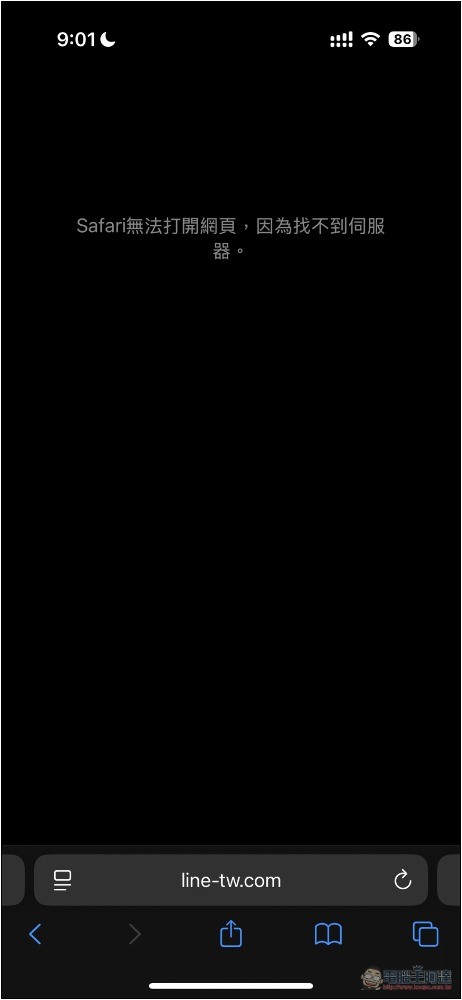
This additional protection is really good, and you can feel more at ease when surfing the Internet.
5. Super powerful AI face-swapping fraud detection
Many people think that as long as they make a video call and see the person in person, they are safer and will not be deceived. However, this is not the case in this AI era, because there have been some AI face-changing fraud cases.
For example, it was previously reported that scammers used AI technology to pretend to be beautiful women to induce investment in virtual currencies and then defraud large amounts of money. This also means that what you see may not be true.
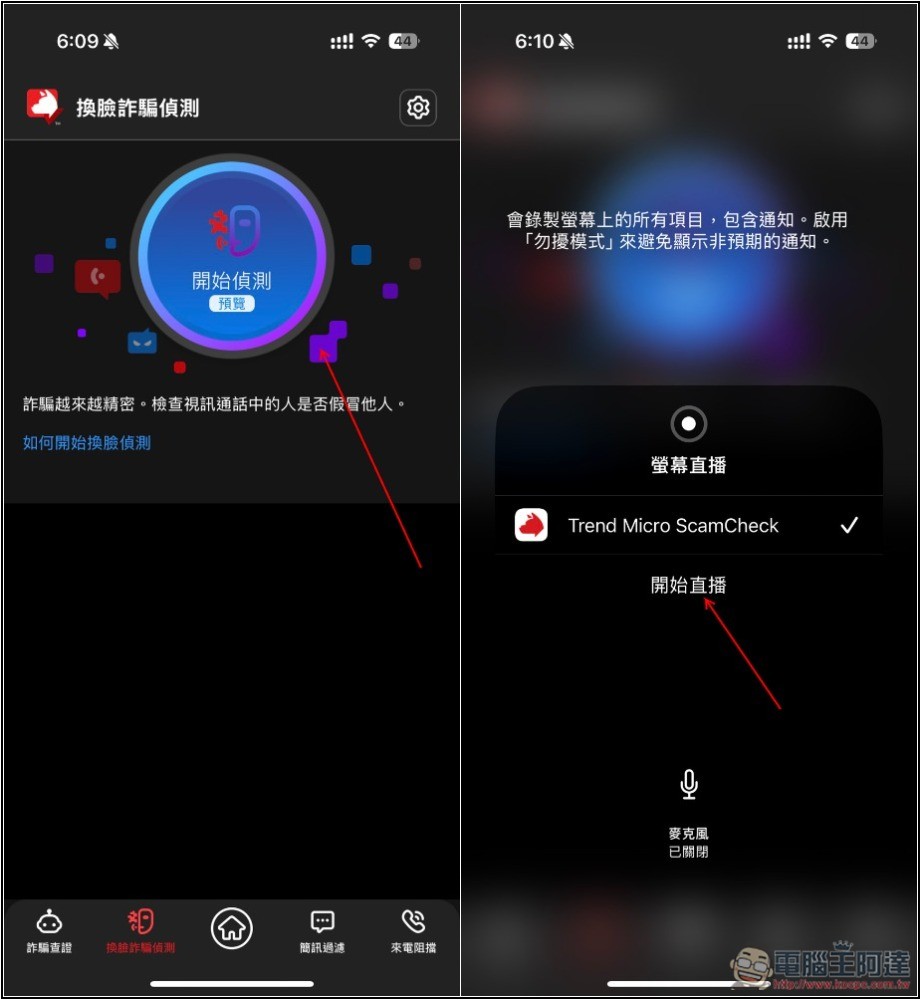
Although this is a relatively new fraud method, Trend Micro already has related AI anti-fraud technology that can help users identify whether the person currently calling has used AI to change their face. This is really powerful. The actual effect is as follows:
The method of use is also very simple. When talking to other people, turn on the face-swapping fraud detection function, and the detection will start:
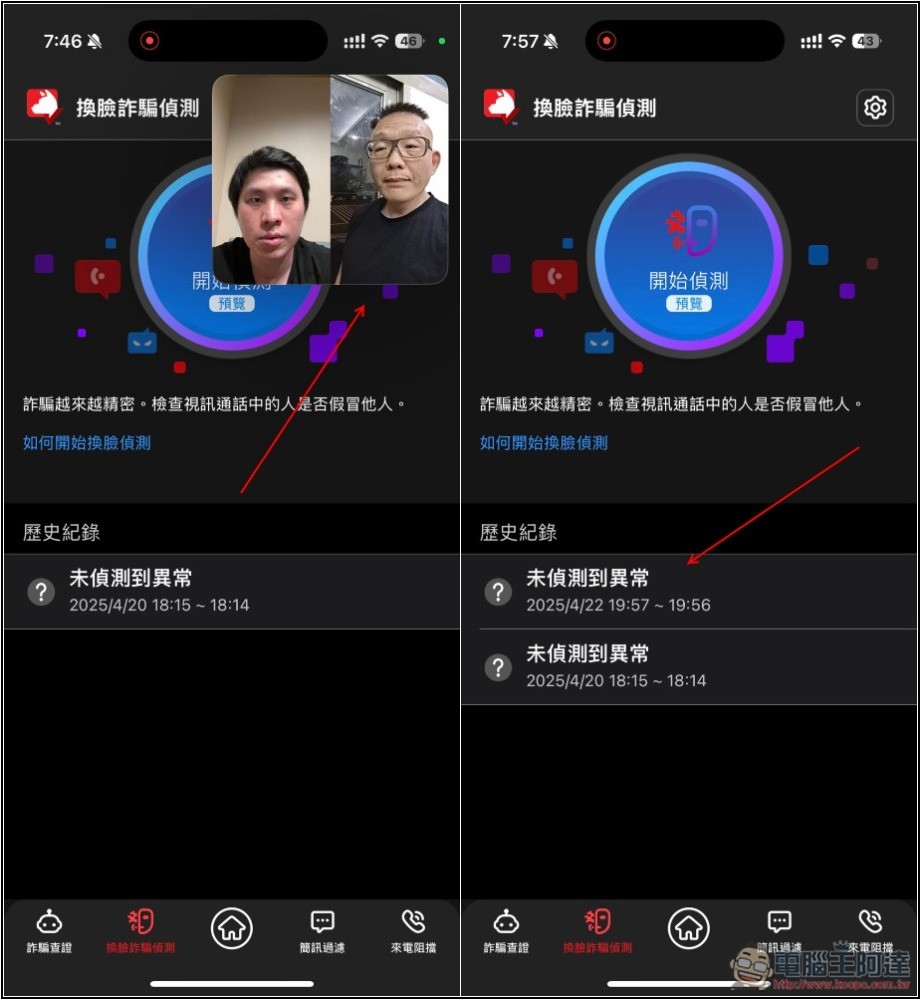
If no exception is detected, “No exception detected” will be displayed in the history:
Not only scams, but also malicious viruses and cyber attacks have increased significantly.
Malicious viruses and network attacks are also increasing at a terrifying rate. According to trend data, about 82 billion were intercepted each year more than five years ago, but by 2023, the number jumped to 161 billion, nearly doubling. And don’t forget, AI has just begun to rise in 2023, and this number will definitely increase again in the next few years. For example, in the past two years, there have been news about hackers and lawless people using generative AI to create computer viruses.
Compared with the past, it can be said that now is an era when AI anti-virus is more needed.
Trend Micro PC-cillin 2025 can fully protect your computer and mobile phone
1. Built-in the latest AI intelligent anti-virus, greatly improving the protection against various threats
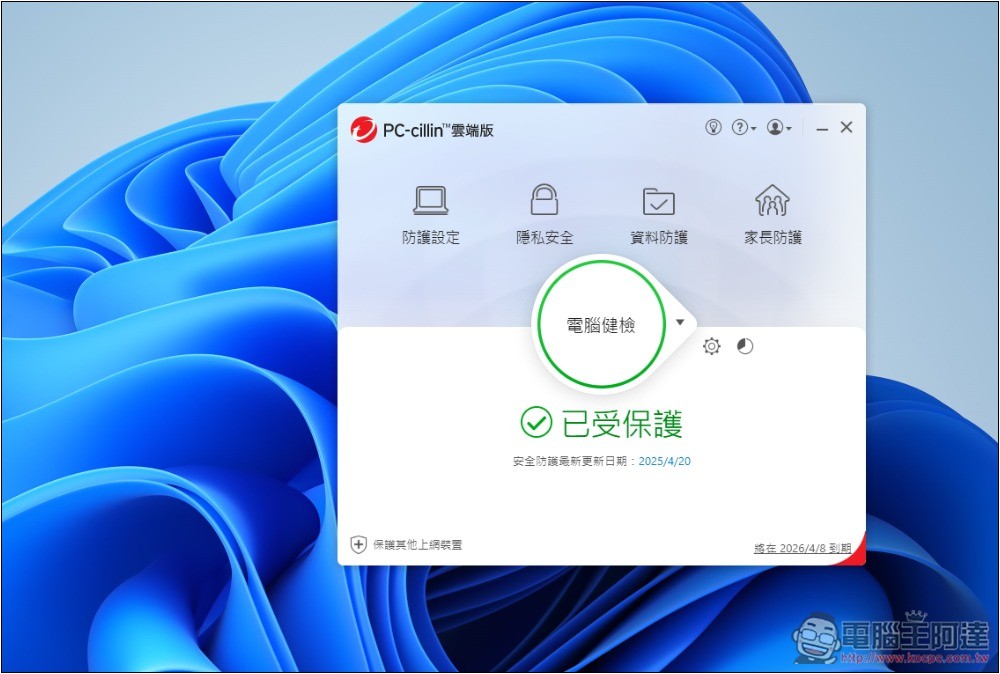
In this AI era, anti-virus of course requires the addition of AI technology, and PC-cillin 2025 has introduced the latest AI intelligent anti-virus. With the characteristics of active zero-day detection, through pre-execution and behavioral analysis mechanisms, attacks can be intercepted immediately before they are launched or at the initial stage.
At the same time, combined with Smart Protection Network, it can use billions of accumulated threat intelligence to enhance the detection rate and shorten the protection update time.
To put it simply, the protection against various threats is higher and more immediate.
2 Safe Pay allows you to use online banking and make online payments with more confidence
Many people should be like me. They often shop online, and they will definitely worry about whether their credit cards will be stolen, especially those online shopping platforms that have never purchased before.
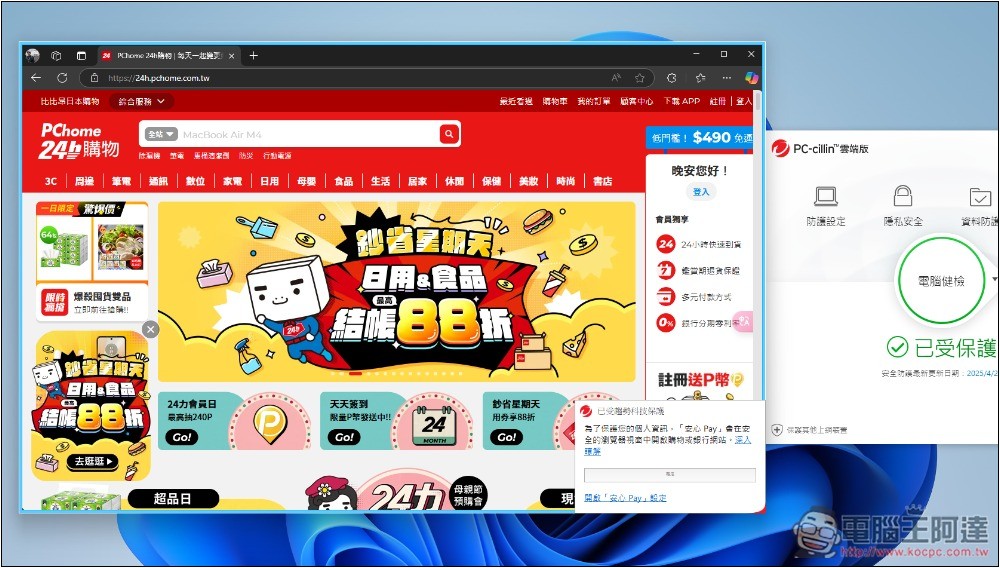
After installing PC-cillin 2025, as long as you open a common online shopping platform, the Anxin Pay function will be automatically enabled. Of course, you can also manually add the website to be enabled.
After enabling Anxin Pay, a new window that is purified and protected will open (a blue border will appear around it). You don’t have to worry about your credit card information being stolen, and you can make payments with confidence:
3. Add the folder to Ransomware and no longer worry about important files being encrypted and kidnapped.
For those who have important files on their computers, I highly recommend adding folders to Ransomware. It can effectively resist ransomware malicious encryption of your files, so that you can use it with complete peace of mind. You no longer have to worry about important files being encrypted or being extorted for money.
Even for companies with professional security engineers, news will come out from time to time about ransomware viruses that require high fees to be unlocked, so this feature is very important.
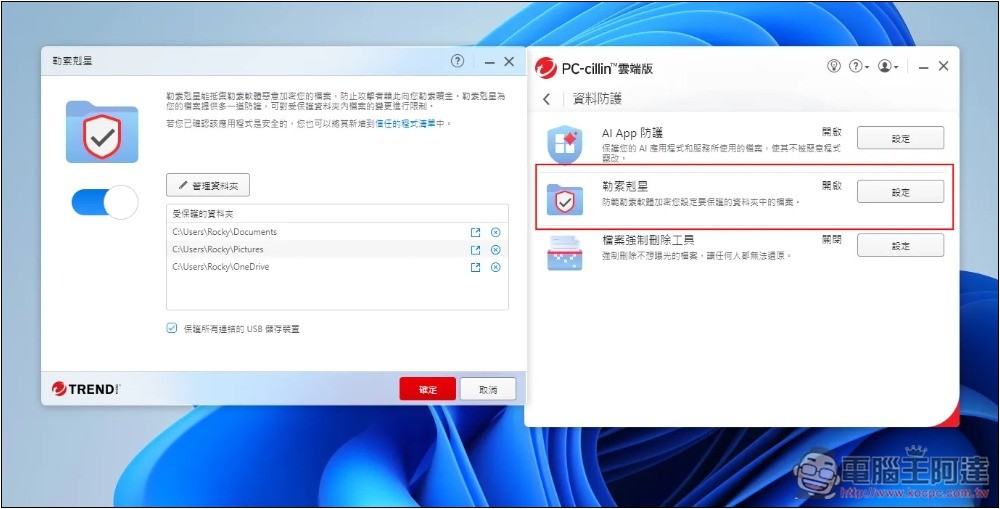
4. Set up automatic scanning schedules to ensure there are no viruses on your computer at all times
Although Trend Micro’s real-time protection is very strong, it is actually very difficult to be infected if it is installed. However, it is still recommended to set up an automatic scan schedule to check that there are no viruses in every corner of the computer when you are not using the computer. This way the protection will be more comprehensive.
The great thing is that Trend Micro provides a “smart scheduling” function that will analyze your usage and then set the most appropriate time to scan. If you don’t know when to set it, just use this. Of course, you will also be notified before scanning to ensure that you are really not doing important things:
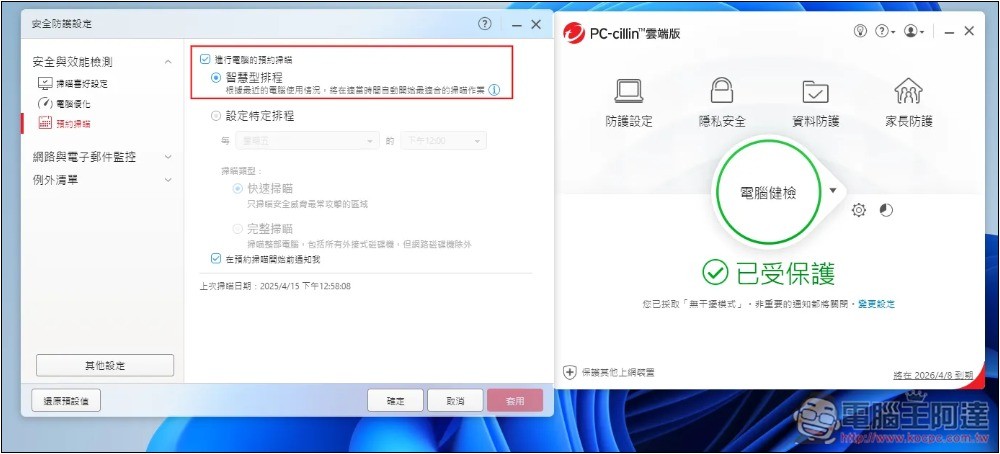
It is recommended to do a full scan at least once a month and a quick scan once a week.
Why you should use anti-virus and anti-fraud software
Many people believe that as long as they are careful, they should be able to avoid being poisoned or scammed. However, in this era of AI, even if you are very careful, you may still be deceived.
AI face-changing is a scam that is very difficult to identify, which indirectly highlights the importance of anti-virus and anti-fraud software.
- Prevent infection by malware:Anti-virus software can promptly detect and remove malicious programs such as viruses, ransomware, and spyware from your computer to ensure the security of your data.
- Avoid various scams:Anti-fraud software can quickly identify fraudulent messages, fake websites, etc., thereby helping you avoid risks such as fraud and identity theft.
- Protect privacy and personal information:Anti-virus and anti-fraud software can prevent Trojans from stealing sensitive personal information, such as bank account numbers, credit card information, personal passwords, etc., protecting you from identity theft.
- Improve online security:Effectively blocks harmful websites and malicious links to ensure your online activities are safe.
Introduction to PC-cillin AI Fraud Prevention Special Investigation Team
Trend Micro’s AI anti-fraud detective team includes two software, “PC-cillin anti-virus” and “AI anti-fraud expert”. The anti-virus version can be installed on both computers and mobile phones, while the AI anti-fraud expert is only available on mobile phones (iOS, Android).
Obtain PC-cillin AI Fraud Prevention Special Investigation Team
There are 1 and 3 unit licensing options:
- NT$1,290 for 1 year for 1 unit, NT$1,990 for 2 years
- 3 units NT$1,990 for 1 year, NT$2,990 for 2 years
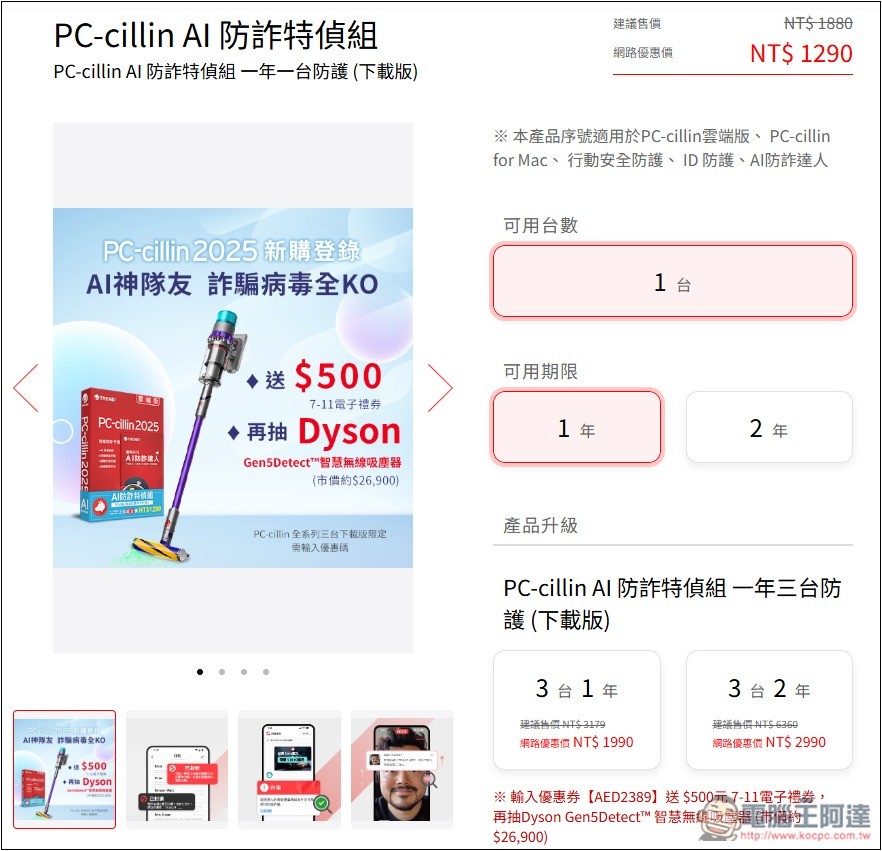
That is to say, if you choose 1 device, PC-cillin anti-virus can be used on a computer or mobile phone, and if you choose 1 device + AI anti-fraud expert, it can be used on 1 mobile phone.
We most recommend the 3-unit license. The price is quite cost-effective. If you don’t have so many devices at hand, you can also share it with your family. For example, 3 anti-virus units can be used on your computer, laptop and mobile phone. Use one AI fraud expert and install two for your parents.
Summarize
We have always encouraged everyone to install anti-fraud and anti-virus software, and let professional software help check it. This way, whether it is life or surfing the Internet, you will have more peace of mind, and you don’t have to worry about everything. Trend Micro AI Anti-Fraud Special Investigation Team is really good. One package is all-round, and there is an AI anti-fraud robot that can solve doubts at any time.
Obtain PC-cillin AI Fraud Prevention Special Investigation Team

Source: KOCPC Chinese