


Nowadays, as long as you go online to buy something, read an article, or download an app, almost every platform will pop up the familiar reminder: “Please register as a member first.” If you are like me and just want to try it out briefly, but don’t want to give up your email for one-time verification, a “temporary mailbox” service like MinMail will be a great helper for you!
MinMail is a completely free, registration-free temporary mailbox platform. Users only need to open the web page, and the system will automatically generate a random email address for you immediately. This temporary mailbox can be used for 24 hours by default, during which you can freely send and receive verification letters, and you can even manually extend the use time to 30 days. After expiration, the contents will be automatically cleared, helping you to protect your data properly.
This design is not only friendly to users who want to register accounts anonymously, but is also very suitable for people who use it temporarily and don’t want to leave any traces. There is no need to fill in real information, no need to worry about the leakage of personal information, and no need to worry about receiving advertising letters that explode in your mailbox. MinMail is not only simple and fast, but also supports multi-language interfaces, including Chinese. The user experience is intuitive, easy to understand, and friendly to all users.
MinMail free temporary mailbox recommendation: help you register anonymously and avoid spam with one click!
Although the function of MinMail seems simple, it is actually widely used. The following situations are suitable for using this type of temporary mailbox:
- Temporarily register a forum account:
Afraid of being bombarded with advertising letters? Just register with a temporary email address first. - Receive a one-time verification code or link:
It is very convenient to register the App, receive the serial number, fill out the questionnaire, etc. - Download resources, white papers, toolkits:
Some websites will require you to fill in your email before downloading. In this case, you don’t need to provide real information when using MinMail. - Test mailing functionality or develop tests:
Engineers and website administrators can also use it to test form or notification functions. - To avoid binding accounts to the same mailbox:
Some platforms may restrict that an email can only be registered once. Temporary mailboxes allow you to easily bypass this.
Why is it worth a try? Take a look at the three major advantages of MinMail at once
There are many temporary mailbox tools on the market now, but MinMail stands out because it focuses on “fastness”, “security” and “high flexibility”. The following three reasons should be enough to make you want to give it a try:
- Turn it on with one click and get started painlessly:
MinMail does not require you to log in to your account or fill in any personal information. You can create a temporary mailbox immediately by opening a web page, and the process takes less than 5 seconds. This design is perfect for temporary use without slowing things down. Even if you just want to receive the verification letter briefly, it is enough. - Data is kept confidential and automatically cleared within 24 hours:
By default, MinMail will automatically delete all email data within 24 hours, leaving no personal information or email records. This is a very important guarantee for people who value privacy. It not only prevents follow-up tracking by websites, but also eliminates the need to worry about being sent wild advertising letters by unknown manufacturers. - Can be extended to one month, super flexible:
Sometimes when we apply for certain accounts, we may only receive a notification email or confirmation letter a few days later. At this time, it is very troublesome if the temporary mailbox can only be used for a few hours before it expires. However, MinMail provides an extension option of up to 30 days, giving you enough time to receive follow-up emails without having to change your mailbox.
How to use MinMail Quickly get started, just three simple steps
The operation logic of MinMail is actually very intuitive. Even if you are a novice in technology, you can understand the entire usage process in a few seconds:
Step 1: Open the web page and a mailbox will be generated and available immediately.
As soon as you enter MinMail official website, the system will automatically generate a set of independent temporary email addresses for you. No registration or account login is required.
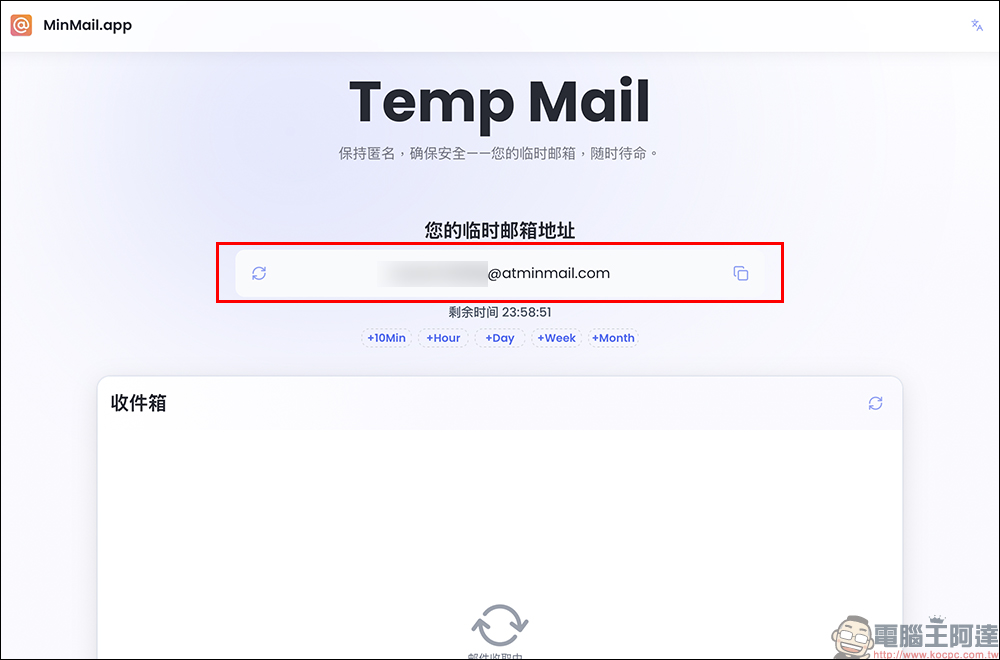
This string of email addresses is exclusively for your temporary use. Just click the “Copy” button on the right to quickly paste it to other websites for use. This function is especially suitable for registering accounts that require verification, such as forums, free trials, download resources, etc. It saves you the trouble of figuring out an account, setting a password, and verifying your identity. Temporary mailboxes are so refreshing.
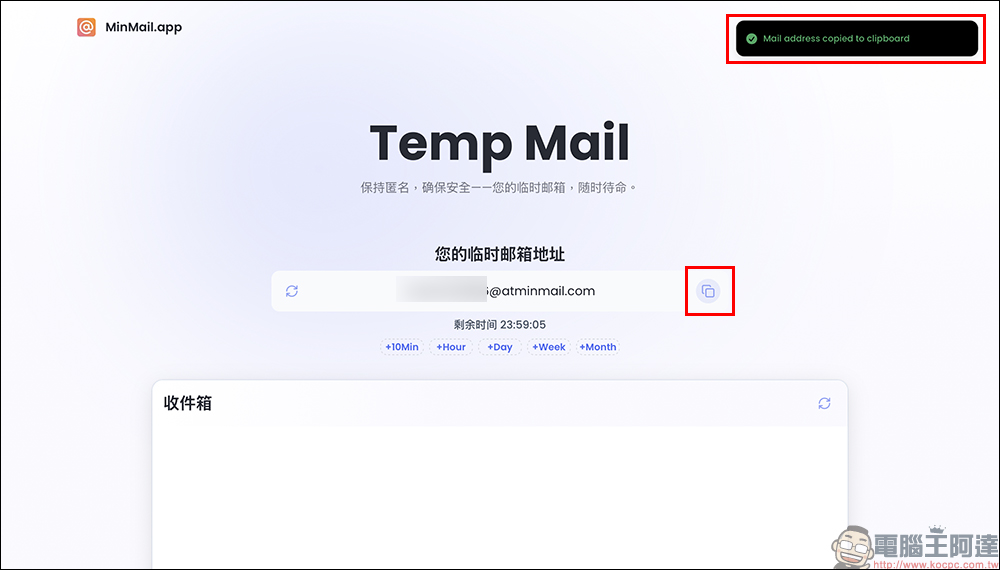
Step 2: Manage usage time and extend it freely without restriction
The default usage period of MinMail’s mailbox is 24 hours. This design just meets the short-term verification needs of most users. A countdown will be displayed on the web page, so you can clearly know how long your mailbox will last. If you find you don’t have enough time or need to continue receiving emails, don’t worry. There is an “Extend usage time” button below, which can be extended to up to 30 days without having to reopen a new mailbox. This is very considerate for situations where you need to receive mail in the medium term.
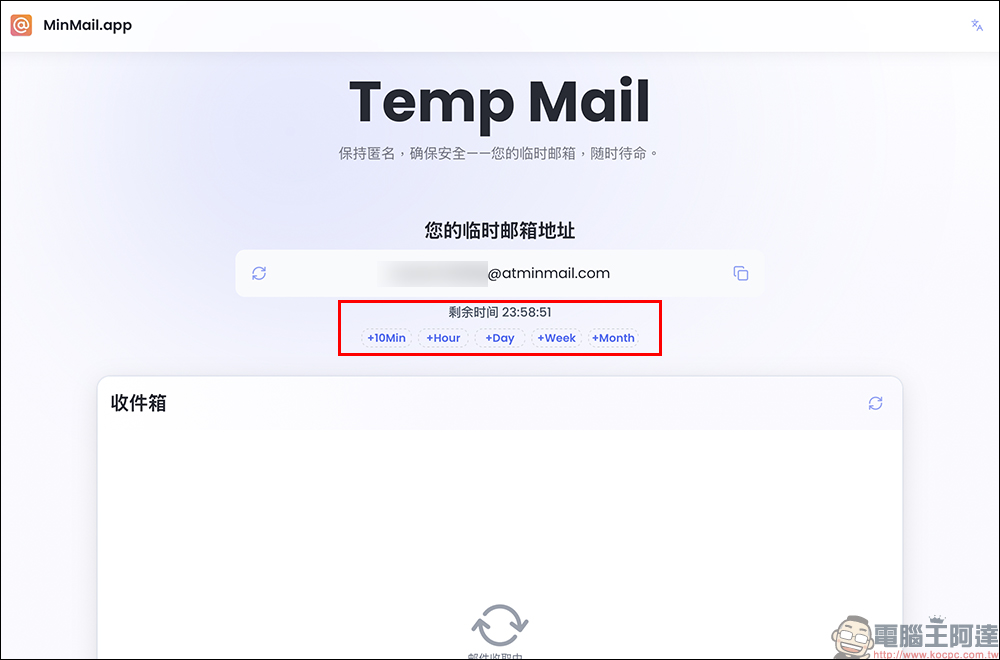
Step 3: Automatically receive messages + click and read, simple operation
When an email is sent to this temporary mailbox, the system will automatically refresh the page for you to display the latest email. There is no need to manually click update or rearrange, you can directly read the content of the letter by clicking on the title of the letter. Whether it is a verification code, link, or one-time download link you receive, you can click to open it directly from the mailbox. It is almost the same as a formal mailbox such as Gmail, but it is lighter and safer to use.
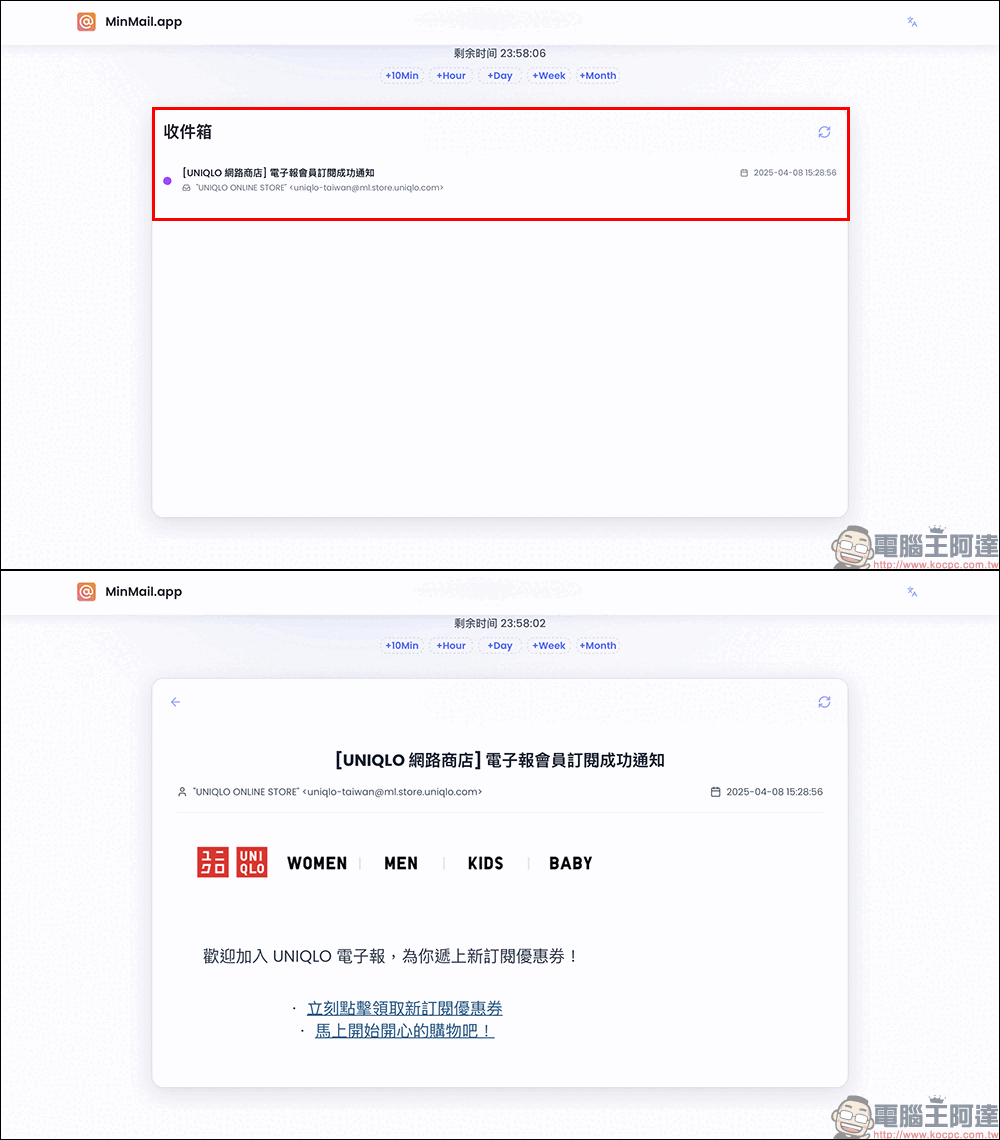
MinMail temporary mailbox
Conclusion
In the digital age where personal information can easily be misused, it is more important than ever to learn to protect your privacy. As a lightweight, free and registration-free temporary mailbox tool, MinMail not only helps you avoid spam and register accounts anonymously, but more importantly, it gives us an extra layer of security buffer in the online world.
Whether you want to try out the platform, don’t want to leave traces, or simply need a set of temporary emails, MinMail is a gadget worth collecting. Next time you encounter a form that requires you to fill in an email, you might as well open MinMail to handle it easily!
Source: KOCPC Chinese