


I discovered earlier that the lifetime version of a very useful “Whisperr – Real-time Translator” is free for a limited time. Once you get it, you can use it permanently and without restrictions. Although it does not have many functions, the translation speed is really fast. The translation is almost completed when you finish speaking. The accuracy is also high. It is also advertised that AI will automatically remove redundant words and adjust punctuation marks to achieve optimal readability, and it supports more than 40 languages.
Also, I would like to remind you that the limited-time free lifetime version is very short and may end within one day. If you see it, remember to get it quickly. If it has returned to its original price when you get it, it means it is gone.
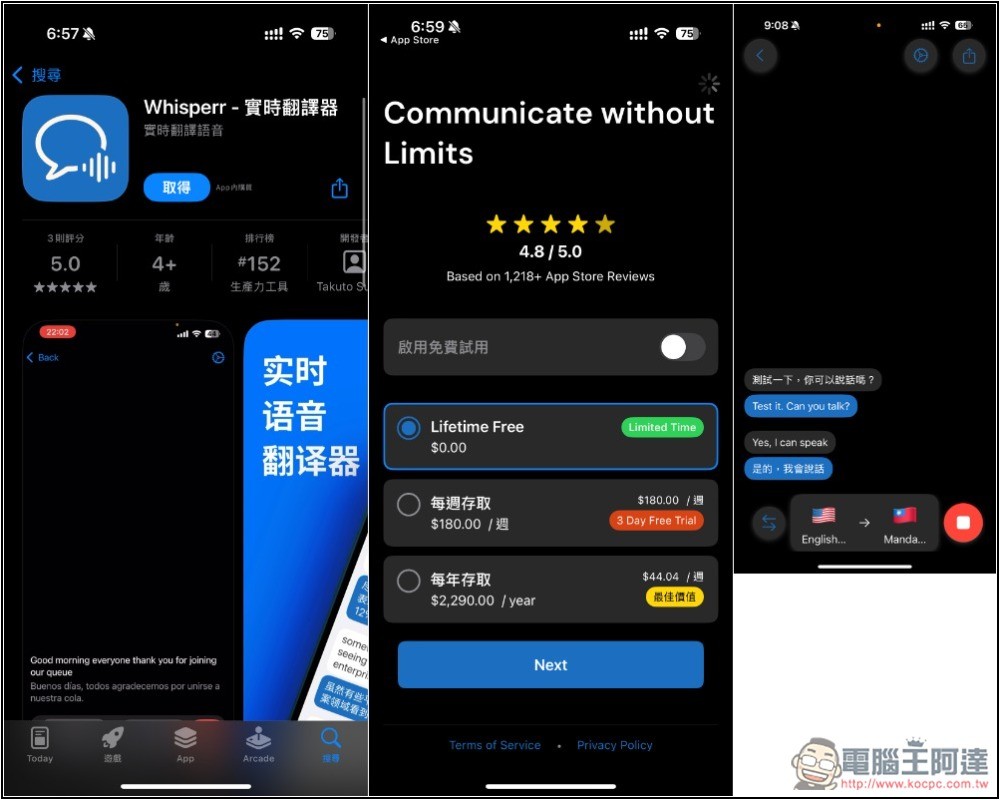
“Whisperr – Real-time Translator” Lifetime Professional Edition Free
“Whisperr – Real-time Translator” is an app that provides extremely fast translation and high-quality speech-to-text. Unlike ordinary translators, the developer said that Whisperr will prioritize accuracy and natural language fluency.
It supports more than 40 languages and provides one-click copying of translated text or entire content. Representatives say that in addition to general conversation, it is also suitable for work use.
Compared with the free version, the professional version has the following additional functions (but I can’t find the audio file import):
- Strengthen translation skills
- Audio file import function
- Prioritize processing
- Advanced customization options
- Ad-free experience
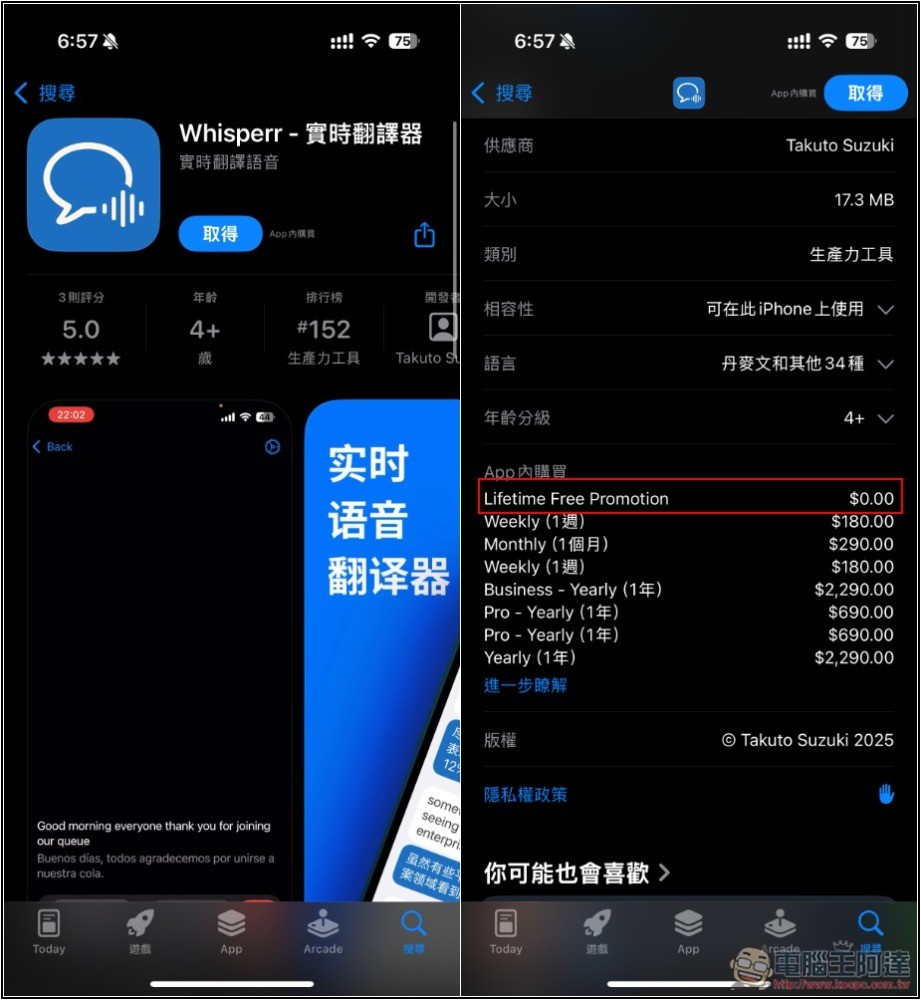
After clicking the link above to enter the “Whisperr – Real-time Translator” App Store page, in the in-app purchase section, you will see the Lifetime Free Promotion $0, which is currently on a limited basis:
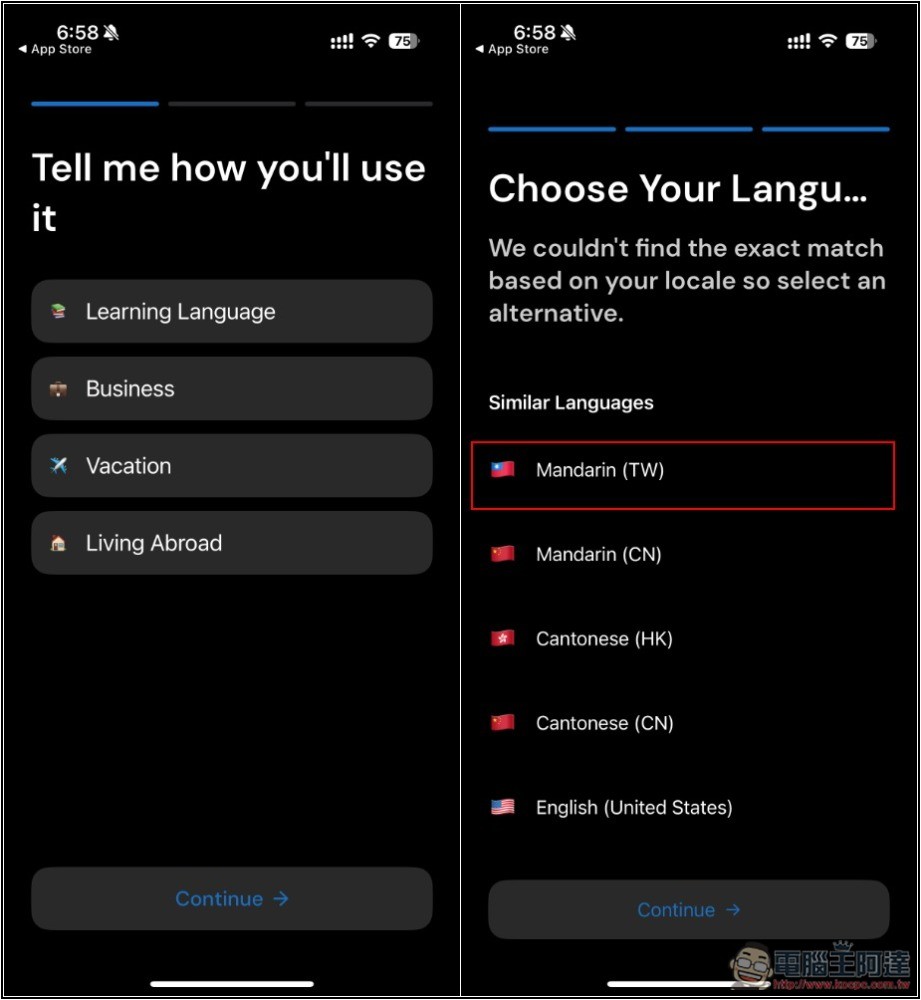
After installation, open the App. You will be asked what the purpose is at the beginning. It depends on your needs. Remember to select Mandarin (TW) for the language part, so that your language will be Traditional Chinese by default:
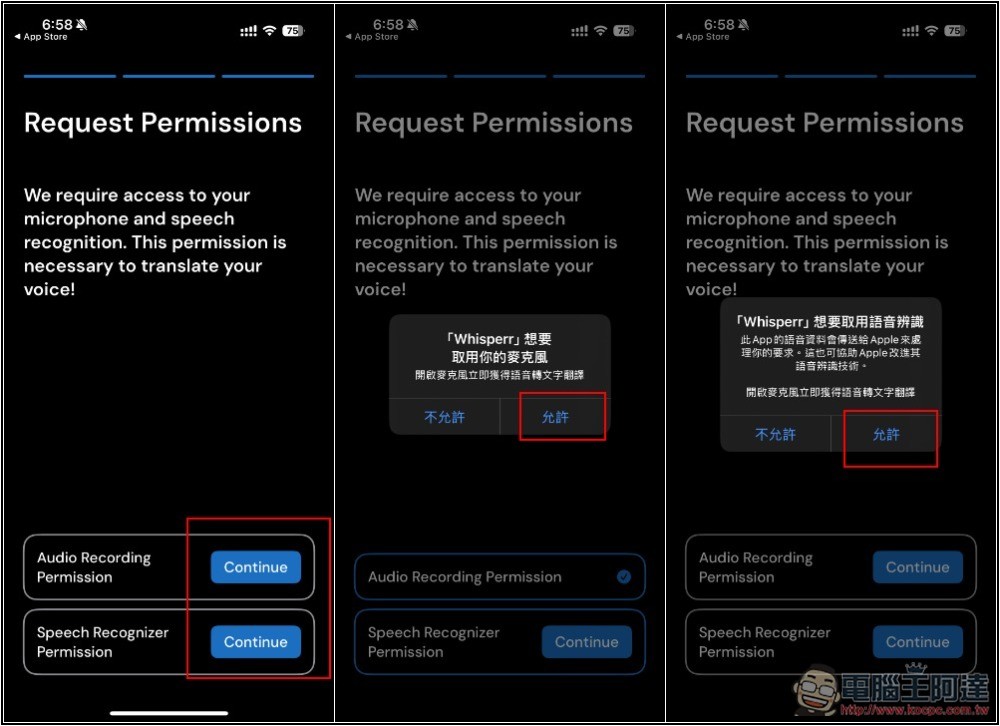
You also need to obtain permissions for microphone and voice recognition. Remember to click Allow:
Next is the most important step. The paid plan will be displayed. Lifetime Free is the lifetime version. Confirm whether it is 0 yuan. If there is no problem, select it and press Next. Then the payment confirmation will pop up. Check whether there is no amount at all. If there is no problem, click twice to get it, and you are done:
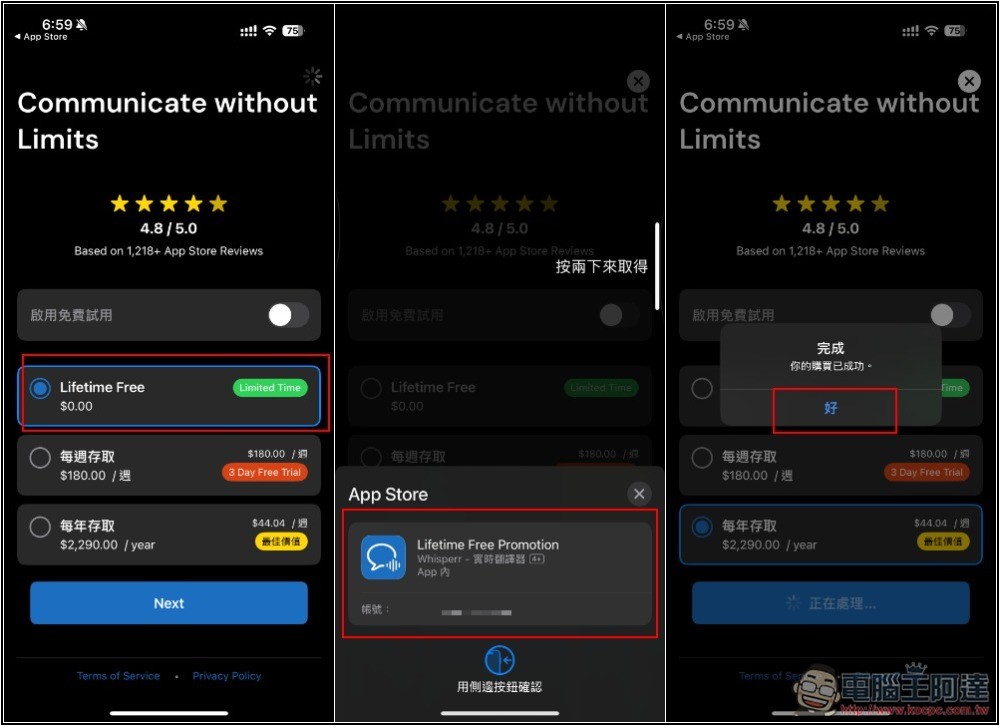
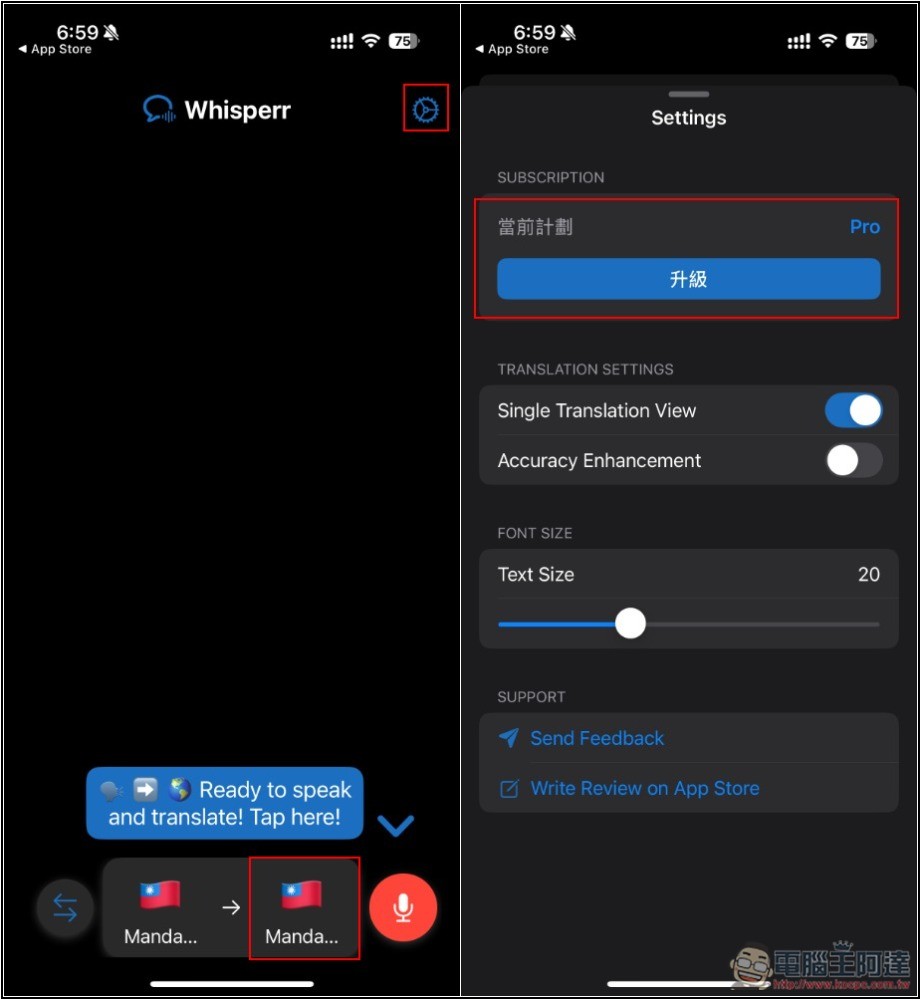
The operation interface of Whispeer is very simple. Select the language you want to translate at the bottom, and the microphone on the right is enabled for recording. This app does not provide manual input, only speaking. In addition, if you want to confirm whether you are currently in the Pro version, you can click the settings icon on the upper right and check whether the right side of the current plan at the top is marked Pro:
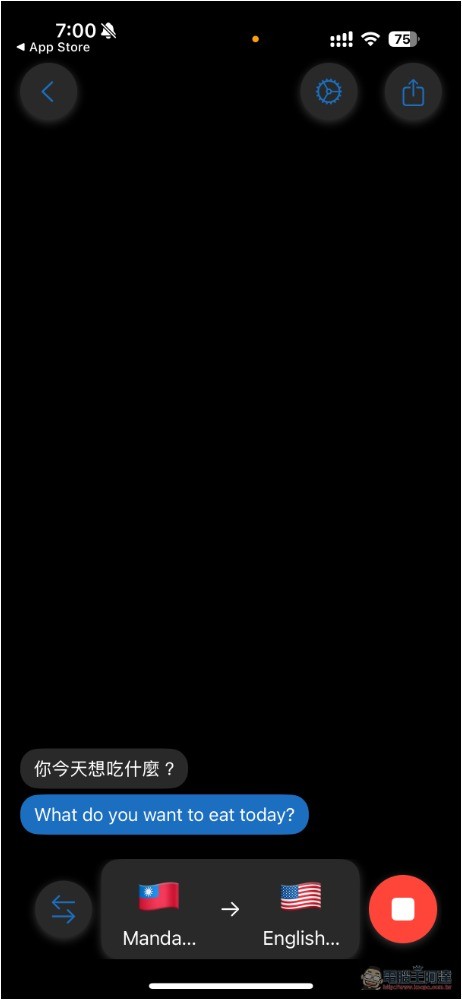
After enabling the microphone, you can speak the text you want to translate, and the screen will be displayed in real time for you to confirm whether the recognition is correct. Below the Chinese text is the translated result, which is processed in real time:
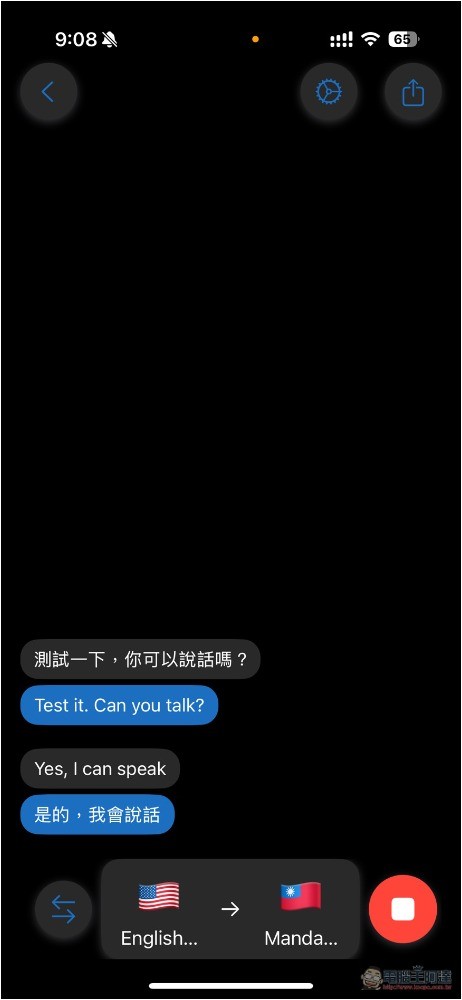
There is a button next to it to quickly switch the translation language. You can switch it by pressing it. The representative said that using it can quickly achieve the effect of two-way translation:
Compared with other translation apps, Whisperr’s translation speed is indeed quite fast, but it may be because I am currently on Wi-Fi. It actually depends on the current network environment. If it is not too bad, the speed is very fast.
Unfortunately, there is no offline translation function and you need to be connected to the Internet to use it.
Source: KOCPC Chinese