


Do you feel a little boring after sitting in front of the computer for a long time and working with windows on the screen? If there was a cat running on the screen at this moment, “fighting” with you, wouldn’t it be a lot of healing in an instant? This super interesting desktop gadget “RunCat” is your best solution!
RunCat is an application that can display a running cat on the taskbar (or menu bar) of Mac and Windows systems. Moreover, the running speed of the cat will automatically accelerate or decelerate as the CPU load changes, allowing you to intuitively feel the operation of the computer. What’s even better is that this software also supports other cute animals and interesting characters, and there is even a paid version of dogs available for purchase! How exactly does RunCat make your computer experience more vivid and interesting? Next, let’s take a closer look at this small but charming software!

Computers are no longer boring! RunCat makes cats run wildly in your menu bar and can also measure CPU load! (Mac/Windows supported)
RunCat is a lightweight desktop application produced by developer Kyome22. Its main function is to display a running kitten in the Mac menu bar or Windows taskbar. The running speed of this cat will automatically adjust according to the CPU load of your computer. When your computer is processing a lot of work, the cat will sprint, and when the system is idle, it will jog leisurely.

▲Picture source:RunCat
This kind of design is not only an interesting visual element, but also helps you to quickly grasp the load status of the computer to some extent. For example:
- When your cat is running fast, you may want to check if you have too many apps open.
- If your cat suddenly becomes super slow, it may mean that your computer is in low-power or energy-saving mode.
- Sometimes, the computer starts to get hot, and when you see that the cat has turned into a “light speed cat”, you know that it is time to turn off some software.
How to download and install RunCat?
Mac users
You can download RunCat directly from your Mac’s App Store, and it will automatically appear on your menu bar after installation.

▲Picture source:RunCat
- Download link:RunCat for Mac (Mac App Store)
Windows users
The Windows version of RunCat needs to be downloaded from GitHub. Select the corresponding version according to your processor. If you are an Intel or AMD CPU user, it is recommended to choose the x64 version. Once the download is complete, run the application directly and it will start running on the taskbar.
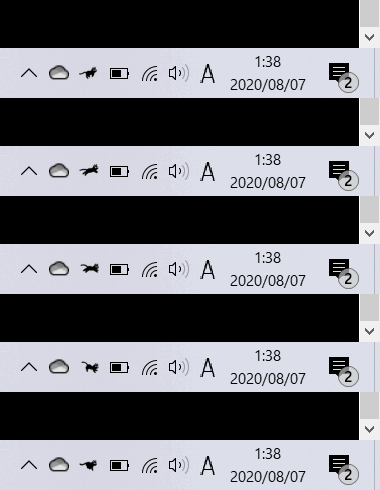
▲Picture source:RunCat
- Download link:RunCat for Windows (GitHub)
RunCat basic settings: automatically start at boot & change roles
After successful installation, a cute running cat will appear on your menu bar (Mac) or taskbar (Windows). If you want RunCat to run automatically at boot, just go into Settings and check “Launch RunCat automatically at login”.
If you are tired of the default cat, RunCat also has a variety of built-in running characters, including:
- Other breeds of cats
- Running horses, rabbits and other animals
- Running human character
- There are even other weird stuff like running sushi (there really is one)!
Want to change roles? Just click on the RunCat icon on the taskbar, select “Runner”, and you can choose from the built-in free characters.
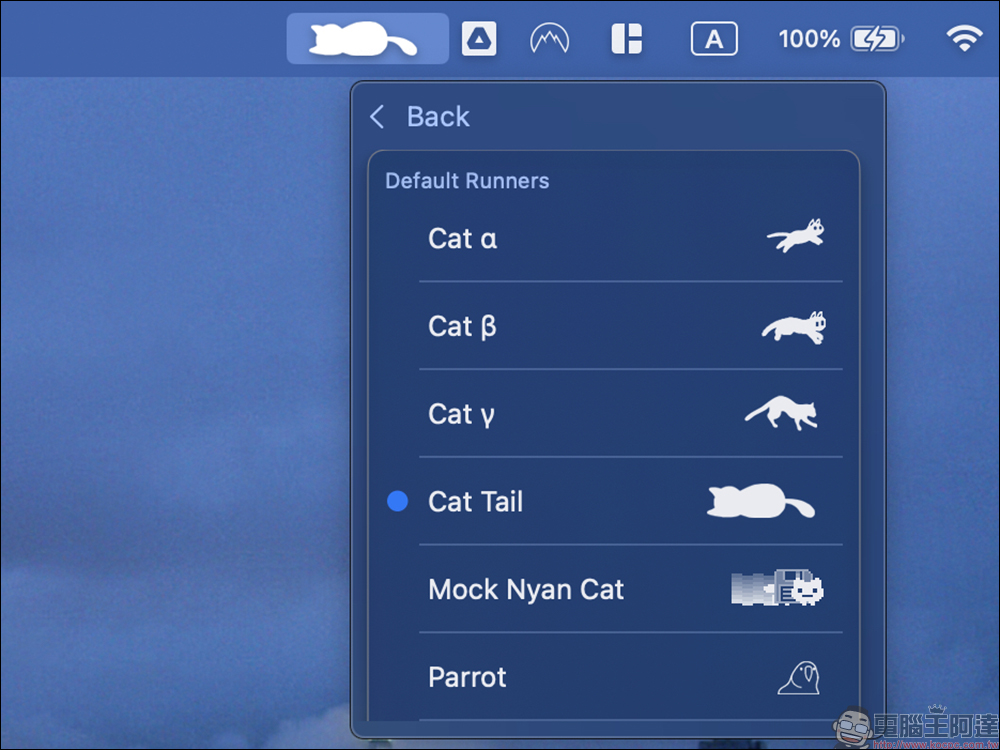
In fact, the free characters are already diverse!

What’s special about the paid version? Is it worth upgrading?
However, if you are a dog fan rather than a cat fan, you may be a little disappointed because the dog characters require an extra fee. But in addition to dogs, the paid version also offers:
- More variety of animal characters
- Colored versions of animated characters
- Some special and interesting illustrations
To purchase these additional characters, just enter the “Runners Store” and you will see a complete list of paid characters. The prices range from tens of yuan to hundreds of yuan. You can freely choose and buy according to your personal preferences.


RunCat official website:RunCat Official
Mac version download:App Store|Windows version download:GitHub
Further reading:
Turn your Mac into two-channel audio in one second! PairPods free open source tool lets you easily sync two Bluetooth devices

Source: KOCPC Chinese