


In this era where the speed of information exchange is so fast that people can’t breathe, how to transfer large-capacity files quickly, safely and effortlessly has become a common worry for many people. Whether you want to share photos, videos, reports, or temporarily transfer a large file to colleagues or friends, you will always encounter cumbersome processes that require the file to be too large to be attached, annoying empty ads, or the need to register an account. At this time, you should definitely get to know FileNow, which is a super practical anonymous file sharing tool that is completely free, requires no registration, and supports batch transfer of files up to 100GB!
Free and powerful, a must-have for lazy people! FileNow free anonymous space usage tutorial: uploading, sharing, and management are super simple
Want to transfer large files but don’t have enough cloud space on hand? Or if you just don’t want to take up valuable Google Cloud space for temporary storage, then FileNow is a very suitable choice. FileNow free anonymous space can be said to be a must-have tool for lazy people. It is not only simple and intuitive to operate, but also has many thoughtful functions, including customizing passwords, setting automatic deletion time, and even “directly replacing files” without changing the original sharing link. This is a lifesaver for workers who need to frequently update file content.
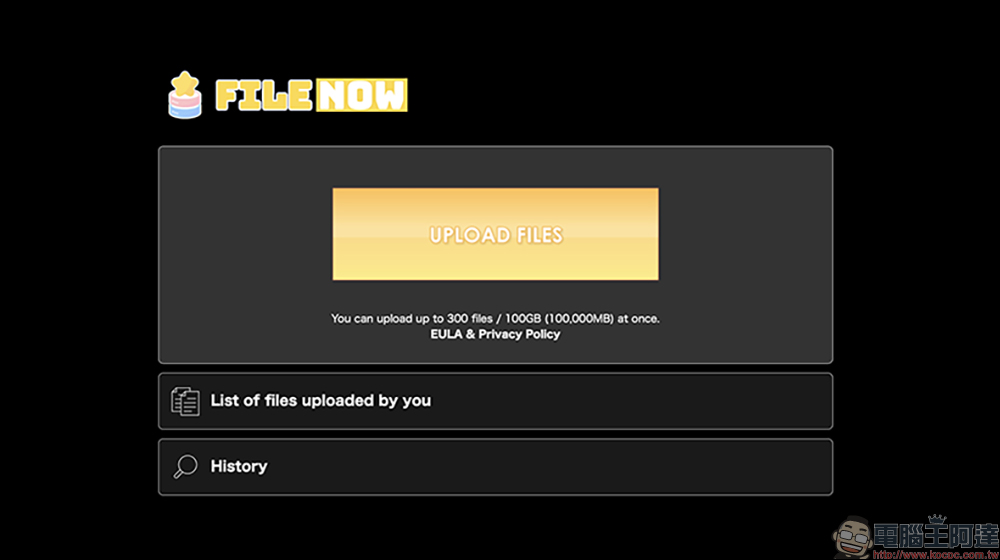
FileNow is a free large file sharing platform. Its biggest feature is that it is “completely anonymous and requires no registration.” You do not need to create an account or bind an email, and there are no complicated steps. Just open the website, select the file, and you can directly upload and share it. You can upload up to 300 files at a time, with a total capacity limit of 100GB, which is definitely more than enough for needs that require large amounts of transmission or packaging and compression.
In addition, FileNow is not filled with advertisements like other commercial free websites. Its interface is clean and simple, and it is easy to use even for the first time. And whether you are using a computer, mobile phone or tablet, you can use all its functions directly through the browser. iOS users can also choose to download a dedicated App.
Next, let us take you to actually understand the complete usage, functional details and usage scenarios of FileNow, ensuring that you will become a regular customer after trying it!
Step 1. Enter the FileNow website and select file upload
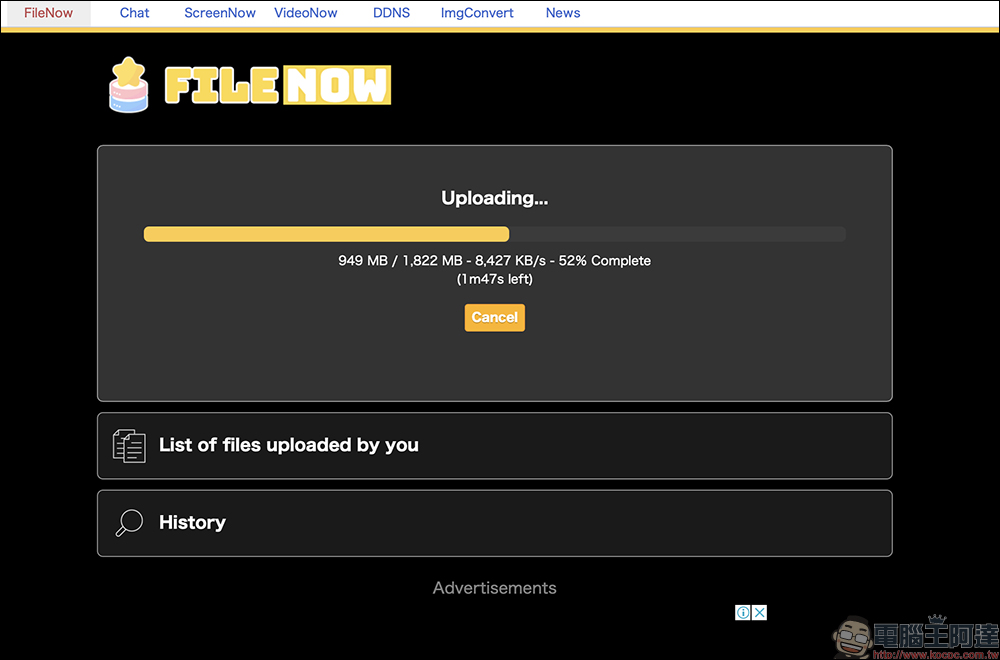
Open the FileNow website (Click here to go), you can see the “Upload Files” button on the homepage, click it to select the file you want to upload, and the upload will start immediately. The current upload progress will be displayed below the progress bar, and the user can also check the speed. A special reminder is to remember to keep the web page open before the upload is completed!
Step 2. Obtain sharing link and QR code
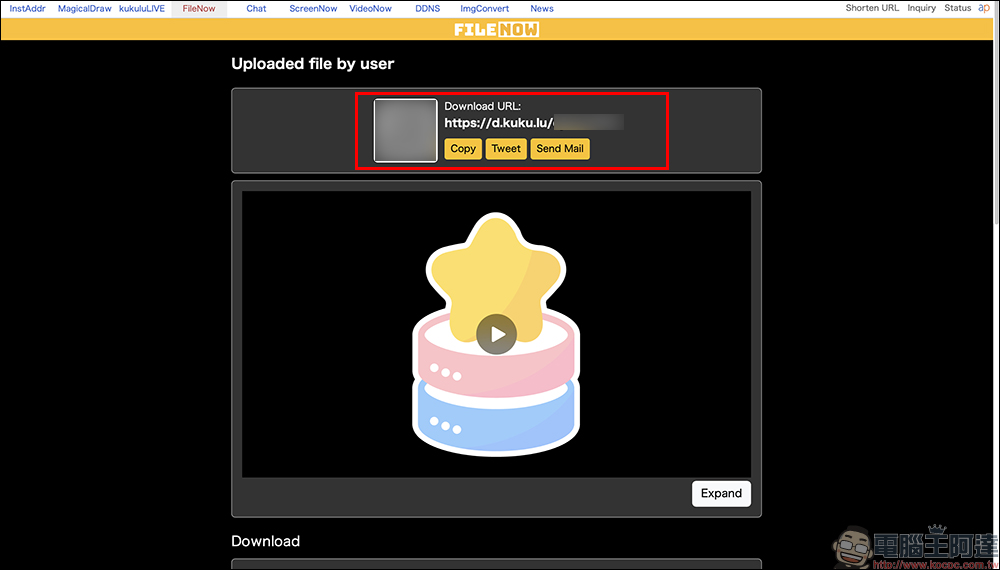
After the upload is completed, the system will automatically generate a set of download URLs. In addition to directly copying the link and sending it to the other party, you can also scan the QR code to open the download page, which is simple and fast. You can also forward the download URL via email or X:
Step 3. Set password and deletion time
On the file management page, you can set the “download password”, adjust the “automatic deletion time”, and check the number of times it has been downloaded.
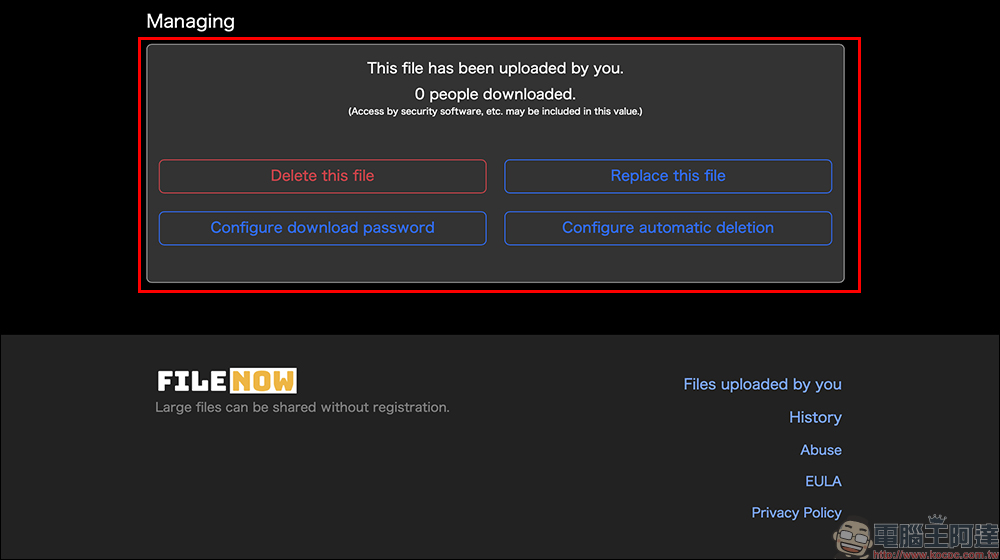
To adjust the time for automatic deletion of files, click the “Configure automatic deletion” button and then adjust the time: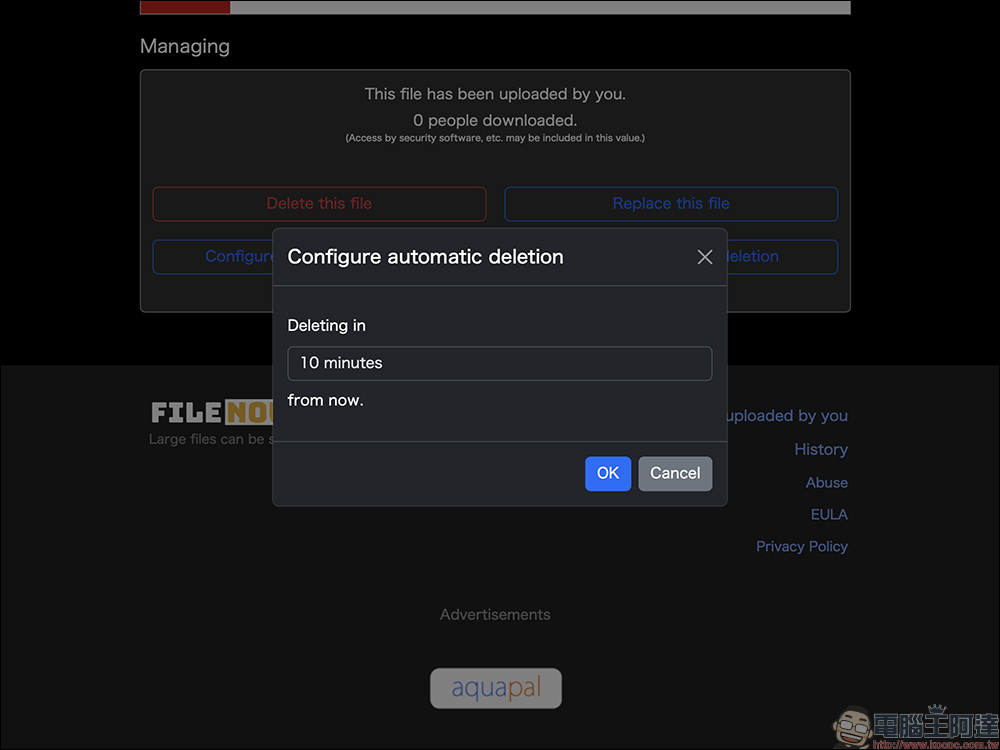
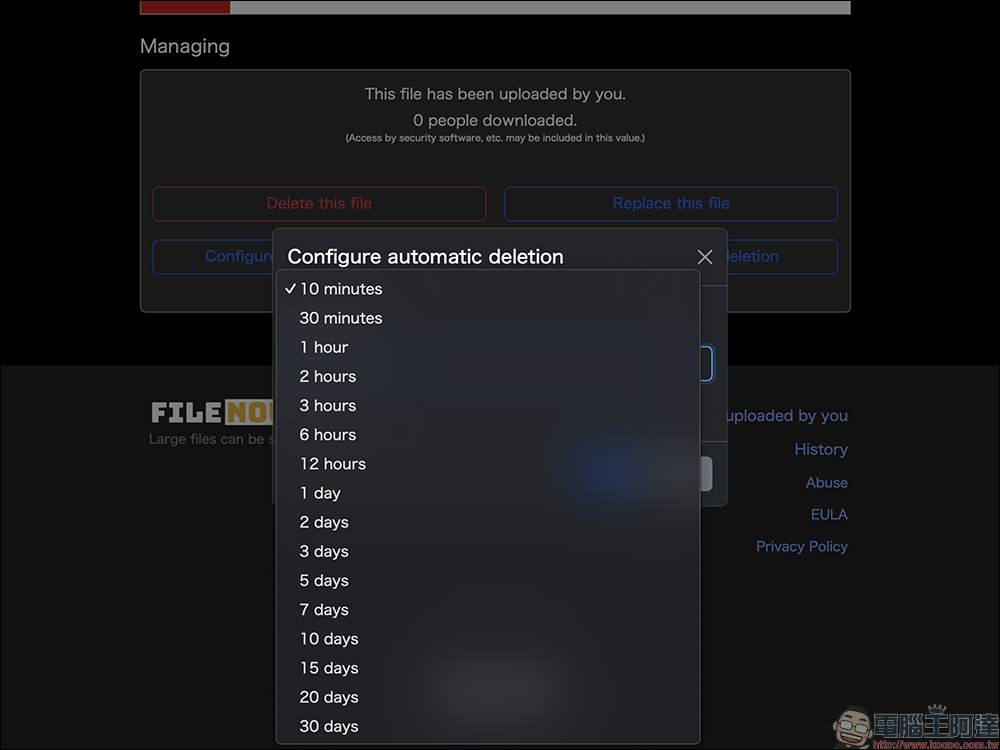
The time can range from a minimum of 10 minutes to a maximum of 30 days, depending on how long you want the file to be stored in the cloud.
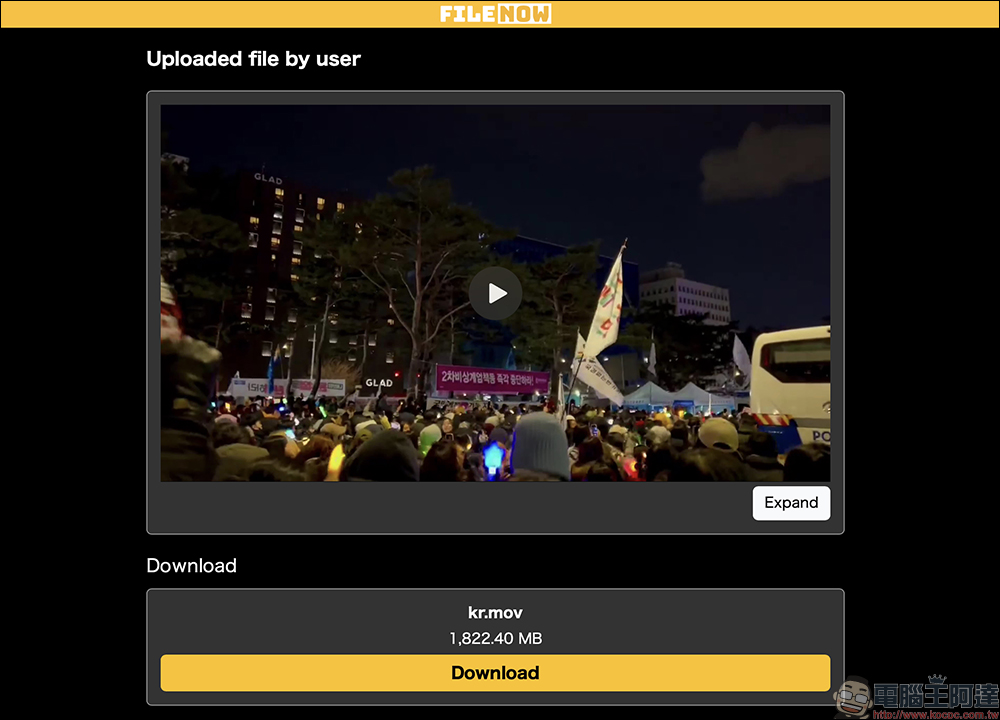
Step 4. After sharing it with the other party, the other party only needs to press the “Download” button to download it.
If the file is a video type, some formats even support direct playback in the browser without even downloading, which is very convenient.
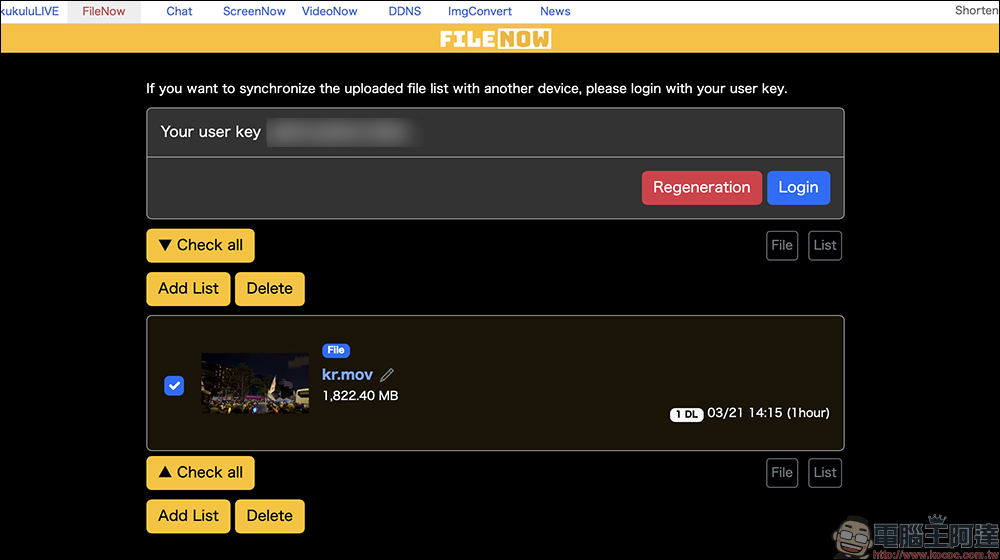
Step 5. Use user ID to manage past upload records
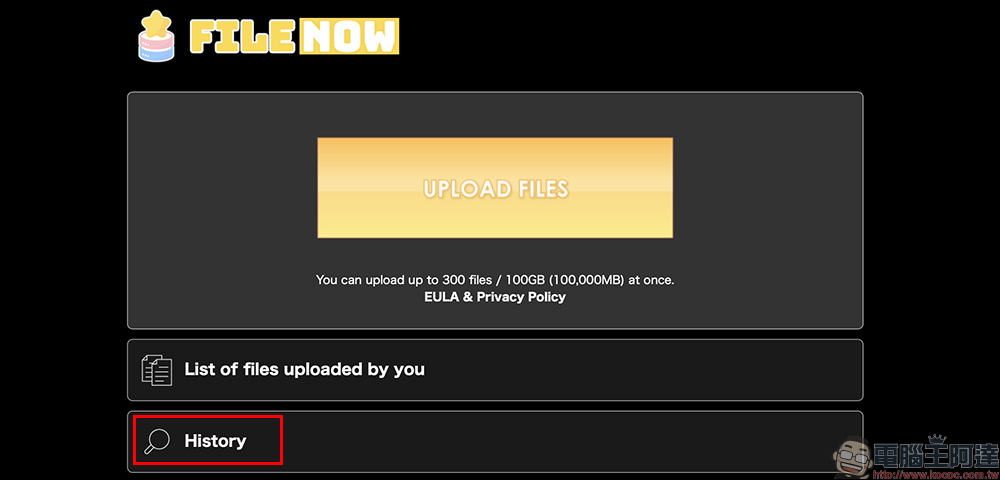
Go back to the homepage and click “List of files uploaded by you” to see the random code generated by the system for you. As long as you enter this code when logging in in the future, you will be able to see all the files you have uploaded again, which is convenient and does not require binding an account.
Conclusion
FileNow provides a file transfer space that meets the needs of modern people. Not only does it have a clean interface without ads, it is intuitive and simple to operate, it can also be used anonymously, protects data, and supports cross-device support. In particular, the file replacement function and batch upload flexibility are more convenient and practical than traditional cloud drives in many scenarios.
If you often need to share large files but don’t want to make it too complicated, you might as well try the FileNow tool. It may become a good helper for transferring files in your future work and life!
FileNow free anonymous space
FileNow iOS App(App Store)

Source: KOCPC Chinese