


For years, Apple has locked users’ purchasing behavior into a closed ecosystem. If you want to buy a book from the Google Play platform on your iPad, you must use the Chrome browser to find the e-book in the Play Store to purchase it, or pick up your Android device instead. But that’s changing now, thanks to Google.
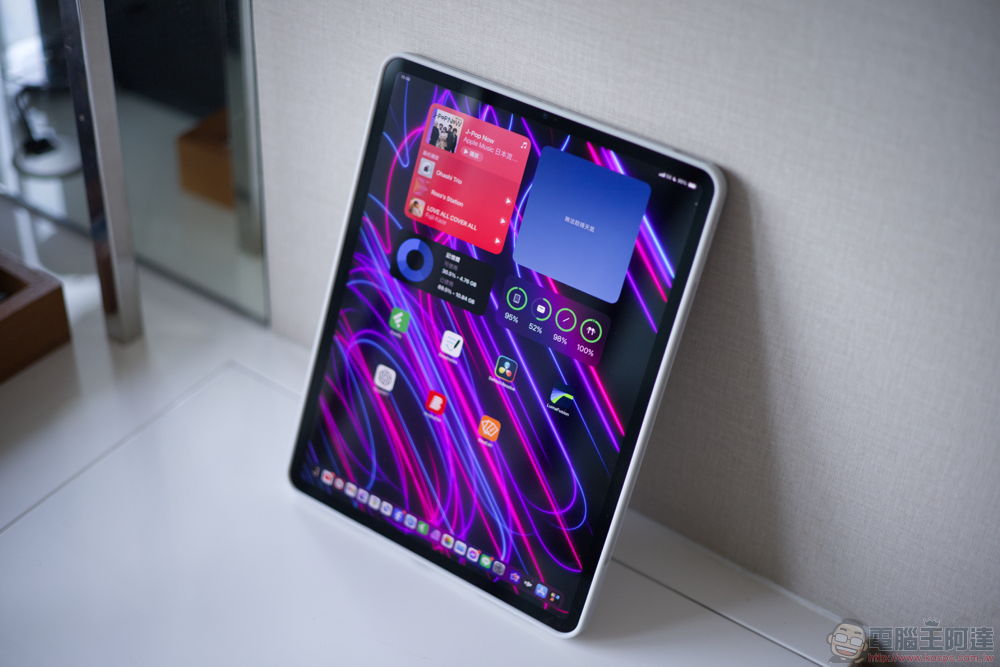
Teach you how to purchase books directly on iPad through the Google Play Books and Audiobook app
Android tablets have only recently begun to catch up with the iPad by leaps and bounds, but if you are an Android user with an iPad, you will find that you cannot seamlessly continue reading unfinished books on both devices. Thankfully, you can now continue to easily purchase books from the Google Play Books and Audiobooks app on iPad while keeping all your content within a Google platform-agnostic ecosystem.
To purchase books from the Google Play eBooks app on iOS or iPadOS, just follow these steps:
- First download it in the App StoreGoogle Play Books & Audiobooks“app.
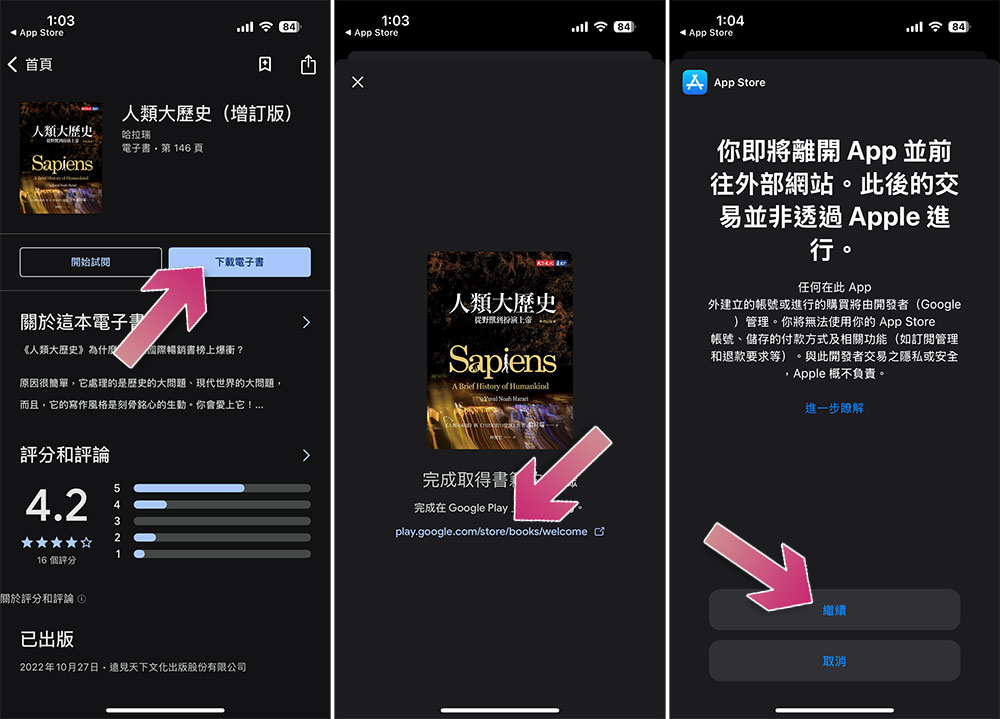
- After clicking on the book you want to read, click “Download e-book” on the inner page.
- Next click on the link that appears on the screen.
- Click “Continue” on Apple’s reminder page.
- Next, the browser will open the Play Store book purchase page. After selecting the book you want to buy, click “Buy”.
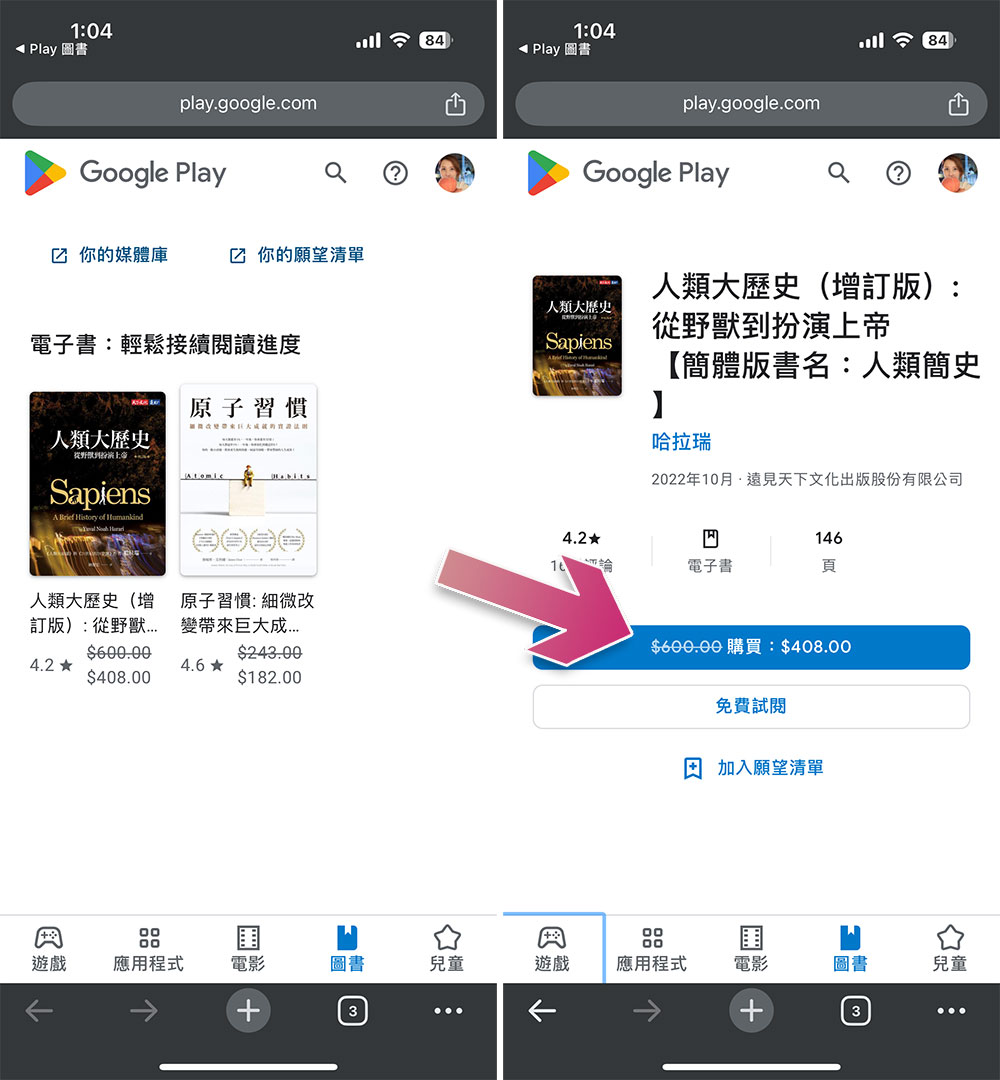
The Google Play Books and Audiobooks app features a new “Download eBook” button that directs users to the web version of the Play Store. There, users can buy books and read them seamlessly on Android phones and iPads, which is much easier than finding ways to jump through all the hurdles Apple has put in place for Android users.
While this new feature doesn’t completely bypass Apple’s lock-in and App Store rules – you’ll still need to complete purchases on the web rather than in the app – Google’s move clearly removes a few major inconveniences and makes cross-platform book buying as simple as possible. However, Apple is still Apple after all, and we don’t know how long Google’s obviously sneaky approach can last, but for most Android users who own iPads and don’t want to be kidnapped by Apple, this is a development that they are very happy to see.
Source: KOCPC Chinese