


What should you do when you feel that Claude Code is too slow while you are working? One developer’s answer is: “Whip it.” Recently, a Reddit user posted a post in the r/ClaudeCode community with the title “I built a tool to whip your AI via an AirPod.” He introduced the tool he developed: through the built-in accelerometer sensor of AirPods, the user’s whipping movement simulates a whipping action, triggering an encouragement command for the Claude Code assistant. The comment below the post read: “This is a great productivity tool that makes me work harder on AI.”
I built a tool to whip your AI via an AirPod
byu/Disastrous-Body-297 inClaudeCode
What to do when AI isn’t working hard? Developers use AirPod as a whip to spur AI
In fact, this spurred version of AirPod (Who is bad AI) is not the first person on the Internet to play this way. Before it, there was already a project called OpenWhip The open source project (developed by GitFrog1111) is also a “whipping” tool for Claude Code. OpenWhip is operated through the system tray icon. When clicked, a whip animation will be generated on the screen. When “whipping”, a Ctrl-C interrupt signal will be sent to Claude, and a random “encouragement message” will be attached.
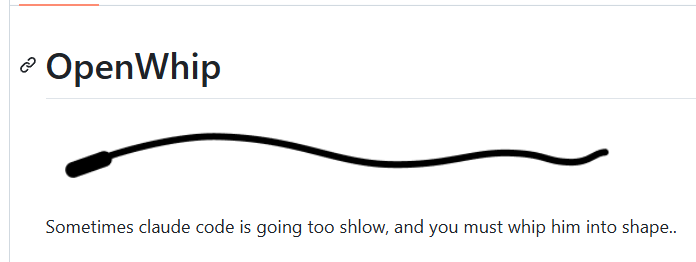
Installing OpenWhip is quite simple:
- Install globally via npm:
npm install -g openwhip - implement
openwhipstart up - Supports Windows and macOS, Linux requires additional installation
xdotool
The AirPod version introduced in this new post on Reddit upgrades the operating interface from the original mouse click to waving the AirPod: the user only needs to make a shaking gesture towards the AirPod, and the accelerometer will detect the movement and transmit the data to the laptop in real time, triggering the corresponding interrupt command. This allows users to still issue “commands” to the AI while their hands are busy typing or other tasks. Unlike OpenWhip’s desktop operation, the AirPod version does not require touching the computer at all, and the interruption action can be completed by shaking your hand.
Somebody built a tool to whip your AI through an AirPod. pic.twitter.com/OIKZvdRWWH
— gxjo (@gxjo_dev) July 20, 2026
Why do developers need to “whip” AI?
The emergence of such tools stems from a common pain point in the actual use of AI code assistants: when Claude Code or similar tools start to perform a lengthy task, it may fall into inefficient loops, produce unnecessary content, or deviate from the original task direction. In this case, the user needs to manually press Ctrl-C to interrupt it and then give the command again.
OpenWhip and whoisbadai just turn this “break and restart” action from a keyboard shortcut into a more graphic action. Although it only sends a Ctrl-C signal, the visual effects and interactive methods of “whipping” make this boring interruption action interesting. However, some opponents express their fear that this whipping behavior will make the AI feel abused or sad (will it think too much?).
Wider trend: Using body movements to control AI
The AirPod Whip isn’t the only tool trying to combine body movement with AI interaction. In the Claude Code community, a variety of innovative ways of interaction have recently emerged:
- varie-ai/workstation: A tool to control Claude Code from a mobile phone, supporting voice control and multi-session management, allowing developers to continue to monitor the progress of AI work after leaving the computer
- Walkie-Talkie Bot: Turn Claude Code into a walkie-talkie-style voice assistant that supports two-way voice dialogue. Developers can use speaking instead of typing to give instructions to the AI.

The above tools jointly point to a trend: when the AI coding assistant changes from “occasionally used to write a few lines of code” to “a partner who works side by side for a long time”, the user’s requirements for interaction methods are also changing. Traditional keyboard input is fine for short periods of time, but when AI continues to operate for hours, developers need more intuitive, lower-friction (or more fun) ways to interact with it, which is actually a pleasure to work with.
※No AI has been abused.
Source: KOCPC Chinese