


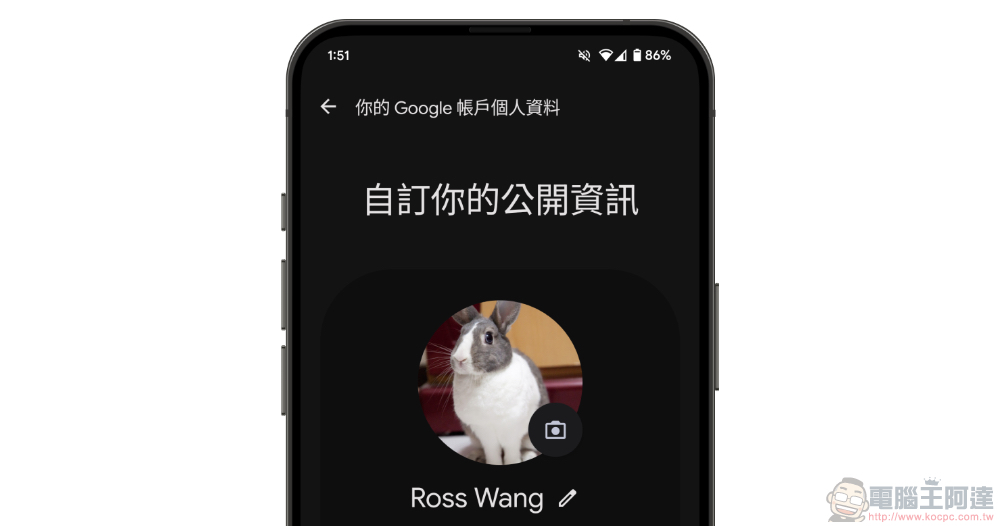
At the end of last year, Google began to launch a “personal data sharing function” for the “currently” leading messaging service Google Messages/Google Messages. Simply speaking, this function is a function that allows you to set the personal information and pictures you want to share with others in the service. This article will teach you how to use it. Continue reading the article on how to set up the “profile” shared with others in Google Messages (bonus: now you can also change the profile photo shared by others).
How to set the “personal information” shared with others in Google Messages (same scene: you can now also change the profile photo shared by others)
At the end of last year, Google began to launch a “personal data sharing function” for the “currently” leading messaging service Google Messages/Google Messages. Simply speaking, this function is a function that allows you to set the personal information and pictures you want to share with others in the service.
Since it has the concept of an electronic business card, no matter whether you have such a function, we actually recommend that you set it up. We believe that you can give a good first impression to people who want to contact you (of course, you can also give other impressions).
How to edit your profile in Google Messages
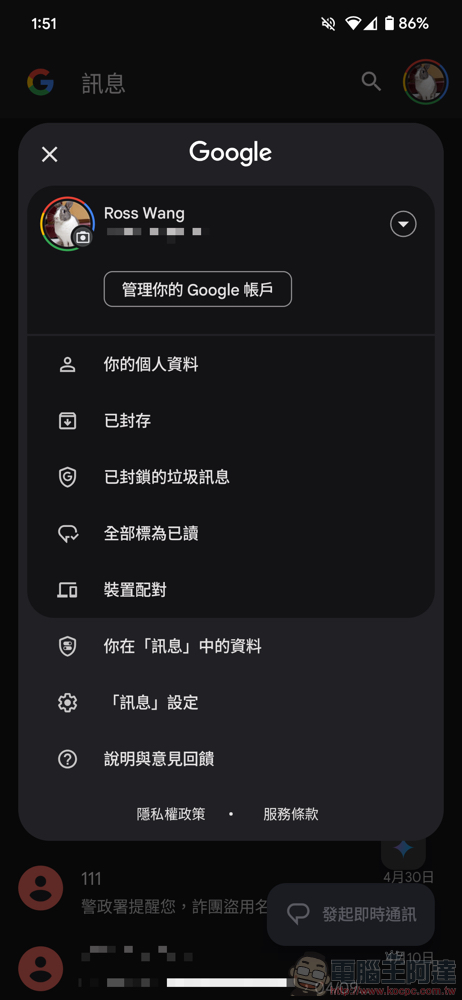
If you want to edit your profile in Google Messages, you can open the settings menu through the circular profile photo in the upper right corner of the message. After opening it, select “Your Profile” to see the settings page including name and picture.
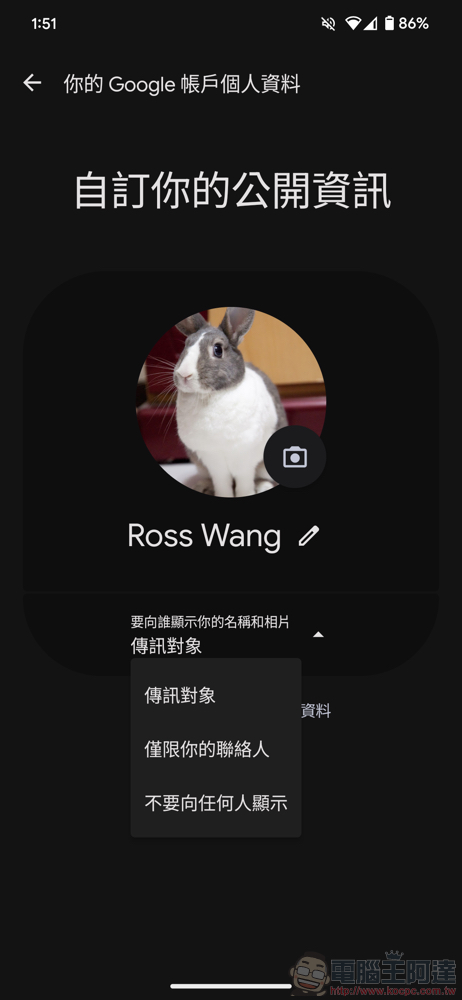
That is to say, although from all the options of “Who do you want to show your name and photo to” at the bottom, basically this function will not be made public – and it is also clearly mentioned in the official description page that “your personal information will not be made public.” However, you can see a title like “Customize your public information” on the function title.
Basically, you don’t have to have your own Google account to send Google messages. So in theory there should be no problem with public information, but you still have to pay attention to possible privacy risks. Below we also briefly list the official instructions for sharing personal data:
・使用 Google 帳戶登入 Google 訊息後,就能指定可查看個人資料的對象。
・只有在你傳送訊息給其他 Google 訊息使用者 (而非 iPhone 使用者) 時,系統才會將你的名稱和個人資料相片分享給對方。
・你的個人資料不會公開。
・你的電話號碼不會顯示在其他 Google 應用程式中。這項資訊只會用於驗證,以及協助其他 Google 訊息使用者與你聯繫。
・如果你與現有聯絡人分享個人資料,就能在 Google 訊息中看到對方的新相片,但假如你儲存的聯絡人名稱與新相片不符,則系統會繼續顯示舊名稱。
How to change someone else’s profile picture
Since the personal data sharing function taught above has been launched. There are also many people who are a little troubled by the application of customized headshots to contacts – in fact, some commentators believe that Google messages should give priority to the contact information saved by the user. In response to such opinions, Google recently launched a new feature that can change the headshot in Google messages.
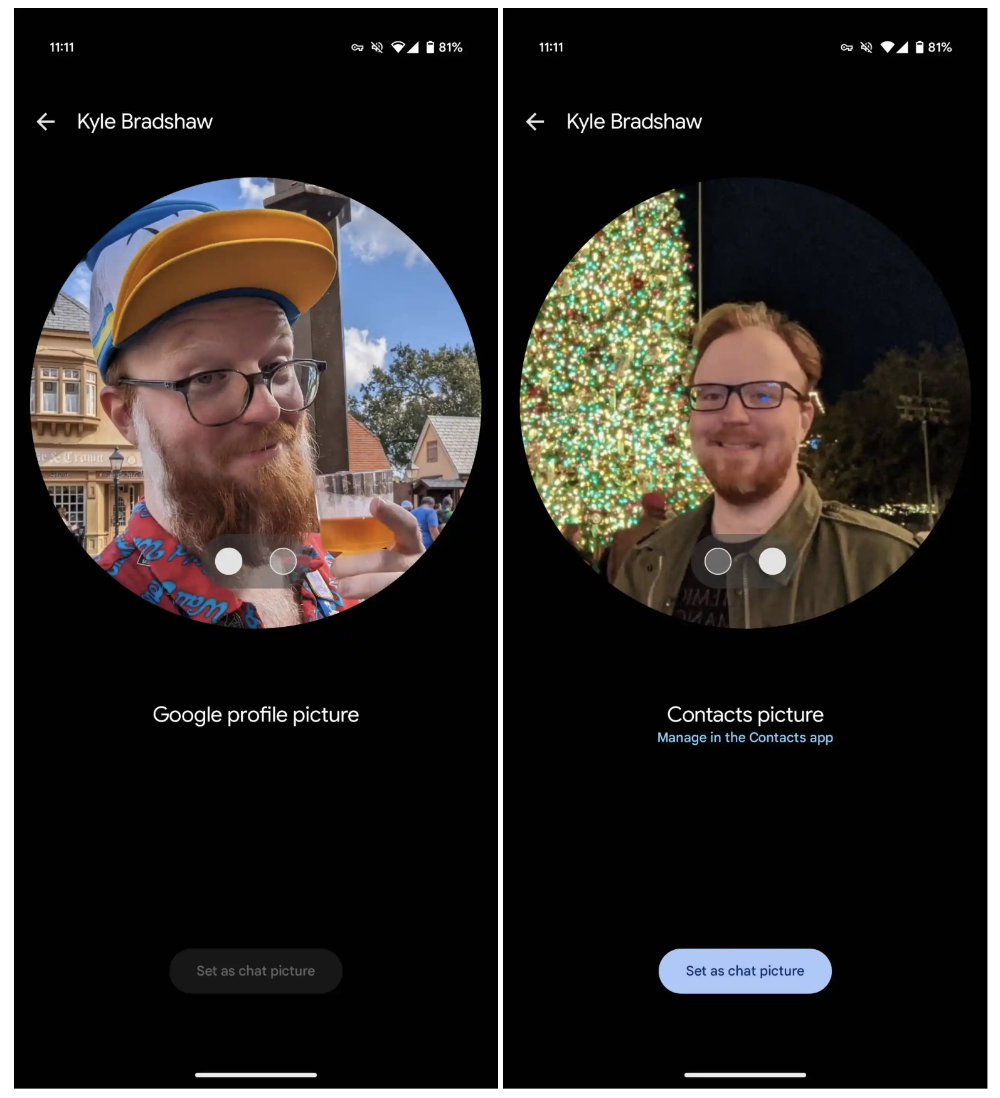
▲Image source: 9to5Google
Foreign media 9to5Google confirmed that as long as you click on the contact picture or name displayed at the top of the chat page, you can enter the interface for quickly modifying the displayed picture. And you can quickly switch the other party’s photo in the messaging function through this interface. If you have similar troubles, you can try to see if this feature has been pushed to your Google Messages function.
References:9to5Google
Further reading:
Source: KOCPC Chinese