


In recent years, the functions of mobile phone image editing APPs have become more and more intelligent and powerful. Even if you only use your mobile phone, you can easily edit good pictures. In the past, image processing such as removing pictures and changing pictures required a lot of professionalism, but now with the support of AI, everyone can produce high-quality pictures. The Phot.AI all-round smart photo retouching APP we are going to introduce today not only supports smart back removal and background replacement, but can also extend the picture screen and improve the photo quality!
Phot.AI all-in-one AI smart photo editing APP: smart back removal, background replacement, screen extension, image enhancement
There are quite a few mobile apps that can edit pictures, and Phot.AI uses AI to help users easily create good pictures. Phot.AI supports several important AI photo retouching functions, including:
- AI image removal: It can quickly remove images and also supports various background replacement and AI generation.
- AI item replacement: can easily replace items on the screen
- AI picture clutter removal: It can quickly remove unnecessary items in the picture, which is very useful especially if there are disturbing elements such as passers-by in the picture.
- AI screen extension: Sometimes the composition of the photo taken at the moment cannot meet the requirements and then uploaded to other social platforms for use later, you can use this function to generate an extended screen
- AI image enhancement: can quickly improve photo quality and make photos clearer
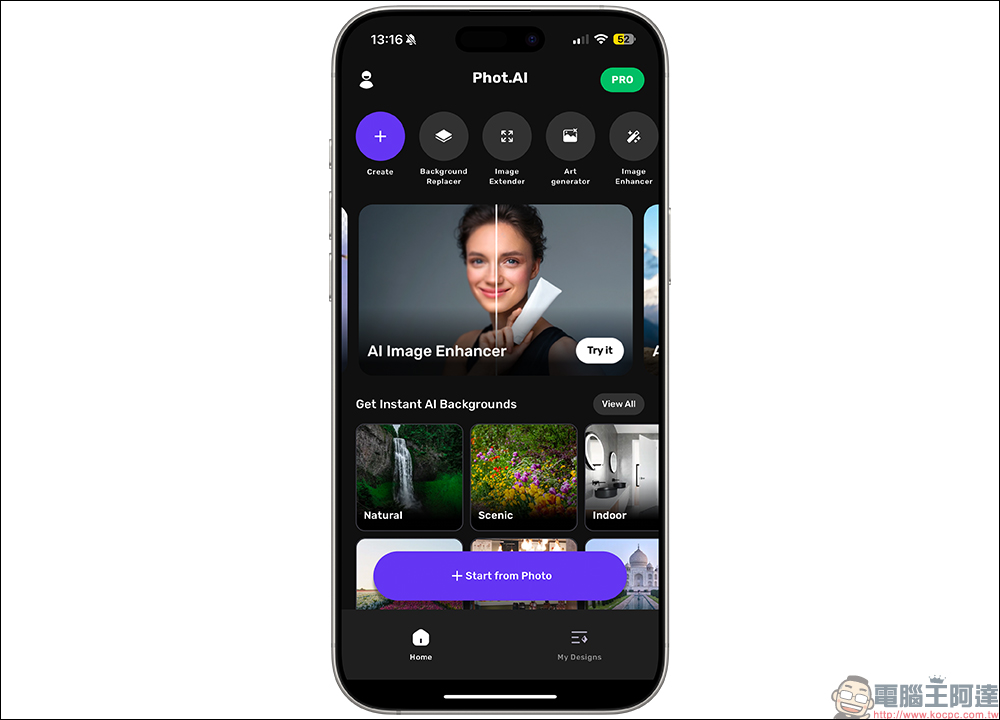
I believe that picture de-memorization is a common feature that everyone needs. Phot.AI can read the pictures in the mobile phone and quickly de-memorize them:
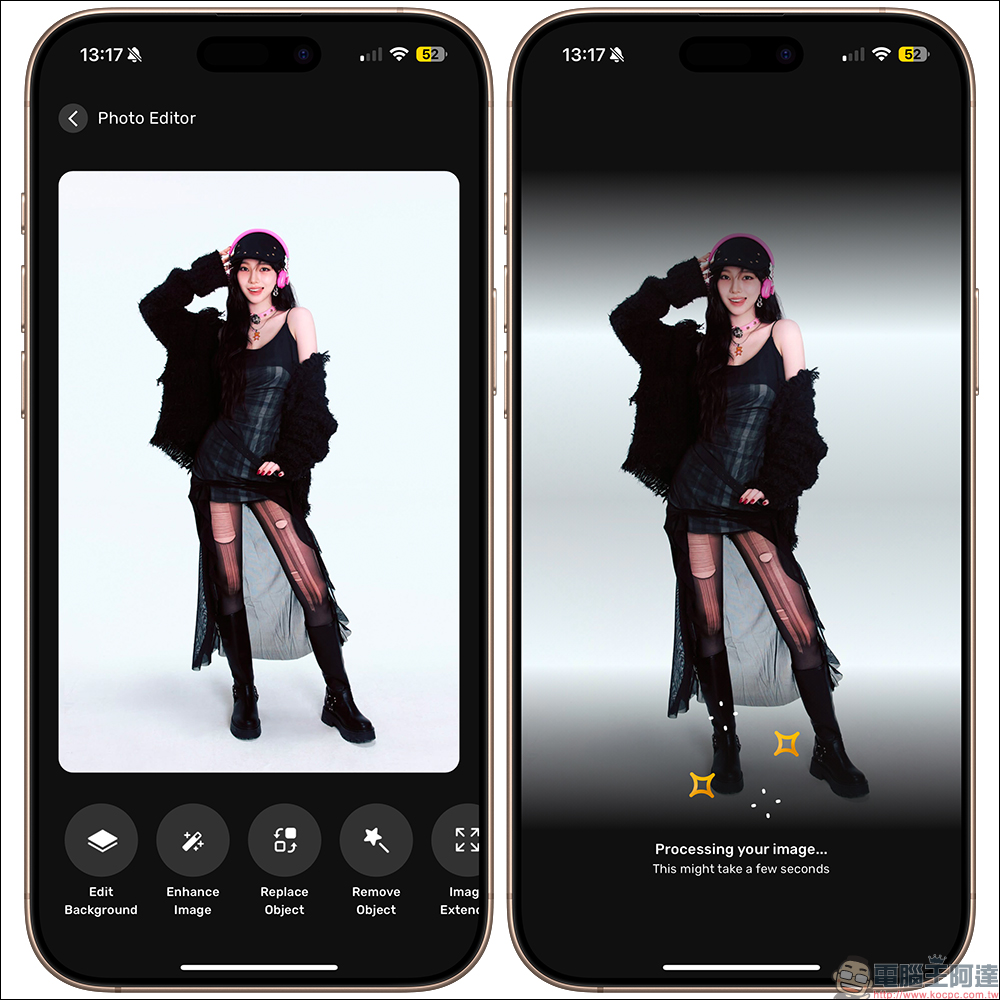
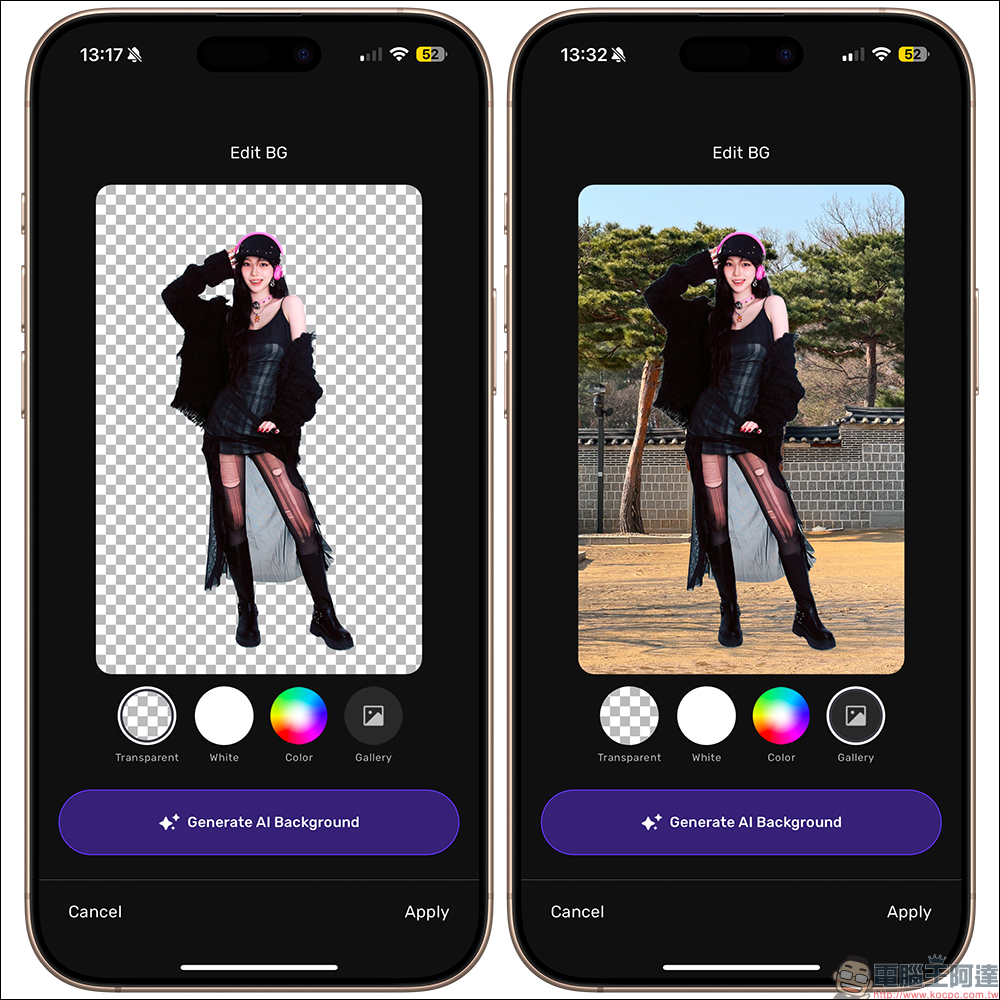
After the background removal is completed, the user can replace the background with a different color or click Generate AI Background to generate an AI background. Please be reminded that each AI generation will require a different number of points, and AI image generation will take some time.
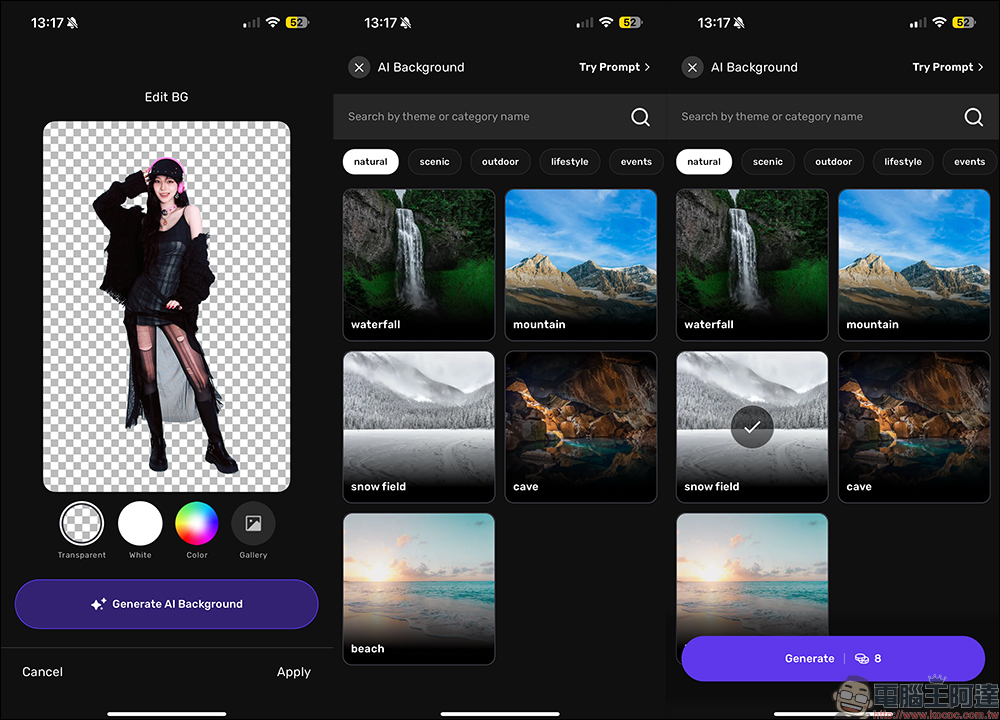
In addition, if the user has other favorite pictures in the album that can be used as backgrounds, they can also click “Gallery” to select pictures from the album to use:
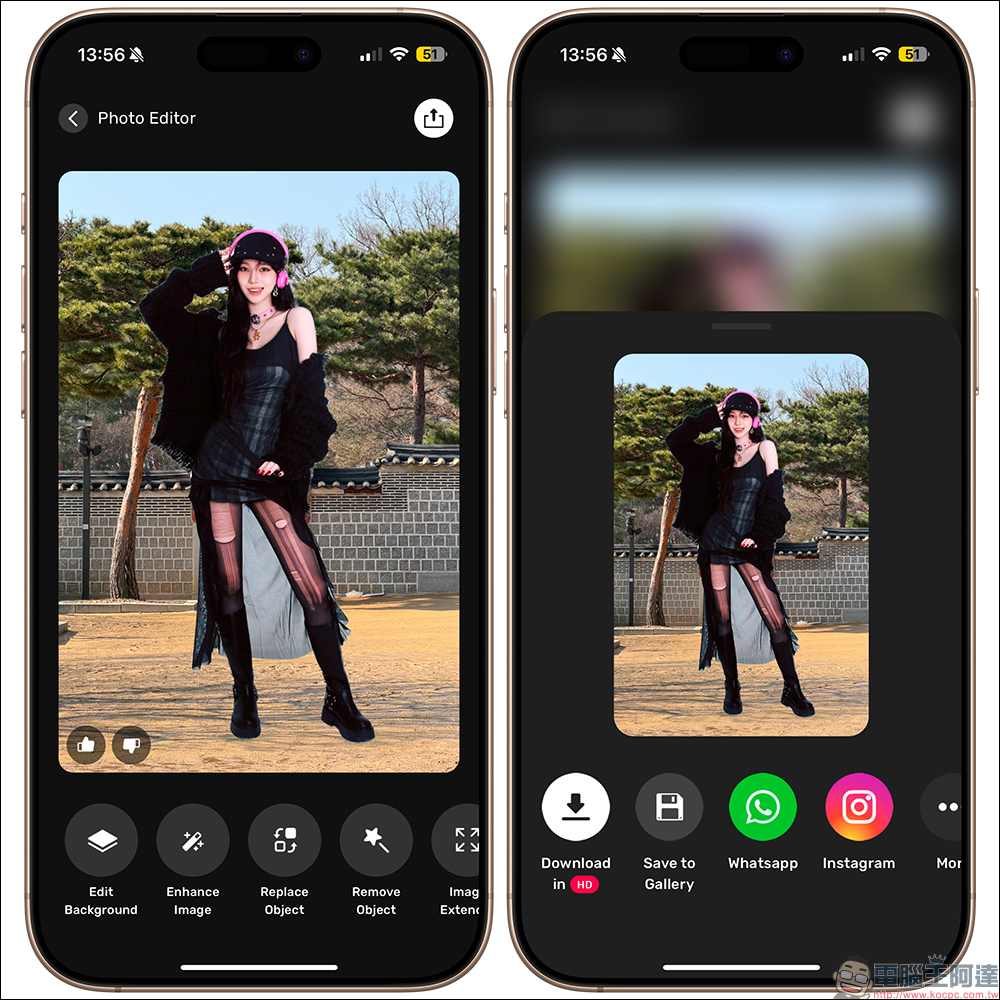
If you are satisfied with the picture and want to save it, click “Apply” first and then select the platform to save or share:
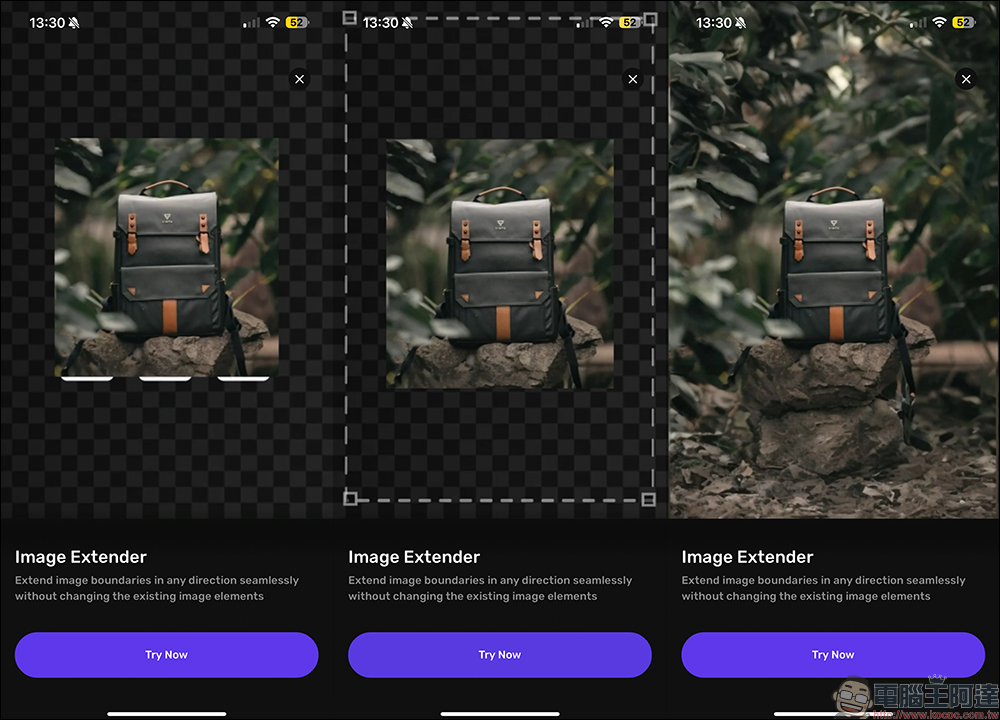
Sometimes we don’t think about the subsequent use needs when shooting, and we find that the aspect ratio cannot be met until we are about to use it. At this time, we can make adjustments through Phot.AI’s built-in AI image extension function. This function will generate scenes outside the screen based on AI analysis of the image.
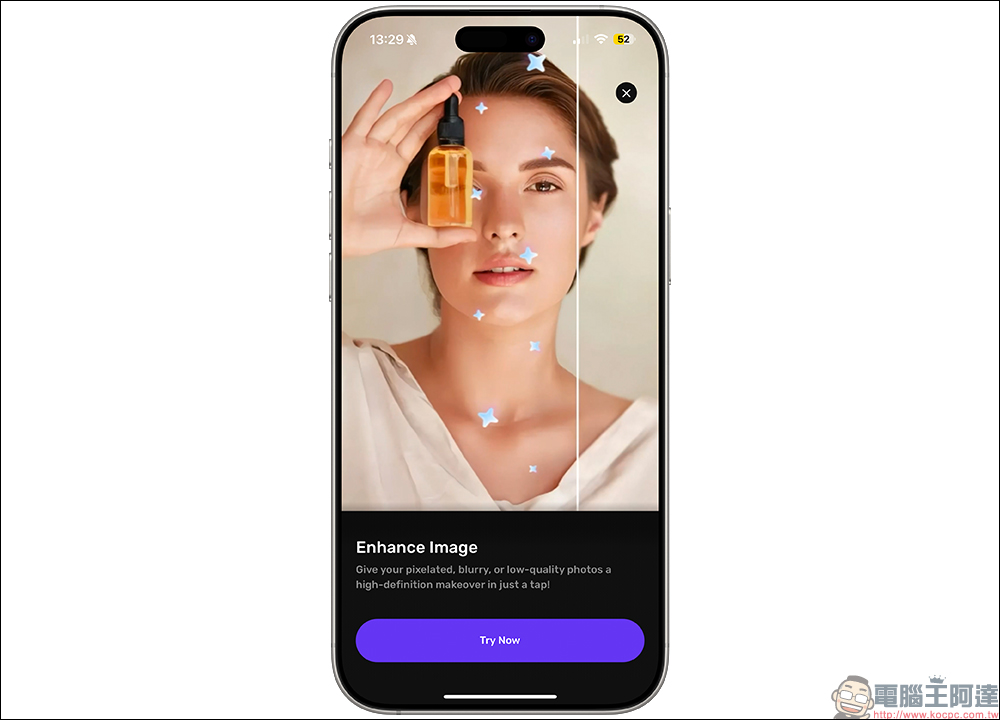
In addition, if you don’t notice that some pictures are out of focus when taking them, you can also use Phot.AI for image enhancement. This function will instantly improve the quality of the photo. In addition to increasing the resolution and sharpening the details, it will also adjust the light to achieve better picture quality. In addition, this function of Phot.AI is also very suitable for processing old photos, so that you can continue to treasure your important photos.
Phot.AI App Download (App Store)
Further reading:
LINE free sticker collection: Crayon Shin-chan and other 36 New Year-themed stickers for free download
Source: KOCPC Chinese