


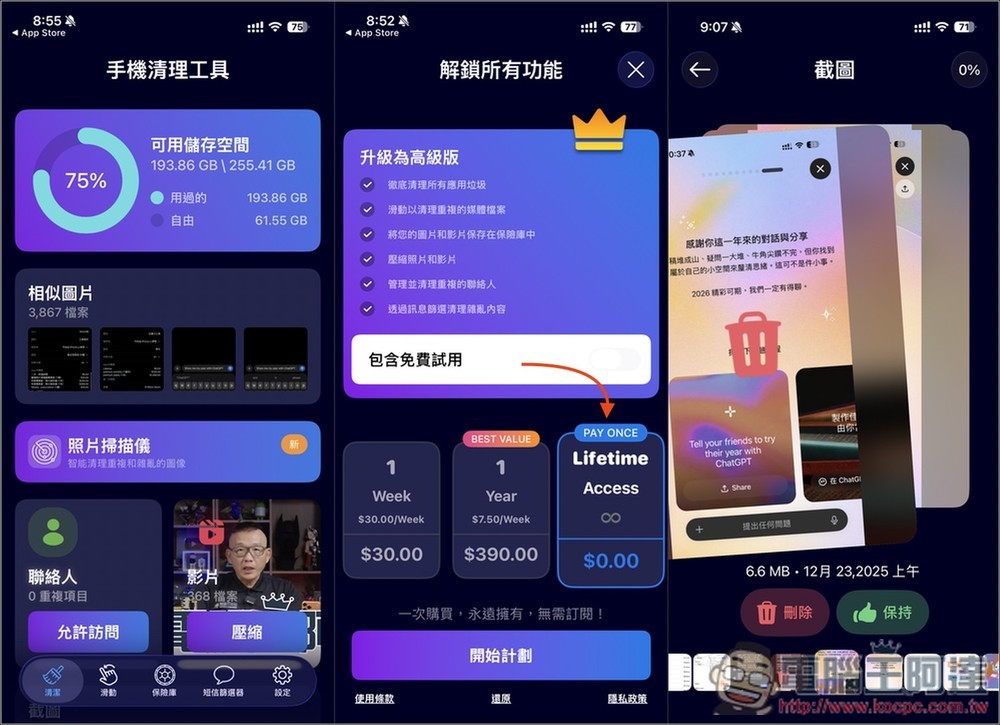
iPhone After using it for a long time, there will definitely be a ton of photos in the album.PhotoScreenshots andFilmIf you don’t usually have a habit of cleaning, tidying up will definitely be very laborious and time-consuming. If you also have this problem, then the lifetime version released earlier…Limited-time freeThe “AI Cleaner: Photo Delete Swipe” from the event is definitely worth grabbing! Not only will it use AI Scan for duplicate photos on your iPhone and iPad to quickly delete them, with support for swiping left or right to delete or keep, boosting your organization efficiency. Beyond photos, it also shows how much storage each video takes up, so you can choose to delete them or use the built-in compression feature to slim them down.
What’s more, it doesn’t just clean up photos and videos—it even supports contacts, and also offers a “private vault” feature. It’s packed with functionality.
Note: The limited-time free offer has ended.
AI Cleaner: Photo Delete Swipe – A Super Handy iPhone Storage Cleanup Tool, Lifetime Version Free Introduction
AI Cleaner: Photo Delete Swipe is a cleaning tool for iPhone/iPad that focuses on speed, intuition, and privacy. It’s perfect for users whose photos, videos, and contacts have multiplied out of control but who don’t feel like sorting through them. The app uses AI to analyze data on your device to spot duplicate photos, similar images, screenshots, and useless videos, and lets you swipe left or right to quickly delete or keep them—making organizing your photo library as intuitive as swiping on Tinder.
Unlike many cleaning apps, AI Cleaner emphasizes that all analysis is done locally on your device, and it never uploads photos or personal data to the cloud—a definite plus for those who care about privacy and data security. Beyond album cleanup, it also integrates duplicate contact removal, message filtering, photo and video compression, and a private vault protected by Face ID or password, letting you handle multiple needs with a single app.
It supports Traditional Chinese, the interface design is clean and simple, and the learning curve is low—no complex setup required, so beginners can get started quickly.
Key Features
- AI Recognition for Similar Photos: Automatically Group Similar Photos and Quickly Select the Best Version
- Duplicate Photo Cleanup: Find and delete exact duplicate photos with one click
- Swipe-to-clean interface: swipe left to delete, swipe right to keep — organize your albums much faster.
- Centralized screenshot management: all screenshots shown at once, no longer mixed in with your photo album.
- Photo and Video Compression: Reduce File Size While Preserving Quality
- Private Vault: Supports Face ID / Password, Safely Hide Private Content
- Contact organization: merge duplicate contacts, delete incomplete data
- Message filtering feature: Can categorize SMS by number or keyword.
- Fully offline processing: data never leaves your device, designed with privacy first.
Get AI Cleaner: Photo Delete Swipe
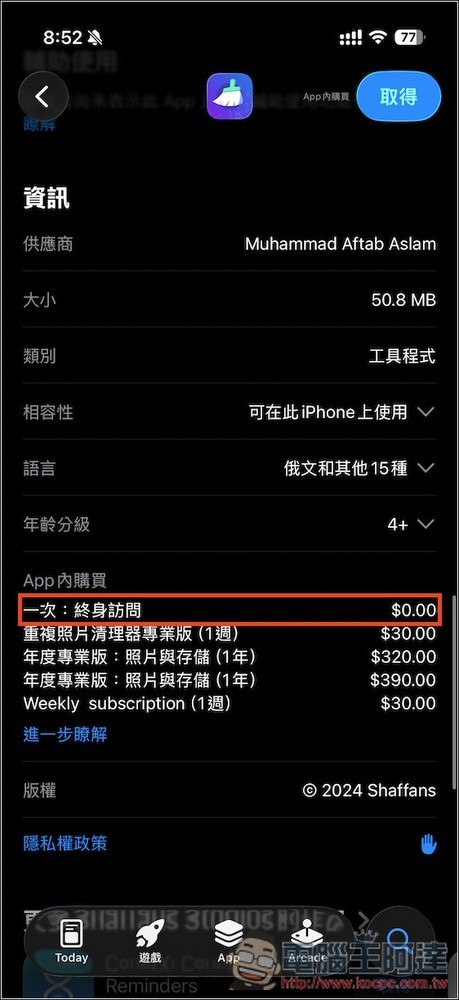
According to the developer’s note, this limited-time free promotion only lasts 48 hours. At the time of writing, about 12 hours have already passed, so there’s only about a day and a half left. If you need it, make sure to grab it quickly. Click the link above to go to the App Store page for “AI Cleaner: Photo Delete Swipe”, then scroll down to the in-app purchase description. If “one-time lifetime access” still shows $0, it means the free promotion is still ongoing:
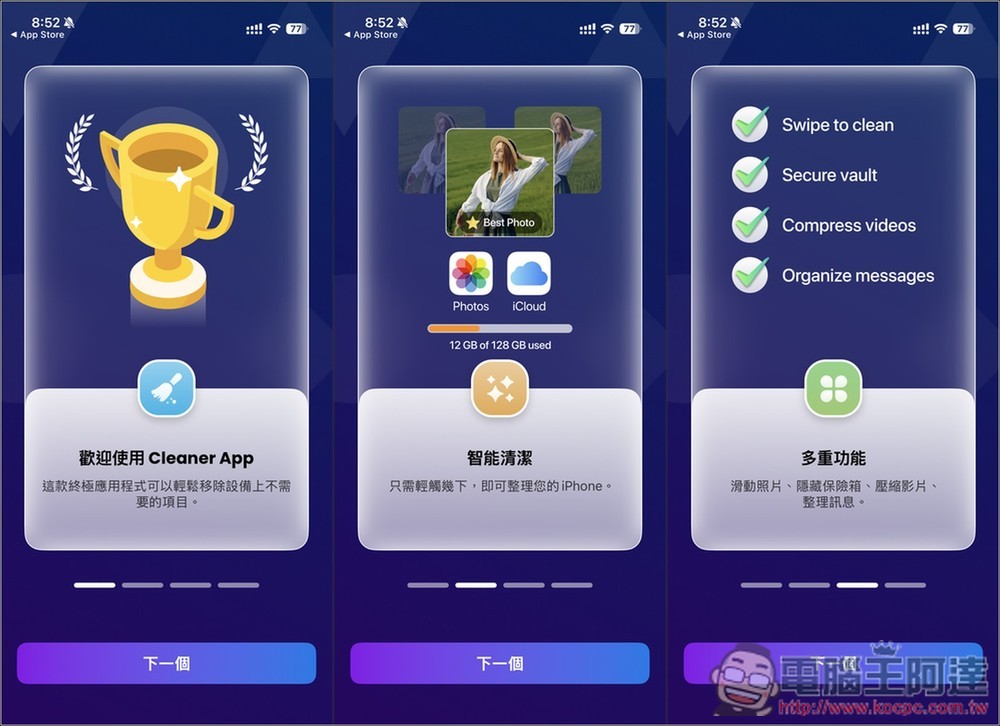
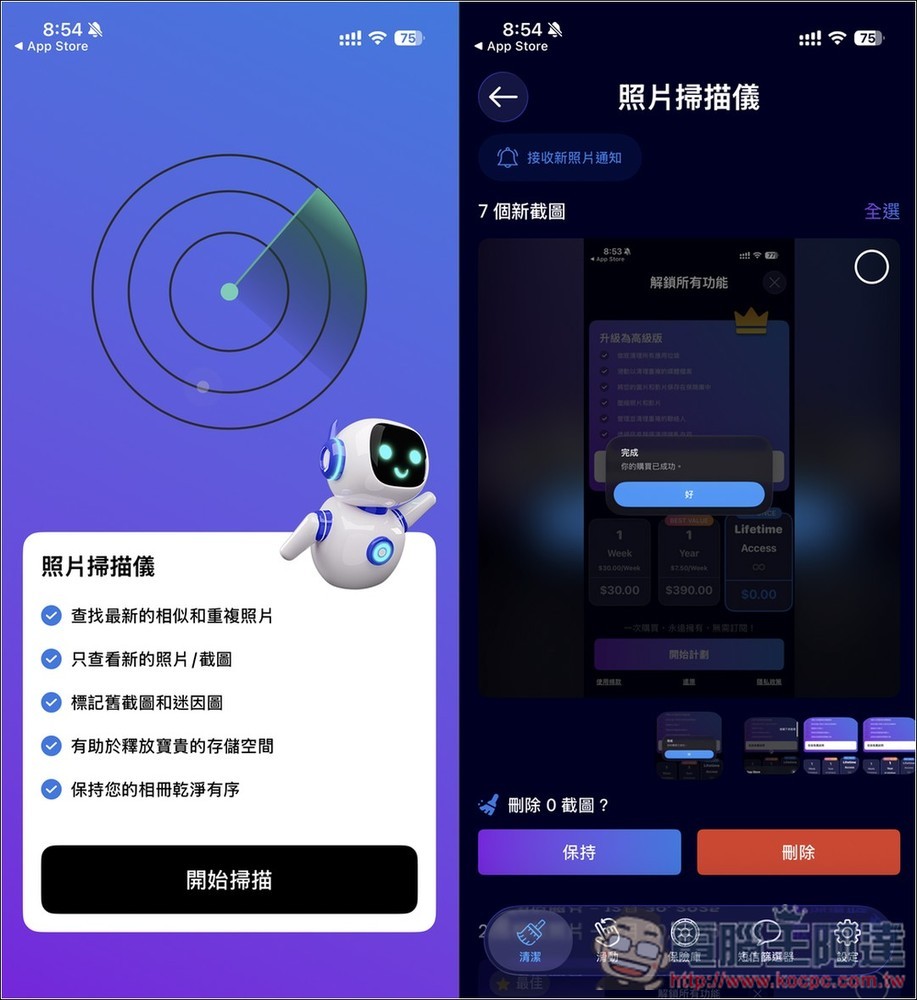
On first launch, there will be some feature descriptions:
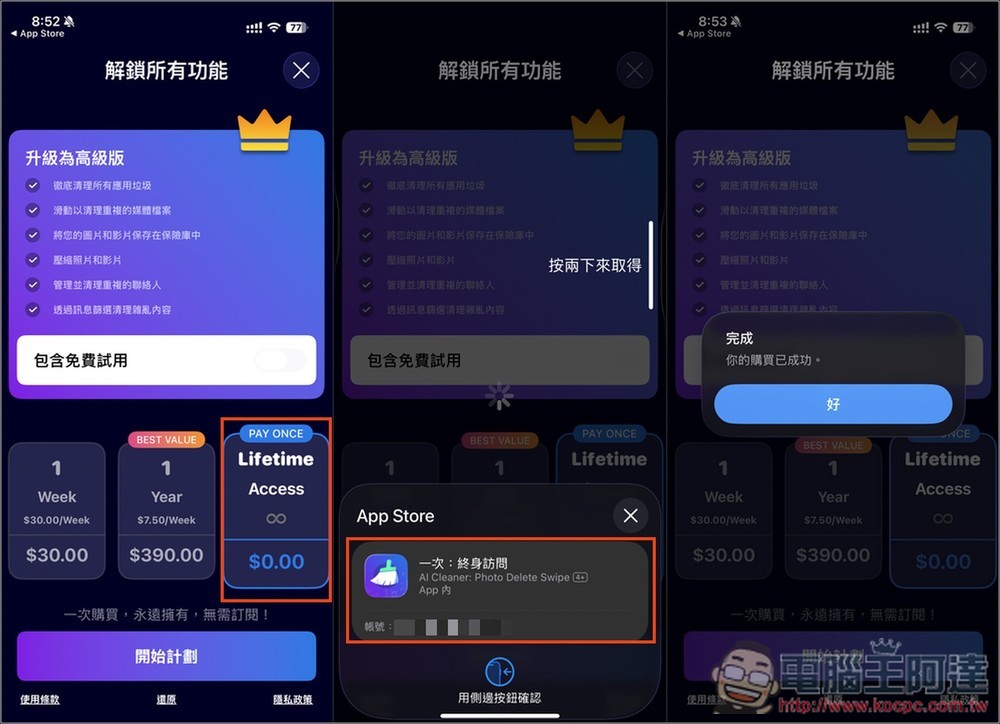
Then the payment plan screen will pop up. The Lifetime option on the far right is the lifetime version, and it currently shows $0. When you get to the confirmation screen (middle image below), be sure to check that there is no amount. If there isn’t, press twice to get it. If there is an amount, don’t press it. Once it shows “Your purchase was successful,” you’re done—you’ve upgraded to the lifetime version.
The app’s main screen provides various information and items, such as your currently available storage space, similar images, contacts, videos, screenshots, duplicate images, etc. It will take some time to scan at first; once complete, “Similar Images,” “Duplicate Images,” and “Contacts” can be browsed:

The photo scanner is mainly for recent photos. Once you’ve organized the old content, you can turn on this feature to scan.
When you open the duplicates album, every duplicate photo and image found is pre-checked by default. After checking that everything looks right, just tap “Delete Selected Items” below and you can remove all the duplicates in one go. It’s really handy. I never expected my iPhone photos to have as many as 81 duplicates.

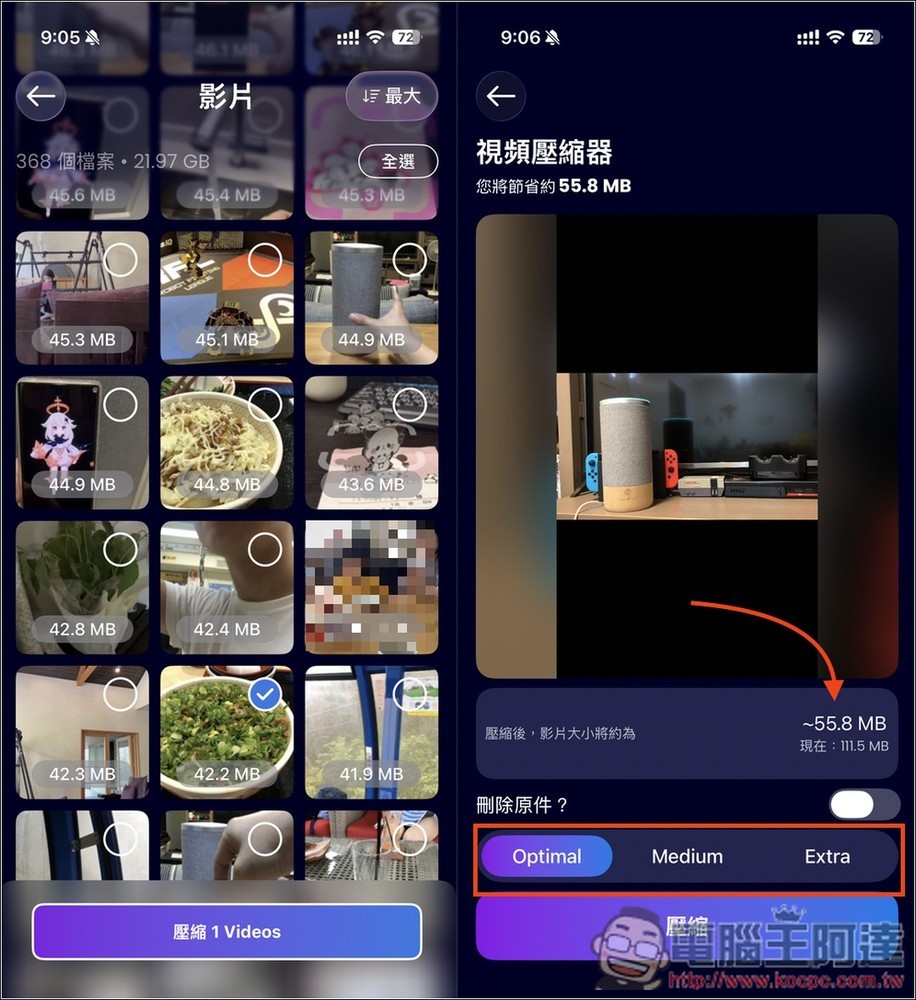
For the video section, you can quickly see the space each video takes up. If there are any you don’t want, check the circle at the top right to delete them quickly. For videos you want to keep but feel take up too much space, you can use the built-in compressor feature. Going into that video’s page shows you how much space can be compressed, as well as other compression modes to choose from:
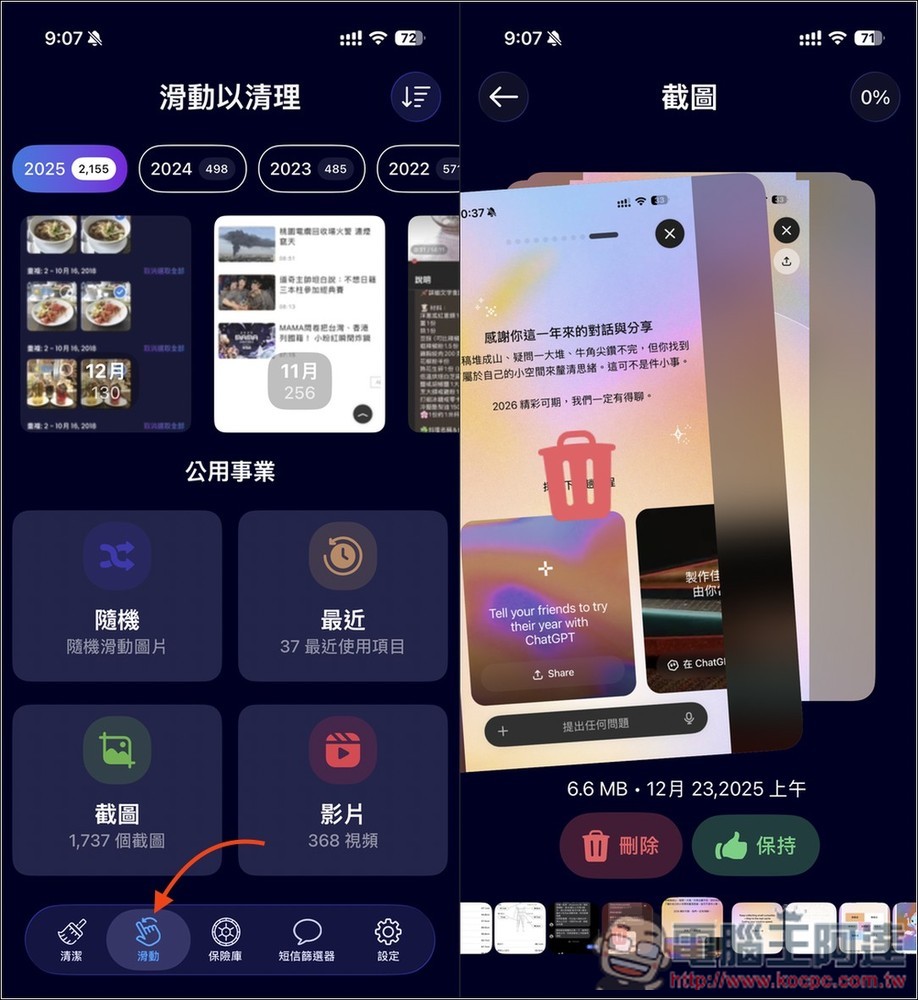
The second option at the bottom is the swipe-to-delete mode, which shows photos, videos, and screenshots one by one. Swipe right to keep, swipe left to delete:
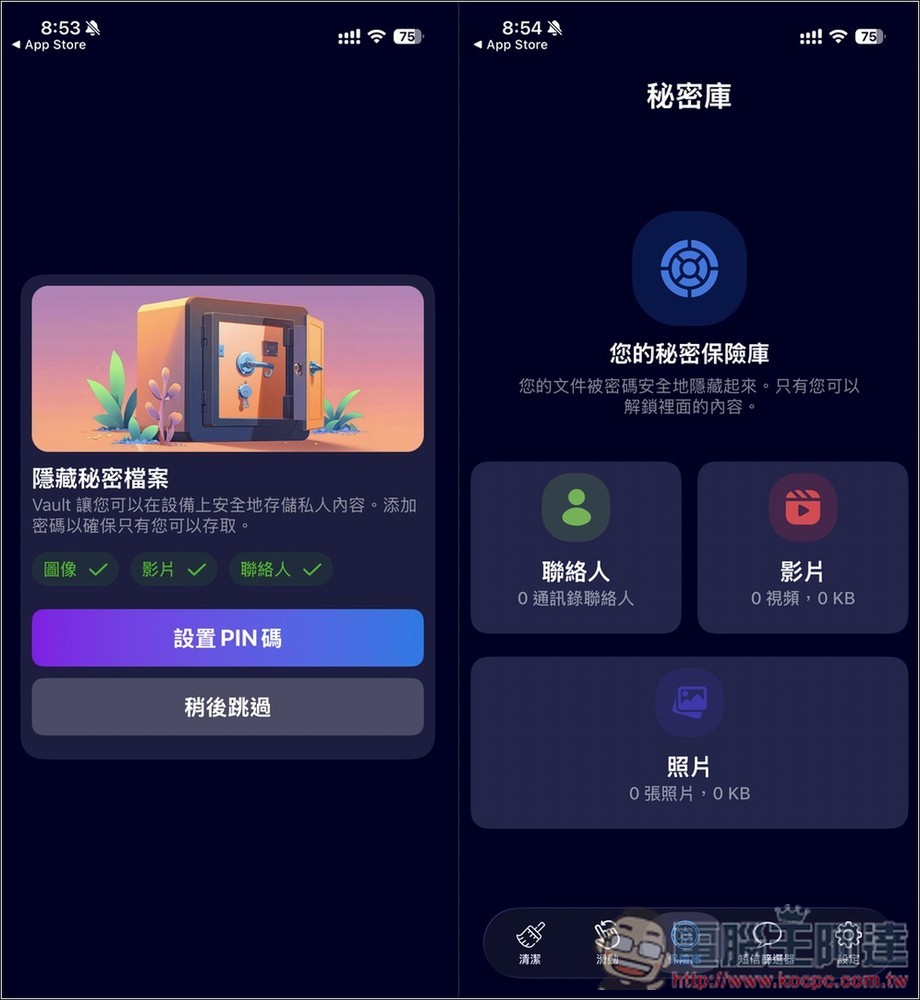
If you have photos, videos, or contacts that you don’t want others to see, you can store them in a secret vault, supporting Face ID or PIN code unlock:
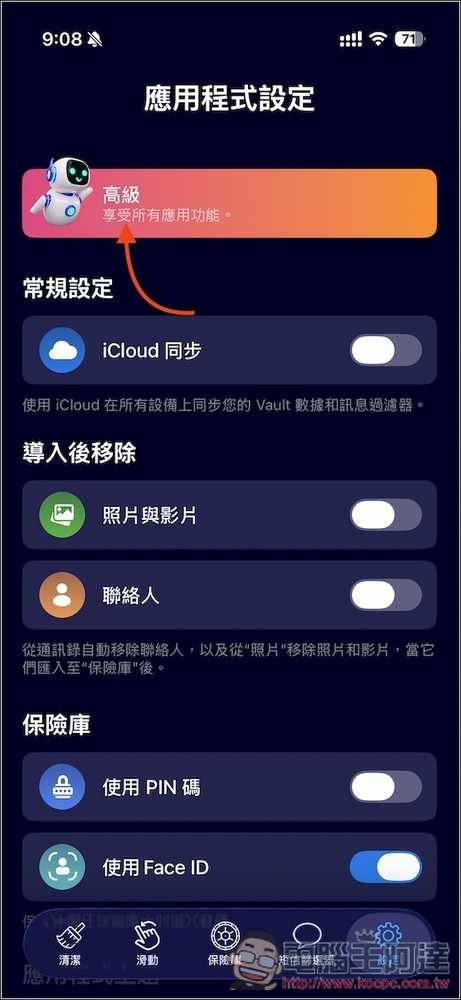
If you want to confirm whether it’s really been upgraded to the lifetime version, open Settings and check if it says “Premium (enjoy all app features)” at the top—if so, you’re good.
Source: KOCPC Chinese